

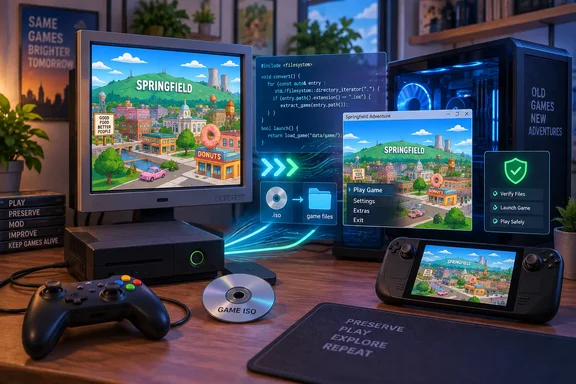
ScreenRant’s October 5 coverage and OpenCritic’s October 6 item describe the same development, rather than two separate releases. Their “after 19 years” framing captures the nostalgia, but the useful story for PC readers is the technology—and the compatibility boundaries—behind that comeback.
Native PC code, with Xbox 360 infrastructure underneath
According to YesterMester’s project documentation, the original PowerPC executable is translated ahead of time into C++ and compiled for x86-64. The game code therefore runs without CPU emulation. However, the Xenia-derived ReXGlue runtime still supplies Xbox 360 kernel, graphics, audio and input layers. Windows offers Direct3D 12 or Vulkan rendering.
That distinction matters. “Native” describes how the game’s code executes; it should not be read as a promise that every console dependency has disappeared.
A newer release adds security fixes
ScreenRant discusses version 0.0.6.2, but the project’s release page lists 0.0.6.3, released October 5, as the latest build. Its changes include launcher security fixes—not merely sharper outlines or smoother animation.
The developer says the launcher now restricts accepted hostnames to localhost or 127.0.0.1 and requires a token for every API request. Previously, DNS rebinding could let a malicious webpage read launcher responses, including folder listings. Folder-access checks were also tightened. Existing installations can update through the launcher’s About tab.
For anyone already experimenting with the port, that makes updating the sensible first step.
Getting started on Windows
The documented prerequisites include approximately 5 GB of free storage and an x86-64 processor. Standard packages require AVX2; older processors with SSE4.2 need the separate -NoAVX2 package.
The project’s Windows installation procedure is straightforward:
- Download the appropriate release archive from YesterMester’s GitHub repository.
- Extract it and run
simpsons-launcher.exe. - Select your Xbox 360 ISO in the Install tab.
- Let the launcher install the data, then press Play.
The standalone Windows launcher does not require Python.
Better controls, but not unlimited frame rates
Version 0.0.6.2 introduced extensive keyboard-and-mouse rebinding. F1 displays control mappings, while F4 opens settings. The release notes caution that Windows keyboard-and-mouse support has received less testing than Linux and Steam Deck support.
The current notes recommend 60 fps: higher settings do not generate additional frames and can worsen pacing. Some scripted sequences can still malfunction at 60 fps; the documented workaround for random deaths at the dam in “Lisa the Tree Hugger” is temporarily switching to 30 fps.
If Windows videos display a black screen, the project recommends selecting Vulkan in launcher settings.
The bottom line: this is an interesting PC preservation effort, not a polished commercial relaunch. Approach it as a hobby project with explicit requirements, update before playing, and treat “native” as an architectural description—not a magic spell against bugs.
References
- The Simpsons Game Is Finally Back After 19 Years - OpenCritic OpenCritic · Tue, 06 Oct 2026 01:09:37 GMT
- GitHub - YesterMester/TheSimpsonsGameRecomp: A work in progress recomp of the The Simpsons Game 2007 from the Xbox 360 using the RexXGlue recomping tool to get the game running · GitHub github.com
- The Simpsons Game Is Finally Back After 19 Years - ScreenRant ScreenRant · 2026-10-05T15:59:56+00:00