

Windows buyers and IT admins shouldn't read this as a simple leaderboard. The results are better used to match a laptop to the kind of network it will actually live on.
What ZDNET tested
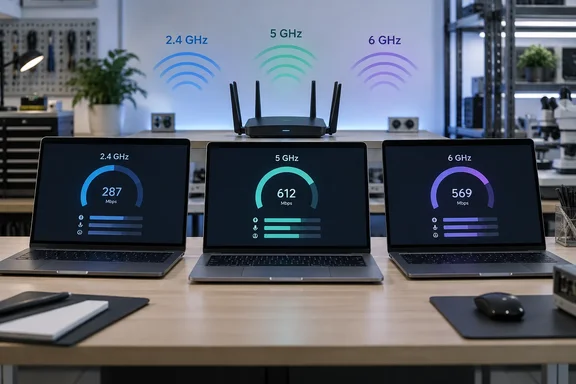
ZDNET says it measured each laptop's raw throughput at different distances and through physical obstacles, on all three consumer Wi-Fi bands: 2.4 GHz, 5 GHz and 6 GHz. The article doesn't name all seven laptops or publish the throughput numbers. It names five:
- MacBook Pro M5: best throughput on 2.4 GHz and lowest on 5 GHz. On 6 GHz it came last once results were weighted.
- Lenovo ThinkPad X1 Carbon (Gen 14): best average across all three bands, but the weakest 2.4 GHz result, which ZDNET says was close to half the MacBook's figure.
- Microsoft Surface Laptop for Business: close to the ThinkPad on every metric, and ahead of it on 2.4 GHz. ZDNET suggests that could help on weaker connections.
- Dell XPS 16: called out for strong throughput, with no ranking or figures given.
- MSI Prestige AI 16: described as very fast at the top end. ZDNET suggests it suits offices with reliable high-speed Wi-Fi that don't need to cover a wide area.
On 6 GHz, ZDNET says the seven results were mixed and much closer together than on the other two bands.
ZDNET adds an important caveat of its own. It calls the numbers somewhat theoretical and says a difference of less than 10 Mbps won't be noticeable in everyday use. It also says all seven laptops performed well. So the headline question of which laptop is best doesn't get a firm answer, and the article admits that.
Section summary: The ThinkPad won on average, the MacBook won on 2.4 GHz, and the Surface was a close all-rounder. None of the gaps are proven to matter much in normal use.
How the test worked, and what it can't tell you
ZDNET says lab engineer Schylar Breitenstein ran the tests with automated Python scripts and iPerf3, a common network testing tool. The router was a Netgear Nighthawk RS700S, which had won ZDNET's July 2026 Lab Award for widest coverage. It stayed in one fixed spot in the lab.
The network had no internet connection. No Ethernet cable ran from the modem to the router, so provider bottlenecks, congestion and jitter were taken out of the picture. An MSI Vector 16 HX AI acted as the iPerf3 server, and each laptop connected to it as a client.
That setup is sensible. Cutting out the internet connection isolates the laptop's Wi-Fi radio, the router and the air between them. It also means these are local-network throughput results. They don't tell you how fast your broadband plan will be, and they don't measure an airport or coffee-shop network, whatever the marketing angle suggests.
The article leaves out several details:
- the distances used and what the obstacles were made of
- router settings such as channel width
- how long each test ran and how many times it was repeated
- which iPerf3 options were used
- how the weighted average was calculated
The iPerf3 options matter more than they sound. The tool's documentation shows it can run TCP or UDP tests with different durations, stream counts and bandwidth targets, and it can measure traffic in either direction. Without knowing the settings, we can't tell whether the numbers cover downloads, uploads or both. The documentation also notes that an iPerf3 server handles one client at a time, which fits a test run one laptop at a time.
We also don't know which exact configurations were tested. Business laptops come in many builds, and the Wi-Fi adapter can vary between them. Treat each result as describing the unit ZDNET tested, not every laptop sold under that name.
The Surface angle: which Surface was it?
ZDNET calls the machine the Microsoft Surface Laptop for Business and doesn't say which generation, processor or screen size it tested. That matters because Microsoft sells the 7th Edition business model with either Snapdragon or Intel chips. On Microsoft's store page, the Snapdragon version lists Wi-Fi 7 and Bluetooth Wireless 5.4 technology under network and connectivity.
Reseller listings for the Intel version show Wi-Fi 7 as well. Micro Center lists a configuration with an Intel Core Ultra 7 268V (2.2GHz) Processor and Wireless LAN WiFi 7 (802.11be), Bluetooth 5.4. A comparison by Neowin also lists Better connectivity: Wi-Fi 7 and Bluetooth 5.4 as one of the changes over earlier Surface Laptop generations.
So current Surface Laptop for Business models are listed with Wi-Fi 7 whichever chip they use. That doesn't mean the Snapdragon and Intel versions share the same Wi-Fi hardware or would score the same. ZDNET's result applies to whichever unit it had in the lab, and anyone standardizing on Surface across a fleet should keep that in mind.
Section summary: Current Surface Laptop for Business models are listed with Wi-Fi 7, but ZDNET didn't say which configuration it tested. Don't assume the result carries over to every processor option.
Why band results flip
ZDNET's explanation is the standard rule of thumb. Lower bands are slower but reach further. 6 GHz, used by Wi-Fi 6E and Wi-Fi 7, is very fast but works best close to the router. Through a few walls or across floors, a 2.4 GHz connection can end up faster than a 6 GHz one that is struggling.
That's why the MacBook's result is interesting and not just a footnote. A laptop that holds up well on 2.4 GHz may cope better at the edge of coverage. A laptop that is fast on 5 GHz and 6 GHz does best when you're near the access point. These are two different jobs.
The following is general industry knowledge, not something ZDNET tested. Band results also depend on the access point, the channel width it offers, nearby networks, building materials and how many other devices share the air. The client laptop is only one part of the connection. A top score on ZDNET's Netgear router doesn't guarantee a top score on your office's enterprise access points.
Practical guidance for Windows users and IT admins
This part is based on general Windows knowledge, not on ZDNET's article.
Check what your laptop is actually using. In Windows 11, go to Settings > Network & internet > Wi-Fi and open the properties for the network you're on. The page shows the protocol (for example, Wi-Fi 6E or Wi-Fi 7) and the network band. From a command prompt, netsh wlan show interfaces shows the radio type, channel and current receive and transmit link rates. If a laptop that supports 6 GHz keeps landing on 2.4 GHz in a meeting room, the cause is probably the room or the access point, not the laptop.
Mind the OS requirements. Windows 11 is needed to use 6 GHz with Wi-Fi 6E. Wi-Fi 7 support arrived with Windows 11 version 24H2. You also need current Wi-Fi drivers from the laptop or chip maker. Put Wi-Fi 7 hardware on an older build and you may not get what you paid for.
Run your own iPerf3 test. You can repeat the basic method at home or in the office without extra hardware:
- Install iPerf3 on a wired PC and run
iperf3 -sto start the server. It listens on port 5201 by default. - On the laptop, run
iperf3 -c <server IP>for a standard TCP test. - Add
-Rto reverse the direction, so the server sends and the laptop receives. Report both directions. - Repeat from the spots that matter to you, such as the desk, the conference room and the far end of the floor. Note the band each time.
- Run each test several times. Wi-Fi results vary from run to run.
A good test gives consistent numbers at each location. If you see big swings, look for interference or roaming problems.
Buy for your environment, not the headline. For fleets in dense offices with good access points, ZDNET's overall average and top-end results are the most relevant. For road warriors on hotel and airport networks, the weak-signal results carry more weight. And given ZDNET's own point that sub-10 Mbps gaps aren't noticeable, a small throughput lead shouldn't outweigh battery life, repairability, management tools or price.
Verdict
ZDNET's test is a useful reminder that Wi-Fi performance depends on the conditions. Its main finding, that laptops tuned for strong signals and laptops that cope with weak ones aren't the same machines, is worth knowing. The missing numbers and settings make it a guide, not a definitive benchmark. For Windows shoppers, the ThinkPad X1 Carbon Gen 14 and Surface Laptop for Business both came out as strong all-rounders. The Surface's 2.4 GHz edge gives it a small point in its favor for anyone who works away from the router.
References
- Want the best Wi-Fi laptop? We tested 7 models – here’s what our lab found - ZDNET ZDNET · 2026-09-30T20:00:58+00:00
- Specs Appeal: Comparing Surface Laptop 7 for Business, Surface Laptop 6 and Surface Laptop 5 - Neowin neowin.net
- Surface Laptop for Business, 13.8 and 15-In. (7th Ed.) microsoft.com