

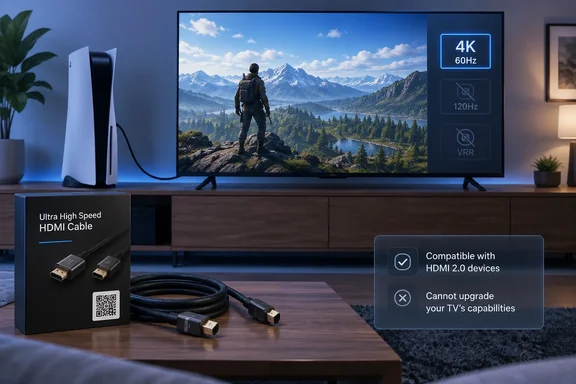
The Ultra High Speed HDMI Cable Works on HDMI 2.0 Hardware. It Just Can't Upgrade It
Read literally, the headline is wrong. The body of the MakeUseOf piece corrects it: the connector is the same, the cable fits the port, and because HDMI connections are backward compatible, the TV shows picture and sound. The HDMI Forum's own specification material also describes the cable as backward compatible with existing HDMI devices. Certified cable makers advertise the same thing. Cable listings describe certified Ultra High Speed models as having "full backward compatibility with all previous versions of HDMI".
The disappointment the headline describes is real, though. You buy a cable rated for 48Gbps and plug it in, and nothing changes: no 120Hz and no sharper image. As MakeUseOf puts it, the TV is the bottleneck, not the cable. The HDMI 2.0 standard launched in 2013. It supports 4K at up to 60Hz, HDR10 and 32 audio channels, with a bandwidth ceiling of 18Gbps. HDMI 2.1 raises that ceiling to 48Gbps, which makes room for 4K at 120Hz, 8K at 60Hz, Variable Refresh Rate (VRR), Auto Low Latency Mode (ALLM) and enhanced audio return (eARC).
The cable's rating describes what it can carry. It says nothing about what the devices at each end will send or accept. The HDMI Forum says an Ultra High Speed cable supports up to 48Gbps, and that its certification program ensures the cables support 4K and 8K video, HDR, VRR, eARC, and all other HDMI 2.1a features. The word that matters there is support. A cable that can carry a 4K/120Hz signal does nothing if the TV's HDMI receiver can't accept one.
MakeUseOf gives a PlayStation 5 as the example. Connect it to an HDMI 2.0 TV with an Ultra High Speed cable, and the console and cable can both handle HDMI 2.1-class bandwidth, but the TV's HDMI 2.0 hardware sets the limit. The same applies to a Windows gaming PC with a modern graphics card. The display, not the cable, decides which resolutions and refresh rates are possible.
"HDMI 2.1 Cable" Has Been a Banned Label Since 2010
MakeUseOf blames confusing cable names for a lot of wrong purchases, and says buyers "would expect to see '2.1' printed on the box." That complaint is fair, but it needs one correction. The piece also says the HDMI Forum has moved "in recent years" from version numbers to speed-tier labels. In fact, version numbers on cables have been banned for more than 15 years.
On November 18, 2010, HDMI Licensing (now HDMI Licensing Administrator) made new cable marketing rules mandatory. The notice says manufacturers "shall not use HDMI version numbers in the labeling, packaging, or promotion of any cable product." The ban covers specification releases such as HDMI 1.3, interim versions such as 1.3a, and compliance test specification numbers. It also requires the correct cable name on both the cable and the front of the packaging. The licensor said it was working with customs agencies in the US, Europe and China to check imported and exported cables for compliance.
Strictly speaking, then, an "HDMI 2.1 cable" doesn't exist. HDMI version numbers describe device specifications. Cables are certified to speed tiers:
| Official cable name | Bandwidth tested | Typical intended use |
|---|---|---|
| High Speed HDMI Cable | 10.2Gbps (per MakeUseOf) | Older HD and early 4K setups |
| Premium High Speed HDMI Cable | Full 18Gbps | 4K/Ultra HD, including 4K@60Hz, BT.2020 and HDR |
| Ultra High Speed HDMI Cable | Up to 48Gbps | HDMI 2.1-class modes such as 4K@120Hz and 8K@60Hz |
| Ultra96 HDMI Cable | Higher tier under the HDMI 2.2 program | Next-generation HDMI 2.2 systems |
In practice, many retail listings still put "HDMI 2.1" in product titles, next to the official tier name. That's why buyers look for a version number. To choose correctly, ignore the version number and read the tier name and certification label.
The table also shows that the tier list keeps growing. HDMI Licensing Administrator's current cable page says both the Ultra96 HDMI Cable and Ultra High Speed HDMI Cable are part of the Ultra HDMI Cable Certification Program. It also says the Ultra High Speed tier is applicable for system configurations supporting up to 48Gbps maximum bandwidth. The next round of confusion is easy to predict: "future-proof" cable marketing will now push Ultra96, and TVs that can use it will be even rarer than 48Gbps TVs are today.
Certification Labels Are the Real Buying Signal for Ultra High Speed and Premium Cables
Since version numbers aren't a reliable guide, the useful thing to check on the box is the certification label. For the top tiers, certification is required, not optional. HDMI Licensing Administrator calls the Ultra program a mandatory certification program. It says all Ultra96 HDMI Cable models and Ultra High Speed HDMI Cable models must pass certification testing at an HDMI Forum Authorized Testing Center (Forum ATC).
Once a cable is certified, the manufacturer has to put a certification label on each package or unit of sale so buyers can check it. The official cable name also has to appear on the cable jacket. According to the licensor, the labels can be scanned by standard QR code apps. A scan should return the registered brand, model and cable length. If those don't match the box, don't trust the cable.
The Premium High Speed tier works the same way. That program requires every length of every model line to be tested at an official HDMI Authorized Test Center. It audits cables for continued compliance, and each product needs an anti-counterfeiting label with a unique QR code. Cables must pass full 18Gbps testing plus an EMI test that checks they don't interfere with wireless signals. In February 2026 the licensor switched to a smaller label. Labels in the original size can no longer be ordered but remain valid, so you may find either size in stores.
The licensor is also blunt about the retail situation. Its cable pages warn that resellers may use a variety of marketing terms and may not use the official HDMI Cable name designations, and many websites may recommend cables only based on receiving affiliate payments. It adds that some cables are counterfeit. Optional verification banners on reseller websites can be clicked or scanned to show the same brand, model and length details as the physical label.
Certification also has limits. A buying guide from cable vendor KTC says a certified cable does not guarantee every adapter-heavy or receiver-heavy chain will behave perfectly, and that long passive cable runs are less forgiving. Treat the label as proof that the cable meets its tier, not proof that your whole setup will.
HDMI 2.1 Feature Support Depends on Every Port in the Chain
There's a second catch the headline doesn't cover. A device labeled "HDMI 2.1" may not support every HDMI 2.1 feature. The HDMI Forum says specification version numbers are not feature sets and that individual features are optional. A TV, monitor, receiver or soundbar can meet the HDMI 2.1 specification and still lack 4K/120Hz, VRR or ALLM on some or all of its inputs.
This is why MakeUseOf's advice to check the TV's ports matters more than any cable choice. The piece notes that many newer TVs only rate one or two HDMI ports as full-bandwidth HDMI 2.1, while the rest run at HDMI 2.0 speeds. With a certified Ultra High Speed cable in the wrong port, you'll still get 60Hz.
Everything between the source and the screen also counts. If your console or PC runs through an AV receiver, soundbar or HDMI switch, that device must pass through the mode you want. The signal can only be as capable as the weakest link in the chain.
Dolby Vision on HDMI 2.0 Is More Nuanced Than "No"
One claim in the MakeUseOf piece needs correcting outright. It says HDMI 2.0 can't handle "dynamic HDR formats like Dolby Vision." As a blanket statement that's wrong, and it could lead someone to replace a working setup for no reason.
Dolby's consumer guidance says Dolby Vision needs a compatible source, display, content or streaming service, and cabling. It says HDMI 2.0-or-newer cables are enough for 4K HDR at 60 frames per second, and HDMI 2.1 or higher is needed for 4K HDR at 120 frames per second. Plenty of HDMI 2.0-era TVs and streaming boxes play Dolby Vision at 4K/60. Whether a particular TV supports it depends on that model's feature list, not on its HDMI version. What does need HDMI 2.1-class bandwidth is the high-frame-rate case.
What this means for you
Before you buy any cable, find out what your TV and source can actually do. The cable is the last thing to check, not the first. If the display and the playback or gaming device both support the mode you want on the specific ports you're using, then a certified Ultra High Speed cable is worth buying. If not, a new cable won't change anything you see.
Here's who should buy one. Per MakeUseOf, you need a certified Ultra High Speed cable if you own a PS5 or a gaming PC with a capable graphics card and a TV whose labeled HDMI 2.1 port supports 4K/120Hz or VRR. If you plan to buy that kind of TV or console soon, getting a certified cable now saves replacing it later. If you mostly watch 4K at 60Hz and your current cable works reliably, you don't need to replace it just because a newer tier exists.
To check your own setup:
- Write down the exact model numbers of the TV or monitor, the source device, and any receiver, soundbar or switch in between.
- Look up each model's specifications on the manufacturer's site, usually under ports or connectivity. Confirm the specific mode you want (4K/120Hz, VRR, ALLM or eARC) on the specific HDMI port you'll use.
- Check the TV's settings menu. Some TVs list per-port HDMI capabilities there, and some require an enhanced HDMI mode to be switched on for each input.
- Only if the whole chain supports the higher-bandwidth mode, buy a cable labeled Ultra High Speed HDMI and scan its QR label to confirm the brand, model and length.
Key takeaways:
- An Ultra High Speed HDMI cable works with an HDMI 2.0 TV at whatever the TV supports, typically up to 4K at 60Hz.
- No cable can add 4K/120Hz, VRR, ALLM or eARC to a TV or port that doesn't already support them.
- Cable packaging isn't allowed to use HDMI version numbers, so look for the official tier name (Premium High Speed, Ultra High Speed or Ultra96) instead of "2.1".
- The QR certification label is the most reliable proof of a cable's tier. Price and brand prove nothing.
- An "HDMI 2.1" TV may offer full bandwidth on only one or two inputs, so the port you choose matters as much as the cable.
- Dolby Vision at 4K/60 works over HDMI 2.0-class connections on compatible devices. HDMI 2.1-class bandwidth is needed for 4K HDR at 120 frames per second.
HDMI cable naming puts the burden on buyers, and it's about to get more complicated as Ultra96 cables arrive for HDMI 2.2 hardware that few people own yet. The rule stays the same: the cable only needs to match what your devices can actually send and display. Check the ports and the certification label, and don't pay for bandwidth your hardware can't use.
References
- HDMI 2.1 cables don't work with HDMI 2.0 TVs and nobody warned you MakeUseOf · 2026-09-25T18:30:15+00:00
- Important Notice to Manufacturers and Resellers of HDMI CablesPLEASE TAKE TIME TO REVIEW THESE CHANGES AS THEY MAY HAVE A DIRECT IMPACT ON YOUR BUSINESS hdmi.org
- Ultra High Speed HDMI® Cable Certification Program hdmiforum.org