

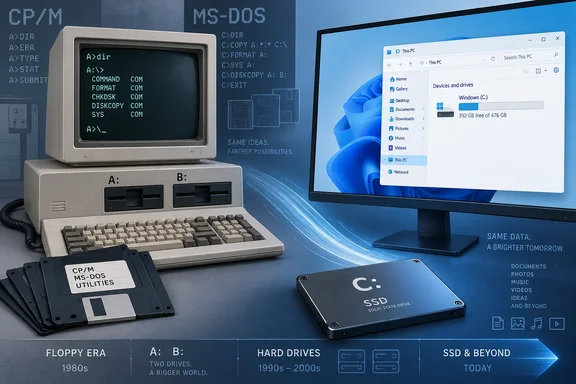
XDA Developers traces that history to CP/M’s use of letters to identify disk drives. How-To Geek independently describes the same DOS-era explanation for Windows starting at C:. Microsoft’s current storage documentation adds a useful modern detail: Windows still has an automatic drive-letter assignment routine that treats floppy drives differently from other storage.
How floppy drives took A: and B:
Before hard disks became normal PC equipment, floppy disks held operating systems, applications, and users’ files. CP/M, an influential operating system for early microcomputers, used designations such as A: and B: to distinguish drives. MS-DOS carried that alphabetical convention into IBM-compatible PCs.
A two-floppy setup made those first two letters useful. One drive could hold the operating-system or application disk, while the other held a disk containing the user’s work. The letters identified where software should look; they were not rankings of a drive’s speed or importance.
IBM’s historical account dates the original IBM PC to August 1981 and confirms that buyers could equip it with two diskette drives. That was an option, rather than the configuration of every machine: IBM says the base model had no disk drive.
When hard disks joined floppy drives in DOS-based PCs, A: and B: already had established roles. C: became the conventional starting point for hard-disk storage. IBM dates the PC XT—a major step in that transition—to March 1983.
The important chronology is that the drive-letter convention began before Windows. The 1970s explain its roots; the DOS PC era explains why C: became the familiar hard-drive letter. It would be misleading to suggest that CP/M established today’s Windows installation layout in one decision.
Nor was this a universal naming rule for all early computers. It was the convention that became familiar through DOS and IBM-compatible PCs.
The convention still appears in Windows storage code
Modern Windows does more than preserve the appearance of old paths. Microsoft documents an operation called IOCTL_MOUNTMGR_NEXT_DRIVE_LETTER, through which the Windows mount manager can assign a volume its next available drive letter.
Its documented behavior is specific:
| Volume’s device-name category | Where the search for an available letter starts |
|---|---|
A name beginning with \Device\Floppy | A |
A name beginning with \Device\CdRom | D |
| Other device names | C |
This explains how the old arrangement can persist without floppy hardware being present. For the last category, the search begins at C; it does not first require an actual A: drive and B: drive to occupy the earlier letters.
There is another important qualification. Microsoft says this operation retains a volume’s existing letter, if it already has one. It also respects a mount-manager database entry indicating that the volume does not need a letter.
Consequently, this is a documented automatic-assignment rule—not proof that every Windows storage configuration must follow one fixed sequence. It also does not establish that administrators are universally prohibited from assigning A: or B: to other storage. Automatic defaults and restrictions on manual assignments are different questions.
Why keep C: after floppy drives disappeared?
Compatibility provides a practical reason to retain the familiar default. How-To Geek describes drive letters as part of Windows’ continuing accommodation of older software, while XDA Developers points to applications, scripts, and configuration files that expect C:-based paths.
Keeping the default avoids introducing an unnecessary change to those expectations. A modern SSD has no intrinsic need to be the “third” drive; Windows is preserving an established naming arrangement.
For users, the consequence is straightforward: missing A: and B: entries in File Explorer do not indicate missing storage. There is nothing to repair merely because the first visible local volume is C:.
When administrators should look beyond the letter
C: is a useful convention, but a drive letter is not a permanent hardware identity. Microsoft’s deployment guidance explicitly warns that drive lettering may change after a reboot during deployment operations.
For computers with multiple physical drives, Microsoft describes identifying a target by its hardware location path—the connection location represented by a string—rather than relying solely on the letter currently visible. Its guidance also distinguishes BIOS-based selection from UEFI-based selection.
That distinction has a concrete safety implication. Microsoft warns against using DiskPart’s SELECT DISK=SYSTEM to identify the intended system disk on UEFI machines. When booted into Windows PE, it can select the Windows PE drive; where multiple drives contain EFI system partitions, it may select the wrong drive.
For ordinary desktop use, C: remains a convenient and familiar address. For deployment or recovery work, the safe conclusion is narrower: verify the target disk and partition in the environment actually running before making changes. A convention inherited from floppy disks is useful for finding files, but it is not sufficient evidence for deciding which physical disk to modify.