

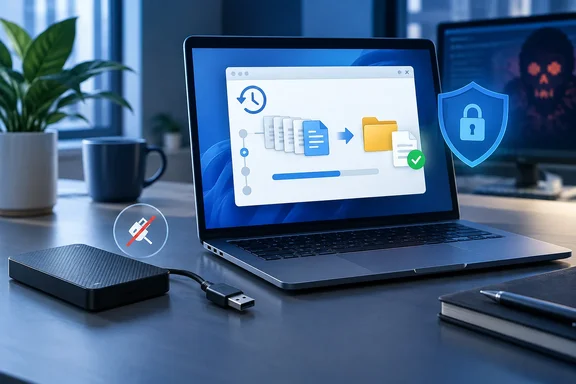
Writing for MakeUseOf, Tashreef Shareef describes discovering that files he had copied for months were corrupted when he needed to recover them. That is his reported experience, not an independently established diagnosis of what damaged the backups. But the lesson has authoritative support: CISA recommends regularly testing backup availability and integrity in a disaster-recovery scenario, rather than relying on the existence of backup files alone.
For Windows users, the practical improvement is straightforward: keep the copies, protect at least one from online attacks, and rehearse recovery before an emergency supplies the deadline.
What 3-2-1 protects—and what it leaves unproven
The traditional rule calls for:
- Three total copies: your working data plus two backups.
- Two different media types: avoid depending on a single storage approach.
- One copy offsite: a local disaster should not destroy every copy.
Veeam’s backup-planning documentation preserves that foundation in its expanded 3-2-1-1-0 guideline. The additional numbers address isolation and recovery verification.
The original framework is still useful. The mistake is treating a storage layout as proof of recoverability.
A completed backup job and a successful restoration are different events. Software may perform verification during a backup, so it is too sweeping to say that every success notification means only that copying finished. Nevertheless, CISA explicitly recommends testing both backup procedures and recovery availability and integrity. A status message is not a substitute for that exercise.
The takeaway: 3-2-1 is a foundation, not a recovery test.
Why the extra “1” matters
Ransomware changes the calculation because accessible backups can become targets themselves. CISA warns that many ransomware variants search for reachable backups and attempt to delete or encrypt them. Its guidance recommends offline, encrypted backups of critical data.
For an individual PC owner, isolation can be pleasantly low-tech: disconnect the external backup drive when it is not in use. CISA specifically advises against leaving it connected between backups, because ransomware could exploit that connection to damage the backup data. The USB cable is convenient; unfortunately, malware appreciates convenience too.
The expanded rule permits an offline, air-gapped, or immutable copy, according to Veeam’s documentation. These are alternatives for protecting a copy, not instructions to purchase three additional storage systems.
Nor should “immutable” be mistaken for “automatically safe.” CISA recognizes immutable cloud storage as an option but cautions that configuration, costs, and compliance considerations matter. The protection needs to match the recovery plan—not merely appear as a checked box.
The “0” means verification, not invincibility
Veeam describes the final zero as zero errors through regular recovery verification. It is a useful operating goal, not a guarantee that every possible disaster has been defeated.
Our practical interpretation is to test at the level of the promise you are making. If the promise is “I can recover my documents,” restore documents. If it is “I can rebuild this workstation or business service,” plan a controlled recovery exercise for that larger outcome. This follows CISA’s emphasis on testing backups in a disaster-recovery scenario.
Restoring one photograph is encouraging. It is not evidence that an entire PC can be rebuilt.
A safe File History restore test on Windows
Microsoft documents File History for Windows 11 and Windows 10. It saves versions of personal files to an external drive or network location. For this exercise, you need an existing File History backup and access to its storage destination.
Microsoft’s supported restoration path is:
- Open File Explorer and navigate to the backed-up file or folder’s original location.
- Right-click the folder and choose Restore previous versions.
- In Previous Versions, select the version you want to examine.
- To preview it, expand Open and choose Open in File History.
- For a non-destructive test, expand Restore and select Restore to..., then choose a separate destination. Microsoft warns that ordinary restoration replaces the current version and cannot be undone.
Then perform the actual acceptance check: open the recovered files, confirm that they contain the expected content, and record which backup date you restored. Those are practical checks proposed here to turn a restoration into a repeatable test.
If no useful version appears, first investigate coverage. Microsoft says File History backs up libraries; folders elsewhere can be included by adding them to a library. Check the file’s actual saved location rather than its library view when accessing previous versions.
A successful test means the selected version was retrieved and proved usable. Keep that conclusion appropriately narrow.
Mirroring has a catch worth checking
MakeUseOf mentions FreeFileSync as a way to copy files to a disconnectable drive. Its official manual adds an important qualification: Mirror creates and deletes files at the destination until it matches the source exactly.
That means an accidental source deletion can become a destination deletion during the next mirror operation. Disconnecting the drive reduces online exposure between runs; it does not change what mirroring does when you reconnect it.
FreeFileSync also documents an Update mode that does not propagate source-side deletions to the backup drive. That distinction is useful, but retaining deleted files still does not prove that recovery works. Choose the copying behavior deliberately, then test the resulting copy.
What the confidence figures actually show
Backblaze’s 2024 consumer survey reported that 84% of computer owners had backed up all their data, while 15% of Americans felt absolutely certain their most important files were securely backed up. The Harris Poll conducted the online survey for Backblaze on April 25–29, 2024, among 2,058 U.S. adults, including 1,877 computer owners. These are historical figures, not a current measurement of backup habits.
They also do not establish how many respondents tested restores or demonstrate that untested backups caused uncertainty. Backblaze, a backup-services provider, commissioned the research; the findings are useful context, not proof of a particular technical failure.
Make recovery a habit
A quarterly reminder can be a starting point, but the CISA guidance cited here calls for regular testing without prescribing a universal quarterly schedule. Our recommendation is to choose a cadence suited to how quickly your data changes, and repeat the exercise after significant backup-configuration changes.
The meaningful upgrade is not memorizing two more digits. It is replacing “the backup exists” with a documented answer to “what have I successfully recovered?”
Keep 3-2-1. Add isolation. Make restoration part of the routine—not the surprise ending.
References
- The 3-2-1 backup rule everyone repeats is missing a step, and I found out the hard way MakeUseOf · 2026-10-03T15:00:15+00:00
- How to Protect the Data that is Stored on Your Devices | CISA cisa.gov
- Backup and restore with File History | Microsoft Support support.microsoft.com