

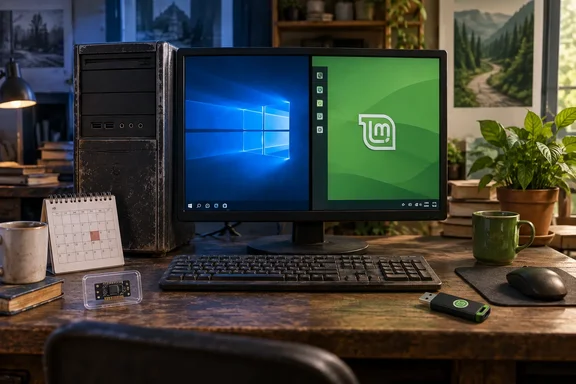
It's a personal story, not a benchmark, and it should be read that way. It also contains one factual slip worth fixing before anyone plans a Windows 10 exit around it.
The story in brief
Batt's timeline, as he describes it:
- The Windows 11 wall: His PC tops out at TPM 1.2, so it fails Windows 11's TPM 2.0 requirement. He says he didn't much like Windows 11 anyway and was happy to stay on Windows 10.
- The ESU stopgap: When Windows 10 support ended, he says his OneDrive use got him into Microsoft's extended support program, which he describes as giving "up to three more years" of security updates.
- The frozen feeling: He came to feel he was only delaying the inevitable. ESU brings security fixes only, so feature-wise, he says, his PC was stuck at October 2025. He also didn't want to pay for third-party Windows 10 security support once ESU ran out.
- The switch: He picked Linux Mint because it came up often in his research, around the time PewDiePie made a video about moving to it. He says Mint looked and worked like Windows and ran more smoothly on his old hardware than Windows 10 had.
- The friction: It wasn't a clean break. He kept going back to Windows 10 for a day or two, then returning to Mint to fix whatever had bothered him. Sometimes that meant a Linux way of doing the same job, sometimes an alternative app, and sometimes just accepting that a feature was gone. In the end he wiped Windows from his partitions.
- The sequel: He no longer runs Mint. He moved to Fedora KDE and now uses openSUSE Tumbleweed, crediting Fedora's stability and openSUSE's Snapper, which is set up out of the box. He still recommends Mint as the first distro for anyone reviving an old PC.
The storytelling is fine. The ESU numbers need work.
Section summary: An old PC failed Windows 11's TPM requirement, spent some time on Windows 10 extended support, and ended up on Linux, with Mint as the first step.
Fact check: ESU gives consumers two years, not three
The "three more years" claim doesn't match Microsoft's consumer program.
Consumer ESU started as a one-year deal. Microsoft then stretched it. Microsoft quietly extended its free Windows 10 Extended Security Updates (ESU) program for consumers by an additional year, allowing enrolled devices to continue receiving security updates until October 12, 2027. Tom's Hardware notes that the program was originally set to expire on October 12th, 2026, one year after Windows 10 reached end of support on October 14th, 2025. Nobody has to re-enroll: if you're already enrolled, your coverage will automatically continue through that date—no action needed.
That's roughly two years from end of support. The three-year figure matches Microsoft's general ESU model, where the ESU program enables PCs to continue to receive critical and important security updates through an annual subscription service after support ends, and where commercial customers buy year by year. Microsoft's lifecycle FAQ lists Windows 10 ESU year-end dates out to October 2028. Nothing we found says a home user gets that third year through OneDrive or any other consumer route.
On OneDrive: Microsoft's consumer page lists three ways to enroll. You can enroll at no additional cost if you are syncing your PC Settings, by redeeming 1,000 Microsoft Rewards points, or with a one-time purchase of $30 USD or local currency equivalent plus applicable tax. The free option is tied to syncing your settings, not to simply using OneDrive. Batt's route was probably the settings-sync one, but he doesn't give details, so don't assume a OneDrive account enrolls you by itself. In Europe, BleepingComputer reports that users in the European Economic Area can receive ESU for free by logging in to Windows 10 with a Microsoft account.
Two more rules matter here:
- Version: ESU is available for eligible devices running Windows 10, version 22H2.
- Personal devices only: Tom's Hardware reports that systems joined to an Active Directory domain or to Microsoft Entra, or managed through Mobile Device Management, are corporate-controlled and therefore not eligible.
Section summary: Consumer ESU runs to October 12, 2027. The three-year window belongs to the paid commercial program. Batt's bigger point, that ESU only delays the decision, is correct.
"Locked in October 2025" is mostly right
Batt's complaint about being stuck with no new features holds up. Microsoft says ESU enrollment does not provide other types of fixes, feature improvements, or product enhancements. It also does not come with technical support. Its commercial documentation lists the same exclusions: new features, customer-requested nonsecurity updates, design change requests.
One caveat: this applies to the Windows 10 operating system, not every Microsoft app on the machine. Microsoft keeps a separate timeline for Microsoft 365 Apps security updates on Windows 10, running to October 2028. Your PC isn't completely frozen, but Windows 10 itself stopped getting features at version 22H2.
TPM 1.2 may not be his only problem
TPM gets the blame in most "my PC can't run Windows 11" stories, but it's only one of several requirements. Microsoft's Windows 11 minimums also include a compatible 64-bit processor with at least two cores, 4 GB of RAM, 64 GB of storage, UEFI firmware with Secure Boot capability, and DirectX 12-compatible graphics with a WDDM 2.0 driver.
For a PC that old, the CPU is very likely on the wrong side of Microsoft's supported-processor list as well. Batt only mentions TPM, so we can't say for sure. Readers with similar hardware shouldn't assume a firmware setting or a TPM module would make the machine eligible. The PC Health Check app will tell you which requirements your machine fails.
Section summary: TPM 1.2 fails Windows 11's requirements, but a PC that age may fail on other counts too, especially the processor.
Linux Mint for a Windows refugee in late 2026
Batt doesn't say which Mint release he installed or what's inside his PC, so his "runs smoother than Windows 10" result can't be applied to your hardware. What we can give you are the project's own current numbers.
The current Linux Mint release is Linux Mint 22.3 "Zena," released January 13, 2026. The Mint team describes it as a long-term-support release with support through 2029. Its published requirements:
| Requirement | Minimum | Recommended |
|---|---|---|
| RAM | 2 GB | 4 GB |
| Disk space | 20 GB | 100 GB |
| Display | 1024×768 | — |
Compare that with Windows 11's 4 GB RAM and 64 GB storage minimums, plus TPM and CPU gating, and you can see why Mint is a common choice for older PCs. It ships in Cinnamon, Xfce and MATE editions. Xfce and MATE are generally the lighter choices for older machines, though that comes from wider community experience, not from Batt's article.
A support date through 2029 covers the OS. It doesn't promise that every app, printer driver or work service you rely on will keep working. It's a longer runway than Windows 10 ESU, not a lifetime guarantee.
How to try it without betting the house
Batt doesn't describe how he installed Mint or what checks he ran. What follows is standard migration practice, not his method:
- Back up first. Copy important files to external storage or cloud storage before touching partitions. Microsoft also recommends a backup as part of any Windows 10 end-of-support plan.
- Check the release's requirements against your RAM, storage and screen resolution.
- Verify the ISO. The Mint team says anyone can produce fake ISO images and asks users to check downloads against the published SHA256 sums and the signed checksum file.
- Boot the live session first. Test Wi-Fi, audio, graphics, printers and whatever web apps you need for work before installing anything.
- Audit your must-have apps. Batt's own story shows the friction is real. Plan for a Linux equivalent, a workaround, or doing without.
- Consider keeping Windows as a fallback at first. Batt switched back and forth before removing Windows for good. Dual-booting takes careful partitioning, so do it only after the backup in step 1.
- Read the release notes. Mint publishes known issues and workarounds for each release, and it's better to read them before installing than after something breaks.
Where the article is right, and where it's generous
What holds up:
- ESU is a bridge and doesn't solve the problem. Even with the extra year, consumer coverage ends October 12, 2027.
- Starting with Mint and moving on later is a normal path. Batt says it taught him what he wanted from a distro.
- Many old PCs still work fine, and replacing one just because the OS stopped supporting it is a real cost.
What to take with some salt:
- The performance claim comes from one unnamed machine with no measurements. Some old hardware will do well on Mint; old graphics cards or Wi-Fi chips with poor Linux drivers may not.
- The "totally free" appeal is real, but migration takes time. Batt describes his own back-and-forth, and if you depend on specific Windows software, you pay for the switch in hours.
- Consumer ESU is now free for two years for many users, so the pressure to act is lower than the article suggests. If you have Windows 10 22H2 and personal settings sync turned on, you have until October 2027 to test Linux without rushing.
Bottom line
Batt's story is a useful look at what happens when good hardware ages out of Windows support. He gets the three-year ESU figure wrong: consumer coverage ends October 12, 2027. His larger point holds, though. ESU only postpones the decision. If your PC does its job but fails Windows 11's checks, you have until late 2027 to back up your files, boot a live USB of Linux Mint 22.3, check whether your hardware and apps work, and decide if your old PC gets a second life or a trip to the recycler.
References
- Windows abandoned my 12-year-old PC, so I revived it with Linux Mint - xda-developers.com xda-developers.com · 2026-09-30T13:00:18+00:00
- Microsoft quietly extends free Windows 10 ESU support to October 2027 bleepingcomputer.com
- Windows 10 Consumer Extended Security Updates (ESU) microsoft.com