

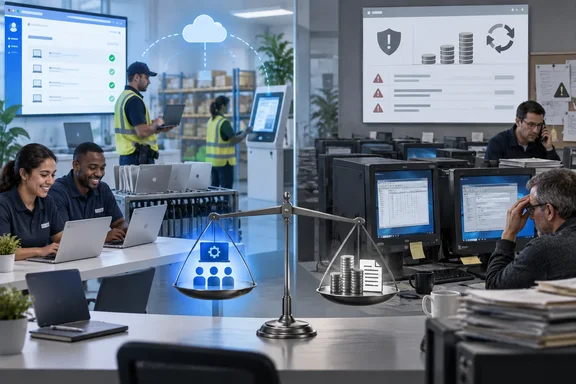
The answer is more specific than either side's marketing. The evidence supports faster provisioning and cheaper support on shared, web-first frontline devices, and it shows a real cost comparison with Windows 10 ESU. It does not support a general claim that Chromebooks replace Windows PCs. It also doesn't show Google's new Googlebook plans changing anything for current fleets yet. The figures below come from a compilation by About Chromebooks published September 22, 2026. They were checked against Forrester's published study, Google's own announcements and Omdia's shipment releases where those were available.
Forrester's ChromeOS TEI study puts setup at minutes, but the sample is six interviews
Most of the enterprise case for ChromeOS in 2026 traces back to one document: The Total Economic Impact of Google ChromeOS, which Forrester Consulting published in September 2025 under a Google commission. Forrester's TEI (Total Economic Impact) method interviews a handful of customers and then builds a composite, fictional organization from what they say. The study states its purpose plainly: to give readers a framework to evaluate the potential financial impact of ChromeOS on their own organizations. It is a structured case for a purchase, not a survey of the market.
Forrester interviewed six decision-makers. They were a telecommunications IT director in Canada (60,000 employees), two people from a US-headquartered global manufacturer (40,000 employees), a head of IT security at a US-headquartered financial services firm (22,000 employees), and two executives from a US healthcare organization (36,000 employees). Since two pairs share an employer, the six interviews represent four organizations. That leaves healthcare and manufacturing each resting on a single company's experience.
The headline deployment numbers are quotes from those interviews. The financial-services security head said that on non-Chrome devices "it can take several hours" from receiving a device to being productive, and that ChromeOS gets there in minutes. He added that a malfunctioning conventional PC usually gets reimaged, which he described as a one- or two-hour job. The healthcare CTO said the organization could now get a user up and running "in under 10 minutes." The telecoms IT director said a team member can powerwash and wipe a device themselves in 10 or 12 seconds, then sign back in and get their profile back right away.
Powerwash is ChromeOS's factory reset. It works as a support tool because a managed Chromebook keeps little that matters on the device itself. The user's profile, policies and apps come back from the cloud at sign-in. On a traditional Windows PC, the usual fix for a badly broken machine is reimaging: laying down a known-good disk image, then reinstalling drivers, agents and applications. The gap between "12 seconds" and "one to two hours" compares those two recovery models. Someone running Windows Autopilot and Intune may already have closed part of that gap. The interviewees were describing their own previous environments, and Forrester doesn't say how modern those were.
That caveat affects how Windows admins should read the whole study, and it's the main one. The "previous operating system" baseline is whatever these four organizations ran before. Forrester describes those as devices that "primarily ran other operating systems on their hard drives" and needed upfront provisioning, extra endpoint management and add-on security. The study does not name Windows, list versions, or say whether the old fleets used cloud-native provisioning. The comparison is between these organizations' old way and their new way, and it can't stand in for a benchmark of Windows 11 managed through Intune.
The study's composite organization gives the rollout real scale. It has $5 billion in annual revenue and 40,000 employees, many on hybrid schedules. About 10,000 of them work frontline jobs in call centers, nursing stations, factory floors and warehouses, and they share devices. Forrester's example is three call-center agents sharing one machine across three eight-hour shifts, or ten warehouse workers sharing one during a single shift. The composite deploys ChromeOS to those 10,000 frontline workers on 3,000 shared Chrome devices. Its other 19,500 devices stay on something else.
The whole model sits on that detail. The composite isn't a company that went all-in on ChromeOS. It moved its shared-device frontline workforce and left knowledge workers where they were. Every benefit figure below comes from that one slice of the estate.
What a ChromeOS rollout actually costs in planning time and people
The "under 10 minutes" figure describes one user's device readiness. It doesn't describe the program, and Forrester's own model shows the work involved. In the composite, five IT staff spend about 35% of their time for four months on planning and application testing before launch. Every affected employee gets one hour of training. Forrester counts that training plus ongoing communications as change management, costing $763,000 in present value over three years. That is the second-largest cost in the model, after hardware and licenses.
The interviewees described getting there gradually. According to the About Chromebooks summary of the interviews, the telecoms company started with a pilot of about 100 team members. The financial-services firm used zero-touch enrollment, where devices ship straight from the supplier to the user and enroll in management the first time they connect to the internet. Anyone who has run Windows Autopilot will recognize the goal: take the IT bench out of the provisioning path so the device configures itself from cloud policy.
After launch, the numbers shift sharply. The composite needs one full-time employee to manage all 3,000 Chrome endpoints, and implementation plus ongoing internal management totals $413,000 over three years. One financial-services interviewee reported a single FTE managing 11,000 devices. The composite also creates about 1,500 new accounts a year through staff turnover, and Forrester credits ChromeOS with saving an hour of IT time on each.
Forrester's own summary of the benefits explains where the time goes. Interviewees said Chrome devices "did not call for the upfront imaging and provisioning" that their previous devices needed, so new employees were productive almost immediately. A manufacturing IT director told Forrester that upgrades and patching run in the background, which cuts support time. For a sysadmin, that's the core of the mechanism. When the OS updates itself and policy comes from the Google Admin console, patch rings, imaging pipelines and much of the endpoint agent stack stop being tickets.
A realistic read of these numbers comes in two parts. Per device, ChromeOS provisioning really is fast, and every interviewee said so. Per program, the composite still spends four months and a training budget of three-quarters of a million dollars. A team that budgets only for the ten-minute part will be surprised.
Where the 208% ROI actually comes from in the ChromeOS model
Forrester's headline is $10.1 million in risk-adjusted benefits against $3.3 million in costs over three years. That gives a net present value of $6.8 million, a 208% ROI and payback in under six months. Those figures appear in nearly every summary of the study. The breakdown of where the $10.1 million comes from gets much less attention, and it changes how an IT department should read the result.
Forrester lists four quantified benefits in present value:
| Benefit in Forrester's composite | Three-year present value | Share of total benefits |
|---|---|---|
| Increased end-user productivity | $6.47 million | About 64% |
| Lowered device and license costs | $1.30 million | About 13% |
| Strengthened security | $1.23 million | About 12% |
| Reduced IT support needs | $1.09 million | About 11% |
| Total | $10.09 million | 100% |
The largest line isn't an IT saving. It is end-user time. Forrester assumes each of the 10,000 frontline employees saves 18 hours a year through faster logins, a more responsive device and less downtime from malfunctions and slow ticket resolution. It then applies its standard 50% "productivity recapture" assumption, meaning only half of that time turns into productive work. That yields 90,000 hours a year, valued at a fully burdened $34 an hour, or $3.06 million a year before Forrester's 15% risk adjustment and $2.6 million after it.
The interview evidence behind the 18 hours is real but thin. The telecoms IT director said, "We measured a 6-minute drop in login time per employee." Others reported startup savings of 10% or more. The manufacturing digital-workplace manager said the average user saw "over 12 hours less downtime per year." A healthcare infrastructure executive reported an immediate 30% drop in spam. Forrester combined those observations into the single 18-hour assumption.
The arithmetic below is WindowsForum's own, using Forrester's published figures. Take out the productivity line and the remaining quantified benefits (devices and licenses, security and IT support) total about $3.62 million in present value. That's against $3.3 million in costs. On hard savings alone the project roughly breaks even over three years. The 208% ROI depends mostly on valuing recovered minutes of frontline time.
That doesn't make the productivity benefit fake. Shift workers who log in six minutes faster on a shared device really do get those minutes back, and in a call center that time is measurable. But how an IT department reads the model depends on whether its finance team counts end-user time as money. If it only counts budget lines such as hardware, licenses and headcount, the Forrester case shrinks from a big win to a modest one.
The help-desk numbers and a gap in their arithmetic
The IT support benefit rests on ticket volume and resolution time. As About Chromebooks summarizes the model, the replaced devices raised tickets at 8% of devices per month, or 2,880 a year. Chrome devices raise 2% per month, or 1,080 a year, and each ticket closes in 15 minutes instead of two hours. Forrester headlines this as a 63% reduction in tickets. It also presents a separate first-hand data point: a healthcare president of infrastructure reported tickets on 2.8% of Chrome devices per month against 8.1% on other systems.
The reported figures don't all line up. On the composite's 3,000 devices, 8% a month does produce 2,880 tickets a year. But 2% a month would produce 720 a year, not 1,080. The figure of 1,080 corresponds to 3% a month, and 1,080 against 2,880 is where the 62.5% (about 63%) reduction comes from. A true drop from 8% to 2% would be a 75% reduction. The likeliest explanation is a risk adjustment or a differently scoped device count inside the full model, but that is our inference. What a reader can rely on is that the headline 63% matches the 2,880-to-1,080 pair and not the 8%-to-2% pair. Quote them together with care.
Even at the more conservative number, support time falls sharply. At two hours per ticket, 2,880 tickets take about 5,760 technician hours a year. At 15 minutes each, 1,080 tickets take about 270 hours. Add the 1,500 hours saved on new accounts, and it's clear why Forrester's model removes two endpoint-manager roles and values reduced IT support at $1.1 million over three years. For comparison, the healthcare executive's first-hand ratio of 2.8% against 8.1% works out to about a 65% reduction, in the same range as the model's headline.
Hardware and license assumptions from 2025
The device-and-license line depends on interviewee estimates: an average $300 saved per device on hardware, plus about $200 a year per device in retired security and endpoint-management licenses that ChromeOS's built-in protections and browser-based admin console made unnecessary. According to About Chromebooks, the model uses a $500 average Chrome device cost and a Chrome Enterprise Upgrade list price of $50 per device per year. The healthcare CTO described the old devices as "costly to manage and support," with prices rising every year.
Interviewees also expected Chrome devices to outlast the typical three-year laptop cycle. That's a benefit the three-year model mostly doesn't capture. Several said they wanted to cut e-waste by extending device lifespans. That fits Google's stated 10-year automatic-update policy, covered below.
The $300 hardware saving was estimated on 2025 prices, and component markets have moved since. Omdia's commentary ties the 2026 Chromebook slump partly to memory costs, and its analyst has put added memory and storage costs at $90 to $165 per device since early 2025. On a $500 device, that range is a significant share of the modeled price gap. We have no updated per-device pricing, so treat the $300 figure as a 2025 input that a 2026 buyer should re-quote before using.
Turner Industries is the case-study version of the same argument
The second major data point is Turner Industries, an industrial contractor. It described its deployment in a customer post on the Google Cloud Blog dated June 29, 2026. As reported by About Chromebooks, Turner runs about 1,200 Chromebooks and uses Google Workspace for 21,000 employees. It says deployment now takes minutes instead of the hours once spent imaging and configuring machines, and estimates 1,750 hours of IT time saved each year.
Turner's financial claims go further than Forrester's. It reports $700,000 in savings across the 1,200 Chromebooks, with per-device cost 40% to 50% below its previous hardware. It expects eight to ten years of use from each device. It also estimates that converting existing machines with ChromeOS Flex could save another $600,000. These are customer-reported figures on a Google-hosted blog. They are credible as one company's accounting, but they aren't audited and haven't been independently reproduced.
As a rough check, 1,750 hours over 1,200 devices is about 1.5 hours per device per year. That's consistent with the interviewees' description of reimaging, which takes one to two hours each time a machine needs rebuilding. The number looks plausible if Turner's old fleet needed roughly one rebuild or fresh provisioning per device per year. We don't know Turner's previous refresh or reimage rate, so this is a consistency check, not confirmation.
The more useful part of Turner's story for a Windows shop is how it handled legacy software. According to the post, Cameyo by Google solved Turner's access to legacy Windows applications and replaced an earlier virtual desktop infrastructure (VDI) setup for field workers. Cameyo delivers Windows applications virtually, streaming them to a browser session, so a Chromebook can use a Windows-only line-of-business tool without running Windows locally. That's how Turner cleared the problem that blocks most ChromeOS projects. It also means the Windows application still runs on Windows somewhere, now on a server instead of an endpoint.
Legacy client apps are the main barrier to ChromeOS
Forrester's own research shows how common the problem is. A 2024 Forrester Consulting study commissioned by Google, Deliver a Next-Generation Endpoint, found that half of enterprise applications were still legacy client-based. In the same study, 90% of IT leaders said their end-user computing future is web-based. Both findings describe the same gap: most IT leaders expect to move to web apps, but half the application estate hasn't moved yet.
The problem showed up in the 2025 interviews too. The telecoms IT director told Forrester that some day-to-day applications were keeping the company from opening Chromebooks to more staff. That was the organization that measured a six-minute login saving and described powerwash recovery in 12 seconds, and it was still held back by its application inventory.
For Windows admins this is the deciding factor. The composite's 10,000 frontline workers suit ChromeOS because shared-device, browser-heavy roles don't depend on locally installed Win32 software. The 19,500 devices the composite didn't convert are the part of the story the model leaves out. Streaming apps with Cameyo, or keeping a VDI setup, can extend ChromeOS further into the estate. Both add a server-side Windows cost and a new dependency on the network, and a full evaluation has to price those against the endpoint savings.
Windows 10 ESU pricing sets the clock for ChromeOS Flex decisions
This part of the story is where ChromeOS stops being a Google marketing claim and becomes a real Windows decision. Microsoft ended Windows 10 support on October 14, 2025. Machines that can't run Windows 11, or that organizations haven't moved yet, now either run unpatched or sit in Microsoft's paid Extended Security Updates (ESU) program.
Microsoft's commercial ESU pricing, sold through Volume Licensing, is $61 per device for year one. It doubles each year for up to three years, to $122 for year two and $244 for year three. The licenses are cumulative, so an organization that joins late pays for the years it missed. Microsoft states that ESUs deliver security updates only, with no new features and no non-security fixes. A device kept on ESU for the full term costs $427 in licensing on top of the aging hardware it runs on, and the software never improves during that time.
The timing matters now. Commercial ESU runs in annual terms from the October 2025 end-of-support date. As of late September 2026, organizations that bought year one are close to deciding whether to pay double for year two. That makes this quarter a natural point to review every Windows 10 device still on ESU.
ChromeOS Flex is Google's pitch for those machines. Flex is a version of ChromeOS that installs on existing PC and Mac hardware instead of purpose-built Chromebooks. Google says it can convert an existing PC in as little as five minutes, after which the device is managed from the Google Admin console like any other ChromeOS endpoint. According to About Chromebooks, Google and Back Market launched a USB install kit priced at around $3 in April 2026 as a pilot. No other outlet in our review has reported that kit or its price.
Set side by side, the per-device software cost looks like this:
| Option for an out-of-support Windows 10 PC | Listed per-device cost | What the device gets |
|---|---|---|
| Windows 10 commercial ESU, year one | $61 | Security updates only; existing Windows apps keep working |
| Windows 10 commercial ESU, year two | $122 | Security updates only; cumulative with year one |
| Windows 10 commercial ESU, year three | $244 | Security updates only; cumulative with prior years |
| ChromeOS Flex plus standalone ChromeOS Enterprise Upgrade | About $50 per year ($4.17 per month list) | A supported, automatically updated OS managed in Google Admin console; Windows apps need virtual delivery |
This is a comparison of license list prices, and it favors Flex on paper in every year. The hidden cost is in the last column. A Windows 10 machine on ESU still runs every Windows application it ran last year. A Flex machine runs web apps, plus whatever Windows software you deliver through Cameyo, VDI or another streaming service. For a kiosk, a shared reception PC or a browser-only frontline station, that gap barely matters. For a finance workstation running a desktop accounting client, the gap is the whole decision.
How far Flex has actually spread in enterprises is unknown. About Chromebooks notes that no published dataset counts enterprise Windows 10 PCs converted to ChromeOS Flex, and nothing we reviewed contradicts that. Turner's $600,000 figure is a projection, not a completed conversion. Any claim of a Windows 10 exodus to Flex is unsupported for now.
What StatCounter shows about the Windows 10 tail
The best public signal of how many Windows 10 machines remain is StatCounter, and it has to be read with care. According to StatCounter's August 2026 figures, compiled by About Chromebooks, Windows 10 still accounted for 30.14% of Windows desktop pageviews ten months after end of support, against 68.6% for Windows 11. Worldwide, Windows held 62.67% of desktop pageviews and ChromeOS held 1.53%.
StatCounter measures sampled web pageviews, not installed devices or corporate fleets, a caveat that both About Chromebooks and CommandLinux repeat in their compilations. A heavily used office PC counts for more than an idle one. Corporate machines behind proxies may be undercounted or overcounted, and nothing in the data separates business from consumer use. The reasonable reading is directional: a large share of Windows use still happens on an OS that no longer gets free security patches, and ChromeOS remains a small share of desktop browsing.
That share limits how the enterprise statistics should be read. ChromeOS's 1.53% of worldwide desktop pageviews is a long way from mainstream desktop computing. The Forrester and Turner results describe specific deployments where ChromeOS fits well. They don't describe the direction of the whole PC market.
ChromeOS Enterprise Upgrade pricing and what each license covers
The license is a real cost line in any ChromeOS plan, and Google publishes list prices. According to Google's ChromeOS Enterprise Upgrade pricing page, as checked by About Chromebooks in September 2026, there are three tiers:
| License | Google list price (MSRP) | Coverage |
|---|---|---|
| ChromeOS Enterprise Upgrade, standalone | $4.17 per device per month, annual pricing | Adds enterprise management to an existing ChromeOS device |
| ChromeOS Enterprise Upgrade, bundled | Included with the device | Perpetual, for the life of a Chromebook Enterprise device |
| Kiosk & Signage Upgrade | $2.08 per device per month | Kiosk and digital signage devices |
The standalone price works out to about $50 a year, which matches the Forrester model's figure. The Kiosk & Signage tier comes to about $25 a year. These are list prices. Large buyers typically negotiate, and neither Google's page nor the Forrester study gives street pricing.
The bundled option is the one to plan procurement around. A device sold as Chromebook Enterprise includes a perpetual upgrade tied to that hardware. A standard Chromebook, or a PC converted to Flex, needs the standalone annual license to join enterprise management. Over a device's life the two models diverge: the bundled license costs nothing extra year after year, while the standalone license adds up. If Turner's expectation of eight to ten years of use per device is realistic for your fleet, the standalone license alone would reach roughly $400 to $500 per device at list price over that period. That's our arithmetic on Google's list price, not a Google figure.
Kiosk and signage use deserves its own treatment. Lobby check-in terminals, shop-floor status displays and single-app stations are the least demanding ChromeOS workloads. They also carry the cheapest license tier. For a Windows team managing a scattering of locked-down Windows 10 kiosks that can't move to Windows 11, this is the lowest-risk first ChromeOS project in the evidence.
Omdia's Q2 2026 Chromebook shipment slump reflects schools and memory prices
Omdia's data shows the Chromebook market shrinking. Omdia recorded 5.415 million units shipped worldwide in Q2 2026, down 8.6% from 5.926 million in Q2 2025. These are sell-in shipments to channel, not installed devices or business purchases. Q1 2026 had already fallen 11.5% to 4.503 million units. That makes two straight quarters of year-on-year decline.
Omdia gave three reasons for the Q2 drop. Omdia attributes the Q2 2026 decline to three things: manufacturers deprioritising Chromebooks for low profitability, elevated Q2 2025 volumes when education deployments peaked, and pre-agreed deployments running late. In its own release, Omdia said that even pre-agreed Chromebook deployments have experienced delays this year, further weighing on shipment volumes. Australian trade outlet SMBtech, covering the same release, reported that memory now accounts for a disproportionately large share of the bill of materials for budget and education-tier devices.
The vendor breakdown shows a market driven by education tenders, not enterprise buying:
| Vendor | Q2 2026 units | Q2 2025 units | Year-on-year change |
|---|---|---|---|
| Lenovo | 1,758,000 | 1,809,000 | −2.8% |
| Acer | 1,183,000 | 1,230,000 | −3.9% |
| HP | 1,155,000 | 1,328,000 | −13.0% |
| Asus | 749,000 | 450,000 | +66.2% |
| Dell | 465,000 | 879,000 | −47.1% |
| Others | 105,000 | 230,000 | −54.5% |
| Total | 5,415,000 | 5,926,000 | −8.6% |
Asus is the only growing vendor, and Omdia ties that growth to schools. Asus was the standout performer, with shipments growing 66% year on year to 749k units, more than doubling its market share from 8% to 16% in Q2 2026. The growth was driven by its role as a key supplier for GIGA 2.0, the US K–12 education refresh cycle, and back-to-school inventory stocking. GIGA refers to Japan's GIGA School program, which puts devices in students' hands. Omdia's release doesn't fully agree with itself on this point. Omdia's table puts Asus at 7.6% in Q2 2025 and 13.8% in Q2 2026, while the written commentary in the same release describes the move as 8% to 16%. The two do not agree. The unit counts are the same in both, so the growth is real. It's the share figures that don't match.
At the other end, Dell recorded the second-steepest decline, with shipments falling 47% year on year to 465K units. Omdia didn't give a Dell-specific reason, and we won't guess one. Dell's Q1 2026 was also weak: Omdia recorded it down 28.3% to 413,000 units, with Lenovo down 11.2% to 1.5 million, HP down 15.3% to 1.0 million and Asus up 3.5% to 406,000.
The key point for IT buyers is that Omdia's releases don't separate business buyers from schools. The shipment decline says nothing direct about enterprise adoption, up or down. It does support two practical inferences. First, when vendors deprioritize a low-margin category, business buyers may see fewer models and longer lead times, and Omdia's note about delayed pre-agreed deployments points that way. Second, rising memory costs hit the cheapest devices hardest, which is where Forrester's $300 hardware saving came from. Neither inference is a measured enterprise effect, but both belong in a 2026 procurement plan.
Omdia's outlook is also downbeat. As compiled by About Chromebooks, Omdia expects a 28% decline for full-year 2026 and a roughly 50% year-on-year drop in Q4. Its principal analyst, Kieren Jessop, said in May 2026 that education deployments were being deferred until market conditions stabilize. Enterprise buyers are a minority of Chromebook volume, so this is a market that won't be sized around their needs this year.
Googlebook changes the roadmap, not today's Admin console
The last part of the story is Google's own platform plan. On May 12, 2026, Google introduced Googlebook, a new category of laptops that, in Google's words, brings together "the best of Android" with ChromeOS and the Chrome browser, built around Gemini. Alex Kuscher, Google's senior director for laptops and tablets, wrote that the company was sharing "a sneak peek" and would have more to share later in the year. Devices are expected this fall.
The consumer features Google showed are Magic Pointer, a Gemini-powered cursor built with Google DeepMind that offers contextual suggestions for whatever the user points at, and Create your Widget, which builds custom desktop dashboards from a prompt. There's also Android phone integration, including a Quick Access feature for browsing phone files from the laptop's file manager. Google named Acer, ASUS, Dell, HP and Lenovo as hardware partners and described every Googlebook as premium hardware with a distinctive "glowbar."
For IT departments, the main message came the next day. According to About Chromebooks, Google published a May 13, 2026 post on the Google Cloud Blog, titled "Our continued commitment to Chromebooks, and looking ahead," addressed to business and school customers. In it, Google said organizations can keep buying and deploying Chromebooks. It said ChromeOS devices keep 10 years of automatic updates, and current fleets stay manageable in the Google Admin console without new licenses. Google described a phased approach over the next couple of years, promised multiple pathways to the new experience, and said no immediate action is required.
Those are commitments about the future, and they should be read that way. No enterprise fleet has moved to Googlebook, because Googlebooks aren't generally available yet. Google hasn't said which enterprise management features Googlebooks will support at launch, or how an existing ChromeOS Enterprise Upgrade license will relate to the new devices beyond the statement that current fleets need no new licenses. An IT department buying ChromeOS hardware in late 2026 has Google's written assurance for its current devices and very little concrete information about the next generation.
In practice, the Googlebook announcement shouldn't stop an evaluation that makes sense on its own merits. It is a reason to prefer devices whose support dates are clear, to keep the 10-year update commitment in procurement contracts, and to schedule a review once Google publishes enterprise details for Googlebook. The consumer launch materials are about premium hardware and Gemini features, while the enterprise case above rests on cheap shared devices and low support costs. Googlebook, as announced, is a different kind of product.
What this means for Windows shops weighing ChromeOS
For most Windows-centric organizations, the right move is a targeted pilot, not a platform switch. The strongest documented results all come from shared-device, browser-heavy frontline roles: call centers, nursing stations, warehouses, field crews and kiosks. That's where Forrester's composite deployed, where the model's hard savings came from, and where Turner put its 1,200 devices. Knowledge workers with Win32 application dependencies are the part of the estate the evidence doesn't cover.
The Windows 10 ESU clock is the clearest reason to act this quarter. For each Windows 10 device still on ESU, the choices are paying a doubled year-two fee, replacing it with Windows 11-capable hardware, or moving it to ChromeOS Flex or a Chromebook. The last option is realistic only if every application the device's users need is web-based or can be delivered virtually. An application inventory is what makes this decision possible. Without one, the comparison is guesswork.
When presenting the Forrester numbers internally, split them into hard and soft savings. The 208% ROI depends on valuing end-user time. The IT-budget benefits (hardware, licenses, security and support) roughly equal the costs over three years. Quote the help-desk reduction as about 63%, the figure that matches the model's 2,880-to-1,080 ticket counts, and not as a fall from 8% to 2% of devices.
Budget for the program, not only the device. Forrester's composite spent four months of partial time from five IT staff on testing and planning, gave every user an hour of training, and spent $763,000 on change management for 10,000 users. Zero-touch enrollment and a 100-person pilot, both used by interviewees, are the documented ways to start.
- Treat Windows 10 devices on commercial ESU ($61 in year one, $122 in year two, $244 in year three, with cumulative licensing) as the first group to assess for ChromeOS Flex, starting with kiosks and shared stations.
- Separate end-user productivity from IT-budget savings when you use Forrester's figures, because the productivity line accounts for about 64% of the modeled benefits.
- Inventory legacy Windows applications before any pilot, and price Cameyo or VDI delivery for the ones that can't move to the web.
- Compare the standalone ChromeOS Enterprise Upgrade at $4.17 per device per month with bundled Chromebook Enterprise hardware over the full expected device life, and use the $2.08 Kiosk & Signage tier where it fits.
- Re-quote hardware prices in 2026 instead of relying on Forrester's 2025 figure of $300 saved per device, since Omdia reports that memory costs are hitting budget devices hardest.
- Get Google's 10-year update commitment in writing in procurement terms, and schedule a review for when Google publishes enterprise details for Googlebook.
The 2026 statistics support a clear, limited conclusion. ChromeOS makes a strong case for replacing the most expensive parts of shared-device Windows fleets, such as reimaging, ticket queues and add-on agents, and that case is strongest for Windows 10 machines already costing ESU fees. It makes a weak case for the rest of the desktop estate, and the market data shows no rush of enterprises moving over. The next firm decision point is the ESU year-two renewal this October. The next Google milestone is Googlebook shipping this fall with, it is hoped, the enterprise management details the May announcement left out.