

The report
Wccftech published the story based on a Reddit post by a user called "tarikhyoga." The user says:
- Copilot kept starting in the background whenever he clicked a file, even though he never opened it himself.
- File Explorer crashed each time. Clicking folders did not cause the crash.
- Reliability Monitor's summary listed the recent crashes as Microsoft Edge failures.
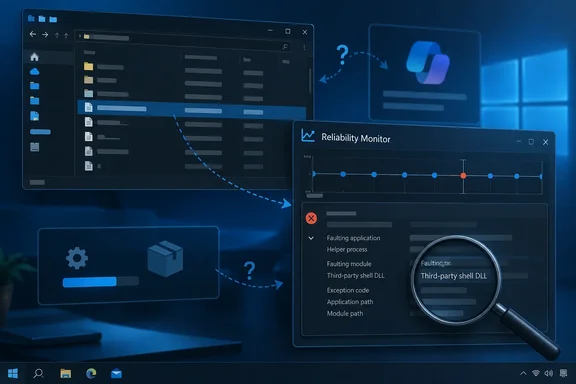
- When he opened the individual crash reports, the faulting application was mscopilot_proxy.exe. The faulting module was ShellEh6055x64.dll, which he linked to 4t Tray Minimizer, a window-management tool he has used for years.
His explanation is that Copilot's helper process was running in the background, 4t Tray Minimizer's shell extension hooked into it, and the crash took Explorer down with it. That is a reasonable guess from the crash records, but it is his diagnosis. It has not been reproduced on another machine. The Reddit post did not include a fix, and Microsoft has not acknowledged a problem.
Summary: One user and one set of crash logs point to a Copilot proxy process and a third-party shell module. Nothing shows this is a widespread Windows 10 defect.
What KB5126256 is
Wccftech's headline says the update was "force triggering" Copilot. Microsoft describes KB5126256 very differently.
Microsoft's support page calls KB5126256 the Windows 10 Extended Security Updates (ESU) Licensing Preparation Package, first published September 8, 2026. According to that page, it:
- updates the licensing and enrollment parts of Windows 10, version 22H2, that a device needs to join ESU
- applies only to devices that are not yet enrolled in ESU
- does not enroll the device or install any security updates
- restarts the device automatically after it installs
- installs automatically from Windows Update if the PC already has a security update from October 14, 2025 or later, such as KB5066791
The same point comes up on Microsoft's Q&A forum, where an answer explains that seeing KB5126256 is expected on Windows 10 22H2 after end of support. It is a licensing prerequisite for Windows 10 ESU enrollment, not the enrollment itself, and it does not provide ongoing security updates by itself. NinjaOne's patch catalog also lists it as part of the Extended Security Updates (ESU) Licensing Preparation Package for Windows 10.
Microsoft has shipped this kind of package before. In November 2025, The Register covered KB5072653, which fixed ESU enrollment errors for commercial customers. At the time, it noted that Microsoft has not made it clear what this "preparation package" does, only that it must be installed before the November 11 security update. Microsoft's descriptions of these packages are short, which leaves room to argue about side effects. Still, nothing in Microsoft's documentation mentions Copilot, File Explorer, or shell behavior.
Summary: Microsoft documents KB5126256 as a licensing package. The only link to the crashes is timing, and timing alone doesn't prove the update caused them.
Was it the update, or just the same week?
Wccftech notes that Microsoft says the update shouldn't have changed anything else, then adds that users have learned to expect bad experiences from updates. That frustration is fair. It still isn't evidence.
Some things to keep in mind (general industry knowledge, not verified for this case):
- Several things change at once on a Windows PC. Store apps such as Copilot and Microsoft Edge update on their own schedules, separate from the monthly Windows packages. If a Copilot component changed that same week, the ESU package would look guilty just by being the most visible item in Windows Update history.
- Shell extensions run inside other programs. A DLL that hooks into windows or the shell gets loaded into many processes. If one of those processes behaves differently, an old extension can fail with it. The faulting module in this report belongs to 4t Tray Minimizer, not Microsoft.
- That's still not fully Microsoft's fault or fully the utility's. If a background Copilot process really starts on every file click without the user asking, that deserves its own investigation even if the crash itself comes from the third-party tool.
September was also busy for Windows 10 servicing. BleepingComputer reported that the KB5122878 extended security update included fixes from today's record-breaking September 2026 Patch Tuesday, which fixed a massive 966 vulnerabilities, and that it brings Windows 10 to build 19045.7725. KB5122878 goes to ESU-enrolled and LTSC devices, while KB5126256 targets devices that are not enrolled, so the two probably didn't land on the same machine. Anyone checking their own PC should look at the full update history, not only the KB number in the headline.
Why Reliability Monitor said Edge
The most useful part of the report is the logging. The Reliability Monitor summary named Microsoft Edge, while the detailed crash record named mscopilot_proxy.exe. If you only read the summary, you would start troubleshooting Edge.
A likely reason (industry knowledge, not confirmed by Microsoft): the Copilot app for Windows is built on Edge web technology, so its crashes can be grouped under an Edge-related name in the summary view. Treat that as an inference. This one user's logs are not proof that Windows mislabels these crashes on every PC.
How to check your own PC
If File Explorer freezes or crashes when you click a file on Windows 10, here is a careful way to investigate:
- Open Reliability Monitor. Search Start for "View reliability history," or run
perfmon /rel. - Find the red critical events on the days the problem started.
- Open the details of each event. Don't rely on the summary name. Write down the faulting application and the faulting module.
- Look for a third-party module. If the faulting DLL belongs to a shell extension, tray tool, or window-hooking utility, that tool is a strong suspect.
- Temporarily disable that utility or its shell integration, then test clicking files again. Turn it back on if nothing changes. This is a diagnostic step, not a confirmed fix.
- Check your full update history under Settings > Update & Security > Windows Update. Compare the dates with when the crashes started.
Don't uninstall security packages as a first step
Wccftech suggests uninstalling troublesome updates and says its own staff have disabled Windows 11 updates altogether. Be careful with that advice.
- KB5126256 is an ESU prerequisite. Removing it can affect a device's ability to enroll in ESU. On Windows 10, whose standard support ended October 14, 2025, ESU is the only way to keep getting security updates.
- Turning off updates on an unsupported OS is risky. A Windows 10 machine that isn't enrolled in ESU and has updates blocked is not getting security patches.
- Start with the smallest change. If the crash record names a third-party DLL, testing that utility first is quicker, easy to undo, and doesn't weaken your security.
Bottom line
One Windows 10 user's crash logs point to a Copilot helper process (mscopilot_proxy.exe) and a module from 4t Tray Minimizer (ShellEh6055x64.dll). The Reliability Monitor summary blamed Microsoft Edge instead. Microsoft documents KB5126256 as a licensing package that does nothing else. No second affected PC, rollback test, or Microsoft acknowledgment supports the claim that the update forced Copilot to run.
The practical takeaway: when Reliability Monitor blames an app, open the individual crash reports and check the faulting module before you remove updates or blame the app. If this matches something you're seeing, post your Reliability Monitor faulting application and module names in the Windows 10 support threads. More reports would help show whether this is more than one PC.
References
- A Windows 10 Update Was Force Triggering Copilot To Run Every Time A File Was Clicked, Leading To Frequent Crashes That Logged The Culprit As Microsoft Edge Wccftech · 2026-09-28T16:59:10+00:00
- KB5126256 - Details, Issues, & Feedback - NinjaOne ninjaone.com
- Extended Security Updates (ESU) Licensing Preparation Package for Windows 10 | Microsoft Support support.microsoft.com