

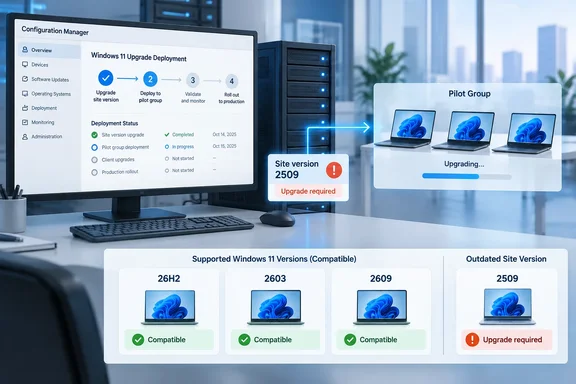
Neowin reported the confirmation as part of Microsoft's wider round of 26H2 admin resources. Neowin says those include Group Policy templates, a settings reference, security compliance recommendations, 30-day evaluation ISOs and an updated Intune Settings Catalog. For shops that still run Windows rollouts through Configuration Manager, the support table is the part that decides when you can start.
What Microsoft actually supports
The support table is specific about scope:
- Client OS: Windows 11 26H2, build 10.0.26300.
- ConfigMgr versions: 2603 and 2609 only. 2509 is marked as not supported.
- Editions: Enterprise, Pro, Education, Pro Education, and Pro for Workstation.
- Older Windows 11 releases: 25H2, 24H2 and 23H2 stay supported on all three listed ConfigMgr versions.
One old quirk still applies. Windows 11 reports the Operating System property as Microsoft Windows NT Workstation 10.0, which is identical to Windows 10. To distinguish devices running Windows 11, use the Operating System Build device property. If you want a 26H2 collection, query on build 10.0.26300, not the OS name.
Microsoft's documentation also says that because ConfigMgr and Windows have separate development and release schedules, client support for each new Windows version arrives only after both products ship. Microsoft's own advice is that the best way to stay current with Windows 11 is to stay current with Configuration Manager.
Section summary: 26H2 client support needs ConfigMgr 2603 or 2609. Sites on 2509 need a ConfigMgr update before 26H2 devices count as supported.
2603 or 2609: which one to choose
There is one date discrepancy to clear up. Neowin says 2603 was released in March 2026, which is what the version number refers to. Microsoft's servicing table gives May 5, 2026 as the date 2603 reached the early update ring, and the 2603 release notes say it became globally available on May 27, 2026. Community reporting matches that: between May 5 and May 27, 2026 the release was only obtainable through the Early Update Ring opt-in.
Here is how the two qualifying releases compare in Microsoft's documentation:
| ConfigMgr 2603 | ConfigMgr 2609 | |
|---|---|---|
| Site version | 5.00.9146.1000 | 5.00.9152.1000 |
| Early ring date | May 5, 2026 | September 28, 2026 |
| Current status | Globally available | Early update ring (opt-in) |
| Support ends | November 5, 2027 | March 28, 2028 |
| Minimum source version | 2409 or later | 2503 or later |
| Baseline media | No | Yes |
| Supports 26H2 clients | Yes | Yes |
A few things follow from that table:
- 2603 is the low-risk route. It is globally available, and to update to version 2603, use version 2409 or later.
- 2609 has the longer runway, about four extra months of support, but for now you have to opt in to the early ring.
- Version 2609 also changes the release schedule. Microsoft is moving Configuration Manager to one release a year. Mert Efe Kanlikilic's 2603 write-up notes that the first annual release will be 2609. Neowin reports the next release is planned for September 2027 as ConfigMgr 2709. Whichever version you choose, plan to stay on it longer than you used to.
Microsoft's servicing page also notes that the Availability date column records when each version reached the early update ring. September 28 does not mean 2609 was globally available that day.
How to opt in to ConfigMgr 2609 early
If you want 2609 now, Microsoft's checklist describes these steps:
- Confirm that every site server in the hierarchy runs the same ConfigMgr version, 2503 or later.
- Open an elevated Windows PowerShell session.
- Run the signed opt-in script against the top-level site server (the central administration site or a standalone primary site):
EnableEarlyUpdateRing2609.ps1 <SiteServer_Name>. Microsoft's example isEnableEarlyUpdateRing2609.ps1 cmprimary01. - In the console, check for updates under Administration > Updates and Servicing.
- Once the 2609 package shows as Available, select it and choose Run prerequisite check in the ribbon before you install.
To get the update for version 2609, you must use a service connection point at the top-level site of your hierarchy. This site system role can be in online or offline mode. To download the update when your service connection point is offline, use the service connection tool. If the package stays at Downloading, Microsoft says to check hman.log and dmpdownloader.log.
Pre-flight checklist before updating the site
Neowin's summary of prerequisites matches Microsoft's 2609 checklist. Here they are in a sensible order:
- .NET Framework 4.8. Configuration Manager now requires Microsoft .NET Framework version 4.8 for site servers, specific site systems, and the console. Before you run setup to install or update the site, first update .NET and restart the system.
- Windows ADK first, ConfigMgr second. If you need to update the Windows ADK, do so before you begin the update of Configuration Manager. This order makes sure the default boot images are automatically updated to the latest version of Windows PE. You have to update custom boot images yourself afterward.
- SQL Server (2609 only). You need SQL Server 2017 CU2 or later. That includes SQL Server Express at secondary sites, and the prerequisite check blocks the update if a database is older.
- ODBC Driver for SQL Server. It has been required since version 2309. Watch out for one version: Microsoft ODBC Driver for SQL Server version 18.7.1.1 has a known issue with Configuration Manager version 2603 and earlier that can block site configuration. Update ConfigMgr to 2609 before you install that driver build.
- Database replicas. Configuration Manager can't successfully update a primary site that has a database replica for management points enabled. Before you install an update for Configuration Manager, disable database replication.
- The usual checks. Install critical Windows updates on site systems, back up the site database, temporarily pause real-time antivirus on ConfigMgr servers (or set up tested exclusions), confirm any third-party extensions are compatible, and check site and hierarchy health.
After the update, add the Version column to the Sites and Distribution Points nodes and confirm each one shows the new version. Then check that site-to-site replication is active, update remote consoles and clients, and run Update Distribution Points on every boot image you use. Microsoft warns that task sequence deployments can fail if boot images and media aren't refreshed.
Section summary: Most failed upgrades come from skipped prerequisites. Handle .NET, the ADK, SQL, the ODBC driver version and database replicas before you click Install.
What else changes when you update
Moving from 2509 to a 26H2-capable release brings other changes too. Plan for these.
From 2603:
- SQL Server 2025 (RTM) is supported at CAS, primary and secondary sites, and SQL Server 2025 Express at secondary sites. Microsoft recommends compatibility level 160.
- The dependency on the deprecated SQL Server Native Client (sqlncli.msi) is gone, and you can uninstall it from site systems after the update.
- Access to Network Access Account information is restricted to supported OSD media task sequence scenarios.
- Weak DHE cipher suites are disabled on Cloud Management Gateway instances.
- The one most likely to cause trouble: management points now use Microsoft Identity Service Essentials for Entra token validation and need internet access to
login.microsoftonline.comandsts.windows.net. This only affects sites that support Entra-joined users and devices with clients authenticating via Entra tokens, typically through a CMG. Proxy settings must work in the Local System context. Microsoft says site-system proxy settings and WinHTTP-only proxies are not used for this validation path. If validation is failing, CCM_STS_ManagedBase.log shows a MISE12034 exception with an underlying network error. - Microsoft says an internal service used for device compliance checks is being deprecated in October 2026. Co-managed environments where Intune handles the Compliance workload should apply 2603 or later to avoid Software Center compliance check failures. That gives co-managed shops on 2509 a second reason to update this month.
From 2609:
- Support ends for Windows Server 2012 and 2012 R2 as client operating systems, and for SQL Server 2016, whose extended support ended in July 2026.
- Shared key access for CMG storage is disabled automatically.
- CMGs are migrated from Azure Load Balancer inbound NAT rules v1 to v2. Microsoft says v1 retires September 30, 2027.
- Existing CMGs move to larger VM sizes. For example, the Small tier moves from Standard_B2s (2 vCPU, 4 GiB) to Standard_D2ads_v6 (2 vCPU, 8 GiB). Update the console afterward so the new sizes display correctly.
- The prerequisite check now warns, without blocking, if client approval is set to "Automatically approve all computers." Microsoft plans to remove that option.
Deploying 26H2 once the site is ready
Updating ConfigMgr makes 26H2 supported. It doesn't put 26H2 on any devices. Admin and blogger Prajwal Desai has published a deployment walkthrough. He notes that with Configuration Manager version 2609 or later, administrators can make use of Windows Servicing to quickly distribute the 26H2 enablement package to eligible devices, although I recommend using version 2609 or newer for managing 26H2 devices. His outline is:
- Make sure the service connection point is online and the Windows 11 product is enabled under Software Update Point > Products.
- Sync software updates.
- In the console, go to Software Library > Overview > Windows Servicing > All Windows Feature Updates.
- Right-click Windows 11, version 26H2 x64 and choose Deploy.
That recommendation is Desai's own. Microsoft's support table treats 2603 and 2609 the same for 26H2 clients. If you image devices with task sequences, also note that Microsoft no longer supports offline servicing of Windows 11 images in ConfigMgr. It recommends importing a freshly patched ISO from the Microsoft 365 admin center instead.
The bottom line
The good news is easy to miss: a globally available ConfigMgr release, 2603, already supports 26H2 clients. Shops that want to update ConfigMgr as few times as possible under the new once-a-year schedule may prefer to opt in to 2609 early, or wait for its general release. Either way, support on paper doesn't make your environment ready. Pilot 26H2 on a representative group of devices, check your boot images and the Entra token path, and only then roll it out to production.
References
- Updates and servicing - Configuration Manager | Microsoft Learn learn.microsoft.com
- Support for Windows 11 - Configuration Manager | Microsoft Learn learn.microsoft.com
- Configuration Manager 2603 — The Last Update Before Annual Cadence miloch.dev