

Here is what the official documentation and other reporting confirm, and where the evidence runs out.
Windows 11 26H2 has shipped as a small enablement package
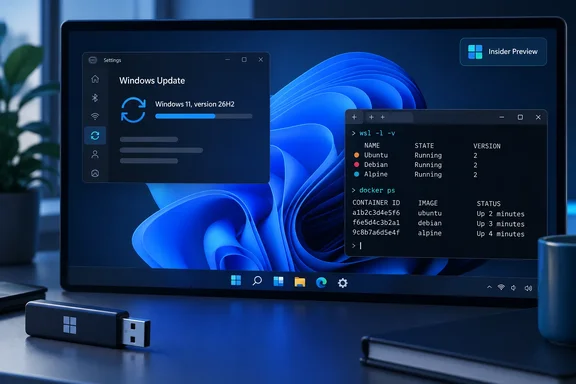
Microsoft released Windows 11 version 26H2, also called the Windows 11 2026 Update, on September 29, 2026. According to Microsoft's Windows Experience Blog, Windows 11, version 26H2 is delivered as an enablement package for eligible devices running Windows 11, versions 25H2 and 24H2. Microsoft describes an enablement package as a lightweight update that activates new features already included in the operating system through previous monthly servicing updates.
That explains the show's line that 26H2 has "new features, none unique." Start, Taskbar, Search and the rest have been arriving through monthly updates all year. Microsoft's Learn page for IT pros says some features that organizations associate with Windows 11, version 26H2 might already be present on devices before the feature update is installed. gHacks put it more bluntly: Windows 11 26H2 does not add a separate set of exclusive features. PCs that are still missing recent additions such as the new Start menu or File Explorer improvements get them enabled once 26H2 is installed.
In practice the version number mostly marks a new support period. The features themselves arrived months ago through Patch Tuesday.
New defaults for business PCs
The show also flagged changed defaults, and this is the part admins should read closely. Microsoft says select features and enhancements initially released as disabled by default in version 25H2 will be enabled by default in version 26H2. Microsoft's August 27 Release Preview post names three experiences for commercial customers that were introduced earlier but not turned on by default for commercial devices until now:
- Windows settings backup
- App-specific actions from the taskbar
- Some File Explorer enhancements
Microsoft's Learn documentation says 26H2 enables capabilities that were introduced previously but controlled through temporary commercial controls. If your organization relied on those controls to keep features off, check the result in a pilot group before you deploy widely.
Microsoft counts a device as "commercial" if it isn't running Home and meets at least one of these conditions:
- It's managed by an IT administrator, through Intune or another tool
- It has a volume license key or commercial ID
- It's joined to a domain
Summary: 26H2 adds very little new code. What changes is the version label, the support clock, and a few defaults for business PCs.
How to get 26H2 and who can't
Consumers
Microsoft's documented route is:
- Open Settings > Windows Update.
- Turn on Get the latest updates as soon as they're available.
- Once your device is eligible, the option to download and install version 26H2 appears.
Microsoft is using a controlled rollout, so two eligible PCs may see the offer at different times. It may also place safeguard holds on devices with known compatibility problems and will post rollout updates on the Windows release health hub.
If you'd rather install it manually, VideoCardz reports that 26H2 is delivered to these systems through the KB5121794 enablement package. Windows Report says Microsoft also requires KB5120998 to be installed first, with builds 26100.9278 or 26200.9278, depending on your current Windows version. If the package won't install, Windows Report recommends confirming you're on 24H2 or 25H2 and that the prerequisite is present rather than retrying repeatedly. A safeguard hold usually exists for a reason, and bypassing it means you take on that risk yourself.
Organizations
Microsoft says 26H2 is available now through the tools organizations use to manage Windows updates, including Windows Autopatch and the Microsoft 365 admin center. It also warns that downloads in the admin center and similar channels may be delayed. Existing update rings and policies keep working, and Microsoft recommends targeted deployments to validate apps, devices and critical workflows first.
Support dates
| Edition | Support after installing 26H2 |
|---|---|
| Home and Pro | 24 months |
| Enterprise and Education | 36 months |
Microsoft's August post adds a deadline that matters now: 24H2 Home and Pro reach end of updates on October 13, 2026. Enterprise and Education editions of 24H2 are supported until October 12, 2027. Home and Pro users still on 24H2 have about two weeks left, and the move to 26H2 is a small download and one restart.
26H1 devices can't take this update
Microsoft says devices on Windows 11 26H1 cannot update to 26H2, because 26H1 uses a different Windows core from 24H2, 25H2 and 26H2. Microsoft says those users will get a path to a future Windows release instead. Separately, Pureinfotech notes that users on Windows 10 or Windows 11 23H2 must use the ISO for a full installation.
Summary: 24H2 and 25H2 PCs get a quick update. 26H1 PCs wait for a future release. Windows 10 and 23H2 machines need a full ISO installation.
Tip of the week: update your install and recovery media
The episode's tip was to rebuild your installation and recovery media now that 26H2 is out. The show gives the stable build as 26300.9457. That differs from the Release Preview build Microsoft announced on August 27, 26300.9278, because the two numbers come from different points in the release cycle.
According to Thurrott's ISO guide:
- x64 (AMD/Intel): Microsoft's Download Windows 11 site offers both a direct ISO download and the Media Creation Tool.
- Arm64: Microsoft has a separate page that offers only the ISO, because the Media Creation Tool still can't create Windows on Arm installation media. Thurrott suggests a third-party tool such as Rufus to write the Arm ISO to a USB drive. Rufus is not a Microsoft product.
Thurrott lists the U.S. English all-editions ISOs at about 8.4 GB for x64 and 7.9 GB for Arm64. Use a USB drive with room to spare. It's also worth testing that a new recovery drive actually boots before you need it.
WSL Containers are generally available
Developers may get more out of this item than anything else in the episode. Microsoft Learn says the WSL container feature has two parts:
wslc.exe: a CLI built into WSL for building, running and working with Linux containers.- The WSL container API: a NuGet package,
Microsoft.WSL.Containers, that lets Windows apps pull, run and interact with Linux containers. It covers stdin/stdout, file mounts, networking mounts and GPU access.
Getting started
- Make sure you're on WSL 2.9.3 or later. Run
wsl --updatein PowerShell, thenwsl --versionto confirm. - Run a test container:
wslc run --rm -it ubuntu:latest bash -c "echo Hello world from WSL container!" - List images with
wslc image ls. - Start a web server:
wslc run -it --rm -d -p 8080:80 --name web nginx, then check it withcurl localhost:8080. - Manage containers with
wslc container psandwslc container stop web.
If those commands work, the feature is running. If wslc isn't recognized, the most likely cause is an older WSL install, so start with step 1.
For app developers, Microsoft documents a typical flow: check prerequisites with WslcService, create and start a Session, pull an image, create a Container, then work with its Process objects. C# is supported. Microsoft says the C++/WinRT projection is in preview and subject to breaking changes, so production C++ teams should plan for that. GPU access is listed as an API capability, but that doesn't mean every GPU and driver combination will work without extra setup.
Microsoft's own documentation treats WSL's built-in Linux containers as separate from Docker Desktop and Windows containers. Windows containers have their own edition requirements, which don't automatically apply to WSL Containers. Docker Desktop is still a valid choice, but simple Linux container work no longer needs it.
Summary: Windows now has a built-in way to run Linux containers. You need WSL 2.9.3 or later, and the C++ API is still a preview.
Insider builds: four releases, one with notable changes
The show said Microsoft shipped four Insider builds and only the Experimental one had anything interesting. Thurrott's September 25 report gives the details:
- Experimental build 26340.9577: adds a scrollable Phone companion pane in the Start menu and puts Energy recommendations directly in Quick Settings.
- Beta build 26220.9568: shows message content when you hover over it in Phone Companion. It also adds a Pointer indicator setting under Settings > Accessibility > Mouse pointer and touch, which adds crosshair effects to make the pointer easier to find; once enabled, Win + Ctrl + X toggles it. Magnifier gets a contrast-theme toggle that recolors the interface while leaving photos, videos and charts in their original colors.
- New 26H1 preview builds shipped as well, but with no new features.
These are preview features and are not part of the stable 26H2 release.
The rest of the episode: what was discussed but not verified here
The episode covered much more. These items are listed as topics the hosts discussed; the details haven't been independently confirmed for this story:
- Software: Microsoft is retiring the Microsoft 365 Companion apps for Windows 11, which the show described as apps that "never made sense in the first place." Mozilla shipped the Nova UI in Firefox 157.
- Hardware: The Copilot+ PC brand may be on its way out, though it was everywhere at IFA, including on RTX Spark-based PCs. Microsoft launched new base Surface Pro and Surface Laptop models with Snapdragon X2, plus a new mouse. Qualcomm brought first-gen Snapdragon X to Googlebook and is bringing X2 to Linux. The hosts also said Google has quietly indicated Chromebooks are being phased out.
- AI: Microsoft's Copilot "super app," which the hosts framed as close to an OS in its own right. A wave of ChatGPT updates. Claude Sonnet 5.5 joining Opus 5.5. A report on Anthropic's losses, spending and revenue. Nvidia's response to AI pessimists. A discussion of how AI could reshape Microsoft.
- Xbox: The disc-to-digital program is live. Minecraft Dungeons gets a new dimension that is coming to Minecraft next year. Microsoft released a new casual mobile game, and Xbox added mythic achievements.
- Picks: Opera, whose free desktop VPN now turns on automatically on public Wi-Fi and whose Android app offers 3 GB of free eSIM data. RunAs Radio's episode on AI and penetration testing with Paula Januszkiewicz. Kilchoman Loch Gorm whisky.
What to do now
- Home and Pro users on 24H2: update before October 13. It's a small download and one restart.
- IT admins: pilot 26H2 and check the new defaults for settings backup, taskbar actions and File Explorer.
- Everyone: rebuild your USB installer and recovery media with the 26H2 ISO. On Arm, expect to use a third-party tool like Rufus.
- Developers: update WSL to 2.9.3 or later and try
wslc. - 26H1 users: don't expect a 26H2 offer. Your upgrade path is a future release.
26H2 is a modest release, and for most people that's a good thing: it installs quickly and resets the support clock. WSL Containers going GA matters more for developers than anything new in 26H2 itself.
Update: Microsoft details October feature rollout and 24H2 preview cutoff (October 3, 2026)
Microsoft’s September Windows roundup says the September 2026 non-security preview is the final optional preview release for Windows 11 version 24H2. Supported 24H2 Enterprise and Education devices will still receive monthly security updates through their lifecycle, but users and admins who depend on non-security preview releases need to move to a newer Windows 11 version.
The same post confirms that the October 2026 security update will gradually roll out File Explorer Home section-state saving, automatic previews for PDFs downloaded from the web, Bluetooth and LE Audio reliability improvements, an “Open apps maximized” accessibility setting, additional touchpad scrolling gestures, and Copilot-key remapping to Right Ctrl or the Context Menu key. Those features can be previewed first through September’s optional non-security update on Windows 11 24H2, 25H2, and 26H2.
Microsoft also lists September-serviced additions for 24H2 and 25H2, including Start menu size choices, taskbar placement on any screen edge, a compact taskbar option, clearer Search result sources, and touch scrolling in File Explorer’s Recommended section. Availability remains gradual, so installing the update does not guarantee every feature appears immediately.
Update: 26H2 reportedly broadens access to Low Latency Profile (October 5, 2026)
Windows 11 26H2 should make Low Latency Profile available on nearly all PCs, according to PCWorld’s October 5 report. The feature temporarily boosts CPU clock speed to improve responsiveness when opening Start, using Search and launching applications. The reported change is broader availability, rather than a performance feature exclusive to 26H2.
According to PCWorld, Low Latency Profile began reaching users in June, with further refinements in August covering File Explorer, Search and application launches. Its gradual rollout reportedly left some systems without access for months. PCWorld says older or less powerful machines are more likely to show a noticeable improvement; users with already-fast hardware may see little difference.
Separately, PCWorld cautions that reports of reduced Windows memory consumption remain anecdotal. The outlet says Microsoft has not disclosed the precise changes behind those observations, and it remains unclear whether the results apply broadly. For users and admins evaluating 26H2, the reported responsiveness gains should therefore be distinguished from an unverified promise of lower RAM usage.
Update: Dedicated 26H2 Installation Assistant reportedly adds an in-place upgrade option (October 5, 2026)
Microsoft has made a dedicated Windows 11 26H2 Installation Assistant available through its Download Centre, according to Tech Edition’s October 5 report. The tool reportedly provides another route to upgrade a compatible PC while retaining installed applications, personal files and system settings, without first creating installation media.
According to Tech Edition, users launch the assistant and accept Microsoft’s licence terms, after which it downloads the required installation files and manages the upgrade. The practical benefit is a guided, in-place installation for users who do not want to prepare a USB installer or work with an ISO. The outlet also describes it as an alternative when users have difficulty accessing Microsoft’s usual download page.
This adds an installation choice rather than changing eligibility for 26H2. The report does not establish support for otherwise excluded devices or permission to bypass compatibility safeguards. Tech Edition recommends backing up important files before starting: preserving the existing setup is the intended outcome, not a substitute for a current backup.
References
- Windows 11 26H2 isn’t exciting, but it does fix one real problem - pcworld.com pcworld.com · 2026-10-05T17:34:58+00:00
- Windows Weekly 1003: Another Story Ruined by Keith - Thurrott.com Thurrott.com · 2026-10-01T20:56:06+00:00
- Microsoft makes upgrading to Windows 11 26H2 easier with a new Installation Assistant techedt.com · 2026-10-05T15:26:41+00:00