

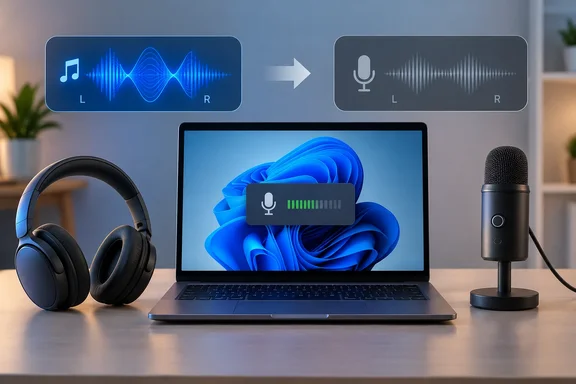
What is happening under the hood
Microsoft's Bluetooth Classic audio documentation describes two profiles:
- A2DP (Advanced Audio Distribution Profile): A2DP provides high-quality stereo playback. It only carries audio from the PC to the headset. Microsoft states that capturing voice from the headset's microphone requires HFP instead.
- HFP (Hands-Free Profile): It carries microphone capture and playback at the same time, but both are mono. Windows supports narrowband speech at 8 kHz and wideband speech at 16 kHz. It uses the first mode that both the PC and the headset support.
Microsoft adds a caveat. Some wideband-capable headsets don't work well with the Bluetooth radios in certain Windows devices. They can fall back to narrowband, which is the worst-sounding case.
When Windows 11 switches
On Windows 11, Microsoft says the A2DP and HFP endpoints are unified. You get one input and one output for the headset, not separate "Stereo" and "Hands-Free" playback devices. Windows selects HFP in two cases:
- An application opens the headset's microphone endpoint.
- An application creates a playback stream categorized as Communications.
In every other case, playback uses A2DP. The switch is automatic. If media is playing and an app opens the mic, the device moves to HFP. When the mic closes, it switches back to A2DP. Microsoft's own example: during a VoIP call the headset runs at 8 or 16 kHz, and audio from other apps at 48 kHz is resampled down to match.
Windows 10 worked differently. It exposed separate "Stereo" and "Hands-Free" endpoints. Audio sent to the hands-free output, or an app opening the hands-free mic, put the device in HFP mode. Any audio going to the stereo output was then discarded. This article is mainly about Windows 11, so if you're on Windows 10, expect a less graceful version of the same trade-off.
Why codecs won't save you
A better A2DP codec doesn't help once the headset is in HFP. Windows can negotiate SBC, aptX Classic or AAC for A2DP, and aptX Adaptive on select Windows 11 24H2 devices with compatible Qualcomm radios. None of that applies to the mono voice path. Microsoft's table of A2DP codecs is only relevant while the headset is still in stereo mode.
The mic doesn't have to be used
Several guides make the same point: an app doesn't have to transmit your voice to trigger the switch. One troubleshooting guide from iTechGuides says a game, launcher, overlay or voice component can open the headset mic without you speaking. That fits Microsoft's documented trigger, which is the endpoint being opened.
Typical suspects include:
- Discord, Teams, Zoom, WhatsApp and Telegram
- Browser tabs running conferencing or voice features
- Games with voice chat enabled by default
- Voice recorders and dictation tools
Apple documents the same thing on the Mac. Its support article says opening an app that uses the Bluetooth headphones' microphone reduces audio quality and volume. You might also hear static or popping until the mic is no longer in use.
How to find the culprit on Windows 11
Step 1: Test deliberately
Close every app that could use a microphone. Play music and confirm it sounds normal. Then open the suspect app and listen for the exact moment the quality drops. If it drops at that moment, the profile switch is a much stronger suspect than a hardware fault.
Step 2: Check microphone activity
Microsoft says a microphone icon appears in the taskbar notification area while an app is using the mic. For more detail, open Settings > Privacy & security > Microphone. Desktop apps that Windows has detected using the mic are listed there, and you can select one for details about the file that accessed it.
This list has limits:
- Microsoft says desktop apps may not always appear.
- If a Windows feature uses the mic indirectly, the Windows component is listed instead of the app. Microsoft's example is "Speech Runtime Executable" for Cortana.
- The indicator shows that some microphone is active. It doesn't show that the active mic is the headset's. A laptop or webcam mic would light it up too.
Step 3: Check which input the app chose
Open the suspect app's audio settings and see which input device it is using. Zoom, Discord, games and similar apps often keep their own device selection, so also check Sound settings in Windows. If your Bluetooth headset is listed as the input, the diagnosis is much stronger.
How to fix it
Start with the microphone session, and re-pair last.
- Leave forgotten meetings, voice channels and calls.
- Close browser tabs that are actively using the mic.
- Quit and reopen any app that won't release the mic.
- Turn off voice chat in games where you don't use it.
- Select a laptop, webcam or USB microphone as the input instead of the Bluetooth headset. This is often the most reliable fix, because Windows can keep playback on A2DP once nothing opens the headset's mic.
A note on provenance: Microsoft documents the profile-switching rules. The app-level steps above are practical troubleshooting derived from those rules, not steps Microsoft prescribes one by one.
Other workarounds you will see
Some guides suggest disabling the headset's recording device in Sound settings, or unticking "Handsfree Telephony" in the device's Services properties. Both stop Windows from using the headset mic, so they can keep you in stereo. Both also remove the headset as a usable microphone, so you'd need another mic for calls. They are community-sourced tips, not Microsoft guidance. Treat them as a test, not a permanent configuration.
Why reconnecting seems to work
Disconnecting and reconnecting the headphones can end the microphone session or make an app release the headset input. That makes the reconnect look like the fix, when the pairing was never the problem.
Is Bluetooth LE Audio the escape hatch?
Maybe, if the whole chain supports it. Microsoft says some Windows 11 PCs can stream stereo playback to Bluetooth LE Audio devices while the mic is in use. That depends on the PC's Bluetooth and audio subsystems and on the headset. If stereo isn't supported, or the user has configured one-channel mode, playback stays mono during mic use.
For communications audio, Microsoft says Windows streams at 32 kHz to devices supporting TMAP and at 16 or 24 kHz to devices supporting HAP. The Windows documentation notes that applications asking for the channel count of LE Audio output endpoints may get wrong answers on builds before 26100.4484. That is a developer detail, but it shows the feature is still maturing.
The practical point is that a recent Bluetooth version number on the box doesn't guarantee any of this. You need a PC with LE Audio support, current drivers and a headset that supports the right profiles.
Other platforms
- Mac: Apple recommends quitting apps that use the headphones' mic. If quality stays reduced, choose the Mac's internal speakers in Control Center under Sound, then reselect the headphones.
- Android 12 and later: Google documents a green indicator when an app uses the camera or mic. Swipe down and tap it to see which app or service is responsible. Menu paths vary by device. The indicator shows access to the phone's mic, not necessarily the Bluetooth headset's.
- iPhone: The orange indicator signals microphone use, and Control Center can show recent use. As on Android, this shows phone mic activity, not the selected Bluetooth route.
When the microphone isn't the cause
If the sound degrades with no mic app running, look elsewhere. Radio interference, multipoint behavior, low battery, driver problems and hardware faults can all cause their own bad audio. One more thing to check: if it's a Windows 11 PC, confirm that the quality drop really is mono and narrow, which matches HFP, and not stutter or dropouts, which point to interference or a weak link.
Bottom line
On Bluetooth Classic, Windows has to choose between stereo playback and a working headset microphone, and it usually picks the mic. When audio degrades just as an app starts listening, check the microphone activity page and the app's selected input before resetting or re-pairing the headphones. Move the mic duty to a different device, and your headphones can go back to just playing music.
References
- If your Bluetooth headphones suddenly sound terrible, check this page MakeUseOf · 2026-10-07T17:00:15+00:00
- If sound quality is reduced when using Bluetooth headphones with your Mac - Apple Support support.apple.com
- Check if your Android camera or microphone is on or off - Android Help support.google.com