

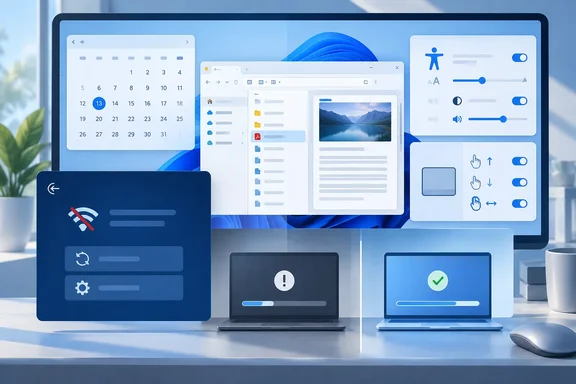
Where these features come from
Almost everything here first appeared in KB5124010, Microsoft's September 2026 non-security preview. Microsoft describes it as a cumulative update for Windows 11 versions 26H2, 25H2 and 24H2, and lists its builds as 26300.9550, 26200.9550 and 26100.9550. Microsoft's notes add that these changes reach Windows Update for Business with the next security update. CoreTechTips reported the same: the changes go to Windows Update for Business through the next security update, not through the optional preview channel.
There is a catch. Microsoft splits the preview into a gradual rollout and a normal rollout. Under gradual rollout, features arrive on devices over time, so installing the October update doesn't mean you'll see all of them that day. Techgenyz noted that many KB5124010 features roll out gradually and may not show up right away on every eligible PC.
Summary: October's update is where the September preview features become standard. "Installed" and "visible" may still be days or weeks apart.
Two corrections to the early reports
1. WinRE reusing saved Wi-Fi was delayed. Windows Central lists Windows Recovery Environment (WinRE) reusing Wi-Fi profiles already saved in Windows as part of this release. Microsoft's changelog for KB5124010 says otherwise: the feature was pulled from that preview's list and will roll out at a later date. When it does ship, Microsoft says WinRE will reuse eligible saved Wi-Fi profiles, including supported certificate-based networks. That lets a PC get online during Quick Machine Recovery or a cloud rebuild without setting up Wi-Fi inside WinRE first. It will be on by default, and IT admins can turn it off. Until it ships, you can't count on this on October 13.
What did ship in the preview is a separate WinRE item: a recovery remote management plug-in that extends WinRE management to MDM providers. Verisq's summary also lists the remote-management plug-in for Windows Recovery Environment among the main technical changes.
2. This isn't "the last quality update" for every 24H2 PC. Windows Central calls October the last quality update for 24H2. The details depend on your edition:
| Windows 11 24H2 edition | What happens |
|---|---|
| Home and Pro | End of updates on October 13, 2026 |
| Enterprise and Education | Supported until October 12, 2027 |
| All editions | KB5124010 (September) was the last preview update |
Microsoft says KB5124010 is the final preview update for version 24H2 and that supported 24H2 editions keep getting monthly security updates under their servicing lifecycle. After October 13, Microsoft says 24H2 Home and Pro devices get no more known-issue fixes, time-zone updates, technical support, or monthly security and preview updates. If you run Home or Pro on 24H2, upgrade to a newer Windows 11 version soon.
Summary: Don't plan around Wi-Fi in WinRE yet. 24H2 Home and Pro reach end of updates on October 13, while Enterprise and Education get another year.
File Explorer: the Preview pane handles downloads better
- Downloaded HTML files: A Preview anyway button lets you accept the internet-origin warning and preview the file.
- PDFs and other non-HTML files: These now preview automatically.
- Home page: File Explorer Home remembers which sections you expanded or collapsed.
- Details pane: Thumbnails for cloud files are more reliable, and file properties are reorganized so they're easier to scan.
- Address bar fix: The update also fixes a bug where the address bar could clear when you entered edit mode. Microsoft says this happened when you clicked near the right side of the bar.
Accessibility: Open apps maximized and a Magnifier refresh
Open apps maximized maximizes app windows as they open. Microsoft says it's aimed at screen reader and magnification users, people working in tablet mode, and anyone who wants a consistent workspace. Windows Central points out that windows are maximized, not put in full-screen mode, so the taskbar and title bars stay visible.
To turn it on:
- Open Settings.
- Go to Accessibility > Visual effects.
- Turn on Open apps maximized.
Magnifier gets new toolbar icons that match Windows 11's design and adjusted spacing. Microsoft says views, zoom controls, keyboard shortcuts and Read Aloud work exactly as before.
Input: touchpad gestures and Copilot key remapping
Precision touchpads get two new options under Settings > Bluetooth & devices > Touchpad:
- Single-finger scrolling: scroll vertically with one finger starting from the left or right edge.
- Automatic scrolling: keep scrolling without lifting your finger by moving it near the edge of the touchpad.
These add to the scroll speed, zoom speed and scroll acceleration controls that Microsoft says arrived in July 2026's KB5101684.
The Copilot key can now act as Right Ctrl or the Context Menu key. Microsoft says this helps keep familiar shortcuts and accessibility workflows working. Many laptops replaced the right Ctrl key with the Copilot key, so if you use Right Ctrl for shortcuts or virtual machine host keys, you can get it back. Windows Central places the options in Settings > Bluetooth & devices > Keyboard, under "Customize Copilot key on keyboard."
Widgets, emoji and personalization
- Tips widget: Short tips about Windows features. Add it from the Widgets board via Add widgets > Tips. To put it on the lock screen, go to Settings > Personalization > Lock screen.
- Emoji 17.0: New emoji include distorted face, fight cloud and hairy creature; press Windows + . to insert them. Microsoft also redesigned some existing emoji.
- Fonts: Ebrima now supports the Garay and Beria Erfe scripts. Microsoft says it's the company's first font to support both.
- Wallpaper: You can use DIB images as backgrounds. Previews are higher resolution and look right on portrait monitors. Slideshows now work across multiple desktops instead of switching you back to Picture, and rapid wallpaper changes are handled more reliably.
- Camera roll backup: Eligible users can turn on OneDrive photo backup from the Settings Home or Accounts page and finish setup on their phone with a QR code. Availability depends on device and market.
Bluetooth, Settings and kiosk changes
Microsoft lists several Bluetooth fixes:
- The toggle no longer shows Bluetooth as on when the radio is actually off.
- Disconnected accessories show their connection status more accurately.
- The 0x139 crash during Bluetooth audio streaming is fixed.
- Microphones work with more Bluetooth Classic headsets.
- LE Audio and shared audio are more reliable.
- During calls, changing volume with a headset's own buttons now shows the Windows volume flyout.
In Settings, Installed apps now shows version numbers for packaged apps at the top level. Time pickers follow your 12- or 24-hour preference, including for active hours and Night light scheduling. The camera-sharing setting, which lets multiple apps use the camera at once, now sticks.
For admins running kiosks: Windows + Tab is disabled in restricted UX kiosks, and Windows + A and Windows + C are disabled in single-app kiosk mode.
PC-to-PC Migration is gone. Microsoft now points people moving to a new PC to Windows Backup instead.
Known issues to watch before you update
These issues are documented for September's updates. Microsoft hasn't yet published the October release notes, so check those before assuming any of these carry over.
- Domain trust breaks on Credential Guard machines: Some Credential Guard–protected, domain-joined machines can lose their secure trust relationship with Active Directory, which blocks interactive sign-in. Microsoft links this to Machine Identity Isolation, introduced with the September 8 security update (KB5124008). It is only supported with domain controllers at the Windows Server 2025 domain functional level. The workaround is to turn the feature off with whatever enabled it: Intune, Group Policy or the registry.
- USB audio: Some USB Audio Class 1.0 devices may show Device Manager Error Code 10 or produce no sound at all.
- AC-3 (Dolby Digital): Microsoft added this on October 3. Older apps that rely on Windows' built-in AC-3 decoder may fail to launch or crash. Microsoft says most modern apps aren't affected.
- Black screen after sign-in: Seen mostly on Azure Virtual Desktop hosts using FSLogix. You can start explorer.exe manually from Task Manager, or IT can apply Microsoft's Known Issue Rollback Group Policy.
The bottom line
None of this is a headline feature. It's a long list of small fixes, and some of them, like getting Right Ctrl back, a Bluetooth toggle that shows the truth and PDFs that preview without extra clicks, are things people have complained about for years.
What you should do depends on your setup:
- 24H2 Home or Pro: October 13 is your end of updates. Plan your upgrade now.
- Running Credential Guard on a domain: Check your Machine Identity Isolation settings before the update reaches your fleet.
- Waiting for WinRE to use your saved Wi-Fi: Microsoft has delayed it. Keep an Ethernet adapter handy for now.
References
- September 22, 2026—KB5124010 (OS Builds 26300.9550, 26200.9550, and 26100.9550) Preview support.microsoft.com
- Windows 11's latest Patch Tuesday update lands on October 13, and these are the biggest changes coming to your PC - Windows Central Windows Central · 2026-10-07T15:00:00+00:00
- Windows 11 KB5124010 Is the Final 24H2 Preview: Here Are The Changes That Matter. - Techgenyz techgenyz.com