

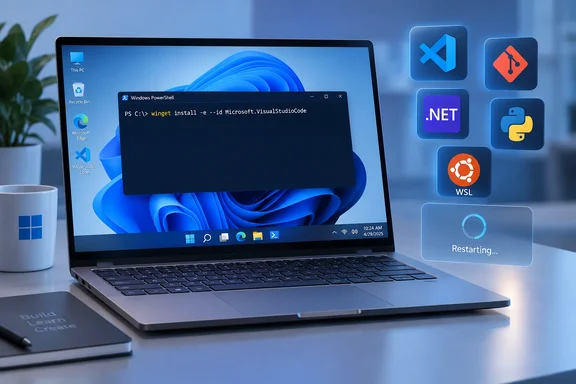
Windows Developer Config turns the new-PC routine into one command
The repository describes itself as "opinionated setups for Windows dev boxes" that are idempotent and CI-tested. It contains three separate flows. The main one, Windows Dev Config, turns a fresh Windows 11 box into a clean, distraction-free dev workstation in one shot: a set of PowerShell scripts that installs dev tools, applies opinionated Windows settings, and sets up WSL + Ubuntu through the required reboot. The other two are WSL Comfort, which configures the Linux shell, and a set of single-language "workloads."
According to Microsoft's README, the full flow runs 50 steps in 11 phases:
- Preparation
- Packages
- System settings
- Explorer
- Taskbar, Search and Start
- Edge
- Fonts
- Terminal
- PowerShell profile
- GitHub Copilot
- WSL plus Ubuntu
Each step checks the machine's current state, applies the change only if it is needed, then checks again. If that second check fails, the step is reported as an error rather than counted as done. A re-run skips anything already in place, so running it again on a configured machine confirms the settings and can pick up package updates.
The requirements are Windows 11, administrator rights, internet access and about 15 GB of free space. WSL also needs hardware virtualization. Microsoft says a few settings don't exist on older Windows 11 builds and are skipped there. Windows 10 is not supported.
The project has changed quickly. Earlier repository documentation built the same workstation from a single winget configuration file. It said running winget configure -f dev-config.winget --accept-configuration-agreements --disable-interactivity takes a fresh Windows machine to fully ready, including WSL + Ubuntu. A RunOnce registry key resumed the config at the next login. XDA Developers covered that version about a month ago, cloning the repo and running winget configure against the file. The current front page says Windows Dev Config no longer uses winget configure. It now runs signed PowerShell scripts and resumes through a scheduled task. If you have older notes or scripts that call dev-config.winget, check them against the current repository.
The bootstrap one-liner checks signatures before it touches the system
Nothing needs to be cloned and Git doesn't have to be installed first. The documented command works from Windows PowerShell 5.1 or PowerShell 7:
$url = '[<#](https://raw.githubusercontent.com/microsoft/WindowsDeveloperConfig/main/src/windows-dev-config/bootstrap.ps1)'
& ([scriptblock]::Create((irm $url)))
irm (Invoke-RestMethod) downloads the bootstrap script. According to the Windows Dev Config README, the script then does the following:
- It resolves the repository branch to a specific commit.
- It asks for UAC consent if the window isn't already elevated.
- It downloads the repository ZIP to a protected temporary folder.
- It checks the Microsoft Corporation signature on the production scripts.
- It copies everything to
%ProgramData%\CalmOS.
Only Administrators and SYSTEM can change that folder, and ordinary users get read and execute access. The files stay there afterwards so the setup can resume and be run again.
The documentation disagrees with itself on one point. On the repository's front page, the example command ends in -AllowUnsigned, and the same page explains that this switch runs the unsigned source copy under src/ instead of the signed release copy. The Windows Dev Config README says -AllowUnsigned is a development option that skips signature checks and is not the default path. If you want signature verification, run the command without the switch, as shown above and as Windows Latest did. Organizational execution policies can still add prompts or block the scripts.
Microsoft says the command works in an elevated or non-elevated window. Windows Latest reports it got an error from a normal window and succeeded only after running PowerShell as administrator. If you hit the same failure, starting from an elevated window is a sensible first thing to try.
Setup expects network access to GitHub, GitHub's API and raw-content domains, the PowerShell Gallery and winget sources. Behind a proxy, both WinHTTP and winget need to be configured for it. Microsoft estimates about 30 minutes on a clean machine with a good connection, mostly spent downloading VS Code, the .NET SDK, PowerToys and Ubuntu. Windows Latest says its run took about as long.
One restart, two UAC prompts, and a scheduled task named WindowsDevConfigResume
WSL runs last because turning on its Windows optional feature needs a restart. Before rebooting, the flow saves its progress, registers a scheduled task named WindowsDevConfigResume, shows a warning and restarts after 10 seconds. Save your work before you start, because the countdown doesn't wait for open documents.
The run picks itself back up about 30 seconds after you sign back in. A window opens on its own and finishes the WSL setup. That second stage asks for UAC consent again, so the whole run involves two prompts and one restart. If no window appears after a couple of minutes, Microsoft's advice is to run the same one-liner again. It is safe to repeat and skips completed steps.
Two things are left for you to do. You still have to open Ubuntu from Start once to create your Linux user account. On a physical PC where the WSL install fails with exit code -1, Microsoft says the usual cause is VT-x or AMD-V virtualization being disabled in BIOS/UEFI. Inside a Hyper-V virtual machine, the host has to expose nested virtualization first. With the guest powered off, run Set-VMProcessor -VMName <VM_NAME> -ExposeVirtualizationExtensions $true from an elevated PowerShell session on the host.
What changes in Windows 11: defaults hidden, nothing uninstalled
The package phase installs 15 tools from the winget source, silently, with license agreements accepted automatically:
| Category | Packages |
|---|---|
| Shell and terminal | Windows Terminal, PowerShell 7, Oh My Posh, Coreutils for Windows |
| Source control and AI | Git, GitHub CLI, GitHub Copilot CLI |
| Editor and runtimes | Visual Studio Code, .NET SDK 10, Python 3.14, uv, Node.js LTS, nvm for Windows |
| Windows tooling | Windows App CLI, PowerToys |
A package only counts as done when winget reports it installed and up to date. Versions therefore depend on the day you run the setup. Earlier repository notes said so directly: each run grabs the latest available version, and builds may differ between machines applying the config on different days. The fonts are the exception. Cascadia Code and Cascadia Mono Nerd Font are pinned to release 2407.24 and checked against a known SHA-256 hash before being installed for all users.
The system phase turns on Windows Sudo in inline mode, Developer Mode, Win32 long-path support (which lifts the old 260-character path limit) and Remote Desktop. Sudo, the Widget service policy, Edge policies, Remote Desktop, Long Paths, and Developer Mode all live in HKLM, the machine-wide part of the registry. That is why the run must be elevated. In the repository's words, without it these would silently fail.
For everyday use, these are the changes you'll see:
- File Explorer shows file extensions, hidden files and the full path in the title bar. It opens to This PC and stops showing frequent folders, recent files, cloud recommendations and sync-provider tips.
- The taskbar right-click menu gains End Task. Web results and search highlights are removed from Search, and Start recommendations are turned off.
- Widgets is turned off through a policy value. Microsoft notes that the per-user taskbar toggle no longer works on Windows 11 24H2 and later.
- Edge gets machine policies for a blank new-tab page and no first-run experience.
- Do Not Disturb is turned on, and dark mode is applied to both apps and the system.
- Windows Terminal gets PowerShell 7 as its default profile and Cascadia Mono NF as its font. Oh My Posh is added to the PowerShell 7 profile, and a GitHub Copilot profile is added as a Terminal settings fragment instead of by editing the main settings file.
XDA Developers liked the same list: the config turns on file extensions, shows hidden files, sets Explorer to open to This PC, switches off recent files and cloud recommendations, and removes the widgets button from the taskbar. XDA's writer said the value was in not having to keep a personal script current, because eventually the registry keys change.
This is why "debloat" is the wrong word. No inbox app is uninstalled and no Windows component is removed. Windows Latest says the tool gets rid of MSN, Widgets and some upsells, and that is fair only in a narrow sense. MSN stops showing up in Edge because the new-tab page is set to blank, and Widgets is turned off by policy. Both are defaults being overridden, not software being removed. Windows Latest itself says the project should not be confused with the unofficial debloat or AI-removal scripts that circulate online, and advises readers to avoid those.
Side effects that follow you out of the IDE
Several settings suit a coding session better than a general-purpose PC. Windows Latest points out these:
- Global Do Not Disturb silences every app's notifications all the time. That includes Teams, Outlook and anything else you rely on for alerts.
- Because two Edge settings are applied as machine policy, Edge reports that it is "managed by your organization." On a personal PC that can look like something has gone wrong, but it is expected.
- Terminal's
settings.jsonis rewritten as plain JSON, which removes any comments. Microsoft writes asettings.json.bakbackup first, so hand-annotated settings can be recovered. - Remote Desktop is allowed system-wide. According to Windows Latest, the Windows Firewall rule for RDP is not opened, so enabling it doesn't expose the machine on the network by itself.
Windows Latest also counts 24 registry changes in six categories across phases 3 to 9, and says there is no automatic uninstall, no screen for choosing which pieces to run, and no dry-run mode. The official README does describe manual ways to undo each area: packages, settings, Terminal, the Copilot profile, Oh My Posh, Ubuntu and the %ProgramData%\CalmOS folder. That makes rollback possible, but you do it area by area and there is no one-click reverse. You get all 11 phases or nothing. On a machine you already use, go through the settings list before running it, not after.
Node.js LTS and nvm for Windows: a PATH conflict to settle first
The base package list installs both Node.js LTS and nvm for Windows, which are two different ways of managing Node. Windows Latest says Microsoft recommends removing the directly installed Node.js if you want nvm to control your PATH.
A related problem is documented in the project's own tracker. GitHub issue #55, opened June 3, 2026 by a contributor, describes what happens when you apply the main config and then the separate TypeScript workload:
- The main config installs nvm for Windows, which adds
C:\nvm4w\nodejsto PATH as a symlink. - The TypeScript workload installs the OpenJS Node.js LTS package through winget, which puts Node in
C:\Program Files\nodejs. - The nvm symlink points to a version folder that doesn't exist, because Node wasn't installed through
nvm install. - In a new terminal,
node --versionreturns "command not found," even though Node is on the disk.
The reporter saw this on Windows 11 with winget 1.28.240, nvm for Windows 1.2.2 and Node 24.16.0. They suggested three fixes: have the workload call nvm install lts and nvm use lts, remove nvm from the main config, or coordinate the PATH entries. The issue was still open when the source packet was captured. It is one reproducible report of a specific combination, not proof that every install breaks. Before adding the TypeScript workload to a machine already set up with Windows Dev Config, pick one Node manager. If you keep nvm, install Node through nvm install lts and nvm use lts rather than the winget package.
WSL Comfort and eleven workloads cover what the base flow leaves out
The base flow installs WSL and Ubuntu but changes nothing inside the distro. Nothing inside the distro is configured by this flow. The Linux side is handled by WSL Comfort, which Microsoft keeps separate. It supports both interactive and non-interactive modes, and lets you pick and choose individual components. The Windows side handles WSL, the distro, the Cascadia Code Nerd Font, and a themed Windows Terminal profile. The Linux side runs inside the distro and configures the shell itself.
You run it with .\wsl-comfort\install.ps1, which means downloading or cloning the repository first. The options are:
- zsh or bash
- an optional Starship prompt
- optional command-line tools: fzf, ripgrep, fd, bat, eza, zoxide and jq
- optional
pbcopy/pbpaste/openshims - optional Homebrew and Git defaults
Use -NonInteractive for unattended runs; the bootstrap also takes --minimal for a smaller setup. The Linux half is standalone, so you can copy comfort-shell-bootstrap.sh onto any Ubuntu host and run it directly.
For a single language there are workloads, each a configuration.winget file with a matching install.ps1 that refreshes PATH in the current session:
| Workload | What it installs |
|---|---|
| TypeScript | Node.js LTS and global TypeScript |
| PHP | PHP 8.5 |
| .NET | .NET SDK 10 |
| Go | Go (rolling) |
| Java | Microsoft Build of OpenJDK 25 LTS |
| Rust | Rust stable via rustup |
| Python | Python 3.14 and uv |
| SQL | SQL Server, sqlcmd and the VS Code extension |
| PowerShell | PowerShell 7, VS Code PowerShell extensions and PSScriptAnalyzer settings |
| WinForms | .NET SDK 10 and the Windows Forms workload |
| WinAppCLI | Developer Mode, .NET SDK 10 and Windows App Development CLI |
| WinUI 3 | .NET SDK 10, Visual Studio Community, Windows App SDK and WinAppCLI |
Unlike the base flow, the workloads use winget configure. On a PC that has never used it, run winget configure --enable once. If winget is started from a non-elevated window, the Visual C++ Redistributable must also be installed. Without it, winget configure fails with an internal error (code -2146233079). The fix is winget install Microsoft.VCRedist.2015+.x64, or the .arm64 package on Arm PCs. Microsoft warns that WinForms and WinUI 3 download several gigabytes of Visual Studio components, which it says is fine on a real workstation but painful on a small VM.
A PowerToys Command Palette extension that lists every flow as something you can launch is marked "coming soon." Its code is in src/future/cmdpal/, and it has not shipped.
What this means for you
Use Windows Dev Config on a clean Windows 11 install, a new developer laptop or a VM you rebuild often. Think harder before running it on a PC you already use every day. Developers who rebuild machines gain the most, because they get the same result each time from a signed script published by Microsoft instead of a personal script that goes stale. People who share a PC, rely on notifications or want to choose individual changes should wait. They can also borrow the individual settings from the README without running the whole flow. On managed corporate devices, talk to IT first. The flow writes machine-wide Edge and Widgets policies that may conflict with Intune or Group Policy, and execution policy may block the scripts anyway.
- Run the bootstrap command without
-AllowUnsignedif you want the Microsoft Corporation signature checks. Save your work first, because the restart comes after a 10-second warning. - Leave at least 15 GB free, turn on hardware virtualization in firmware (or nested virtualization in the VM host), and allow access to GitHub, the PowerShell Gallery and winget sources through any proxy.
- Expect Do Not Disturb, dark mode, an Edge "managed by your organization" notice and Remote Desktop to be on afterwards, and turn off whichever you don't want.
- Choose between nvm for Windows and a direct Node.js LTS install before you add the TypeScript workload, because issue #55 documents a broken PATH when the two are mixed.
- Open Ubuntu from Start once to create your Linux user, then run WSL Comfort if you want a configured shell.
- If you've annotated your Windows Terminal
settings.json, keep thesettings.json.bakcopy, because the rewrite removes comments.
The project is useful because Microsoft now publishes and signs the developer setup many people used to script by hand. That includes long paths, Sudo, visible file extensions, Search without web results and a Terminal that opens in PowerShell 7. Windows Latest also noticed that Windows 11 setup already offers a "Development" option on its device-customization page, and the reviewer hopes choosing it will eventually apply these same changes. For now, the one-liner is the documented way to get them. Given how much has changed since the winget-file version XDA covered a month ago, check the repository's current README and open issues before each rebuild.
References
- Conflict: dev-config installs nvm4w but TypeScript workload installs Node.js LTS directly · Issue #55 · microsoft/WindowsDeveloperConfig · GitHub github.com
- WindowsDeveloperConfig/windows-dev-config/README.md at main · microsoft/WindowsDeveloperConfig github.com
- Windows Developer Configurations fixes what Microsoft won't admit it broke xda-developers.com