

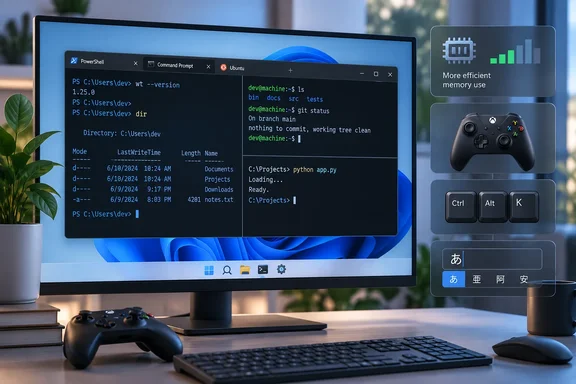
The short version
On the project's GitHub release page, maintainer DHowett released v1.25.2733.0 on October 2 at 20:27, with 194 commits to main since that release. The release notes open with the line "Terminal 1.25 is finally stable!"
This release came with two others. NTCompatible reported that on October 2, 2026, lead maintainer Daniel "DHowett" Howett pushed version 1.25 to stable, patched the previous 1.24 stable line, and quietly opened the 1.26 Preview channel. 1.25 did not arrive suddenly. It ran six Preview builds before going GA, starting with v1.25.622.0 in March. Microsoft's Command Line blog also noted at the time that the team had briefly paused our quarterly release cycle to focus on reliability and performance before 1.25 first appeared in Preview.
Summary: 1.25 is now the stable version. 1.24 got a servicing update the same day, and 1.26 is now the Preview build.
The memory fixes, explained without exaggeration
The headlines say Microsoft "patches memory leaks." The release notes describe two separate changes, and they should not be treated as one fix.
- Graphics-adapter leak. Terminal should no longer leak memory on some graphics adapters in two cases: when you have scrolled back into history, or when rendering lags after the PC wakes from sleep. Microsoft does not name the affected adapters or say how much memory leaked. It also does not claim that every kind of memory growth is gone.
- DWM memory use. According to the changelog, Terminal will now cause DWM.exe to use less memory per Terminal window! That is the Desktop Window Manager process, not Terminal itself. Microsoft gives no measured savings, and the notes do not say this shares a root cause with the adapter leak.
Why should you care? Many developers and admins keep a dozen Terminal windows open for days and put laptops to sleep in between. In that pattern, small leaks after resume add up. If you have seen Terminal or DWM.exe grow in Task Manager after a weekend asleep, this is the build to test. Microsoft has not published numbers, so treat it as a likely improvement, not a guaranteed fix.
Xbox controllers no longer crash Terminal
Under "Reliability," the release notes say, in their usual style, that Xbox controllers will no longer make Terminal "shuffle off this mortal coil." The fix is credited to community contributor Phil Scott.
This fix is not only in 1.25. The same fix is listed in the notes for the 1.24.12741.0 servicing release published the same day. Warp2Search described that update as Microsoft patching the 1.24 stable line with backported fixes so older users aren't left behind. If your organisation stays one version behind, you still get the controller fix.
Other reliability changes in 1.25:
- Fewer crashes when using "terminal pane" shortcuts in the Settings, Markdown or Snippets UI.
- Fewer crashes from the experimental "reposition mouse cursor with click" setting.
- The font-face selector in Settings no longer crashes Terminal, and it now keeps the value you choose.
New features in 1.25
These are the highlights Microsoft lists:
- A new settings search experience! We have a lot of settings; hopefully this helps you find them.
- A rich "actions" editor that will let you better customize how you interact with Terminal.
- Support for the "Kitty" input protocol, for a highly opinionated way to distinguish keyboard keys and how they were pressed.
- Window persistence with or without the scrollback history.
- Community translations into Ukrainian and Serbian (Cyrillic).
- A setting for how wide "ambiguous" Unicode characters are drawn, to work better with Chinese, Japanese and Korean console apps.
On window persistence: the JSON settings schema now accepts persistedLayoutAndContent as a valid value for firstWindowPreference. In practice, you can restore your window and tab layout without also bringing back old scrollback. That matters if your scrollback might contain secrets.
Kitty keyboard protocol fixes
Neowin calls this "full support" for Kitty. The changelog is more modest: it lists specific fixes. Under the Kitty Keyboard Protocol, these now work properly:
- auto-repeat events
- dead keys and numpad Enter
- non-ASCII keys, modifier repeats and AltGr keys
AltGr and dead-key fixes matter most to people on non-US layouts using terminal editors that support the protocol. They only apply to apps that actually request Kitty mode. Your other apps will not change.
Smaller changes
Some lower-profile items power users may notice:
- On newer versions of Windows, Terminal will use faster APIs to query the app catalog to find fragment extensions. Microsoft does not say which Windows versions count as "newer."
- Panes can no longer be reduced below 2 cells in either direction, to prevent screen corruption.
- Tab Search will now "preview" which tab you are about to jump to while you're searching.
- The "Open New Window" action no longer fails when the app execution alias is broken, for example a corrupted
wt.exe. - The new-tab animation is gone because, in the team's words, it made the app look slower.
- Closing a tab now always takes you to the most recently used tab.
- Built-in glyphs now cover U+1FB00 through U+1FB94 in Unicode's "Symbols for Legacy Computing" block, including sextants, filled triangles, trapezoids and eighth blocks. This helps retro-computing and TUI fans.
- IME fixes: the candidate window is no longer misplaced when Terminal is maximised, arrow keys are no longer sent mid-composition, and QQ Wubi visual artifacts are fixed.
- Custom shaders that use the
timeparameter no longer roll over early, and icon paths likefoo.exe,-1work again. - Terminal now uses a current Azure Cloud Shell API version, so Cloud Shell connections keep working.
- VT and ConPTY: a 5-second hang is fixed when an OSC 52 clipboard write happens at the same time as a title change. A DECSTR soft reset no longer clears uploaded DRCS soft fonts. ConPTY no longer waits for a DA1 response during initialisation, and it no longer retries cursor-position requests that the host never answers.
The build requirements only apply to developers
The release notes say our build system now requires Visual Studio 2026 and Windows SDK 10.0.26100. This only matters if you build Terminal from source. You do not need Visual Studio to run Terminal. To use it, the project README says you need Windows 10 version 2004 (build 19041) or later.
Rollout: you may not have it yet
This is a staged rollout. Microsoft says the version began rolling out to the Dev, Canary and Beta Windows Insider channels when this GitHub Release was created. Other channels will be released as our reliability numbers indicate that we haven't broken anything. If you are on a regular retail PC and the Microsoft Store has not offered the update yet, nothing is wrong. You are just later in the queue.
How to get it
The project README lists several ways to install:
- Microsoft Store (recommended). The README calls this the preferred method because it updates automatically. Wait for the rollout, or check for updates in the Store library.
- GitHub release assets. If you want it now, download
Microsoft.WindowsTerminal_<version>.msixbundlefrom the Assets section and double-click it. If the installer fails, runAdd-AppxPackageon the bundle in PowerShell. On PowerShell 7+, runImport-Module Appx -UseWindowsPowerShellfirst. - WinGet. Use
winget install --id Microsoft.WindowsTerminal -e. The README says WinGet 1.6.2631 or later is needed for dependency support.
Common problems with manual installs:
- Missing framework package error: On older Windows 10 builds, you may need the VC++ v14 Desktop Framework Package.
- No automatic updates: Copies installed by hand do not update themselves. You will need to install future fixes yourself.
- Too many files to choose from: Microsoft has a documentation page on Terminal distributions. The unpackaged ZIP binaries have the internal version number 1.25.260930003.
How to check it worked: Open Terminal's About dialog and confirm it shows 1.25.2733.0. If you installed the 1.24 servicing build instead, you still get the controller fix but not the 1.25 features.
Analysis
1.25 spent seven months in Preview, and that patience is the main point. The team paused feature work for reliability, and the stable release mostly delivers fixes for crashes, input bugs and resource use. The 1.24 backport shows how the team works: fixes go to the older stable line too, so cautious enterprises are not forced to upgrade.
There are caveats. The memory fixes have no published numbers, "some graphics adapters" is vague, and slow staged rollouts can confuse users who read the headlines and find no update in the Store. For most Windows 10 and Windows 11 users, the advice is simple: let the Store update arrive. If sleep-related memory growth or a crash from a plugged-in controller is hurting you today, install the MSIX bundle now and remember that you will have to update it yourself from then on.
References
- Windows Terminal v1.25.2733.0 stable patches memory leaks and Xbox controller crashes Neowin · 2026-10-03T07:22:02+00:00
- README.md github.com
- Windows Terminal 1.25 Goes Stable, 1.24 Gets Patched, 1.26 Preview Launches ntcompatible.com