

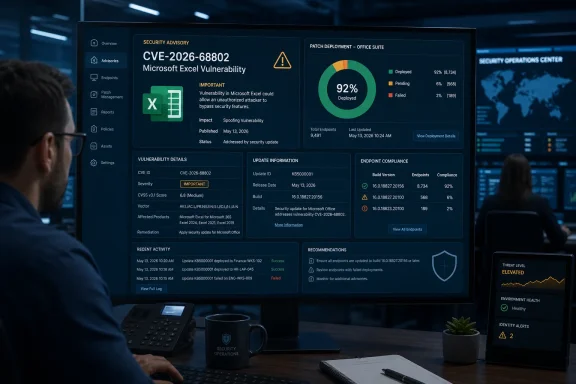
The Microsoft Security Response Center lists the issue as “Microsoft Excel Information Disclosure Vulnerability” and marks the report as confirmed. Microsoft published the advisory at 7:00 a.m. Pacific time on August 11 — 2:00 p.m. UTC — placing it in the August Patch Tuesday release window. Confirmation establishes that Microsoft acknowledges the defect exists; it does not establish that exploit code is public, that attacks have occurred, or that every Excel deployment is affected.
The advisory material available at publication does not identify the vulnerable Excel component, the data that could be exposed, the attack path, affected versions, a CVSS score, or the associated Office build and KB mappings. Those omissions change the practical response. This is a patch-and-verify item, not a CVE that security teams can responsibly classify as a high-priority active-exploitation event from the title alone.
Microsoft has confirmed the flaw but has not explained the exposure path
“Information disclosure” is an impact category, not a technical explanation. It means a successful exploit could expose information that should not be available to the attacker; it does not, by itself, tell administrators whether the data resides in a workbook, Excel’s memory, a connected data source, local files, credentials, or another process running under the same user context.
That scope is particularly important in Excel environments. Excel is routinely used to open externally received attachments, consume CSV and workbook exports from business systems, query SQL and cloud data, and load add-ins. A flaw reachable by opening a crafted workbook would create a very different operational problem from one requiring a local attacker or authenticated access to a specific service. Microsoft’s currently available summary does not settle that distinction.
The supplied Microsoft material includes the standard definition for the CVSS report confidence metric, explaining why a vendor-confirmed issue is considered confirmed. That language should not be read as evidence that technical proof-of-concept code exists. It describes the meaning of the confidence field generally; it does not say that an exploit is public for CVE-2026-68802.
This is the gap in the initial disclosure: Microsoft has acknowledged the bug, but has not publicly supplied enough information for defenders to determine whether normal controls such as Protected View, attachment filtering, application allowlisting, or macro policy materially reduce exposure. Those controls remain sensible defenses for untrusted spreadsheets, but they cannot be represented as a vendor-approved mitigation for this specific CVE unless Microsoft says so.
The public record is unusually thin on the day after release
As of August 12, public searches for the exact identifier did not return a separately indexed CVE record from the National Vulnerability Database or the CVE Program, and no independent security outlet had published technical reporting on CVE-2026-68802. That does not undermine Microsoft’s advisory. It does mean that the MSRC entry remains the only authoritative public record establishing the vulnerability’s existence and classification.
The absence of an indexed NVD entry one day after publication is not exceptional enough to imply a problem with the CVE. NVD enrichment, including affected-product data and independent scoring, often trails vendor disclosures. But it removes a source that administrators commonly use to correlate CPE inventory, scanner findings, and vulnerability-management tickets.
Microsoft’s Office security-update release notes are normally where customers can identify Microsoft 365 Apps servicing channels and fixed builds. The update catalog and standalone support articles are likewise where organizations running perpetual or MSI-based Office editions determine whether a discrete package exists. At publication, the CVE advisory itself does not provide those mappings in the material available for review.
That means enterprises should avoid a common mistake: closing the finding merely because Windows Update completed successfully. Excel’s patch source depends on how Office is installed and managed. Microsoft 365 Apps generally receive Office updates through Click-to-Run servicing and the organization’s configured update channel; older MSI-based Office products depend on the applicable Microsoft Update or catalog package; and disconnected or tightly controlled environments can lag well behind both.
Patch the Office estate, then prove the installed build
CVE-2026-68802 does not call for emergency workarounds based on the information Microsoft has released. It does call for normal security-update discipline focused on Excel rather than a generic Windows patch-compliance report.
Administrators should first confirm which Excel populations exist in the environment: Microsoft 365 Apps, Office LTSC 2024, Office LTSC 2021, Office 2024, Office 2021, and any remaining Office 2016 installations. The product family matters because a machine can be fully current on Windows cumulative updates while its Office build remains behind the month’s security release.
For Microsoft 365 Apps, confirm that endpoints have reached the approved August 2026 security build for their assigned servicing channel. Configuration Manager, Intune, Microsoft 365 Apps admin reporting, endpoint-management inventory, or a local Excel version check can provide that evidence. A deployment job showing “successful” is weaker evidence than a report showing the expected installed build across the Excel estate.
For volume-licensed and legacy installations, identify the relevant August Office security package before deployment and verify whether the product remains in support. Office 2019 reached end of support on October 14, 2025; it should not be assumed to receive a fix merely because newer perpetual Office editions do. Microsoft has occasionally issued post-support updates at its discretion, but that is not a support commitment and should not be a security strategy.
Organizations that cannot patch immediately should maintain ordinary spreadsheet-risk controls: block or quarantine unsolicited Office attachments, preserve Protected View for files originating from the internet, restrict risky add-ins, and avoid opening externally supplied workbooks with accounts that have broad access to sensitive data. These are compensating controls, not a resolution for CVE-2026-68802.
Do not let the lack of a CVSS number become a reason to defer
A missing public CVSS score can create an administrative blind spot. Some vulnerability-management programs automatically triage unscored CVEs downward, while other teams wait for NVD enrichment before creating a remediation task. Neither response fits a vendor-confirmed Office vulnerability for which a security update is available.
The appropriate interim classification is a confirmed Excel security defect with an undisclosed information-disclosure impact and unknown attack prerequisites. It deserves deployment through the organization’s established Office patch ring, with expedited validation where Excel processes sensitive finance, HR, customer, engineering, or regulated data.
There is no public basis, at this stage, to label CVE-2026-68802 actively exploited, publicly disclosed before patching, remotely exploitable, or capable of code execution. Equally, there is no basis to call it low risk simply because Microsoft used the information-disclosure label. The missing mechanics prevent either conclusion.
Microsoft’s next update to the Security Update Guide, Office security release notes, or an associated support package should answer the questions that matter most: which Excel editions and builds are affected, whether a crafted file is involved, whether user interaction is required, and which updates remediate the flaw. Until then, the concrete consequence is clear: patch Excel through the correct Office servicing path and verify the actual installed build rather than relying on Windows patch status alone.