
The headline warrants attention, but the public record currently supports a more precise conclusion than the usual “critical Excel flaw” framing. Microsoft has confirmed the vulnerability and categorized its impact as remote code execution, yet it has not publicly supplied the technical conditions that would let administrators distinguish this flaw from the 24 other Excel CVEs patched in the same release. There is no public exploit report attached to the advisory, no disclosed proof of concept, and no indication in the material reviewed that CVE-2026-68815 has been added to CISA’s Known Exploited Vulnerabilities catalog.
That puts this in the patch promptly, but do not confuse it with an active zero-day category. It belongs in the normal high-priority Office deployment ring, especially on machines whose users receive spreadsheets from outside the organization.
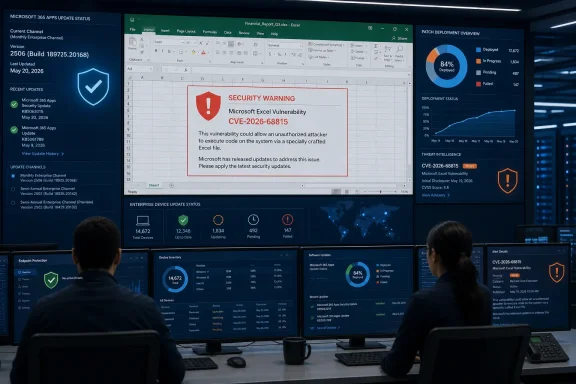 CVE-2026-68815 Is One of 25 Excel Fixes Released Together
Microsoft’s Security Update Guide published CVE-2026-68815 on August 11, 2026. The company’s Microsoft 365 Apps security release notes independently list it under the Excel fixes delivered that day, alongside a concentrated sequence of Excel CVEs from CVE-2026-68793 through CVE-2026-68817, with one break in the numbering for a PowerPoint issue.
That count is meaningful operationally. CVE-2026-68815 is not an isolated Excel patch event: it is one member of a 25-item Excel security batch. Administrators should therefore avoid treating an inventory rule or deployment exception for this single identifier as sufficient risk management. If a device remains below the August Office build, it is missing a broader set of Excel corrections, not merely this RCE fix.
Microsoft’s release notes identify the affected update streams for subscription and supported perpetual Office releases:
| Servicing channel or release | Security build released August 11, 2026 |
|---|---|
| Current Channel | Version 2607, Build 20228.20190 |
| Monthly Enterprise Channel | Version 2607, Build 20228.20188 |
| Monthly Enterprise Channel, previous release | Version 2606, Build 20131.20206 |
| Monthly Enterprise Channel, previous release | Version 2605, Build 20026.20266 |
| Semi-Annual Enterprise Channel receiving monthly builds | Version 2607, Build 20228.20186 |
| Semi-Annual Enterprise Channel | Version 2508, Build 19127.20730 |
| Office LTSC 2024 volume license | Version 2408, Build 17932.20910 |
| Office LTSC 2021 volume license | Version 2108, Build 14334.20848 |
| Office 2019 volume license | Version 1808, Build 10417.20197 |
The practical implication is straightforward: inventory Excel by channel and build, not merely by product name. “Microsoft 365 Apps” is not a useful patch status on its own when an estate includes Current Channel, Monthly Enterprise Channel, and Semi-Annual Enterprise Channel devices that receive different build numbers on the same day.
“Remote Code Execution” Does Not Establish a Network-Worm Scenario
Microsoft’s classification says successful exploitation could result in code execution, but it does not by itself establish how the attacker reaches Excel, whether a user must open a workbook, whether macros play a role, or whether a preview pane, embedded object, add-in, or another feature is involved. Those distinctions matter for defenders because the control set changes substantially depending on the entry point.
An RCE in Excel commonly raises concern because spreadsheets are an entrenched delivery vehicle in business email, collaboration systems, shared drives, finance workflows, and third-party portals. But no public technical write-up reviewed for CVE-2026-68815 identifies a malicious file format, a vulnerable parser, a memory-safety weakness, or a required user action. Microsoft has not published a workaround beyond installing the update.
The absence of those specifics should curb speculation. There is currently no basis to claim that Protected View, macro blocking, Microsoft Defender, attachment filtering, or a particular file-extension policy mitigates CVE-2026-68815 itself. Those controls remain sensible defense-in-depth measures for hostile documents, but they should not be represented as vendor-confirmed workarounds for this CVE.
The supplied advisory material also describes the purpose of the CVSS Report Confidence metric: it reflects confidence in the vulnerability’s existence and in the credibility of available technical details. That description is notable because the August 11 record confirms the issue exists but offers little publicly actionable mechanism detail. In other words, the vulnerability is not in doubt; the attack path remains undisclosed.
The Missing NVD Record Is a Data-Quality Problem for Security Teams
As of August 12, 2026, the day after Microsoft’s release, an exact search of the National Vulnerability Database did not return a public entry for CVE-2026-68815. Microsoft’s advisory and its Office security release notes are therefore the primary records administrators should use for this patch cycle.
This is not unusual immediately after Patch Tuesday, particularly when Microsoft publishes a large volume of Office identifiers at once. But it has a real consequence for vulnerability-management tooling. Products that rely on NVD enrichment, delayed third-party scoring, or static CPE mappings may not correlate the CVE to installed Excel software immediately. A dashboard showing “no known match” should not be read as evidence that an August Office build is unaffected.
Microsoft’s own release notes are clearer on deployment than many vulnerability feeds. They confirm the CVE is part of the Excel fix set and provide the post-update builds across current servicing channels. For this case, that is more useful than waiting for a score or generalized product mapping to appear elsewhere.
There is another lifecycle wrinkle. Microsoft’s August release notes include Office 2019 volume-license builds despite Office 2019’s regular support end date of October 14, 2025. Microsoft has previously said it may choose to issue updates for Office 2019 at its discretion. Organizations that still operate Office 2019 should confirm that their update mechanism is actually receiving the August 2026 build rather than assuming end-of-support status makes the software irrelevant to current vulnerability exposure.
Microsoft 365 Apps on Windows 10 needs similar attention. Windows 10 reached end of support on October 14, 2025, but Microsoft says it will continue providing Microsoft 365 security updates on Windows 10 through October 10, 2028. A Windows 10 endpoint running a supported Microsoft 365 Apps build is therefore still expected to receive this Excel fix, even though the underlying operating system is outside normal support.
What Administrators Should Verify This Week
The priority is to establish whether endpoints have consumed the August 11 Office update, not to wait for a third-party scanner to attach a severity score to CVE-2026-68815.
- Confirm that Microsoft 365 Apps devices are at or above the August 11 build assigned to their channel, including Current Channel Build 20228.20190 and Monthly Enterprise Channel Build 20228.20188.
- Check Semi-Annual Enterprise Channel separately. Its August security build is Version 2508 Build 19127.20730, which is substantially different from the Current Channel numbering and will not be caught by a simplistic “latest 2607” check.
- Review devices using Office LTSC 2021, Office LTSC 2024, and Office 2019 volume-license editions against Microsoft’s published August builds rather than assuming only subscription installations received the fix.
- Identify Excel users who routinely open workbooks from email, external file-sharing services, supplier portals, or unmanaged USB media, and prioritize those endpoints if deployment must be phased.
- Keep document-origin defenses in place. Mark-of-the-Web enforcement, attachment filtering, macro controls, and user reporting procedures remain useful safeguards against malicious spreadsheet campaigns, even though Microsoft has not identified any of them as a specific mitigation for CVE-2026-68815.
The key point is that CVE-2026-68815 should be handled as part of Microsoft’s August Excel remediation set, with the August Office build serving as the evidence of closure. Until Microsoft, NVD, or independent researchers disclose the flaw’s mechanism, a missing scanner match or a lack of exploit chatter is not a reason to defer the update.
