
Microsoft’s Security Update Guide identifies the issue as an Excel remote code execution flaw and lists its release date as August 11. Microsoft’s Office security release notes place CVE-2026-68806 in the Excel section of that same release, confirming that it is addressed through the Office update train rather than a Windows cumulative update. For organizations that patch Windows aggressively but defer Microsoft 365 Apps or perpetual Office updates, that distinction is the operational risk.
Microsoft has not published a public technical explanation of the vulnerable code path in the material reviewed for this report. There is no identified malicious file type, workbook feature, preview scenario, macro requirement, authentication prerequisite, or public proof of concept attached to the available advisory material. Administrators should resist filling those gaps with assumptions: an Excel RCE label does not establish that macros, VBA, external links, or a particular attachment format are involved.
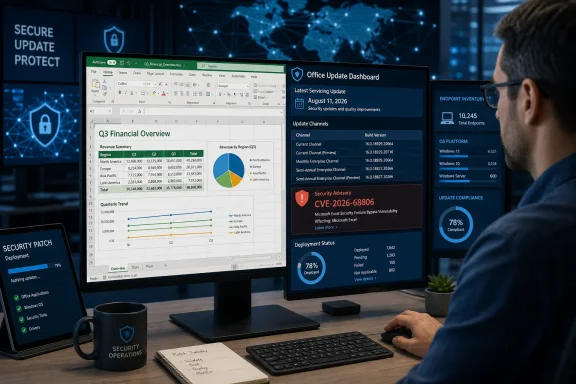 The August Office builds that carry the fix
Microsoft’s August 11 release notes list the following Office builds as carrying that month’s security fixes, including CVE-2026-68806:
- Current Channel is serviced by Version 2607, Build 20228.20190.
- Monthly Enterprise Channel Version 2607 is serviced by Build 20228.20188.
- Monthly Enterprise Channel Version 2606 is serviced by Build 20131.20206.
- Monthly Enterprise Channel Version 2605 is serviced by Build 20026.20266.
- Semi-Annual Enterprise Channel, where it receives Monthly Enterprise Channel builds, is serviced by Version 2607, Build 20228.20186.
- Semi-Annual Enterprise Channel is serviced by Version 2508, Build 19127.20730.
- Office 2024 Retail and Office 2021 Retail are serviced by Version 2607, Build 20228.20190.
- Office LTSC 2024 Volume Licensed is serviced by Version 2408, Build 17932.20910.
- Office LTSC 2021 Volume Licensed is serviced by Version 2108, Build 14334.20848.
- Office 2019 Volume Licensed is serviced by Version 1808, Build 10417.20197.
Those build numbers matter more than a generic “August patches installed” status. Microsoft 365 Apps updates are channel-specific, and environments frequently run a mixture of Current Channel, Monthly Enterprise Channel, and Semi-Annual Enterprise Channel devices. A workstation on an older Monthly Enterprise Channel release may be fully compliant with its organization’s ordinary cadence while still lacking the August security build until that channel’s deployment ring advances.
For managed estates, the practical check is to inventory the installed Excel or Office version and build, group results by update channel, and compare each cohort against Microsoft’s August 11 build list. Devices with Office update controls disabled, broken Click-to-Run servicing, unsupported deployment configurations, or delayed update rings should be investigated separately rather than assumed protected because their Windows patch level is current.
One Excel CVE inside a much larger Excel update
CVE-2026-68806 is one of 27 Excel CVEs that Microsoft listed in the August 11 Office release notes. The adjacent identifiers run across the CVE-2026-68793 through CVE-2026-68817 range, with additional Excel entries including CVE-2026-65807 and CVE-2026-70327 through CVE-2026-70328.
That changes the remediation calculation. The correct operational unit is not a bespoke emergency workaround for CVE-2026-68806; it is the August Excel security update for the supported Office products and channels in use. Teams that try to isolate this one CVE in approval workflows risk creating needless exceptions while missing closely related Excel fixes delivered in the same package.
It also means security teams should not infer a shared root cause from the numerical cluster. CVE identifiers close together often indicate coordinated release timing or related research submissions, but they do not prove that all flaws share the same parser, workbook component, exploit path, or severity. Microsoft’s release notes group them under Excel for patching purposes, not as a technical postmortem.
The thin public technical record produces a second consequence: controls often cited in Office hardening guides should be treated as defense in depth, not as confirmed mitigation. Blocking Internet-sourced macros, using Microsoft Defender’s attachment protections, restricting risky file types at email gateways, and training users not to open unexpected workbooks remain sound practices. None establishes that CVE-2026-68806 is a macro-driven or email-only attack, and none replaces applying the build that fixes the vulnerable Excel code.
Office 2019 received a build, but that does not restore support
Microsoft’s August release notes include Office 2019 Volume Licensed Build 10417.20197 among the serviced releases. At the top of the same document, Microsoft repeats that support for Office 2019 ended on October 14, 2025, while reserving the right to issue one or more updates at its discretion.
That is an important distinction for organizations still carrying Office 2019. The presence of an August 2026 security build means Microsoft delivered this particular update path; it does not mean Office 2019 has returned to a normal, supported security lifecycle or that future Excel vulnerabilities will receive fixes for the product.
Administrators should therefore deploy Build 10417.20197 where Office 2019 remains installed, but they should not use this update as grounds to postpone migration planning. A product that has passed its support deadline can receive a discretionary patch and still leave an organization exposed when the next issue does not qualify for one.
The same principle applies to asset reporting. If an endpoint scanner marks Office 2019 as “patched” after the August update, that is a statement about its current build, not a statement that the platform has an ongoing vendor commitment. Security and desktop-engineering teams should track the August remediation separately from the broader retirement risk.
What to do now
Organizations using Microsoft 365 Apps, Office 2024, Office LTSC 2024, Office LTSC 2021, Office 2021, or the Office 2019 build included in Microsoft’s August release should prioritize deployment of the applicable August 11 Office update. Because the vulnerability is categorized as remote code execution, it belongs in the same expedited validation lane normally used for document-processing vulnerabilities: test core workbook workflows, add-ins, line-of-business Excel integrations, and automated reporting jobs, then deploy without waiting for the next routine desktop refresh.
Security operations teams should also use the uncertainty around the attack path productively. Review recent detections and mail telemetry for suspicious spreadsheet delivery, especially unexpected workbooks from newly registered domains, external senders impersonating finance or HR staff, and documents that triggered Protected View, antivirus, or attachment-sandbox events. Those signals do not identify CVE-2026-68806 specifically, but they help find the exposure route attackers most commonly use against Excel users while patch deployment is underway.
Microsoft’s available release material does not say that CVE-2026-68806 has been publicly disclosed, exploited in the wild, or accompanied by public exploit code. The absence of those details is not an all-clear; it means defenders should base urgency on the confirmed remote-code-execution impact and the availability of a vendor fix, rather than on unverified claims about an active campaign.
The concrete endpoint target is clear: Excel must be running the August 11, 2026 Office build for its assigned channel. For Office 2019, the August build is a useful patch—but also a reminder that its support clock already expired on October 14, 2025.
