
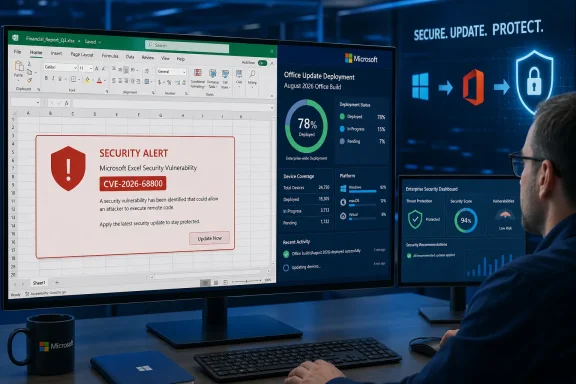
The important operational detail is that CVE-2026-68800 is one of 25 Excel CVEs Microsoft lists in its August Office security release notes. Microsoft’s Security Update Guide published the advisory on August 11, while Microsoft Learn ties the fix to updated Microsoft 365 Apps, Office 2024, Office 2021, Office LTSC 2024, Office LTSC 2021, and Office 2019 builds. There is no indication that a separate KB article, emergency out-of-band update, or manual mitigation is required for current Click-to-Run deployments.
For IT teams, that makes this an update-compliance problem first. A device can show a fully patched Windows 11 installation and still remain exposed if its Office servicing channel has not received—or has not installed—the August Office build.
 Microsoft’s public record is thin, but the release is real
Microsoft classifies CVE-2026-68800 as a remote code execution issue in Excel. That means successful exploitation could allow attacker-controlled code to run in the context of the user who opens or otherwise processes a malicious workbook. The practical consequences depend heavily on that user’s privileges: an Excel user running with local administrative rights presents a substantially worse outcome than a standard user on a locked-down workstation.
What Microsoft has not publicly detailed is equally significant. The advisory material available on August 12 does not provide a technical root cause, a vulnerable file format, a required user action, a public proof of concept, or a specific exploit chain. It also does not explain whether the vulnerable path is reached only by opening a workbook interactively, through Preview Pane-style handling, via add-ins, or by automated document-processing workflows.
That absence should not be mistaken for a low-impact issue. It means defenders should avoid inventing a mitigation based on assumptions—such as blocking macros, which may or may not be relevant. A macro policy can be valuable, but it is not evidence that the underlying Excel parser or object-handling flaw has been addressed.
Microsoft’s Security Update Guide uses the standard CVSS explanation for the report confidence metric, describing how the metric reflects certainty that a vulnerability exists and the credibility of available technical detail. That text is explanatory boilerplate, not a technical disclosure of the flaw. The submitted advisory page confirms the CVE and its Excel remote-code-execution classification; it does not, by itself, reveal the mechanism an attacker would use.
The August Office build numbers are the deployment target
Microsoft Learn’s August 11 Office security release notes identify the following security-bearing builds for supported Click-to-Run and volume-licensed Office products:
- Current Channel and Office 2024 Retail are on Version 2607, Build 20228.20190.
- Monthly Enterprise Channel Version 2607 is on Build 20228.20188, while Version 2606 is on Build 20131.20206 and Version 2605 is on Build 20026.20266.
- Semi-Annual Enterprise Channel receiving Monthly Enterprise Channel builds is on Version 2607, Build 20228.20186.
- Semi-Annual Enterprise Channel is on Version 2508, Build 19127.20730.
- Office LTSC 2024 Volume Licensed is on Version 2408, Build 17932.20910, and Office LTSC 2021 Volume Licensed is on Version 2108, Build 14334.20848.
- Office 2019 Volume Licensed is on Version 1808, Build 10417.20197.
Those builds matter more than a generic “Office is up to date” assertion. Microsoft 365 Apps updates arrive according to channel and enterprise policy, which can leave devices on an older monthly or semi-annual build for a deliberate testing window. That is normal operational practice, but the August package is not merely a feature release: Microsoft explicitly lists CVE-2026-68800 under Excel security fixes.
Administrators should verify the installed version from Excel’s Account page or inventory telemetry rather than checking whether Windows Update reports no outstanding updates. In managed environments, confirm the Office CDN, Configuration Manager, Intune, or other servicing mechanism has actually distributed the August package to the intended ring.
The record also creates a familiar blind spot for organizations that patch only the Windows operating system on Patch Tuesday and defer Office updates separately. Excel’s own update cadence is the control plane here. The Windows cumulative update does not substitute for the Office security build.
A crowded Excel release changes the risk calculation
CVE-2026-68800 did not arrive alone. Microsoft’s August release notes group it with CVE-2026-65807 and CVE-2026-68793 through CVE-2026-68808, plus CVE-2026-68810 through CVE-2026-68817 and two later-numbered Excel issues. In other words, the August package fixes a concentrated batch of Excel vulnerabilities rather than a lone defect.
That should change how security teams handle exceptions. Delaying the update for a single line-of-business add-in, finance-model template, COM integration, or legacy workbook compatibility concern does not defer one CVE; it leaves the system behind on a broad Excel security release. If testing must occur before wide deployment, it should begin with the groups most exposed to externally supplied spreadsheets: finance, accounts payable, procurement, HR, legal, sales operations, and users handling partner data.
The high-risk pattern is straightforward even without a published exploit: a target receives a workbook from a vendor, customer, recruiter, business partner, or a compromised internal mailbox; Excel processes the file; code executes under the target user’s account. Attackers do not need to defeat every endpoint in an organization. One user with broad access to shared drives, cloud storage, customer data, browser sessions, or business applications can provide a useful foothold.
Email filtering and Mark of the Web protections remain worthwhile layers, especially for files originating outside the organization. They are not a replacement for the update. An internally forwarded spreadsheet, a file placed in a collaboration repository, or a document sent from a compromised trusted account can all bypass the simple mental model of “dangerous attachment from an unknown sender.”
Third-party tracking has not caught up
As of August 12, the public CVE record was not readily discoverable in searches of the National Vulnerability Database or the CVE Program’s public record, and no independent security outlet had published technical reporting specific to CVE-2026-68800. Microsoft’s own Security Update Guide and its Office security release notes are therefore the primary records available to defenders at publication.
This lag has a concrete consequence for vulnerability-management programs. Teams that depend on NVD enrichment, third-party scoring, exploit-intelligence platforms, or scanner plugins to trigger Office patching may not see a clean finding immediately. The absence of an NVD score or enriched CVE entry is a data-pipeline delay, not evidence that a Microsoft-published remote-code-execution fix can be ignored.
It is also a reason to review the handling of Microsoft CVEs that lack a familiar severity number during the first 24 to 72 hours after Patch Tuesday. Microsoft’s classification and affected-product update information can arrive before external databases complete ingestion, analysis, CPE mapping, and scoring. In this case, Microsoft Learn has already placed CVE-2026-68800 in the Excel section of the August 11 security release and supplied the remediated Office builds.
What administrators should do now
Deploy the applicable August 11 Office security build to a pilot group immediately, then move to broad deployment as compatibility validation permits. Prioritize users who routinely open externally sourced workbooks and devices where Excel automation, privileged accounts, shared service identities, or high-value data access magnify the impact of code execution.
For organizations that must delay deployment, use compensating controls deliberately rather than assuming existing macro controls solve the problem. Restrict externally sourced Excel files where business processes allow, preserve Mark of the Web and attachment filtering, reduce unnecessary local administrator rights, and monitor for unusual child processes spawned by Excel. Those measures reduce exposure, but Microsoft has not presented them as a complete workaround for CVE-2026-68800.
The immediate milestone is simple: verify that Excel installations have reached the August 11, 2026 security build for their assigned channel. Until Microsoft releases deeper technical details or external researchers publish an analysis, the defensible conclusion is that this is a vendor-confirmed Excel code-execution issue with a shipped fix—and that patch deployment, not speculation about its internals, is the action that closes it.
