

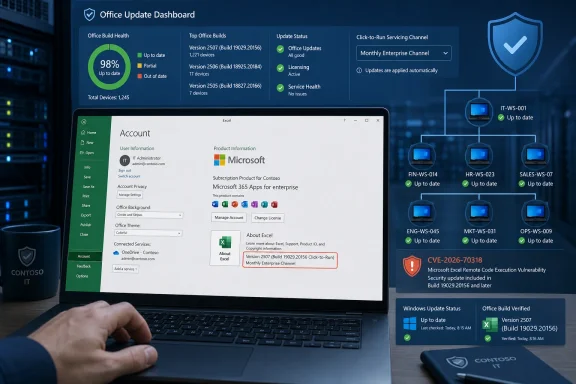
The important finding here is what Microsoft has not made operationally clear in the public advisory at publication. The Security Update Guide identifies the product and impact, but the record available on August 12 does not provide a useful technical description of the flaw, a named weakness category, affected build ranges, a CVSS vector, a public-exploitation statement, or a standalone KB number in the material presently exposed to unauthenticated readers. Searches of the NVD, CVE Program record, CISA’s Known Exploited Vulnerabilities catalog, and independent Patch Tuesday reporting have not yet turned up a separate technical record for CVE-2026-70318.
That makes this a patch-and-verify issue, rather than evidence of an active Excel campaign or a reason to infer a specific attack path.
A CVE record is not a deployment instruction
Microsoft’s advisory calls CVE-2026-70318 an “Information Disclosure Vulnerability,” which establishes the security outcome: an attacker may be able to obtain information they should not be able to access. It does not establish whether the disclosure involves Excel process memory, workbook content, cached data, credentials, local files, or another class of information. It also does not say whether the attack requires a malicious workbook, local execution, a network-delivered file, authenticated access, macros, or user interaction.
Those differences determine the appropriate response. An Excel flaw triggered by opening an attacker-supplied workbook belongs directly in phishing and document-control risk assessments. A locally exploitable issue might matter most on shared desktops, Remote Desktop hosts, virtual desktop infrastructure, or machines where users can execute untrusted code. A network-mediated disclosure could demand a different response entirely.
Administrators should not fill that vacuum with assumptions based on earlier Excel CVEs. Excel has had information-disclosure vulnerabilities caused by out-of-bounds reads, unsafe object handling, and other implementation defects, but CVE-2026-70318 has not yet been publicly tied to any of those mechanisms. Treating an old bug’s exploit conditions as though they apply to this one is how patch prioritization gets distorted.
Microsoft’s August 11 publication is authoritative evidence that the vulnerability exists and has been addressed. It is not evidence that exploitation is occurring, that a proof of concept exists, or that a crafted .xlsx file is currently bypassing Protected View in the wild.
The missing build information is the operational problem
For Windows administrators, the central complication is that Excel is commonly serviced separately from the operating system. Microsoft 365 Apps receives security fixes through Click-to-Run update channels; Office LTSC and older perpetual releases may use different Office update packages; and unsupported Office products do not gain protection merely because the host receives an August Windows update.
Microsoft’s Office security-update release notes cover Microsoft 365 Apps for enterprise and business, Office 2019, Office LTSC 2021, Office 2021, Office LTSC 2024, and Office 2024. But a current listing that ties CVE-2026-70318 to a particular build, channel, KB article, architecture, or perpetual Office edition was not publicly indexed when this article was prepared.
That omission has a practical consequence: vulnerability-scanning and patch-management teams cannot safely write a reliable version-detection rule from the CVE title alone. A scanner may flag “Microsoft Excel” broadly without knowing whether the installed channel has received the fix. Conversely, an endpoint that reports “Office updated” may still be on a deferred servicing channel awaiting its scheduled release.
The distinction is especially relevant in organizations using a mix of:
- Microsoft 365 Apps on Current Channel, Monthly Enterprise Channel, and Semi-Annual Enterprise Channel.
- Office LTSC 2021 or Office LTSC 2024 on managed desktops and specialized workstations.
- Excel 2016 or Office 2016 installations that may be outside normal support or covered only under limited extended arrangements.
- Nonstandard 32-bit Excel deployments retained for financial, engineering, or line-of-business add-ins.
A Windows Update compliance dashboard cannot answer the full question. Endpoint management must inventory the Office product and channel, then confirm the installed Excel build against Microsoft’s eventual August release documentation.
Verify the Office client, not just Windows Update
The immediate remediation path is to trigger and verify the normal Office update mechanism for deployed clients. For Click-to-Run installations, that means checking the Office account update interface or using the organization’s established Microsoft 365 Apps servicing process through Intune, Configuration Manager, Microsoft 365 Apps admin controls, or another endpoint-management platform.
On a client, open an Office app and inspect File > Account > About Excel. Record the exact Version and Build, as well as whether the install identifies a servicing channel. The build is what matters for verification; a generic “Microsoft 365” product name is insufficient when channels can deliver security content on different schedules.
For managed fleets, administrators should also check the following before declaring CVE-2026-70318 remediated:
- Confirm that Click-to-Run updates are not disabled by policy, registry settings, or a managed update location that has not yet synchronized the August content.
- Identify devices pinned to a channel with a delayed feature and security cadence, then obtain the channel-specific August build once Microsoft publishes it.
- Review Office update failures separately from Windows servicing failures, because a healthy Windows Update history does not guarantee Click-to-Run success.
- Test critical COM add-ins, XLL extensions, and workbook automation on a representative patched Excel build before broad rollout where business processes depend on legacy integration.
- Track unsupported Excel and Office versions as exceptions rather than assuming a current Windows 11 build compensates for an unpatched Office application.
Microsoft’s Security Update Guide says the advisory was published at 7:00 a.m. Pacific time on August 11 — 14:00 UTC. The supplied metadata lists the modification date as unknown. That should not be read as a guarantee that the CVE has never changed; it means there is no usable modification timestamp in the available data. Fresh Microsoft CVEs frequently gain affected-product details, CVSS information, acknowledgements, and update references after the initial publication window.
Do not elevate the priority on speculation
Information disclosure can be serious, particularly on endpoints that routinely open financial models, HR workbooks, operational data, or documents exchanged with external parties. But neither Microsoft’s currently visible advisory nor the independent vulnerability records available on August 12 establish the usual escalation signals: active exploitation, public disclosure before patching, public proof-of-concept code, or an “Exploitation More Likely” assessment.
CISA’s Known Exploited Vulnerabilities catalog is the federal government’s authoritative inventory for vulnerabilities confirmed to be abused in the wild. CVE-2026-70318 does not appear in the currently searchable catalog results. That is meaningful as a point-in-time check, but it is not a clean bill of health: CISA adds CVEs after confirmation, not prospectively.
The right priority is therefore normal expedited Office patching: ahead of routine feature work and configuration changes, but below confirmed exploited vulnerabilities, public zero-days, or flaws that permit unauthenticated remote code execution in exposed services. Organizations with large volumes of externally sourced spreadsheets, shared workstation pools, or sensitive workbook data should move it into their next accelerated patch wave rather than waiting for the next quarterly maintenance window.
Documentation will determine the final scope
Microsoft needs to publish the details that let defenders turn CVE-2026-70318 from a name into a measurable remediation target: affected Office products and release channels, fixed builds or KB packages, severity and CVSS vector, exploitation assessment, and any applicable mitigations. Until then, the defensible operational position is clear: update Excel through the Office servicing stack, preserve build-level evidence of compliance, and do not claim that a Windows cumulative update alone closed the exposure.