

If you still rely on Windows 10 for everyday work or play, the clock has moved from “grace period” to “operational decision.” Microsoft ended mainstream support for Windows 10 on October 14, 2025, and while the company offered a one‑year consumer Extended Security Updates (ESU) bridge through October 13, 2026, that window is closing—and the choices for staying safe now include paying for ESU, upgrading to Windows 11, migrating to Linux, or adopting third‑party mitigations such as 0patch.
Because the platform modifies program behavior at runtime, administrators should expect the occasional patch‑related regression and should plan standard operating procedures to quickly disable or roll back problematic patches. That operational discipline turns 0patch from a risk multiplier into a powerful compensating control.
For readers who prefer clear next steps: enroll in the 0patch Pro trial on one or two non‑critical devices, run it in parallel with your current defenses for 30–60 days, verify compatibility with your security stack, and then evaluate whether its coverage and operational behavior meet your risk tolerance. If you’re protecting specialized Windows‑only hardware that cannot be replaced, 0patch is probably the most sensible, cost‑efficient way to shrink your immediate risk profile. If you can migrate to Windows 11 or a supported Linux distribution without unacceptable disruption, that path remains the superior long‑term choice.
If you rely on Windows 10 for essential tasks, this is not the moment to “do nothing.” Whether your plan is to upgrade, migrate, or micropatch, make a concrete timeline and a tested fallback plan. 0patch gives defenders a powerful new tool in the post‑support era—but the tool is most effective when used deliberately, with testing, monitoring, and contingency planning.
Source: ZDNET Still on Windows 10? I installed 0patch on my old PC, and it's easily the best defense in the 'End of Support' era
 Background
What “End of Support” means for Windows 10 users
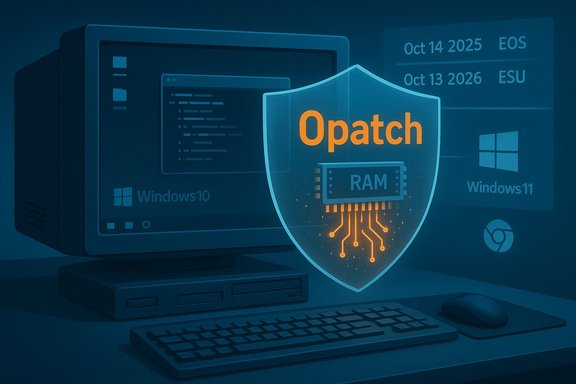
When Microsoft sets an end‑of‑support date, it stops delivering routine feature updates, technical assistance, and free security updates for that product. For Windows 10 the cutover was October 14, 2025, which means that systems left unprotected will increasingly lack official fixes for newly discovered vulnerabilities. Microsoft offered a short ESU program for consumers to extend critical security updates through October 13, 2026, but that was never intended as a long‑term substitute for a supported OS.The options on the table
- Upgrade eligible machines to Windows 11 (the default vendor recommendation).
- Pay for Microsoft ESU for a limited period (consumer ESU ended October 13, 2026).
- Migrate affected devices to a maintained Linux distribution or ChromeOS Flex—practical but sometimes incompatible with legacy Windows‑only software.
- Use a third‑party micropatching service, most prominently 0patch, to selectively mitigate critical and actively exploited vulnerabilities on end‑of‑service Windows installations.
Overview: What is 0patch and why it matters
0patch is a micropatching platform run by ACROS Security that applies tiny, targeted fixes—micropatches—to running software processes without replacing on‑disk binaries. Instead of shipping large cumulative updates that change many files and require restarts, 0patch injects small corrections into program code in memory, allowing immediate mitigation of specific vulnerabilities while minimizing disruption. The company publicly committed to “security‑adopt” Windows 10 after Microsoft’s end‑of‑support and to provide at least five additional years of post‑EOS critical patches—effectively promising coverage through October 2030, with the potential to extend further if demand warrants. Why this matters: for devices that cannot or will not move to Windows 11—old hardware without TPM 2.0, specialized industrial or medical systems tied to Windows 10, or users who simply dislike the newer UI—0patch offers a way to narrow the exposure window for critical vulnerabilities without a full OS migration.How 0patch works — the mechanics of micropatching
The 0patch Agent and in‑memory fixes
- The 0patch Agent runs as a lightweight background service and monitors processes on the machine.
- When the 0patch cloud publishes a micropatch for a specific module, the Agent downloads it and applies the patch directly in memory when the vulnerable process is running. There is no file replacement and, in most cases, no reboot required.
Patch prioritization: what gets fixed
0patch prioritizes vulnerabilities that meet strict criteria:- Public disclosure of exploit code or proof‑of‑concept.
- Evidence of active exploitation in the wild.
- No imminent Microsoft fix (or Microsoft has declared the issue “won’t fix” for legacy SKUs).
- The affected component or code path is widely used and high impact.
Pricing, tiers, and what you actually get
0patch offers three main tiers: Free, Pro, and Enterprise.- Free: 0 EUR per device per year. Intended for personal, nonprofit, educational, and testing use. Includes a subset of zero‑day and critical patches but does not include the full set of post‑EOS legacy patches that Pro and Enterprise subscribers receive.
- Pro: €24.95 + tax per device per year (approximately US$25–$35 depending on conversion and local taxes). Pro includes all Free patches plus the broader set of Windows 10 22H2 post‑EOS patches, Microsoft Office legacy patches, and standard support. A 30‑day Pro trial is available.
- Enterprise: €34.95 + tax per device per year. Adds silent deployment, central management (0patch Central), group policy controls, multi‑user roles, and other management features tailored for fleets. Volume discounts apply.
Real‑world behavior: installation, visibility and uptime
Installing the 0patch Agent is straightforward: a standard installer registers the Agent, which contacts 0patch servers and begins polling for applicable micropatches. Patches are applied automatically to running processes; they can be disabled individually or the Agent can be paused entirely if needed.- The Agent’s dashboard reports how many patches are active, which applications are protected, and which patches are available only in the paid tiers. This transparency makes it easy to confirm whether a given vulnerability has been mitigated on a device.
Strengths and practical benefits
- Immediate remediation for critical threats. For zero‑days and actively exploited vulnerabilities, a micropatch can be available and applied far faster than a full vendor patch cycle. This reduces the attack window significantly.
- Minimal disruption. Patches are applied in memory with no file replacements and, in most cases, no restart—ideal for production machines and devices that can't tolerate reboots.
- Lower cost than some alternatives. At roughly €25 per device per year, 0patch Pro provides multi‑year security coverage for a fraction of many enterprise ESU deals and arguably less than the operational costs of wholesale hardware refresh.
- Targeted coverage for legacy software. 0patch has a track record of creating fixes for older OS versions and long‑out‑of‑support products—Windows 7 and certain Server SKUs, for example—which makes it valuable for mixed‑environment estates.
- Transparent patch metadata. The service publishes details about each micropatch, including the vulnerability it addresses, which aids risk assessment and auditability.
Notable risks and limitations
No third‑party patching service is a panacea. 0patch’s model brings specific technical and operational risks you must weigh.1) Not a full substitute for vendor support
Micropatching closes high‑risk holes but does not recreate the broad security and quality coverage that Microsoft delivered for supported Windows 10. Routine updates, driver fixes, feature improvements, and broad stability work are outside 0patch’s operating model. Using 0patch as a long‑term replacement for vendor servicing introduces accumulating operational risk.2) Selective coverage — scope is intentionally limited
0patch will not patch every vulnerability. The company follows a prioritization playbook: publicly disclosed exploits, in‑the‑wild abuses, and items Microsoft won’t fix on legacy SKUs receive attention first. That means some exploitable, low‑visibility issues may remain unpatched for longer windows than modern vendors would accept.3) Compatibility and performance caveats
Third‑party process injection—by definition—interacts with the internals of running applications and the OS. 0patch documents and tracks compatibility incidents: the support knowledge base calls out performance problems with some endpoint protection products, blocks and crashes caused by certain security tools, and isolated application issues. When a micropatch causes trouble, 0patch provides the ability to disable individual patches or the Agent entirely to roll back the change. That rollback capability reduces risk but doesn’t eliminate the possibility of an unexpected regression. Community threads and IT forums report a range of user experiences, from seamless background protection to intermittent instability when 0patch interacts with specific antivirus/EDR products or niche applications. Those anecdotal reports map to the documented compatibility entries in the 0patch troubleshooting archive.4) Vendor lock‑in and supply chain dependence
Adopting 0patch as a primary security control creates a dependency on a small vendor for future critical fixes. If ACROS Security’s business model or priorities change, or if the Micropatch release cadence slows, customers could find themselves exposed without an immediate path to remediation. 0patch has publicly committed to at least five years of post‑EOS coverage (through October 2030), but extensions beyond that are demand‑driven rather than contractually guaranteed. That makes contingency planning essential.Comparing 0patch with Microsoft ESU and other strategies
Cost and coverage comparison
- Microsoft Consumer ESU: One year of official critical updates; free for some Microsoft account holders, otherwise priced at $30 (or equivalent local currency) for the limited consumer ESU option that covered Windows 10 through October 13, 2026. ESU is official Microsoft content, delivered through Windows Update.
- 0patch Pro: Recurring €24.95 per device per year for post‑EOS and zero‑day micropatches; targeted, rapid mitigation for high‑risk issues but narrower in scope than full vendor servicing.
- Move to Windows 11 / Replace hardware: One‑time effort with longer vendor lifecycle but potential hardware costs and compatibility problems for legacy peripherals and software.
- Switch to Linux / ChromeOS Flex: Strong long‑term viability for many use cases but requires application compatibility planning and user retraining.
Practical deployment guidance — how to use 0patch safely
Prepare and pilot
- Inventory: Identify devices that must remain on Windows 10 and categorize them by risk (internet‑facing, privileged accounts, access to sensitive data).
- Test group: Deploy 0patch Agent to a small pilot group including representative hardware and security software stacks. Monitor for compatibility issues for at least one Patch‑Tuesday cycle or until you see at least a couple of micropatches applied.
- Backup and rollback plans: Ensure backup systems and recovery procedures exist. Although 0patch patches are removed on uninstall, the safest path before wide deployment is to have system images and known‑good restores available.
Operational policies
- Use Pro for production: If you plan to rely on 0patch for ongoing post‑EOS coverage, buy Pro (or Enterprise for fleets). The Free tier is valuable for emergency zero‑day coverage but lacks the breadth needed for sustained protection.
- Maintain layered defenses: Keep browser, Office, and other application updates current; maintain endpoint protection (noting that some AV/EDR products can interact poorly with process‑injection approaches), and use network segregation to limit exposure.
- Monitor the 0patch blog and advisories: Treat micropatches as part of your security telemetry—when 0patch issues a micropatch, map it to your risk registers and update incident response plans.
When things go wrong
- If you suspect a recent micropatch causes instability, disable that micropatch from the Agent dashboard or temporarily uninstall the Agent until a revised patch is available. 0patch documents known compatibility issues and provides troubleshooting steps; use them before escalating to vendor support.
How frequently will you get patches?
0patch’s output depends on the discovery of exploitable vulnerabilities and on which of those meet its prioritization criteria. That means patch cadence varies. Public and industry comments from the vendor indicate that micropatches are issued when serious, high‑priority issues surface; reports suggest users might expect a few micropatches per month, but monthly totals fluctuate widely with the security landscape. Treat 0patch as event‑driven coverage rather than a predictable monthly delivery. If exact cadence is important to your risk model, contact 0patch for SLAs and enterprise program options.Evidence from the field — user experiences and known incidents
Enterprise and community forums show mixed but generally positive reports: many users praise the ease of installation, the invisible nature of in‑memory fixes, and the value of targeted zero‑day coverage. Others report isolated compatibility problems with certain security products or niche applications; 0patch’s own knowledge base lists documented incompatibilities and recommended mitigations.Because the platform modifies program behavior at runtime, administrators should expect the occasional patch‑related regression and should plan standard operating procedures to quickly disable or roll back problematic patches. That operational discipline turns 0patch from a risk multiplier into a powerful compensating control.
Long‑term maintenance and vendor trust
0patch publicly committed to support Windows 10 through October 2030 and has framed that commitment as a five‑year post‑EOS coverage plan; the company also notes it may extend support further if demand justifies it. That promise addresses the immediate transition window for many users, but it is not an irrevocable legal guarantee. Organizations with critical dependencies should consider contractual Enterprise agreements or include contingency funding for alternate remediation strategies if anything about the vendor’s roadmap changes.Decision checklist: Is 0patch right for you?
- You should strongly consider 0patch if:
- You maintain a small fleet of Windows 10 devices that cannot be upgraded for technical or regulatory reasons.
- You need rapid mitigation for high‑risk vulnerabilities without scheduled reboots.
- You can tolerate a small vendor dependency and implement robust rollback and testing procedures.
- Think twice (or plan carefully) if:
- You require full vendor support (drivers, feature updates, and comprehensive patching) or are running critical production infrastructure where vendor guarantees are contractually required.
- You cannot dedicate resources to pilot testing and incident procedures for compatibility regressions.
- Your organization is unwilling to accept the vendor dependency risk implicit in third‑party micropatching.
Final analysis: tactical bridge, not strategic replacement
0patch is, in practical terms, the most mature micropatching service available for extending the security life of legacy Windows systems. Its engineering model—micropatching processes in memory—delivers rapid, low‑impact mitigations that are especially valuable for zero‑day and actively exploited vulnerabilities. The Pro and Enterprise plans make sense for home power users and small organizations that need measurable, ongoing protection without migrating to Windows 11 immediately. However, the service is not a magical replacement for a supported operating system. The two principal risks are (a) the coverage gap—0patch only fixes what it chooses to prioritize—and (b) the vendor dependency—you are trusting a small specialist to be your primary source of critical fixes. Both are manageable with proper procedures: a disciplined pilot phase, layered security architecture, documented rollback mechanisms, and a migration roadmap to a supported platform when feasible.For readers who prefer clear next steps: enroll in the 0patch Pro trial on one or two non‑critical devices, run it in parallel with your current defenses for 30–60 days, verify compatibility with your security stack, and then evaluate whether its coverage and operational behavior meet your risk tolerance. If you’re protecting specialized Windows‑only hardware that cannot be replaced, 0patch is probably the most sensible, cost‑efficient way to shrink your immediate risk profile. If you can migrate to Windows 11 or a supported Linux distribution without unacceptable disruption, that path remains the superior long‑term choice.
If you rely on Windows 10 for essential tasks, this is not the moment to “do nothing.” Whether your plan is to upgrade, migrate, or micropatch, make a concrete timeline and a tested fallback plan. 0patch gives defenders a powerful new tool in the post‑support era—but the tool is most effective when used deliberately, with testing, monitoring, and contingency planning.
Source: ZDNET Still on Windows 10? I installed 0patch on my old PC, and it's easily the best defense in the 'End of Support' era
