

In a pair of linked developments that underline how organizations large and small are wrestling with Windows 10’s lifecycle, two stories stand out: a long‑running, large‑scale DoD deployment of Windows 10 that put millions of defense endpoints onto Microsoft’s modern desktop, and a new wave of third‑party “micropatching” services — led by 0patch — positioning themselves as a practical bridge for machines that will not migrate to Windows 11 before vendor support ends. Together, these threads reveal the operational trade‑offs, security calculus, and procurement choices facing enterprise IT teams, government agencies, and power users as Windows 10 moves from mainstream support into the maintenance and risk‑management phase. The raw facts: Microsoft worked with the U.S. Department of Defense to standardize roughly 4 million DoD devices on Windows 10, a major enterprise adoption milestone at the time. Meanwhile, independent micropatch vendors have publicly declared plans to “security‑adopt” Windows 10 after Microsoft’s free update cadence ends, promising targeted, in‑memory fixes for high‑risk vulnerabilities as an alternative (or complement) to Microsoft’s Extended Security Updates (ESU).
The Department of Defense and Windows 10: scope and timing
Microsoft documented a 2016 directive in which the Secretary of Defense directed DoD agencies to standardize on Windows 10, embarking on a plan to upgrade approximately 4 million devices with the goal of a one‑year deployment window. The move was positioned as an effort to modernize the defense IT baseline, improve security posture through newer platform features, and simplify lifecycle management. Why this matters now: Windows 10 lifecycle
Microsoft officially declared that routine support for mainstream Windows 10 editions ended in mid‑October 2025; after that date, free security updates and regular technical assistance ceased for unsupported consumer and many commercial SKUs unless customers enroll in an Extended Security Updates (ESU) program. That formal lifecycle cutoff changes the calculus for any institution running large Windows 10 fleets: migrate to Windows 11, buy ESU, adopt cloud desktop strategies, or adopt compensating controls. 0patch and micropatching: what it is and what it promises
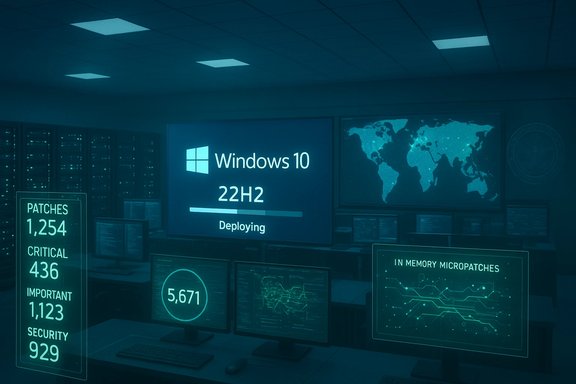
0patch (Zero Patch) is a third‑party security vendor that produces very small, targeted “micropatches” applied at runtime to running processes rather than by changing on‑disk binaries. The vendor has stated its intent to “security‑adopt” Windows 10 v22H2 and provide critical micropatches for at least five additional years after Microsoft’s vendor support ends — a claim accompanied by a commercial pricing model and a free tier that covers a subset of mitigations. 0patch’s approach aims to neutralize critical CVEs quickly and with minimal downtime; its model has drawn attention and debate across security and sysadmin communities.
Source: BetaNews https://betanews.com/article/window...net.com/article/windows-10-pc-0patch-review/]
 Background / Overview
The Department of Defense and Windows 10: scope and timingMicrosoft documented a 2016 directive in which the Secretary of Defense directed DoD agencies to standardize on Windows 10, embarking on a plan to upgrade approximately 4 million devices with the goal of a one‑year deployment window. The move was positioned as an effort to modernize the defense IT baseline, improve security posture through newer platform features, and simplify lifecycle management. Why this matters now: Windows 10 lifecycle
Microsoft officially declared that routine support for mainstream Windows 10 editions ended in mid‑October 2025; after that date, free security updates and regular technical assistance ceased for unsupported consumer and many commercial SKUs unless customers enroll in an Extended Security Updates (ESU) program. That formal lifecycle cutoff changes the calculus for any institution running large Windows 10 fleets: migrate to Windows 11, buy ESU, adopt cloud desktop strategies, or adopt compensating controls. 0patch and micropatching: what it is and what it promises
0patch (Zero Patch) is a third‑party security vendor that produces very small, targeted “micropatches” applied at runtime to running processes rather than by changing on‑disk binaries. The vendor has stated its intent to “security‑adopt” Windows 10 v22H2 and provide critical micropatches for at least five additional years after Microsoft’s vendor support ends — a claim accompanied by a commercial pricing model and a free tier that covers a subset of mitigations. 0patch’s approach aims to neutralize critical CVEs quickly and with minimal downtime; its model has drawn attention and debate across security and sysadmin communities.
What the DoD deal actually meant — strengths and operational realities
Scale, standardization, and security baseline
The DoD decision to standardize on Windows 10 for roughly 4 million endpoints was both strategic and pragmatic. Standardization on a single supported platform simplifies patch pipelines, device baselining, and security features such as Credential Guard, Device Guard, BitLocker, and modern EDR integrations. For an organization as sprawling and security‑sensitive as the DoD, this offered immediate benefits: reduced heterogeneity, a clearer upgrade path, and the ability to roll out modern hardening at scale.Procurement and certification advantages
Moving to Windows 10 allowed the DoD to adopt formal security baselines that had gone through government certification regimes (NIAP/Common Criteria) and to use hardware that met DoD interoperability and approved‑products lists. Those certifications matter to mission assurance and procurement rules. In short, Windows 10 provided both the technical and contractual seams necessary for a large government campaign.The timing paradox: modern now, legacy later
Standardizing on Windows 10 in 2016–2017 was the correct operational choice for many agencies at that time — it removed the immediate risk posed by older, unsupported systems (Windows 7, XP, etc.. The paradox is that a large fleet provisioned on Windows 10 can itself become a mid‑term migration liability once vendor support windows close. The DoD migration reduced short‑term attack surface but created a vendor‑lifecycle dependency that requires subsequent planning.The 0patch angle: micropatching as a practical stopgap
How micropatching works (concise technical summary)
- 0patch produces extremely small binary‑level fixes that target specific vulnerable code paths or CVE‑identified primitives.
- An agent downloads micropatches and applies them in memory at module load time; this typically avoids writing to disk and often requires no reboot.
- Micropatches are surgical: they aim to block exploitation vectors without wholesale rework of the OS image.
Vendor claims vs verifiable outcomes
0patch claims it will cover Windows 10 v22H2 for at least five years post‑EoS and has publicized pilot results and media coverage supporting its speed at producing patches for new zero‑days. The vendor’s publicity is corroborated by broad media attention and third‑party reporting, but the long‑term efficacy and coverage model are still vendor commitments rather than independent guarantees — administrators should treat the “five‑year” horizon as a contractual promise, not a technical certainty until demonstrated over time.Comparing options: Microsoft ESU, migration, cloud, and micropatching
Microsoft Extended Security Updates (ESU)
- ESU is Microsoft’s official pay‑for support bridge, priced to encourage migration rather than perpetual extension.
- For commercial fleets, ESU pricing is structured to increase year‑over‑year; consumers had a more limited and lower‑cost option in some windows. ESU keeps official Microsoft updates flowing to eligible devices for a limited timeframe.
- Official vendor patches with formal testing and provenance.
- Integrates with existing Windows Update and enterprise servicing tools.
- Costs scale with device counts and can become punitive.
- ESU is time‑boxed and intended as temporary bridging rather than a permanent solution.
Migration to Windows 11 (or alternative platforms)
Strengths:- Full, ongoing vendor support; access to the newest security features and telemetry.
- Aligns endpoint hardware refresh with longer vendor lifecycles.
- Hardware and driver compatibility; legacy application compatibility; large project management overhead.
- Not always possible for specialized, medical, or industrial devices.
Cloud/Desktop as a Service (DaaS/Cloud PC)
Strengths:- Abstracts the OS lifecycle to cloud service timelines; can reduce on‑prem endpoint exposure.
- Useful for rapid transition of user compute without wholesale device replacement.
- Licensing and ongoing OPEX; network dependency and latency; governance and data sovereignty trade‑offs.
Third‑party micropatching (0patch et al.
Strengths:- Rapid mitigation of exploited, high‑risk vulnerabilities; minimal downtime; lower per‑device cost than large ESU contracts for some users.
- Can extend the practical lifetime of legacy endpoints that cannot be migrated quickly.
- Third‑party code runs with deep system privileges and modifies runtime behavior — this raises governance, compliance, and supply‑chain concerns.
- Micropatches do not replace feature or functional fixes and are not a replacement for full vendor support.
- Coverage depends on vendor resources and priorities; not all CVEs may be covered, and long‑term maintenance is a commercial risk until fulfilled.
Critical analysis: strengths, risks, and governance considerations
Strengths — operationally pragmatic choices
- Standardizing large fleets on a modern, well‑instrumented OS yields immediate security and manageability wins. The DoD example shows how certifications and a unified baseline support mission assurance.
- Micropatching addresses the real problem for constrained endpoints: some devices simply cannot be upgraded due to hardware, firmware, or application constraints, and fast, surgical mitigations reduce exploit windows.
Risks — technical, legal, and strategic
- Vendor lifecycle mismatch: buying a device or standardizing on a platform is a multi‑year decision that must be reconciled with vendor EOL calendars.
- Third‑party micropatches create trust and supply‑chain decisions: organizations must evaluate source code provenance, patch testing, and incident response integration before accepting in‑memory mitigations.
- Compliance and auditability: government and regulated industries may have rules limiting outsider binary modification of mission systems; micropatching could raise red flags in compliance audits unless explicitly allowed and controlled.
- Operational brittleness: micropatches interact with kernel, AV/EDR agents, proprietary drivers, and security stacks; careful pilot testing is non‑negotiable. Real‑world reviewers and community threads show occasional performance and compatibility issues that administrators must test for.
Where vendor claims need caution
0patch’s “five‑year” commitment is a commercial promise and has been broadly reported across media outlets — but it is still a unilateral vendor declaration until validated over time by patch delivery, issue handling, and enterprise references. Treat such time‑horizon claims as part of procurement negotiation rather than as blanket assurance.Practical guidance for IT leaders and system administrators
Risk triage checklist (quick)
- Inventory: Identify all Windows 10 devices, their Windows 10 version (22H2 vs others), hardware compatibility with Windows 11, and business criticality.
- Prioritize: Rank devices by exposure (internet‑facing), data sensitivity (PCI, PHI), and application criticality.
- Baseline: Apply all Microsoft updates up to the final cumulative update for your Windows 10 build before enabling any third‑party agent. 0patch specifies this baseline as a precondition.
- Pilot: Test micropatching in a staged pilot ring that mirrors production antimalware, VPN, and business apps.
- Controls: Limit unsupported devices to isolated VLANs, enforce least‑privilege, and maintain hardened imaging for new deployments.
- Plan: Treat micropatching as a bridge — budget and schedule a migration plan to supported platforms or a long‑term support model.
If you consider 0patch (step‑by‑step)
- Validate prerequisites: Bring candidate devices up to the vendor‑required patch baseline before installing the agent.
- Start small: Use the vendor’s trial or free tier on a representative sample (workstation + server + device with AV/EDR).
- Monitor: Track performance metrics, crash reports, and EDR/AV interactions closely in the first 30 days.
- Escalate cautiously: If any micropatch causes instability, roll it back and report telemetry to the vendor for rapid remediation.
- Document: Add micropatching to your risk register and change control workflow; ensure auditors can see who authorized the mitigation and why.
Consumer and small‑business perspective
For home users and small offices, the choices are simpler but still consequential:- If your PC meets Windows 11 requirements, upgrade — that’s the lowest‑risk path for continued vendor support.
- If you can’t upgrade, consider ESU only if costs are acceptable; otherwise, micropatching services like 0patch may be an affordable, pragmatic stopgap — but buyers should verify reputation, test locally, and maintain regular backups. 0patch offers consumer and small business pricing tiers described in its documentation.
Final verdict: layered security, not silver bullets
Both the DoD’s mass Windows 10 adoption and the emergence of micropatch vendors illustrate a central reality of modern IT: security requires layered, pragmatic choices that balance vendor lifecycles, procurement timing, and operational needs. Standardizing on a modern OS gives organizations the tooling to manage risk — but it does not eliminate lifecycle planning. Micropatching is an important and growing tool in the defender’s kit: it can sharply reduce the exploit window for critical vulnerabilities and preserve operational continuity on legacy hardware. However, it is neither a complete substitute for vendor support nor a free pass to indefinitely postpone migration.- Use official vendor support where possible (ESU or, better, migration to Windows 11).
- Treat third‑party micropatches as part of a layered, time‑boxed mitigation strategy with explicit pilots, monitoring, and rollback plans.
- For high‑assurance environments (defense, healthcare, critical infrastructure), address compliance and supply‑chain questions before deploying third‑party runtime patches at scale.
Quick reference: authoritative facts shown in this article
- DoD directive for Windows 10 standardization and the ~4 million device deployment were publicly documented by Microsoft during the 2016 rollout discussion.
- Microsoft’s official lifecycle statement confirms Windows 10 reached end of support on October 14, 2025; after that date, routine free security updates ceased for affected editions.
- 0patch has publicly announced plans to security‑adopt Windows 10 v22H2 and to provide critical micropatches for an initial five‑year horizon; this is a vendor commitment corroborated by broad media coverage and the vendor’s own posts. Treat that as a commercial/operational claim to be validated in procurement.
Source: BetaNews https://betanews.com/article/window...net.com/article/windows-10-pc-0patch-review/]
