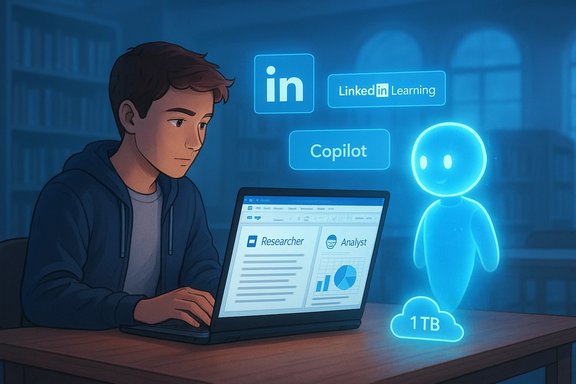
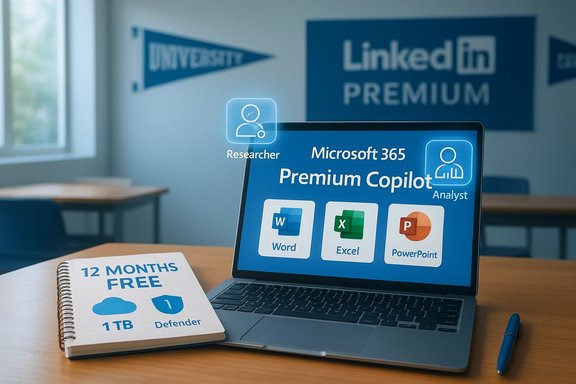
Microsoft has quietly rolled out a generous, time‑limited package for higher‑education students: 12 months free of Microsoft 365 Premium bundled with LinkedIn Premium Career, giving students a full year of Copilot‑enabled Office apps, advanced security and 1 TB of cloud storage alongside LinkedIn’s premium job‑search tools and learning resources.
The offer is part of a broader Microsoft push into education and consumer AI that accelerated with the October 2025 launch of Microsoft 365 Premium — a consumer subscription tier that bundles deep Copilot integration, higher usage limits and “agent” capabilities such as Researcher and Analyst into the familiar Office experience. Independent outlets reported the new tier’s release and positioning as Microsoft’s effort to bring pro‑level AI features into individual subscriptions. On January 15, 2026, Microsoft announced a limited‑time promotion that makes both Microsoft 365 Premium and LinkedIn Premium Career available free for 12 months to eligible higher‑education students. The company framed the package as an “all‑in‑one AI‑powered plan” for studying, research and career preparation, tying the offer to a wider education initiative called Microsoft Elevate for Educators.
Suggested institutional steps:
Microsoft’s 12‑month student offer of Microsoft 365 Premium and LinkedIn Premium Career is a major consumer‑education play: it packages advanced Copilot features, workplace‑grade security and a premium talent platform into a single student‑facing proposition. For students who sign up and use the tools responsibly — with attention to billing, data hygiene and academic integrity — the bundle can accelerate coursework and job searches alike. At the same time, students and institutions should verify eligibility windows, confirm which features are active in their region or language, and treat AI‑generated content as assistive rather than authoritative. The promotion is a significant nudge toward mainstreaming AI in campus life; how students and educators adapt will determine whether it becomes a genuine enabler of learning or another source of policy headaches and unintended dependencies.
Source: Microsoft College Students now get 12 months of Microsoft 365 Premium and LinkedIn Premium Career on us | Microsoft 365 Blog
 Background
The offer is part of a broader Microsoft push into education and consumer AI that accelerated with the October 2025 launch of Microsoft 365 Premium — a consumer subscription tier that bundles deep Copilot integration, higher usage limits and “agent” capabilities such as Researcher and Analyst into the familiar Office experience. Independent outlets reported the new tier’s release and positioning as Microsoft’s effort to bring pro‑level AI features into individual subscriptions. On January 15, 2026, Microsoft announced a limited‑time promotion that makes both Microsoft 365 Premium and LinkedIn Premium Career available free for 12 months to eligible higher‑education students. The company framed the package as an “all‑in‑one AI‑powered plan” for studying, research and career preparation, tying the offer to a wider education initiative called Microsoft Elevate for Educators. What the student bundle actually includes
Microsoft 365 Premium — the productivity and AI toolkit
Microsoft’s announcement lists the core Office apps plus a suite of Copilot features and security protections:- Word, Excel, PowerPoint, OneNote and Outlook with Copilot built in for drafting, summarizing and editing.
- AI agents such as Researcher and Analyst to explore complex topics and analyze data.
- 1 TB of OneDrive cloud storage.
- Microsoft Defender advanced security for personal devices and OneDrive ransomware protection.
Microsoft’s blog explicitly positions these capabilities as the same productivity tools professionals use, now provisioned for students via their college email sign‑up.
LinkedIn Premium Career — job search, networking and learning
The LinkedIn side of the bundle includes features designed to accelerate internship and job searches:- Visibility into who viewed your profile, recruiter insights and applicant comparison metrics.
- 5 InMail credits per month to contact hiring managers directly.
- AI‑assisted profile writing and message drafting.
- Access to LinkedIn Learning — Microsoft’s announcement cites more than 24,000 expert‑led courses, while LinkedIn’s own product pages list the learning library as “20,000+” to “21,000+” in other contexts (see analysis below).
Verifying the claims — what independent sources confirm
- Microsoft 365 Premium was launched in October 2025 and consolidates Copilot Pro features with Microsoft 365 functionality — this was reported by major outlets at the time of launch.
- The January 15, 2026 student promotion is a Microsoft announcement tied to the Elevate for Educators initiative and the Microsoft 365 blog post; company press channels and third‑party wire services mirrored the messaging.
- LinkedIn Premium Career features (InMail, profile viewers, advanced job filters) are described on LinkedIn’s own Premium pages and match Microsoft’s summary of the student perks.
Discrepancies and unverifiable claims to watch
- LinkedIn Learning catalogue size: Microsoft’s blog states access to more than 24,000 courses, while some LinkedIn Premium pages still use a “20,000–21,000+” figure. Corporate docs and integration guides frequently show “over 24,000”, so this is likely a platform update that hasn’t propagated uniformly across every marketing page. Treat specific course‑count claims as approximate — the platform offers tens of thousands of courses, but exact numbers vary by page and by whether language variants are counted.
- “AI‑powered insights into more than 350,000 companies”: Microsoft’s student post lists this figure for the LinkedIn insights feature. That exact number is not widely repeated outside Microsoft’s announcement; LinkedIn provides company data and analytics at scale, but the 350,000 figure was not independently corroborated in the broader press coverage. Treat the “350,000 companies” claim as Microsoft’s stated figure, and verify it against LinkedIn’s product disclosures if company insight scope matters to you.
- End date and eligibility specifics: Microsoft labels the promotion “limited time” and notes “additional terms apply” without an explicit public expiration date in the blog post. Historically Microsoft has used college verifications and .edu addresses to gate student promotions; students should consult the offer page or their school’s IT for eligibility windows and exact terms. If you rely on this promotion, confirm the sign‑up deadline and verification flow before your semester schedule makes it difficult to claim the benefit.
Why this matters for students: practical benefits
- Immediate access to Copilot inside familiar apps means faster drafting, editing and ideation. Copilot can help proofread essays, generate outline drafts, and create slides from class notes — valuable time‑savers across a packed academic schedule. The Premium tier also promises higher AI usage limits, which matters for students who use Copilot heavily for research or media generation.
- OneDrive’s 1 TB of storage reduces dependency on external USBs and ensures course work and datasets travel with students across devices. The included Defender protections and ransomware recovery features add a layer of security that many consumers don’t get with free offerings.
- LinkedIn Premium Career makes it easier to target internships and early career roles: InMail credits, applicant comparison metrics and AI‑assisted profile improvements can help students convert applications into interviews. Paired with LinkedIn Learning access, the bundle is explicitly designed to close the loop between learning and employability.
Risks, caveats and academic integrity concerns
1. Vendor lock‑in and dependency
Getting a year of premium features fosters deep integration with Microsoft and LinkedIn ecosystems. Students who build workflows, references and application materials inside these tools may find it inconvenient to shift away at the end of the free period. It’s important to export critical documents and to keep plain‑text backups of résumés and portfolios.2. Post‑promotion costs
Microsoft’s and LinkedIn’s premium tiers are paid subscriptions after the trial. Students must be aware of automatic renewals and cancellation windows; failing to cancel before the end of the promotion can result in unexpected subscription charges. The blog’s “additional terms” language and the lack of a published expiration date make this a practical concern. Review billing details at sign‑up and set calendar reminders.3. Academic honesty and AI misuse
Copilot and similar assistants can generate polished writing that may cross academic integrity boundaries if used without disclosure. Universities are still ironing out policies for AI‑assisted coursework; students should follow local honor codes and use Copilot as a research aid and editing assistant rather than a ghostwriter. Educators will likely expect attribution or explicit disclosure where AI substantially shapes deliverables.4. Data privacy and training claims
Microsoft states that it does not use prompts, responses or file content from Copilot in Microsoft 365 apps to train its foundation models — a privacy claim that has been reiterated in product privacy statements. Nevertheless, students handling sensitive research or personally identifying data should treat cloud AI interactions cautiously and consult institutional guidance for handling regulated data. Verify privacy settings and review account scopes before uploading anything nonpublic.5. Feature availability and geographic limits
Some Copilot and LinkedIn AI features roll out regionally or by language. Expect availability differences between desktop apps, web apps and mobile; not every AI agent or insight will appear in every market or language immediately. If a specific Copilot feature is mission‑critical for your coursework, verify that it’s active on your device and account.How students should evaluate and use the offer
- Before claiming: Confirm eligibility and the sign‑up deadline on Microsoft’s student offer page, and verify whether your institution provides a parallel Microsoft 365 Education or LinkedIn Learning license that might overlap. If your school already offers LinkedIn Learning, the marginal value of a personal Premium subscription may be less.
- Onboarding checklist:
- Use your official college email to claim the offer and save any confirmation emails.
- Check billing and renewal dates; disable auto‑renewal if you don’t want to pay when the free year ends.
- Export critical documents and back up OneDrive content locally.
- Review privacy and Copilot settings to control what the assistant can access.
- Mark academic integrity rules for each course; disclose AI usage where required.
- Best practices for academic use:
- Use Copilot to summarize, outline and edit — not to invent original arguments.
- Treat Copilot outputs as draft material to be critically reviewed and cited when appropriate.
- Use research agents (Researcher, Analyst) to find sources and generate study guides, then cross‑check facts against primary literature.
Institutional implications — what universities should consider
Higher‑ed IT teams and faculty should view this promotion as both an opportunity and a coordination challenge. On one hand, giving students Copilot access democratizes AI tools across diverse socioeconomic backgrounds and supports digital skills development. On the other, institutions must update policies on AI usage, plagiarism detection, data governance and curriculum design.Suggested institutional steps:
- Align AI‑use policy language with honor codes and provide clear guidance to students and faculty.
- Coordinate with campus IT to understand overlap between campus Microsoft 365 Education licensing and the consumer promotion.
- Offer training sessions that teach how to use Copilot responsibly — turning an automation risk into a learning advantage.
Competitive context: Why this matters in the broader student market
Major tech firms are racing to capture student users as a way to seed long‑term ecosystem adoption. Google previously offered its One AI Premium plan free to students through mid‑2026 in key markets, giving students advanced Gemini access and 2 TB of storage for a promotional period. Microsoft’s bundled approach — pairing productivity and career services — positions it to compete not just on raw AI capability, but on career outcomes and integrated learning pipelines. For students, the choice increasingly comes down to which ecosystem provides the best combination of classwork productivity, learning content and career pathways.Quick FAQ for students
- Who qualifies? Microsoft says eligible higher‑education students with a valid college email can sign up; exact verification methods and geographic availability are governed by the promotion’s terms.
- How long is the free period? The announcement specifies 12 months free but describes the promotion as limited time; no universal public expiration date was included in the blog post. Confirm timing at sign‑up.
- What happens after 12 months? Unless canceled, standard subscription billing applies. Students should check renewal pricing and consider student discounts or institutional licensing afterward.
- Is LinkedIn Learning included? Yes — LinkedIn Premium Career includes access to LinkedIn Learning; course counts are reported inconsistently across pages, but the platform offers tens of thousands of expert‑led courses.
Final assessment — strengths and risks
Strengths- The bundle lowers the barrier of entry to advanced AI productivity tools and professional development resources at a moment in which AI literacy is becoming central to employability.
- Combining Copilot inside Office apps with LinkedIn career tools creates a compelling “study‑to‑career” pipeline for students who want an integrated workflow from research to résumé to job application.
- Security add‑ons like Microsoft Defender and OneDrive ransomware protection are meaningful value adds for students handling personal and academic files.
- Lack of a clearly published end date and dependence on email verification mean students may miss the window or run into eligibility issues.
- Institutional overlap, academic‑integrity concerns and vendor lock‑in require careful handling by both students and universities.
- Data privacy and model training claims, while reassuring on the surface, still warrant scrutiny for sensitive research data and regulated information.
Microsoft’s 12‑month student offer of Microsoft 365 Premium and LinkedIn Premium Career is a major consumer‑education play: it packages advanced Copilot features, workplace‑grade security and a premium talent platform into a single student‑facing proposition. For students who sign up and use the tools responsibly — with attention to billing, data hygiene and academic integrity — the bundle can accelerate coursework and job searches alike. At the same time, students and institutions should verify eligibility windows, confirm which features are active in their region or language, and treat AI‑generated content as assistive rather than authoritative. The promotion is a significant nudge toward mainstreaming AI in campus life; how students and educators adapt will determine whether it becomes a genuine enabler of learning or another source of policy headaches and unintended dependencies.
Source: Microsoft College Students now get 12 months of Microsoft 365 Premium and LinkedIn Premium Career on us | Microsoft 365 Blog