

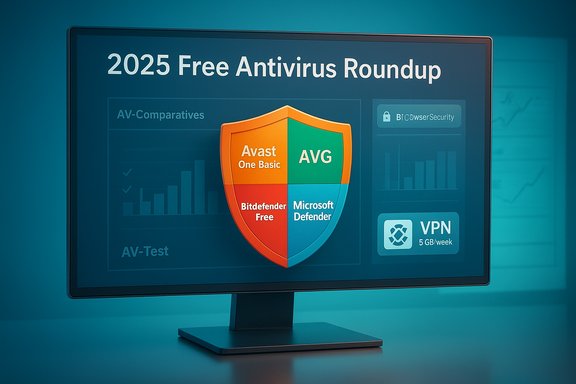
PCMag UK’s 2025 roundup of free antivirus tools lands where many of us expected: the familiar names—Avast One Basic, AVG AntiVirus Free, Avira Free Security, Bitdefender Antivirus Free, and Microsoft Defender—again dominate the conversation, but the real story is how independent lab testing and vendor feature trade-offs make different free options the “best” for different users. The headline winners—Avast One Basic and AVG AntiVirus Free—earn their place because they strike a balance between high detection rates, useful extras, and a low friction user experience; those claims sit on a bedrock of independent testing and hands‑on checks that you should understand before you choose the free tier that will guard your PC.
Background / Overview
Antivirus used to be expensive and niche. Today, robust detection engines are widely available at no cost for home users, and the competition is now over who adds the most useful extras without turning free tools into adware. Free editions increasingly resemble cut‑down suites: some provide only core malware protection, others bundle limited VPNs, basic password managers, network inspectors, or ransomware shields. PCMag’s 2025 evaluation emphasized two practical realities: (1) lab performance still matters, and (2) feature sets and limits (VPN caps, locked premium features, telemetry practices) are what separate a usable free product from a product that nudges you toward a paid subscription.That context is important. Independent labs like AV‑Comparatives and AV‑Test continue to run large, repeatable tests that measure real‑world blocking, file‑based protection, false positives, and platform coverage. These lab results are the single most objective source for comparing engines; hands‑on tests (phishing blocks, malware hosting URLs) show real behavior in the wild. The PCMag piece folds both lab and hands‑on results into its recommendations—and where labs and hands‑on results diverge, the nuance matters for users with specific threat models.
What the Labs Actually Say: Key Facts for 2025
Avast / AVG: near‑top scores and macOS wins
- AV‑Comparatives’ macOS security test in 2025 found Avast Free Security for Mac and AVG AntiVirus Free for Mac achieving 100% detection on their macOS sample set—an uncommon result and a major validation for those free Mac builds. This confirms the PCMag claim that both products earned exceptional lab results on macOS.
- On Windows real‑world testing, Avast and several other engines performed at or near the top in the February–May 2025 AV‑Comparatives real‑world protection test, with Avast among the leaders around the 99.5% mark and very low compromise rates. That’s consistent with hands‑on scores reported in reviews and helps explain Avast/AVG’s Editors’ Choice placement.
Bitdefender: consistently excellent across labs
- Bitdefender keeps earning near‑perfect laboratory marks: AV‑Test’s Jan–Feb 2025 product reviews gave Bitdefender the maximum points in protection, performance, and usability, and AV‑Comparatives puts Bitdefender at the top of several Windows‑focused protection rankings. If you value cross‑lab consistency, Bitdefender’s free and paid engines are very strong candidates.
Microsoft Defender: improved but not always best in class
- Microsoft Defender has come a long way and scores well in AV‑Test consumer reports (full points in some recent AV‑Test cycles). AV‑Comparatives’ real‑world reports show Defender close to leading products but still occasionally behind the absolute top performers in the same testing windows. That’s why Defender is a perfectly reasonable default for many Windows users—but it’s not the universal winner for high‑risk or multi‑device households.
Deep Dive: How Each Free Option Shapes Up (2025 snapshot)
Avast One Basic — the free security suite with the most extras
Avast’s free tier is more than a scanner: you get a full network inspector, a secure browser, ransomware‑protection layers, performance helpers, and a limited VPN. The free VPN cap—5 GB per week for Avast One Basic—means casual VPN use is possible, but heavy daily streaming or large file transfers will exhaust the allowance quickly. That limit is explicit in Avast’s product documentation and typical of free offerings that trade limited privacy tools for an upgrade funnel. Strengths:- Broad feature set for a free product (network inspector, ransomware guard, secure browser).
- Strong independent lab performance across tests (near‑top detection rates).
- Multi‑platform presence (Windows, macOS, Android, iOS).
- Many performance and privacy extras are locked behind paid tiers.
- The interface encourages upgrades; be ready for upgrade prompts.
- VPN location choice and bandwidth are restricted in the free tier.
AVG AntiVirus Free — the focused, earnest scanner
AVG shares the same Avast/Gen Digital engine, and the macOS builds mirror Avast’s impressive lab performance. AVG’s free edition intentionally strips away extras and focuses on core protection: on‑access scanning, phishing protections in browsers, ransomware shielding (often with paid limits), and cleanup suggestions.Strengths:
- Top lab scores in tests where AVG was evaluated (not all labs test every vendor).
- Clean, simpler UI and fewer upsell distractions compared with Avast.
- Good phishing protection in hands‑on testing.
- Minimal extras: no VPN included in the free package (or only as a trial).
- Ransomware shields or advanced behavioral protections may require paid upgrades.
Avira Free Security — lightweight, privacy‑leaning but limited caps
Avira’s free suite bundles a small password manager, privacy scanner, and a 500 MB per month VPN cap for anonymous browsing—optionally increased to 1 GB if you register. It packs performance utilities and a decent phishing shield, but many of the convenience features remain premium‑locked.Strengths:
- Small footprint and several useful small tools bundled into the free suite.
- Good web‑filtering and phishing blocking in hands‑on checks.
- The VPN cap is tiny (500 MB/month) compared to Avast’s weekly allowance; it’s useful only for occasional high‑security tasks like online banking.
Bitdefender Antivirus Free — minimalist, strong engine
Bitdefender’s free edition is the “set it and forget it” option for users who want a strong engine without extras. The free product exposes many of the same core detection capabilities as the paid suite, but UI features, advanced anti‑ransomware remediation, and other extras are reserved for paying customers.Strengths:
- Exceptional lab consistency (AV‑Test top marks, AV‑Comparatives top cluster placements).
- Very light on system resources—great for older machines or users who prioritize performance.
- Little in the way of bundled VPN/data privacy in the free tier (the paid VPN also has a daily cap unless you upgrade).
- No bundled password manager or dark‑web monitoring without paying.
Microsoft Defender — built into Windows, pragmatic and quiet
Microsoft Defender is the default baseline. It automatically takes over if third‑party protection is absent and offers an integrated, largely maintenance‑free approach. Defender includes Controlled Folder Access (Defender’s ransomware mitigation), cloud‑backed protection, firewall controls, and parental controls that integrate with a Microsoft account.Strengths:
- No installation required; low friction and tightly integrated into Windows Update.
- Strong AV‑Test performance in many cycles; minimal system impact.
- Good option for casual users who don’t want third‑party prompts or continual upsells.
- Some anti‑phishing measures are only available when you use Microsoft Edge (SmartScreen).
- Defender’s protection, while improved, occasionally lags the absolute top lab performers in specific test runs and phishing URL blocking tests; advanced features and cross‑platform management are not part of the free Defender experience.
Features that matter most in free antivirus — and where the catch lies
Not all “extras” are created equal. Free antivirus buyers should prioritize features that protect the attack surface they actually use.- Real‑time scanning and cloud lookups — The core job: stop malware when it tries to run or when it’s downloaded. If a free product does only scheduled scans, move on.
- Web and phishing protection — Blocking malicious URLs and credential‑theft pages is crucial. Some vendors protect only in their browser or a bundled secure browser; others extend to all browsers via system‑level hooks.
- Ransomware protective layers — Many vendors add a "folder lock" or "ransomware shield" that blocks unauthorized modification of documents. In free tiers, this is often restricted or left as a paid feature; if you handle critical data, that’s a red flag.
- VPN caps — Free VPNs are useful for occasional secure sessions, but caps vary wildly (examples: Avast One Basic ~5 GB/week; Avira Free ~500 MB/month). Use them only for ad‑hoc protection, not permanent privacy.
- Performance impact and false positives — A top scanner that constantly breaks legitimate apps or slows your system will frustrate you into disabling protection. Favor products that score well for usability in independent lab reports.
- Privacy and telemetry — Free vendors need business models; reading their privacy policy is essential. Some collect telemetry and marketing data; others provide opt‑outs.
Selecting the right free antivirus for specific user types
1) The “I just want something that works” user
- Recommended: Microsoft Defender or Bitdefender Free.
- Why: Defender requires no setup and has good AV‑Test scores; Bitdefender Free gives a very strong engine with minimal prompts and low system impact. Both are low maintenance and don’t push aggressive upgrades.
2) The feature‑minded but cash‑strapped user
- Recommended: Avast One Basic.
- Why: It offers the richest set of free extras (network inspector, ransomware shields, a small VPN allowance) without paying—acceptable for users who want more than just a scanner but can tolerate some upsell nudges. Keep an eye on the VPN cap and default browser prompts.
3) The Mac user who wants “set it and forget it”
- Recommended: AVG for Mac or Avast for Mac.
- Why: Both reached 100% in AV‑Comparatives’ macOS tests in 2025, showing exceptional detection in the sample sets used—rare for free Mac AV builds. If you prefer minimal UI and solid detection, these are great choices.
4) The privacy‑conscious occasional VPN user
- Recommended: Avast One Basic for limited but flexible VPN usage or paid upgrades where needed.
- Why: Avast’s free VPN allowance is higher than Avira’s monthly cap, but neither can replace a full, paid VPN service for heavy or persistent privacy use. Use the free VPN for banking or travel, not daily streaming.
5) The ransomware‑worried user
- Recommended: Bitdefender Free (engine quality) or upgrading a free suite to a paid tier that includes ransomware remediation.
- Why: Engine quality, layered detections, and dedicated ransomware remediation (paid tiers) are the most reliable defenses; free ransomware shields are often limited or absent. If your files are mission‑critical, don’t rely solely on a free product.
Practical installation and setup checklist
- Uninstall or disable other active AV products before installing a new one to avoid conflicts.
- Install your chosen free antivirus and immediately check that real‑time protection is enabled.
- Update the virus definitions and the product itself—then schedule a full scan.
- Configure ransomware protection or Controlled Folder Access (if available) and add your Documents and Desktop folders to the protected list.
- Enable web‑filtering or browser protection for your primary browser; if it’s Edge and you rely on Edge enhancements, remember they may not cover Chrome/Firefox.
- Make an offline backup strategy: external drive or cloud backup (with versioning). Antivirus is one layer—backups are your true last line.
Risks and common misunderstandings about “free” antivirus
- Free doesn’t equal “complete” — Many free builds intentionally remove remediation, automatic VPN selection, or cloud backup features. If a product says “suite” but locks many components, examine how the free tier functions before relying on it.
- Data and privacy — Free services often monetize in ways that paid services don’t (telemetry, targeted offers, bundled extras). Read the privacy policy if you care about how your metadata is used.
- False security from perfect lab scores — A 100% lab result in a controlled sample set is excellent, but it’s not a guarantee for all future threats. Combine a strong AV engine with safe browsing habits and backups.
- Vendor consolidation matters — Avast and AVG use the same engine under Gen Digital’s umbrella; similar engines produce similar detection capabilities but sometimes different default features and UI behaviors. That’s why AV‑Comparatives might test both and give overlapping scores.
How to read lab scores like a pro
- Check multiple labs: AV‑Test, AV‑Comparatives, MRG‑Effitas, and SE Labs each use different methodologies. Consistency across labs is the best signal of a reliable engine.
- Look at false positive counts: a high‑scoring product that flags many legitimate files will create support headaches.
- Pay attention to the test period: an engine can change across months; look for most recent results and whether the vendor updated the product version.
- Platform parity: macOS/macOS‑specific tests may yield different winners than Windows tests; don’t extrapolate macOS totals to Windows and vice versa.
Final analysis: strengths, weaknesses, and practical recommendation
- Strengths across the pack: Free antivirus in 2025 is genuinely effective for most home users. Vendors like Avast/AVG and Bitdefender produce engines that consistently top or nearly top independent lab charts, and Microsoft Defender is a capable built‑in baseline requiring zero extra cost or setup. Lab data backs these claims: macOS tests show Avast/AVG as leaders on Mac samples, while Windows real‑world and lab testing continue to report high protection rates for Avast, Bitdefender, and others.
- Weaknesses to accept or avoid: Free tiers often limit VPN bandwidth, lock ransomware remediation behind paywalls, and push upgrade prompts aggressively. If you need cross‑device account management, unlimited VPN, or identity‑theft protection, the free tier won’t be enough—those features come with paid suites.
- Practical recommendation: For most Windows users, the choice comes down to two reasonable paths:
- If you want minimal fuss and no ads, use Microsoft Defender as your primary protection and optionally add a specialist tool (e.g., a paid VPN or password manager) for privacy and credentials.
- If you want the most protection and useful bonuses for free, install Avast One Basic (for its wider free feature set and higher free VPN allowance) or AVG AntiVirus Free (if you prefer a leaner UI and fewer upsells). For a low‑impact, strong engine with minimal extras, Bitdefender Free is the right pick. Back everything with good backups and a privacy‑minded approach to browsing.
Conclusion
Free antivirus in 2025 is not a desperation move; it’s a pragmatic choice backed by serious engineering and independent testing. The headline winners—Avast One Basic and AVG AntiVirus Free—earn their spots because they combine strong detection engines with practical extras that matter to end users. Bitdefender remains the minimalist defender’s favorite for engine quality and low system impact, while Microsoft Defender gives a reliable, no‑cost baseline that fits users who want to avoid third‑party upsell dynamics. Pay attention to feature limits like VPN bandwidth, ransomware remediation availability, and whether a free product blocks phishing across all browsers or just a bundled secure browser. Combine any free AV choice with disciplined backups, browser hygiene, and selective use of paid privacy tools if you need them—this is the fastest route to staying safe without spending a fortune.Source: PCMag UK The Best Free Antivirus Software for 2025
