

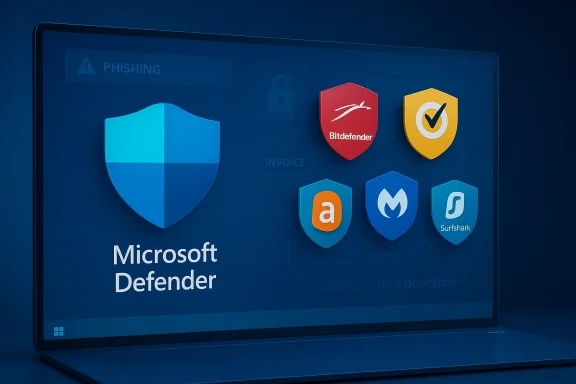
Choosing the right antivirus for a Windows PC in 2026 is less about chasing the loudest brand and more about matching the protection model to how you actually use your machine. Microsoft Defender has become a serious baseline option for many users, with real-time protection built into Windows, cloud-backed threat detection, and automatic fallback behavior when third-party software is installed. At the same time, Bitdefender, Norton, Avast, Malwarebytes, and bundled offerings like Surfshark Antivirus continue to compete on features, convenience, and cross-device coverage. The real story in 2026 is that Windows security is stronger than it used to be, but the best antivirus choice still depends on whether you want free protection, a full suite, or a privacy bundle that covers more than malware. (learn.microsoft.com)
Windows 10 and Windows 11 ship in a very different security era than the one that made third-party antivirus a near-universal purchase. Microsoft now positions Microsoft Defender Antivirus as an always-on layer inside Windows Security, with real-time protection enabled by default and cloud-assisted detection designed to react quickly to new threats. In Microsoft’s own documentation, Defender can be set to passive mode when another antivirus is installed, which reinforces the idea that Windows now expects layered security rather than a single heavyweight suite. (learn.microsoft.com)
That shift matters because the threat landscape has also changed. The biggest risk is often not a dramatic zero-day exploit aimed at a famous corporation, but a very ordinary mistake: a fake invoice, a poisoned download, a malicious browser extension, or a scam site that looks legitimate at first glance. In 2026, antivirus is less about heroic virus hunting and more about catching the everyday failures of attention that can still lead to ransomware, credential theft, or account compromise. (learn.microsoft.com)
Independent testing still has a place in the conversation. AV-Comparatives’ 2025 consumer test series covered 19 Windows security products and evaluated real-world protection, malware protection, performance, and false positives, while the March 2026 malware-protection test used 10,000 recent samples on a fully up-to-date Windows 11 system. That kind of laboratory data does not tell the whole story, but it does help separate products that genuinely protect users from products that merely market themselves well. (av-comparatives.org)
A key takeaway from those tests is that the market is still wide open. Some tools excel in detection, some minimize system impact, and others win on price or bundle value. For users, that means the best antivirus is not always the one with the most features or the biggest brand name; it is the one that stays effective without becoming annoying, confusing, or heavy-handed. That nuance is easy to miss, especially when every vendor promises “complete protection.” (av-comparatives.org)
One more wrinkle in 2026 is platform support. Microsoft and AV-Comparatives both treat Windows 11 as the primary testing baseline, and Microsoft Defender remains deeply integrated into modern Windows security flows. That means Windows 10 users can still find good products, but the center of gravity has clearly moved toward Windows 11’s security model and update cadence. (av-comparatives.org)
That matters because antivirus conflicts used to be a genuine headache. Two real-time scanners could slow a PC, trigger duplicate alerts, or create strange behavior that looked like malware but was really software conflict. Microsoft’s documentation explicitly notes that non-Microsoft antivirus causes Defender to disable itself or move to passive mode, which is the cleanest possible answer to that old problem. (learn.microsoft.com)
The result is that the default Windows experience is now much more defensible than it was a decade ago. Users who browse carefully, keep their systems updated, and avoid sketchy downloads may not need a heavyweight suite at all. That does not make third-party antivirus obsolete; it simply means the bar for recommending one has gone up. (learn.microsoft.com)
The numbers tell a story that is more balanced than marketing suggests. In the March 2026 test, Bitdefender, Norton, and Avast/AVG all posted strong protection rates, while Microsoft Defender still performed solidly but not at the very top of that particular table. Malwarebytes also remained competent, especially in situations where users value simplicity and targeted cleanup more than a huge feature list. (av-comparatives.org)
This is why a single lab result should never be treated as a full product review. A suite can be excellent at blocking threats but still annoy users with a bloated interface, aggressive renewal prompts, or too many false positives. The best choice is usually the one that balances all three: protection, performance, and usability. (av-comparatives.org)
Norton 360 is the other obvious heavyweight. It combines antivirus, VPN, password management, dark web monitoring, and cloud backup in a single subscription, which makes it appealing for households or users who want fewer moving parts. The tradeoff is that Norton tends to be more expensive than simpler rivals, but the package is broad enough that it can replace several separate services. (av-comparatives.org)
It also makes sense for users who do not want to think about security every day. Once configured, the product covers malware, ransomware, and web threats without demanding much maintenance from the user. That kind of set-and-forget behavior is a major selling point for home PCs, shared family computers, and anyone who just wants the machine to stay out of the way. (av-comparatives.org)
The downside is that Norton can feel more commercial than elegant. Renewal pricing, tier changes, and upsell pressure are part of the experience, and those factors can irritate users who want security without a sales pitch attached. Still, in feature terms, Norton remains one of the strongest premium packages on the market. (av-comparatives.org)
Microsoft Defender is the other major free contender, but it is different from the consumer “free antivirus” model because it is simply part of Windows. For many users, that makes it the most practical free choice because it requires no separate subscription, no separate installer philosophy, and no separate billing cycle to forget about later. Microsoft’s own documentation shows that it is tightly integrated with Windows Security and real-time protection. (learn.microsoft.com)
But Avast’s reputation has to be viewed through both the security lens and the privacy lens. The company’s past data-collection controversy left a mark, and that history means some users will never be fully comfortable trusting it with their system activity. That concern is not trivial in a product category that already asks users for deep access. (av-comparatives.org)
The free downside is that Defender is intentionally less flashy than commercial suites. It does not try to be a VPN service, identity monitor, or password vault, and that is fine for many users. The question is not whether it does everything; it is whether it does enough for your threat model. (learn.microsoft.com)
Its utility is especially clear for people who dislike clutter. If you want a tool that can scan on demand, catch suspicious extras, and stay relatively light, Malwarebytes is still a strong candidate. The premium version adds real-time protection, but the product’s value proposition remains tied to targeted, practical malware handling. (av-comparatives.org)
This is why Malwarebytes often shows up in expert conversations even when it is not the top-ranked all-purpose suite. It is not trying to win on feature count; it is trying to be useful where many suites become overly complex. That narrower ambition is part of the appeal. (av-comparatives.org)
The strategic value here is convenience, not category domination. Surfshark is not trying to unseat Bitdefender in lab bragging rights or Norton in suite breadth; it is trying to reduce the friction of paying for multiple security services. For some buyers, that is enough to win the sale.
The same logic applies to products that combine password managers, identity monitoring, or cloud backup with antivirus. The bundle may be the real product, while the AV module is only one piece of the value. That is not a flaw, but buyers should be honest about what they are paying for. A bundle can be great value without being the absolute best scanner. (av-comparatives.org)
The second priority is ransomware defense. Traditional malware scanning is important, but many of the worst consumer outcomes today come from encryption attacks, credential theft, or scams that exploit file access rather than just obvious binaries. A good product should do more than catch old-fashioned viruses; it should also block suspicious behavior and risky content delivery. (av-comparatives.org)
System impact also still matters. Some suites are extremely good at blocking threats but are harder to recommend on older machines because they impose more overhead during scans or updates. Independent lab reports still treat performance as a major category for exactly that reason. (av-comparatives.org)
Once installed, the product will usually offer an initial scan and set itself up for background monitoring. After that, the key job is configuration: verify that real-time protection is on, automatic updates are enabled, and scheduled scans are set at a time that will not annoy you. Microsoft’s documentation also makes clear that you can review the status of Defender and other security settings in the Windows Security app. (learn.microsoft.com)
This is one of the easiest mistakes for nontechnical users to make because more security feels intuitively safer. In reality, layering works best when the tools are different in function, not identical in job description. (learn.microsoft.com)
For Windows users, the main decision is becoming more strategic than technical. If you need maximum simplicity, Defender may be enough. If you want the strongest third-party choice, Bitdefender and Norton remain top-tier options. If your goal is free and functional, Avast or Defender can still do the job, as long as you understand the tradeoffs. (av-comparatives.org)
Source: Gizmodo Best Antivirus Software for Windows PCs in 2026
 Overview
Windows 10 and Windows 11 ship in a very different security era than the one that made third-party antivirus a near-universal purchase. Microsoft now positions Microsoft Defender Antivirus as an always-on layer inside Windows Security, with real-time protection enabled by default and cloud-assisted detection designed to react quickly to new threats. In Microsoft’s own documentation, Defender can be set to passive mode when another antivirus is installed, which reinforces the idea that Windows now expects layered security rather than a single heavyweight suite. (learn.microsoft.com)That shift matters because the threat landscape has also changed. The biggest risk is often not a dramatic zero-day exploit aimed at a famous corporation, but a very ordinary mistake: a fake invoice, a poisoned download, a malicious browser extension, or a scam site that looks legitimate at first glance. In 2026, antivirus is less about heroic virus hunting and more about catching the everyday failures of attention that can still lead to ransomware, credential theft, or account compromise. (learn.microsoft.com)
Independent testing still has a place in the conversation. AV-Comparatives’ 2025 consumer test series covered 19 Windows security products and evaluated real-world protection, malware protection, performance, and false positives, while the March 2026 malware-protection test used 10,000 recent samples on a fully up-to-date Windows 11 system. That kind of laboratory data does not tell the whole story, but it does help separate products that genuinely protect users from products that merely market themselves well. (av-comparatives.org)
A key takeaway from those tests is that the market is still wide open. Some tools excel in detection, some minimize system impact, and others win on price or bundle value. For users, that means the best antivirus is not always the one with the most features or the biggest brand name; it is the one that stays effective without becoming annoying, confusing, or heavy-handed. That nuance is easy to miss, especially when every vendor promises “complete protection.” (av-comparatives.org)
One more wrinkle in 2026 is platform support. Microsoft and AV-Comparatives both treat Windows 11 as the primary testing baseline, and Microsoft Defender remains deeply integrated into modern Windows security flows. That means Windows 10 users can still find good products, but the center of gravity has clearly moved toward Windows 11’s security model and update cadence. (av-comparatives.org)
Why Windows Security Changed the Antivirus Equation
The most important development in Windows security over the last few years is that built-in protection is no longer “good enough only in a pinch”. Microsoft Defender Antivirus is active by default, updated continuously, and tied directly into Windows Security, which means many users already have a capable baseline without spending anything extra. Microsoft also documents that if another antivirus is installed, Defender automatically steps back rather than fighting for control. (learn.microsoft.com)That matters because antivirus conflicts used to be a genuine headache. Two real-time scanners could slow a PC, trigger duplicate alerts, or create strange behavior that looked like malware but was really software conflict. Microsoft’s documentation explicitly notes that non-Microsoft antivirus causes Defender to disable itself or move to passive mode, which is the cleanest possible answer to that old problem. (learn.microsoft.com)
Defender is no longer a checkbox feature
Microsoft Defender also benefits from cloud protection, which Microsoft describes as a near-instant response layer that can deliver fixes within minutes rather than waiting for the next conventional update cycle. That is an important distinction, because modern malware often changes faster than old-school signature databases can keep up. In practice, the cloud layer is part of what makes Defender feel more like a live service than a static utility. (learn.microsoft.com)The result is that the default Windows experience is now much more defensible than it was a decade ago. Users who browse carefully, keep their systems updated, and avoid sketchy downloads may not need a heavyweight suite at all. That does not make third-party antivirus obsolete; it simply means the bar for recommending one has gone up. (learn.microsoft.com)
- Defender is already built into Windows.
- Real-time protection is on by default.
- Cloud protection improves response speed.
- Installing another AV disables Defender’s active role.
How Independent Testing Should Shape Your Decision
The most useful antivirus roundups do not just list features; they anchor recommendations in lab testing. AV-Comparatives’ 2025 consumer study examined 19 Windows security products across protection, performance, and false positives, while the March 2026 malware-protection test measured how products handled 10,000 recent samples on Windows 11. That is especially useful because malware does not arrive in neat textbook categories; it arrives as living, changing code that tries to execute, persist, and tamper with the system. (av-comparatives.org)The numbers tell a story that is more balanced than marketing suggests. In the March 2026 test, Bitdefender, Norton, and Avast/AVG all posted strong protection rates, while Microsoft Defender still performed solidly but not at the very top of that particular table. Malwarebytes also remained competent, especially in situations where users value simplicity and targeted cleanup more than a huge feature list. (av-comparatives.org)
What the lab data means in plain English
A product can miss some inactive samples and still prevent damage when the malware actually runs. That is why protection-rate testing is more meaningful than raw detection alone. AV-Comparatives explicitly notes that modern suites often use behavioral detection, not just signatures, to stop malicious programs from changing the system. (av-comparatives.org)This is why a single lab result should never be treated as a full product review. A suite can be excellent at blocking threats but still annoy users with a bloated interface, aggressive renewal prompts, or too many false positives. The best choice is usually the one that balances all three: protection, performance, and usability. (av-comparatives.org)
- Protection rate matters more than raw detection alone.
- False positives can be as disruptive as missed threats.
- System impact still matters on older PCs.
- Feature overload can make a good product feel worse in daily use.
Best Paid Antivirus Suites for Windows PCs
If you want the most complete protection package, Bitdefender Total Security is one of the safest bets. It consistently earns strong marks in independent testing, keeps false alarms relatively low, and generally avoids the sluggish feel that used to define “security suite” software. In the March 2026 AV-Comparatives results, Bitdefender’s protection and false-positive numbers remained highly competitive, which supports the broader reputation it has built over time. (av-comparatives.org)Norton 360 is the other obvious heavyweight. It combines antivirus, VPN, password management, dark web monitoring, and cloud backup in a single subscription, which makes it appealing for households or users who want fewer moving parts. The tradeoff is that Norton tends to be more expensive than simpler rivals, but the package is broad enough that it can replace several separate services. (av-comparatives.org)
Bitdefender: best balance of power and quiet operation
Bitdefender’s big strength is that it delivers serious protection without constantly reminding you that it is there. That low-drama behavior matters because many people stop paying attention to software that nags too often or slows the machine. In a category where trust and restraint matter, Bitdefender’s “quietly effective” reputation is a genuine advantage. (av-comparatives.org)It also makes sense for users who do not want to think about security every day. Once configured, the product covers malware, ransomware, and web threats without demanding much maintenance from the user. That kind of set-and-forget behavior is a major selling point for home PCs, shared family computers, and anyone who just wants the machine to stay out of the way. (av-comparatives.org)
Norton 360: best all-in-one suite for households
Norton is strongest when the buyer wants a broad bundle, not just a virus scanner. A built-in VPN, identity monitoring on higher tiers, and cloud backup help make the subscription feel more complete than a bare antivirus license. That broader value proposition is especially appealing for families that need multiple layers of protection but do not want to assemble them one by one. (av-comparatives.org)The downside is that Norton can feel more commercial than elegant. Renewal pricing, tier changes, and upsell pressure are part of the experience, and those factors can irritate users who want security without a sales pitch attached. Still, in feature terms, Norton remains one of the strongest premium packages on the market. (av-comparatives.org)
- Bitdefender is the best overall balance for most users.
- Norton 360 is best for all-in-one household protection.
- Premium suites make sense when you want identity tools, VPN access, and backup in one bill.
- The biggest premium weakness is often not protection but renewal cost.
Best Free Antivirus Options
For a zero-cost option, Avast Free Antivirus remains one of the most visible names, and its free tier still covers the basics well enough for many users. It offers real-time protection, Wi-Fi scanning, and browser cleanup features, which is plenty for someone who wants a straightforward shield without paying upfront. Its tradeoff is familiar: the free version leans heavily on upsell prompts. (av-comparatives.org)Microsoft Defender is the other major free contender, but it is different from the consumer “free antivirus” model because it is simply part of Windows. For many users, that makes it the most practical free choice because it requires no separate subscription, no separate installer philosophy, and no separate billing cycle to forget about later. Microsoft’s own documentation shows that it is tightly integrated with Windows Security and real-time protection. (learn.microsoft.com)
Avast: good free protection, noisy business model
Avast remains attractive because the free plan is easy to install and covers the essentials. It is lightweight, familiar, and built on a large threat-detection base, which means its core value proposition is still clear. For a lot of home users, that is enough. (av-comparatives.org)But Avast’s reputation has to be viewed through both the security lens and the privacy lens. The company’s past data-collection controversy left a mark, and that history means some users will never be fully comfortable trusting it with their system activity. That concern is not trivial in a product category that already asks users for deep access. (av-comparatives.org)
Defender: the quiet free default
Defender’s advantage is that it requires almost no decision-making. It is already present, it updates automatically, and it switches cleanly when other security software takes over. For users who do not want a separate security ecosystem, that simplicity is a feature, not a limitation. (learn.microsoft.com)The free downside is that Defender is intentionally less flashy than commercial suites. It does not try to be a VPN service, identity monitor, or password vault, and that is fine for many users. The question is not whether it does everything; it is whether it does enough for your threat model. (learn.microsoft.com)
- Avast is the best-known free third-party option.
- Microsoft Defender is the best no-cost default for most Windows users.
- Free tools are often enough for basic home use.
- Free plans usually sacrifice extras, support, and sometimes privacy comfort.
Where Malwarebytes Fits
Malwarebytes sits in a different lane from traditional all-in-one suites. It has long been associated with adware, unwanted programs, and clean-up work, and many users keep it as a second opinion rather than as a sole line of defense. That narrower focus can be a strength because it avoids some of the bloat that comes with feature-heavy suites. (av-comparatives.org)Its utility is especially clear for people who dislike clutter. If you want a tool that can scan on demand, catch suspicious extras, and stay relatively light, Malwarebytes is still a strong candidate. The premium version adds real-time protection, but the product’s value proposition remains tied to targeted, practical malware handling. (av-comparatives.org)
The second-opinion model still works
The reason Malwarebytes continues to matter is that no single scanner catches everything every time. Layered defense is still a good idea as long as the layers are complementary rather than conflicting. Microsoft’s own guidance makes clear that Defender will move aside when another AV is installed, so pairing a primary suite with a manual on-demand tool can still make sense. (learn.microsoft.com)This is why Malwarebytes often shows up in expert conversations even when it is not the top-ranked all-purpose suite. It is not trying to win on feature count; it is trying to be useful where many suites become overly complex. That narrower ambition is part of the appeal. (av-comparatives.org)
- Best for adware and unwanted-program cleanup
- Good as a second opinion
- Lightweight compared with many full suites
- Premium real-time protection is useful, but not mandatory for everyone
Bundled and Privacy-First Alternatives
Surfshark Antivirus is the clearest example of a bundle-first security product. For users already paying for Surfshark’s VPN, adding antivirus coverage can be simpler than signing up for a separate standalone suite. That makes it appealing to privacy-focused buyers who want one account for multiple layers of protection.The strategic value here is convenience, not category domination. Surfshark is not trying to unseat Bitdefender in lab bragging rights or Norton in suite breadth; it is trying to reduce the friction of paying for multiple security services. For some buyers, that is enough to win the sale.
When bundling is a feature, not a compromise
Bundled security works best when the user already values the surrounding service. If you trust the VPN, want webcam protection, and like one consolidated subscription, then antivirus becomes part of a broader privacy stack. If you mainly want top-tier malware protection, though, a dedicated suite may still be the better fit. (av-comparatives.org)The same logic applies to products that combine password managers, identity monitoring, or cloud backup with antivirus. The bundle may be the real product, while the AV module is only one piece of the value. That is not a flaw, but buyers should be honest about what they are paying for. A bundle can be great value without being the absolute best scanner. (av-comparatives.org)
- Bundles are best when you already want the other services.
- Privacy-focused users often prefer one vendor for VPN + AV.
- Dedicated antivirus still wins on specialization.
What Features Matter Most in 2026
The first feature to look for is real-time protection. A product that only scans when you remember to launch it is no longer enough for most users because the modern threat model is too fast and too opportunistic. Microsoft’s guidance on Defender and AV-Comparatives’ behavior-based testing both point to the same conclusion: active, always-on protection is the baseline requirement now. (learn.microsoft.com)The second priority is ransomware defense. Traditional malware scanning is important, but many of the worst consumer outcomes today come from encryption attacks, credential theft, or scams that exploit file access rather than just obvious binaries. A good product should do more than catch old-fashioned viruses; it should also block suspicious behavior and risky content delivery. (av-comparatives.org)
Features worth paying for
Extra features only matter if they solve problems you actually have. A VPN is valuable if you travel, use public Wi-Fi, or want to reduce exposure on untrusted networks. A password manager matters if you are still reusing passwords or do not already have a separate vault. Identity monitoring makes sense if you want breach alerts, but it is not the same as preventing compromise in the first place. (av-comparatives.org)System impact also still matters. Some suites are extremely good at blocking threats but are harder to recommend on older machines because they impose more overhead during scans or updates. Independent lab reports still treat performance as a major category for exactly that reason. (av-comparatives.org)
A practical feature checklist
- Always-on real-time protection
- Behavior-based ransomware defense
- Low system impact on older PCs
- Regular automatic updates
- Browser and phishing protection
- Reasonable renewal pricing
- Clear privacy policies and trustworthy vendor history
Installing Antivirus Safely on Windows
The safest installation path is still the simplest one: go to the vendor’s official site, download the installer, and avoid third-party download mirrors. That advice sounds obvious, but security products are a category where malicious lookalikes and misleading download pages are not rare. If you are going to trust software with deep system access, the source matters. (learn.microsoft.com)Once installed, the product will usually offer an initial scan and set itself up for background monitoring. After that, the key job is configuration: verify that real-time protection is on, automatic updates are enabled, and scheduled scans are set at a time that will not annoy you. Microsoft’s documentation also makes clear that you can review the status of Defender and other security settings in the Windows Security app. (learn.microsoft.com)
A sane setup process
- Download from the official vendor website.
- Run the installer and allow the first scan.
- Confirm real-time protection is enabled.
- Check that automatic updates are active.
- Set a scheduled scan for off-hours.
- Review Windows Security afterward to make sure no conflicts remain.
Don’t stack real-time scanners
Running two full real-time antivirus engines at once is usually a bad idea. Microsoft says Defender automatically disables itself or moves to passive mode when another antivirus is installed, which is the right behavior because simultaneous active scanners can conflict. A second-opinion scanner is useful; two resident watchdogs fighting over the same files is not. (learn.microsoft.com)This is one of the easiest mistakes for nontechnical users to make because more security feels intuitively safer. In reality, layering works best when the tools are different in function, not identical in job description. (learn.microsoft.com)
Strengths and Opportunities
The antivirus market in 2026 is actually healthier than the anxiety around it might suggest. Users have better built-in protection, better lab data, and more product categories to choose from than ever before. That creates room for both budget-minded buyers and people willing to pay for convenience or extra services. (learn.microsoft.com)- Microsoft Defender gives Windows users a strong no-cost baseline.
- Bitdefender delivers excellent balance between protection and usability.
- Norton 360 is ideal for users who want an all-in-one subscription.
- Avast Free remains a workable free option for basic protection.
- Malwarebytes is strong as a second-opinion tool.
- Bundled products can save money for users already paying for VPN or identity protection.
- Better cloud-backed detection means faster response to emerging threats. (learn.microsoft.com)
Risks and Concerns
The biggest danger in antivirus buying is assuming that a product is good because it is famous, or because it is free, or because the vendor says it is “complete.” In security, those labels can be misleading. The better question is whether the product is independently tested, low-friction, and appropriate for the user’s actual risk profile. (av-comparatives.org)- Upselling can make free or low-cost tools annoying fast.
- Renewal pricing can jump sharply after the first year.
- Privacy concerns still matter, especially for free products with a controversial history.
- Resource usage can be a problem on older hardware.
- Feature bloat may confuse users more than it helps them.
- False positives can break workflows or create needless panic.
- Two active scanners can cause conflicts rather than extra safety. (learn.microsoft.com)
What to Watch Next
The antivirus market is likely to keep converging around a few themes: cloud-assisted detection, bundled privacy tools, lighter system impact, and a stronger baseline from Windows itself. That means the value proposition for paid suites will keep shifting upward into convenience, identity protection, and account monitoring rather than raw malware scanning alone. (learn.microsoft.com)For Windows users, the main decision is becoming more strategic than technical. If you need maximum simplicity, Defender may be enough. If you want the strongest third-party choice, Bitdefender and Norton remain top-tier options. If your goal is free and functional, Avast or Defender can still do the job, as long as you understand the tradeoffs. (av-comparatives.org)
Watch these trends
- Changes in renewal pricing and bundle discounts
- New cloud-protection capabilities
- Shifts in false-positive rates
- How well products perform on Windows 11
- Whether Microsoft keeps strengthening Defender and Windows Security
Source: Gizmodo Best Antivirus Software for Windows PCs in 2026
