

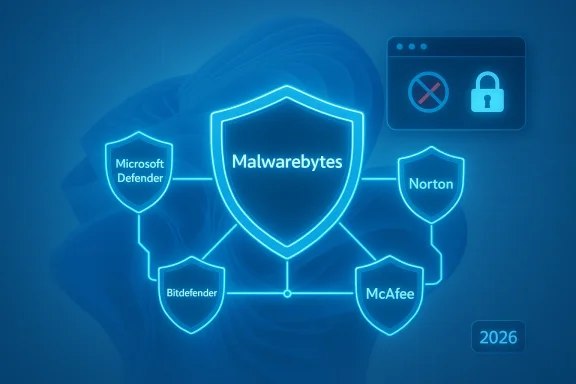
Malware protection for Windows 11 in 2026 is no longer a simple race for the highest detection score. It is a contest over how quietly a security product runs, how well it fits into Microsoft’s built-in defenses, and whether it adds value beyond what Windows already does well. In that environment, Malwarebytes remains one of the most interesting choices, even as competitors like Bitdefender, Norton, McAfee, Avast, Avira, ESET, Kaspersky, and Microsoft Defender itself keep the market intensely competitive. The headline for 2026 is not that one product “wins” every benchmark; it is that the best antivirus for Windows 11 increasingly depends on the kind of user you are and how much layering, privacy control, and convenience you want. (av-test.org)
Background — full context
Windows 11 entered the market with a stronger baseline security posture than previous versions of Windows, and Microsoft has continued to position the operating system as a security-first platform. The Windows Security app includes Microsoft Defender Antivirus, Windows Firewall, and Smart App Control, and Defender automatically steps aside when a third-party antivirus is installed and turns back on when that product is removed. That means the default Windows experience already gives home users a functioning defense layer before they install anything extra. (support.microsoft.com)That built-in baseline has changed the antivirus market in a meaningful way. In 2026, consumers are not just asking whether an antivirus can detect malware; they are asking whether it improves on Microsoft’s native protection enough to justify cost, system overhead, and subscription fatigue. Labs such as AV-TEST and AV-Comparatives continue to show that many consumer products perform extremely well on Windows 11, often receiving top scores in protection, performance, and usability. In April 2025, for example, AV-TEST found a crowded field of strong products, with Microsoft Defender, Bitdefender, Norton, McAfee, TotalAV, Kaspersky, Avast, AVG, Avira, F-Secure, and others all scoring highly. (av-test.org)
Against that backdrop, Malwarebytes occupies a distinctive niche. It is not always the product with the absolute highest detection score in every lab test, and it is not always the lightest on the system in every comparison. Yet it remains a recurring recommendation because it emphasizes behavioral protection, scam defense, browser protection, and a user-friendly interface that avoids the crowded-suite feel of many competitors. Malwarebytes’ own Windows 11 product page positions the software as “simple, powerful protection” and highlights privacy controls, scam protection, ransomware defense, and Browser Guard integration. (malwarebytes.com)
There is also an important platform shift behind the scenes: ARM-based Windows devices. Malwarebytes announced native ARM support in 2025 for Windows devices, including Copilot+ PCs, and explicitly recommended Windows 11 or higher for that installation path. That matters because the modern Windows 11 market is increasingly defined by battery-conscious laptops, AI-branded devices, and ARM-based ultraportables where compatibility and efficiency matter as much as raw malware scores. (malwarebytes.com)
The final piece of context is that 2025 and early 2026 testing has not produced a single dominant champion. AV-Comparatives’ 2025 real-world and malware-protection tests show a crowded top tier, with multiple vendors near the top and only modest separation between them. In some reports, Malwarebytes lands in the middle of the pack; in other settings, it remains competitive while other vendors dominate specific categories. That unevenness is why the phrase “leads a competitive field” is best understood not as a claim of universal benchmark dominance, but as a statement about market relevance, product fit, and differentiated value. (av-comparatives.org)
The Windows 11 antivirus market in 2026
Built-in defense has raised the bar
Windows 11’s native security stack has made “basic antivirus” a commodity. Microsoft Defender Antivirus is integrated into Windows Security, runs automatically, and is designed to cover real-time threats without extra setup. That is a huge reason the third-party antivirus market now competes on additional layers such as phishing defense, identity tools, password management, VPNs, cloud backup, parental controls, and system tuning. (support.microsoft.com)What this means for users is straightforward:
- Free protection is already decent
- Paid protection must justify itself
- Add-ons matter more than raw scanning
- Performance impact is part of the buying decision
- Windows 11 compatibility is assumed, not celebrated
Why users still buy third-party antivirus
Despite Defender’s strength, millions of users still choose commercial security products for reasons that go beyond malware signatures. Those reasons commonly include:- phishing and scam blocking
- browser-layer protection
- identity theft monitoring
- ransomware safeguards
- cross-device coverage
- family management tools
- premium support
- privacy settings in one place
The competitive shortlist
A realistic 2026 shortlist for Windows 11 often looks like this:- Malwarebytes
- Bitdefender
- Norton
- McAfee
- Microsoft Defender
- ESET
- Avast
- Avira
- F-Secure
- TotalAV
- Kaspersky in markets where it remains available
Why Malwarebytes remains a standout
A cleaner product philosophy
Malwarebytes has long sold itself on being the antithesis of security-suite clutter. The company’s Windows 11 offering emphasizes simple, powerful protection and lightweight, intuitive operation. That positioning still resonates because many users do not want endless pop-ups, “optimizer” tools, or a dashboard that feels like an airline control panel. They want something that stays out of the way but steps in when threats appear. (malwarebytes.com)This is one of Malwarebytes’ strongest advantages:
- Straightforward interface
- Low cognitive load
- Minimalist feature set that is easier to trust
- Helpful privacy controls
- Scam protection that matches current threat patterns
Strong emphasis on scam and web protection
In 2026, the threat landscape is increasingly social-engineering-driven. Fake Windows 11 download pages, fraudulent update prompts, phishing ads, and malicious browser redirects are all common attack vectors. Malwarebytes has been especially vocal about this class of threat, publishing in February 2026 about Facebook ads that impersonated Windows 11 downloads and used near-perfect clones of Microsoft’s download page to steal passwords and wallet data. That focus is not accidental; it is exactly where many consumers get hurt. (malwarebytes.com)Malwarebytes’ product page highlights:
- robust scam protection
- phishing defense
- ransomware protection
- browser protection
- privacy settings
- Trusted Advisor guidance
Strong product packaging for Windows 11 users
Malwarebytes’ ARM support update in 2025 also matters because it shows the company is not treating Windows 11 as a legacy desktop platform. Native support for ARM-based Windows devices means the company is aiming at newer hardware categories rather than only conventional x86 PCs. For users buying a Copilot+ PC, a thin-and-light ultraportable, or a battery-first notebook, that is meaningful. (malwarebytes.com)The practical user benefits include:
- better compatibility on newer devices
- more confidence on ARM laptops
- continued support for modern Windows hardware
- less friction during installation and updates
Reputation still matters
Malwarebytes also benefits from brand recognition in consumer security. In 2025, Malwarebytes publicized awards and test results from AVLab, PCMag Readers’ Choice, and other sources. While awards should never be treated as the only measure of quality, they do influence purchase decisions, especially for users who have seen Malwarebytes survive multiple generations of the threat landscape. (malwarebytes.com)How the lab data shapes the verdict
AV-TEST: strong field, many top products
AV-TEST’s April 2025 Windows 11 home-user report evaluated 14 security products and awarded many of them perfect or near-perfect marks. Products including Bitdefender, Kaspersky, McAfee, Microsoft Defender, Norton, TotalAV, Avast, AVG, Avira, F-Secure, and others all performed strongly. That is an important reminder that the market’s elite is large, not small. (av-test.org)What this means:
- there is no single universal “best”
- multiple products are technically excellent
- feature differences matter more than before
- false positives and usability can swing the decision
AV-Comparatives: the margins are tight
AV-Comparatives’ 2025 real-world protection testing shows just how crowded the top tier is. The February–May 2025 real-world test ran on fully patched Windows 11 64-bit systems, and the September 2025 malware protection test also used up-to-date Windows 11 systems. Those tests illustrate that modern consumer antivirus products are expected to operate under the same operating system conditions users actually have, not abstract lab environments. (av-comparatives.org)In AV-Comparatives’ July–October 2025 real-world test, Malwarebytes Premium appears among the tested products, alongside Microsoft Defender and McAfee. The exact ranking varies by test cycle, but the key takeaway is that Malwarebytes remains in the active conversation rather than drifting to the margins. (av-comparatives.org)
Defender remains the benchmark to beat
Microsoft Defender deserves special mention because it changes the benchmark entirely. Since it is built into Windows Security and turns off when another antivirus is installed, it is both the default and the fallback. Microsoft’s own documentation makes clear that Defender is integrated into the Windows security experience. That puts huge pressure on third-party vendors to prove they offer a real upgrade, not just a second layer of the same thing. (support.microsoft.com)For many users, the real question is not “Is Malwarebytes good?” It is:
- Is Malwarebytes better than Defender for my needs?
- Does it reduce scam exposure better than Defender alone?
- Will I notice the difference enough to pay for it?
- Does it make security easier, or merely more complicated?
Malwarebytes vs Microsoft Defender
Where Defender has the edge
Microsoft Defender’s biggest advantage is obvious: it is already there. It does not require another subscription, another account, another install, or another update channel. It is integrated with Windows Security and remains active by default unless a third-party antivirus is installed. That makes it the most frictionless option for the average Windows 11 user. (support.microsoft.com)Defender’s strengths include:
- zero cost
- native integration
- low maintenance
- automatic reactivation when third-party protection is removed
- good lab performance
- minimal extra overhead
Where Malwarebytes can still win
Malwarebytes can still be the better choice when users want more than baseline antivirus. Its value proposition is less about replacing Windows Security and more about adding a layer of modern threat defense. That is especially true for users who are more likely to encounter:- phishing links
- fake software downloads
- scam websites
- browser-based attacks
- potentially unwanted applications
- ransomware-driven deception
The practical answer
If someone wants the simplest answer, it is this:- Defender is usually enough for low-risk users
- Malwarebytes is better for users who want an added anti-scam and anti-phishing layer
- Power users may combine tools carefully, but they should avoid unnecessary overlap
Malwarebytes vs the premium suite brands
Bitdefender and Norton
Bitdefender and Norton remain strong candidates for users who want a broad security suite. Their brands are associated with high detection performance, polished interfaces, and multi-device subscriptions. In AV-TEST’s Windows 11 April 2025 report, both were among the many products that achieved top marks. That is one reason they still dominate “best of” lists. (av-test.org)Their appeal tends to look like this:
- Bitdefender: strong performance, broad protection, mature suite features
- Norton: identity tools, cloud backup, family features, full-package feel
McAfee, Avast, Avira, and others
McAfee, Avast, and Avira also perform strongly in many tests, but the buying decision usually comes down to feature mix, price, and trust in the vendor’s product philosophy. AV-TEST’s 2025 reporting shows these brands remaining competitive on Windows 11. (av-test.org)Users considering these products usually care about one or more of the following:
- bundle value
- ease of installation
- performance impact
- multi-device coverage
- browser and email protection
- family or identity features
TotalAV, ESET, and F-Secure
These products are important because they show how fragmented the market has become. Some consumers want the strongest possible feature stack at a moderate price; others want a leaner, more European-style utility model; others want a suite that can be installed and forgotten. AV-TEST’s Windows 11 data shows these vendors continue to compete at a very high level. (av-test.org)The key lesson is that “best” is now a category, not a single product. Malwarebytes is strongest when the category is defined as “best balance of ease, scam protection, and practical everyday defense.”
Real-world usefulness matters more than benchmark theater
Security is becoming behavioral
The most dangerous attacks in 2026 are often not heroic zero-days. They are social engineering, fake updates, malicious installers, and credential theft. Malwarebytes’ own February 2026 reporting on fake Windows 11 download ads is a reminder that the modern threat model is largely about convincing humans to help the malware along. (malwarebytes.com)That is why products that excel at:
- blocking malicious websites
- detecting scam pages
- catching suspicious behavior
- reducing user error
- filtering browser-based threats
The importance of false positives
One of the big hidden costs of antivirus software is false positives. A product that blocks too much can become annoying, and annoyance leads to disabled protection. Lab results increasingly reflect this by scoring usability as well as detection. AV-TEST and AV-Comparatives both use multidimensional methods that reward products for protecting users without causing chaos. (av-test.org)In practical terms:
- better detection is useless if users ignore the warnings
- a noisy product gets discounted by real users
- a quiet product may actually be the safer choice
- scam protection can matter more than raw signature counts
Performance still matters on Windows 11
Even though modern Windows 11 PCs are faster than older systems, antivirus performance still matters. Background scanning, web filtering, and remediation can affect responsiveness, especially on thin laptops and ARM systems. AV-Comparatives’ performance and real-world protection work continues to underline that product impact is a real buying factor. (av-comparatives.org)This is one reason Malwarebytes’ focus on being lightweight remains strategically smart. Users are less tolerant of security software that slows startup, clutters notifications, or interferes with daily work.
The case for Malwarebytes in 2026
Best for users who want clarity
Malwarebytes is arguably at its best for people who want a clean, understandable security app rather than a full-blown digital fortress with ten submodules and a dozen bundled upsells. The UI and product philosophy matter more than they once did because users are overwhelmed by subscriptions and alerts. (malwarebytes.com)It is especially attractive to:
- nontechnical home users
- older adults who want simplicity
- students who need straightforward protection
- remote workers who value browser defense
- people who regularly click links and want an extra safety net
Best for users exposed to scams
If your threat model is less about enterprise malware and more about fake downloads, fake browsers, fraudulent updates, and phishing campaigns, Malwarebytes has a strong case. Its scam protection branding aligns neatly with how people actually get infected today. (malwarebytes.com)Best as a layer, not necessarily as a replacement
For many users, Malwarebytes is at its most compelling when used as a layer on top of good Windows hygiene rather than as a dramatic replacement for all other defenses. That is not a weakness; it is a sign of product maturity. In 2026, the smartest security strategy is often layered:- Windows Security and Defender
- safe browsing habits
- browser extensions
- backup discipline
- Malwarebytes for an added anti-scam layer
Strengths and Opportunities
Strengths
- Clean, easy-to-use interface
- Strong scam and phishing messaging
- Good fit for Windows 11
- Native ARM support
- Browser Guard included with Premium Security
- Useful privacy controls
- Strong brand recognition
- Low-friction learning curve
- Good alignment with modern threat behavior
- Comfortable alternative to bloated suites
Opportunities
- More visible differentiation from Defender
- Deeper AI-assisted scam detection
- Expanded identity protection features
- Better family management tools
- More transparent performance reporting
- Greater emphasis on Windows 11 ARM optimization
- Stronger consumer education around social engineering
- More integration with browser-based threat signals
Risks and Concerns
Risks
- Defender’s improving baseline reduces urgency
- Many competitors score extremely well in labs
- Feature overlap can make the product look redundant
- Subscription fatigue is real
- Users may not understand why they should pay for another layer
- Some consumers want suites, not focused tools
- Performance expectations on Windows 11 are unforgiving
- Any false-positive spike can damage trust quickly
Concerns
- “Best antivirus” lists often overvalue branding
- Users may confuse malware protection with full privacy protection
- ARM support is necessary, but not sufficient, for differentiation
- A simple product can be perceived as “less feature-rich” even when it is the better fit
- Security products must keep pace with rapidly shifting phishing tactics
What to Watch Next
Windows 11 security evolution
Microsoft will likely keep enhancing Windows Security, Smart App Control, and Defender integrations. If the built-in stack becomes noticeably more proactive against phishing and malicious downloads, third-party vendors will have to work harder to justify their value. (support.microsoft.com)The rise of scam-first protection
Expect more antivirus marketing to shift away from the word “virus” and toward:- scam protection
- identity protection
- browser safety
- fraud prevention
- safe download verification
ARM and Copilot+ PCs
As ARM-powered Windows devices become more common, products that support them cleanly will have an edge. Malwarebytes’ native ARM support positions it well for that transition. (malwarebytes.com)Lab testing in 2026
The next major AV-TEST and AV-Comparatives cycles will matter because the field is so evenly matched. Even small changes in false positives, performance, or real-world protection can change which brands appear on “best antivirus” lists. (av-test.org)Consumer behavior
The most important watch item may be the least technical one: whether consumers continue to pay for security software when Windows already provides a strong default. If they do, the winners will be products that feel worth the money in everyday use. Malwarebytes has a real shot there because it is easier to understand than many of its rivals.Malwarebytes does not need to dominate every laboratory chart to matter in 2026. Its strength is that it solves a very modern problem: people are not usually defeated by a classic virus anymore, but by a fake download page, a malicious ad, a dodgy browser prompt, or a convincing scam. In that world, the best antivirus for Windows 11 is not always the one with the loudest feature list or the heaviest suite branding. Sometimes it is the one that stays simple, stays current, and stays focused on the threats users are most likely to face. That is why Malwarebytes remains one of the most credible leaders in a competitive field.
Source: nsprvojvodine.org.rs https://www.nsprvojvodine.org.rs/99339-/novac/
Last edited:
