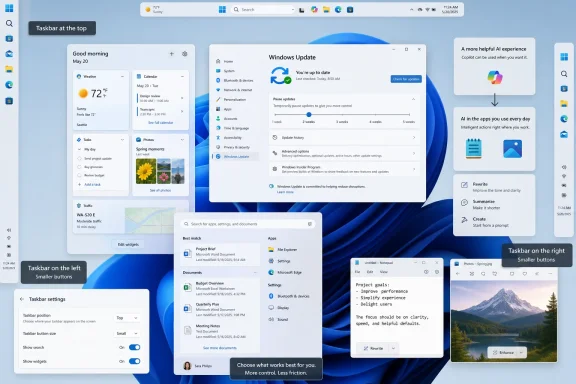
Microsoft’s latest Windows 11 Insider builds, highlighted this week by PCMag and backed by Microsoft’s own Experimental channel notes, are testing a movable taskbar, a genuinely smaller taskbar, quieter Widgets, more flexible Windows Update controls, Start search changes, new accessibility options, and a Feature flags page for early experiments. The headline is not that Windows 11 is suddenly becoming Windows 10 again. It is that Microsoft appears to be conceding, feature by feature, that the original Windows 11 simplification campaign went too far.
That matters because Windows 11’s most persistent criticism has never been that it lacked novelty. It was that it removed familiar control, then tried to compensate with gloss, cloud hooks, Bing surfaces, and Copilot branding. The new Insider work suggests a different strategy: rebuild trust by restoring agency.
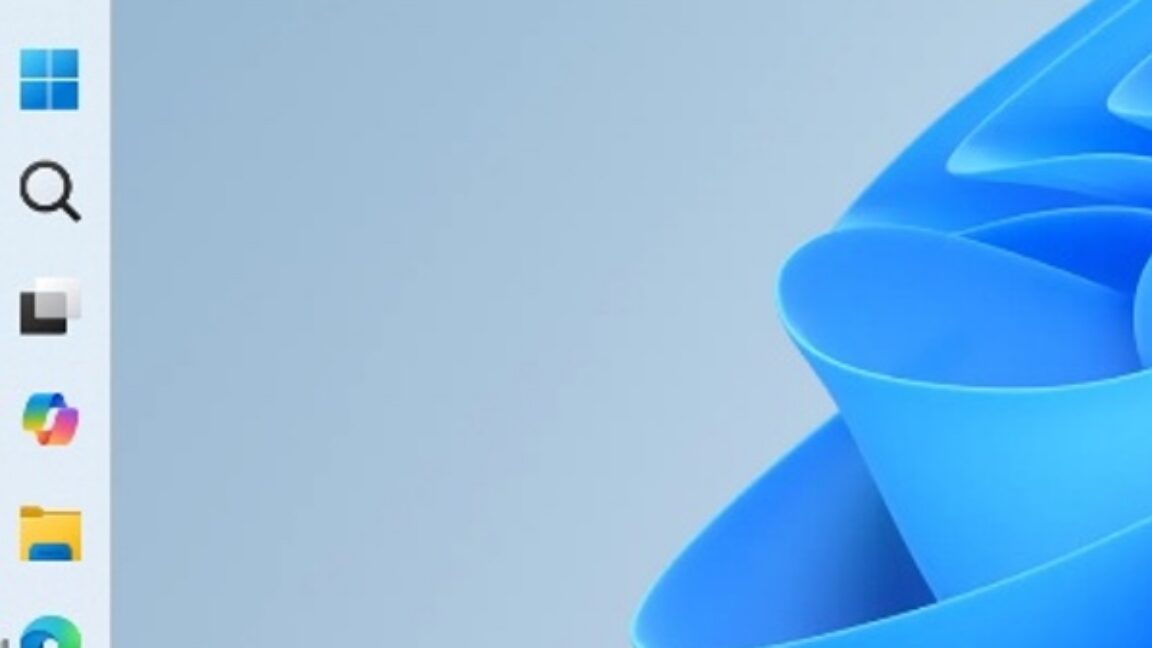
The movable taskbar is the symbolic center of this story because it was one of the most visible casualties of Windows 11’s redesign. For decades, Windows users could put the taskbar on different edges of the screen. Windows 11 arrived with a cleaner, rebuilt taskbar and a much narrower idea of what users should be allowed to do with it.
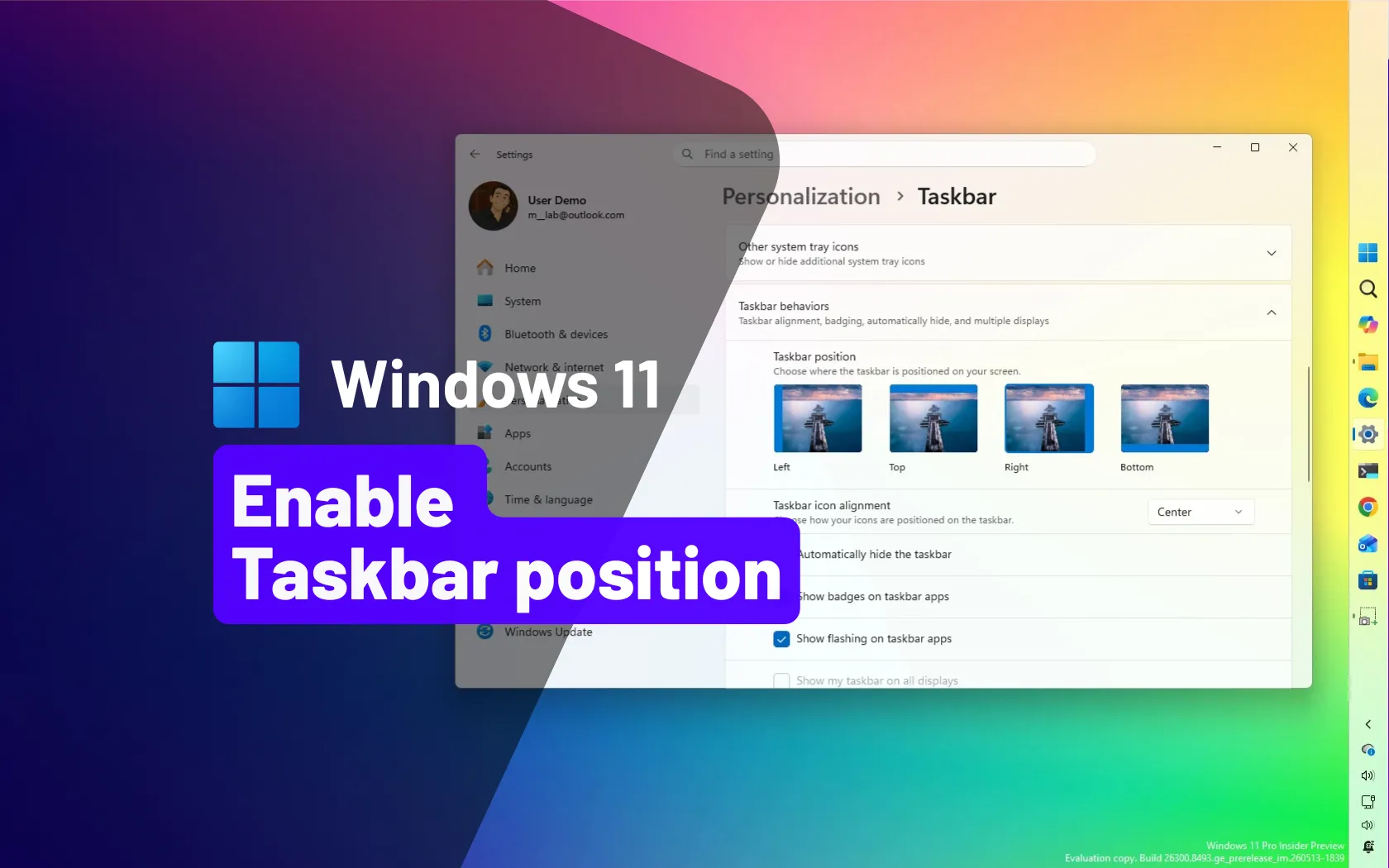
Now, in Experimental channel builds, Microsoft is testing placement on the bottom, top, left, or right edge of the screen. That sounds mundane until you remember how long users have been asking for it and how many workarounds, registry edits, and third-party tools grew around its absence. A vertical taskbar on an ultrawide monitor is not nostalgia; it is a practical layout choice.
The return is still unfinished. Microsoft’s own notes say support for some taskbar behaviors in alternate positions remains in progress, including touch gestures, the full Search box, Ask Copilot, auto-hide, and the tablet-optimized taskbar. That is the right caveat to keep in mind: this is a test, not a finished resurrection.
But the direction is unmistakable. Microsoft is no longer treating the Windows 11 taskbar as a sacred design object. It is treating it as a working surface again.
That matters on laptops, compact tablets, remote desktop sessions, and development machines where every line of vertical space is contested. It also matters philosophically. Windows 11’s early interface often behaved as though spaciousness was always elegance, even when users wanted density.
The smaller taskbar is Microsoft quietly admitting that visual comfort is not universal. Some users want big targets and roomy spacing. Others want the operating system to get out of the way. A mature desktop OS should not confuse one preference for good taste.
This is also where Windows 11’s future becomes more complicated than a simple “Microsoft listened” narrative. The company removed flexibility, waited through years of complaints, then began restoring it under the banner of quality. Users may welcome the change while still wondering why the detour was necessary.
For home users, that sounds like convenience. For administrators, consultants, and anyone who maintains machines for family or clients, it is closer to sanity. Windows Update has improved over the years, but the lived experience of surprise restarts, awkward update timing, and forced sequencing remains one of the OS’s most durable trust problems.
The important nuance is that pausing updates indefinitely is not risk-free. Security updates exist because attackers do not wait for maintenance windows to become convenient. A more flexible pause button gives users control, but it also gives them enough rope to leave systems exposed.
That is the trade Microsoft is now willing to make, or at least test. The company seems to have learned that coercion is not the same as security. A PC that interrupts the user at the wrong moment trains people to resent the update mechanism; a PC that gives clear choices has a better chance of being trusted when it says an update is urgent.
Anyone who has provisioned a new PC knows the absurdity of losing half an hour to updates before the machine has even become useful. In enterprise and education environments, that delay becomes multiplied across fleets. In home environments, it is simply a bad first impression.
The shutdown change is similarly practical. Users do not think in servicing-stack states; they think in “I need to leave now” terms. If Windows can handle more of that complexity without turning a simple power action into a negotiation, the OS feels less brittle.
None of this makes Windows Update exciting. That is the point. The best update experience is usually the one that does its job without becoming the story of the day.
The Insider work described by PCMag and Microsoft’s release notes suggests a tonal reset. Microsoft is testing quieter badging, less aggressive defaults, and a default Widgets experience that does not immediately shove the Discover news feed into the user’s face. The feed is not necessarily gone, but it is being moved into a less intrusive role.
That may sound cosmetic, but attention is now one of the main battlegrounds in operating-system design. A desktop OS is supposed to host the user’s work, not compete with it. When Widgets lights up with urgency-colored signals for content the user did not ask for, Windows starts behaving like a website.
Microsoft’s use of the word “calm” is telling. The company knows Windows 11 has acquired a reputation for nagging: sign in here, back up this, try Copilot, use Edge, read this headline, finish that setup. Quieting Widgets is a small correction to a larger cultural problem inside Windows.
That distinction matters. Microsoft has spent the last several years stretching the Copilot name across chat, productivity, coding, Windows settings, app features, and enterprise tooling. The result has often been confusion. Is Copilot the chatbot? The model layer? The button? The brand? The answer changed depending on where the user clicked.
Separating app-level AI features from Copilot-as-assistant is a healthier design direction. Users do not need a brand encounter every time they summarize text, erase an object, or rewrite a sentence. They need a clear tool, a clear cost model, and a clear privacy boundary.
This is not Microsoft backing away from AI in Windows. If anything, the company is still deepening AI integration, especially on Copilot+ PCs and through on-device models. But it may be learning that less Copilot chrome can make AI features feel less like advertising and more like utilities.
The problem is that many users do not want the Start menu to be a web search box at all. They want it to find installed applications, settings, and local files. When typing a filename produces Bing suggestions or web content ahead of the obvious local result, the system feels less intelligent, not more.
Microsoft’s new approach appears to be prioritization rather than full separation. That is a compromise: fewer absurd results, less frustration, but not a clean opt-out for users who want local-only Start search through a normal Settings toggle. PCMag notes that disabling Bing results entirely still requires registry intervention.
This is where Microsoft’s trust project runs into its business model. Windows is both a product people use and a distribution surface for Microsoft services. Every time the company improves local search while keeping Bing embedded, it reveals the tension between user intent and corporate strategy.
Automatic scrolling at the touchpad edge points in the same direction. These are not headline features for gaming towers or multi-monitor desktops, but they are exactly the sorts of behaviors that shape whether a laptop feels polished. Windows runs on a messy range of hardware, and Microsoft’s challenge has always been turning that variety into a consistent user experience.
The test also reinforces a broader theme: Windows 11’s next phase is not just about flashy AI demos. It is about input, layout, update flow, accessibility, and defaults. Those are the places where users decide whether an OS feels finished.
For laptop makers, that could be useful. OEM gesture utilities and driver-specific control panels have always made Windows feel more fragmented than macOS or ChromeOS. If Microsoft absorbs more of those behaviors into Windows itself, the platform becomes easier to support and easier to explain.
Voice Access has become one of Windows 11’s more meaningful platform investments because it is not just a speech-to-text novelty. It changes how users can navigate and operate the system. In noisy environments, however, speech recognition can collapse quickly; voice isolation is therefore a practical improvement, not a spec-sheet flourish.
Screen tint likewise addresses the reality that visual comfort varies widely. Brightness, contrast, color temperature, migraine triggers, eye strain, and neurodivergent sensory needs do not map neatly to one default display mode. Giving users more direct control is the same design philosophy behind the taskbar work, expressed through a different lens.
That is the strongest version of Microsoft’s current Windows argument: personalization is not decoration. It is usability.
Putting feature toggles inside Settings gives Microsoft a cleaner, safer way to expose that reality. It also makes the Insider Program more honest. Instead of pretending every tester in a channel has the same experience, Windows can acknowledge that features move independently from builds.
There is an obvious upside for feedback. If testers can deliberately enable a taskbar experiment or a new Insider experience, Microsoft can get more targeted reports. It also reduces the mystique around hidden feature IDs and unsupported command-line toggles.
The risk is that Feature flags could make Windows feel even more provisional. A build number used to mean something relatively concrete. In modern Windows, the build is only part of the story; rollout state, region, hardware, account type, and flags may all affect what the user sees. For enthusiasts, that is interesting. For support desks, it can be maddening.
The safest reading is that Microsoft wants many of these improvements in the hands of mainstream users during 2026, but the exact packaging remains fluid. Windows feature delivery is no longer a single annual moment. Enablement packages, controlled feature rollouts, app updates, Store-delivered components, and Insider flags have blurred the old release calendar.
That is good for speed but bad for clarity. Users want to know when they will get the movable taskbar. IT departments want to know when support documentation needs updating. Journalists want a version number. Microsoft increasingly gives everyone a staged rollout.
The irony is that this flexibility may be part of the quality push. If Microsoft can flight a taskbar change to a subset of Insiders, fix touch behavior, adjust settings, then expand gradually, it may avoid the kind of half-baked public release that created so much Windows 11 resentment in the first place.
Enterprise admins generally do not fear change because it is new. They fear change because it arrives unevenly, is documented late, interacts with policy in surprising ways, or generates help-desk tickets that begin with “my screen looks different.” A movable taskbar is welcome until half a department accidentally docks it vertically and calls support.
The Windows Update changes may be even more sensitive. More user control is good on personal machines, but in managed environments, update deferral is a compliance topic. Microsoft will need to keep the line clear between consumer Settings behavior and enterprise policy enforcement.
The Copilot and AI changes also matter here. If Microsoft de-emphasizes Copilot icons while leaving AI features in apps, administrators still need to know what is enabled, what data is processed locally or in the cloud, what licensing applies, and how to disable features where necessary. Renaming a button does not remove the governance burden.
Quality is not only fewer crashes. It is also whether the taskbar can go where the user wants it, whether Widgets respects attention, whether Start search understands local intent, and whether updates behave like maintenance instead of ambushes. Windows 11’s reputation problem has been cumulative, so the repair work has to be cumulative too.
There is a danger in overpraising Microsoft for restoring features it removed. A movable taskbar in 2026 does not erase the years when Windows 11 users had to live without it. A quieter Widgets board does not excuse the original decision to make the taskbar a traffic source for low-value headlines.
Still, the current direction is healthier than the old one. Microsoft appears to be recognizing that users do not experience Windows as a set of strategic initiatives. They experience it as a thousand small permissions granted or denied.
That matters because Windows 11’s most persistent criticism has never been that it lacked novelty. It was that it removed familiar control, then tried to compensate with gloss, cloud hooks, Bing surfaces, and Copilot branding. The new Insider work suggests a different strategy: rebuild trust by restoring agency.
 Microsoft Is Reopening the Door It Closed in 2021
The movable taskbar is the symbolic center of this story because it was one of the most visible casualties of Windows 11’s redesign. For decades, Windows users could put the taskbar on different edges of the screen. Windows 11 arrived with a cleaner, rebuilt taskbar and a much narrower idea of what users should be allowed to do with it.Now, in Experimental channel builds, Microsoft is testing placement on the bottom, top, left, or right edge of the screen. That sounds mundane until you remember how long users have been asking for it and how many workarounds, registry edits, and third-party tools grew around its absence. A vertical taskbar on an ultrawide monitor is not nostalgia; it is a practical layout choice.
The return is still unfinished. Microsoft’s own notes say support for some taskbar behaviors in alternate positions remains in progress, including touch gestures, the full Search box, Ask Copilot, auto-hide, and the tablet-optimized taskbar. That is the right caveat to keep in mind: this is a test, not a finished resurrection.
But the direction is unmistakable. Microsoft is no longer treating the Windows 11 taskbar as a sacred design object. It is treating it as a working surface again.
The Small Taskbar Is a Small Admission With Big Meaning
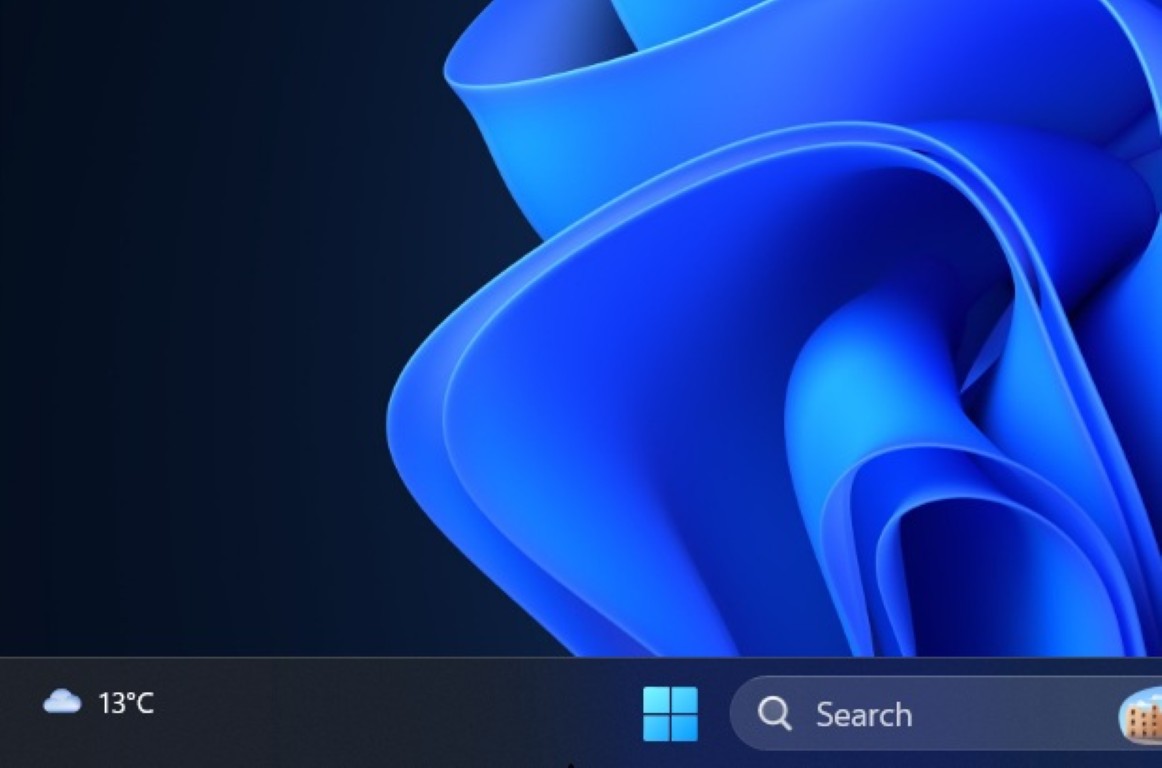
The smaller taskbar option is less dramatic than moving the whole bar, but in daily use it may matter just as much. Windows 11 already had a setting related to smaller taskbar buttons, but the criticism was that it did not fully recreate the compact experience many users expected. The new Insider behavior reduces both icons and the taskbar height.That matters on laptops, compact tablets, remote desktop sessions, and development machines where every line of vertical space is contested. It also matters philosophically. Windows 11’s early interface often behaved as though spaciousness was always elegance, even when users wanted density.
The smaller taskbar is Microsoft quietly admitting that visual comfort is not universal. Some users want big targets and roomy spacing. Others want the operating system to get out of the way. A mature desktop OS should not confuse one preference for good taste.
This is also where Windows 11’s future becomes more complicated than a simple “Microsoft listened” narrative. The company removed flexibility, waited through years of complaints, then began restoring it under the banner of quality. Users may welcome the change while still wondering why the detour was necessary.
Windows Update Gets a Control Story Microsoft Should Have Told Years Ago
PCMag’s list also points to a less glamorous but arguably more consequential change: more flexible Windows Update pausing. Current release builds expose pause controls, but Microsoft has long constrained how far users can defer updates through Settings. Insider builds are testing the ability to extend pauses repeatedly rather than forcing an update before another pause period.For home users, that sounds like convenience. For administrators, consultants, and anyone who maintains machines for family or clients, it is closer to sanity. Windows Update has improved over the years, but the lived experience of surprise restarts, awkward update timing, and forced sequencing remains one of the OS’s most durable trust problems.
The important nuance is that pausing updates indefinitely is not risk-free. Security updates exist because attackers do not wait for maintenance windows to become convenient. A more flexible pause button gives users control, but it also gives them enough rope to leave systems exposed.
That is the trade Microsoft is now willing to make, or at least test. The company seems to have learned that coercion is not the same as security. A PC that interrupts the user at the wrong moment trains people to resent the update mechanism; a PC that gives clear choices has a better chance of being trusted when it says an update is urgent.
The New Setup and Shutdown Choices Attack a Familiar Irritation
The same Windows Update theme appears in out-of-box setup and shutdown behavior. Insider builds are testing the ability to skip updates during initial device setup and to shut down or restart without canceling an update that is already in progress. These are small friction removals, but Windows lives or dies by small frictions.Anyone who has provisioned a new PC knows the absurdity of losing half an hour to updates before the machine has even become useful. In enterprise and education environments, that delay becomes multiplied across fleets. In home environments, it is simply a bad first impression.
The shutdown change is similarly practical. Users do not think in servicing-stack states; they think in “I need to leave now” terms. If Windows can handle more of that complexity without turning a simple power action into a negotiation, the OS feels less brittle.
None of this makes Windows Update exciting. That is the point. The best update experience is usually the one that does its job without becoming the story of the day.
Widgets Is Being Taught to Stop Shouting
The Widgets board has been one of Windows 11’s strangest contradictions. Microsoft sold it as glanceable personalization, but for many users it became a noisy feed of viral headlines, weather nudges, finance tiles, and attention-seeking badges. It was less a calm dashboard than a miniature portal strategy welded to the taskbar.The Insider work described by PCMag and Microsoft’s release notes suggests a tonal reset. Microsoft is testing quieter badging, less aggressive defaults, and a default Widgets experience that does not immediately shove the Discover news feed into the user’s face. The feed is not necessarily gone, but it is being moved into a less intrusive role.
That may sound cosmetic, but attention is now one of the main battlegrounds in operating-system design. A desktop OS is supposed to host the user’s work, not compete with it. When Widgets lights up with urgency-colored signals for content the user did not ask for, Windows starts behaving like a website.
Microsoft’s use of the word “calm” is telling. The company knows Windows 11 has acquired a reputation for nagging: sign in here, back up this, try Copilot, use Edge, read this headline, finish that setup. Quieting Widgets is a small correction to a larger cultural problem inside Windows.
Copilot’s Retreat From Every Icon Is Not an AI Retreat
One of the more interesting items in PCMag’s rundown is not the arrival of a new AI feature but the disappearance of some Copilot branding. Notepad, Photos, and Snipping Tool are reportedly moving away from visible Copilot icons in favor of more specific AI tools and menus. In Notepad’s case, AI writing features remain, but the interface no longer treats every bit of machine assistance as a Copilot moment.That distinction matters. Microsoft has spent the last several years stretching the Copilot name across chat, productivity, coding, Windows settings, app features, and enterprise tooling. The result has often been confusion. Is Copilot the chatbot? The model layer? The button? The brand? The answer changed depending on where the user clicked.
Separating app-level AI features from Copilot-as-assistant is a healthier design direction. Users do not need a brand encounter every time they summarize text, erase an object, or rewrite a sentence. They need a clear tool, a clear cost model, and a clear privacy boundary.
This is not Microsoft backing away from AI in Windows. If anything, the company is still deepening AI integration, especially on Copilot+ PCs and through on-device models. But it may be learning that less Copilot chrome can make AI features feel less like advertising and more like utilities.
Start Search Is Still Haunted by Bing
The Start menu search change may be the most revealing because it addresses a complaint Microsoft has never fully conceded. Insider builds are testing search relevance improvements that make local files and apps appear ahead of web suggestions when they are stronger matches. That is good, and it is overdue.The problem is that many users do not want the Start menu to be a web search box at all. They want it to find installed applications, settings, and local files. When typing a filename produces Bing suggestions or web content ahead of the obvious local result, the system feels less intelligent, not more.
Microsoft’s new approach appears to be prioritization rather than full separation. That is a compromise: fewer absurd results, less frustration, but not a clean opt-out for users who want local-only Start search through a normal Settings toggle. PCMag notes that disabling Bing results entirely still requires registry intervention.
This is where Microsoft’s trust project runs into its business model. Windows is both a product people use and a distribution surface for Microsoft services. Every time the company improves local search while keeping Bing embedded, it reveals the tension between user intent and corporate strategy.
Touchpad Gestures Show Windows Still Has to Earn Its Laptop Story
New touchpad gestures are another example of Windows trying to close gaps that users feel in motion rather than in screenshots. Edge scrolling, where a finger moving along the edge of the touchpad scrolls content, is familiar on some laptops and drivers but not consistently available across the Windows ecosystem. Bringing it into Windows settings gives the feature a more coherent home.Automatic scrolling at the touchpad edge points in the same direction. These are not headline features for gaming towers or multi-monitor desktops, but they are exactly the sorts of behaviors that shape whether a laptop feels polished. Windows runs on a messy range of hardware, and Microsoft’s challenge has always been turning that variety into a consistent user experience.
The test also reinforces a broader theme: Windows 11’s next phase is not just about flashy AI demos. It is about input, layout, update flow, accessibility, and defaults. Those are the places where users decide whether an OS feels finished.
For laptop makers, that could be useful. OEM gesture utilities and driver-specific control panels have always made Windows feel more fragmented than macOS or ChromeOS. If Microsoft absorbs more of those behaviors into Windows itself, the platform becomes easier to support and easier to explain.
Accessibility Improvements Belong in the Main Story, Not the Footnotes
The accessibility additions deserve more than a polite mention at the end of a feature list. Screen tint, which overlays a customizable color to reduce eye strain, and voice isolation for Voice Access both point to a more adaptable Windows. These features may be essential for some users and merely pleasant for others, but that is how good accessibility often works.Voice Access has become one of Windows 11’s more meaningful platform investments because it is not just a speech-to-text novelty. It changes how users can navigate and operate the system. In noisy environments, however, speech recognition can collapse quickly; voice isolation is therefore a practical improvement, not a spec-sheet flourish.
Screen tint likewise addresses the reality that visual comfort varies widely. Brightness, contrast, color temperature, migraine triggers, eye strain, and neurodivergent sensory needs do not map neatly to one default display mode. Giving users more direct control is the same design philosophy behind the taskbar work, expressed through a different lens.
That is the strongest version of Microsoft’s current Windows argument: personalization is not decoration. It is usability.
Feature Flags Bring the Insider Program Closer to How Windows Is Actually Built
The new Feature flags page may be the nerdiest item in PCMag’s list, but for Windows enthusiasts it could become one of the most important. For years, advanced users have relied on tools like ViVeTool to enable hidden or staged Windows features before Microsoft flipped the switch broadly. That culture developed because Windows is increasingly built through controlled rollouts, A/B tests, and server-side enablement.Putting feature toggles inside Settings gives Microsoft a cleaner, safer way to expose that reality. It also makes the Insider Program more honest. Instead of pretending every tester in a channel has the same experience, Windows can acknowledge that features move independently from builds.
There is an obvious upside for feedback. If testers can deliberately enable a taskbar experiment or a new Insider experience, Microsoft can get more targeted reports. It also reduces the mystique around hidden feature IDs and unsupported command-line toggles.
The risk is that Feature flags could make Windows feel even more provisional. A build number used to mean something relatively concrete. In modern Windows, the build is only part of the story; rollout state, region, hardware, account type, and flags may all affect what the user sees. For enthusiasts, that is interesting. For support desks, it can be maddening.
The 26H2 Question Is Really a Confidence Question
PCMag frames these features as likely candidates for stable Windows 11 later this year, perhaps around the annual update cycle it refers to as 26H2. Microsoft’s Insider notes around these builds, however, also emphasize that Experimental channel features may change, disappear, or never ship. That uncertainty is not boilerplate; it is central to how Windows now evolves.The safest reading is that Microsoft wants many of these improvements in the hands of mainstream users during 2026, but the exact packaging remains fluid. Windows feature delivery is no longer a single annual moment. Enablement packages, controlled feature rollouts, app updates, Store-delivered components, and Insider flags have blurred the old release calendar.
That is good for speed but bad for clarity. Users want to know when they will get the movable taskbar. IT departments want to know when support documentation needs updating. Journalists want a version number. Microsoft increasingly gives everyone a staged rollout.
The irony is that this flexibility may be part of the quality push. If Microsoft can flight a taskbar change to a subset of Insiders, fix touch behavior, adjust settings, then expand gradually, it may avoid the kind of half-baked public release that created so much Windows 11 resentment in the first place.
Enterprise IT Will See Promise, Risk, and Another Policy Matrix
For managed environments, the new features split into three buckets. Some are obvious quality-of-life improvements, such as more predictable update controls and better search relevance. Some are user-preference restorations, such as taskbar placement and size. Others, like Feature flags and AI branding changes, will raise governance questions.Enterprise admins generally do not fear change because it is new. They fear change because it arrives unevenly, is documented late, interacts with policy in surprising ways, or generates help-desk tickets that begin with “my screen looks different.” A movable taskbar is welcome until half a department accidentally docks it vertically and calls support.
The Windows Update changes may be even more sensitive. More user control is good on personal machines, but in managed environments, update deferral is a compliance topic. Microsoft will need to keep the line clear between consumer Settings behavior and enterprise policy enforcement.
The Copilot and AI changes also matter here. If Microsoft de-emphasizes Copilot icons while leaving AI features in apps, administrators still need to know what is enabled, what data is processed locally or in the cloud, what licensing applies, and how to disable features where necessary. Renaming a button does not remove the governance burden.
Microsoft’s Quality Push Is Really a Trust Repair Campaign
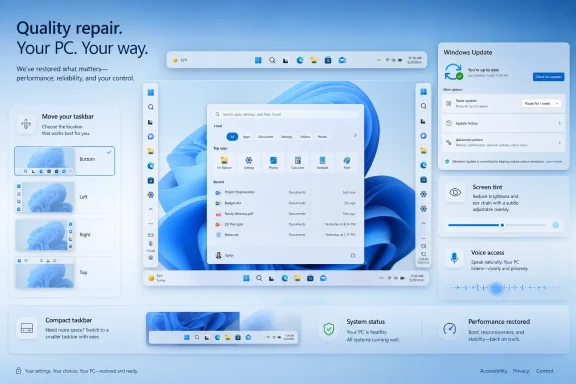
The most important context for all nine features is Microsoft’s broader 2026 messaging around Windows quality. The company has been talking about performance, reliability, driver quality, app responsiveness, and “well-crafted experiences.” Those phrases can sound like corporate wallpaper, but the Insider builds show what they mean in practice.Quality is not only fewer crashes. It is also whether the taskbar can go where the user wants it, whether Widgets respects attention, whether Start search understands local intent, and whether updates behave like maintenance instead of ambushes. Windows 11’s reputation problem has been cumulative, so the repair work has to be cumulative too.
There is a danger in overpraising Microsoft for restoring features it removed. A movable taskbar in 2026 does not erase the years when Windows 11 users had to live without it. A quieter Widgets board does not excuse the original decision to make the taskbar a traffic source for low-value headlines.
Still, the current direction is healthier than the old one. Microsoft appears to be recognizing that users do not experience Windows as a set of strategic initiatives. They experience it as a thousand small permissions granted or denied.
The Nine Changes Point to One Windows 11 Course Correction
The practical lesson from these Insider builds is that Microsoft is trying to make Windows 11 feel less prescriptive. The company is not abandoning AI, cloud services, or controlled rollouts, but it is testing more visible concessions to the people who use Windows as a workbench rather than a showroom.- The movable taskbar is the clearest sign that Microsoft is restoring customization removed during the original Windows 11 redesign.
- The smaller taskbar option gives density-focused users a real compact mode rather than a cosmetic button-size tweak.
- The Windows Update changes trade some paternalism for user control, though paused security updates remain a real risk.
- The quieter Widgets behavior suggests Microsoft understands that attention-grabbing defaults have damaged Windows 11’s reputation.
- The Copilot branding pullback shows Microsoft may be separating useful AI tools from the overextended Copilot label.
- The Feature flags page makes Insider testing more transparent, but it also confirms that modern Windows is increasingly a moving target.
References
- Primary source: PCMag
Published: Sat, 30 May 2026 16:00:32 GMT

The Future of Windows 11 Is Already Here: 9 Insider Features You Need to See
You don't have to wait for the next big update—these Windows 11 changes are already being tested in Insider builds right now.www.pcmag.com
- Related coverage: windowscentral.com
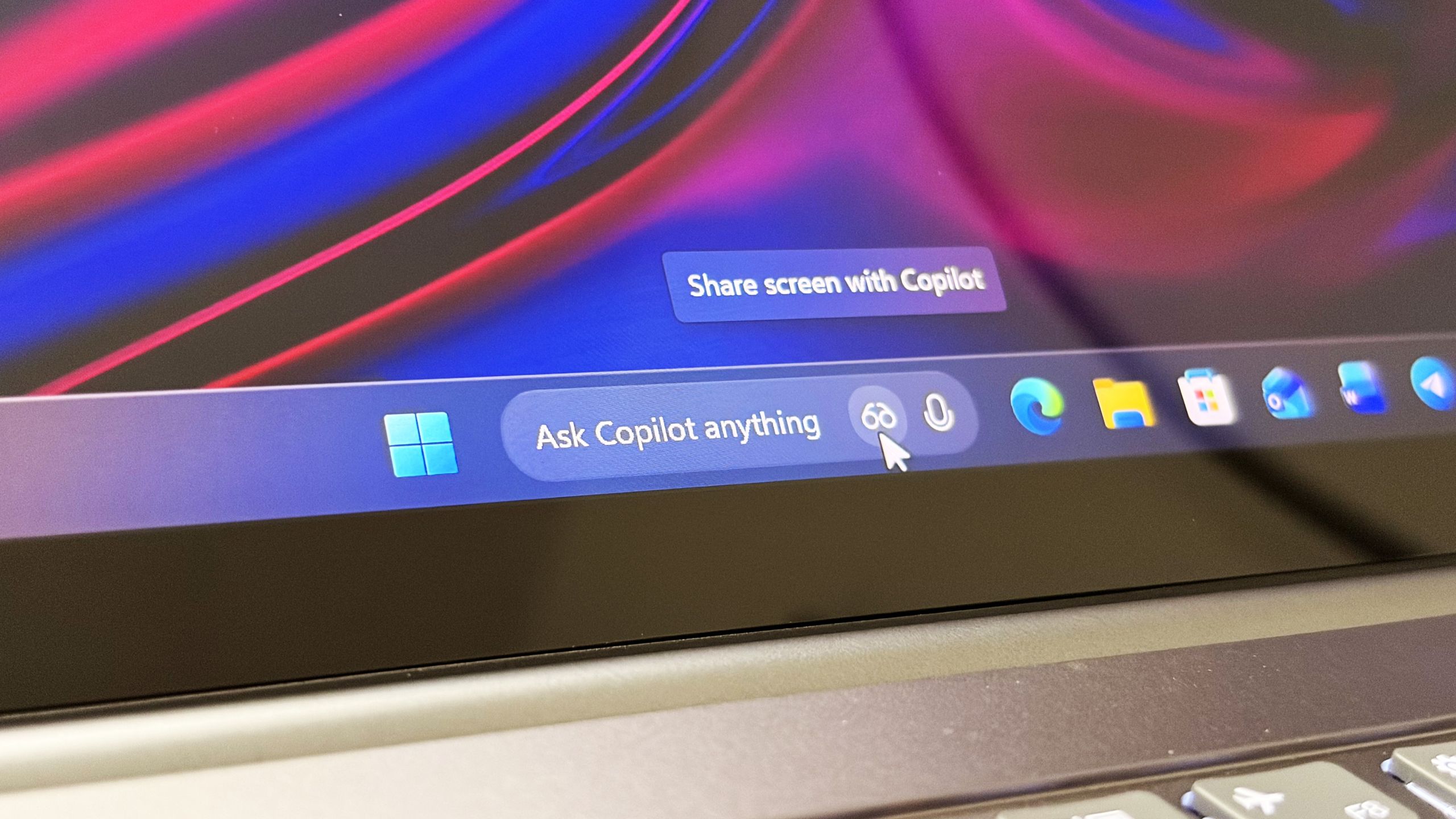
Microsoft confirms Ask Copilot is still coming to Windows 11's Taskbar this summer
First announced last year, a new document has confirmed that Microsoft's upcoming "Ask Copilot" feature for Windows 11's Taskbar is arriving mid-2026. www.windowscentral.com
- Related coverage: windowslatest.com
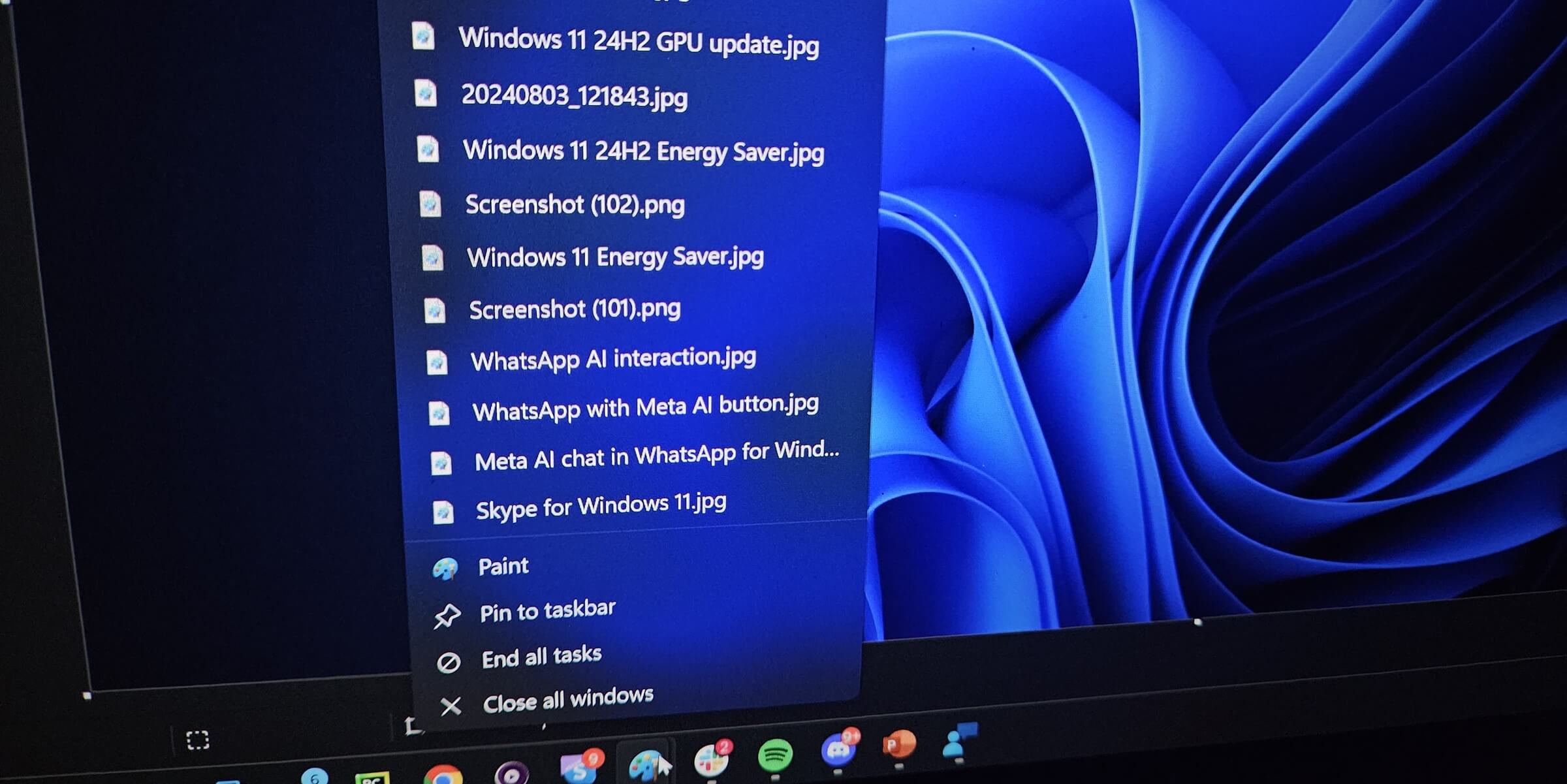
Microsoft finally begins testing Windows 10-like smaller taskbar for Windows 11 after removing it in 2021
In 2021, Microsoft removed smaller taskbar from Windows 11, and forced users to stick to a standard size. Now, it's bringing it back. www.windowslatest.com
- Official source: blogs.windows.com
Raising the bar together. Introducing the Driver Quality Initiative at WinHEC 2026
There are moments in this industry when you can feel the ecosystem lean in. This week in Taipei was one of them. For two days at WinHEC 2026 (Windows Hardware Engineering Conference) — Microsoft’s first WinHEC since 2018 — we had the privilege blogs.windows.com
- Related coverage: bleepingcomputer.com
Microsoft testing adjustable taskbar, Start menu in Windows 11
Microsoft has finally brought back the resizable taskbar and Start menu to Windows 11 in the latest preview version rolling out to Insiders in the Experimental channel.www.bleepingcomputer.com
- Related coverage: arstechnica.com
Five years later, Windows 11 brings back much-missed taskbar options (and more) - Ars Technica
Microsoft is also testing a smaller taskbar and more customizable Start menu.arstechnica.com
- Related coverage: notebookcheck.net

Microsoft brings back Windows 10 taskbar customizations to Windows 11
Microsoft is finally giving Windows 11 users more control over the taskbar again, including full screen-edge placement and a smaller, more compact mode. The update also improves how menus and window labels behave depending on the taskbar position. www.notebookcheck.net
- Related coverage: pcworld.com

Windows 11 26H2 is coming: Meet all the new features
Windows 11 26H2 is the next major free update for all Windows users. Among other things, it brings improvements to Explorer, camera control, and AI. Here's an overview. www.pcworld.com
- Related coverage: tech.yahoo.com
Windows 11 Is Finally Testing a Movable, Shrinkable Taskbar
While Windows 10 allowed users to drag the taskbar from edge to edge, moving it in Windows 11 requires a trip to Settings.tech.yahoo.com
- Related coverage: windowsforum.com

Windows 11 Insider Tests Movable, Smaller Taskbar (Experimental Build 26300)
Microsoft began testing a movable and smaller Windows 11 taskbar on May 15, 2026, in Windows 11 Insider Preview Build 26300.8493 for the Experimental channel, restoring customization options that Windows users lost when Windows 11 replaced the old taskbar in 2021. The change is not merely... windowsforum.com
- Related coverage: pcgamer.com
Microsoft aims to bring the Windows driver ecosystem back into step
Start your engines.www.pcgamer.com
- Related coverage: techradar.com
Windows 11 is getting some much-wanted features for the Start menu and taskbar, and that's great to see — but it's not the change I really want | TechRadar
The thing that tops my wish-list won't ever happen...www.techradar.com - Related coverage: tomshardware.com
Microsoft is reportedly working to fix Windows 11's most annoying flaws — wants to restore the operating system's reputation
Apparently, complaints from the Windows Insider community have reached a tipping point for Microsoft higher-ups.www.tomshardware.com