

Win11Debloat 06.11.2026 was released on June 11, 2026, as the latest GitHub build of Raphire’s open-source PowerShell utility for stripping unwanted Windows 10 and Windows 11 apps, telemetry hooks, interface clutter, Copilot integrations, and other default Microsoft experiences. The headline fix is small, but the surrounding release tells a larger story about where Windows power users have landed in 2026. Microsoft keeps adding cloud services, AI affordances, recommendations, feeds, and “helpful” defaults; the community keeps building increasingly polished tools to turn them off.
That tension is what makes Win11Debloat more interesting than a routine software update. It is not merely a cleanup script anymore. It has become a running commentary on Windows as a product: powerful, durable, familiar, and increasingly filled with things many users never asked for.
On paper, the 06.11.2026 release is modest. It fixes a bug where the lock screen Spotlight option could be disabled while turning off the Start menu’s recommended section, and it cleans up log message formatting. It also formalizes the removal of two command-line parameters,
That is hardly the stuff of sweeping platform drama. But debloating tools rarely become popular because of one giant feature. They become popular because of accumulated frustration: a search panel that wants the web, a Start menu that wants to recommend, a Settings page that wants to advertise Microsoft 365, a lock screen that wants to rotate promoted imagery, a browser that wants to be an AI front end, and a desktop that increasingly feels like rented space.
Win11Debloat’s latest release lands in that context. Its changelog is a maintenance note, but its feature list reads like a map of Windows 11’s most controversial defaults. It can remove preinstalled apps, disable telemetry and diagnostic data, turn off targeted ads, hide Microsoft 365 messaging, remove or disable Copilot, disable Recall, disable Click to Do, prevent AI-related services from starting automatically, restore the old Windows 10 context menu, and suppress multiple kinds of suggestions across the shell.
That breadth matters. A debloat script used to mean “remove Candy Crush and a few OEM leftovers.” In 2026, the same category increasingly means “audit Microsoft’s entire user-experience strategy and decide which parts of it you actually want.”
Microsoft would describe much of this as integration. Critics would call it encroachment. The practical reality is that every extra surface added to Windows creates a new administrative question: should this be present, should it phone home, should it show content, should it be available to all users, and should it exist at all on managed systems?
Win11Debloat’s appeal comes from bundling those questions into a scriptable answer. Instead of asking users to hunt through Settings, Group Policy, registry keys, app package names, Edge configuration toggles, and privacy pages, it gives them a consolidated way to apply a posture: less Microsoft content, fewer suggested experiences, fewer bundled apps, fewer background services, and a more local-feeling desktop.
That posture is not automatically right for everyone. Some users like Spotlight, widgets, Copilot, OneDrive integration, Bing search, and Microsoft Store apps. Some organizations rely on default Microsoft experiences for supportability or employee onboarding. But the fact that a tool like Win11Debloat has become so expansive is itself revealing. Windows has crossed a threshold where a significant audience no longer sees the default install as neutral.
For enthusiasts and admins, the Windows install is now a starting negotiation.
That reflects a fast change in what Windows users worry about. A few years ago, the privacy debate around Windows focused on telemetry, diagnostic data, advertising IDs, and cloud search. Those issues have not disappeared, but they have been joined by a more visceral concern: whether the operating system is observing, interpreting, summarizing, or assisting inside workflows that users consider private.
Recall sharpened that debate because it made the abstraction concrete. Even with Microsoft’s later security revisions and opt-in positioning, the underlying idea — a system-level memory of user activity — changed how many people viewed AI integration in Windows. Click to Do and related shell AI features extend that sense that the desktop is becoming an intelligent layer over everything rather than a passive workspace.
Win11Debloat’s response is blunt: if you do not want those capabilities, remove or disable them. That bluntness is part of the attraction. Microsoft tends to present AI features as productivity options with controls. Debloating tools present them as risk surfaces with switches.
The difference is philosophical. Microsoft sees the PC becoming more useful when it is context-aware. Many power users see the PC becoming more trustworthy when it is context-blind unless explicitly told otherwise. Win11Debloat sits firmly in the second camp.
For home users, “undo previously applied tweaks” is a quality-of-life feature. For administrators, it is risk management. A script that changes app packages, registry values, shell behavior, privacy settings, and service defaults needs reversibility if it is going to be taken seriously beyond hobbyist machines.
SYSTEM account support is even more important. Many endpoint-management tools and provisioning systems operate in elevated or system contexts. If Win11Debloat can behave more predictably there, it becomes easier to integrate into audit mode, provisioning sequences, and post-install cleanup routines. That does not mean every admin should deploy it unmodified, but it means the project is clearly listening to a professional audience.
There is a subtle shift here from “run this on your own PC after installing Windows” to “standardize parts of this for fleets.” That is a much higher bar. It requires predictable output, logging, reversibility, sane defaults, and clear separation between user-scope and system-scope changes. The recent changelogs show the project moving in that direction, even if it remains an open-source community tool rather than an enterprise product.
The tool’s popularity is partly a product of transparency. The code is open, the project is on GitHub, releases are public, and the community can inspect what changes are being made. That is a major advantage over opaque “PC cleaner” utilities, which historically have ranged from useless to actively harmful.
But open source does not remove the need for caution. Running a PowerShell script as administrator means giving it the keys to the machine. Running it under SYSTEM in automation means giving it even broader reach. The trust question is not only “is the maintainer malicious?” It is also “do I understand what this preset does, what it removes, which defaults it assumes are unwanted, and how those changes interact with my environment?”
That distinction matters for sysadmins. A public script can be a useful reference implementation. It should not be treated as a magical compliance baseline. The responsible pattern is to review the code, fork or pin known versions, test on representative hardware, export settings, document deviations, and keep rollback paths ready.
In other words, Win11Debloat may make Windows cleanup easier, but it does not absolve administrators from configuration ownership.
That matters because Windows customization has a long memory of bad tools. Older “tweak” utilities often treated system state as disposable. They removed packages aggressively, disabled services with little context, broke future updates, and left users with strange errors months later. The smarter modern approach is less macho: know what changed, preserve state where possible, and make undo paths visible.
The June 2026 work around previously applied tweaks is a particularly important step. A cleanup utility becomes much less intimidating when it can detect what it already did. Users should not have to maintain a private notebook of registry edits just to remember why a menu changed or why a Windows feature disappeared.
Still, reversibility has limits. Some Microsoft Store apps can come back easily. Some policy and registry changes can be undone cleanly. But behavior in Windows is often shaped by version, edition, account type, region, hardware capability, and update history. A reversible tool is safer than an irreversible one, not the same as risk-free.
That is why the project’s move away from narrow legacy parameters like
The Start menu is especially sensitive because it is both muscle memory and real estate. Users open it hundreds of times a week. When Microsoft uses that space for recommendations, account prompts, suggested apps, or cloud hooks, even small changes feel invasive.
Win11Debloat’s support for changing the “All Apps” view, disabling recommendations, removing suggested content, and restoring older interaction patterns is aimed at that frustration. It is not nostalgia for its own sake. It is an attempt to make the desktop feel deterministic again.
That word — deterministic — is important. Enthusiasts do not merely dislike ads. They dislike unpredictability. They dislike an operating system that changes affordances after an update, introduces new prompts after sign-in, or repurposes familiar UI for promotion. Debloating tools are a reaction to a Windows experience that increasingly behaves like a service surface rather than a static workbench.
Microsoft has commercial reasons for doing this. Windows is the front door to Microsoft 365, Edge, Bing, Copilot, OneDrive, Xbox, the Store, and other services. But the stronger that funnel becomes, the more counterpressure tools like Win11Debloat will attract.
A home user can decide that Copilot, widgets, Edge suggestions, Recall, and bundled apps are simply unwanted. An organization has to decide whether disabling them affects help desk scripts, security baselines, compliance logging, user training, vendor support, update behavior, and future feature rollouts. The correct answer may vary by department.
There is also the issue of Microsoft’s supported management stack. Enterprises already have Group Policy, Configuration Service Providers, Intune, provisioning packages, PowerShell DSC, security baselines, and other first-party or supported methods. A community debloat script may be faster and more comprehensive, but it lives outside the normal vendor support boundary.
That does not make it useless. It can be an excellent discovery tool. It can identify which registry keys, packages, and settings matter. It can serve as a prototype for internal policy. It can help small shops that lack the time or licensing to build a full endpoint-management architecture. But large organizations should translate its intent into controlled configuration where possible.
The 06.10 and 06.11 releases point to this dual identity. SYSTEM support and logged-in-user targeting make it more deployable. Undo detection makes it safer. Parameter cleanup makes it less chaotic. But the project remains most powerful when treated as a toolbox, not a black box.
That counter-version is not illegal, exotic, or fringe. It is built mostly from switches Microsoft itself exposes somewhere: package removal commands, registry values, policies, service startup settings, and documented or semi-documented behaviors. The controversy is not that users are hacking Windows beyond recognition. It is that they increasingly need third-party orchestration to get a quiet system.
There is a lesson for Microsoft here. When a community tool’s feature list reads like a catalog of things users want to turn off, the issue is not simply that users are stubborn. It is that the defaults are failing to respect different modes of ownership.
A gaming PC, a developer workstation, a domain-joined laptop, a school lab machine, a kiosk, a privacy-conscious home desktop, and a Copilot-first consumer notebook should not all be treated as the same audience. Yet Windows often begins by assuming the same funnel. Debloating is what happens when the funnel reaches the wrong user.
Microsoft could blunt the need for these tools by offering a first-run “minimal local experience” profile, clearer enterprise-grade controls for consumer features, and fewer promotional surfaces in paid editions of Windows. Until then, Win11Debloat and its peers will keep doing the unglamorous work of turning defaults into choices.
That tension is what makes Win11Debloat more interesting than a routine software update. It is not merely a cleanup script anymore. It has become a running commentary on Windows as a product: powerful, durable, familiar, and increasingly filled with things many users never asked for.
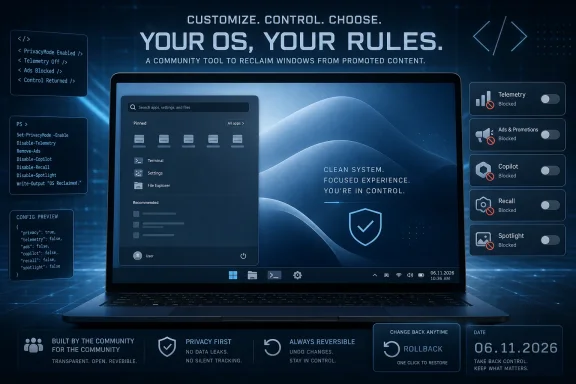 A Tiny Release Exposes a Very Large Windows Problem
On paper, the 06.11.2026 release is modest. It fixes a bug where the lock screen Spotlight option could be disabled while turning off the Start menu’s recommended section, and it cleans up log message formatting. It also formalizes the removal of two command-line parameters, -RemoveCommApps and -RemoveW11Outlook, pushing users toward the broader app-removal workflow instead.That is hardly the stuff of sweeping platform drama. But debloating tools rarely become popular because of one giant feature. They become popular because of accumulated frustration: a search panel that wants the web, a Start menu that wants to recommend, a Settings page that wants to advertise Microsoft 365, a lock screen that wants to rotate promoted imagery, a browser that wants to be an AI front end, and a desktop that increasingly feels like rented space.
Win11Debloat’s latest release lands in that context. Its changelog is a maintenance note, but its feature list reads like a map of Windows 11’s most controversial defaults. It can remove preinstalled apps, disable telemetry and diagnostic data, turn off targeted ads, hide Microsoft 365 messaging, remove or disable Copilot, disable Recall, disable Click to Do, prevent AI-related services from starting automatically, restore the old Windows 10 context menu, and suppress multiple kinds of suggestions across the shell.
That breadth matters. A debloat script used to mean “remove Candy Crush and a few OEM leftovers.” In 2026, the same category increasingly means “audit Microsoft’s entire user-experience strategy and decide which parts of it you actually want.”
Microsoft’s Default Experience Has Become Someone Else’s Cleanup Job
The modern Windows default experience is not just an operating system configuration. It is a distribution channel. The Start menu distributes recommendations, the lock screen distributes Spotlight imagery, the taskbar distributes search and widgets, Edge distributes Microsoft services, and the Settings app increasingly doubles as an onboarding funnel for subscriptions and account-linked features.Microsoft would describe much of this as integration. Critics would call it encroachment. The practical reality is that every extra surface added to Windows creates a new administrative question: should this be present, should it phone home, should it show content, should it be available to all users, and should it exist at all on managed systems?
Win11Debloat’s appeal comes from bundling those questions into a scriptable answer. Instead of asking users to hunt through Settings, Group Policy, registry keys, app package names, Edge configuration toggles, and privacy pages, it gives them a consolidated way to apply a posture: less Microsoft content, fewer suggested experiences, fewer bundled apps, fewer background services, and a more local-feeling desktop.
That posture is not automatically right for everyone. Some users like Spotlight, widgets, Copilot, OneDrive integration, Bing search, and Microsoft Store apps. Some organizations rely on default Microsoft experiences for supportability or employee onboarding. But the fact that a tool like Win11Debloat has become so expansive is itself revealing. Windows has crossed a threshold where a significant audience no longer sees the default install as neutral.
For enthusiasts and admins, the Windows install is now a starting negotiation.
The AI Backlash Is Now a Windows Configuration Category
The most conspicuous part of Win11Debloat’s feature list is not the old bloatware removal. It is the explicit targeting of AI features. The script advertises options to disable or remove Copilot, disable Recall, disable Click to Do, stop the Windows AI Fabric service from starting automatically, and turn off AI features in Edge, Paint, and Notepad.That reflects a fast change in what Windows users worry about. A few years ago, the privacy debate around Windows focused on telemetry, diagnostic data, advertising IDs, and cloud search. Those issues have not disappeared, but they have been joined by a more visceral concern: whether the operating system is observing, interpreting, summarizing, or assisting inside workflows that users consider private.
Recall sharpened that debate because it made the abstraction concrete. Even with Microsoft’s later security revisions and opt-in positioning, the underlying idea — a system-level memory of user activity — changed how many people viewed AI integration in Windows. Click to Do and related shell AI features extend that sense that the desktop is becoming an intelligent layer over everything rather than a passive workspace.
Win11Debloat’s response is blunt: if you do not want those capabilities, remove or disable them. That bluntness is part of the attraction. Microsoft tends to present AI features as productivity options with controls. Debloating tools present them as risk surfaces with switches.
The difference is philosophical. Microsoft sees the PC becoming more useful when it is context-aware. Many power users see the PC becoming more trustworthy when it is context-blind unless explicitly told otherwise. Win11Debloat sits firmly in the second camp.
The June 10 Release Was the Real Turning Point
The June 11 release fixes the fallout, but the more consequential work arrived one day earlier. The 06.10.2026 release added support for running under the SYSTEM account, enabled changes to be applied to users who are still logged in, and added the ability to show and undo previously applied tweaks. Those are not cosmetic improvements. They move the tool closer to something that can live in real deployment workflows.For home users, “undo previously applied tweaks” is a quality-of-life feature. For administrators, it is risk management. A script that changes app packages, registry values, shell behavior, privacy settings, and service defaults needs reversibility if it is going to be taken seriously beyond hobbyist machines.
SYSTEM account support is even more important. Many endpoint-management tools and provisioning systems operate in elevated or system contexts. If Win11Debloat can behave more predictably there, it becomes easier to integrate into audit mode, provisioning sequences, and post-install cleanup routines. That does not mean every admin should deploy it unmodified, but it means the project is clearly listening to a professional audience.
There is a subtle shift here from “run this on your own PC after installing Windows” to “standardize parts of this for fleets.” That is a much higher bar. It requires predictable output, logging, reversibility, sane defaults, and clear separation between user-scope and system-scope changes. The recent changelogs show the project moving in that direction, even if it remains an open-source community tool rather than an enterprise product.
PowerShell Is Both the Superpower and the Warning Label
Win11Debloat’s choice of PowerShell is obvious and dangerous in equal measure. It is obvious because PowerShell can reach the parts of Windows that matter: Appx packages, registry keys, services, scheduled tasks, user profiles, provisioning state, and system configuration. It is dangerous because that same reach makes a script a high-trust object.The tool’s popularity is partly a product of transparency. The code is open, the project is on GitHub, releases are public, and the community can inspect what changes are being made. That is a major advantage over opaque “PC cleaner” utilities, which historically have ranged from useless to actively harmful.
But open source does not remove the need for caution. Running a PowerShell script as administrator means giving it the keys to the machine. Running it under SYSTEM in automation means giving it even broader reach. The trust question is not only “is the maintainer malicious?” It is also “do I understand what this preset does, what it removes, which defaults it assumes are unwanted, and how those changes interact with my environment?”
That distinction matters for sysadmins. A public script can be a useful reference implementation. It should not be treated as a magical compliance baseline. The responsible pattern is to review the code, fork or pin known versions, test on representative hardware, export settings, document deviations, and keep rollback paths ready.
In other words, Win11Debloat may make Windows cleanup easier, but it does not absolve administrators from configuration ownership.
Reversibility Is the Feature That Lets the Project Grow Up
The project’s emphasis on reversibility is not just user-friendly marketing. It is what separates a serious Windows customization tool from a one-way wrecking ball. Win11Debloat says its changes can be reversed and that most removed apps can be restored through the Microsoft Store, while recent releases have added backup and restore improvements for registry and Start menu layouts.That matters because Windows customization has a long memory of bad tools. Older “tweak” utilities often treated system state as disposable. They removed packages aggressively, disabled services with little context, broke future updates, and left users with strange errors months later. The smarter modern approach is less macho: know what changed, preserve state where possible, and make undo paths visible.
The June 2026 work around previously applied tweaks is a particularly important step. A cleanup utility becomes much less intimidating when it can detect what it already did. Users should not have to maintain a private notebook of registry edits just to remember why a menu changed or why a Windows feature disappeared.
Still, reversibility has limits. Some Microsoft Store apps can come back easily. Some policy and registry changes can be undone cleanly. But behavior in Windows is often shaped by version, edition, account type, region, hardware capability, and update history. A reversible tool is safer than an irreversible one, not the same as risk-free.
That is why the project’s move away from narrow legacy parameters like
-RemoveCommApps and -RemoveW11Outlook is sensible. A smaller, clearer command-line surface backed by documented app-removal workflows is easier to support than a pile of overlapping switches that age badly as Microsoft changes package names and bundled apps.The Start Menu Remains the Battlefield Microsoft Cannot Quit
The latest bug fix involves an interaction between disabling the Start menu’s recommended section and the lock screen Spotlight option. That pairing sounds oddly specific, but it captures how tangled Windows personalization has become. The Start menu, lock screen, search experience, widgets panel, and background suggestions are separate surfaces, yet the user often experiences them as one thing: Microsoft content appearing inside the operating system.The Start menu is especially sensitive because it is both muscle memory and real estate. Users open it hundreds of times a week. When Microsoft uses that space for recommendations, account prompts, suggested apps, or cloud hooks, even small changes feel invasive.
Win11Debloat’s support for changing the “All Apps” view, disabling recommendations, removing suggested content, and restoring older interaction patterns is aimed at that frustration. It is not nostalgia for its own sake. It is an attempt to make the desktop feel deterministic again.
That word — deterministic — is important. Enthusiasts do not merely dislike ads. They dislike unpredictability. They dislike an operating system that changes affordances after an update, introduces new prompts after sign-in, or repurposes familiar UI for promotion. Debloating tools are a reaction to a Windows experience that increasingly behaves like a service surface rather than a static workbench.
Microsoft has commercial reasons for doing this. Windows is the front door to Microsoft 365, Edge, Bing, Copilot, OneDrive, Xbox, the Store, and other services. But the stronger that funnel becomes, the more counterpressure tools like Win11Debloat will attract.
Enterprise IT Sees the Same Tool Through a Different Lens
For enthusiasts, Win11Debloat is about reclaiming a personal machine. For administrators, the same tool raises questions about baseline control, image consistency, supportability, and auditability. Those are not minor differences.A home user can decide that Copilot, widgets, Edge suggestions, Recall, and bundled apps are simply unwanted. An organization has to decide whether disabling them affects help desk scripts, security baselines, compliance logging, user training, vendor support, update behavior, and future feature rollouts. The correct answer may vary by department.
There is also the issue of Microsoft’s supported management stack. Enterprises already have Group Policy, Configuration Service Providers, Intune, provisioning packages, PowerShell DSC, security baselines, and other first-party or supported methods. A community debloat script may be faster and more comprehensive, but it lives outside the normal vendor support boundary.
That does not make it useless. It can be an excellent discovery tool. It can identify which registry keys, packages, and settings matter. It can serve as a prototype for internal policy. It can help small shops that lack the time or licensing to build a full endpoint-management architecture. But large organizations should translate its intent into controlled configuration where possible.
The 06.10 and 06.11 releases point to this dual identity. SYSTEM support and logged-in-user targeting make it more deployable. Undo detection makes it safer. Parameter cleanup makes it less chaotic. But the project remains most powerful when treated as a toolbox, not a black box.
The Community Is Standardizing an Anti-Default Windows
The rise of tools like Win11Debloat, Winhance, WinUtil, and similar projects suggests a broader trend: the community is standardizing a counter-version of Windows. This version keeps the kernel, driver model, Win32 compatibility, gaming support, hardware ecosystem, and familiar desktop. It rejects the promotional layer, the cloud nudge layer, the AI layer, and much of the bundled consumer app layer.That counter-version is not illegal, exotic, or fringe. It is built mostly from switches Microsoft itself exposes somewhere: package removal commands, registry values, policies, service startup settings, and documented or semi-documented behaviors. The controversy is not that users are hacking Windows beyond recognition. It is that they increasingly need third-party orchestration to get a quiet system.
There is a lesson for Microsoft here. When a community tool’s feature list reads like a catalog of things users want to turn off, the issue is not simply that users are stubborn. It is that the defaults are failing to respect different modes of ownership.
A gaming PC, a developer workstation, a domain-joined laptop, a school lab machine, a kiosk, a privacy-conscious home desktop, and a Copilot-first consumer notebook should not all be treated as the same audience. Yet Windows often begins by assuming the same funnel. Debloating is what happens when the funnel reaches the wrong user.
Microsoft could blunt the need for these tools by offering a first-run “minimal local experience” profile, clearer enterprise-grade controls for consumer features, and fewer promotional surfaces in paid editions of Windows. Until then, Win11Debloat and its peers will keep doing the unglamorous work of turning defaults into choices.
The Practical Read Before You Run the Script
The appeal of Win11Debloat is obvious, but so is the need for discipline. It is a powerful script designed to change core parts of the Windows experience, and its value depends on matching its presets to the machine in front of you.- Win11Debloat 06.11.2026 is primarily a maintenance release that fixes a Spotlight-related interaction and log formatting while continuing the project’s June 2026 cleanup of older command-line parameters.
- The more consequential recent changes arrived in 06.10.2026, including SYSTEM account support, logged-in-user targeting, and the ability to detect and undo previously applied tweaks.
- The project now addresses not only traditional bloatware but also Windows 11’s AI features, including Copilot, Recall, Click to Do, app-level AI options, and related services.
- Home users should create restore points, read the selected tweaks carefully, and avoid assuming every default preset is appropriate for every PC.
- Administrators should review, pin, test, and possibly fork the tool before using it in deployment workflows, especially when running it elevated or under SYSTEM.
- The removal of
-RemoveCommAppsand-RemoveW11Outlookis a reminder that app-removal workflows age quickly as Microsoft changes bundled packages and app identities.
References
- Primary source: Neowin
Published: 2026-06-12T23:20:10.528601
Loading…
www.neowin.net