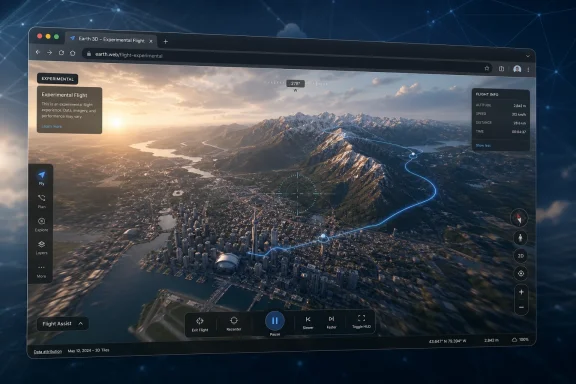
Google added an experimental flight simulator to the Google Earth web app on June 12, 2026, letting desktop browser users launch a simple aircraft view from Earth’s Tools menu and fly across streamed 3D buildings, terrain, and satellite imagery without installing a separate simulator. The joke writes itself: Google has not built a Microsoft Flight Simulator 2024 rival so much as it has exposed the difference between flying over a map and simulating flight. Still, the feature matters because it turns Google Earth from a globe you inspect into a globe you inhabit, however lightly. For Windows users, that distinction is more interesting than the inevitable “Google versus Microsoft” headline.
Google Earth has always invited a particular kind of computer use: the idle journey. You search for your house, then your childhood street, then the pyramids, then an airport in Iceland, and somewhere along the way a productivity tool becomes a toy. The new web flight simulator simply admits what Google Earth has been for years: a global-scale curiosity engine.
The feature is not entirely unprecedented in Google’s universe. Google Earth’s desktop application has long had a flight simulator mode, a small but beloved oddity that felt like a hidden door inside a serious mapping product. What changed this month is availability. By putting a simplified flight mode into the web version, Google moved the trick from “download the app and know where to look” to “open a browser and start flying.”
That matters because distribution is the feature. A lightweight simulator running in Google Earth on the web does not need Steam, the Microsoft Store, Game Pass, a giant install, or a GPU that sounds like it is spooling for takeoff. It needs a modern browser, a keyboard, and enough bandwidth to keep the planet from turning into a smear of half-loaded textures.
The result is not a simulator in the Microsoft Flight Simulator sense. It is a navigable camera with aircraft-flavored controls, a playful layer over a mapping platform whose real strength is not avionics but imagery. But sometimes a thin layer is enough to change how a product feels.
That distinction is not a knock on Google. It is the entire point. Microsoft Flight Simulator’s modern identity rests on the fusion of real-world data and simulation depth, turning Bing Maps, cloud streaming, photogrammetry, aircraft modeling, and live weather into a platform for serious hobbyists and increasingly ambitious training-adjacent use cases. Google Earth’s flight mode starts from the opposite direction: the world is already there, so why not let users swoop through it?
The two products also reveal two very different corporate instincts. Microsoft wraps geography inside a game and asks users to master it. Google wraps movement inside a map and asks users to explore it. One product makes the cockpit the center of the experience; the other makes the location the star.
That is why Google’s own caveat is important. The company describes the web flight simulator as casual exploration, not high-fidelity aerodynamic training. This is not fine print; it is a boundary line. Google is not pretending that Page Up and arrow keys are a replacement for a yoke, throttle quadrant, rudder pedals, and a stack of procedures.
The better comparison may be less Microsoft Flight Simulator 2024 and more the early thrill of 3D maps themselves. The first time a city rendered in the browser and you could tilt, rotate, and skim above buildings, the novelty was not accuracy. It was perspective. Google’s flight mode packages that perspective into a tiny loop of control and consequence: climb, bank, accelerate, crash, restart.
For Windows users, this is a familiar story with a new skin. The PC used to win by absorbing everything into local software. Today, many of the most impressive “apps” a user touches are partly or entirely streamed, tiled, cached, and rendered through a browser or hybrid shell. Google Earth’s new flight mode belongs to that era: the experience is local enough to feel interactive, but dependent enough on cloud-delivered imagery that your connection becomes part of the graphics pipeline.
That makes the feature simultaneously impressive and fragile. When the data arrives quickly, flying over dense cityscapes has the old Google Earth magic: recognizable landmarks, photorealistic rooftops, and the sense that the world has been miniaturized for your amusement. When the data lags, the illusion breaks. Buildings pop, textures soften, and the aircraft becomes less a vehicle than a cursor outrunning the map.
Microsoft Flight Simulator players know this bargain well. The modern sim’s world is a streaming world, and its beauty depends on infrastructure as much as silicon. Google Earth’s implementation is lighter and less demanding, but the principle is similar: the planet is too large to ship as a static asset, so the experience lives in the handshake between client, network, and cloud.
That has practical consequences for office PCs, school laptops, and managed Windows environments. A feature like this may run without installation, but it is still a graphics and bandwidth workload. IT admins who block games may not think of Google Earth as entertainment, yet Google has just made the boundary a little fuzzier.
That simplicity is a design decision, not merely a limitation. A serious flight simulator must model frustration because aviation is full of it. A casual exploration tool must remove friction because the user’s goal is not mastery; it is movement. Google is not trying to teach you how to fly. It is trying to make the act of looking at Earth feel less static.
This explains why the feature feels slightly silly and surprisingly coherent at the same time. Google Earth has long been a product people use for serious things: education, planning, journalism, environmental research, travel, real estate, disaster assessment, and plain geographic literacy. But it has also always been a toy. The flight simulator gives the toy side a sanctioned interface.
That matters for product longevity. Many mapping features are utilitarian and vanish into muscle memory. A flight mode creates stories. Users will crash into familiar landmarks, thread through city blocks, skim mountain ranges, and send screenshots to friends. None of that makes Google Earth more accurate, but it does make it more memorable.
There is a reason software companies keep rediscovering delight. A feature can be strategically minor and emotionally sticky. Google Earth’s web flight mode is exactly that kind of feature: not a platform shift, not a threat to Microsoft’s sim franchise, but a small invitation to spend more time inside Google’s version of the world.
That gap matters because “simulator” is one of those words that stretches until it becomes nearly useless. A professional-grade simulator, a consumer entertainment sim, a drone training environment, and a browser toy can all simulate something. The question is not whether they simulate; it is what they choose to make important.
Google’s choice is obvious. It makes geography important. Microsoft makes aviation important. X-Plane makes aerodynamics important. DCS makes combat systems important. A browser game might make reaction time important. These priorities define the user, the hardware, and the expectations.
The danger for casual readers is to mistake shared scenery for shared purpose. Because Microsoft Flight Simulator also streams a photorealistic world, it is tempting to view Google’s feature as a thin version of the same idea. In practice, the overlap is mostly visual. Underneath, one is a simulation platform wrapped in geography; the other is a geography platform wrapped in a flight metaphor.
That does not make Google’s implementation irrelevant to sim fans. Many pilots and simmers use mapping tools constantly, whether for route planning, sightseeing, or simply understanding terrain. A quick browser-based flyover could become a casual companion to more serious tools. But anyone looking for flight models, cockpit procedures, or credible training value will leave disappointed, and Google has wisely said as much.
The word experimental is doing a lot of work here. It signals limited support, possible changes, and a product surface that may evolve or disappear. Google is not promising a new franchise. It is testing whether browser-based flight changes how users engage with Earth.
That uncertainty is worth taking seriously. Google has a long history of shipping delightful features and then burying, rebranding, or abandoning them when strategy shifts. A web flight simulator could become a fixture, a developer showcase, an educational tool, a temporary novelty, or a forgotten menu item. The difference will depend on usage, maintenance cost, and whether it serves a broader Maps Platform story.
There is also an enterprise angle hiding in the fun. Google Earth sits adjacent to Google Maps Platform, geospatial analytics, environmental visualization, and developer tooling. A flight interface is not just entertainment; it is a way to demonstrate dynamic 3D loading, browser rendering, and global imagery in a form ordinary users immediately understand.
The most effective demos do not look like demos. They look like toys. That is why this feature may be more valuable to Google as a showcase than as a simulator.
Still, Microsoft should notice the pattern. Google has lowered the barrier to a world-scale flying experience to almost nothing. No store listing, no launcher, no install size anxiety, no controller requirement. It is not as deep, but it is immediate.
That immediacy is where a lot of modern software competition now lives. Windows remains the best home for high-end simulation, modding, peripherals, and serious PC gaming. But the browser increasingly owns the first five minutes of curiosity. If a user can try the lightweight version instantly, the premium version must justify its weight with unmistakable depth.
Microsoft can do that. Flight Simulator 2024 is not merely a prettier Google Earth; it is a sophisticated and expanding sim platform with career modes, aircraft variety, real aviation concepts, and a community that treats a successful approach as a craft. But the comparison underscores a broader challenge for Windows-native experiences: installation is now a tax users notice.
That does not mean everything should become a web app. It means native software must earn its ceremony. A 100GB-class simulator earns it with fidelity. A casual sightseeing loop does not. Google understood the difference.
This is why the feature feels both surprising and overdue. Google Earth already had the world. It already had 3D buildings. It already had camera controls. The missing piece was a user-friendly frame that made motion feel intentional. An aircraft, even a highly abstract one, gives that motion a story.
The same logic could apply elsewhere. A walking mode, a drone mode, a sailing mode, or a historical fly-through could all use the same underlying premise: turn geospatial data into embodied exploration. Some of those ideas would require more careful design, especially around accuracy, rights, privacy, and safety. But the direction is clear.
For educators, this is fertile territory. A geography lesson becomes more vivid when students can fly from a river delta to a mountain range. An urban planning discussion becomes less abstract when building height, road layout, and terrain are experienced spatially. A casual user may arrive for fun and leave with a better sense of distance and place.
For privacy hawks, the same trend invites discomfort. The more immersive mapping becomes, the more it can feel like surveillance dressed as play. Google Earth’s imagery is not new, and the flight simulator does not magically reveal private live views. But making exploration more fluid can change how users perceive access to places, especially residential neighborhoods, sensitive facilities, and disaster zones.
Those limits keep expectations in check. They also reduce the support burden. The moment Google adds aircraft selection, realistic stalls, wind, trim, instruments, airports, weather, multiplayer, or peripherals, it invites comparison with products that have spent decades accumulating specialized complexity. By staying simple, Google avoids stepping into a fight it does not need.
The limitation around imagery loading is especially important. A true flight simulator can hide some scenery issues behind altitude, weather, or handcrafted airports. Google Earth’s pitch is the scenery. If the world is slow to appear, the experience loses its central trick.
That means the feature will feel different depending on where and how it is used. Dense photogrammetry cities may look spectacular but demand more from the browser and connection. Remote areas may load more smoothly but offer less 3D spectacle. Corporate networks, school filters, older laptops, and low-end GPUs may all produce uneven results.
There is nothing scandalous about that. Experimental web features are allowed to be uneven. But it reinforces the point: this is not a new baseline for simulation. It is a playful extension of a data-heavy map.
That is valuable. Tech companies often talk about engagement in bloodless metrics, but at the product level engagement often begins with a simple feeling: “I want to try one more place.” Flight mode is tailor-made for that impulse. Once you have flown over New York, you want to try Tokyo, then the Alps, then your hometown, then an island you will never visit.
This is also where the feature aligns with Google Earth’s original cultural role. Earth was never just a map; it was a portal. It let ordinary users experience satellite imagery that once felt remote, institutional, or military. The new flight mode updates that portal for an era when static awe is harder to come by.
Microsoft Flight Simulator does something similar but asks for a different commitment. It rewards patience, learning, and hardware investment. Google rewards curiosity. Those are not enemies. They are rungs on the same ladder.
The hopeful version of this story is that Google’s feature introduces more people to the joy of simulated flight and geographic exploration. Some will bounce after five minutes. Some will remember why maps are magical. A few may end up buying a proper simulator, a controller, and eventually a yoke they have to explain to family members.
For Windows users and IT pros, the release lands in a familiar gray zone between productivity and play. It is a web feature, but it can behave like a game. It is casual, but it uses serious mapping infrastructure. It is not a security crisis, but it is another reminder that browser-accessible experiences can consume bandwidth, GPU resources, and user time without ever touching an installer.
The most useful read is therefore practical rather than breathless.
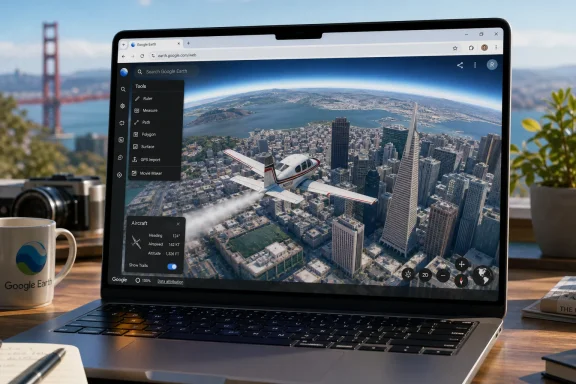 Google Earth Learns the Oldest Trick in the Simulator Book
Google Earth has always invited a particular kind of computer use: the idle journey. You search for your house, then your childhood street, then the pyramids, then an airport in Iceland, and somewhere along the way a productivity tool becomes a toy. The new web flight simulator simply admits what Google Earth has been for years: a global-scale curiosity engine.The feature is not entirely unprecedented in Google’s universe. Google Earth’s desktop application has long had a flight simulator mode, a small but beloved oddity that felt like a hidden door inside a serious mapping product. What changed this month is availability. By putting a simplified flight mode into the web version, Google moved the trick from “download the app and know where to look” to “open a browser and start flying.”
That matters because distribution is the feature. A lightweight simulator running in Google Earth on the web does not need Steam, the Microsoft Store, Game Pass, a giant install, or a GPU that sounds like it is spooling for takeoff. It needs a modern browser, a keyboard, and enough bandwidth to keep the planet from turning into a smear of half-loaded textures.
The result is not a simulator in the Microsoft Flight Simulator sense. It is a navigable camera with aircraft-flavored controls, a playful layer over a mapping platform whose real strength is not avionics but imagery. But sometimes a thin layer is enough to change how a product feels.
Microsoft Sells Aviation; Google Sells the Planet
The comparison with Microsoft Flight Simulator 2024 is irresistible and misleading in equal measure. Microsoft’s franchise is about aviation as a system: aircraft, procedures, weather, checklists, missions, airports, traffic, failures, and the stubborn fact that landing is harder than pointing downward. Google’s new mode is about motion through place.That distinction is not a knock on Google. It is the entire point. Microsoft Flight Simulator’s modern identity rests on the fusion of real-world data and simulation depth, turning Bing Maps, cloud streaming, photogrammetry, aircraft modeling, and live weather into a platform for serious hobbyists and increasingly ambitious training-adjacent use cases. Google Earth’s flight mode starts from the opposite direction: the world is already there, so why not let users swoop through it?
The two products also reveal two very different corporate instincts. Microsoft wraps geography inside a game and asks users to master it. Google wraps movement inside a map and asks users to explore it. One product makes the cockpit the center of the experience; the other makes the location the star.
That is why Google’s own caveat is important. The company describes the web flight simulator as casual exploration, not high-fidelity aerodynamic training. This is not fine print; it is a boundary line. Google is not pretending that Page Up and arrow keys are a replacement for a yoke, throttle quadrant, rudder pedals, and a stack of procedures.
The better comparison may be less Microsoft Flight Simulator 2024 and more the early thrill of 3D maps themselves. The first time a city rendered in the browser and you could tilt, rotate, and skim above buildings, the novelty was not accuracy. It was perspective. Google’s flight mode packages that perspective into a tiny loop of control and consequence: climb, bank, accelerate, crash, restart.
The Browser Is the Real Cockpit
The most important part of Google’s move is not the airplane. It is the web. A web-only flight simulator inside Google Earth says something about how far browser-based 3D has come, and how comfortable major platforms have become treating the browser as a runtime for experiences that once required native applications.For Windows users, this is a familiar story with a new skin. The PC used to win by absorbing everything into local software. Today, many of the most impressive “apps” a user touches are partly or entirely streamed, tiled, cached, and rendered through a browser or hybrid shell. Google Earth’s new flight mode belongs to that era: the experience is local enough to feel interactive, but dependent enough on cloud-delivered imagery that your connection becomes part of the graphics pipeline.
That makes the feature simultaneously impressive and fragile. When the data arrives quickly, flying over dense cityscapes has the old Google Earth magic: recognizable landmarks, photorealistic rooftops, and the sense that the world has been miniaturized for your amusement. When the data lags, the illusion breaks. Buildings pop, textures soften, and the aircraft becomes less a vehicle than a cursor outrunning the map.
Microsoft Flight Simulator players know this bargain well. The modern sim’s world is a streaming world, and its beauty depends on infrastructure as much as silicon. Google Earth’s implementation is lighter and less demanding, but the principle is similar: the planet is too large to ship as a static asset, so the experience lives in the handshake between client, network, and cloud.
That has practical consequences for office PCs, school laptops, and managed Windows environments. A feature like this may run without installation, but it is still a graphics and bandwidth workload. IT admins who block games may not think of Google Earth as entertainment, yet Google has just made the boundary a little fuzzier.
The Delight Is Real Because the Stakes Are Low
Part of the charm here is that Google Earth’s flight simulator does not ask to be taken seriously. The controls are simple. The recovery loop is forgiving. If you hit terrain, the simulation pauses and lets you restart at a safe altitude. There is no long taxi, no clearance, no cold-and-dark cockpit, no angry virtual passengers, and no need to learn the difference between indicated and true airspeed.That simplicity is a design decision, not merely a limitation. A serious flight simulator must model frustration because aviation is full of it. A casual exploration tool must remove friction because the user’s goal is not mastery; it is movement. Google is not trying to teach you how to fly. It is trying to make the act of looking at Earth feel less static.
This explains why the feature feels slightly silly and surprisingly coherent at the same time. Google Earth has long been a product people use for serious things: education, planning, journalism, environmental research, travel, real estate, disaster assessment, and plain geographic literacy. But it has also always been a toy. The flight simulator gives the toy side a sanctioned interface.
That matters for product longevity. Many mapping features are utilitarian and vanish into muscle memory. A flight mode creates stories. Users will crash into familiar landmarks, thread through city blocks, skim mountain ranges, and send screenshots to friends. None of that makes Google Earth more accurate, but it does make it more memorable.
There is a reason software companies keep rediscovering delight. A feature can be strategically minor and emotionally sticky. Google Earth’s web flight mode is exactly that kind of feature: not a platform shift, not a threat to Microsoft’s sim franchise, but a small invitation to spend more time inside Google’s version of the world.
The Old Flight Sim Crowd Should Not Feel Threatened
For flight simulation enthusiasts, the new Google Earth feature is not competition in any meaningful sense. Microsoft Flight Simulator 2024, X-Plane 12, DCS World, Prepar3D, and other serious sims compete on physics, systems depth, aircraft fidelity, avionics, weather, peripherals, training workflows, and community ecosystems. Google Earth is offering a pleasant glide path through imagery.That gap matters because “simulator” is one of those words that stretches until it becomes nearly useless. A professional-grade simulator, a consumer entertainment sim, a drone training environment, and a browser toy can all simulate something. The question is not whether they simulate; it is what they choose to make important.
Google’s choice is obvious. It makes geography important. Microsoft makes aviation important. X-Plane makes aerodynamics important. DCS makes combat systems important. A browser game might make reaction time important. These priorities define the user, the hardware, and the expectations.
The danger for casual readers is to mistake shared scenery for shared purpose. Because Microsoft Flight Simulator also streams a photorealistic world, it is tempting to view Google’s feature as a thin version of the same idea. In practice, the overlap is mostly visual. Underneath, one is a simulation platform wrapped in geography; the other is a geography platform wrapped in a flight metaphor.
That does not make Google’s implementation irrelevant to sim fans. Many pilots and simmers use mapping tools constantly, whether for route planning, sightseeing, or simply understanding terrain. A quick browser-based flyover could become a casual companion to more serious tools. But anyone looking for flight models, cockpit procedures, or credible training value will leave disappointed, and Google has wisely said as much.
The Web Feature Revives a Very Google Kind of Experiment
There is something pleasingly old-Google about this release. Not old Google in the sense of search results and blue links, but old Google in the sense of strange, accessible, technically ambitious features that appear because someone realized the infrastructure could support them. Google Earth itself was born from that spirit: a product that made global imagery feel personal, immediate, and slightly impossible.The word experimental is doing a lot of work here. It signals limited support, possible changes, and a product surface that may evolve or disappear. Google is not promising a new franchise. It is testing whether browser-based flight changes how users engage with Earth.
That uncertainty is worth taking seriously. Google has a long history of shipping delightful features and then burying, rebranding, or abandoning them when strategy shifts. A web flight simulator could become a fixture, a developer showcase, an educational tool, a temporary novelty, or a forgotten menu item. The difference will depend on usage, maintenance cost, and whether it serves a broader Maps Platform story.
There is also an enterprise angle hiding in the fun. Google Earth sits adjacent to Google Maps Platform, geospatial analytics, environmental visualization, and developer tooling. A flight interface is not just entertainment; it is a way to demonstrate dynamic 3D loading, browser rendering, and global imagery in a form ordinary users immediately understand.
The most effective demos do not look like demos. They look like toys. That is why this feature may be more valuable to Google as a showcase than as a simulator.
Windows Users Get the Joke, but Microsoft Should Notice the Pattern
For the Windows community, the headline rivalry is mostly theater. Microsoft Flight Simulator 2024 is not going to lose its audience because Google Earth added a simple flight mode. If anything, the new feature may act as a gateway drug for people who have never cared about flight simulation but discover that flying over familiar places is oddly compelling.Still, Microsoft should notice the pattern. Google has lowered the barrier to a world-scale flying experience to almost nothing. No store listing, no launcher, no install size anxiety, no controller requirement. It is not as deep, but it is immediate.
That immediacy is where a lot of modern software competition now lives. Windows remains the best home for high-end simulation, modding, peripherals, and serious PC gaming. But the browser increasingly owns the first five minutes of curiosity. If a user can try the lightweight version instantly, the premium version must justify its weight with unmistakable depth.
Microsoft can do that. Flight Simulator 2024 is not merely a prettier Google Earth; it is a sophisticated and expanding sim platform with career modes, aircraft variety, real aviation concepts, and a community that treats a successful approach as a craft. But the comparison underscores a broader challenge for Windows-native experiences: installation is now a tax users notice.
That does not mean everything should become a web app. It means native software must earn its ceremony. A 100GB-class simulator earns it with fidelity. A casual sightseeing loop does not. Google understood the difference.
Streaming the Earth Makes Every Map a Potential Game
The deeper story is that global imagery platforms are becoming interactive environments. Once a map can render buildings, terrain, labels, data layers, and historical context in real time, adding a mode of movement is almost inevitable. Flight is the most obvious because it avoids roads, collisions, and routing constraints. You do not need to model traffic laws when the user is above the city.This is why the feature feels both surprising and overdue. Google Earth already had the world. It already had 3D buildings. It already had camera controls. The missing piece was a user-friendly frame that made motion feel intentional. An aircraft, even a highly abstract one, gives that motion a story.
The same logic could apply elsewhere. A walking mode, a drone mode, a sailing mode, or a historical fly-through could all use the same underlying premise: turn geospatial data into embodied exploration. Some of those ideas would require more careful design, especially around accuracy, rights, privacy, and safety. But the direction is clear.
For educators, this is fertile territory. A geography lesson becomes more vivid when students can fly from a river delta to a mountain range. An urban planning discussion becomes less abstract when building height, road layout, and terrain are experienced spatially. A casual user may arrive for fun and leave with a better sense of distance and place.
For privacy hawks, the same trend invites discomfort. The more immersive mapping becomes, the more it can feel like surveillance dressed as play. Google Earth’s imagery is not new, and the flight simulator does not magically reveal private live views. But making exploration more fluid can change how users perceive access to places, especially residential neighborhoods, sensitive facilities, and disaster zones.
The Feature’s Limits Are Also Its Guardrails
Google’s implementation is intentionally constrained. It runs on the web version of Google Earth. It uses simplified physics. It streams imagery dynamically. It relies on basic keyboard and mouse controls. It pauses after a direct terrain impact and restarts the user at a playable altitude.Those limits keep expectations in check. They also reduce the support burden. The moment Google adds aircraft selection, realistic stalls, wind, trim, instruments, airports, weather, multiplayer, or peripherals, it invites comparison with products that have spent decades accumulating specialized complexity. By staying simple, Google avoids stepping into a fight it does not need.
The limitation around imagery loading is especially important. A true flight simulator can hide some scenery issues behind altitude, weather, or handcrafted airports. Google Earth’s pitch is the scenery. If the world is slow to appear, the experience loses its central trick.
That means the feature will feel different depending on where and how it is used. Dense photogrammetry cities may look spectacular but demand more from the browser and connection. Remote areas may load more smoothly but offer less 3D spectacle. Corporate networks, school filters, older laptops, and low-end GPUs may all produce uneven results.
There is nothing scandalous about that. Experimental web features are allowed to be uneven. But it reinforces the point: this is not a new baseline for simulation. It is a playful extension of a data-heavy map.
The Real Competition Is for Idle Time
If Google Earth’s new flight simulator competes with anything, it competes with idle time. It competes with scrolling, tab-hopping, YouTube shorts, and the habit of using a map only when there is a route to calculate. It gives users a reason to linger.That is valuable. Tech companies often talk about engagement in bloodless metrics, but at the product level engagement often begins with a simple feeling: “I want to try one more place.” Flight mode is tailor-made for that impulse. Once you have flown over New York, you want to try Tokyo, then the Alps, then your hometown, then an island you will never visit.
This is also where the feature aligns with Google Earth’s original cultural role. Earth was never just a map; it was a portal. It let ordinary users experience satellite imagery that once felt remote, institutional, or military. The new flight mode updates that portal for an era when static awe is harder to come by.
Microsoft Flight Simulator does something similar but asks for a different commitment. It rewards patience, learning, and hardware investment. Google rewards curiosity. Those are not enemies. They are rungs on the same ladder.
The hopeful version of this story is that Google’s feature introduces more people to the joy of simulated flight and geographic exploration. Some will bounce after five minutes. Some will remember why maps are magical. A few may end up buying a proper simulator, a controller, and eventually a yoke they have to explain to family members.
The Browser Toy That Accidentally Explains the Platform War
The concrete lesson from Google Earth’s flight mode is not that Google has built a Microsoft Flight Simulator killer. It is that platforms win attention by reducing friction, and then keep attention by adding depth. Google has the first part nailed here. The second part remains intentionally modest.For Windows users and IT pros, the release lands in a familiar gray zone between productivity and play. It is a web feature, but it can behave like a game. It is casual, but it uses serious mapping infrastructure. It is not a security crisis, but it is another reminder that browser-accessible experiences can consume bandwidth, GPU resources, and user time without ever touching an installer.
The most useful read is therefore practical rather than breathless.
- Google Earth’s new flight simulator is available in the web version and is launched from the Tools menu after opening Explore Earth.
- The feature is experimental, browser-based, and designed for casual exploration rather than realistic flight training.
- The experience depends heavily on streamed 3D buildings and high-resolution imagery, so connection quality and local graphics performance will shape how good it feels.
- Microsoft Flight Simulator 2024 remains in a different category because it simulates aircraft systems, weather, procedures, missions, and aviation workflows rather than merely providing flight-like movement over imagery.
- The feature may still matter as an easy on-ramp for users who are curious about flying over real-world locations but unwilling to install a full simulator.
- Administrators in managed environments should remember that “no install required” does not mean “no resource impact,” especially where browser graphics and bandwidth are tightly managed.
References
- Primary source: Windows Central
Published: 2026-06-14T21:42:07.781148

Microsoft Flight Simulator 2024 has new competition from... Google Earth?! | Windows Central
OK, it's not really a competitor, but Google Earth's rudimentary new flight simulator is actually pretty fun to mess around with.www.windowscentral.com - Official source: developers.google.com

Fly around the world (Experimental) | Google Earth | Google for Developers
 developers.google.com
- Related coverage: euronews.com

Fly around the globe with Google Earth’s new flight simulator | Euronews
The new tool allows you to explore the world from above. However, it’s harder than it looks…www.euronews.com - Official source: support.google.com

Fly around the world - Google Earth Help
Use a joystick or keyboard shortcuts to explore the world in a flight simulator. Flight simulator requirements To use the flight simulator, you need: Google Earth
support.google.com
- Related coverage: pcworld.com

Microsoft Flight Simulator 2024: Everything you need to know | PCWorld
The highly anticipated flight sim update is coming later this year. Here's what to expect as far as content, aircraft, features, and release date.www.pcworld.com - Related coverage: iphoneincanada.ca
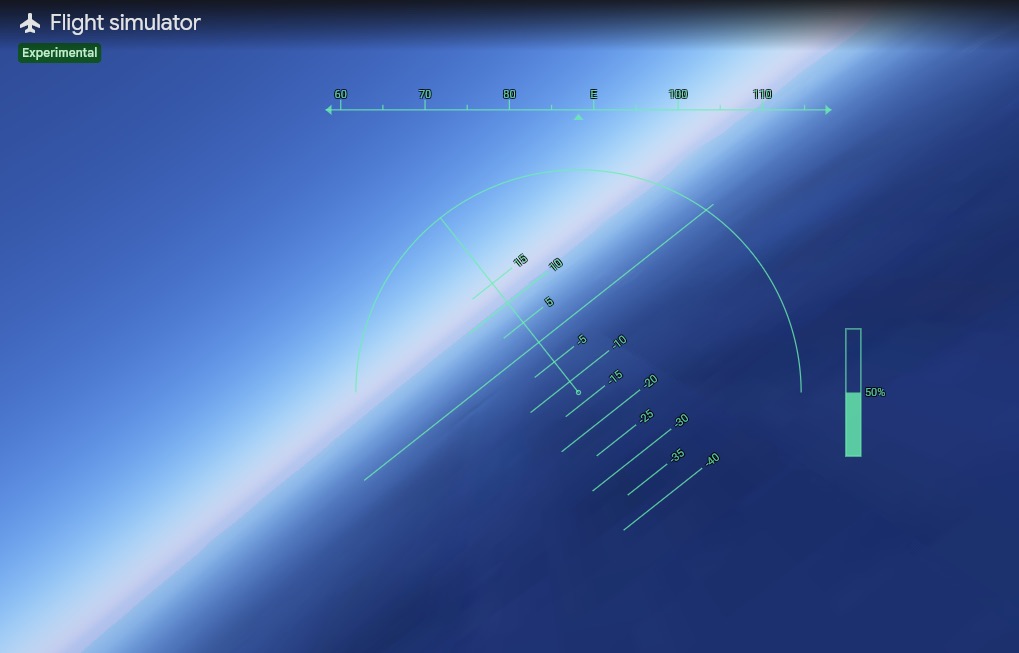
Google Just Brought Its Beloved Flight Simulator to the Web. Here’s How to Try It | iPhone in Canada
Google has brought its classic flight simulator to the web version of Google Earth, making it available to anyone with a browser without needing to download anything. To try it out, open Google Earth in your browser, head to the tools menu, and launch the simulator from there. You can fly over...www.iphoneincanada.ca
- Related coverage: guidingtech.com

How to Use the Flight Simulator in Google Earth - Guiding Tech %
Do you need to master using the Flight Simulator in Google Earth? We walk you through every step in this guide.www.guidingtech.com
- Related coverage: tweakers.net

Google Earth-website krijgt vluchtsimulator die iedereen kan gebruiken
De site van Google Earth heeft een vluchtsimulator gekregen. De functie werkt voor gratis gebruikers en is te starten vanuit het menu boven in de site. De simulator start dan op de plek waar de gebruiker was.tweakers.net
- Related coverage: hothardware.com

Google Earth Has A New Flight Simulator For Airborne Explorers | HotHardware
The Google Earth flight simulator, which has been restricted to the desktop client since 2007, is now available online.hothardware.com