Wix Harmony in Microsoft 365 Copilot: AI Website Builder Joins the Copilot Storefront

Wix said on June 15, 2026, that Wix Harmony, its AI-assisted website creation system, is now available inside Microsoft 365 Copilot through Copilot’s generally available support for the OpenAI Apps SDK. The move turns Copilot from a productivity assistant into a storefront for business software that can act inside the Microsoft 365 workspace. For Microsoft, it is another bet that the future of Office is not merely documents plus chat, but a controlled workbench where third-party apps compete for the user’s next instruction. For Wix, it is a defensive and offensive play at once: meet small businesses where they already work, and make website creation feel less like a separate project than an extension of daily operations.

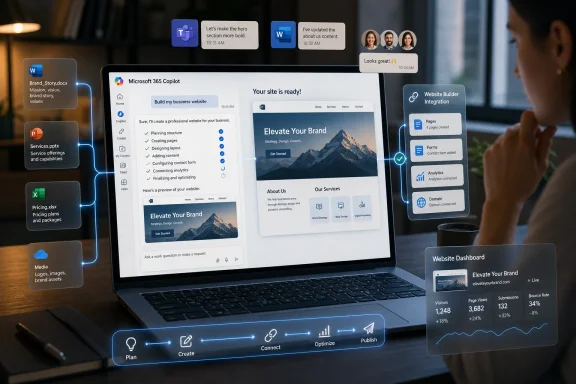
Laptop display shows Microsoft 365 Copilot creating a yoga studio website with booking and analytics panels.Microsoft Is Turning Copilot Into the New Desktop​

The old Windows desktop was a place where applications lived side by side and users decided when to jump between them. The new Microsoft pitch is different. Copilot is being positioned as the place where work begins, where the user describes an outcome, and where the relevant app shows up only when needed.
That shift matters more than the Wix logo in the announcement. Microsoft has spent the last few years trying to make Copilot feel less like a chatbot bolted onto Office and more like an operating layer for business work. Partner apps are a key part of that strategy because Microsoft cannot plausibly build every workflow itself, but it can try to make every workflow pass through Copilot.
Wix Harmony fits neatly into that vision. A small business owner could ask Copilot to create a site, adjust copy, prepare a booking page, or surface performance information without leaving Microsoft 365. The work still belongs to Wix, but the entry point belongs to Microsoft.
That is the strategic bargain behind the integration. Wix gets distribution inside the productivity suite used by many of the customers it wants. Microsoft gets another proof point that Copilot can be more than an answer engine.

Wix Harmony Arrives as the Website Builder Becomes an Agent​

Wix Harmony is not simply a prettier template editor with a chatbot attached. Wix has framed Harmony as a hybrid of visual design, AI guidance, and platform-managed business functionality. In plain English, it is meant to let a user describe what they want, see the site take shape, and still retain enough manual control to make the result feel like a real business asset rather than a disposable demo.
That distinction is important because the first wave of AI website builders often looked magical in a product video and brittle in production. They could generate a landing page, but they struggled with the messy middle of actual business: payments, bookings, SEO, responsiveness, analytics, content updates, integrations, and the peculiar way every small company thinks its workflow is unique.
Wix’s pitch is that Harmony is not just generating code in a vacuum. It sits on top of Wix’s existing platform, which already includes hosting, commerce, marketing, bookings, customer management, and analytics. The Microsoft integration therefore does not merely promise “make me a website.” It promises a way to operate the site through the same conversational surface where an employee may already be handling email, documents, meetings, and spreadsheets.
That is a more credible version of AI website creation than the fantasy that a single prompt replaces the entire lifecycle of building and running a digital presence. The real question is whether Copilot can become a practical control surface for that lifecycle, or whether it becomes another layer of indirection between users and the tools they still need to understand.

The OpenAI Apps SDK Gives Microsoft a Shortcut to an App Ecosystem​

The technical hinge in this announcement is Copilot’s generally available support for the OpenAI Apps SDK. That phrase sounds like developer plumbing, but it is the kind of plumbing that decides who gets to own the interface.
The Apps SDK model lets third-party services expose interactive experiences inside an AI conversation rather than forcing users to click out to a separate app every time the work becomes visual or transactional. For a website builder, that is crucial. A pure text chat can draft copy, suggest layouts, or produce instructions, but a site is a visual product with state, settings, pages, assets, forms, and business rules.
Microsoft’s decision to support that kind of embedded app experience shows how quickly the AI assistant market is converging on a familiar platform pattern. First comes the assistant. Then come plugins, agents, widgets, stores, SDKs, permissions, review processes, and eventually the uncomfortable questions about control, fees, telemetry, and lock-in.
For WindowsForum readers, this should feel familiar. The platform wars have always been about where software is discovered, how it is launched, what permissions it receives, and whose interface becomes the default habit. Copilot is not Windows, but Microsoft clearly wants it to become a comparable place of gravity inside business computing.

The Small Business Pitch Is Convenience, Not Magic​

The most obvious customer for this integration is not a Fortune 500 IT department. It is the founder, consultant, local service provider, or small team that already lives in Outlook, Teams, Word, Excel, and SharePoint, but still needs a website that can book appointments, capture leads, sell products, and tell them whether anyone is paying attention.
For that user, the promise is not that Copilot understands design better than a professional web agency. The promise is that the cost of starting is lower. If a business can ask for a site in the same place it drafts a proposal or reviews a spreadsheet, the website stops feeling like a separate technology project and starts feeling like another office task.
That is both powerful and risky. Powerful, because small businesses often delay basic digital work precisely because every tool feels like another account, another dashboard, another learning curve. Risky, because reducing friction at the start can hide complexity later, when the business needs to understand domain settings, search visibility, payment flows, customer data, accessibility, compliance, and ownership.
Wix has long made its money by abstracting those problems away. Microsoft’s involvement adds another abstraction layer. The user may feel like they are “in Copilot,” while the actual work is distributed across Microsoft identity, Wix infrastructure, OpenAI-compatible app interfaces, and whatever business systems the site eventually touches.
That is not necessarily bad. Modern software is mostly abstraction. But it means the product’s success should be judged less by how impressive the first generated page looks and more by how gracefully it handles the second month of changes.

The Enterprise Angle Is Governance Wearing a Friendly Face​

Microsoft will talk about productivity, but every Copilot integration has a governance story underneath it. When business apps move into Copilot, administrators have to think about access, data boundaries, app approval, user consent, auditability, and the spread of shadow workflows.
That is where Microsoft has an advantage over consumer AI chat platforms. Microsoft can tell IT departments that Copilot is part of a managed environment, tied to enterprise identity and familiar admin controls. Whether every third-party integration satisfies every organization’s risk posture is another matter, but Microsoft at least knows how to speak the language.
For Wix, that could open doors beyond the traditional small-business website-builder market. Departments inside larger organizations routinely create microsites, campaign pages, internal portals, event pages, partner landing pages, and proof-of-concept experiences. Many of those projects never justify a full engineering queue, but they still need enough polish and governance to avoid becoming a security or branding headache.
The problem is that Copilot’s convenience can blur the line between sanctioned creation and accidental sprawl. If nontechnical users can spin up more web properties from inside the productivity suite, someone has to decide what counts as official, who owns the resulting assets, how data is retained, and what happens when the employee who prompted the thing leaves the company.
That is the administrator’s recurring nightmare in a new costume. The AI era does not eliminate unmanaged software; it makes unmanaged software easier to create.

Microsoft’s Platform Bet Depends on Third Parties Doing Real Work​

The Copilot story has sometimes suffered from overbroad demos. Summarize a meeting, draft an email, make a slide deck: useful, yes, but not always enough to justify the strategic weight Microsoft has placed on the brand. Third-party apps that do tangible work are how Copilot becomes harder to dismiss.
A Wix integration helps because website creation has visible output. Unlike a generic productivity summary, a generated and managed site is something a user can point to. It is also something with ongoing value, which gives Copilot a role beyond the first prompt.
That is exactly what Microsoft needs. If Copilot is only a smarter search box for Office files, its value is bounded by the user’s existing Microsoft content. If Copilot can summon business applications that create, update, analyze, and transact, it becomes a broader operating surface.
The catch is that every partner integration must be good enough to avoid making Copilot feel like a cramped browser tab. Users will not tolerate a parade of half-functional widgets simply because they appear in a chat window. The embedded experience must be faster than opening the original app, clearer than navigating the original dashboard, and trustworthy enough for business-critical actions.
That is a high bar. It is also the only bar that matters.

Wix Gets Distribution, but Microsoft Gets the Habit​

For Wix, Microsoft 365 Copilot is an attractive front door. The company competes in a market where AI has lowered the apparent cost of website creation and where rivals can promise instant sites with increasingly plausible demos. Being present inside Copilot gives Wix access to users at the moment of intent: when they are planning a business, drafting a campaign, reviewing a customer list, or preparing a launch.
But distribution is never free in platform economics. If users begin to think of Wix Harmony as something they access through Copilot, Microsoft owns more of the user habit. Wix may still own the site, the billing relationship, and the platform features, but Microsoft owns the place where the request begins.
That dynamic has played out before with browsers, app stores, search engines, social platforms, and cloud marketplaces. The application provider gains reach. The platform provider gains leverage.
The question for Wix is whether the trade is worth it. Given the pace at which AI-native creation tools are crowding the market, the answer may be yes. A website builder that waits for users to visit its own homepage may lose to one that appears inside the workstream at the exact moment the user says, “We need a site for this.”
For Microsoft, the calculus is even simpler. Every useful partner app makes Copilot stickier. Every completed task inside Copilot gives Microsoft another argument that its AI layer is not optional decoration but the new center of work.

The Windows User Should Watch the Boundary Between App and Assistant​

This announcement is not directly about Windows, but it belongs in the same story as Microsoft’s broader reshaping of the PC experience. The company has been pushing Copilot into Windows, Microsoft 365, Edge, developer tools, and business workflows. The common thread is a shift from launching applications to delegating tasks.
For power users, that shift can feel both liberating and irritating. It is liberating when the assistant reduces busywork and connects systems that used to require manual copying. It is irritating when the assistant becomes a mandatory vestibule for features that used to be direct, predictable, and locally understandable.
Website creation inside Copilot is a clean example of the trade-off. A user may save time by asking for a site and refining it conversationally. But the more capable the assistant becomes, the more the user has to trust that the assistant understands intent, permission, context, and consequences.
That trust is not automatic. Microsoft has to earn it through reliability, transparency, and admin controls. Wix has to earn it by making Harmony’s generated output editable, portable enough for real business confidence, and robust enough that users do not discover too late that the AI took them down a dead-end design path.
The future Microsoft is building assumes people will increasingly describe outcomes instead of operating software directly. The future many Windows veterans still prefer is one where tools are explicit, files are visible, settings are findable, and automation does not obscure control. The best version of Copilot has to reconcile those instincts rather than bulldoze one with the other.

The AI Website Race Is Becoming a Workflow Race​

The first AI website-builder battles were about generation. Who could produce the most impressive homepage from the shortest prompt? Who could turn a vague business description into a polished hero section, contact form, and color palette?
That phase is already commoditizing. Large models are good enough at producing plausible text and design suggestions that the demo itself no longer proves much. The harder and more durable competition is workflow: who can connect creation to operations, analytics, customer management, marketing, commerce, and collaboration?
Wix’s Copilot integration is an answer to that second race. It says the website is not an isolated artifact. It is part of the business system, and the business system increasingly lives inside a conversation that can reach multiple apps.
That sounds grand, but the day-to-day test will be mundane. Can a user update holiday hours without breaking layout? Can Copilot summarize site performance in language that leads to a useful action? Can the integration help create a booking page that actually respects availability and service rules? Can it distinguish between a draft change and a published change with enough clarity that nobody accidentally pushes a half-baked campaign live?
The companies that solve those dull problems will win more trust than the companies that merely generate prettier first drafts.

The Announcement Says More About Copilot Than About Websites​

The tempting read is that Wix is now inside Microsoft 365 Copilot, therefore website creation has become easier. That is true, but too small. The larger story is that Microsoft is accelerating the transformation of Copilot into a host environment for third-party business applications.
This is a subtle but important change in the role of Microsoft 365. The suite used to be where documents were made and communications were handled. Now Microsoft wants it to be where external business systems are invoked, manipulated, and analyzed through a common AI interface.
That could reduce fragmentation for users who are exhausted by tab sprawl. It could also concentrate more power in Microsoft’s hands, especially if Copilot becomes the preferred path to apps that once stood independently. The same interface that simplifies work can also mediate competition.
For IT leaders, the practical response is not panic. It is inventory. Which Copilot apps are allowed? Which users can install or invoke them? What data can they access? What logging exists? What happens when an AI-assisted action changes a public-facing asset?
Those questions are not anti-AI. They are the difference between adopting a platform and being absorbed by one.

The Real Test Comes After the First Prompt​

The Wix-Microsoft partnership will live or die after the initial novelty fades. A generated website is exciting for an afternoon. A managed website becomes valuable over months and years, as it survives edits, campaigns, staff turnover, business changes, analytics reviews, and customer complaints.
That is where Harmony’s hybrid model matters. Users need AI help, but they also need deterministic control. They need to be able to inspect, adjust, override, and understand what the system has done.
Copilot adds another layer to that requirement. If a user asks for a change in Microsoft 365, the system should make clear what will happen in Wix, what will remain a draft, what will be published, and what business data is being used to make the recommendation. Ambiguity is tolerable when drafting a paragraph. It is less tolerable when changing a live checkout flow or a lead-generation form.
The most successful AI integrations will be the ones that know when not to be conversational. Sometimes the right interface is a prompt. Sometimes it is a preview pane. Sometimes it is a confirmation dialog. Sometimes it is the full app.
Microsoft’s challenge is to make Copilot feel like the right front door without pretending every room in the building should look like chat.
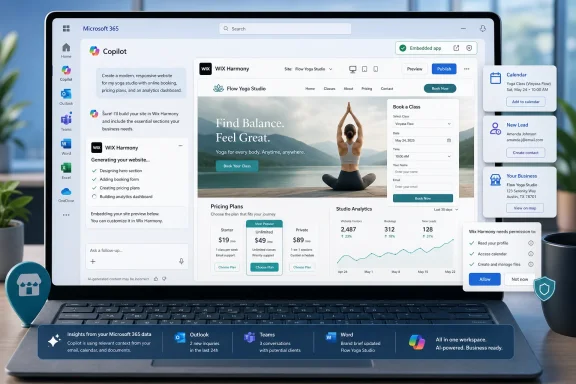
The Copilot Storefront Now Has a Website Builder in the Window​

This partnership is concrete enough to matter, but early enough that users and administrators should treat it as a signal of direction rather than a finished verdict. Wix Harmony inside Copilot is less a one-off convenience feature than a preview of how Microsoft wants third-party software to appear inside work.
  • Wix Harmony is now available through Microsoft 365 Copilot via Copilot’s support for the OpenAI Apps SDK.
  • The integration is aimed at letting users create, manage, and analyze a Wix-powered web presence from within the Microsoft 365 interface.
  • Microsoft benefits by making Copilot a more credible host for real business applications, not just summaries and drafts.
  • Wix benefits by reaching users inside the productivity environment where business planning and execution already happen.
  • IT teams should evaluate the integration through the lens of app governance, data access, publishing control, and lifecycle ownership.
  • The long-term value will depend less on first-prompt website generation and more on whether ongoing site management is reliable, transparent, and controllable.
The Wix deal is a small announcement with a large shadow: Microsoft is teaching users to expect business software to arrive inside Copilot, and teaching software vendors that the path to customers may increasingly run through Microsoft’s AI layer. If that model works, the next phase of Windows and Microsoft 365 will not be defined by which apps are installed, but by which agents are trusted to act.

References​

  1. Primary source: TipRanks
    Published: Mon, 15 Jun 2026 13:52:05 GMT
  2. Official source: microsoft.com
  3. Official source: support.microsoft.com

  4. Related coverage: support.wix.com
  5. Official source: developer.microsoft.com
  6. Related coverage: wix.com
  1. Official source: learn.microsoft.com
  2. Related coverage: createwith.com
  3. Official source: devblogs.microsoft.com
  4. Official source: techcommunity.microsoft.com
  5. Related coverage: tomsguide.com
  6. Related coverage: techradar.com
  7. Official source: cdn-dynmedia-1.microsoft.com
  8. Related coverage: newsroom.ibm.com
  9. Related coverage: hcltech.com
 

Wix said on June 15, 2026, that it is integrating its Wix Harmony website builder with Microsoft 365 Copilot, letting users create and manage Wix sites from inside Copilot conversations rather than starting in Wix’s own editor or dashboard. The announcement looks small if treated as another partner plug-in, but it is really a signpost for where Microsoft wants Copilot to live: not beside work, but inside it. For Wix, the bet is that website creation is becoming less like opening a design app and more like delegating a business task to an agent. For Microsoft 365 customers, it raises the familiar question that now follows every Copilot expansion: who controls the workflow when the chatbot becomes the front door?

Person reviews a laptop showing Microsoft 365 Copilot creating a business website with dashboards and integrations.Microsoft Turns Copilot Into the New Software Shelf​

Microsoft 365 Copilot began as an assistant layered over Word, Excel, Outlook, Teams, and the rest of the productivity suite. That framing was comfortable because it sounded additive. Copilot would summarize meetings, draft emails, extract numbers from spreadsheets, and search across enterprise documents without fundamentally changing where users thought their work lived.
The Wix integration pushes the model further. If a user can ask Copilot to generate a full business website, refine the copy, modify pages, and manage parts of the site without switching into a conventional web builder, Copilot is no longer just helping with Microsoft files. It is becoming an operating surface for third-party software.
That is the strategic shift hiding inside the partner announcement. Microsoft does not need to own every application if Copilot becomes the place where users invoke those applications. The software catalog becomes less visible, while the conversational layer becomes more powerful.
Wix benefits from that bargain because it meets users at the moment of intent. A small-business owner writing a launch plan in Word or discussing a campaign in Teams may not want to open a browser, choose a template, and learn a site editor. If Copilot can turn that intent into a Wix project, the old funnel between “I need a website” and “I have started building one” gets shorter.
The risk is that the application itself becomes background infrastructure. Wix is betting that being callable from Copilot is better than waiting for users to arrive at Wix.com. That is probably right in the short term, but it also means Wix is accepting Microsoft’s conversational real estate as a new distribution channel with Microsoft’s rules, identity system, and enterprise expectations attached.

Wix Is Selling Less Drag-and-Drop and More Delegation​

Wix built its reputation on democratizing website creation through templates, visual editing, hosting, commerce tools, and a business-management stack that reduced the need for freelance developers. The classic promise was direct manipulation: users could see a page, drag elements around, and publish without writing code. AI changes that bargain because the first interaction is no longer necessarily visual.
With Wix Harmony, the company has been moving toward an agent-assisted model in which a user describes a site and receives a working starting point. The Copilot integration extends that idea into Microsoft’s productivity environment. The site builder becomes something you converse with while still retaining the ability to customize and refine.
That distinction matters. The market is full of tools promising instant sites from prompts, but many of them produce demos, prototypes, or code bundles that still require a technically confident operator to harden, host, and maintain. Wix wants the user to believe the generated result is not a disposable mock-up but a production path into its existing platform.
This is why the phrase production-ready matters more than the AI gloss. A small business does not merely need a landing page that looks plausible in a preview window. It needs forms, booking, payments, SEO metadata, mobile rendering, analytics, domain management, access control, and a way to make edits after the initial prompt has lost its novelty.
The Copilot tie-in makes Wix’s pitch more credible for Microsoft-centric organizations because it lowers the social and technical barrier to experimentation. If the employee already has Copilot open, the website request can begin as a natural-language task. That does not eliminate the work of brand review, governance, compliance, and publishing, but it changes where the work starts.

The Agentic Web Is Becoming a Distribution War​

Wix’s broader strategy is not limited to building websites through chat. The company has also been aligning with the idea of an agentic web, where sites are not just pages for humans to browse but structured endpoints that AI systems can query. Its NLWeb integration, developed with Microsoft involvement, points in the same direction.
The practical example is simple. Instead of an AI assistant scraping or guessing what a site contains, it can query structured, continuously updated data from the site itself. A retailer’s inventory, a restaurant’s menu, a booking calendar, or a service provider’s offerings can become accessible to agents in a more controlled way.
That is good for accuracy and potentially good for site owners. If AI assistants become a primary way people discover goods and services, website owners will want their content represented cleanly inside those systems. Search engine optimization gives way, at least partly, to generative engine optimization, where the goal is not just ranking in search results but being correctly retrieved and acted upon by AI agents.
The catch is that every platform wants to mediate that new layer. Microsoft wants Copilot to be the trusted agent for work. Google wants Search, Maps, Gemini, and AI Mode to remain central to commercial intent. OpenAI wants ChatGPT to become a place where users do things rather than merely ask about them. Wix is placing itself across those surfaces because the old website homepage is no longer guaranteed to be the first point of contact.
That creates an uncomfortable but realistic future for site owners. Your website may still be the canonical record of your business, but your customers may increasingly encounter it through an AI intermediary. In that world, having structured content and agent-friendly interfaces may become as important as having a polished landing page.

Microsoft’s Enterprise Gravity Changes the Audience​

For WindowsForum readers, the Microsoft 365 part of this story is not incidental. A website builder inside Copilot is not aimed only at hobbyists making portfolios. It is aimed at the messy middle of organizations where marketing, operations, sales, HR, and departmental teams constantly need internal portals, campaign pages, event sites, microsites, and lightweight customer-facing experiences.
That is where Microsoft has leverage. Microsoft 365 is already where many of those teams plan work, discuss approvals, store assets, and manage calendars. If Copilot can use that context to start a Wix site, the integration becomes more than a shortcut. It becomes a way to turn organizational knowledge into published output.
The enterprise angle also changes the governance story. Consumer AI website builders can treat speed as the headline feature. Corporate users need permissions, auditability, identity, data boundaries, and administrative controls. If a Copilot conversation can create or alter a public website, IT leaders will want to know who authorized the action, what data was used, what content was generated, and which systems retain logs.
Microsoft’s own Copilot ecosystem has been moving toward connectors, agents, and Model Context Protocol support as ways to let AI systems retrieve information and invoke tools. That architecture is powerful because it gives Copilot reach beyond Microsoft’s own applications. It is also risky because each connected service becomes a new place where prompts, permissions, and data flows can surprise administrators.
The Wix integration will therefore be judged by more than demo quality. The questions that matter in an enterprise tenant are less glamorous: Can admins disable it? Can usage be scoped to approved users? Does it respect tenant policies? What data leaves Microsoft 365? What data enters Wix? Can changes be reviewed before publishing? These are the questions that separate a useful business integration from a shadow-IT accelerant.

The Website Builder Is Becoming a Business Agent​

A website is rarely just a website anymore. For many small businesses, it is the storefront, appointment book, customer intake form, payment terminal, marketing hub, analytics dashboard, and reputation surface. Moving website creation into Copilot therefore brings business operations into the AI conversation, not just page design.
That is the deeper reason this announcement matters. If Copilot can help create a site, the next logical step is helping maintain it. Update the holiday hours. Add a new service page. Rewrite the event description. Pull a product list. Draft a promotion. Check whether the booking page reflects the latest schedule. These are the kinds of repetitive operational tasks that make sense for an agentic interface.
Wix has an advantage because it controls an integrated platform. It is not merely generating HTML. It has databases, commerce features, scheduling tools, forms, CRM-like functions, and site-management primitives. If those capabilities are exposed cleanly to Copilot, the assistant can become a command layer over a real business system.
But the same integration that makes the experience powerful can make mistakes more consequential. A bad paragraph in a Word draft is annoying. A bad pricing update on a live website can cost money. A hallucinated service claim can create legal exposure. A poorly scoped permission can let the wrong employee alter public-facing content.
That is why the best version of this integration will not be the one that publishes fastest. It will be the one that makes review, rollback, and accountability feel natural. The future of AI-assisted web creation depends less on whether models can produce attractive pages and more on whether platforms can make agent actions safe enough for routine business use.

The Windows Angle Is the Workflow, Not the Browser​

There is a temptation to frame every web-builder story as a browser story. That misses what Microsoft is doing with Copilot across Windows and Microsoft 365. The company is trying to make the assistant a cross-application workflow layer that follows the user from documents to meetings to data to external services.
For Windows users, that shift is familiar in spirit even if the technology is new. Microsoft has spent decades trying to make Windows and Office the default place where work begins. Copilot updates that ambition for an era when the interface is less about menus and more about intent.
The Wix integration fits because website creation often begins in Microsoft tools even when publishing happens elsewhere. The copy may start in Word. The campaign plan may live in Teams. The budget may sit in Excel. The images may be stored in OneDrive. The launch meeting may happen in Outlook. Copilot’s appeal is that it can theoretically draw on that work context and turn it into action.
That does not mean Windows itself becomes a web-design environment. It means the boundaries between local OS, cloud productivity suite, and SaaS platform continue to blur. The user’s mental model shifts from “open the app that does the task” to “ask the assistant to coordinate the task.”
That is a large behavioral change, and it will not happen evenly. Power users will still want precise controls. Designers will still care about layout fidelity. Developers will still want code access, APIs, and deployment discipline. But for the long tail of business users who need a competent site more than they need a bespoke build process, the Copilot path could be good enough to become the default.

AI Website Creation Still Has a Trust Gap​

The excitement around AI site builders often outruns the reality of maintaining a public web presence. A generated website can look polished while hiding generic copy, weak accessibility choices, inconsistent brand voice, thin SEO structure, or a layout that breaks under real content. The demo moment is not the same as the launch moment.
Wix’s challenge is to convince users that Harmony plus Copilot is not just another prompt-to-page toy. It needs to demonstrate that the generated site can survive ordinary business use: edits, campaigns, staff turnover, new services, seasonal changes, customer inquiries, and the slow accumulation of operational cruft. That is where many AI-first tools stumble.
Microsoft’s challenge is different. Copilot’s credibility depends on trust across tasks. If users experience third-party integrations as unpredictable, over-permissioned, or difficult to govern, they will become cautious. In enterprise environments, caution often turns into disablement.
There is also a user-experience trap. Conversational interfaces are excellent for intent capture but not always ideal for detailed design correction. “Make the hero section more premium” is an easy prompt. Adjusting spacing, hierarchy, breakpoint behavior, and visual rhythm may still require a proper editor. The strongest implementation will treat Copilot as the front door and accelerator, not as a replacement for every control surface.
That hybrid model is likely where the market settles. AI handles the first draft, repetitive edits, content variants, and operational updates. Human users handle taste, approval, business judgment, and exception handling. The winner is not the system that pretends humans are unnecessary; it is the one that lets humans intervene at the right level.

Microsoft Gains Optionality, Wix Gains Urgency​

For Microsoft, partner integrations like Wix are a way to make Copilot feel less like a feature and more like a platform. Every useful third-party action increases the chance that users keep Copilot open. The assistant becomes a marketplace of capabilities without requiring Microsoft to build every vertical tool itself.
For Wix, the urgency is sharper. Website builders face pressure from AI coding tools, app generators, commerce platforms, social storefronts, and hosted business suites. If users believe they can get a workable site by prompting a general-purpose AI tool, the traditional builder category has to justify itself with infrastructure, reliability, and business features.
The Copilot integration is Wix’s answer: do not fight the conversational interface; inhabit it. If users want to start with a prompt, let them start there. Then route the result into a mature platform where it can be managed, monetized, and extended.
That is a sensible strategy, but it also changes Wix’s competitive set. The company is no longer competing only with Squarespace, GoDaddy, Shopify, WordPress hosts, or design agencies. It is competing for relevance inside AI ecosystems where the assistant may decide which tool to invoke.
In that environment, distribution is algorithmic and conversational. A user may not search for “best website builder.” They may simply ask Copilot to create a site. Whether Wix appears in that flow, and whether it produces a satisfying result, becomes a new kind of product-market fit.

Admins Will Want the Controls Before the Demos​

The first wave of user enthusiasm will focus on speed. The first wave of IT skepticism will focus on control. Both reactions are rational. A tool that can create a working site from a prompt is useful, but a tool that can publish inaccurate or unauthorized content is a governance problem waiting to happen.
Microsoft’s Copilot connector and agent strategy increasingly relies on permission-aware access, admin-managed connections, and audit-friendly design. That is the right direction, but real-world deployments are rarely pristine. Tenants have legacy permissions, sprawling SharePoint sites, informal Teams channels, and inconsistent data hygiene. Copilot integrations inherit that mess.
Wix adds another layer because it is an external platform with its own accounts, projects, roles, billing, and publishing model. Organizations will need clarity on how Microsoft identity maps to Wix permissions. They will also need to understand whether Copilot actions are drafts by default or can touch production assets.
The safest pattern is obvious: generate, preview, review, then publish. The danger is that vendors often market the magic of skipping steps. In business software, skipped steps have a way of returning as incident reports.
For sysadmins, the practical stance should be neither panic nor blind adoption. Treat AI website creation like any other SaaS integration that can affect public content and business data. Test it in a controlled group, inspect logs, define ownership, and make sure business units understand that Copilot is an accelerator, not an accountable employee.

The Copilot Website Moment Has Five Hard Edges​

The Wix announcement is best read as one move in a broader remapping of software around agents. The immediate product may be website creation inside Microsoft 365 Copilot, but the durable issue is how much work organizations are willing to route through conversational systems.
  • Wix is using Microsoft 365 Copilot as a new entry point for Wix Harmony, reducing the distance between a business idea and a draft website.
  • Microsoft is strengthening Copilot’s role as a platform that can invoke third-party tools, not merely summarize Microsoft 365 content.
  • The integration makes the most sense for small businesses and departments that already plan, write, schedule, and collaborate inside Microsoft 365.
  • IT teams should evaluate identity, permissions, publishing controls, audit logs, and data movement before allowing broad use.
  • The competitive battlefield is shifting from standalone website builders to AI assistants that decide which builder gets called at the moment of intent.
The old web promised that every business needed a site; the new agentic web suggests every site needs to be callable, queryable, and editable from somewhere else. Wix’s move into Microsoft 365 Copilot is not the end of the website builder, but it is a sign that the builder is being absorbed into the workflow layer above it. The companies that thrive will be the ones that make AI delegation feel powerful without making ownership disappear, because the future of web creation will belong neither to prompts alone nor to editors alone, but to systems that know when to hand control back to the people responsible for the result.

References​

  1. Primary source: investing.com
    Published: Mon, 15 Jun 2026 13:27:10 GMT
  2. Related coverage: wix.com
  3. Related coverage: ja.wix.com
  4. Related coverage: techradar.com
  5. Related coverage: createwith.com
  6. Related coverage: creativebloq.com
  1. Related coverage: marketchameleon.com
  2. Official source: microsoft.com
  3. Official source: techcommunity.microsoft.com
  4. Related coverage: m365maps.com
 

On June 15, 2026, Wix announced a Microsoft collaboration that brings its Wix Harmony AI website builder into Microsoft 365 Copilot, letting eligible users create and manage Wix sites from Copilot using text or voice prompts. The move is not just another app integration; it is a bet that the next website editor is less a canvas than a workplace conversation. For Microsoft, it makes Copilot feel more like a business operating layer. For Wix, it puts site creation inside the productivity suite where small businesses already spend much of their day.

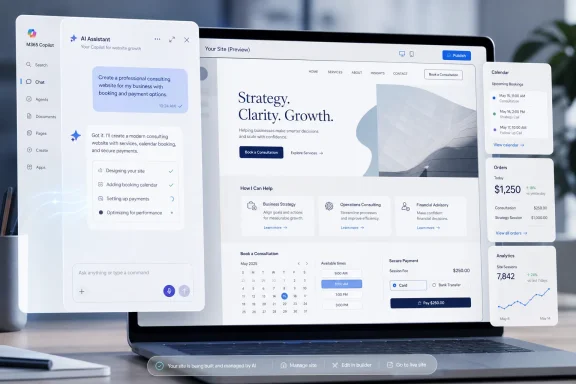
Laptop displays AI website builder with strategy landing page, booking calendar, and analytics panels.Microsoft 365 Copilot Is Becoming the New Front Door​

The old web-building ritual was obvious: open a browser, choose a template, wrestle with layout, connect payments, write copy, publish, then remember to check analytics later. Wix’s Microsoft 365 Copilot integration attacks that ritual at the first step. Instead of beginning in Wix, the user begins in Copilot, describes the business, and asks for a website.
That sounds like a convenience feature, and on one level it is. But the more important shift is jurisdiction. Microsoft 365 Copilot is increasingly where Microsoft wants work to begin, whether the task is writing a proposal, summarizing a meeting, searching company data, or now launching a digital storefront.
This is the Copilot strategy in miniature: bring the action to the chat surface rather than forcing users to hunt through separate apps. The interface becomes less important than the command layer. If that layer can create a site, update inventory, inspect performance, and alter booking settings, the website builder becomes another business capability exposed through natural language.
For WindowsForum readers, that should sound familiar. Microsoft has spent decades trying to make Windows and Office the gravitational center of work. Copilot is the cloud-era version of the same instinct, except the shell is not Start menu tiles or ribbon buttons. It is a prompt box with permissions.

Wix Is Selling Less Website Builder and More Business Plumbing​

Wix’s pitch has also changed. The company no longer wants to be understood merely as the place where a café owner drags text boxes onto a homepage. Harmony, launched earlier in 2026, is Wix’s AI-forward attempt to merge site design, business logic, commerce, scheduling, payments, SEO, and analytics into one managed environment.
That distinction matters because generative AI has made “build me a website” a dangerously commoditized phrase. Plenty of tools can generate a landing page. Fewer can reliably attach that page to bookings, payments, tax settings, inventory, email campaigns, search visibility, and performance reporting without leaving the user in integration purgatory.
The Microsoft 365 Copilot integration tries to turn that backend into a conversational resource. A user might start by asking Copilot for a site for a photography studio, then continue by asking for a booking flow, revised service descriptions, or a readout of traffic performance. The site is the visible output, but the recurring value is management.
That is why this announcement is more strategic than a standard marketplace listing. Wix is not simply embedding a shortcut in Microsoft’s ecosystem. It is trying to make its platform callable from wherever the user is already doing business administration.

The Chat Window Is Eating the Admin Console​

For small businesses, the promise is seductive because the administrative burden is real. The same person who needs a website often needs to set prices, create a scheduling page, reconcile orders, adjust SEO copy, and understand whether a campaign worked. The traditional SaaS answer has been a dashboard for each function. The AI answer is a conversation that reaches across them.
That is the good version of the story. The less magical version is that dashboards still exist for a reason. Business systems have edge cases, regulatory implications, visual nuance, and irreversible changes. A command like “discount all summer classes by 20 percent” may be simple linguistically and consequential operationally.
This is where Copilot integrations will live or die: not in the demo, but in the confirmation step. Users need to know what data Copilot can see, what action Wix is about to perform, which account will be billed, what will be published publicly, and how to roll back a mistake. AI can make workflows faster, but speed is not the same as confidence.
For IT administrators, that means the integration belongs in the same governance conversation as any other Copilot-connected app. It is not only a productivity toy. It is an action surface capable of touching public-facing web properties and potentially customer-facing business operations.

Harmony Gives Wix a Better Story Than Templates Ever Could​

Wix Harmony is the centerpiece because it gives Wix a contemporary answer to the “AI website builder” race. The company describes Harmony as a hybrid approach: natural language generation paired with visual editing and Wix’s managed infrastructure. Its AI assistant, Aria, is intended to work continuously inside the editor rather than simply generating a one-time draft.
That is a sensible evolution. Early AI website builders often produced something impressive for 30 seconds and frustrating for the next 30 days. The first draft looked plausible, but later edits exposed the gap between generated appearance and maintainable structure.
Harmony’s ambition is to avoid that trap by keeping the AI aware of site context. In practical terms, that means a user should be able to request changes across design, layout, copy, or business features without breaking the underlying site. The claim is not that humans disappear from web creation. It is that they spend less time assembling scaffolding.
Still, the industry’s favorite phrase, vibe coding, hides a lot of hard engineering. A site that looks acceptable is not necessarily accessible, fast, secure, searchable, compliant, or resilient. Wix’s advantage is that it controls the stack. Its risk is that users may expect AI flexibility while still being constrained by a managed platform.

Microsoft Gets a Partner That Makes Copilot Feel Useful​

Microsoft’s biggest Copilot challenge has never been ambition. It has been proving that Copilot is more than a premium autocomplete layer pasted across Office. Integrations like Wix help Microsoft argue that Copilot can orchestrate actual business outcomes, not just summarize documents.
This is especially relevant for small and midsize businesses, where Microsoft 365 often functions as the default operational environment. Outlook is where customer conversations happen. Teams is where staff coordination happens. Excel is where numbers still go to become “official.” If Copilot can now invoke a website builder from that environment, Microsoft strengthens the case that Copilot is the business command center.
There is also a competitive subtext. OpenAI, Google, Anthropic, Shopify, Squarespace, Canva, and a growing field of AI app builders all want to own the moment when a user says, “I need a digital presence.” Microsoft may not need to build the website platform itself if Copilot becomes the place where users ask for one.
That is classic platform leverage. Windows succeeded in part because developers wanted to be where users were. Microsoft 365 Copilot is now trying to repeat that logic for AI-era workflows. Wix gets distribution; Microsoft gets another proof point that Copilot can do work outside Microsoft’s own applications.

The Real Competition Is Not Squarespace, It Is Workflow Gravity​

It is tempting to frame this as Wix versus Squarespace, or Wix versus WordPress, or Wix versus Shopify. Those comparisons still matter, but they miss the sharper competitive point. The real battle is whether website creation begins inside a dedicated builder or inside a general-purpose AI assistant.
If users become accustomed to asking Copilot, ChatGPT, or another assistant to create the first version of a site, the assistant becomes the discovery layer. That changes the balance of power. The website platform that integrates best with the assistant may win the job before the user ever compares templates.
Wix seems to understand this. Earlier this year, it pushed Harmony into conversational AI contexts beyond its own editor, including integrations that let users start site creation from chat environments. The Microsoft deal continues that pattern: put Wix where intent already forms.
For users, this could be liberating. For platform owners, it is a land grab. The company that owns the conversational front door may influence which website builder, payment processor, scheduling tool, CRM, or analytics surface gets invoked by default.

IT Departments Will Care About the Boring Parts​

The consumer framing is simple: “Build a website by talking to Copilot.” The enterprise and admin framing is less glamorous: identity, permissions, auditing, data boundaries, app availability, and change control. Those are the issues that determine whether a Copilot integration is trusted or quietly blocked.
Microsoft 365 environments already contain sensitive business context. If a Copilot-connected app can use that context to generate public-facing content, administrators need clarity on what is passed to Wix, what remains in Microsoft’s tenant, and how user consent is handled. That is not paranoia. It is table stakes for any AI workflow that bridges productivity data and an external SaaS platform.
There is also the question of lifecycle management. A website created casually from Copilot may still need ownership, billing, domain control, privacy policy review, accessibility checks, and security maintenance. AI lowers the activation energy, but it does not remove the operational responsibilities that follow publication.
The most successful deployments will be the ones that treat Copilot as a front end, not a substitute for governance. That means administrators should look for controls around which users can access the Wix app, what actions require confirmation, and how changes are logged. If the integration is going to manage commerce or bookings, it deserves more scrutiny than a note-taking plugin.

The Small Business Win Is Real, Even If the Magic Is Overstated​

For entrepreneurs, the upside is obvious. The web presence problem has always been less about desire than friction. A new business owner knows they need a site, but the path from “I sell services” to a functioning online operation crosses too many small bridges.
If Copilot can help gather the business description, turn it into a Wix Harmony site, add booking or commerce, and later answer performance questions, that is genuinely useful. It compresses a workflow that once required multiple tabs, multiple subscriptions, and a tolerance for tutorial videos. A solo operator may not care whether the architecture is elegant. They care that the phone starts ringing.
But there is a risk in overselling the endpoint. A generated website is not a business strategy. SEO is not solved by a checkbox. Payments and scheduling can be enabled quickly, but refund policies, inventory accuracy, tax rules, and customer communication remain human responsibilities.
The strongest version of Wix’s argument is not that AI replaces expertise. It is that AI moves users past the blank page and into iteration. That is a meaningful improvement, especially for businesses that would otherwise postpone their digital presence indefinitely.

Website Creation Is Becoming a Managed AI Service​

The larger trend is that web creation is being abstracted upward. Users are no longer expected to think first about pages, components, plugins, hosting, and databases. They are encouraged to think in outcomes: launch a store, take appointments, promote a service, analyze traffic, change pricing.
That abstraction benefits companies with integrated platforms. Wix can promise that the generated site runs on its infrastructure and connects to its business features. Microsoft can promise that the request begins in a familiar productivity environment. The user gets convenience; the vendors get lock-in.
Lock-in is not automatically bad. Many small businesses prefer a managed environment because they do not want to patch plugins, secure servers, or debug checkout flows. The tradeoff is flexibility and portability. The easier it becomes to create a site by prompt, the more important it becomes to understand where the site actually lives and how hard it is to leave.
For technically sophisticated users, WordPress, headless frameworks, and custom stacks will remain attractive. For the broad middle of the market, however, “good enough, managed, and available from Copilot” may beat “fully flexible” most days of the week.

The Stock Ticker Is the Least Interesting Part of the Story​

The market snapshot attached to the news shows Wix trading around the mid-$40s, down modestly on the day. That is useful context, but it should not dominate the interpretation. A single integration rarely rewrites a public company’s valuation overnight.
What matters is whether Wix can turn AI distribution into durable usage and revenue. If Microsoft 365 Copilot users create sites but do not maintain them, upgrade them, connect commerce, or pay for premium capabilities, the integration becomes a marketing channel. If they use Copilot as an ongoing management interface, it becomes something more valuable: a recurring workflow.
That distinction will take time to measure. Press releases count availability. Businesses count retention, conversion, and attach rates. The most important numbers will not be the day-one share price reaction but whether Copilot-originated Wix users behave like serious business customers.
Microsoft has a similar measurement problem. Copilot’s success depends on whether customers find enough repeatable tasks to justify the cost. Website creation is a flashy example, but ongoing management may be the real test. A feature that gets used once is a demo. A feature that gets used every week is a platform.

The New Wix-Microsoft Deal Leaves Users With Clear Tests​

The announcement is best understood as a practical experiment in whether AI assistants can become the operating layer for small-business software. The headline is site creation, but the strategic question is whether management, analysis, and updates can stay inside the same conversational flow.
  • Users should treat the first generated Wix Harmony site as a draft that still needs review for accuracy, accessibility, performance, and brand fit.
  • Microsoft 365 administrators should evaluate the Wix app as an external business-action integration, not merely as a creative add-on.
  • Businesses using commerce, scheduling, payments, or bookings should confirm every AI-suggested operational change before it reaches customers.
  • Wix’s biggest opportunity is not faster website generation but recurring management from inside the tools business owners already use.
  • Microsoft’s biggest win is making Copilot feel like a place where work gets completed, rather than another interface that comments on work happening elsewhere.
The Wix-Microsoft integration is a small announcement with a large implication: the website builder is moving from the browser tab to the AI workbench. If that shift holds, the next generation of business software will be judged less by how polished its dashboard looks and more by how safely, clearly, and usefully it responds when a user simply asks for the work to be done.

References​

  1. Primary source: Pluang
    Published: 2026-06-15T23:12:08.372099
  2. Related coverage: support.wix.com
  3. Related coverage: investing.com
  4. Related coverage: marketscreener.com
  5. Related coverage: techradar.com
  6. Related coverage: globenewswire.com
  1. Related coverage: tipranks.com
  2. Related coverage: marketchameleon.com
  3. Related coverage: es.investing.com
  4. Related coverage: chartmill.com
  5. Related coverage: creativebloq.com
 

Wix announced on June 15, 2026, that its Wix Harmony website builder is now integrated with Microsoft 365 Copilot, letting supported Copilot users generate and manage Wix websites from inside Microsoft’s workplace chat interface. The deal is less about replacing web designers overnight than about moving another business workflow into the conversational layer Microsoft wants to own. If Copilot becomes the place where workers ask, decide, approve, and execute, then “make me a website” was always going to arrive there. Wix is betting that small-business creation belongs inside that flow, while Microsoft is betting that third-party apps make Copilot feel less like a chatbot and more like an operating surface for work.

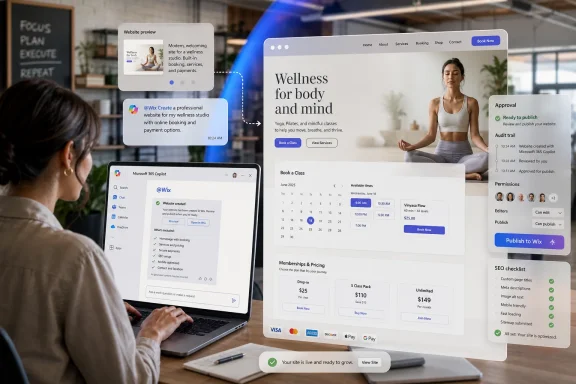
Woman reviews a wellness website preview with booking, pricing, and publish approval on a laptop.Microsoft’s Copilot Ambition Is Starting to Look Like an App Store in Disguise​

The important word in this announcement is not website. It is inside. Wix is not merely adding another AI generator to its own dashboard; it is placing Wix Harmony inside Microsoft 365 Copilot, where workers already draft emails, summarize meetings, search documents, and increasingly ask software to perform actions on their behalf.
That is the broader Copilot strategy in miniature. Microsoft does not want Copilot to be a helpful sidebar that comments on work. It wants Copilot to become the control plane for work, the place where apps are summoned through natural language and where business tasks can be completed without the user mentally unpacking which SaaS tab owns the next step.
For years, Microsoft’s productivity pitch was that Office was where knowledge work happened. The cloud era complicated that claim, scattering tasks across browser tabs, dashboards, collaboration apps, and vertical SaaS tools. Copilot is Microsoft’s attempt to pull those fragments back into a single interaction model: ask, review, approve, execute.
Wix fits that ambition neatly because website creation has historically been a tab-heavy, context-heavy job. A small business owner might start with a document full of ideas, move to a web builder, open a payments dashboard, consult an SEO tool, check booking settings, then return to email or Teams to coordinate next steps. The Wix-Copilot integration promises to collapse at least some of that friction into a conversation.
The question is not whether that will work perfectly on day one. It almost certainly will not. The question is whether users begin to accept Copilot as a legitimate place to initiate business software workflows that used to require logging into dedicated apps.

Wix Harmony Gives Microsoft a Demo That Normal People Understand​

Microsoft’s AI platform story can be abstract to the point of anesthesia. Agents, connectors, plugins, model context, orchestration, governance, and app SDKs all matter, but they rarely create a clean mental picture for ordinary users. A website builder does.
“Describe the business you want, and Copilot creates a working website” is the kind of demo that travels. It is concrete, visual, and emotionally legible. It produces something users can judge immediately, even if they do not understand the infrastructure behind it.
That makes Wix Harmony a useful partner for Microsoft. The integration reportedly lets users invoke Wix through “@Wix” inside Microsoft 365 Copilot, describe a site by voice or text, and generate a production-ready Wix Harmony website on Wix infrastructure. Wix says the resulting site can include commerce, scheduling, payments, SEO, accessibility, performance, and security capabilities, with later changes handled through natural-language follow-up prompts.
The phrase “production-ready” is doing a lot of work here. In the old AI demo cycle, models generated mockups, snippets, or plausible-looking prototypes. Wix is promising not just a pretty concept but a live business asset tied to its platform. That distinction matters because SMB software is not won by generating a landing page screenshot; it is won by taking payment, booking appointments, managing products, and letting a business owner sleep at night.
This is also why Wix’s role is more defensible than it may first appear. If Copilot can write HTML, why does Microsoft need Wix? Because a website for a real business is not just HTML. It is hosting, compliance, templates, analytics, checkout, inventory, permissions, SEO defaults, mobile behavior, uptime, support, and a long tail of annoying edge cases that only look boring until they break.

The No-Code Market Is Being Rewritten Around the Prompt​

Wix has spent years selling simplification. First the pitch was drag-and-drop web creation. Then it was integrated business management. Now the pitch is conversational creation, where the user describes intent and the platform assembles the experience.
That shift is happening across the no-code and low-code market. The old promise was that nontechnical users could build software if tools gave them visual blocks instead of code. The new promise is that nontechnical users should not need to manipulate blocks at all unless they want to. They should describe the outcome, inspect the result, and refine it in plain language.
That is a genuine change, but it is also a risky one. Visual builders gave users a sense of direct control. Prompt-first tools can feel magical when they work and maddening when they do not. A button dragged into the wrong place is easy to understand. A model that misunderstands brand tone, layout hierarchy, tax settings, inventory logic, or booking rules is harder to diagnose.
Wix Harmony sits at that tension point. Wix’s advantage is that it can combine AI generation with the scaffolding of its existing platform. The AI does not need to invent a payments system; it can configure Wix’s. It does not need to build a booking engine from scratch; it can attach one. The promise is not raw model creativity but guided assembly inside a commercial website operating system.
That is also why this integration is strategically important for Wix. If website creation becomes a feature inside general-purpose AI assistants, dedicated website builders risk being reduced to back-end infrastructure. By entering Copilot, Wix is trying to be the builder summoned by the assistant rather than the builder displaced by it.

The Flow of Work Is a Nice Phrase for a Land Grab​

“Flow of work” has become one of the software industry’s favorite phrases because it sounds humane. Nobody wants more context switching. Nobody wants to copy data between apps. Nobody wants to lose an afternoon to administrative glue.
But there is a platform story hiding inside that phrase. Whoever owns the “flow” becomes the broker between the user and the software stack. In the browser era, users navigated directly to applications. In the chat-agent era, they may ask a mediator to do something and let that mediator call the relevant app.
That changes the power balance. If users increasingly say “Copilot, create a site for my catering business” instead of opening Wix directly, Microsoft controls the entry point. Wix still owns the execution environment, but Microsoft owns the moment of intent. That is an enormously valuable layer.
The same dynamic has played out before. Search engines became the front door to the web. App stores became the gatekeepers of mobile software. Cloud marketplaces became procurement channels for enterprise tools. Copilot and similar AI assistants are trying to become the next front door: not a directory of apps, but an interface that routes tasks.
For Microsoft, Wix is one app among many. For Wix, Microsoft 365 Copilot could become an important acquisition channel if business users begin discovering web creation there. The partnership is friendly on the surface, but structurally it reflects a familiar bargain: distribution in exchange for proximity to a larger platform’s center of gravity.

Small Businesses May Like the Convenience More Than Technologists Expect​

Technologists often underestimate how much ordinary business owners hate software switching. A restaurant owner, consultant, landscaper, therapist, or local retailer does not necessarily want to “learn a platform.” They want a site that looks credible, books appointments, takes payments, updates inventory, and does not embarrass them.
If that owner is already working in Microsoft 365, the Wix integration has an obvious appeal. A user could draft business copy in Word, discuss launch plans in Teams, organize pricing in Excel, then summon Wix from Copilot to create or update the public-facing site. The business logic does not leave the Microsoft work context as dramatically as it once did.
This is where the integration may be more useful after the initial site generation than during it. The first build will attract the headlines, but ongoing management is the daily pain. Updating product prices, reviewing analytics, adjusting bookings, and adding services are recurring tasks that many small businesses neglect because the dashboard is somewhere else and the task is never urgent until it is.
If Copilot can lower that activation energy, even modestly, it could make Wix stickier. A user who asks, “How did my booking page perform last week?” or “Update the price of this service to $120” inside Copilot is not merely generating content. They are treating Wix as an operational system accessible through conversation.
That is the part competitors should watch. AI website generation is becoming common. AI website management, embedded in the productivity suite where business decisions are made, is the more durable prize.

IT Departments Will See an App, an Agent, and a Governance Problem​

For WindowsForum.com’s sysadmin and IT pro audience, the first reaction should not be wonder. It should be inventory. A third-party app inside Microsoft 365 Copilot is still a third-party app touching business workflows, user identity, data boundaries, and potentially customer-facing assets.
The integration is available to Microsoft 365 Copilot users in supported markets, and it requires users to connect the Wix app before prompting “@Wix.” That means administrators will need to understand how the app appears in the Microsoft 365 Agent Store or related app management surfaces, what permissions it requests, and how tenant policies apply.
This is not unique to Wix. It is the same governance challenge that arrived with Teams apps, Office add-ins, OAuth-connected SaaS tools, and Power Platform sprawl. The difference is that conversational interfaces can obscure the boundaries. A user may feel as though they are “just asking Copilot,” when in reality a request may invoke an external service with its own data handling, logging, permissions, and commercial terms.
That ambiguity is manageable, but only if administrators treat Copilot extensions as software deployments rather than novelties. Procurement, security, compliance, and line-of-business owners need a shared model for deciding which agents are allowed, which data they can access, and which actions require human approval.
The most sensitive actions are not necessarily the flashiest ones. Publishing a website, changing product prices, modifying booking availability, or exposing customer-facing copy can all create business risk. The convenience of chat does not remove the need for change control.

The Security Story Is About Actions, Not Just Data​

Most AI governance conversations start with data leakage, and rightly so. But agentic integrations shift part of the risk from information exposure to delegated action. A chatbot that summarizes a document can be wrong. A chatbot that changes a website can be wrong in public.
That is why the Wix-Copilot model should be evaluated less like a text generator and more like an administrative console. If a user can manage inventory, pricing, bookings, analytics, and site content through natural language, then organizations need to know what confirmation steps exist before changes go live.
The old dashboard world had friction, but friction sometimes acted as an accidental safety mechanism. Users clicked through settings pages, saw previews, and understood when they were entering a publishing workflow. In chat, a sequence of prompts can make consequential changes feel conversational rather than operational.
This does not mean the integration is unsafe. It means safety depends on product design and tenant controls. Good agentic systems should make state changes visible, reversible, auditable, and permission-aware. They should distinguish between suggesting an update and applying it. They should avoid hiding a publish button inside a friendly sentence.
For regulated organizations, the bar is higher. A public website can contain claims, pricing, accessibility obligations, privacy notices, payment flows, and customer data collection. If Copilot becomes the interface for changing those surfaces, auditability becomes a core feature rather than an enterprise checkbox.

Website Builders Are Becoming Business Operating Systems​

One reason this announcement matters is that Wix is no longer just a website builder in the 2008 sense. Its pitch now encompasses commerce, scheduling, payments, SEO, analytics, accessibility, and business management. That makes it part storefront, part CRM-lite, part booking platform, part marketing stack, and part analytics dashboard.
This is the broader evolution of the SMB web. A website used to be a brochure. Then it became a storefront. Now it is increasingly the orchestration layer for bookings, payments, customer acquisition, fulfillment, and analytics. A small business’s site is often the place where operations meet public demand.
Microsoft has historically been strong in productivity and business applications but weaker as the default web-presence platform for small businesses. Wix brings a mature consumer and SMB creation layer that Microsoft does not need to build from scratch. Microsoft brings identity, distribution, and the workplace surface where many business users spend their days.
That combination makes the partnership more than a press-release integration. It reflects a convergence between productivity software and business creation tools. The document, the spreadsheet, the meeting, the booking page, the checkout flow, and the analytics dashboard are being pulled into one conversational loop.
Whether that loop feels empowering or claustrophobic will depend on execution. Users like convenience until it feels like lock-in. Admins like integration until it becomes shadow IT with better marketing.

The OpenAI Apps SDK Is Quietly Becoming Everyone’s Shortcut​

The announcement also highlights a subtle but important piece of industry plumbing: support for the OpenAI Apps SDK. Wix had already pushed Harmony into ChatGPT earlier in 2026, and now the same general pattern is appearing in Microsoft 365 Copilot. That suggests Wix is not building one-off gimmicks for every assistant; it is pursuing a cross-assistant app strategy.
For software vendors, that is the appeal of emerging agent and app SDKs. Instead of treating each AI assistant as a separate destination, vendors can build interfaces that let assistants invoke their services, display interactive experiences, and pass context into structured workflows. In theory, the app follows the user across AI environments.
In practice, platform differences will still matter. ChatGPT and Microsoft 365 Copilot serve overlapping but distinct audiences. ChatGPT may be where an entrepreneur ideates a business. Microsoft 365 Copilot may be where a team formalizes, coordinates, and operates that business. Wix wants to be present in both contexts.
This is the new distribution map for SaaS. Vendors once optimized for search, then mobile app stores, then integrations with Slack, Teams, and Salesforce. Now they are optimizing for invocation inside AI assistants. Being the app that appears when a user types “@Wix” or asks for a website could become as important as ranking on a search results page.
The risk is commoditization. If every assistant can call multiple website builders, the assistant may eventually abstract away the brand. Wix’s answer is to make Harmony not merely a generator but a full ecosystem. The more the site depends on Wix’s commerce, scheduling, payments, and management layer, the harder it is to swap out.

Copilot Needs Third-Party Proof More Than Another Microsoft Demo​

Microsoft has spent years showing Copilot working inside Word, Excel, PowerPoint, Outlook, Teams, and Dynamics. Those demos matter, but they also reinforce a limitation: Copilot can look like a Microsoft-only enhancement to Microsoft-owned surfaces.
Third-party apps change the story. If Copilot can become the place where users interact with Wix, Atlassian, ServiceNow, SAP, or other business systems, then it becomes more plausible as a general work interface. Microsoft needs that proof because the value of Copilot licensing grows when it touches more than document drafting and meeting summaries.
This is especially important because many organizations are still trying to calculate Copilot’s return on investment. Summarization is useful, but it can feel soft. Agentic workflows that complete visible tasks are easier to justify, provided they are reliable and governed. A created website, updated product catalog, or analyzed booking trend is a more tangible artifact than a rewritten paragraph.
Wix gives Microsoft a story with a beginning and an end. The user asks for a site; the site appears; the user manages it. That story is simple enough for marketing and meaningful enough for business users.
But Microsoft also inherits the burden of user expectations. If the experience feels slow, brittle, permission-confusing, or inconsistent, users may blame Copilot even when the underlying issue sits with the connected app. Becoming the work interface means becoming the place where disappointment lands.

The Hype Will Hit the Edge Cases First​

Every AI website builder looks impressive when the prompt is clean: “Create a website for a boutique bakery in Brooklyn with online ordering and a modern pastel design.” Real businesses are messier. They have existing brand assets, half-finished product catalogs, regional tax requirements, accessibility needs, weird appointment rules, legacy domains, third-party tools, and owners who know what they dislike before they can describe what they want.
That is where Wix Harmony will have to prove itself. The first generated site is not the hard part. The hard part is the fifth revision, the imported inventory, the domain migration, the booking exception, the compliance note, the image licensing concern, and the client who wants something “more premium” but cannot define it.
The Copilot integration may help with some of that by keeping the conversation alive. A user can refine, analyze, and modify in the same thread, at least in theory. But persistent conversational context is not the same as professional judgment. Website builders still need guardrails, previews, version history, and clear editing tools.
There is also a cultural edge case. Some users want AI assistance; others resent being pushed into AI-first workflows. Recent user discussions around Wix Harmony show that not everyone welcomes a new AI editor, particularly longtime users who prefer established controls. That matters because productivity gains often arrive unevenly: a novice may feel liberated, while an expert feels slowed down.
Wix and Microsoft will need to serve both groups. Prompt-first creation should not become prompt-only creation. The best version of this future lets users move fluidly between natural language, structured settings, and precise manual edits.

The Windows Angle Is the Workspace, Not the Browser​

For Windows users, this announcement is not about a new desktop app. It is about where work is being relocated. Microsoft 365 Copilot is increasingly becoming a layer that spans Windows, Microsoft 365 apps, Teams, the browser, and enterprise identity. The operating system is still Windows, but the daily operational interface is drifting upward into Copilot.
That has practical consequences. Users may spend less time launching individual SaaS dashboards and more time invoking actions from a shared assistant. Administrators may spend less time thinking in terms of installed applications and more time thinking in terms of approved agents, connectors, and permissions. Developers may build fewer conventional front doors and more assistant-callable workflows.
This does not make Windows irrelevant. It makes Windows part of a larger managed work environment where identity, device compliance, browser sessions, and Microsoft 365 policy all intersect. A Copilot action that modifies a Wix site may originate from a Windows PC, authenticate through Entra-backed work identity, and execute through a third-party cloud service. That chain is the modern enterprise desktop.
For enthusiasts, there is another implication. The PC is becoming less of a place where software simply runs and more of a place where AI-mediated services are coordinated. The local machine remains important for input, security posture, performance, and user experience, but the action increasingly happens across cloud APIs.
That is why these integrations deserve attention even when they look like SaaS news. They are previews of how Windows workstations will be used in an agentic software economy.

The Real Test Is Whether Copilot Can Make the Boring Work Disappear​

The launch story focuses on generation, but the lasting value will come from maintenance. Anyone who has run a website knows that the boring work outlives the creative burst. Menus change, staff leave, inventory shifts, services get renamed, seasonal campaigns expire, and analytics reveal that users are not doing what the owner expected.
If Copilot can turn those chores into quick, governed interactions, this integration could be genuinely useful. “Show me which service pages got fewer bookings this month,” followed by “draft a new version of the weakest page,” followed by “publish after I approve,” is a workflow that saves time without pretending the AI is a CEO.
The danger is that vendors oversell the creative moment and undersell the operational discipline. A website is not “done” when it is generated. It is done when it supports the business reliably, can be maintained by the people responsible for it, and does not introduce new risks faster than it removes old friction.
That is where Wix has an advantage over pure prompt-to-code tools. Its ecosystem already knows about business functions. But that advantage only matters if the Copilot integration exposes those functions clearly and safely, rather than burying complexity under optimistic chat responses.
Microsoft has a similar challenge. Copilot must become better at being an action interface, not just a language interface. The user should always know what system is being called, what data is being used, what change is being proposed, and what will happen if they approve.

The Website Prompt Is a Small Door Into a Larger Platform Fight​

The concrete news is simple: Wix Harmony is now available inside Microsoft 365 Copilot for supported users. The strategic news is that the AI assistant wars are moving from answers to actions. The assistant that can summarize a meeting is useful; the assistant that can update the business systems discussed in that meeting is far more powerful.
That is why Microsoft’s third-party app strategy matters. Copilot cannot become the center of work if it only manipulates Microsoft content. It must reach into the tools where businesses actually operate. Wix brings a high-visibility workflow that makes that ambition easy to understand.
For Wix, the partnership is both opportunity and hedge. The company gets access to Microsoft’s productivity audience, but it also acknowledges that users may increasingly begin creation from AI assistants rather than from wix.com. Better to be the native action behind the prompt than the destination users forget to visit.
For customers, the value proposition is practical but conditional. This could reduce context switching, speed up site creation, and make ongoing management easier. It could also create new governance questions, especially in organizations where public-facing changes need review.

The Copilot Website Era Comes With Strings Attached​

The most concrete lesson from the Wix-Microsoft integration is that AI creation is moving into the same managed workspace where business decisions are made. That is convenient, but it also means website creation now belongs in the same governance conversation as identity, permissions, data access, and change control.
  • Wix Harmony can now be invoked from Microsoft 365 Copilot in supported markets after users connect the Wix app and prompt “@Wix.”
  • The integration is designed to generate production-ready Wix sites and support ongoing management tasks such as inventory, analytics, pricing, bookings, and business updates.
  • Microsoft gains a clear third-party example of Copilot as an action layer, not merely a summarization or drafting tool.
  • Wix gains distribution inside a workplace interface that may increasingly become the starting point for SaaS workflows.
  • IT teams should treat Copilot-connected apps as governed business software, not harmless chat extensions.
  • The long-term test will be whether natural-language management remains auditable, reversible, permission-aware, and precise enough for real businesses.
The safest reading of this announcement is neither breathless nor dismissive. Wix inside Microsoft 365 Copilot is an early example of the next software interface taking shape: less tab switching, more delegated action, and a new fight over who owns the moment when a user turns intent into execution. If Microsoft can make that layer trustworthy and Wix can make prompt-built sites manageable after the demo ends, the humble small-business website may become one of the clearest signs that Copilot is evolving from assistant to workplace operating surface.

References​

  1. Primary source: markets.businessinsider.com
    Published: 2026-06-15T14:12:07.806541
  2. Related coverage: marketscreener.com
  3. Official source: support.microsoft.com
  4. Official source: microsoft.com
  5. Official source: developer.microsoft.com
  6. Related coverage: es.investing.com
  1. Related coverage: pl.investing.com
  2. Official source: devblogs.microsoft.com
  3. Related coverage: ms.investing.com
  4. Related coverage: it.investing.com
  5. Related coverage: techradar.com
  6. Official source: cdn-dynmedia-1.microsoft.com
  7. Official source: download.microsoft.com
  8. Related coverage: networksplus.com
  9. Official source: techcommunity.microsoft.com
 

Wix announced on June 15, 2026, that its Wix Harmony website-building system is being integrated into Microsoft 365 Copilot, allowing users to create and manage Wix sites from inside Microsoft’s workplace AI interface. The move is not simply another “AI builds a website” demo. It is a bet that the next battleground for small-business software will be the chat window workers already have open all day. For Microsoft, it also turns Copilot from a document assistant into something closer to an operating layer for business apps.

Woman at laptop uses an AI website builder dashboard with “Grow Your Business” live preview and security analytics.Microsoft Wants Copilot to Become the Front Door to Work​

Microsoft has spent the last three years trying to convince customers that Copilot is not merely a smarter Clippy bolted onto Word. The company’s bigger ambition is to make Copilot the natural-language command surface for Microsoft 365 itself: ask, retrieve, summarize, schedule, draft, automate, and increasingly, transact.
The Wix integration fits that strategy neatly. A user does not begin by opening a blank web editor, choosing a template, clicking through settings, and learning where Wix hides each business feature. Instead, the user starts in Microsoft 365 Copilot and describes the site they need. Wix Harmony then generates a site structure, design, and copy, while keeping the result tied to Wix’s hosting, commerce, booking, analytics, and management stack.
That distinction matters. Generative AI has already made it easy to produce a plausible-looking landing page. The harder question is whether the output can become a maintained business system: taking bookings, handling payments, updating service pages, tracking performance, and fitting into a company’s daily workflow. Wix is arguing that a website is no longer a destination you visit to edit; it is a business object you should be able to operate conversationally.
Microsoft’s incentive is just as clear. If Copilot becomes the place where users invoke Wix, Salesforce, Box, Jira, or other third-party systems, then Copilot becomes more than a subscription feature. It becomes a control plane.

Wix Is Selling Production, Not Just Prompt Magic​

The phrase AI website builder has become almost useless from overuse. In the past two years, it has been applied to everything from template pickers with better onboarding to code generators that can spit out a fragile prototype after a few prompts. Wix Harmony is positioned against that mushy middle.
Wix’s pitch is that Harmony blends natural-language creation with the guardrails and infrastructure of an existing website platform. The user can prompt the system to create a site, but the site still lives in Wix’s ecosystem rather than in an isolated vibe-coded bubble. That gives Wix a convenient answer to the most obvious criticism of AI-generated websites: demos are easy, durable operations are not.
This is why the Microsoft 365 Copilot integration is more consequential than a standalone chatbot. If a freelancer, shop owner, consultant, or office manager can create a booking page, tweak service descriptions, check inquiries, and inspect basic performance without leaving Microsoft 365, Wix becomes part of the office workflow rather than another SaaS tab competing for attention.
The integration also reflects a broader change in no-code tools. The old model asked users to learn simplified software. The new model asks software to expose itself through language. That does not eliminate complexity; it relocates it into permissions, identity, data access, billing, governance, and the accuracy of the agent doing the work.

The Real Product Is the Workflow Around the Website​

A website builder traditionally wins by making the first hour painless. The customer signs up, chooses a design, uploads a logo, adds copy, and publishes. The problem is that businesses do not live in the first hour. They live in the thousand small edits afterward.
That is where Wix and Microsoft are trying to meet. Microsoft 365 is where many small businesses already handle email, files, meetings, proposals, invoices, and internal coordination. If the public website can be managed from the same conversational layer, the website becomes less of a separate marketing asset and more of a living extension of the business.
For small businesses, this is the seductive part. “Create a site for my plumbing business” is a nice demo. “Update the emergency callout page, add Saturday availability, summarize this week’s contact-form leads, and draft replies to the three prospects who asked about commercial work” is closer to daily utility.
For IT pros, that same promise raises a different set of questions. When a chat assistant can change public-facing web content or interact with commerce and booking systems, governance stops being an abstract enterprise concern. It becomes the difference between a helpful automation and a public mistake.

Copilot’s Agent Strategy Is Moving From Retrieval to Action​

The first wave of Microsoft 365 Copilot was largely about retrieval and composition. It summarized meetings, drafted emails, searched files, and turned internal data into prose. Useful, yes, but mostly bounded by the familiar productivity suite.
The newer Copilot strategy is more agentic. Microsoft wants third-party systems to plug into Copilot so users can ask for outcomes across applications. That means Copilot is no longer just answering questions about work; it is increasingly being positioned to do work through connected agents.
Wix is a good example because it is easy to understand. A website is visible, concrete, and tied to business value. If users accept the idea that Copilot can help build and manage a Wix site, it becomes easier to imagine Copilot managing CRM updates, support tickets, marketing campaigns, expense workflows, or inventory adjustments through other connected services.
This is also where Microsoft’s platform gravity becomes obvious. The company does not need to own every specialized SaaS category if it owns the interface through which users reach those categories. Windows once won by becoming the environment where applications lived. Microsoft 365 Copilot is trying to do something similar for workplace AI.

The Windows Angle Is Not the Desktop, but the Tenant​

For WindowsForum readers, the temptation is to look for the Windows hook in the wrong place. This is not primarily about Windows 11 gaining a Wix button. It is about the Microsoft account, the Microsoft 365 tenant, Entra identity, admin controls, integrated apps, and the policy surface that governs what Copilot can touch.
That is a more important shift than a shell integration. Microsoft’s center of gravity has moved from the local PC to the cloud-managed work identity. The desktop still matters, but the permission boundary increasingly lives in Microsoft 365.
For administrators, any Copilot-connected third-party app has to be evaluated like an integration, not like a cute productivity feature. What data does it access? What actions can it perform? Which users can install it? Can it alter public content? Does it expose business data to a third-party service? How are logs, consent, and revocation handled?
Microsoft has been building admin mechanisms for Copilot agents and integrated apps, but the burden does not disappear. A tenant with permissive app settings can turn “AI convenience” into a sprawling shadow-automation problem. A locked-down tenant can preserve control but may also blunt the very productivity claims that persuaded leadership to buy Copilot in the first place.

Small Businesses Get the Shiniest Demo and the Hardest Trade-Off​

The Wix-Copilot integration is aimed squarely at the kind of user who does not have a web team. That may be a solo founder, a local service provider, a nonprofit administrator, or a small retailer. These are the users most likely to benefit from reducing the number of tools required to launch and maintain a credible online presence.
They are also the users least likely to have formal governance. In a larger company, a marketing team may own web publishing, IT may own app approvals, and legal may care about claims on public pages. In a very small business, the same person might be owner, admin, marketer, receptionist, and web editor.
That is where AI convenience becomes double-edged. A natural-language interface lowers friction, but friction sometimes served as a checkpoint. When changing a website required opening the editor, reviewing the page, and clicking publish, there were at least a few moments to notice a mistake. If the workflow collapses into a conversational request, the product design needs to make review and confirmation feel natural rather than bureaucratic.
The best version of this integration will not be the one that lets Copilot silently make sweeping changes. It will be the one that drafts, previews, explains, and asks for approval before public changes go live. The difference between assistant and liability is often one confirmation screen.

The SaaS Bundle Is Starting to Look Like an AI App Store​

There is a commercial logic underneath the product story. Microsoft 365 Copilot needs compelling everyday use cases to justify its place in business budgets. Wix needs distribution and relevance as AI-native site creation becomes more crowded. An integration gives both companies a way to tell a bigger story than either could tell alone.
For Microsoft, partners make Copilot feel less like a Microsoft-only productivity assistant and more like a universal business interface. For Wix, appearing inside Copilot puts its website builder in the path of workers who may never browse a marketplace looking for web tools. The app store of the AI era may not look like a grid of icons; it may look like a list of things Copilot knows how to do.
That raises competitive pressure for other website builders. Squarespace, WordPress hosts, Shopify, GoDaddy, Webflow, and the newer generation of AI app builders are all chasing some version of the same prize: reducing the distance between intent and deployed web presence. The difference is distribution. Microsoft 365 is already embedded in the daily routine of countless businesses, and that makes Copilot a powerful channel if users trust it enough to act through it.
There is also a risk for partners. If Copilot becomes the front door, brand loyalty can weaken. Users may remember that “Copilot built my site” more than they remember which underlying service delivered it. Wix gets reach, but Microsoft gets the relationship.

Security Teams Will Read the Fine Print Before the Marketing Copy​

The security implications are not exotic, but they are practical. A Copilot-connected Wix agent could involve prompts, site content, business descriptions, customer inquiries, performance data, and potentially commerce or booking operations depending on the feature set enabled. Each of those categories has different sensitivity.
For a small public brochure site, the risk may be modest. For a business that uses its site to collect leads, schedule appointments, process orders, or publish regulated claims, the stakes are higher. A mistaken update could be embarrassing; a permission misconfiguration could be worse.
The most important administrative principle is least privilege. Users who only need to draft site copy should not automatically receive the ability to publish, alter payment settings, or access customer data. A good integration should expose granular permissions, and a good tenant policy should use them.
There is also the classic problem of prompt ambiguity. Humans are imprecise, and business websites contain details that matter: dates, prices, service areas, refund terms, medical or legal disclaimers, product availability, and compliance language. The more Copilot is allowed to operate across connected systems, the more organizations need review workflows that catch confident nonsense before it becomes public.

AI Website Creation Is Becoming Table Stakes​

Wix is not moving in isolation. The website-builder market has been racing to add generative tools for layout, copy, images, SEO suggestions, and code-adjacent customization. The novelty is fading quickly because users now expect a web platform to understand a plain-English business description and produce a workable first draft.
That expectation changes the basis of competition. The winning product is no longer the one that merely generates the prettiest first page. It is the one that lets a real business keep operating after launch. That means domains, payments, bookings, email, analytics, accessibility, mobile rendering, performance, compliance, and support all matter more than the initial magic trick.
Wix’s advantage is that it already has much of that operational machinery. Its challenge is that AI interfaces can make complex platforms feel deceptively simple. If users believe they can casually generate a full business site in minutes, they may underestimate the work of reviewing copy, configuring policies, testing forms, validating SEO, and ensuring the site reflects real-world operations.
The Microsoft integration amplifies both sides. It can make Wix more accessible to nontechnical users, but it can also make web publishing feel like just another Copilot command. That is powerful, and power needs guardrails.

The Copilot Tax Is Paid in Governance​

Every major Microsoft 365 Copilot story eventually returns to administration. The sales pitch is productivity; the implementation story is permissions. That is especially true when Copilot reaches outside Microsoft’s own data estate into third-party services.
Organizations evaluating the Wix integration should treat it like a workflow automation project. Who owns the website? Who approves app installation? Which Copilot users can invoke Wix Harmony? What data is exchanged? Are public changes logged? Can drafts be reviewed before publishing? What happens when an employee leaves?
These questions are not reasons to reject the integration. They are reasons to take it seriously. The worst outcome would be to dismiss it as a gimmick until a business user quietly adopts it and turns it into part of the company’s public presence without IT knowing.
The better approach is to pilot deliberately. Pick a low-risk site or microsite, define roles, test the review workflow, inspect admin controls, and decide whether the convenience is worth expanding. Copilot integrations will arrive faster than most IT departments can write policies for them, so the habit of structured evaluation matters.

Where This Leaves Developers and Agencies​

For web developers and agencies, the Wix-Copilot announcement is another reminder that the low end of web creation is being compressed. Basic brochure sites, appointment pages, and small business landing pages are increasingly within reach of AI-assisted tools. That does not mean professional web work disappears, but it does move up the value chain.
Clients will still need strategy, branding, integration, analytics interpretation, accessibility review, performance tuning, custom workflows, and content judgment. They may need those things even more once AI tools make it easier to generate mediocre pages at scale. The professional opportunity shifts from “I can build you a website” to “I can make sure your web presence actually works.”
Developers should also watch the agent layer. If Copilot becomes a place where business users invoke web, CRM, commerce, and support systems, then integrations become a major battleground. The question is not only whether a platform has an API. It is whether that platform can expose safe, useful, auditable actions to AI assistants.
That favors platforms with mature permission models and clean abstractions. It punishes systems that require brittle workarounds or hand-edited glue code. In the agent era, developer experience is not just documentation and SDKs; it is whether the platform can be trusted to let an AI act without creating chaos.

The Useful Lesson Hidden Inside the Wix Button​

The announcement is easy to oversimplify as “now you can build a website in Copilot.” That is true, but it misses the bigger point. Microsoft is training users to think of Copilot as the place where work begins, and Wix is accepting that the website builder may no longer be the first screen a customer sees.
That shift will not stop with websites. The more Copilot gains trusted access to third-party services, the more business software becomes something users summon rather than open. The interface recedes; the action comes forward.
That is the promise, anyway. The risk is that software becomes less visible precisely when it needs more accountability. If users cannot easily tell which service is acting, which data is being used, and what will happen when they approve a prompt, the convenience dividend will be paid for with confusion.
The winners will be the vendors that make the invisible visible at the right moments. Draft in chat, preview in context, show permissions clearly, confirm consequential actions, log what changed, and make undo obvious. That is less glamorous than “build a site with AI,” but it is what separates a production tool from a parlor trick.

The Wix-Copilot Deal Shows Where the AI Office Is Headed​

The practical lessons are already visible, even before the integration has had time to prove itself at scale. This is less a one-off partnership than a preview of how Microsoft wants work software to behave inside Copilot.
  • Wix Harmony inside Microsoft 365 Copilot turns website creation into an in-workflow action rather than a separate destination.
  • The integration matters most if it handles ongoing site management, not just first-draft generation.
  • Administrators should evaluate the agent through permissions, publishing controls, data access, and auditability rather than treating it as a harmless creative tool.
  • Small businesses may see the largest productivity gain, but they also need the clearest review steps before public changes go live.
  • Microsoft benefits strategically when third-party apps become skills inside Copilot, because that makes Copilot the interface users remember.
  • Website builders and agencies will compete less on first drafts and more on operational reliability, integrations, governance, and business outcomes.
The Wix integration is a small announcement with a large shadow. It suggests a Microsoft 365 future in which Copilot is not merely helping users write about their work, but increasingly mediating the tools that perform it. If that future is going to be useful rather than chaotic, the next phase of AI productivity will be judged not by how quickly it generates a website, but by how safely it lets real businesses run one.

References​

  1. Primary source: Investing.com India
    Published: 2026-06-15T15:12:07.750907
  2. Independent coverage: MarTech Cube
    Published: None
  3. Related coverage: es.investing.com
  4. Related coverage: support.wix.com
  5. Official source: microsoft.com
  6. Related coverage: wix.com
  1. Related coverage: techradar.com
  2. Related coverage: marketscreener.com
  3. Related coverage: it.investing.com
  4. Related coverage: pl.investing.com
  5. Related coverage: creativebloq.com
  6. Official source: cdn-dynmedia-1.microsoft.com
  7. Official source: techcommunity.microsoft.com
  8. Related coverage: networksplus.com
 

Back
Top