

TechPowerUp released GPU-Z 2.70.0 on June 16, 2026, for Windows users, adding broader GPU recognition across NVIDIA, Intel, and Qualcomm hardware while urging an update because the release improves the security of the utility’s kernel-mode driver. That last clause is the story. GPU-Z is usually treated as a harmless little window into clocks, sensors, bus widths, BIOS versions, and PCI IDs, but the closer a tool gets to hardware, the less “little” it really is. Version 2.70.0 is a reminder that PC diagnostics utilities live in the same trust zone as the drivers they load.
On paper, GPU-Z 2.70.0 looks like the sort of maintenance release enthusiasts skim between driver updates and benchmark runs. There are new device IDs, new board/vendor detections, and the usual expansion of the database that keeps a hardware-identification tool useful as silicon vendors ship, sample, rename, and regionalize their products.
But TechPowerUp’s own framing puts security first. The update “improves the security of the kernel-mode driver” used by the application, and the publisher says users are “highly encouraged” to update. That is not the language of a cosmetic database refresh.
GPU-Z has long occupied a peculiar place in the Windows ecosystem. It is not a display driver, not an overclocking suite in the full vendor-control-panel sense, and not enterprise inventory software. Yet it reaches into low-level graphics hardware details that Windows does not always expose neatly through ordinary user-mode APIs.
That is why the driver note matters. Any utility that needs privileged access to interrogate hardware becomes part of the machine’s local security story. A vulnerable helper driver can turn a diagnostic convenience into a privilege boundary problem, and Windows history is full of examples where “just a hardware tool” became a favored route for attackers seeking kernel access.
On Windows, that often means a kernel-mode component. Kernel mode is powerful because it sits closer to the hardware and the operating system’s core. It is also dangerous because bugs there are not just application bugs; they can undermine the isolation model that keeps ordinary processes from tampering with privileged memory or device state.
That does not mean GPU-Z is suddenly unsafe, nor does it mean every user should panic. It means the correct mental model is different from “I downloaded a tiny system-info app.” If a tool loads a driver, especially a driver used for low-level hardware access, patching it belongs in the same maintenance category as updating chipset tools, RGB controllers, fan utilities, and vendor tuning suites.
This is the uncomfortable bargain PC enthusiasts have accepted for years. The same deep visibility that makes GPU-Z indispensable for validating a new card, checking a suspicious listing, or proving that a laptop dGPU is behaving properly also requires trust in the software’s privileged plumbing. Version 2.70.0 narrows that trust gap by tightening the driver side rather than merely updating the device database.
On the NVIDIA side, the release adds recognition for RTX 6000D, RTX Pro 500 Blackwell Embedded, Tesla V100-DGXS-32GB, and PG500-216. Those names span workstation, embedded, data-center, legacy accelerator, and board-identification territory rather than the neat consumer stack most gamers follow.
That breadth is precisely why GPU-Z still matters. Windows can identify a display adapter well enough to install a driver and draw a desktop, but enthusiasts, refurbishers, sysadmins, and reviewers often need sharper answers. Which device ID is this? Which subvendor shipped the board? Is this really the GPU the seller claimed? Is the machine running a workstation-class part, an embedded module, an engineering sample, or a region-specific variant?
The addition of vendor detection for AWES and HKC/Sambada sits in that same practical world. Vendor names are not glamorous, but they are the difference between “unknown board” and a traceable supply-chain clue. For anyone diagnosing fleets, validating used hardware, or sorting out oddball OEM systems, those small database entries can save time.
That shift changes what a utility such as GPU-Z is expected to cover. A Windows enthusiast in 2016 might have used it to confirm a GeForce card’s memory bus or an AMD board’s BIOS. A Windows enthusiast in 2026 may be checking an Arm laptop’s integrated GPU, a hybrid workstation, a mini-PC, or an embedded system whose graphics block is not marketed like a traditional desktop card.
Adding Qualcomm Snapdragon X2 Elite and Adreno support is not just a checkbox for completeness. It reflects the slow erosion of the old x86-plus-discrete-GPU assumption that shaped much of the enthusiast software ecosystem. If Windows PCs are going to include more Arm silicon, more integrated accelerators, and more AI-adjacent SoCs, the tools that enthusiasts trust must follow.
There is also a review and support angle. Early platform transitions are messy. Device naming, driver maturity, performance reporting, sensor exposure, and power-state behavior often vary by OEM. A third-party identification tool gives users another way to compare what the marketing sheet says against what the machine reports.
GPU-Z support does not make or break that strategy, but it matters at the margins. IT pros and reviewers need tools that recognize hardware cleanly before they can evaluate it consistently. Unknown devices complicate inventory, benchmarking, troubleshooting, and user support.
The inclusion of engineering samples is also revealing. GPU-Z has always been useful around the edges of the official market, where pre-release chips, OEM-only boards, and lab hardware appear before marketing names are final. That can be valuable for legitimate testing and validation, even if it also feeds the enthusiast rumor machine.
Alder Lake engineering-sample support may sound stale in a world already several generations removed from that platform, but enterprise and lab environments often preserve hardware far longer than the consumer news cycle does. The fact that a new GPU-Z release still accounts for such cases is a reminder that hardware identification is archival work as much as launch-day support.
For WindowsForum readers, the most immediately recognizable addition may be RTX Pro 500 Blackwell Embedded. Embedded GPUs rarely attract the same attention as desktop halo cards, but they matter in industrial systems, compact workstations, medical equipment, edge AI boxes, and specialized Windows deployments where graphics and compute are packed into constrained platforms.
The Tesla V100-DGXS-32GB entry reaches backward rather than forward. V100 is not new, but installed base matters. Data-center and lab hardware has a long tail, and tools that correctly identify old accelerators remain useful as machines are repurposed, resold, virtualized, or audited.
The RTX 6000D name also underlines how region-specific and market-specific NVIDIA’s product matrix has become. Identification tools increasingly have to parse not only architecture and performance tier, but also compliance-driven variants, OEM SKUs, and board-level IDs that never fit neatly into a Best Buy shelf label.
That background makes the phrase “improved kernel driver security” more consequential than it would have been a decade ago. The Windows driver model assumes trust, signing, and privilege. When that trust is misplaced, a driver can become a lever for disabling protections, reading sensitive memory, or manipulating hardware in ways ordinary software cannot.
Utilities aimed at enthusiasts have been especially awkward in this environment. They often need deep access, they are installed by users with administrative rights, and they are commonly downloaded from the web rather than centrally managed. They also tend to remain on systems for years because users forget about them once the immediate diagnostic need has passed.
GPU-Z’s update therefore fits into a broader maintenance lesson. The software you used once to verify a GPU purchase is still software. If it loads privileged components, it should not be treated as disposable just because it has a small UI and a familiar name.
Portable utilities create a particular maintenance problem. They are convenient because they do not always feel “installed,” but that also means they may not update through Windows package managers, vendor updaters, or enterprise patch workflows. A ZIP file sitting in a Downloads folder can be both invisible to IT and powerful enough to load a helper driver when launched.
For sysadmins, the question is not whether GPU-Z is good or bad. It is whether hardware utilities are allowed, where they are sourced, which versions are approved, and whether endpoint controls can distinguish legitimate diagnostic use from unnecessary risk. In enthusiast-friendly shops, labs, repair benches, and engineering teams, banning every low-level tool is unrealistic. Managing them is not.
For reviewers and power users, the update is also a useful reminder to annotate screenshots and test notes with the tool version. Device detection changes over time. A GPU that appeared as unknown or partially identified in one review cycle may be properly labeled in the next. That can matter when comparing results, especially around pre-release hardware.
A modern GPU is no longer just a gaming card. It may be a workstation accelerator, a mobile integrated block, a data-center compute device, an embedded module, an OEM-specific board, or a compliance-adjusted product for a particular market. Many of those products share architectural DNA while differing in identifiers, firmware, memory configuration, power limits, and driver exposure.
The harder the market gets to describe, the more useful a neutral identification layer becomes. GPU-Z is not neutral in the philosophical sense; it is a TechPowerUp utility with its own database and implementation choices. But it gives users a common vocabulary for discussing hardware across vendors and platforms.
That vocabulary has real consequences. It helps buyers verify what they received, helps support teams ask better questions, helps overclockers avoid bad assumptions, and helps journalists describe hardware accurately. In a market full of rebadges, regional SKUs, and AI-era branding fog, that is not trivial.
There is an implicit contract here. Enthusiasts accept low-level tools because they provide information the operating system, OEM software, and vendor control panels may obscure or omit. In return, toolmakers have to keep the privileged parts of those tools hardened, current, and worthy of the trust users grant them.
That contract has become more important as Windows itself grows more guarded. Microsoft’s security posture increasingly assumes that drivers are not just compatibility components, but potential attack surfaces. Third-party utilities cannot opt out of that reality merely by being niche, beloved, or useful.
GPU-Z 2.70.0 does not turn that tension into drama. It handles it the way mature maintenance software should: patch the driver, update the IDs, and tell users to move to the new build. The lack of spectacle is reassuring, but it should not make the update feel optional.
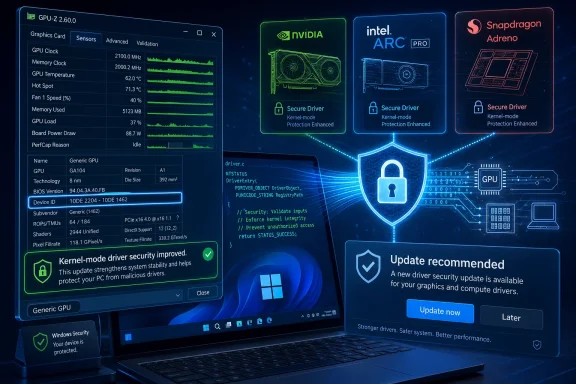 GPU-Z Gets a Security Release Wearing a Compatibility Jacket
On paper, GPU-Z 2.70.0 looks like the sort of maintenance release enthusiasts skim between driver updates and benchmark runs. There are new device IDs, new board/vendor detections, and the usual expansion of the database that keeps a hardware-identification tool useful as silicon vendors ship, sample, rename, and regionalize their products.But TechPowerUp’s own framing puts security first. The update “improves the security of the kernel-mode driver” used by the application, and the publisher says users are “highly encouraged” to update. That is not the language of a cosmetic database refresh.
GPU-Z has long occupied a peculiar place in the Windows ecosystem. It is not a display driver, not an overclocking suite in the full vendor-control-panel sense, and not enterprise inventory software. Yet it reaches into low-level graphics hardware details that Windows does not always expose neatly through ordinary user-mode APIs.
That is why the driver note matters. Any utility that needs privileged access to interrogate hardware becomes part of the machine’s local security story. A vulnerable helper driver can turn a diagnostic convenience into a privilege boundary problem, and Windows history is full of examples where “just a hardware tool” became a favored route for attackers seeking kernel access.
The Kernel Driver Is the Part Users Don’t See but Should Care About
Most GPU-Z users interact with the application as a portable executable, a screenshot generator, or a quick truth serum when Device Manager is vague. The familiar tabs show the GPU name, codename, process node, memory type, bus interface, driver version, BIOS version, Resizable BAR status, and live sensors. That clean interface hides the harder part: obtaining reliable hardware-level data across multiple GPU vendors, board partners, mobile parts, engineering samples, and sometimes half-supported pre-release devices.On Windows, that often means a kernel-mode component. Kernel mode is powerful because it sits closer to the hardware and the operating system’s core. It is also dangerous because bugs there are not just application bugs; they can undermine the isolation model that keeps ordinary processes from tampering with privileged memory or device state.
That does not mean GPU-Z is suddenly unsafe, nor does it mean every user should panic. It means the correct mental model is different from “I downloaded a tiny system-info app.” If a tool loads a driver, especially a driver used for low-level hardware access, patching it belongs in the same maintenance category as updating chipset tools, RGB controllers, fan utilities, and vendor tuning suites.
This is the uncomfortable bargain PC enthusiasts have accepted for years. The same deep visibility that makes GPU-Z indispensable for validating a new card, checking a suspicious listing, or proving that a laptop dGPU is behaving properly also requires trust in the software’s privileged plumbing. Version 2.70.0 narrows that trust gap by tightening the driver side rather than merely updating the device database.
The New Hardware List Reads Like a Map of the GPU Market
The compatibility additions are wide-ranging, and they say something about where graphics hardware is going. GPU-Z 2.70.0 adds support for Qualcomm Adreno 741, Snapdragon X2 Elite, Adreno 778G, and Adreno 782G integrated graphics. It also adds Intel Arc Pro Battlemage B70 and B65 support, Intel A60 engineering sample recognition, and certain Alder Lake engineering-sample entries.On the NVIDIA side, the release adds recognition for RTX 6000D, RTX Pro 500 Blackwell Embedded, Tesla V100-DGXS-32GB, and PG500-216. Those names span workstation, embedded, data-center, legacy accelerator, and board-identification territory rather than the neat consumer stack most gamers follow.
That breadth is precisely why GPU-Z still matters. Windows can identify a display adapter well enough to install a driver and draw a desktop, but enthusiasts, refurbishers, sysadmins, and reviewers often need sharper answers. Which device ID is this? Which subvendor shipped the board? Is this really the GPU the seller claimed? Is the machine running a workstation-class part, an embedded module, an engineering sample, or a region-specific variant?
The addition of vendor detection for AWES and HKC/Sambada sits in that same practical world. Vendor names are not glamorous, but they are the difference between “unknown board” and a traceable supply-chain clue. For anyone diagnosing fleets, validating used hardware, or sorting out oddball OEM systems, those small database entries can save time.
Qualcomm’s Arrival Makes GPU-Z More Than a Gamer’s Tool
The Qualcomm entries are especially notable because Windows graphics diagnostics are no longer just about discrete GPUs from NVIDIA, AMD, and Intel. The Windows-on-Arm push has made integrated Adreno graphics part of the PC conversation in a more serious way, particularly as Snapdragon X-class systems become more visible in laptops.That shift changes what a utility such as GPU-Z is expected to cover. A Windows enthusiast in 2016 might have used it to confirm a GeForce card’s memory bus or an AMD board’s BIOS. A Windows enthusiast in 2026 may be checking an Arm laptop’s integrated GPU, a hybrid workstation, a mini-PC, or an embedded system whose graphics block is not marketed like a traditional desktop card.
Adding Qualcomm Snapdragon X2 Elite and Adreno support is not just a checkbox for completeness. It reflects the slow erosion of the old x86-plus-discrete-GPU assumption that shaped much of the enthusiast software ecosystem. If Windows PCs are going to include more Arm silicon, more integrated accelerators, and more AI-adjacent SoCs, the tools that enthusiasts trust must follow.
There is also a review and support angle. Early platform transitions are messy. Device naming, driver maturity, performance reporting, sensor exposure, and power-state behavior often vary by OEM. A third-party identification tool gives users another way to compare what the marketing sheet says against what the machine reports.
Intel’s Arc Pro Additions Show Battlemage Moving Into Workstations
Intel’s Arc Pro B70 and B65 support points to a different kind of maturation. Arc began as a consumer graphics comeback story, complete with the usual driver growing pains, game compatibility scrutiny, and performance-per-dollar debate. The Pro line is where Intel’s graphics ambitions become less about forum arguments and more about whether workstation buyers can trust Intel hardware in CAD, content creation, visualization, and managed deployments.GPU-Z support does not make or break that strategy, but it matters at the margins. IT pros and reviewers need tools that recognize hardware cleanly before they can evaluate it consistently. Unknown devices complicate inventory, benchmarking, troubleshooting, and user support.
The inclusion of engineering samples is also revealing. GPU-Z has always been useful around the edges of the official market, where pre-release chips, OEM-only boards, and lab hardware appear before marketing names are final. That can be valuable for legitimate testing and validation, even if it also feeds the enthusiast rumor machine.
Alder Lake engineering-sample support may sound stale in a world already several generations removed from that platform, but enterprise and lab environments often preserve hardware far longer than the consumer news cycle does. The fact that a new GPU-Z release still accounts for such cases is a reminder that hardware identification is archival work as much as launch-day support.
NVIDIA’s Additions Are a Reminder That “RTX” Is Not One Market
The NVIDIA list is the most fragmented, and that is the point. RTX 6000D, RTX Pro 500 Blackwell Embedded, Tesla V100-DGXS-32GB, and PG500-216 do not describe one audience. They describe the sprawl of modern NVIDIA hardware across AI servers, workstations, embedded modules, regional products, legacy data-center systems, and internal board identifiers.For WindowsForum readers, the most immediately recognizable addition may be RTX Pro 500 Blackwell Embedded. Embedded GPUs rarely attract the same attention as desktop halo cards, but they matter in industrial systems, compact workstations, medical equipment, edge AI boxes, and specialized Windows deployments where graphics and compute are packed into constrained platforms.
The Tesla V100-DGXS-32GB entry reaches backward rather than forward. V100 is not new, but installed base matters. Data-center and lab hardware has a long tail, and tools that correctly identify old accelerators remain useful as machines are repurposed, resold, virtualized, or audited.
The RTX 6000D name also underlines how region-specific and market-specific NVIDIA’s product matrix has become. Identification tools increasingly have to parse not only architecture and performance tier, but also compliance-driven variants, OEM SKUs, and board-level IDs that never fit neatly into a Best Buy shelf label.
The Update Lands in a More Suspicious Windows Driver Era
The timing of GPU-Z 2.70.0 matters because the Windows security conversation has shifted. Microsoft has spent years hardening the platform through driver blocklists, virtualization-based security, kernel-mode code integrity, Smart App Control, memory integrity, and increasingly aggressive pressure on the driver ecosystem. Attackers, in turn, have learned to hunt for signed-but-vulnerable drivers as a way to bring kernel-level capability to machines where malware otherwise starts in user space.That background makes the phrase “improved kernel driver security” more consequential than it would have been a decade ago. The Windows driver model assumes trust, signing, and privilege. When that trust is misplaced, a driver can become a lever for disabling protections, reading sensitive memory, or manipulating hardware in ways ordinary software cannot.
Utilities aimed at enthusiasts have been especially awkward in this environment. They often need deep access, they are installed by users with administrative rights, and they are commonly downloaded from the web rather than centrally managed. They also tend to remain on systems for years because users forget about them once the immediate diagnostic need has passed.
GPU-Z’s update therefore fits into a broader maintenance lesson. The software you used once to verify a GPU purchase is still software. If it loads privileged components, it should not be treated as disposable just because it has a small UI and a familiar name.
The Practical Advice Is Boring, Which Is Why It Works
For ordinary users, the sensible move is simple: update GPU-Z if you use it, and download it only from TechPowerUp or a trusted mirror that clearly points back to the legitimate publisher. That advice sounds pedestrian, but it is exactly where many Windows security incidents begin. A real tool with broad name recognition is easy bait for lookalike download pages, repackaged installers, and old versions floating around software archives.Portable utilities create a particular maintenance problem. They are convenient because they do not always feel “installed,” but that also means they may not update through Windows package managers, vendor updaters, or enterprise patch workflows. A ZIP file sitting in a Downloads folder can be both invisible to IT and powerful enough to load a helper driver when launched.
For sysadmins, the question is not whether GPU-Z is good or bad. It is whether hardware utilities are allowed, where they are sourced, which versions are approved, and whether endpoint controls can distinguish legitimate diagnostic use from unnecessary risk. In enthusiast-friendly shops, labs, repair benches, and engineering teams, banning every low-level tool is unrealistic. Managing them is not.
For reviewers and power users, the update is also a useful reminder to annotate screenshots and test notes with the tool version. Device detection changes over time. A GPU that appeared as unknown or partially identified in one review cycle may be properly labeled in the next. That can matter when comparing results, especially around pre-release hardware.
The Changelog Is Small Because the Ecosystem Is Huge
There is a temptation to dismiss version 2.70.0 as merely a list of IDs plus a security line. That misunderstands the job of a tool like GPU-Z. The application’s value comes from staying synchronized with a hardware ecosystem that is increasingly fragmented by region, workload, form factor, architecture, and vendor branding.A modern GPU is no longer just a gaming card. It may be a workstation accelerator, a mobile integrated block, a data-center compute device, an embedded module, an OEM-specific board, or a compliance-adjusted product for a particular market. Many of those products share architectural DNA while differing in identifiers, firmware, memory configuration, power limits, and driver exposure.
The harder the market gets to describe, the more useful a neutral identification layer becomes. GPU-Z is not neutral in the philosophical sense; it is a TechPowerUp utility with its own database and implementation choices. But it gives users a common vocabulary for discussing hardware across vendors and platforms.
That vocabulary has real consequences. It helps buyers verify what they received, helps support teams ask better questions, helps overclockers avoid bad assumptions, and helps journalists describe hardware accurately. In a market full of rebadges, regional SKUs, and AI-era branding fog, that is not trivial.
The Security Fix Is the Signal Hiding in the Changelog
The most important part of GPU-Z 2.70.0 is not any single newly supported GPU. It is the decision to put kernel driver security at the top of the release’s message. That ordering tells users what the publisher thinks should motivate the update.There is an implicit contract here. Enthusiasts accept low-level tools because they provide information the operating system, OEM software, and vendor control panels may obscure or omit. In return, toolmakers have to keep the privileged parts of those tools hardened, current, and worthy of the trust users grant them.
That contract has become more important as Windows itself grows more guarded. Microsoft’s security posture increasingly assumes that drivers are not just compatibility components, but potential attack surfaces. Third-party utilities cannot opt out of that reality merely by being niche, beloved, or useful.
GPU-Z 2.70.0 does not turn that tension into drama. It handles it the way mature maintenance software should: patch the driver, update the IDs, and tell users to move to the new build. The lack of spectacle is reassuring, but it should not make the update feel optional.
The Bits WindowsForum Readers Should Carry Forward
GPU-Z 2.70.0 is one of those releases where the changelog understates the lesson. The new hardware support is useful, but the security emphasis is the reason this update deserves more attention than a routine compatibility bump.- GPU-Z 2.70.0 is an update worth installing because TechPowerUp explicitly highlights improved security for the application’s kernel-mode driver.
- The release expands recognition for Qualcomm Adreno and Snapdragon X-class graphics, reflecting the growing relevance of Windows-on-Arm systems.
- Intel Arc Pro B70 and B65 support suggests Battlemage-era professional GPUs are moving deeper into normal diagnostic and inventory workflows.
- NVIDIA additions span workstation, embedded, data-center, and board-ID territory, underscoring how fragmented modern GPU naming has become.
- Portable hardware utilities should be treated as maintained software, not throwaway downloads, especially when they rely on privileged drivers.
- IT teams that permit low-level diagnostic tools should standardize approved versions and sources rather than pretending those tools do not exist.
References
- Primary source: TechPowerUp
Published: 2026-06-16T12:20:25.631913
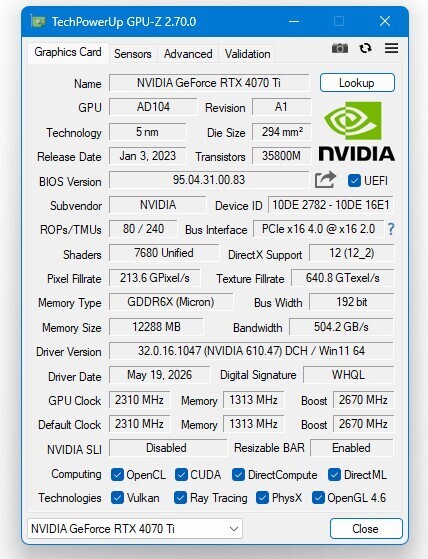
TechPowerUp GPU-Z v2.70.0 Released | TechPowerUp
TechPowerUp today released the latest version of TechPowerUp GPU-Z, the graphics subsystem information, monitoring, and diagnostics utility for gamers and PC enthusiasts. Version 2.70.0 improves the security of the kernel-mode driver of the application, and you are highly encouraged to update to...www.techpowerup.com - Related coverage: elevenforum.com

New TechPowerUp GPU-Z released | Windows 11 Forum
Techpowerup's lightweight GPU and videocard utility has reached version 2.60.0. Changes Added full support for Arm64 and Qualcomm Snapdragon X Elite and...www.elevenforum.com - Related coverage: screenhacker.com
TechPowerUp Releases GPU-Z v2.60.0 | TechPowerUp -
TechPowerUp has released version 2.60.0 of GPU-Z, a popular graphics sub-system information, monitoring, and diagnostic utility. This latest update brings significant enhancements, including full support for the Arm64 architecture and … Read Morewww.screenhacker.com