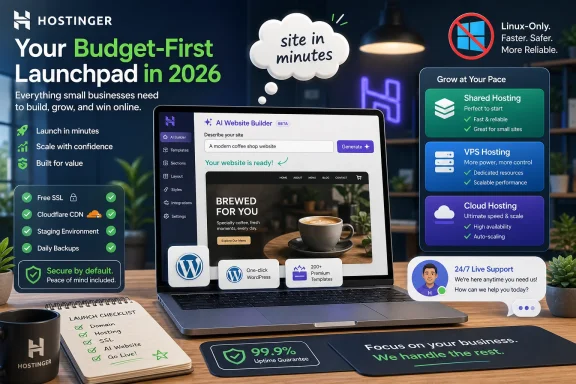
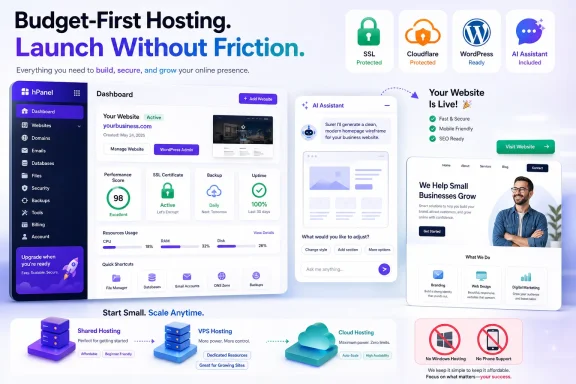
Hostinger is a Lithuania-born web hosting provider selling shared, WordPress, cloud, VPS, reseller-style agency hosting, website-building, and AI-assisted site creation tools to individuals and small businesses, with current plans emphasizing low introductory prices, Linux infrastructure, bundled security basics, and no phone or dedicated-server support.
That combination makes Hostinger one of the clearest examples of where mainstream web hosting is heading in 2026: less like renting a server, more like buying a packaged launchpad. The company is not trying to win every category. It is betting that most customers want speed, simplicity, and automation more than they want root-level flexibility, telephone support, or a traditional dedicated box.
The old web-hosting pitch was about disk space, bandwidth, server type, and control panels. Hostinger still sells those things, but the center of gravity has shifted. Its most attractive offer is not merely that a small site can live on cheap shared hosting; it is that a user can buy hosting, generate a site, secure it, add email, launch WordPress, and lean on AI tools from the same dashboard.
That is a powerful pitch for the market Hostinger cares about most. A freelancer, neighborhood retailer, early-stage creator, or small agency does not necessarily want to compare kernel-level differences between VPS platforms. They want to get online without hiring a developer or learning what every setting in a control panel means.
The trade-off is equally clear. Hostinger is a strong budget host, but it is not a universal host. The lack of Windows Server hosting, telephone support, and dedicated servers puts a ceiling on its appeal for some businesses and IT departments.
That does not make Hostinger weak. It makes the product more honest than some rivals. Hostinger is optimized for the long middle of the market, not for every edge case at the top.
The Premium tier is built for simple sites. It includes the expected basics: SSD storage, email, a free domain for eligible terms, SSL, WHOIS privacy, and access to site-building tools. For many personal projects and brochure-style business sites, that is enough.
The Business tier is where Hostinger starts to look more practical. Daily backups, faster NVMe storage, CDN features, and WordPress-oriented AI tools matter once a website stops being a placeholder and starts becoming a business asset. A site that changes every day should not be treated like a static flyer.
Cloud Startup blurs the line between shared hosting and more serious infrastructure. It adds more resources, support priority, and a dedicated IP, while still being packaged for people who may not want to administer a server. That makes it less a classic shared plan and more a managed stepping stone.
The weakness is not performance on paper. The weakness is scope. Hostinger’s shared plans are Linux-only, and rivals such as HostGator still make more sense for users who need Windows hosting or broader email allowances at lower tiers.
The VPS plans also show the company’s philosophy. Hostinger is comfortable giving customers more horsepower, but it keeps the product inside a Linux-first world. There is no Windows VPS option, which immediately excludes some ASP.NET workflows, legacy business applications, and administrators who prefer Microsoft’s server stack.
That matters for a WindowsForum audience. A Windows desktop user can happily host a WordPress site on Linux without ever caring what OS is underneath. A Windows-centric business, however, may care very much if its applications, automation, or staff knowledge are tied to Windows Server.
Hostinger also offers game-focused VPS hosting for titles such as Minecraft, Palworld, and Steam-based games. That is a smart extension of the VPS model because game servers need predictable resources and user-friendly setup more than they need generic hosting jargon. It also signals Hostinger’s broader strategy: package technical infrastructure around a use case and reduce the intimidation factor.
Still, VPS hosting asks more of the customer. If you do not know how you will patch, monitor, secure, and troubleshoot a VPS, cheaper compute can quickly become more expensive than managed hosting. Hostinger gives you the box; it does not magically turn every customer into a sysadmin.
Hostinger does not offer it. That omission is one of the clearest boundaries in the product catalog.
The company’s answer is cloud hosting. Instead of selling single-tenant hardware, Hostinger pushes customers toward plans that draw power from multiple servers and can provide more resources without the traditional dedicated-server model. This fits the modern hosting narrative: elasticity beats ownership, managed convenience beats hardware control.
For many small businesses, that is reasonable. A dedicated server is often overkill for a content site, small WooCommerce shop, restaurant page, portfolio, or appointment-booking site. Paying for dedicated hardware because it sounds more professional is a mistake many businesses made in the 2000s.
But there are still customers for whom dedicated hosting is not nostalgia. If you need it, Hostinger is not trying to be your provider. AccuWeb, Liquid Web, Ionos, and other more infrastructure-heavy providers become more relevant once dedicated hosting is a requirement rather than a luxury.
That matters because WordPress is both easy and deceptively complex. Installing WordPress is trivial. Running WordPress well over time is not. Themes, plug-ins, caching, backups, security patches, database bloat, and broken updates are where small site owners usually get into trouble.
Hostinger’s staging tool is especially important. A business owner should not test a new landing page, checkout change, or plug-in conflict in public. Staging brings a basic professional workflow to users who may not know the term deployment pipeline but still need the safety net.
The AI Troubleshooter is another sign of where hosting is going. Hostinger says its tool can detect some site errors and apply fixes quickly through hPanel. Even if administrators remain rightly skeptical of automated repair tools, the direction is obvious: hosting providers want to collapse the distance between problem detection and resolution.
That does not eliminate the need for judgment. An AI tool that fixes a common WordPress error is useful; an AI tool that changes a production site without a human understanding the cause can be risky. The best version of this model keeps humans in the loop while making the common fixes faster.
This is not just a feature. It is a repositioning of what a web host is.
For decades, the host was the place your files went after the creative and technical work was done elsewhere. With Horizons, Hostinger wants to be the place where the idea is born, assembled, hosted, and published. That makes the hosting account feel less like infrastructure and more like an operating environment for small digital products.
The demo-friendly appeal is obvious. A user can describe a retro-gaming site, a booking app, a restaurant presence, or a simple internal tool and see something appear in minutes. That is thrilling if the alternative is staring at a blank WordPress dashboard.
The limitation is also obvious. AI-generated sites can look generic, behave unpredictably, or fail at the edge cases that matter most. A human designer, developer, or technically careful operator still brings taste, testing, accessibility awareness, security thinking, and business context that a prompt-based builder may miss.
Hostinger is right to chase this market anyway. The next wave of hosting growth will not come only from people who already know how to build websites. It will come from people who have an idea, a small budget, and no patience for the old workflow.
This is exactly where budget hosting can either empower a business or lull it into complacency. Launching a store is easier than ever. Running a store responsibly is still hard.
SSL certificates, Cloudflare protection, backups, malware scanning, and update automation are not decorative extras. They are the minimum cost of doing business online. Hostinger deserves credit for bundling many of the basics, especially unlimited free SSL certificates and DDoS-oriented protection through Cloudflare integration.
But merchants should think beyond the launch. Payment flows, inventory reliability, tax configuration, customer data, plug-in security, and performance during promotional spikes are operational concerns, not design preferences. A cheap plan that works for a catalog may not be the right plan for a store during a holiday sale.
The safer way to read Hostinger’s e-commerce pitch is as an accessible starting point. It can get a small store online quickly. It should not be mistaken for a substitute for planning, testing, monitoring, and secure operations.
But the absence of phone support is not a small omission for everyone. When a business site is down, a checkout is failing, or a migration has gone sideways, some customers want a human voice and a clear escalation path. Hostinger’s position is that chat is faster and more efficient; customers must decide whether that matches their risk tolerance.
This is part of a broader industry shift. Budget and midmarket hosting providers are automating more support, pushing users toward knowledge bases, chat flows, and AI assistants. That can work well for common issues and simple sites.
The problem comes when the issue is not common. A site owner who has a broken plug-in, DNS misconfiguration, failed migration, and anxious client all at once may not care that chat is efficient in aggregate. They care whether their provider can help them now.
Hostinger’s 30-day money-back guarantee softens the risk for new customers, but it does not answer the operational question. If phone support is a firm requirement, Hostinger is the wrong fit no matter how attractive the price looks.
The careful buyer should look past the first term. Like much of the hosting industry, Hostinger uses promotional pricing that rises at renewal. The longer the prepaid term, the more attractive the headline rate tends to look, but the customer is also committing money and time before knowing how the site will evolve.
This is not uniquely Hostinger’s trick. It is standard hosting economics. The difference is that Hostinger’s low entry prices make the contrast especially visible.
The right way to evaluate the plans is not merely monthly cost. Ask what the site will need in year two. Ask whether backups are frequent enough, whether email limits are acceptable, whether storage and inode limits are sufficient, and whether the plan leaves room for traffic growth.
For a small site, the answer may still be yes. Hostinger can be an excellent value. But it is only a bargain if the plan still fits after the discount period ends.
In fact, most WordPress hosting runs on Linux. If you are publishing a blog, business page, portfolio, or WooCommerce shop, Hostinger’s lack of Windows Server support may never matter. The operating system under the server is invisible for many mainstream users.
The calculation changes for developers and organizations tied to Microsoft technologies. ASP.NET applications, some legacy workflows, Microsoft SQL Server expectations, and Windows-specific administrative habits may push buyers toward hosts with Windows Server options. Hostinger is not built for that customer.
This is not a moral failing. It is specialization. Hostinger is a Linux-first provider that has chosen simplicity and scale over platform breadth.
For WindowsForum readers, the takeaway is practical: do not confuse Windows as your workstation with Windows as your hosting requirement. If your site is WordPress, Hostinger may be fine. If your application stack is Microsoft-specific, look elsewhere.
That friction matters. Many small business websites are delayed not because the owner cannot afford hosting, but because the owner cannot decide what to write, how to structure pages, or which design choices to make. AI tools can turn hesitation into momentum.
But AI also makes it easier to publish things the owner does not fully understand. A generated page may have vague copy. A generated app may contain brittle logic. An automated fix may solve the symptom without explaining the underlying problem.
That is why Hostinger’s AI strategy should be treated as acceleration, not delegation. Use the tools to move faster. Do not let them become the only layer of review between an idea and a public website.
The hosts that win this decade will not merely bolt chatbots onto control panels. They will make automation auditable, reversible, and understandable. Hostinger is moving in that direction, but the industry still has work to do.
The company’s strengths line up neatly with that user. Shared hosting is inexpensive. WordPress onboarding is approachable. Website Builder and Horizons reduce the blank-page problem. Security basics are bundled. VPS and cloud plans provide upgrade paths when a site grows.
The weaknesses line up just as neatly. There is no dedicated hosting. There is no Windows Server hosting. There is no phone support. Some AI-generated output will need human correction. Renewal pricing demands attention.
In other words, Hostinger is a strong host if you accept its thesis. It is less convincing if you need the categories it has deliberately left behind.
That combination makes Hostinger one of the clearest examples of where mainstream web hosting is heading in 2026: less like renting a server, more like buying a packaged launchpad. The company is not trying to win every category. It is betting that most customers want speed, simplicity, and automation more than they want root-level flexibility, telephone support, or a traditional dedicated box.
 Hostinger Is Selling Convenience First and Infrastructure Second
The old web-hosting pitch was about disk space, bandwidth, server type, and control panels. Hostinger still sells those things, but the center of gravity has shifted. Its most attractive offer is not merely that a small site can live on cheap shared hosting; it is that a user can buy hosting, generate a site, secure it, add email, launch WordPress, and lean on AI tools from the same dashboard.That is a powerful pitch for the market Hostinger cares about most. A freelancer, neighborhood retailer, early-stage creator, or small agency does not necessarily want to compare kernel-level differences between VPS platforms. They want to get online without hiring a developer or learning what every setting in a control panel means.
The trade-off is equally clear. Hostinger is a strong budget host, but it is not a universal host. The lack of Windows Server hosting, telephone support, and dedicated servers puts a ceiling on its appeal for some businesses and IT departments.
That does not make Hostinger weak. It makes the product more honest than some rivals. Hostinger is optimized for the long middle of the market, not for every edge case at the top.
Shared Hosting Remains the Gateway Drug
Hostinger’s shared hosting lineup is the company’s natural entry point. The current structure centers on Premium, Business, and Cloud Startup tiers, with discounted long-term pricing doing much of the marketing work. The pitch is familiar: pay less up front, get enough storage and bandwidth for a modest site, and accept that renewal pricing and plan limits matter later.The Premium tier is built for simple sites. It includes the expected basics: SSD storage, email, a free domain for eligible terms, SSL, WHOIS privacy, and access to site-building tools. For many personal projects and brochure-style business sites, that is enough.
The Business tier is where Hostinger starts to look more practical. Daily backups, faster NVMe storage, CDN features, and WordPress-oriented AI tools matter once a website stops being a placeholder and starts becoming a business asset. A site that changes every day should not be treated like a static flyer.
Cloud Startup blurs the line between shared hosting and more serious infrastructure. It adds more resources, support priority, and a dedicated IP, while still being packaged for people who may not want to administer a server. That makes it less a classic shared plan and more a managed stepping stone.
The weakness is not performance on paper. The weakness is scope. Hostinger’s shared plans are Linux-only, and rivals such as HostGator still make more sense for users who need Windows hosting or broader email allowances at lower tiers.
The VPS Line Is Serious, but Not Beginner-Proof
Hostinger’s VPS plans are more substantial than its shared hosting. The KVM-based lineup moves from modest virtual machines to plans with far more RAM, NVMe storage, and monthly transfer capacity. For developers, technically confident site owners, and businesses that have outgrown shared hosting, this is where Hostinger becomes more than a starter host.The VPS plans also show the company’s philosophy. Hostinger is comfortable giving customers more horsepower, but it keeps the product inside a Linux-first world. There is no Windows VPS option, which immediately excludes some ASP.NET workflows, legacy business applications, and administrators who prefer Microsoft’s server stack.
That matters for a WindowsForum audience. A Windows desktop user can happily host a WordPress site on Linux without ever caring what OS is underneath. A Windows-centric business, however, may care very much if its applications, automation, or staff knowledge are tied to Windows Server.
Hostinger also offers game-focused VPS hosting for titles such as Minecraft, Palworld, and Steam-based games. That is a smart extension of the VPS model because game servers need predictable resources and user-friendly setup more than they need generic hosting jargon. It also signals Hostinger’s broader strategy: package technical infrastructure around a use case and reduce the intimidation factor.
Still, VPS hosting asks more of the customer. If you do not know how you will patch, monitor, secure, and troubleshoot a VPS, cheaper compute can quickly become more expensive than managed hosting. Hostinger gives you the box; it does not magically turn every customer into a sysadmin.
The Missing Dedicated Server Is a Product Decision, Not an Accident
Dedicated hosting remains the old symbol of maximum control. One server, one customer, no noisy neighbors, no shared resource pool. For high-traffic sites, specialized workloads, strict compliance requirements, or customers who want predictable hardware isolation, dedicated hosting still has a place.Hostinger does not offer it. That omission is one of the clearest boundaries in the product catalog.
The company’s answer is cloud hosting. Instead of selling single-tenant hardware, Hostinger pushes customers toward plans that draw power from multiple servers and can provide more resources without the traditional dedicated-server model. This fits the modern hosting narrative: elasticity beats ownership, managed convenience beats hardware control.
For many small businesses, that is reasonable. A dedicated server is often overkill for a content site, small WooCommerce shop, restaurant page, portfolio, or appointment-booking site. Paying for dedicated hardware because it sounds more professional is a mistake many businesses made in the 2000s.
But there are still customers for whom dedicated hosting is not nostalgia. If you need it, Hostinger is not trying to be your provider. AccuWeb, Liquid Web, Ionos, and other more infrastructure-heavy providers become more relevant once dedicated hosting is a requirement rather than a luxury.
WordPress Is Where Hostinger’s Automation Strategy Makes the Most Sense
WordPress hosting is often a marketing label slapped on ordinary shared hosting. Hostinger’s WordPress plans largely mirror its shared plans, but the surrounding experience is where the company tries to differentiate. Onboarding, migration, staging, automatic updates, and AI-assisted content features are the actual product.That matters because WordPress is both easy and deceptively complex. Installing WordPress is trivial. Running WordPress well over time is not. Themes, plug-ins, caching, backups, security patches, database bloat, and broken updates are where small site owners usually get into trouble.
Hostinger’s staging tool is especially important. A business owner should not test a new landing page, checkout change, or plug-in conflict in public. Staging brings a basic professional workflow to users who may not know the term deployment pipeline but still need the safety net.
The AI Troubleshooter is another sign of where hosting is going. Hostinger says its tool can detect some site errors and apply fixes quickly through hPanel. Even if administrators remain rightly skeptical of automated repair tools, the direction is obvious: hosting providers want to collapse the distance between problem detection and resolution.
That does not eliminate the need for judgment. An AI tool that fixes a common WordPress error is useful; an AI tool that changes a production site without a human understanding the cause can be risky. The best version of this model keeps humans in the loop while making the common fixes faster.
Hostinger Horizons Turns Hosting Into a Prompt Box
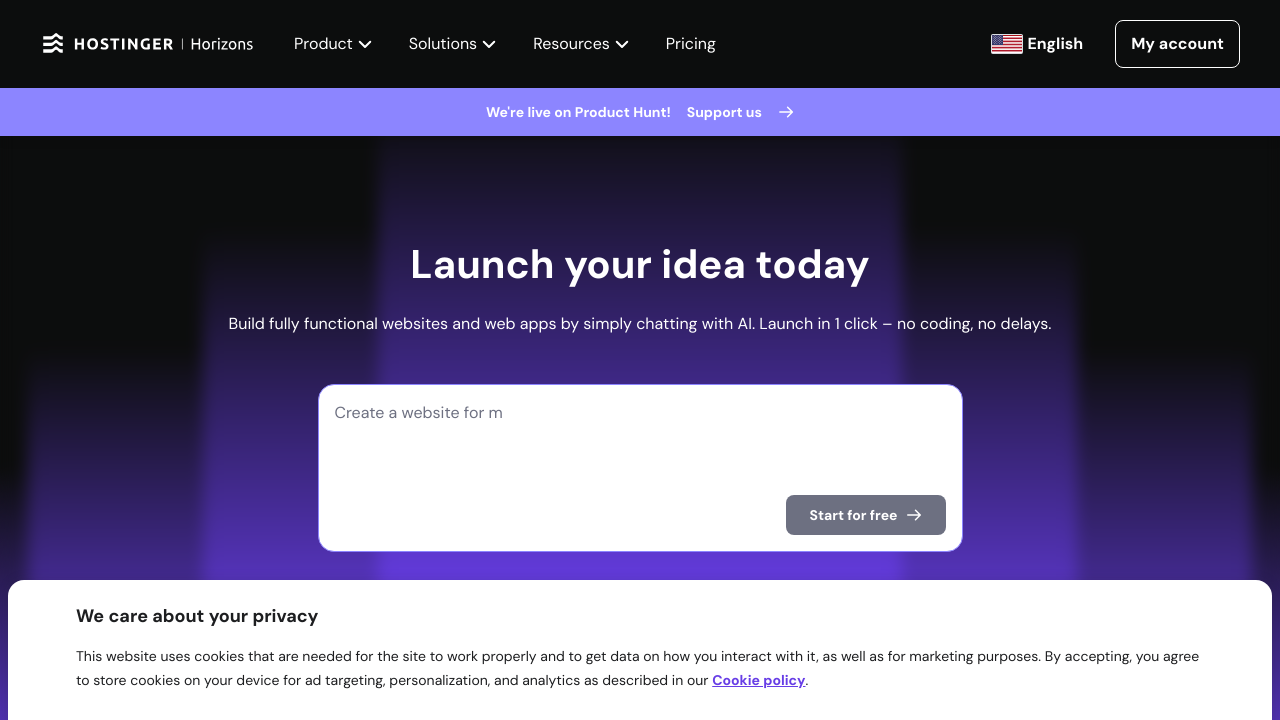
Hostinger Horizons is the company’s most interesting bet because it moves beyond classic website building. Rather than asking users to pick a template and drag blocks around, Horizons lets them describe an app or site in plain language and then generates the structure. It is part website builder, part no-code app tool, part vibe coding storefront.This is not just a feature. It is a repositioning of what a web host is.
For decades, the host was the place your files went after the creative and technical work was done elsewhere. With Horizons, Hostinger wants to be the place where the idea is born, assembled, hosted, and published. That makes the hosting account feel less like infrastructure and more like an operating environment for small digital products.
The demo-friendly appeal is obvious. A user can describe a retro-gaming site, a booking app, a restaurant presence, or a simple internal tool and see something appear in minutes. That is thrilling if the alternative is staring at a blank WordPress dashboard.
The limitation is also obvious. AI-generated sites can look generic, behave unpredictably, or fail at the edge cases that matter most. A human designer, developer, or technically careful operator still brings taste, testing, accessibility awareness, security thinking, and business context that a prompt-based builder may miss.
Hostinger is right to chase this market anyway. The next wave of hosting growth will not come only from people who already know how to build websites. It will come from people who have an idea, a small budget, and no patience for the old workflow.
E-Commerce Is Useful, but Serious Stores Need Discipline
Hostinger offers several routes into e-commerce. Users can install tools such as PrestaShop, osCommerce, and AbanteCart, or build on WordPress with WooCommerce. The website-builder side also gives smaller merchants a way to start selling without immediately assembling a full developer stack.This is exactly where budget hosting can either empower a business or lull it into complacency. Launching a store is easier than ever. Running a store responsibly is still hard.
SSL certificates, Cloudflare protection, backups, malware scanning, and update automation are not decorative extras. They are the minimum cost of doing business online. Hostinger deserves credit for bundling many of the basics, especially unlimited free SSL certificates and DDoS-oriented protection through Cloudflare integration.
But merchants should think beyond the launch. Payment flows, inventory reliability, tax configuration, customer data, plug-in security, and performance during promotional spikes are operational concerns, not design preferences. A cheap plan that works for a catalog may not be the right plan for a store during a holiday sale.
The safer way to read Hostinger’s e-commerce pitch is as an accessible starting point. It can get a small store online quickly. It should not be mistaken for a substitute for planning, testing, monitoring, and secure operations.
Support Is Friendly, but the Phone Is Gone
Hostinger’s support reputation is generally strong, especially around live chat. The company emphasizes 24/7 web chat and a large knowledge base, and reviewers have often found the support staff responsive and helpful. For many users, chat is enough.But the absence of phone support is not a small omission for everyone. When a business site is down, a checkout is failing, or a migration has gone sideways, some customers want a human voice and a clear escalation path. Hostinger’s position is that chat is faster and more efficient; customers must decide whether that matches their risk tolerance.
This is part of a broader industry shift. Budget and midmarket hosting providers are automating more support, pushing users toward knowledge bases, chat flows, and AI assistants. That can work well for common issues and simple sites.
The problem comes when the issue is not common. A site owner who has a broken plug-in, DNS misconfiguration, failed migration, and anxious client all at once may not care that chat is efficient in aggregate. They care whether their provider can help them now.
Hostinger’s 30-day money-back guarantee softens the risk for new customers, but it does not answer the operational question. If phone support is a firm requirement, Hostinger is the wrong fit no matter how attractive the price looks.
Pricing Is the Hook, Renewals Are the Test
Hostinger’s biggest advantage is price perception. The company is very good at presenting long-term discounts that make hosting feel almost impulse-buy cheap. For a new site owner, paying a few dollars per month to get online is compelling.The careful buyer should look past the first term. Like much of the hosting industry, Hostinger uses promotional pricing that rises at renewal. The longer the prepaid term, the more attractive the headline rate tends to look, but the customer is also committing money and time before knowing how the site will evolve.
This is not uniquely Hostinger’s trick. It is standard hosting economics. The difference is that Hostinger’s low entry prices make the contrast especially visible.
The right way to evaluate the plans is not merely monthly cost. Ask what the site will need in year two. Ask whether backups are frequent enough, whether email limits are acceptable, whether storage and inode limits are sufficient, and whether the plan leaves room for traffic growth.
For a small site, the answer may still be yes. Hostinger can be an excellent value. But it is only a bargain if the plan still fits after the discount period ends.
Windows Users Should Notice the Linux-Only Boundary
Most people using Windows PCs do not need Windows hosting. This distinction is worth making plainly. You can build a website from a Windows laptop and host it on Linux with no problem at all.In fact, most WordPress hosting runs on Linux. If you are publishing a blog, business page, portfolio, or WooCommerce shop, Hostinger’s lack of Windows Server support may never matter. The operating system under the server is invisible for many mainstream users.
The calculation changes for developers and organizations tied to Microsoft technologies. ASP.NET applications, some legacy workflows, Microsoft SQL Server expectations, and Windows-specific administrative habits may push buyers toward hosts with Windows Server options. Hostinger is not built for that customer.
This is not a moral failing. It is specialization. Hostinger is a Linux-first provider that has chosen simplicity and scale over platform breadth.
For WindowsForum readers, the takeaway is practical: do not confuse Windows as your workstation with Windows as your hosting requirement. If your site is WordPress, Hostinger may be fine. If your application stack is Microsoft-specific, look elsewhere.
The AI Layer Is Helpful, but It Changes the Risk Model
Hostinger’s AI tools are genuinely useful in the places where users struggle most: writing starter copy, generating layouts, diagnosing common errors, and moving from blank page to working draft. The best AI in hosting is not magic. It is a reduction in friction.That friction matters. Many small business websites are delayed not because the owner cannot afford hosting, but because the owner cannot decide what to write, how to structure pages, or which design choices to make. AI tools can turn hesitation into momentum.
But AI also makes it easier to publish things the owner does not fully understand. A generated page may have vague copy. A generated app may contain brittle logic. An automated fix may solve the symptom without explaining the underlying problem.
That is why Hostinger’s AI strategy should be treated as acceleration, not delegation. Use the tools to move faster. Do not let them become the only layer of review between an idea and a public website.
The hosts that win this decade will not merely bolt chatbots onto control panels. They will make automation auditable, reversible, and understandable. Hostinger is moving in that direction, but the industry still has work to do.
Hostinger’s Best Customer Is the Ambitious Non-Specialist
Hostinger is not trying to be the dream platform for every enterprise architect. It is trying to serve the person who needs a credible online presence, wants modern tools, and does not want the hosting account to become a part-time job. That customer is real, numerous, and underserved by older hosting models.The company’s strengths line up neatly with that user. Shared hosting is inexpensive. WordPress onboarding is approachable. Website Builder and Horizons reduce the blank-page problem. Security basics are bundled. VPS and cloud plans provide upgrade paths when a site grows.
The weaknesses line up just as neatly. There is no dedicated hosting. There is no Windows Server hosting. There is no phone support. Some AI-generated output will need human correction. Renewal pricing demands attention.
In other words, Hostinger is a strong host if you accept its thesis. It is less convincing if you need the categories it has deliberately left behind.
The Practical Verdict for Site Owners Who Want to Launch This Month
Hostinger’s value is clearest when judged against a real small-site launch rather than an abstract feature checklist. A local business, personal brand, creator project, small online store, or WordPress site can get a lot from the platform without spending heavily up front. The danger is buying the cheapest path and assuming every future need has already been solved.- Hostinger is best suited to users who want affordable Linux-based hosting with a guided setup experience and modern site-building tools.
- The Business and Cloud Startup tiers are more sensible than the cheapest plan for sites that change often, depend on backups, or need stronger performance.
- The VPS plans are attractive for technically confident users, but they are not a substitute for managed operations knowledge.
- The lack of dedicated hosting and Windows Server support should rule Hostinger out for some workloads before price is even discussed.
- The AI tools are useful for starting faster, but published sites and generated apps still need human review, testing, and maintenance.
- Renewal pricing, support preferences, backup frequency, and platform requirements matter more than the introductory monthly price.
References
- Primary source: PCMag Australia
Published: 2026-06-15T20:40:11.058493
Hostinger Web Hosting - Review 2026 - PCMag Australia
Hostinger offers several noteworthy plans, excellent customer service, and useful AI tools, but it lacks a few features you get with the very best web hosting services.au.pcmag.com - Related coverage: techradar.com

Best web hosting 2026: Hosts tested by experts for real-world scenarios | TechRadar
This is my list of the best web hosting services of 2026 for beginners, small businesses, and hobbyists.www.techradar.com - Related coverage: hostinger.com

A fully integrated no-code solution — Hostinger Horizons
We are launching Hostinger Horizons, a new AI tool that enables anyone to build, edit, and publish custom web apps without writing a single line of code or using third-party connections.www.hostinger.com - Related coverage: stackscored.com

Hostinger Pricing 2026: Premium ($1.99→$10.99), Business, and the Cloud Startup Jump | StackScored
Hostinger advertises $1.99/mo on Premium but renews at $10.99 — a 5.5x jump most reviews skip. We break down all 3 shared plans, where Cloud Startup beats VPS competitors, and when Hostinger loses to Bluehost on year 2.www.stackscored.com
- Related coverage: smarthostfinder.com

Hostinger VPS Pricing 2026: All Plans and Real Costs Explained
Complete guide to Hostinger VPS pricing in 2026. KVM 1, 2, 4 and 8 plans compared - specs, real costs, hidden fees, and how to get the best deal.smarthostfinder.com - Related coverage: propicked.com
Hostinger VPS Pricing ($5–$26/mo): All 4 Plans Explained [2026] | ProPicked
Hostinger VPS pricing breakdown: 4 plans, $5–$26/mo. Value score 7.8/10. Compare every tier's features, hidden costs & discounts before you commit.propicked.com
- Related coverage: websitebuilderexpert.com

Hostinger Pricing 2026 | Shared, Cloud, VPS & More Costs
How much do Hostinger pricing plans really cost? From shared hosting to website building, my breakdown of each plan helps you choose your best option.www.websitebuilderexpert.com - Related coverage: googiehost.com

Hostinger Pricing Explained 2026: Hidden Cost & Best Plan
Complete breakdown of Hostinger pricing in 2026 - shared, WordPress, VPS KVM, cloud & email hosting. Compare costs, renewal rates, and choose the right plan.googiehost.com - Related coverage: hostingdive.com
Hostinger Review 2026: Best Budget Host? | HostingDive
We run HostingDive on Hostinger. Our review: first-party speed, real renewal pricing, uptime, support gaps, and who the Business plan actually fits.hostingdive.com - Related coverage: checkthat.ai

Hostinger Pricing 2026: Plans, Renewal Costs & Hidden Fees - Hostinger | CheckThat.ai
Compare Hostinger's hosting plans, renewal pricing shocks, and hidden costs. See real Year 1 vs Year 2 pricing breakdowns & when to upgrade plans.checkthat.ai
- Related coverage: assets.ctfassets.net
- Related coverage: assets.hostinger.com