
Microsoft confirmed on June 19, 2026, that Windows 11 version 26H2 is its next annual second-half feature update, with early builds now available to Windows Insiders in the Experimental channel and broad availability expected later this year. The announcement matters less because of any single flashy feature than because it clarifies Microsoft’s servicing strategy after months of confusing version signals. Windows 11 is still changing, but Microsoft wants the annual upgrade itself to feel less like an operating-system migration and more like a switch being flipped. For IT departments, that is both the promise and the trap.
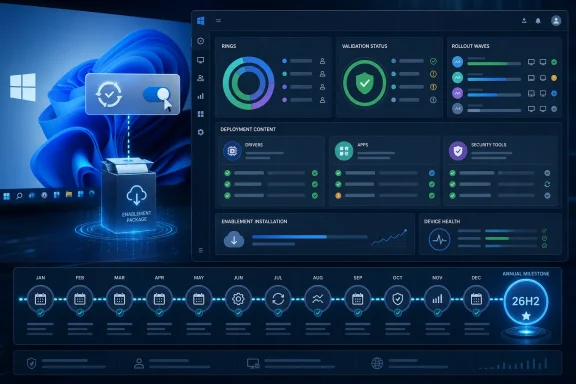
The important word in Microsoft’s confirmation is not 26H2. It is enablement. Windows 11 version 26H2 will be delivered through an enablement package, the same lightweight mechanism Microsoft has used when two Windows releases share the same underlying servicing branch.
That means eligible PCs will receive much of the relevant code ahead of time through normal cumulative updates. The version change then arrives as a comparatively small package that activates the new release identity and enables features Microsoft is ready to expose. In practical terms, Microsoft is trying to make the annual Windows update look and behave more like a monthly patch cycle than the disruptive feature upgrades of the Windows 10 era.
This is not just a technical packaging decision. It is a message to enterprises that Windows 11’s annual cadence is now predictable enough to plan around. Microsoft is telling administrators that if they keep machines current, the next annual update should not require reimaging, large-scale compatibility triage, or the kind of weekend migration theatrics that still haunt many endpoint teams.
The catch is that predictability is not the same as simplicity. A smaller update package reduces one class of risk, but it does not eliminate the operational questions around hardware readiness, application behavior, policy drift, driver quality, and Microsoft’s increasingly server-side feature delivery model.
That shared foundation is why Microsoft can talk about app compatibility and low disruption with a straight face. If the kernel, servicing stack, driver model, and core platform remain aligned, the annual update becomes less of a forklift upgrade and more of a support lifecycle transition. The machine moves to a new named release without undergoing the same degree of underlying replacement.
This is familiar territory for anyone who remembers Windows 10’s later years. Microsoft used enablement packages to move devices between releases that were already largely present on disk. The upgrade felt small because, in many ways, the operating system had already been updated.
Windows 11’s version 26H2 strategy leans into that model. It lets Microsoft preserve the marketing and lifecycle benefits of an annual feature update while reducing the technical blast radius. That is good news for administrators who have spent years asking Microsoft to make Windows updates boring again.
But the same mechanism also changes how users should think about “major” Windows releases. The big feature moments may no longer line up cleanly with the version number. A PC may receive interface changes, AI features, app updates, security controls, and management improvements over months, while the annual update itself merely formalizes the platform state.
Windows 11 has been moving toward a world where features arrive through cumulative updates, Microsoft Store app updates, cloud-controlled rollouts, controlled feature rollouts, and policy-gated experiences. The named H2 release still matters, but it is less likely to be the single day when users suddenly discover a transformed desktop.
That shift has benefits. It allows Microsoft to stage features gradually, pull back problematic changes, and avoid tying every improvement to a once-a-year delivery vehicle. It also gives enterprises more room to test and defer specific experiences while staying current on security fixes.
Yet it also makes Windows harder to explain. Two devices can technically be on the same version and still expose different features depending on region, hardware, account type, policy configuration, rollout status, and Microsoft’s own server-side switches. The version number remains necessary, but it is no longer sufficient.
That is the real meaning of 26H2. Microsoft is not just confirming another Windows release. It is confirming that the operating system is now serviced as a living platform whose visible behavior may change independently of the annual label printed in winver.
Microsoft says devices running Windows 11 version 26H1 will not be able to upgrade to 26H2. That is because 26H1 is based on a different Windows core from the 24H2, 25H2, and 26H2 line. Put plainly: the version number makes 26H1 look like a predecessor, but the platform reality is more complicated.
This is a problem of Microsoft’s own making. Version names are supposed to compress complexity, not create it. If 26H1 machines need a future release path rather than the nominally later 26H2 update, administrators are right to ask what the version number is actually communicating.
The charitable reading is that Microsoft is juggling different hardware and platform timelines, especially as Windows on Arm and new device classes demand different engineering tracks. The less charitable reading is that Windows branding once again reflects internal release mechanics more than customer comprehension.
For enterprise IT, this distinction matters. Procurement teams, support desks, and endpoint engineers cannot simply assume that a higher H2 number means a universal upgrade path. They need to know which Windows core a device is on, which servicing branch it follows, and whether Microsoft’s promised path applies to that machine.
The Windows Insider Program has always served two masters. It gives enthusiasts early access to new bits, and it gives Microsoft telemetry from real hardware at a scale no internal lab can match. But as Windows servicing becomes more layered, the Insider channel map becomes harder to parse.
Experimental is an apt name. It signals that Microsoft is not necessarily promising a clean, linear path from every preview build to final release. Features may appear, disappear, move channels, or ship to production through a different mechanism entirely.
For businesses, the practical answer is not to treat Experimental builds as production previews. They are useful for early visibility, hardware smoke testing, and understanding Microsoft’s direction. The more meaningful enterprise milestone will be the Release Preview phase, where the release should more closely resemble what organizations will actually deploy.
That is why Microsoft’s advice to test in rings still matters. Pilot devices should go first, broader cohorts should follow, and critical workloads should not be used as Microsoft’s unpaid quality-assurance frontier. The enablement package makes the installation smaller; it does not make testing optional.
The security posture of Windows increasingly depends on the cumulative state of the platform. Virtualization-based security, credential protection, driver blocklists, kernel hardening, application control, and phishing-resistant identity flows all live in a moving ecosystem. Staying current is not merely about getting new features; it is about remaining inside Microsoft’s most actively serviced security envelope.
That is where the 26H2 model helps Microsoft. If the update is small and familiar, fewer organizations have excuses to delay it indefinitely. The more Windows upgrades feel like ordinary servicing events, the easier it becomes to keep the installed base aligned.
Still, security-minded administrators should remain skeptical of any upgrade pitch that sounds frictionless. Compatibility is not only about whether an application launches. It is about whether endpoint detection tools, VPN clients, print stacks, privileged access workflows, legacy line-of-business software, and device-control policies behave exactly as expected after the version transition.
A single restart can still surface a month’s worth of accumulated assumptions.
For that audience, the enablement package is attractive because it narrows the deployment problem. A smaller package means less bandwidth pressure. A shared code base means less application uncertainty. A familiar servicing model means fewer bespoke task sequences and fewer one-off deployment exceptions.
Microsoft is also steering organizations toward the management stack it wants them to use: Windows Autopatch, Microsoft Intune, Windows Server Update Services, and standard deployment rings. The company’s argument is not subtle. If you use the supported tools and keep systems patched monthly, 26H2 should be routine.
That is a reasonable position, but it also reinforces Microsoft’s broader cloud-management gravity. Windows lifecycle management is increasingly bound to Microsoft’s modern endpoint ecosystem. Organizations still using older imaging habits can probably get to 26H2, but Microsoft is clearly designing the happy path around continuous servicing rather than periodic rebuilds.
The cultural change may be harder than the technical one. Many IT teams still think in terms of annual projects: test the new release, build the image, schedule the rollout, brace for tickets. Microsoft wants them to think in terms of an always-current estate where the annual release is merely another policy-controlled milestone.
Copilot experiences, inbox app changes, Settings refinements, File Explorer tweaks, accessibility improvements, and AI-adjacent features can arrive through multiple channels. Some will depend on hardware. Some will depend on geography. Some will depend on whether the user signs in with a Microsoft account or an organizational identity. Some will be withheld behind enterprise controls.
That makes the old “what’s new in this Windows version?” framing less useful. The better question is what 26H2 changes about the support baseline and what features become broadly eligible once the release is enabled.
For enthusiasts, that can feel unsatisfying. Windows version numbers used to signal a visible turning point. Now they often signal a servicing milestone while the visible operating system evolves around them.
For enterprises, the blurriness is both blessing and burden. Gradual rollout lowers shock, but it also demands better change tracking. Admins must monitor not only the feature update but also cumulative update notes, Microsoft 365 admin center messages, Intune policy changes, Store app versions, driver updates, and known issues dashboards.
The company has spent years trying to make Windows compatibility a competitive advantage. In the enterprise, Windows wins not because it is the most elegant desktop OS, but because decades of software, peripherals, management tools, and workflows are built around it. Every Windows update is judged against that legacy.
The enablement package model gives Microsoft a strong technical basis for confidence. If organizations are already running recent Windows 11 builds successfully, 26H2 should be a lower-risk move than a full platform upgrade. That is particularly important for regulated industries, schools, manufacturers, healthcare environments, and public-sector agencies where endpoint disruption can cascade quickly.
But compatibility promises always meet reality at the edge cases. Old shell extensions, specialty drivers, security agents, assistive technologies, smart-card middleware, industrial software, and undocumented dependencies can still surprise even a careful deployment team.
That is why Microsoft’s recommendation to start validation early is not boilerplate. It is the responsible move. The update may be small, but the estate it lands on is rarely simple.
The downside is equally familiar. Microsoft’s modern Windows strategy is built on measured rollouts, eligibility checks, safeguard holds, and gradual enablement. That can protect users from known problems, but it can also make the update experience feel opaque. One PC gets the update, another waits, and the reason is not always obvious.
Home users also sit at the receiving end of Microsoft’s feature experimentation. Even when the annual version upgrade is quiet, Windows can still change through app updates, cloud features, and cumulative releases. The operating system may feel more fluid, but user control does not necessarily increase.
This is especially relevant as Microsoft continues to weave AI features through Windows. Some users see that as useful modernization; others see it as clutter, telemetry risk, or another reason to harden local account and privacy settings. 26H2’s packaging does not resolve that tension.
The quieter the upgrade becomes, the easier it is for Microsoft to change Windows without users treating each change as a major event. That may be good engineering. It is not automatically good consent.
If an organization is behind on cumulative updates, dependent on brittle imaging processes, running unmanaged drivers, or treating Windows feature updates as rare emergencies, 26H2 will expose that. The enablement package rewards disciplined servicing. It does not rescue neglected fleets.
This is where Microsoft’s messaging is quietly forceful. The company is not merely announcing a new version; it is nudging customers toward a model where Windows endpoints are continuously maintained assets. The annual release becomes the visible checkpoint for work that should already be happening every month.
That may be frustrating for teams that want a clean boundary between “patching” and “upgrading.” Microsoft is erasing that boundary because modern Windows no longer fits it. Security fixes, feature staging, lifecycle support, and policy enforcement now live on the same conveyor belt.
The organizations that adapt will see 26H2 as a low-drama version bump. The organizations that do not may discover that a lightweight package can still reveal heavyweight process debt.
 Microsoft Chooses Continuity Over Spectacle
The important word in Microsoft’s confirmation is not 26H2. It is enablement. Windows 11 version 26H2 will be delivered through an enablement package, the same lightweight mechanism Microsoft has used when two Windows releases share the same underlying servicing branch.That means eligible PCs will receive much of the relevant code ahead of time through normal cumulative updates. The version change then arrives as a comparatively small package that activates the new release identity and enables features Microsoft is ready to expose. In practical terms, Microsoft is trying to make the annual Windows update look and behave more like a monthly patch cycle than the disruptive feature upgrades of the Windows 10 era.
This is not just a technical packaging decision. It is a message to enterprises that Windows 11’s annual cadence is now predictable enough to plan around. Microsoft is telling administrators that if they keep machines current, the next annual update should not require reimaging, large-scale compatibility triage, or the kind of weekend migration theatrics that still haunt many endpoint teams.
The catch is that predictability is not the same as simplicity. A smaller update package reduces one class of risk, but it does not eliminate the operational questions around hardware readiness, application behavior, policy drift, driver quality, and Microsoft’s increasingly server-side feature delivery model.
The Enablement Package Is the Story, Not the Version Number
For consumers, an enablement package usually means a faster download, a shorter install, and a single restart. For administrators, it means something more specific: Microsoft is preserving the same platform foundation across Windows 11 versions 24H2, 25H2, and 26H2.That shared foundation is why Microsoft can talk about app compatibility and low disruption with a straight face. If the kernel, servicing stack, driver model, and core platform remain aligned, the annual update becomes less of a forklift upgrade and more of a support lifecycle transition. The machine moves to a new named release without undergoing the same degree of underlying replacement.
This is familiar territory for anyone who remembers Windows 10’s later years. Microsoft used enablement packages to move devices between releases that were already largely present on disk. The upgrade felt small because, in many ways, the operating system had already been updated.
Windows 11’s version 26H2 strategy leans into that model. It lets Microsoft preserve the marketing and lifecycle benefits of an annual feature update while reducing the technical blast radius. That is good news for administrators who have spent years asking Microsoft to make Windows updates boring again.
But the same mechanism also changes how users should think about “major” Windows releases. The big feature moments may no longer line up cleanly with the version number. A PC may receive interface changes, AI features, app updates, security controls, and management improvements over months, while the annual update itself merely formalizes the platform state.
The Windows Release Calendar Is Becoming a Management Layer
Microsoft’s annual Windows release cadence used to be the event. Now it is increasingly the container.Windows 11 has been moving toward a world where features arrive through cumulative updates, Microsoft Store app updates, cloud-controlled rollouts, controlled feature rollouts, and policy-gated experiences. The named H2 release still matters, but it is less likely to be the single day when users suddenly discover a transformed desktop.
That shift has benefits. It allows Microsoft to stage features gradually, pull back problematic changes, and avoid tying every improvement to a once-a-year delivery vehicle. It also gives enterprises more room to test and defer specific experiences while staying current on security fixes.
Yet it also makes Windows harder to explain. Two devices can technically be on the same version and still expose different features depending on region, hardware, account type, policy configuration, rollout status, and Microsoft’s own server-side switches. The version number remains necessary, but it is no longer sufficient.
That is the real meaning of 26H2. Microsoft is not just confirming another Windows release. It is confirming that the operating system is now serviced as a living platform whose visible behavior may change independently of the annual label printed in winver.
26H1 Makes the Naming Problem Impossible to Ignore
The oddest part of the 2026 Windows roadmap is that version 26H2 is not necessarily newer in every sense than version 26H1.Microsoft says devices running Windows 11 version 26H1 will not be able to upgrade to 26H2. That is because 26H1 is based on a different Windows core from the 24H2, 25H2, and 26H2 line. Put plainly: the version number makes 26H1 look like a predecessor, but the platform reality is more complicated.
This is a problem of Microsoft’s own making. Version names are supposed to compress complexity, not create it. If 26H1 machines need a future release path rather than the nominally later 26H2 update, administrators are right to ask what the version number is actually communicating.
The charitable reading is that Microsoft is juggling different hardware and platform timelines, especially as Windows on Arm and new device classes demand different engineering tracks. The less charitable reading is that Windows branding once again reflects internal release mechanics more than customer comprehension.
For enterprise IT, this distinction matters. Procurement teams, support desks, and endpoint engineers cannot simply assume that a higher H2 number means a universal upgrade path. They need to know which Windows core a device is on, which servicing branch it follows, and whether Microsoft’s promised path applies to that machine.
The Insider Channel Shuffle Shows Microsoft Is Still Tuning the Machinery
The first 26H2 builds are appearing in the Experimental channel, with Microsoft telling Beta channel users they can switch if they want to preview the release. That is a small procedural detail with a larger implication: Microsoft is continuing to reorganize how it tests Windows in public.The Windows Insider Program has always served two masters. It gives enthusiasts early access to new bits, and it gives Microsoft telemetry from real hardware at a scale no internal lab can match. But as Windows servicing becomes more layered, the Insider channel map becomes harder to parse.
Experimental is an apt name. It signals that Microsoft is not necessarily promising a clean, linear path from every preview build to final release. Features may appear, disappear, move channels, or ship to production through a different mechanism entirely.
For businesses, the practical answer is not to treat Experimental builds as production previews. They are useful for early visibility, hardware smoke testing, and understanding Microsoft’s direction. The more meaningful enterprise milestone will be the Release Preview phase, where the release should more closely resemble what organizations will actually deploy.
That is why Microsoft’s advice to test in rings still matters. Pilot devices should go first, broader cohorts should follow, and critical workloads should not be used as Microsoft’s unpaid quality-assurance frontier. The enablement package makes the installation smaller; it does not make testing optional.
A Smaller Install Does Not Mean a Smaller Security Conversation
Microsoft’s pitch around 26H2 emphasizes speed, reliability, compatibility, and low disruption. Those are legitimate wins, especially for organizations that still struggle to keep fleets current. But Windows updates are no longer just about whether the Start menu opens after reboot.The security posture of Windows increasingly depends on the cumulative state of the platform. Virtualization-based security, credential protection, driver blocklists, kernel hardening, application control, and phishing-resistant identity flows all live in a moving ecosystem. Staying current is not merely about getting new features; it is about remaining inside Microsoft’s most actively serviced security envelope.
That is where the 26H2 model helps Microsoft. If the update is small and familiar, fewer organizations have excuses to delay it indefinitely. The more Windows upgrades feel like ordinary servicing events, the easier it becomes to keep the installed base aligned.
Still, security-minded administrators should remain skeptical of any upgrade pitch that sounds frictionless. Compatibility is not only about whether an application launches. It is about whether endpoint detection tools, VPN clients, print stacks, privileged access workflows, legacy line-of-business software, and device-control policies behave exactly as expected after the version transition.
A single restart can still surface a month’s worth of accumulated assumptions.
Microsoft Is Selling Less Downtime to the People Who Measure It
The strongest audience for Microsoft’s 26H2 announcement is not the Windows enthusiast waiting for a redesigned desktop. It is the administrator who owns patch compliance dashboards, help-desk volume, and executive patience.For that audience, the enablement package is attractive because it narrows the deployment problem. A smaller package means less bandwidth pressure. A shared code base means less application uncertainty. A familiar servicing model means fewer bespoke task sequences and fewer one-off deployment exceptions.
Microsoft is also steering organizations toward the management stack it wants them to use: Windows Autopatch, Microsoft Intune, Windows Server Update Services, and standard deployment rings. The company’s argument is not subtle. If you use the supported tools and keep systems patched monthly, 26H2 should be routine.
That is a reasonable position, but it also reinforces Microsoft’s broader cloud-management gravity. Windows lifecycle management is increasingly bound to Microsoft’s modern endpoint ecosystem. Organizations still using older imaging habits can probably get to 26H2, but Microsoft is clearly designing the happy path around continuous servicing rather than periodic rebuilds.
The cultural change may be harder than the technical one. Many IT teams still think in terms of annual projects: test the new release, build the image, schedule the rollout, brace for tickets. Microsoft wants them to think in terms of an always-current estate where the annual release is merely another policy-controlled milestone.
The Feature Story Is Deliberately Blurry
One reason the 26H2 confirmation feels anticlimactic is that Microsoft is not anchoring it around a blockbuster feature list. That is not an accident. The company has spent the past several years decoupling Windows features from Windows versions.Copilot experiences, inbox app changes, Settings refinements, File Explorer tweaks, accessibility improvements, and AI-adjacent features can arrive through multiple channels. Some will depend on hardware. Some will depend on geography. Some will depend on whether the user signs in with a Microsoft account or an organizational identity. Some will be withheld behind enterprise controls.
That makes the old “what’s new in this Windows version?” framing less useful. The better question is what 26H2 changes about the support baseline and what features become broadly eligible once the release is enabled.
For enthusiasts, that can feel unsatisfying. Windows version numbers used to signal a visible turning point. Now they often signal a servicing milestone while the visible operating system evolves around them.
For enterprises, the blurriness is both blessing and burden. Gradual rollout lowers shock, but it also demands better change tracking. Admins must monitor not only the feature update but also cumulative update notes, Microsoft 365 admin center messages, Intune policy changes, Store app versions, driver updates, and known issues dashboards.
Compatibility Is the Promise Microsoft Cannot Afford to Break
Microsoft’s central claim is that 26H2 should maintain application compatibility because it shares the same platform and servicing model as recent Windows 11 releases. That is the promise customers will remember if something breaks.The company has spent years trying to make Windows compatibility a competitive advantage. In the enterprise, Windows wins not because it is the most elegant desktop OS, but because decades of software, peripherals, management tools, and workflows are built around it. Every Windows update is judged against that legacy.
The enablement package model gives Microsoft a strong technical basis for confidence. If organizations are already running recent Windows 11 builds successfully, 26H2 should be a lower-risk move than a full platform upgrade. That is particularly important for regulated industries, schools, manufacturers, healthcare environments, and public-sector agencies where endpoint disruption can cascade quickly.
But compatibility promises always meet reality at the edge cases. Old shell extensions, specialty drivers, security agents, assistive technologies, smart-card middleware, industrial software, and undocumented dependencies can still surprise even a careful deployment team.
That is why Microsoft’s recommendation to start validation early is not boilerplate. It is the responsible move. The update may be small, but the estate it lands on is rarely simple.
The Home User Gets a Quieter Upgrade, but Not More Control
For home users, 26H2 will likely be experienced as another Windows Update prompt that eventually becomes hard to avoid. The upside is obvious: a smaller enablement-style upgrade should be faster and less dramatic than a full feature update.The downside is equally familiar. Microsoft’s modern Windows strategy is built on measured rollouts, eligibility checks, safeguard holds, and gradual enablement. That can protect users from known problems, but it can also make the update experience feel opaque. One PC gets the update, another waits, and the reason is not always obvious.
Home users also sit at the receiving end of Microsoft’s feature experimentation. Even when the annual version upgrade is quiet, Windows can still change through app updates, cloud features, and cumulative releases. The operating system may feel more fluid, but user control does not necessarily increase.
This is especially relevant as Microsoft continues to weave AI features through Windows. Some users see that as useful modernization; others see it as clutter, telemetry risk, or another reason to harden local account and privacy settings. 26H2’s packaging does not resolve that tension.
The quieter the upgrade becomes, the easier it is for Microsoft to change Windows without users treating each change as a major event. That may be good engineering. It is not automatically good consent.
The Real Upgrade Is From Projects to Posture
The healthiest way to understand 26H2 is not as a destination, but as a test of operational posture. If an organization is current on Windows 11, has sane update rings, monitors known issues, validates critical apps, and uses supported management tooling, Microsoft is saying the move should be routine.If an organization is behind on cumulative updates, dependent on brittle imaging processes, running unmanaged drivers, or treating Windows feature updates as rare emergencies, 26H2 will expose that. The enablement package rewards disciplined servicing. It does not rescue neglected fleets.
This is where Microsoft’s messaging is quietly forceful. The company is not merely announcing a new version; it is nudging customers toward a model where Windows endpoints are continuously maintained assets. The annual release becomes the visible checkpoint for work that should already be happening every month.
That may be frustrating for teams that want a clean boundary between “patching” and “upgrading.” Microsoft is erasing that boundary because modern Windows no longer fits it. Security fixes, feature staging, lifecycle support, and policy enforcement now live on the same conveyor belt.
The organizations that adapt will see 26H2 as a low-drama version bump. The organizations that do not may discover that a lightweight package can still reveal heavyweight process debt.
The 26H2 Upgrade Will Reward the Shops That Stayed Current
Microsoft’s confirmation gives Windows administrators a clearer runway, but it does not absolve them from planning. The important work starts before general availability, not after the update appears in production rings.- Windows 11 version 26H2 is Microsoft’s next annual second-half feature update and is already being tested through the Windows Insider Experimental channel.
- The update is delivered through an enablement package because it shares a servicing branch with Windows 11 version 25H2.
- Devices running Windows 11 version 26H1 are on a different Windows core and will not move to 26H2 through the same path.
- Organizations should validate applications, drivers, security tools, and policies on recent Windows 11 builds before broad deployment.
- The Release Preview phase will matter more to most enterprises than the earliest Experimental builds.
- The smaller installation model reduces deployment friction, but it does not remove the need for staged rollout rings and post-update monitoring.
References
- Primary source: 24 News HD
Published: 2026-06-21T15:40:23.614270
Loading…
www.24newshd.tv - Official source: blogs.windows.com
Announcing new builds for 19 June 2026, version 26H2 for Experimental
Hello Windows Insiders, We have new releases today with builds across Beta and Experimental, including Windows 11, version 26H2 for Experimental. Windows 11, version 26H2 Windows 11, version 26H2 represents our yearly second halfblogs.windows.com - Related coverage: pcworld.com
Windows 11 26H2 is coming: Meet all the new features | PCWorld
Windows 11 26H2 is the next major free update for all Windows users. Among other things, it brings improvements to Explorer, camera control, and AI. Here's an overview.www.pcworld.com - Official source: learn.microsoft.com
Windows 11 - release information | Microsoft Learn
Learn release information for Windows 11 releaseslearn.microsoft.com - Related coverage: windowscentral.com
Windows 11 version 26H2: Everything we know so far about Microsoft's next OS update coming this fall | Windows Central
Microsoft is now testing Windows 11 preview builds that are expected to make up the next version shipping this fall. Here's what we know.www.windowscentral.com - Related coverage: berrall.com
Microsoft confirms Windows 11 26H2 for fall 2026 release, reveals supported PCs and other details - Peer Networks UK
Wales & West leading provider of PC repairs & IT support for home & business. Peer Networks delivers prompt, no fuss, PC repair services to customers.www.berrall.com
- Official source: support.microsoft.com
Loading…
support.microsoft.com - Related coverage: alltechnerd.com
Loading…
www.alltechnerd.com - Related coverage: undercodenews.com
Loading…
undercodenews.com - Related coverage: pureinfotech.com
Loading…
pureinfotech.com - Official source: techcommunity.microsoft.com
- Official source: download.microsoft.com