
School-issued Chromebooks, iPads, and managed laptops have become a flashpoint in 2026 as parents, districts, and state lawmakers reassess whether take-home educational technology is adequately filtered, monitored, and limited once it leaves the classroom. The question is no longer whether schools can manage devices at scale; many can. The harder question is whether the reassuring language of “managed” technology has taught families to stop looking closely at what children actually do on those machines.
The uncomfortable answer is that the school device occupies a strange trust zone. It looks official enough to calm parents, flexible enough to satisfy teachers, and locked-down enough to reassure administrators. Yet it is also a social device, a messaging device, a video device, a document-sharing device, and, in many homes, the one screen parents are least empowered to supervise.
For a generation of parents raised on warnings about personal smartphones, the school-issued Chromebook seems like the safer alternative. It arrives with inventory tags, district policies, login controls, and a vocabulary of institutional assurance: acceptable use, filtering, device management, student safety, classroom enablement. Compared with a personal phone full of consumer apps, it feels almost sterile.
That feeling is part of the problem. A managed device is not the same thing as a harmless device. In most districts, “managed” means the school can configure settings, enforce certain restrictions, push apps, block categories of websites, and preserve some visibility into account activity. It does not mean every student interaction is inspected in real time, every loophole is closed, or every use at home is governed by the same controls that exist on campus.
The distinction matters because parents often infer a level of protection that schools never explicitly promised. A Chromebook with a school logo can still be a portal to group chats, shared documents, video platforms, unstructured browsing, and peer conflict. It may be safer than an unmanaged personal laptop, but it is not a sealed educational appliance.
That gap between perception and reality is where the current backlash is taking root. The national conversation about children and screens began with smartphones, then moved to social media, and has now arrived at school technology itself. The device that was supposed to be the responsible alternative is being reclassified by some parents as another part of the same attention economy.
Take-home Chromebooks erased that boundary. The same device that delivers math assignments at 10 a.m. can carry group-chat drama at 9 p.m. The same account used for teacher feedback can become a backchannel for bullying, flirting, dares, gossip, and impulsive comments. The same document editor used for essays can become a private-looking messaging space through comments and shared blank files.
This is not a failure unique to any one district or platform. It is the predictable result of giving children networked productivity tools that were designed, fundamentally, for collaboration. Google Workspace and Microsoft 365 are powerful because they make communication frictionless. In adult workplaces, that means fewer email chains and more shared context. In middle school, it can mean a side conversation that never needed to exist.
School IT departments are not blind to this. Many districts deploy content filters, admin consoles, web restrictions, safe-search enforcement, and monitoring services that flag signs of self-harm, threats, explicit material, or bullying. But scale is unforgiving. A district with tens of thousands of students can enforce policy; it cannot personally interpret every comment thread, every file name, every late-night exchange, or every social dynamic behind a flagged phrase.
Parents, meanwhile, are often boxed out. Because the device is school property, families may not be allowed to install their preferred parental-control software. They may not have administrator rights. They may not even know which services are monitored, whether monitoring applies off campus, or whether alerts go to schools, parents, vendors, or no one until a threshold is crossed. That creates an accountability fog in the one place parents most need clarity: the child’s actual use.
A great deal of risky content now appears inside otherwise legitimate platforms. A student may not need to visit an adult site to see sexual content discussed, referenced, linked, screenshotted, or traded. Drug references can circulate through chats and shared files. Violent imagery can move through video clips, memes, comments, and search results. Self-harm language can appear in private messages long before any child types a search query that a traditional filter would catch.
The Movieguide article that sparked this discussion leans on Bark’s school-safety data to make that point. Bark says its monitoring of school-linked accounts found substantial exposure to violence-related, drug-related, bullying, sexual, and suicide-related content across school platforms. As with any vendor-produced safety report, the numbers deserve careful reading: Bark has a business interest in demonstrating the seriousness of the problem, and its dataset reflects the environments where its tools operate. Still, the broad pattern is plausible and consistent with what educators and parents have been reporting for years.
The striking part is not that children find trouble on screens. That has been true since the first browser reached a classroom. The striking part is that the trouble is increasingly embedded in the same tools schools require students to use.
That is why parents are often surprised by Google Chat, Microsoft Teams, and Google Docs. They do not look like social media, so adults do not instinctively treat them as social spaces. But children do. Give students an always-on messaging pane, a shared file, or a comment thread, and some portion will turn it into a hallway.
The safety industry sometimes frames this as a monitoring problem, and in part it is. But it is also a design problem and a supervision problem. Collaboration software assumes users benefit from low-friction sharing. Childhood often benefits from friction.
By the time schools reopened, the device had become woven into assignments, testing, communication, intervention programs, attendance routines, and curriculum platforms. Teachers built workflows around it. Districts signed contracts around it. Students expected it. Parents who objected could sound as if they were objecting to modern education itself.
That is the trap. The debate is too often staged as a binary choice between “technology” and “no technology,” as if every worksheet, textbook, teacher explanation, simulation, video, adaptive quiz, and document editor occupies the same educational category. It does not. A carefully chosen digital tool used for a defined purpose is not the same thing as hours of device-mediated schooling. A teacher-guided science simulation is not the same thing as leaving a browser window open through recess.
The industry’s great success was making these distinctions feel secondary. Platforms promised personalization, analytics, accessibility, collaboration, and efficiency. Many of those promises are real in specific contexts. But parents are now asking whether districts adopted the machinery faster than they built the culture of restraint around it.
This is where the critique from figures like Jonathan Haidt has gained traction. Haidt’s broader argument about childhood, smartphones, and social media is disputed in some academic circles, but his political effectiveness comes from naming a sentiment many parents already feel: children have been drafted into a vast behavioral experiment, and adults keep discovering the side effects after the fact. When that critique moves from TikTok to school-issued devices, districts lose the easy defense that “this is what kids are doing outside school.” Now the institution itself is part of the screen pipeline.
Schools are not social media companies. Most educators are trying to teach, not addict. But the platforms schools buy often inherit the same design logic that governs modern software: more engagement, more usage, more data, more seamlessness. In adult enterprise software, that is called productivity. In childhood, it can become dependency by another name.
That fact cuts both ways. On one hand, visibility can protect students. If a child posts credible self-harm language or threats in a school-managed environment, adults may be able to intervene. If bullying occurs through school accounts, there may be an evidentiary trail. If a device is lost, stolen, or misused, the district has administrative recourse.
On the other hand, the language of surveillance is not a substitute for trust or education. Children need to understand that school systems can inspect activity, but they also need adults to explain why that matters. “They can read it” is not merely a warning; it is a lesson in institutional computing. Work accounts, school accounts, and managed devices belong to organizations with obligations and powers that personal users do not control.
For WindowsForum readers, this should sound familiar. Enterprise IT has spent decades teaching adults that company laptops are company laptops. The device is managed, logged, patched, filtered, and subject to policy. School technology is now bringing that same governance model to children, but without the mature-user assumptions that enterprise computing relies on.
The analogy is imperfect because children are not employees. They are compelled to attend school, assigned tools by public institutions, and often given little meaningful choice about platform use. That makes transparency more important, not less. Families should not have to reverse-engineer a district’s monitoring posture from rumors, settings screens, and the occasional disciplinary incident.
Now the harder conversation has begun. What happens when the distracting device is the one the school issued?
Los Angeles Unified’s 2026 resolution is important because it reframes the debate at the scale of a major district. The district moved to block YouTube on school devices, limit screen time by grade level, restrict device use during lunch and recess for younger students, and reduce early-grade exposure. Whether every detail survives implementation is less important than the signal: even large, technology-dependent systems are beginning to admit that more screen access is not automatically more learning.
Statehouses are moving too. Utah enacted restrictions aimed at early-grade screen time and take-home devices for middle school students. Tennessee lawmakers advanced requirements for elementary digital-device policies. Kansas debated and passed related restrictions around student device use, while also wrestling with how far limits should extend to school-issued technology. Across states, proposals differ in scope and ideology, but the direction is unmistakable.
This is not a simple left-right issue. Conservative parents may talk about childhood innocence, family authority, and commercial influence. Progressive parents may talk about surveillance, inequity, attention, and privatization. Teachers may talk about classroom management and cognitive overload. Pediatricians and psychologists may talk about sleep, anxiety, and developmental needs. The coalition is messy, but it is growing because the device touches every concern at once.
The danger is that policymakers will respond with crude time limits that sound satisfying but ignore classroom realities. Not all screen minutes are equal. A student using assistive technology, learning to code, conducting research, or taking a state assessment is not having the same experience as a student watching algorithmically recommended videos during downtime. The policy challenge is to reduce default exposure without kneecapping legitimate instruction and accessibility.
The temptation is to treat every concern as a configuration issue. Block another domain. Disable another feature. Add another alert category. Tighten another policy. Push another extension. Those steps can help, but they do not answer the larger question of when children should be on devices in the first place.
A district can block YouTube and still overuse screens. It can monitor Google Chat and still normalize constant peer messaging. It can filter adult content and still allow hours of low-quality digital busywork. It can publish an acceptable-use policy and still leave parents confused about what happens after the device comes home.
The same is true for home networks. Router-level filtering can help families regain some control over school devices without modifying the device itself. Common-space rules can change behavior more effectively than software. Bedtime charging outside bedrooms can remove the most obvious temptation. But home controls work best when they complement school policy rather than compensate for its absence.
The deeper issue is governance. Who decides which tools are educationally necessary? Who audits whether software is still serving a purpose after the contract is signed? Who reviews whether a feature like chat should be enabled by default for a particular age group? Who tells parents, in plain language, what is monitored and what is not?
Until districts answer those questions publicly, they will remain vulnerable to the accusation that they adopted devices first and built safeguards later.
School technology creates data trails: logins, searches, documents, messages, app usage, assessment results, behavior flags, and sometimes location or device telemetry. Some of that data is necessary for security and instruction. Some may be retained longer than parents realize. Some may flow through vendors whose incentives and contractual obligations are not always visible to families.
The ed-tech privacy debate has long been hampered by complexity. Federal law, state law, district contracts, platform terms, and vendor promises interact in ways that few parents have time to parse. A school board may approve a tool because it appears compliant, a teacher may use it because it is convenient, and a parent may only discover it when a child’s assignment requires another login.
The rise of AI tools adds another layer. Districts are now facing questions about generative AI, student writing, tutoring bots, automated feedback, and conversational interfaces. If lawmakers were already uneasy about screen time, AI gives them a new reason to scrutinize what happens inside educational platforms. A school device is no longer just a screen; it may become an interface to systems that collect prompts, generate answers, personalize instruction, and blur the line between assistance and automation.
This is where Windows and enterprise administrators may see the story differently from a general parenting audience. The issue is not simply that children might see something bad. It is that identity, access, logging, retention, third-party integration, and endpoint management have moved into childhood at institutional scale. We have given minors a version of the managed workplace without the bargaining power, training, or transparency adults expect in professional environments.
That does not mean schools should abandon digital infrastructure. It means they should treat student computing as a high-governance environment, not a convenience layer.
Parents should ask direct questions, not because schools are adversaries, but because ambiguity helps no one. Does filtering apply off campus? Are Google Chat or Microsoft Teams enabled for students? Are students allowed to message one another outside instructional contexts? Are shared documents monitored? Are alerts reviewed by humans? Are parents notified when safety flags involve their child? Can the device be used after certain hours? Which vendors receive student data? How often are tools reviewed for educational value?
Good districts should welcome those questions. If the answers are clear, trust improves. If the answers are unclear, the district has discovered a governance problem before it becomes a crisis.
Schools should also resist the defensive reflex that every criticism of ed tech is nostalgia. Many parents are not asking for a return to chalk dust and overhead projectors. They are asking why young children need individual screens for tasks that could be done face to face, on paper, or with a teacher at the center. They are asking why recess, lunch, and passing periods need devices at all. They are asking why platforms designed for adult collaboration are being deployed as everyday student environments without aggressive age-based limits.
Those are reasonable questions. A mature technology culture can answer them without panic.
Parents should also separate device ownership from parental responsibility. The school may own the hardware, but the child lives at home. If a take-home Chromebook is creating conflict, sleep loss, secrecy, or compulsive use, that is a family issue even if the asset tag belongs to the district. Asking for accommodations, alternate assignments, device-free options, or stricter account controls is not anti-education. It is ordinary advocacy.
For administrators, the lesson is that trust is becoming conditional. Families will no longer accept “we have filters” as a complete answer. They want to know which protections follow the device home, which communications channels are open, what happens when alerts trigger, and whether screen use is being reduced where it does not clearly improve learning.
For vendors, the message is sharper. The era of selling engagement as an unquestioned good is ending, at least in K-12. Products that make it easy for children to message, wander, watch, share, and generate content will face more scrutiny, especially in younger grades. The winning ed-tech companies may be those that can prove restraint as convincingly as they prove capability.
The uncomfortable answer is that the school device occupies a strange trust zone. It looks official enough to calm parents, flexible enough to satisfy teachers, and locked-down enough to reassure administrators. Yet it is also a social device, a messaging device, a video device, a document-sharing device, and, in many homes, the one screen parents are least empowered to supervise.
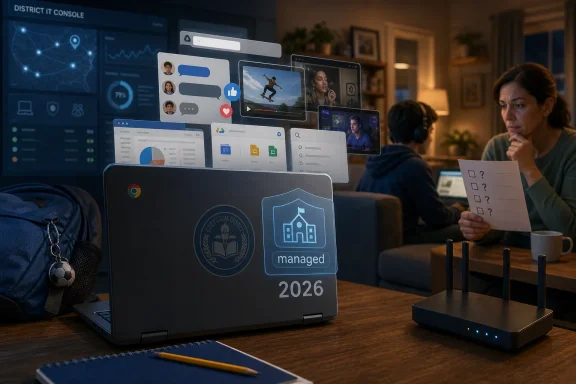 The School Seal Has Become a Security Blanket
For a generation of parents raised on warnings about personal smartphones, the school-issued Chromebook seems like the safer alternative. It arrives with inventory tags, district policies, login controls, and a vocabulary of institutional assurance: acceptable use, filtering, device management, student safety, classroom enablement. Compared with a personal phone full of consumer apps, it feels almost sterile.That feeling is part of the problem. A managed device is not the same thing as a harmless device. In most districts, “managed” means the school can configure settings, enforce certain restrictions, push apps, block categories of websites, and preserve some visibility into account activity. It does not mean every student interaction is inspected in real time, every loophole is closed, or every use at home is governed by the same controls that exist on campus.
The distinction matters because parents often infer a level of protection that schools never explicitly promised. A Chromebook with a school logo can still be a portal to group chats, shared documents, video platforms, unstructured browsing, and peer conflict. It may be safer than an unmanaged personal laptop, but it is not a sealed educational appliance.
That gap between perception and reality is where the current backlash is taking root. The national conversation about children and screens began with smartphones, then moved to social media, and has now arrived at school technology itself. The device that was supposed to be the responsible alternative is being reclassified by some parents as another part of the same attention economy.
The Take-Home Device Broke the Boundary Between School IT and Family Life
Before one-to-one device programs became ordinary, school technology was mostly a place-bound resource. Students used desktop labs, classroom carts, or library computers under adult supervision and inside district networks. The home remained a separate environment, with all the messiness and authority of family rules.Take-home Chromebooks erased that boundary. The same device that delivers math assignments at 10 a.m. can carry group-chat drama at 9 p.m. The same account used for teacher feedback can become a backchannel for bullying, flirting, dares, gossip, and impulsive comments. The same document editor used for essays can become a private-looking messaging space through comments and shared blank files.
This is not a failure unique to any one district or platform. It is the predictable result of giving children networked productivity tools that were designed, fundamentally, for collaboration. Google Workspace and Microsoft 365 are powerful because they make communication frictionless. In adult workplaces, that means fewer email chains and more shared context. In middle school, it can mean a side conversation that never needed to exist.
School IT departments are not blind to this. Many districts deploy content filters, admin consoles, web restrictions, safe-search enforcement, and monitoring services that flag signs of self-harm, threats, explicit material, or bullying. But scale is unforgiving. A district with tens of thousands of students can enforce policy; it cannot personally interpret every comment thread, every file name, every late-night exchange, or every social dynamic behind a flagged phrase.
Parents, meanwhile, are often boxed out. Because the device is school property, families may not be allowed to install their preferred parental-control software. They may not have administrator rights. They may not even know which services are monitored, whether monitoring applies off campus, or whether alerts go to schools, parents, vendors, or no one until a threshold is crossed. That creates an accountability fog in the one place parents most need clarity: the child’s actual use.
Filters Were Built for Websites, Not Childhood
The first era of school internet safety was built around blocking bad destinations. If students tried to visit pornography, gambling sites, or obvious malware pages, the filter stopped them. That model still matters, but it increasingly feels mismatched to how children encounter harm online.A great deal of risky content now appears inside otherwise legitimate platforms. A student may not need to visit an adult site to see sexual content discussed, referenced, linked, screenshotted, or traded. Drug references can circulate through chats and shared files. Violent imagery can move through video clips, memes, comments, and search results. Self-harm language can appear in private messages long before any child types a search query that a traditional filter would catch.
The Movieguide article that sparked this discussion leans on Bark’s school-safety data to make that point. Bark says its monitoring of school-linked accounts found substantial exposure to violence-related, drug-related, bullying, sexual, and suicide-related content across school platforms. As with any vendor-produced safety report, the numbers deserve careful reading: Bark has a business interest in demonstrating the seriousness of the problem, and its dataset reflects the environments where its tools operate. Still, the broad pattern is plausible and consistent with what educators and parents have been reporting for years.
The striking part is not that children find trouble on screens. That has been true since the first browser reached a classroom. The striking part is that the trouble is increasingly embedded in the same tools schools require students to use.
That is why parents are often surprised by Google Chat, Microsoft Teams, and Google Docs. They do not look like social media, so adults do not instinctively treat them as social spaces. But children do. Give students an always-on messaging pane, a shared file, or a comment thread, and some portion will turn it into a hallway.
The safety industry sometimes frames this as a monitoring problem, and in part it is. But it is also a design problem and a supervision problem. Collaboration software assumes users benefit from low-friction sharing. Childhood often benefits from friction.
The Ed-Tech Industry Sold Convenience Before It Proved Restraint
The pandemic did not invent school technology, but it normalized emergency levels of device dependence. Districts scrambled to maintain instruction, vendors scaled quickly, and families accepted laptops as a practical necessity. What began as continuity planning hardened into infrastructure.By the time schools reopened, the device had become woven into assignments, testing, communication, intervention programs, attendance routines, and curriculum platforms. Teachers built workflows around it. Districts signed contracts around it. Students expected it. Parents who objected could sound as if they were objecting to modern education itself.
That is the trap. The debate is too often staged as a binary choice between “technology” and “no technology,” as if every worksheet, textbook, teacher explanation, simulation, video, adaptive quiz, and document editor occupies the same educational category. It does not. A carefully chosen digital tool used for a defined purpose is not the same thing as hours of device-mediated schooling. A teacher-guided science simulation is not the same thing as leaving a browser window open through recess.
The industry’s great success was making these distinctions feel secondary. Platforms promised personalization, analytics, accessibility, collaboration, and efficiency. Many of those promises are real in specific contexts. But parents are now asking whether districts adopted the machinery faster than they built the culture of restraint around it.
This is where the critique from figures like Jonathan Haidt has gained traction. Haidt’s broader argument about childhood, smartphones, and social media is disputed in some academic circles, but his political effectiveness comes from naming a sentiment many parents already feel: children have been drafted into a vast behavioral experiment, and adults keep discovering the side effects after the fact. When that critique moves from TikTok to school-issued devices, districts lose the easy defense that “this is what kids are doing outside school.” Now the institution itself is part of the screen pipeline.
Schools are not social media companies. Most educators are trying to teach, not addict. But the platforms schools buy often inherit the same design logic that governs modern software: more engagement, more usage, more data, more seamlessness. In adult enterprise software, that is called productivity. In childhood, it can become dependency by another name.
Parents Are Discovering That “School Account” Does Not Mean “Private Account”
One of the most useful things parents can tell children is also one of the least understood: school accounts are not private in the way a personal diary is private. District administrators may be able to access email, documents, chats, search history, files, and other account activity, depending on local policy and platform configuration. Monitoring tools may scan content for safety flags. Records may be retained.That fact cuts both ways. On one hand, visibility can protect students. If a child posts credible self-harm language or threats in a school-managed environment, adults may be able to intervene. If bullying occurs through school accounts, there may be an evidentiary trail. If a device is lost, stolen, or misused, the district has administrative recourse.
On the other hand, the language of surveillance is not a substitute for trust or education. Children need to understand that school systems can inspect activity, but they also need adults to explain why that matters. “They can read it” is not merely a warning; it is a lesson in institutional computing. Work accounts, school accounts, and managed devices belong to organizations with obligations and powers that personal users do not control.
For WindowsForum readers, this should sound familiar. Enterprise IT has spent decades teaching adults that company laptops are company laptops. The device is managed, logged, patched, filtered, and subject to policy. School technology is now bringing that same governance model to children, but without the mature-user assumptions that enterprise computing relies on.
The analogy is imperfect because children are not employees. They are compelled to attend school, assigned tools by public institutions, and often given little meaningful choice about platform use. That makes transparency more important, not less. Families should not have to reverse-engineer a district’s monitoring posture from rumors, settings screens, and the occasional disciplinary incident.
The Backlash Has Moved From Phones to School-Issued Screens
For the last few years, the cleanest political target was the student smartphone. Phone bans were easy to explain: personal devices distract students, fuel social conflict, and make classroom management harder. Many states and districts moved toward bell-to-bell restrictions with relatively broad public support.Now the harder conversation has begun. What happens when the distracting device is the one the school issued?
Los Angeles Unified’s 2026 resolution is important because it reframes the debate at the scale of a major district. The district moved to block YouTube on school devices, limit screen time by grade level, restrict device use during lunch and recess for younger students, and reduce early-grade exposure. Whether every detail survives implementation is less important than the signal: even large, technology-dependent systems are beginning to admit that more screen access is not automatically more learning.
Statehouses are moving too. Utah enacted restrictions aimed at early-grade screen time and take-home devices for middle school students. Tennessee lawmakers advanced requirements for elementary digital-device policies. Kansas debated and passed related restrictions around student device use, while also wrestling with how far limits should extend to school-issued technology. Across states, proposals differ in scope and ideology, but the direction is unmistakable.
This is not a simple left-right issue. Conservative parents may talk about childhood innocence, family authority, and commercial influence. Progressive parents may talk about surveillance, inequity, attention, and privatization. Teachers may talk about classroom management and cognitive overload. Pediatricians and psychologists may talk about sleep, anxiety, and developmental needs. The coalition is messy, but it is growing because the device touches every concern at once.
The danger is that policymakers will respond with crude time limits that sound satisfying but ignore classroom realities. Not all screen minutes are equal. A student using assistive technology, learning to code, conducting research, or taking a state assessment is not having the same experience as a student watching algorithmically recommended videos during downtime. The policy challenge is to reduce default exposure without kneecapping legitimate instruction and accessibility.
District IT Is Being Asked to Solve a Cultural Problem With Admin Consoles
School technology teams are now in a nearly impossible position. They are expected to keep devices secure, support teachers, comply with privacy laws, manage vendor integrations, prevent cyberattacks, respond to parent concerns, preserve student safety, and avoid turning classrooms into locked-down museums. All of this happens under budget constraints and with political pressure from every direction.The temptation is to treat every concern as a configuration issue. Block another domain. Disable another feature. Add another alert category. Tighten another policy. Push another extension. Those steps can help, but they do not answer the larger question of when children should be on devices in the first place.
A district can block YouTube and still overuse screens. It can monitor Google Chat and still normalize constant peer messaging. It can filter adult content and still allow hours of low-quality digital busywork. It can publish an acceptable-use policy and still leave parents confused about what happens after the device comes home.
The same is true for home networks. Router-level filtering can help families regain some control over school devices without modifying the device itself. Common-space rules can change behavior more effectively than software. Bedtime charging outside bedrooms can remove the most obvious temptation. But home controls work best when they complement school policy rather than compensate for its absence.
The deeper issue is governance. Who decides which tools are educationally necessary? Who audits whether software is still serving a purpose after the contract is signed? Who reviews whether a feature like chat should be enabled by default for a particular age group? Who tells parents, in plain language, what is monitored and what is not?
Until districts answer those questions publicly, they will remain vulnerable to the accusation that they adopted devices first and built safeguards later.
The Privacy Debate Is Larger Than the Safety Debate
The Movieguide piece frames school devices primarily through child safety and parental stewardship. That framing will resonate with many families, especially those worried about sexual content, self-harm, bullying, and harmful peer dynamics. But the privacy dimension deserves equal attention.School technology creates data trails: logins, searches, documents, messages, app usage, assessment results, behavior flags, and sometimes location or device telemetry. Some of that data is necessary for security and instruction. Some may be retained longer than parents realize. Some may flow through vendors whose incentives and contractual obligations are not always visible to families.
The ed-tech privacy debate has long been hampered by complexity. Federal law, state law, district contracts, platform terms, and vendor promises interact in ways that few parents have time to parse. A school board may approve a tool because it appears compliant, a teacher may use it because it is convenient, and a parent may only discover it when a child’s assignment requires another login.
The rise of AI tools adds another layer. Districts are now facing questions about generative AI, student writing, tutoring bots, automated feedback, and conversational interfaces. If lawmakers were already uneasy about screen time, AI gives them a new reason to scrutinize what happens inside educational platforms. A school device is no longer just a screen; it may become an interface to systems that collect prompts, generate answers, personalize instruction, and blur the line between assistance and automation.
This is where Windows and enterprise administrators may see the story differently from a general parenting audience. The issue is not simply that children might see something bad. It is that identity, access, logging, retention, third-party integration, and endpoint management have moved into childhood at institutional scale. We have given minors a version of the managed workplace without the bargaining power, training, or transparency adults expect in professional environments.
That does not mean schools should abandon digital infrastructure. It means they should treat student computing as a high-governance environment, not a convenience layer.
The Best Defense Is Boring, Local, and Repetitive
There is no single switch that makes a school-issued device safe. The most effective safeguards are mundane and cumulative: clear age-based rules, limited default access, transparent monitoring, parent-visible policies, teacher training, procurement discipline, and home routines that make unsupervised use less likely.Parents should ask direct questions, not because schools are adversaries, but because ambiguity helps no one. Does filtering apply off campus? Are Google Chat or Microsoft Teams enabled for students? Are students allowed to message one another outside instructional contexts? Are shared documents monitored? Are alerts reviewed by humans? Are parents notified when safety flags involve their child? Can the device be used after certain hours? Which vendors receive student data? How often are tools reviewed for educational value?
Good districts should welcome those questions. If the answers are clear, trust improves. If the answers are unclear, the district has discovered a governance problem before it becomes a crisis.
Schools should also resist the defensive reflex that every criticism of ed tech is nostalgia. Many parents are not asking for a return to chalk dust and overhead projectors. They are asking why young children need individual screens for tasks that could be done face to face, on paper, or with a teacher at the center. They are asking why recess, lunch, and passing periods need devices at all. They are asking why platforms designed for adult collaboration are being deployed as everyday student environments without aggressive age-based limits.
Those are reasonable questions. A mature technology culture can answer them without panic.
The Chromebook Is Safe Only When the Adults Stay in the Loop
The practical lesson for families is not to treat the school device as forbidden fruit, nor to assume it is protected by magic. It is to move the device back into the visible routines of family life. The kitchen table is not a cybersecurity product, but it is often more effective than a policy PDF nobody reads.Parents should also separate device ownership from parental responsibility. The school may own the hardware, but the child lives at home. If a take-home Chromebook is creating conflict, sleep loss, secrecy, or compulsive use, that is a family issue even if the asset tag belongs to the district. Asking for accommodations, alternate assignments, device-free options, or stricter account controls is not anti-education. It is ordinary advocacy.
For administrators, the lesson is that trust is becoming conditional. Families will no longer accept “we have filters” as a complete answer. They want to know which protections follow the device home, which communications channels are open, what happens when alerts trigger, and whether screen use is being reduced where it does not clearly improve learning.
For vendors, the message is sharper. The era of selling engagement as an unquestioned good is ending, at least in K-12. Products that make it easy for children to message, wander, watch, share, and generate content will face more scrutiny, especially in younger grades. The winning ed-tech companies may be those that can prove restraint as convincingly as they prove capability.
The New Parent Permission Slip Is a Network Policy
The next phase of school technology will not be decided by one viral article or one district resolution. It will be decided in policy committees, procurement reviews, board meetings, parent portals, classroom workflows, and household routines. The practical direction is already visible.- School-issued devices should be treated as managed institutional endpoints, not inherently safe child-friendly gadgets.
- Parents should ask whether filtering, monitoring, and time restrictions apply when the device is connected to home Wi-Fi.
- Districts should disable student-to-student messaging and collaboration features by default for younger grades unless there is a clear instructional reason.
- Lunch, recess, passing periods, bedrooms, and late-night hours should not become default extensions of the digital classroom.
- Vendor safety reports should be read critically, but their warnings should not be dismissed simply because the vendor has something to sell.
- The strongest policies will distinguish purposeful educational use from ambient screen dependence instead of pretending all screen time is the same.
References
- Primary source: Movieguide
Published: 2026-06-27T16:42:06.896617
- Related coverage: multistate.us
States Limit Classroom Screen Time in Elementary Schools | MultiState
States are enacting classroom screen time restrictions for elementary students. Alabama and Utah passed laws, with 12 more bills introduced in 2026.www.multistate.us - Related coverage: wsmv.com
Tennessee lawmakers pass bill requiring schools to adopt digital device policies for elementary school students. Here’s what that means
Senate Bill 2310 would prohibit screen use in kindergarten through fifth-grade classrooms in Tennessee.www.wsmv.com
- Related coverage: house.utleg.gov
