

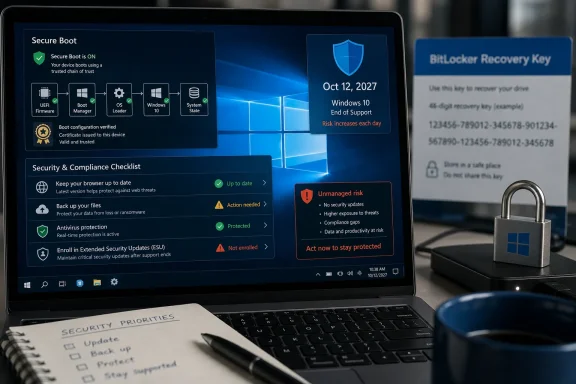
Microsoft’s consumer Extended Security Updates program now gives eligible Windows 10 PCs security patches until October 12, 2027, after Windows 10’s mainstream support ended on October 14, 2025, but staying put still requires enrollment, updated boot certificates, backups, and stricter security discipline. That extra year changes the upgrade math, but it does not change the destination. Windows 10 has moved from “still supported operating system” to “managed exception,” and users who treat it as business as usual are accepting risk they may not understand. The practical answer is not simply whether you can stay on Windows 10; it is whether you are willing to maintain it like an aging production system.
The PCMag piece lands because it captures a contradiction many Windows users are living with: their Windows 10 machines still work, but the contract around those machines has changed. The Start menu opens, Chrome launches, Steam updates, printers print, and the desktop feels as familiar as it did before support ended. Nothing about October 14, 2025, made Windows 10 suddenly unusable.
But operating systems do not become dangerous in a cinematic instant. They age out through missing patches, driver stagnation, new app requirements, and a widening gap between the threat model they were built for and the one users actually face. That is why Microsoft’s new ESU extension is both welcome and awkward: it gives consumers more runway while confirming that Windows 10 is no longer where Microsoft wants the center of gravity to be.
The October 2027 date is generous compared with the original consumer story, but it is not a revival. Extended Security Updates are, by design, a narrow feed of security fixes. They are not a promise of new features, broad compatibility, consumer support, or a reprieve from the slow withdrawal of the Windows ecosystem.
That distinction matters because Windows users have been trained to think of updates as an annoyance. In the supported era, postponing Patch Tuesday was a convenience decision. In the post-support era, missing enrollment or ignoring firmware-adjacent security changes becomes a risk-management decision.
That clean break produced a messy installed base. A PC can be fast enough for browsing, Office work, taxes, school assignments, video calls, and even light gaming while still being officially ineligible for Windows 11. For those users, “buy a new computer” is not advice so much as a budget demand.
PCMag is right to call out the economic disconnect. Rising component prices and higher memory costs make the replacement-PC answer feel especially tone-deaf for households, small businesses, retirees, and anyone maintaining secondary machines. Windows 10 remains useful on millions of PCs precisely because the old hardware is often not the bottleneck.
Microsoft’s extension to October 2027 implicitly acknowledges that reality. If the company believed the remaining Windows 10 base could painlessly roll forward, it would not need to keep widening the safety net. The extension is not charity; it is damage control for an ecosystem where the official upgrade path does not match the useful life of the hardware.
For consumers, the ESU route has been unusually consumerized: enroll through Windows Update, use a Microsoft account, sync certain settings through Windows Backup, redeem Microsoft Rewards points, or pay the one-time fee where available. That is a softer landing than the old enterprise-only ESU model, where extended support was treated as a paid exception for organizations with formal lifecycle plans.
But the underlying concept has not changed. ESU is a patch pipeline for security issues, not a product roadmap. Users should not expect feature improvements, quality-of-life fixes, broad hardware enablement, or help from Microsoft support when something breaks in a weird way.
That means the PCMag framing is mostly right, but perhaps too gentle. Installing antivirus and a VPN may reduce exposure, but they do not replace platform maintenance. A fully patched operating system, updated firmware, modern browser, current drivers, backup strategy, and least-privilege habits work together; remove one layer and every other layer has to carry more weight.
For ordinary users, Secure Boot is invisible until it is not. It is the pre-operating-system trust mechanism that helps prevent bootkits and other low-level malware from inserting themselves before Windows loads. It also interacts with BitLocker, boot managers, recovery workflows, Linux dual-boot setups, and some virtualized environments.
That is why the certificate transition matters more than the average consumer security warning. A Windows 10 PC enrolled in ESU should be in a much better position to receive the relevant updates automatically. A Windows 10 PC outside ESU becomes one more unmanaged edge case in a security architecture that assumes regular servicing.
The risk is not that every unenrolled Windows 10 machine suddenly fails to boot. Microsoft has been careful to avoid a cliff that bricks PCs en masse. The risk is subtler: devices fall out of the normal update stream, administrators must handle more exceptions manually, and the line between “old but fine” and “old and weird” gets harder to diagnose.
This is where the difference between enthusiasts and ordinary users becomes painful. A WindowsForum reader may know to check their Microsoft account, Entra ID, printed recovery key, USB backup, or management console before touching boot settings. A normal user may discover BitLocker exists only when their laptop refuses to proceed without a number they have never heard of.
For businesses, this should be boring operational hygiene. Recovery keys should already be escrowed, device compliance should be visible, and Secure Boot status should be measurable through management tooling. For home users, it is a reminder that “I never turned that on” is not a recovery plan.
Before applying boot-related updates, changing firmware settings, converting disks, or experimenting with third-party bootloaders, Windows 10 holdouts should verify their recovery keys. Not later. Not after the prompt appears. Before.
But antivirus is not a magic solvent for unsupported platforms. If a vulnerability exists in the operating system and no patch is coming, security software is forced to catch the exploit path, payload, behavior, or network pattern around it. That can work, but it is inherently reactive and incomplete.
The same caveat applies to VPNs. A VPN can protect traffic on untrusted networks and reduce some exposure to local network snooping. It does not make a malicious attachment safe, fix an unpatched kernel bug, stop credential theft on a phishing page, or turn an unsupported OS into a supported one.
Security suites with firewalls and exploit protection can add useful layers, but the old defense-in-depth hierarchy still applies. Patch first. Reduce attack surface second. Detect and block third. Recover from backup when the first three fail.
The good news is that browsers typically continue supporting older Windows versions for some period after OS support changes. The bad news is that this grace period is not permanent, and browser vendors eventually drop platforms when maintenance cost, security assumptions, and build infrastructure no longer make sense. Windows 7 users have already lived through this.
A Windows 10 machine enrolled in ESU is more likely to remain a viable target for browser vendors than an abandoned Windows 10 machine outside the update stream. But users should watch browser support announcements as carefully as Windows updates. Once the main browser stops receiving security updates, the risk profile changes dramatically.
For anyone staying on Windows 10, the rule should be ruthless: keep the browser updated, remove unused extensions, stop reusing passwords, turn on multifactor authentication, and use a reputable password manager. Most real-world compromise begins closer to the inbox and browser tab than to the kernel.
That drift is already visible in high-end and enterprise-adjacent software. Developers want current APIs, current security features, current driver models, and a support matrix that does not include every old machine still capable of booting. Hardware vendors also have little incentive to test new peripherals extensively on an operating system past normal support.
This is especially relevant for small businesses that keep older PCs attached to scanners, label printers, CNC tools, lab hardware, point-of-sale devices, or accounting systems. The machine may be “just fine” until one driver update, one vendor support change, or one failed SSD turns a stable setup into a scramble. Aging endpoints become operational risk long before they become e-waste.
The rational move is to inventory what depends on Windows 10 now. If a machine is tied to a specific device or application, document the version, installer, license, driver, recovery media, and backup image. Nostalgia is not a continuity plan.
This is not an accident. Microsoft has spent years nudging Windows toward account-connected setup, OneDrive integration, device sync, Microsoft Store identity, and cloud-mediated recovery. ESU gives the company another lever: if you want the free safety net, attach the device more tightly to the Microsoft account ecosystem.
There is a defensible security argument for that. Cloud-backed recovery, settings sync, and account-linked enrollment can reduce friction for ordinary users. It also helps Microsoft manage a consumer-scale ESU program without turning it into a licensing swamp.
But the privacy and autonomy critique is equally real. Some Windows 10 loyalists are staying precisely because they dislike the direction of Windows 11 setup, advertising, telemetry, and account pressure. For those users, paying the fee or using rewards points may feel less like a purchase than a small act of resistance.
That does not mean every Windows 10 device must vanish immediately. Regulated environments, manufacturing floors, medical systems, kiosks, lab instruments, and embedded workflows often require staged transitions. But exceptions need owners, dates, compensating controls, and budget.
The worst posture is passive drift. A device that remains on Windows 10 because it is assigned to a migration wave is one thing. A device that remains on Windows 10 because nobody knows who owns it is another.
Organizations should also separate “Windows 10 can receive security patches” from “Windows 10 satisfies our security baseline.” Auditors, insurers, customers, and internal risk teams may care about the distinction. ESU can support a transition plan, but it may not satisfy every policy that requires a fully supported operating system.
The problem is that “it works” is often mistaken for “it is safe enough.” A bypassed Windows 11 install may receive updates today, but its future is not guaranteed. A Windows 10 machine with excellent third-party security may still lack platform-level fixes. A dual-boot setup may be secure until Secure Boot policy changes disrupt the bootloader.
For a hobby machine, those tradeoffs may be acceptable. For the PC that stores tax documents, family photos, saved passwords, work files, and banking sessions, the threshold should be higher. Enthusiasts often underestimate how much their own troubleshooting skill is part of the safety model.
The cleanest enthusiast answer may not be Windows 11 at all. Some aging Windows 10 hardware becomes a better Linux machine than an unsupported Windows machine, especially for browsing, writing, media, coding, and light productivity. But that migration has its own learning curve, application gaps, and hardware quirks.
That means making a few concrete decisions rather than simply ignoring the upgrade banner.
But the Windows 10 installed base is not just stubbornness in statistical form. It includes good hardware stranded by requirements, users wary of Windows 11’s design and account pressure, businesses with fragile dependencies, and households that cannot justify replacement on Microsoft’s schedule. The ESU extension recognizes that Microsoft’s ideal migration curve collided with the real world.
That does not make indefinite Windows 10 use wise. The longer a system sits outside the mainline platform, the more its security depends on exceptions, habits, and luck. ESU reduces the risk, but it also formalizes the fact that you are now operating in the margins.
The best answer to “Can you stay on Windows 10?” is therefore conditional. Yes, if you enroll in ESU, keep the machine patched, verify Secure Boot and BitLocker readiness, harden the browser, use reputable security software, maintain backups, and plan an exit. No, if staying means doing nothing and hoping the old desktop remains invisible to a threat landscape that has already moved on.
Windows 10 is not dead in the practical sense, and Microsoft’s October 2027 extension gives millions of users a more humane off-ramp than the original deadline allowed. But the operating system has crossed a line: it is no longer the default safe choice, only a defensible temporary one. The next year should be used not to win an argument against Windows 11, but to make sure the next machine, next operating system, or next workflow is chosen deliberately rather than under pressure.
 Microsoft Has Turned Windows 10 Into a Grace Period, Not a Platform
The PCMag piece lands because it captures a contradiction many Windows users are living with: their Windows 10 machines still work, but the contract around those machines has changed. The Start menu opens, Chrome launches, Steam updates, printers print, and the desktop feels as familiar as it did before support ended. Nothing about October 14, 2025, made Windows 10 suddenly unusable.But operating systems do not become dangerous in a cinematic instant. They age out through missing patches, driver stagnation, new app requirements, and a widening gap between the threat model they were built for and the one users actually face. That is why Microsoft’s new ESU extension is both welcome and awkward: it gives consumers more runway while confirming that Windows 10 is no longer where Microsoft wants the center of gravity to be.
The October 2027 date is generous compared with the original consumer story, but it is not a revival. Extended Security Updates are, by design, a narrow feed of security fixes. They are not a promise of new features, broad compatibility, consumer support, or a reprieve from the slow withdrawal of the Windows ecosystem.
That distinction matters because Windows users have been trained to think of updates as an annoyance. In the supported era, postponing Patch Tuesday was a convenience decision. In the post-support era, missing enrollment or ignoring firmware-adjacent security changes becomes a risk-management decision.
The New Deadline Buys Time for People Microsoft Left Behind
The obvious villain in the Windows 10 end-of-support story is inertia, but that is too easy. Plenty of users have not upgraded because their PCs fail Windows 11’s hardware requirements, not because they are sentimental about live tiles or Control Panel muscle memory. TPM 2.0, newer CPU requirements, Secure Boot expectations, and Microsoft’s security baseline all made Windows 11 a cleaner break than many prior Windows transitions.That clean break produced a messy installed base. A PC can be fast enough for browsing, Office work, taxes, school assignments, video calls, and even light gaming while still being officially ineligible for Windows 11. For those users, “buy a new computer” is not advice so much as a budget demand.
PCMag is right to call out the economic disconnect. Rising component prices and higher memory costs make the replacement-PC answer feel especially tone-deaf for households, small businesses, retirees, and anyone maintaining secondary machines. Windows 10 remains useful on millions of PCs precisely because the old hardware is often not the bottleneck.
Microsoft’s extension to October 2027 implicitly acknowledges that reality. If the company believed the remaining Windows 10 base could painlessly roll forward, it would not need to keep widening the safety net. The extension is not charity; it is damage control for an ecosystem where the official upgrade path does not match the useful life of the hardware.
ESU Is a Seatbelt, Not a Roll Cage
The most dangerous misunderstanding about Extended Security Updates is that they make Windows 10 “supported” in the everyday sense. They do not. They make it less reckless to keep using Windows 10 while you plan an exit.For consumers, the ESU route has been unusually consumerized: enroll through Windows Update, use a Microsoft account, sync certain settings through Windows Backup, redeem Microsoft Rewards points, or pay the one-time fee where available. That is a softer landing than the old enterprise-only ESU model, where extended support was treated as a paid exception for organizations with formal lifecycle plans.
But the underlying concept has not changed. ESU is a patch pipeline for security issues, not a product roadmap. Users should not expect feature improvements, quality-of-life fixes, broad hardware enablement, or help from Microsoft support when something breaks in a weird way.
That means the PCMag framing is mostly right, but perhaps too gentle. Installing antivirus and a VPN may reduce exposure, but they do not replace platform maintenance. A fully patched operating system, updated firmware, modern browser, current drivers, backup strategy, and least-privilege habits work together; remove one layer and every other layer has to carry more weight.
Secure Boot Turns a Support Story Into a Firmware Story
The Secure Boot certificate issue is where this story stops being a simple “Windows 10 end of life” explainer and becomes something more interesting. Microsoft’s older Secure Boot certificates, dating back to the Windows 8 era, began hitting expiration pressure in 2026. The replacement certificates are meant to keep the boot chain trusted into the next era.For ordinary users, Secure Boot is invisible until it is not. It is the pre-operating-system trust mechanism that helps prevent bootkits and other low-level malware from inserting themselves before Windows loads. It also interacts with BitLocker, boot managers, recovery workflows, Linux dual-boot setups, and some virtualized environments.
That is why the certificate transition matters more than the average consumer security warning. A Windows 10 PC enrolled in ESU should be in a much better position to receive the relevant updates automatically. A Windows 10 PC outside ESU becomes one more unmanaged edge case in a security architecture that assumes regular servicing.
The risk is not that every unenrolled Windows 10 machine suddenly fails to boot. Microsoft has been careful to avoid a cliff that bricks PCs en masse. The risk is subtler: devices fall out of the normal update stream, administrators must handle more exceptions manually, and the line between “old but fine” and “old and weird” gets harder to diagnose.
BitLocker Recovery Is the Kind of Surprise Users Remember
Secure Boot updates can also trigger one of the least user-friendly moments in modern Windows: the BitLocker recovery prompt. If a boot-chain change makes the system think the startup environment has changed, Windows may ask for the 48-digit recovery key before unlocking the drive. That is good security and terrible timing.This is where the difference between enthusiasts and ordinary users becomes painful. A WindowsForum reader may know to check their Microsoft account, Entra ID, printed recovery key, USB backup, or management console before touching boot settings. A normal user may discover BitLocker exists only when their laptop refuses to proceed without a number they have never heard of.
For businesses, this should be boring operational hygiene. Recovery keys should already be escrowed, device compliance should be visible, and Secure Boot status should be measurable through management tooling. For home users, it is a reminder that “I never turned that on” is not a recovery plan.
Before applying boot-related updates, changing firmware settings, converting disks, or experimenting with third-party bootloaders, Windows 10 holdouts should verify their recovery keys. Not later. Not after the prompt appears. Before.
Antivirus Helps, But It Cannot Patch the Floorboards
PCMag’s advice to use a strong third-party antivirus is reasonable, especially for consumer Windows 10 machines that may drift out of perfect patch discipline. Modern endpoint protection is much better than the signature-only scanners people remember from the Windows XP era. Behavioral detection, exploit mitigation, reputation systems, script analysis, and browser protection can stop many attacks before they become persistent compromise.But antivirus is not a magic solvent for unsupported platforms. If a vulnerability exists in the operating system and no patch is coming, security software is forced to catch the exploit path, payload, behavior, or network pattern around it. That can work, but it is inherently reactive and incomplete.
The same caveat applies to VPNs. A VPN can protect traffic on untrusted networks and reduce some exposure to local network snooping. It does not make a malicious attachment safe, fix an unpatched kernel bug, stop credential theft on a phishing page, or turn an unsupported OS into a supported one.
Security suites with firewalls and exploit protection can add useful layers, but the old defense-in-depth hierarchy still applies. Patch first. Reduce attack surface second. Detect and block third. Recover from backup when the first three fail.
The Browser Becomes the Real Front Door
For many Windows 10 users, the browser is now the operating system they actually live in. Banking, email, password managers, work apps, media, shopping, messaging, and document editing all flow through Edge, Chrome, Firefox, or another Chromium-based shell. That makes browser support one of the most important practical questions after Windows 10’s support cutoff.The good news is that browsers typically continue supporting older Windows versions for some period after OS support changes. The bad news is that this grace period is not permanent, and browser vendors eventually drop platforms when maintenance cost, security assumptions, and build infrastructure no longer make sense. Windows 7 users have already lived through this.
A Windows 10 machine enrolled in ESU is more likely to remain a viable target for browser vendors than an abandoned Windows 10 machine outside the update stream. But users should watch browser support announcements as carefully as Windows updates. Once the main browser stops receiving security updates, the risk profile changes dramatically.
For anyone staying on Windows 10, the rule should be ruthless: keep the browser updated, remove unused extensions, stop reusing passwords, turn on multifactor authentication, and use a reputable password manager. Most real-world compromise begins closer to the inbox and browser tab than to the kernel.
The App Ecosystem Will Move Before the Hardware Dies
The other pressure point is software compatibility. Microsoft does not need to flip a master switch to make Windows 10 feel old; developers will do it one requirement at a time. New versions of professional tools, collaboration apps, drivers, anti-cheat systems, creative suites, and security products will gradually optimize for Windows 11 and newer platform assumptions.That drift is already visible in high-end and enterprise-adjacent software. Developers want current APIs, current security features, current driver models, and a support matrix that does not include every old machine still capable of booting. Hardware vendors also have little incentive to test new peripherals extensively on an operating system past normal support.
This is especially relevant for small businesses that keep older PCs attached to scanners, label printers, CNC tools, lab hardware, point-of-sale devices, or accounting systems. The machine may be “just fine” until one driver update, one vendor support change, or one failed SSD turns a stable setup into a scramble. Aging endpoints become operational risk long before they become e-waste.
The rational move is to inventory what depends on Windows 10 now. If a machine is tied to a specific device or application, document the version, installer, license, driver, recovery media, and backup image. Nostalgia is not a continuity plan.
Microsoft’s Messaging Still Wants the Cloud Account
The consumer ESU model also reveals Microsoft’s broader priorities. The easiest no-cash route depends on signing in with a Microsoft account and enabling Windows Backup for certain settings. That is convenient for users already living inside Microsoft’s consumer cloud, but it irritates those who deliberately chose local accounts.This is not an accident. Microsoft has spent years nudging Windows toward account-connected setup, OneDrive integration, device sync, Microsoft Store identity, and cloud-mediated recovery. ESU gives the company another lever: if you want the free safety net, attach the device more tightly to the Microsoft account ecosystem.
There is a defensible security argument for that. Cloud-backed recovery, settings sync, and account-linked enrollment can reduce friction for ordinary users. It also helps Microsoft manage a consumer-scale ESU program without turning it into a licensing swamp.
But the privacy and autonomy critique is equally real. Some Windows 10 loyalists are staying precisely because they dislike the direction of Windows 11 setup, advertising, telemetry, and account pressure. For those users, paying the fee or using rewards points may feel less like a purchase than a small act of resistance.
Enterprises Should Treat October 2027 as a Warning, Not a Budget Win
For IT departments, the consumer ESU extension is not a reason to relax. Enterprise ESU has its own terms, pricing, management options, and timelines, and organizations should avoid reading consumer policy as a substitute for licensing guidance. The strategic lesson is simpler: if Windows 10 is still widely present in your estate in mid-2026, the migration project is already late.That does not mean every Windows 10 device must vanish immediately. Regulated environments, manufacturing floors, medical systems, kiosks, lab instruments, and embedded workflows often require staged transitions. But exceptions need owners, dates, compensating controls, and budget.
The worst posture is passive drift. A device that remains on Windows 10 because it is assigned to a migration wave is one thing. A device that remains on Windows 10 because nobody knows who owns it is another.
Organizations should also separate “Windows 10 can receive security patches” from “Windows 10 satisfies our security baseline.” Auditors, insurers, customers, and internal risk teams may care about the distinction. ESU can support a transition plan, but it may not satisfy every policy that requires a fully supported operating system.
Enthusiasts Have More Options, But Also More Ways to Fool Themselves
Windows enthusiasts have always found ways around Microsoft’s boundaries. Unsupported Windows 11 installs, registry bypasses, Linux dual-boots, lightweight Windows images, LTSC editions, and carefully preserved Windows 10 setups all have their constituencies. Some of those choices are perfectly rational for a technically capable user.The problem is that “it works” is often mistaken for “it is safe enough.” A bypassed Windows 11 install may receive updates today, but its future is not guaranteed. A Windows 10 machine with excellent third-party security may still lack platform-level fixes. A dual-boot setup may be secure until Secure Boot policy changes disrupt the bootloader.
For a hobby machine, those tradeoffs may be acceptable. For the PC that stores tax documents, family photos, saved passwords, work files, and banking sessions, the threshold should be higher. Enthusiasts often underestimate how much their own troubleshooting skill is part of the safety model.
The cleanest enthusiast answer may not be Windows 11 at all. Some aging Windows 10 hardware becomes a better Linux machine than an unsupported Windows machine, especially for browsing, writing, media, coding, and light productivity. But that migration has its own learning curve, application gaps, and hardware quirks.
The Sensible Windows 10 Holdout Now Has a Checklist
The PCMag article is at its strongest when it refuses to pretend that staying on Windows 10 is harmless. The extension to October 2027 is good news, but it is good news for planners, not procrastinators. If you intend to keep a Windows 10 PC online, the job now is to turn a vague preference into a managed exception.That means making a few concrete decisions rather than simply ignoring the upgrade banner.
- Enroll the Windows 10 PC in Extended Security Updates and confirm that Windows Update is still receiving security patches after enrollment.
- Verify that the device is fully updated, including Windows 10 version 22H2 where applicable, before relying on ESU as your safety net.
- Save the BitLocker recovery key somewhere you can access without the affected PC, especially before Secure Boot or firmware-related changes.
- Keep the browser, password manager, antivirus, and major applications updated, because the attack surface has shifted heavily toward everyday internet use.
- Maintain a real backup that can survive ransomware, drive failure, theft, or a botched update, not just a sync folder that mirrors your mistakes.
- Set a replacement, upgrade, or migration date well before October 2027, because the final months of an ESU window are the worst time to start planning.
The Upgrade Debate Is Really About Who Owns the Risk
Microsoft would prefer to frame Windows 11 as the answer: newer security baseline, newer hardware assumptions, longer runway, and a platform aligned with where the company is investing. For many users, that is the right answer. If your PC supports Windows 11 cleanly, the case for staying on Windows 10 gets weaker every month.But the Windows 10 installed base is not just stubbornness in statistical form. It includes good hardware stranded by requirements, users wary of Windows 11’s design and account pressure, businesses with fragile dependencies, and households that cannot justify replacement on Microsoft’s schedule. The ESU extension recognizes that Microsoft’s ideal migration curve collided with the real world.
That does not make indefinite Windows 10 use wise. The longer a system sits outside the mainline platform, the more its security depends on exceptions, habits, and luck. ESU reduces the risk, but it also formalizes the fact that you are now operating in the margins.
The best answer to “Can you stay on Windows 10?” is therefore conditional. Yes, if you enroll in ESU, keep the machine patched, verify Secure Boot and BitLocker readiness, harden the browser, use reputable security software, maintain backups, and plan an exit. No, if staying means doing nothing and hoping the old desktop remains invisible to a threat landscape that has already moved on.
Windows 10 is not dead in the practical sense, and Microsoft’s October 2027 extension gives millions of users a more humane off-ramp than the original deadline allowed. But the operating system has crossed a line: it is no longer the default safe choice, only a defensible temporary one. The next year should be used not to win an argument against Windows 11, but to make sure the next machine, next operating system, or next workflow is chosen deliberately rather than under pressure.
References
- Primary source: PCMag
Published: Tue, 30 Jun 2026 13:10:56 GMT
Loading…
www.pcmag.com - Related coverage: windowscentral.com
Microsoft quietly extends Windows 10's extra security updates program for free: Users can now stay on Windows 10 until October 2027 securely | Windows Central
Windows 10's ESU program has been quietly extended by an extra year, now ending on October 12, 2027 instead of October 2026.www.windowscentral.com - Related coverage: tomshardware.com
Microsoft extends free Windows 10 security updates for a second year — program now ends on October 12, 2027 | Tom's Hardware
Just as the memory shortage pushes PC prices even higher.www.tomshardware.com - Related coverage: techradar.com
Microsoft extends Windows 10 support out of the blue — consumers now get updates for another year to October 2027 | TechRadar
Windows 10 stays alive for another year with an extension for extended supportwww.techradar.com - Related coverage: tomsguide.com
Microsoft extends Windows 10 support for another year: what you need to know | Tom's Guide
Windows 10 support was supposed to end for good this year, but Microsoft quietly extended it for at least one more.www.tomsguide.com - Related coverage: pcgamer.com
Windows 10 gets yet another year of life as Microsoft extends security updates into 2027 | PC Gamer
Vive la Windows 10!www.pcgamer.com
- Official source: microsoft.com
Windows 10 Extended Security Updates | Microsoft Windows
Use Windows 10 securely with the Extended Security Updates program. See how it helps protect your PC and find out how to get it.www.microsoft.com - Official source: learn.microsoft.com
Update Secure Boot Certificates for Windows Devices - Windows Client | Microsoft Learn
Update your Windows devices to maintain Secure Boot protection with 2023 certificates before they expire in June 2026.learn.microsoft.com - Related coverage: windowslatest.com
Microsoft publishes Windows 10 $30 ESU (Extended security updates) in the Store
Windows 10 End of Life is today, October 14, 2025, but you can increase its lifespan with the Extended Security Updates program www.windowslatest.com
- Related coverage: techjournal.org
Windows Secure Boot Expires June 2026: What to Do
Windows Secure Boot certificates from 2011 expire in June 2026. Here's what happens to your PC, how to check if you're protected, and how to fix it.techjournal.org - Related coverage: pcworld.com
Windows Secure Boot certificates expire tomorrow. Don't ignore this deadline | PCWorld
Windows Secure Boot certificates must be updated by June 24th. Here's how to check your status and what happens if you miss it.www.pcworld.com - Related coverage: thurrott.com
Microsoft Quietly Extends Windows 10 ESU For One More Year - Thurrott.com
Microsoft will extend the Windows 10 Extended Security Updates (ESU) for one more year, it appears.www.thurrott.com - Official source: support.microsoft.com
Mises à jour de sécurité étendue de Windows 10 | Microsoft Windows
Utilisez Windows 10 en toute sécurité avec la prolongation des mises à jour de sécurité. Découvrez comment il aide à protéger votre PC et comment l’obtenir.support.microsoft.com - Related coverage: arstechnica.com
Microsoft adds another year to Windows 10 extended update program - Ars Technica
About a quarter of PCs are still running Microsoft's previous operating system.arstechnica.com - Official source: techcommunity.microsoft.com
Loading…
techcommunity.microsoft.com - Related coverage: aha.org
</rdf:Alt> </dc:title> <dc:description> <rdf:Alt> <rdf:li xml:lang="x-default"/> </rdf:Alt> </dc:description> <dc:creator> <rdf:Seq> <rdf:li>Katheri
</rdf:Alt> </dc:description> <dc:creator> <rdf:Seq> <rdf:li>Katherine Higgins (SLALOM INC)www.aha.org
- Related coverage: euroconsumers.org