

Microsoft has launched custom examination focus areas for Data Security Investigations in Microsoft Purview, giving admins in worldwide standard Microsoft 365 tenants a way to steer AI-assisted investigations toward organization-specific risks after preview in May 2026 and general availability in June 2026. This is a small roadmap item with a large strategic implication: Microsoft is asking security teams to trust AI not merely to summarize data, but to help decide which buried data risks deserve attention. The new control matters because investigations are rarely generic, and neither are the consequences of missing the wrong file, message, or access trail. Purview’s challenge now is to make customization feel like governance rather than another prompt box in an already crowded portal.
For years, the compliance and security pitch around Microsoft 365 data has been straightforward: your information is already in Microsoft’s cloud, so Microsoft should be able to help you find, classify, retain, investigate, and protect it. Purview is the product umbrella built around that promise, spanning data loss prevention, information protection, eDiscovery, insider risk, data governance, and an expanding set of AI-assisted analysis features.
Data Security Investigations sits in the more urgent part of that universe. It is meant for moments when an organization suspects that sensitive data has been exposed, mishandled, overshared, downloaded, or otherwise placed at risk. The work is less abstract than policy tuning and more time-sensitive than long-range governance.
The new custom examination capability changes the posture of that work. Instead of accepting only Microsoft’s predefined risk lenses, admins can define focus areas that match the investigation at hand. A healthcare provider may care about patient files and clinical trial data; a manufacturer may care about supplier contracts and engineering drawings; a financial firm may care about trading records, client lists, and regulated communications.
That sounds obvious, but it is exactly the kind of obvious feature that determines whether AI security tooling becomes operationally useful. Generic analysis can surface “risk.” Custom examination can surface the risk this organization is actually investigating.
That narrowness is important. Microsoft is not claiming that the feature will magically understand every investigation without human input. Instead, the company is giving admins a mechanism to inject organizational context into the AI-assisted review process.
In practical terms, this is Microsoft acknowledging one of the most persistent problems in enterprise AI: models can be powerful and still be too general. A system can recognize common sensitive information patterns and still miss why a particular spreadsheet, Teams chat, or contract draft is radioactive inside one business unit and irrelevant inside another.
The launch timing also matters. Preview availability was listed for May 2026, with general availability in June 2026 and the roadmap item marked as launched. That makes this less of a speculative Copilot-era promise and more of a current capability that Purview customers can begin evaluating now, assuming the feature has reached their tenant and licensing path.
Data Security Investigations is Microsoft’s attempt to close that gap by applying AI analysis to impacted data. The system can categorize material, support AI search, and examine content for risk. The custom focus-area feature adds a missing piece: the ability to tell the system what kind of danger matters most in this investigation.
That distinction is subtle but significant. Search asks, “Where is the thing I can describe?” Investigation asks, “What in this pile should make me nervous?” The second question is where AI can help, but only if the human investigator can shape the frame.
A security team investigating possible source-code leakage does not want the same examination emphasis as a legal team reviewing privileged communications or a privacy team tracing customer data exposure. The underlying content corpus may overlap, but the risk model should not.
False positives are not just an annoyance in investigations. They change behavior. If analysts learn that an AI tool floods them with plausible but irrelevant findings, they either stop trusting it or spend their time validating the machine instead of investigating the incident.
Custom examination focus areas are an attempt to reduce that noise before it reaches the analyst. By aligning the examination with the investigation’s purpose, Purview can theoretically prioritize material that fits the risk being examined rather than simply material that looks generically sensitive.
The word “theoretically” is doing real work here. The feature’s value will depend on how well Microsoft translates an admin-defined focus area into consistent analysis, and how clearly the product explains the rationale behind what it surfaces. In security operations, a black box that produces fewer alerts is still a black box.
This is especially true because Purview sits at the intersection of security, compliance, privacy, and legal response. A bad recommendation is not merely a missed alert; it can affect breach assessment, regulatory notification, employment action, litigation strategy, or executive reporting.
Custom focus areas could strengthen the auditability of AI-assisted investigations if Microsoft treats them as structured investigative context rather than casual natural-language hints. The best version of this feature would let teams preserve what they asked the system to examine, what data was in scope, what outputs were generated, and what actions followed.
The weaker version would behave like a prompt field with enterprise branding. That might still be useful for ad hoc analysis, but it would be much harder to defend in a post-incident review.
Custom examination focus areas make that shift explicit. Admins are no longer just choosing data sources and clicking through categories. They are shaping the investigative lens.
That is not necessarily bad. In mature security programs, investigations already begin with a hypothesis. The analyst asks whether a user exfiltrated sensitive files, whether a repository contains regulated data, whether an overshared site includes confidential material, or whether a set of documents indicates insider risk.
The danger is that less mature teams may treat the feature as magic. A vague focus area will produce vague assistance. A poorly scoped investigation may still miss critical content. AI can accelerate inquiry, but it cannot replace the discipline of knowing what question is being asked.
Data Security Investigations belongs to the defensive side of that story. If Copilot and AI search make information easier to retrieve, Purview must make risky information easier to find, understand, and remediate. Custom examination focus areas are part of that same control-plane logic.
The feature also fits Microsoft’s broader tendency to consolidate security and compliance workflows inside Purview rather than leaving them scattered across standalone tools. Investigations can increasingly begin from signals in data security posture management, insider risk, or other Purview surfaces, then move into deeper examination.
For WindowsForum readers managing Microsoft 365 estates, the important point is not that one more Purview feature has reached GA. It is that Microsoft is building a feedback loop between data visibility, AI analysis, and remediation. Whether that loop feels empowering or opaque will depend on implementation.
That history matters because Purview is already a complex product family. Many organizations still struggle to understand which features live in the Purview portal, which require premium licensing, which depend on other Microsoft 365 services, and which are subject to preview limitations or tenant-specific rollout behavior.
Custom examination focus areas will succeed if they fit naturally into existing investigation workflows. Analysts should not have to abandon their case structure, duplicate scoping work, or reverse-engineer where AI results came from. The feature needs to feel like an extension of the investigation, not a side quest.
The administrative burden will also matter. If defining a useful focus area requires too much expertise, the feature may become a specialist tool used by a small compliance team. If it is too loose, it may produce inconsistent results across investigators and cases. Microsoft has to thread that needle carefully.
Investigations often involve sensitive employee data, confidential business records, privileged communications, and regulated personal information. Giving admins more targeted analysis power increases the need for role-based access control, case-level permissions, retention awareness, and defensible logging.
This is where Purview has an advantage over standalone AI tools. Because it is embedded in Microsoft’s compliance and security ecosystem, it can theoretically respect existing permissions, retention controls, DLP policy context, and investigation boundaries. But “theoretically” is not enough for regulated organizations.
Security teams should test the feature with boring rigor. They should confirm who can use it, what data it can reach, how results are stored, whether actions are logged, and how outputs interact with legal hold, retention labels, and existing eDiscovery processes. The most impressive AI workflow is still a liability if it cannot survive an audit.
That manual layer exists because people need control. They need to annotate findings, compare context, escalate decisions, and explain conclusions. If Purview can keep more of that work inside a governed workflow, it has a practical advantage.
Custom examination focus areas could reduce the temptation to export everything just to make sense of it elsewhere. If an investigator can narrow analysis inside Purview, review AI-generated rationale, and move toward remediation without leaving the platform, that is a meaningful operational improvement.
But Microsoft should not confuse containment with usability. Admins will only stay inside Purview if the portal is fast, predictable, and transparent. The more Microsoft asks teams to trust Purview as the place where high-stakes investigations happen, the less tolerance those teams will have for sluggish interfaces and inconsistent feature availability.
Risk examination is the more consequential capability. It asks the system to evaluate content, not merely retrieve it. That is where custom focus areas become important, because risk depends on context.
A document containing financial projections may be routine inside finance, dangerous in a personal OneDrive folder, and explosive if accessed by a user under insider-risk review. The content alone does not tell the whole story. The investigation’s purpose changes the meaning of the evidence.
Microsoft’s bet is that Purview can combine content analysis with administrative context and security signals to produce useful prioritization. If that works, Data Security Investigations becomes more than a search-and-review console. It becomes a triage engine for data security incidents.
That matters because investigations are not optional when something goes wrong. If a feature becomes part of incident response, organizations need to know whether they can rely on it under pressure and what it will cost at scale.
A custom examination capability that is available only to a subset of tenants, users, or capacity configurations may still be useful, but it changes planning. Security leaders will need to decide whether DSI is a core incident-response tool, a premium accelerator for select cases, or a feature they evaluate but do not operationalize.
The worst outcome would be for teams to discover licensing or capacity friction during an active incident. The right time to test access, throughput, and cost behavior is before the breach call, not during it.
Custom examination focus areas follow the same pattern. They are most powerful when a team can articulate the risk in concrete terms. “Find sensitive stuff” is not a strategy. “Examine this scope for customer contractual data shared outside approved groups after a specific access event” is much closer to an investigation.
That means the feature may widen the gap between mature and immature Microsoft 365 environments. Mature teams can use custom focus areas to sharpen an already disciplined process. Less mature teams may use them as a substitute for process and receive uneven results.
Microsoft can help by providing templates, examples, and guidance that teach admins how to frame effective examination areas without turning every security analyst into a prompt specialist. The product should encourage specificity without demanding linguistic wizardry.
For sysadmins, the practical connection is clear. Endpoint compromise, credential theft, malicious insiders, oversharing, and accidental exposure all converge on data. The laptop may be the starting point, but the investigation often ends in Microsoft 365.
Data Security Investigations gives Microsoft a way to tell admins that the same ecosystem generating the risk can also help resolve it. That is persuasive, but it also deepens dependency. The more security operations move into Purview, the more important it becomes for admins to understand Purview roles, audit logs, service health, and rollout behavior.
This is the modern Windows admin’s reality: the operating system is still central, but the blast radius lives in the cloud. A feature like custom examination is another reminder that Microsoft 365 security is now part of endpoint security, whether organizations budget and staff it that way or not.
Microsoft Purview’s custom examination focus areas are not a revolution on their own, but they mark a meaningful step in the evolution of enterprise data security: away from static searches and toward AI-assisted investigations shaped by human context. The next test is whether Microsoft can make that context auditable, repeatable, and easy enough for real security teams to use under pressure. If it can, Purview becomes more than the place Microsoft stores its compliance ambitions; it becomes one of the places where the Copilot-era enterprise learns how to investigate itself.
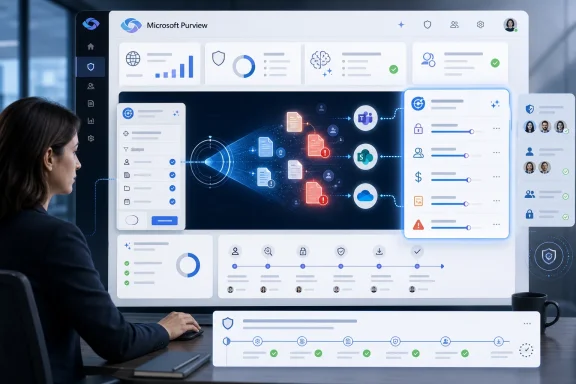 Microsoft Moves Purview From Search Tool to Judgment Engine
For years, the compliance and security pitch around Microsoft 365 data has been straightforward: your information is already in Microsoft’s cloud, so Microsoft should be able to help you find, classify, retain, investigate, and protect it. Purview is the product umbrella built around that promise, spanning data loss prevention, information protection, eDiscovery, insider risk, data governance, and an expanding set of AI-assisted analysis features.Data Security Investigations sits in the more urgent part of that universe. It is meant for moments when an organization suspects that sensitive data has been exposed, mishandled, overshared, downloaded, or otherwise placed at risk. The work is less abstract than policy tuning and more time-sensitive than long-range governance.
The new custom examination capability changes the posture of that work. Instead of accepting only Microsoft’s predefined risk lenses, admins can define focus areas that match the investigation at hand. A healthcare provider may care about patient files and clinical trial data; a manufacturer may care about supplier contracts and engineering drawings; a financial firm may care about trading records, client lists, and regulated communications.
That sounds obvious, but it is exactly the kind of obvious feature that determines whether AI security tooling becomes operationally useful. Generic analysis can surface “risk.” Custom examination can surface the risk this organization is actually investigating.
The Feature Is Narrow, but the Signal Is Broad
Roadmap ID 560598 is not a sweeping relaunch of Purview. It does not replace eDiscovery, DLP, Insider Risk Management, or sensitivity labels. It adds a way for admins to tailor examination focus areas inside Data Security Investigations, alongside existing AI-powered content analysis features such as categorization, AI search, and risk examination.That narrowness is important. Microsoft is not claiming that the feature will magically understand every investigation without human input. Instead, the company is giving admins a mechanism to inject organizational context into the AI-assisted review process.
In practical terms, this is Microsoft acknowledging one of the most persistent problems in enterprise AI: models can be powerful and still be too general. A system can recognize common sensitive information patterns and still miss why a particular spreadsheet, Teams chat, or contract draft is radioactive inside one business unit and irrelevant inside another.
The launch timing also matters. Preview availability was listed for May 2026, with general availability in June 2026 and the roadmap item marked as launched. That makes this less of a speculative Copilot-era promise and more of a current capability that Purview customers can begin evaluating now, assuming the feature has reached their tenant and licensing path.
The Old Investigation Model Was Built Around the Data, Not the Suspicion
Traditional compliance search begins with known terms, custodians, dates, locations, and data types. That model works well when the investigator knows what to ask. It works less well when the suspicion is broad: a departing employee may have taken something, a shared folder may contain unapproved regulated data, or an incident may involve sensitive documents whose titles and owners are not yet known.Data Security Investigations is Microsoft’s attempt to close that gap by applying AI analysis to impacted data. The system can categorize material, support AI search, and examine content for risk. The custom focus-area feature adds a missing piece: the ability to tell the system what kind of danger matters most in this investigation.
That distinction is subtle but significant. Search asks, “Where is the thing I can describe?” Investigation asks, “What in this pile should make me nervous?” The second question is where AI can help, but only if the human investigator can shape the frame.
A security team investigating possible source-code leakage does not want the same examination emphasis as a legal team reviewing privileged communications or a privacy team tracing customer data exposure. The underlying content corpus may overlap, but the risk model should not.
Custom Focus Areas Are Microsoft’s Answer to AI Noise
Every AI security product now makes some version of the same pitch: it can reduce the haystack, find the needles, and explain why they matter. The problem is that enterprise environments contain many kinds of needles, and not all of them are sharp.False positives are not just an annoyance in investigations. They change behavior. If analysts learn that an AI tool floods them with plausible but irrelevant findings, they either stop trusting it or spend their time validating the machine instead of investigating the incident.
Custom examination focus areas are an attempt to reduce that noise before it reaches the analyst. By aligning the examination with the investigation’s purpose, Purview can theoretically prioritize material that fits the risk being examined rather than simply material that looks generically sensitive.
The word “theoretically” is doing real work here. The feature’s value will depend on how well Microsoft translates an admin-defined focus area into consistent analysis, and how clearly the product explains the rationale behind what it surfaces. In security operations, a black box that produces fewer alerts is still a black box.
Purview’s AI Pitch Now Depends on Explainability
Microsoft’s documentation and product language around Data Security Investigations emphasize AI-powered content analysis, categorization, AI search, and risk examination. That is directionally useful, but enterprise buyers will want more than directional usefulness. They will want to know why a file was scored as risky, why another was ignored, and how custom focus areas changed the result.This is especially true because Purview sits at the intersection of security, compliance, privacy, and legal response. A bad recommendation is not merely a missed alert; it can affect breach assessment, regulatory notification, employment action, litigation strategy, or executive reporting.
Custom focus areas could strengthen the auditability of AI-assisted investigations if Microsoft treats them as structured investigative context rather than casual natural-language hints. The best version of this feature would let teams preserve what they asked the system to examine, what data was in scope, what outputs were generated, and what actions followed.
The weaker version would behave like a prompt field with enterprise branding. That might still be useful for ad hoc analysis, but it would be much harder to defend in a post-incident review.
The Admin Becomes Part Investigator, Part Prompt Engineer
There is an uncomfortable labor shift hiding inside many AI security features. Vendors present AI as a way to reduce analyst burden, but the work often moves upstream: someone has to define the scope, tune the context, review the outputs, and decide whether the system’s reasoning fits the organization’s policy and risk appetite.Custom examination focus areas make that shift explicit. Admins are no longer just choosing data sources and clicking through categories. They are shaping the investigative lens.
That is not necessarily bad. In mature security programs, investigations already begin with a hypothesis. The analyst asks whether a user exfiltrated sensitive files, whether a repository contains regulated data, whether an overshared site includes confidential material, or whether a set of documents indicates insider risk.
The danger is that less mature teams may treat the feature as magic. A vague focus area will produce vague assistance. A poorly scoped investigation may still miss critical content. AI can accelerate inquiry, but it cannot replace the discipline of knowing what question is being asked.
Microsoft Is Stitching Together the Copilot-Era Control Plane
Purview’s increased prominence is not happening in isolation. Microsoft’s entire productivity stack is being reshaped around Copilot, AI search, semantic indexing, and cross-application reasoning. That creates a new governance problem: the more powerful the discovery layer becomes, the more costly weak permissions, stale sharing links, and unmanaged sensitive data become.Data Security Investigations belongs to the defensive side of that story. If Copilot and AI search make information easier to retrieve, Purview must make risky information easier to find, understand, and remediate. Custom examination focus areas are part of that same control-plane logic.
The feature also fits Microsoft’s broader tendency to consolidate security and compliance workflows inside Purview rather than leaving them scattered across standalone tools. Investigations can increasingly begin from signals in data security posture management, insider risk, or other Purview surfaces, then move into deeper examination.
For WindowsForum readers managing Microsoft 365 estates, the important point is not that one more Purview feature has reached GA. It is that Microsoft is building a feedback loop between data visibility, AI analysis, and remediation. Whether that loop feels empowering or opaque will depend on implementation.
Enterprise IT Will Judge This by Workflow, Not Roadmap Language
The Microsoft 365 Roadmap is useful, but it is not the same as operational reality. Admins know that “launched” can still mean phased rollout, licensing ambiguity, regional lag, documentation gaps, or user-interface behavior that changes faster than internal runbooks.That history matters because Purview is already a complex product family. Many organizations still struggle to understand which features live in the Purview portal, which require premium licensing, which depend on other Microsoft 365 services, and which are subject to preview limitations or tenant-specific rollout behavior.
Custom examination focus areas will succeed if they fit naturally into existing investigation workflows. Analysts should not have to abandon their case structure, duplicate scoping work, or reverse-engineer where AI results came from. The feature needs to feel like an extension of the investigation, not a side quest.
The administrative burden will also matter. If defining a useful focus area requires too much expertise, the feature may become a specialist tool used by a small compliance team. If it is too loose, it may produce inconsistent results across investigators and cases. Microsoft has to thread that needle carefully.
Security Teams Need Guardrails Before They Need Demos
The obvious demo for custom examination is compelling: define a focus area, run analysis, surface the riskiest content, and reduce investigation time. The harder enterprise question is how to govern who can create those focus areas and what they are allowed to examine.Investigations often involve sensitive employee data, confidential business records, privileged communications, and regulated personal information. Giving admins more targeted analysis power increases the need for role-based access control, case-level permissions, retention awareness, and defensible logging.
This is where Purview has an advantage over standalone AI tools. Because it is embedded in Microsoft’s compliance and security ecosystem, it can theoretically respect existing permissions, retention controls, DLP policy context, and investigation boundaries. But “theoretically” is not enough for regulated organizations.
Security teams should test the feature with boring rigor. They should confirm who can use it, what data it can reach, how results are stored, whether actions are logged, and how outputs interact with legal hold, retention labels, and existing eDiscovery processes. The most impressive AI workflow is still a liability if it cannot survive an audit.
The Real Competition Is the Spreadsheet and the Export Folder
Microsoft likes to position Purview against other enterprise security and governance platforms, but in many organizations the real competitor is still manual review. Investigations often end up in exports, spreadsheets, shared evidence folders, and long email threads between security, legal, privacy, HR, and business owners.That manual layer exists because people need control. They need to annotate findings, compare context, escalate decisions, and explain conclusions. If Purview can keep more of that work inside a governed workflow, it has a practical advantage.
Custom examination focus areas could reduce the temptation to export everything just to make sense of it elsewhere. If an investigator can narrow analysis inside Purview, review AI-generated rationale, and move toward remediation without leaving the platform, that is a meaningful operational improvement.
But Microsoft should not confuse containment with usability. Admins will only stay inside Purview if the portal is fast, predictable, and transparent. The more Microsoft asks teams to trust Purview as the place where high-stakes investigations happen, the less tolerance those teams will have for sluggish interfaces and inconsistent feature availability.
AI Search Is Useful, but Risk Examination Is the Bigger Bet
AI search gets attention because it feels immediately powerful. An analyst can ask for information in natural language and potentially find material that keyword search would miss. That is valuable, especially in messy collaboration environments where sensitive content may not be named consistently.Risk examination is the more consequential capability. It asks the system to evaluate content, not merely retrieve it. That is where custom focus areas become important, because risk depends on context.
A document containing financial projections may be routine inside finance, dangerous in a personal OneDrive folder, and explosive if accessed by a user under insider-risk review. The content alone does not tell the whole story. The investigation’s purpose changes the meaning of the evidence.
Microsoft’s bet is that Purview can combine content analysis with administrative context and security signals to produce useful prioritization. If that works, Data Security Investigations becomes more than a search-and-review console. It becomes a triage engine for data security incidents.
The Licensing Conversation Is Waiting in the Wings
Microsoft has not made enterprise AI feel simpler from a licensing perspective. Purview capabilities often depend on Microsoft 365 plans, add-ons, role assignments, and sometimes separate capacity concepts. Data Security Investigations also intersects with AI analysis and compute considerations, which means customers will want clarity before they build processes around it.That matters because investigations are not optional when something goes wrong. If a feature becomes part of incident response, organizations need to know whether they can rely on it under pressure and what it will cost at scale.
A custom examination capability that is available only to a subset of tenants, users, or capacity configurations may still be useful, but it changes planning. Security leaders will need to decide whether DSI is a core incident-response tool, a premium accelerator for select cases, or a feature they evaluate but do not operationalize.
The worst outcome would be for teams to discover licensing or capacity friction during an active incident. The right time to test access, throughput, and cost behavior is before the breach call, not during it.
The Feature Rewards Organizations That Already Know Their Data
There is a quiet irony in AI-powered data security: it works best for organizations that have already done some of the hard governance work. Sensitivity labels, clear ownership, least-privilege access, retention policies, data maps, and well-defined incident playbooks all make AI analysis more useful.Custom examination focus areas follow the same pattern. They are most powerful when a team can articulate the risk in concrete terms. “Find sensitive stuff” is not a strategy. “Examine this scope for customer contractual data shared outside approved groups after a specific access event” is much closer to an investigation.
That means the feature may widen the gap between mature and immature Microsoft 365 environments. Mature teams can use custom focus areas to sharpen an already disciplined process. Less mature teams may use them as a substitute for process and receive uneven results.
Microsoft can help by providing templates, examples, and guidance that teach admins how to frame effective examination areas without turning every security analyst into a prompt specialist. The product should encourage specificity without demanding linguistic wizardry.
Windows Admins Should Read This as a Microsoft 365 Security Story
This roadmap item is not about Windows desktop management in the narrow sense. It is about the cloud data estate that Windows users create every day through Office apps, Teams, SharePoint, OneDrive, Outlook, Edge, and Copilot-connected workflows.For sysadmins, the practical connection is clear. Endpoint compromise, credential theft, malicious insiders, oversharing, and accidental exposure all converge on data. The laptop may be the starting point, but the investigation often ends in Microsoft 365.
Data Security Investigations gives Microsoft a way to tell admins that the same ecosystem generating the risk can also help resolve it. That is persuasive, but it also deepens dependency. The more security operations move into Purview, the more important it becomes for admins to understand Purview roles, audit logs, service health, and rollout behavior.
This is the modern Windows admin’s reality: the operating system is still central, but the blast radius lives in the cloud. A feature like custom examination is another reminder that Microsoft 365 security is now part of endpoint security, whether organizations budget and staff it that way or not.
The Custom Lens That Turns Purview’s AI From Impressive to Useful
Microsoft’s launch gives admins a concrete new tool, but the value will come from how deliberately it is adopted. Treating custom examination as a governed investigative control will produce better outcomes than treating it as a clever AI shortcut.- Organizations should test custom examination focus areas against real past incidents or tabletop scenarios before relying on them in live response.
- Admins should document who is allowed to create focus areas, how they should be worded, and how results should be reviewed.
- Security and compliance teams should compare AI-assisted findings with manual review to understand false positives, false negatives, and blind spots.
- Purview owners should verify licensing, permissions, audit logging, and regional rollout status before making DSI part of an incident playbook.
- Investigators should use custom focus areas to sharpen a hypothesis, not to replace the judgment required to form one.
Microsoft Purview’s custom examination focus areas are not a revolution on their own, but they mark a meaningful step in the evolution of enterprise data security: away from static searches and toward AI-assisted investigations shaped by human context. The next test is whether Microsoft can make that context auditable, repeatable, and easy enough for real security teams to use under pressure. If it can, Purview becomes more than the place Microsoft stores its compliance ambitions; it becomes one of the places where the Copilot-era enterprise learns how to investigate itself.
References
- Primary source: Microsoft 365 Roadmap
Published: 2026-07-02T23:12:48.2177075Z
Microsoft 365 Roadmap | Microsoft 365
The Microsoft 365 Roadmap lists updates that are currently planned for applicable subscribers. Check here for more information on the status of new features and updates.www.microsoft.com
- Official source: learn.microsoft.com
Create an investigation in Data Security Investigations | Microsoft Learn
Learn how to create and manage investigations in Data Security Investigations. Discover methods, AI context, and integration options to streamline your analysis.learn.microsoft.com - Related coverage: ebisuda.net
Purview データセキュリティ調査に「カスタムフォーカス」登場──AI分析を自組織の機密情報に合わせて最適化 | ebisuda.net
2026年5月中旬から、Purview DSIのAI調査対象と優先度を管理者が組織固有の機密情報に合わせて細かく制御できる「カスタム検査フォーカスエリア」が展開開始。www.ebisuda.net
- Official source: techcommunity.microsoft.com
- Official source: cdn-dynmedia-1.microsoft.com
