

Google disclosed CVE-2026-13779 on June 30, 2026, as a Critical use-after-free flaw in Chromoting that affects Google Chrome on ChromeOS before version 150.0.7871.47 and can allow remote code execution through malicious network traffic. The entry, now reflected in the National Vulnerability Database and enriched by CISA’s automated vulnerability program, is the kind of bug that looks narrow until you remember what Chromoting is designed to do: broker remote access. For WindowsForum readers, the lesson is not that every Chrome bug is a Windows emergency; it is that browser-adjacent remote-control code has become part of the operating system attack surface whether administrators think of it that way or not.
The vulnerability arrived inside a very large Chrome 150 security update, which Google’s Chrome Releases blog said shipped hundreds of security fixes across desktop platforms. Malwarebytes and TechRepublic both highlighted the unusual scale of that release, while NVD’s record for CVE-2026-13779 narrows the most important fact for ChromeOS fleets: before 150.0.7871.47, malicious network traffic could cross the line from connectivity into code execution. That is the difference between “update when convenient” and “find the machines that missed the rollout.”
CVE prose is often austere by design, and this one is no exception. The official description says only that a use-after-free in Chromoting in Google Chrome on ChromeOS prior to 150.0.7871.47 allowed a remote attacker to execute arbitrary code via malicious network traffic. It does not describe exploit chains, target scenarios, or what privilege level an attacker might reach after successful exploitation.
That sparseness should not be mistaken for comfort. Use-after-free is one of the most durable families of memory-corruption bugs because it turns ordinary lifecycle mistakes into opportunities to reuse freed memory in attacker-controlled ways. In browser engineering, these flaws are especially dangerous when they sit near parsers, IPC boundaries, media stacks, GPU code, or remote-access components that process untrusted input.
Chromoting is not just another browser feature with a cute internal name. It is the technology lineage behind Chrome Remote Desktop and related remote-access plumbing, built to move input, display, and session data across a network boundary. A vulnerability in that neighborhood deserves a different level of attention than a rendering bug that requires a victim to browse to a crafted page.
The CISA-ADP enrichment gives the flaw a CVSS 3.1 score of 8.1, with network attack vector, no privileges required, no user interaction, high impact to confidentiality, integrity, and availability, and high attack complexity. That combination is easy to misread. “High complexity” does not mean harmless; it often means the exploit is difficult, timing-sensitive, or dependent on specific state. If the prize is remote code execution in a remote-access pathway, sophisticated attackers may still consider the work worthwhile.
The confusion exists because Chrome is both an application and, on ChromeOS, a foundational system component. On Windows, macOS, and Linux, Chrome can usually be treated as a browser package with a version number and an update mechanism. On ChromeOS, the browser and the operating system have historically been entangled enough that a Chrome vulnerability can also be an operating-system vulnerability in practical asset-management terms.
NVD’s initial analysis reportedly added an AND-style configuration: Chrome before 150.0.7871.47 and ChromeOS as the platform. That is the right shape for a vulnerability that is not “all Chrome everywhere” but also not “ChromeOS kernel only.” It tells scanners and administrators that the vulnerable condition is the intersection of the Chrome component and the ChromeOS environment.
This distinction matters in mixed fleets. A Windows administrator who sees “Google Chrome” and “remote code execution” may start looking at Windows desktops first. A ChromeOS administrator who sees “Chrome” may assume the normal browser auto-update pipeline will handle it. Both instincts are incomplete unless the inventory system can answer a more precise question: which ChromeOS devices are still below 150.0.7871.47?
That scale changes how IT teams should read individual CVEs. A single Critical bug inside a 382-fix release can vanish into the noise, especially when other flaws in the same bundle are easier to explain or affect more familiar components. Administrators tend to triage by headlines, and “Chromoting on ChromeOS” may not sound urgent to organizations that think they only use ChromeOS for kiosks, education devices, shared terminals, or lightweight field laptops.
But a massive release train also creates update fatigue. When every week brings another browser emergency, the temptation is to let automatic updates do their work and move on. That is not unreasonable for consumer desktops; it is risky for managed estates with pinned versions, delayed channels, restricted maintenance windows, or devices that are frequently offline.
The important operational question is not whether Google shipped a fix. It did. The question is whether the fix reached the devices that most need it, and whether the organization can prove that without waiting for the next vulnerability scan to stumble across stale version data.
This is where ChromeOS creates a peculiar risk-management problem. ChromeOS’s reputation rests partly on fast updates, verified boot, sandboxing, and a reduced administrative burden. Those are real strengths. They also encourage complacency when the vulnerable component is part of the remote-access stack rather than a third-party app someone installed recklessly.
Remote code execution through malicious network traffic is the kind of phrase that should tighten change windows. It suggests an attack path that may not require the classic browser pattern of convincing a user to visit a hostile page. The CVSS vector says no user interaction, which is precisely why this bug deserves attention even though the attack complexity is high.
There is also the uncomfortable asymmetry of disclosure. Defenders have a short description, a version threshold, and a locked Chromium issue that requires permissions. Attackers have the same public hints plus time. In the Chrome ecosystem, detailed bug reports are often restricted until enough users are patched, but the lack of public exploit detail should not be confused with the absence of exploitability.
The version boundary is clear enough to operationalize. Devices running ChromeOS with Chrome below 150.0.7871.47 should be treated as exposed to CVE-2026-13779. Devices at or above that version should be out of scope for this specific flaw, assuming the vendor’s release notes and NVD enrichment are accurate.
The harder part is finding exceptions. Shared devices in schools, front-desk systems, retail kiosks, conference-room endpoints, loaner laptops, and field devices tend to be exactly the systems that miss smooth update cycles. They are also the systems most likely to be treated as appliances rather than managed computers.
Administrators should resist the urge to file this under “Chrome will update itself.” Chrome often does, and ChromeOS often does better than many legacy desktop environments. But security work is less about believing in the happy path than finding the machines that fell off it.
Still, Windows-heavy shops should care for three reasons. First, many enterprises are no longer single-platform environments, even when Windows remains the center of gravity. ChromeOS devices show up in education, frontline work, call centers, contractors’ hands, labs, and meeting rooms.
Second, remote-access components are shared architectural risk. The same organization that worries about RDP exposure, remote management agents, helpdesk tools, and browser extensions should not ignore Chromoting merely because it arrives under the Chrome brand. Remote-control code is privileged by purpose; it exists to make one machine respond to another machine across a network.
Third, vulnerability databases and scanners do not always express cross-product reality cleanly. A CPE mismatch, delayed enrichment, or ambiguous product tag can cause either false alarms or missed exposure. CVE-2026-13779 is a reminder that asset management has to understand platform context, not just package names.
The available indicators are still enough. The bug class is use-after-free. The component is Chromoting. The affected environment is Chrome on ChromeOS before 150.0.7871.47. The attack vector is network. The outcome is arbitrary code execution. CISA’s scoring says no privileges or user interaction are required, while attack complexity is high.
That is not a complete exploit narrative, but it is a complete patch narrative. Security teams do not need proof-of-concept code to prioritize a Critical browser-family vulnerability that crosses a network boundary. They need a version cutoff, an affected population, a remediation path, and a way to verify completion.
If anything, the locked bug report should shift attention away from speculation. There is little value in guessing whether the exploit targets a signaling channel, session negotiation, media transport, memory ownership in a service process, or some other Chromoting path. The responsible defensive move is to close the version gap first and ask architectural questions after the fleet is no longer exposed.
A forgotten Windows server is obviously dangerous. A forgotten Chromebook in a cart, kiosk enclosure, front-office drawer, or lab bench feels less dramatic. But if it contains a vulnerable remote-access component reachable through malicious network traffic, its operating model does not make it irrelevant.
The same is true of devices used for “just browsing,” “just check-in,” or “just remote support.” Attackers do not care whether a system is strategically important in the asset database. They care whether it can be reached, compromised, and used as a foothold, proxy, credential collection point, or pivot.
That is the larger story behind CVE-2026-13779. The browser has become an operating environment; the operating environment has absorbed remote-control features; and the line between application patching and endpoint security keeps getting thinner.
Organizations should also review whether Chromoting or Chrome Remote Desktop-style functionality is expected, allowed, restricted, or disabled by policy. The existence of a patched vulnerability does not automatically mean the feature is unsafe. It does mean administrators should know where remote-access capabilities are enabled and whether they match business need.
For Windows administrators, the right move is not panic-patching Windows Chrome for this CVE in isolation. The right move is to check whether the organization owns ChromeOS devices, whether vulnerability tooling correctly models the CPE intersection, and whether Chrome-family patch status is visible in the same operational dashboards as Windows endpoints.
This is also a good moment to test the organization’s browser update assumptions. If a ChromeOS Critical fix cannot be verified quickly, that is not a Chrome problem; it is an asset visibility problem. The next browser-family vulnerability may affect Windows, Linux, macOS, Android, or all of them at once, and the same visibility gap will matter more.
The vulnerability arrived inside a very large Chrome 150 security update, which Google’s Chrome Releases blog said shipped hundreds of security fixes across desktop platforms. Malwarebytes and TechRepublic both highlighted the unusual scale of that release, while NVD’s record for CVE-2026-13779 narrows the most important fact for ChromeOS fleets: before 150.0.7871.47, malicious network traffic could cross the line from connectivity into code execution. That is the difference between “update when convenient” and “find the machines that missed the rollout.”
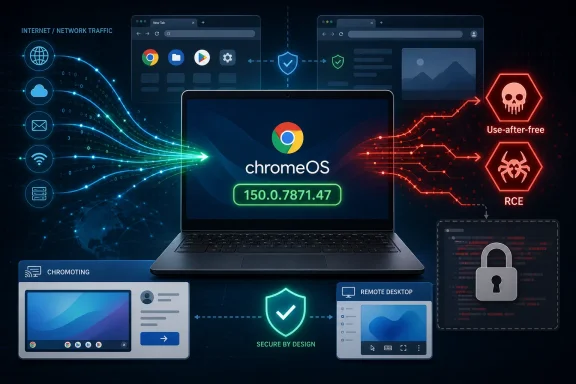 Google’s Small Description Carries a Big Remote-Access Warning
CVE prose is often austere by design, and this one is no exception. The official description says only that a use-after-free in Chromoting in Google Chrome on ChromeOS prior to 150.0.7871.47 allowed a remote attacker to execute arbitrary code via malicious network traffic. It does not describe exploit chains, target scenarios, or what privilege level an attacker might reach after successful exploitation.That sparseness should not be mistaken for comfort. Use-after-free is one of the most durable families of memory-corruption bugs because it turns ordinary lifecycle mistakes into opportunities to reuse freed memory in attacker-controlled ways. In browser engineering, these flaws are especially dangerous when they sit near parsers, IPC boundaries, media stacks, GPU code, or remote-access components that process untrusted input.
Chromoting is not just another browser feature with a cute internal name. It is the technology lineage behind Chrome Remote Desktop and related remote-access plumbing, built to move input, display, and session data across a network boundary. A vulnerability in that neighborhood deserves a different level of attention than a rendering bug that requires a victim to browse to a crafted page.
The CISA-ADP enrichment gives the flaw a CVSS 3.1 score of 8.1, with network attack vector, no privileges required, no user interaction, high impact to confidentiality, integrity, and availability, and high attack complexity. That combination is easy to misread. “High complexity” does not mean harmless; it often means the exploit is difficult, timing-sensitive, or dependent on specific state. If the prize is remote code execution in a remote-access pathway, sophisticated attackers may still consider the work worthwhile.
The CPE Confusion Is a Symptom of Chrome’s Platform Blur
The user-facing oddity in the NVD record is the affected configuration. NVD’s change history shows an added CPE configuration tying Google Chrome versions before 150.0.7871.47 to ChromeOS, while the newer CVE JSON language names the product as Chrome and the platform as ChromeOS. That is why the page’s “Are we missing a CPE here?” language feels more than bureaucratic housekeeping.The confusion exists because Chrome is both an application and, on ChromeOS, a foundational system component. On Windows, macOS, and Linux, Chrome can usually be treated as a browser package with a version number and an update mechanism. On ChromeOS, the browser and the operating system have historically been entangled enough that a Chrome vulnerability can also be an operating-system vulnerability in practical asset-management terms.
NVD’s initial analysis reportedly added an AND-style configuration: Chrome before 150.0.7871.47 and ChromeOS as the platform. That is the right shape for a vulnerability that is not “all Chrome everywhere” but also not “ChromeOS kernel only.” It tells scanners and administrators that the vulnerable condition is the intersection of the Chrome component and the ChromeOS environment.
This distinction matters in mixed fleets. A Windows administrator who sees “Google Chrome” and “remote code execution” may start looking at Windows desktops first. A ChromeOS administrator who sees “Chrome” may assume the normal browser auto-update pipeline will handle it. Both instincts are incomplete unless the inventory system can answer a more precise question: which ChromeOS devices are still below 150.0.7871.47?
Chrome’s 150 Release Shows the Patch Firehose Problem
The broader Chrome 150 update was notable not only because it included CVE-2026-13779, but because the release reportedly carried hundreds of security fixes. Malwarebytes described it as another “whopper” Chrome update, and TechRepublic echoed the scale of the patch bundle while noting that the patched components ranged across major browser subsystems. Google’s own Chrome Releases blog remains the authoritative vendor advisory, but the outside coverage captured the operational reality: Chrome patching is no longer a tidy monthly ritual.That scale changes how IT teams should read individual CVEs. A single Critical bug inside a 382-fix release can vanish into the noise, especially when other flaws in the same bundle are easier to explain or affect more familiar components. Administrators tend to triage by headlines, and “Chromoting on ChromeOS” may not sound urgent to organizations that think they only use ChromeOS for kiosks, education devices, shared terminals, or lightweight field laptops.
But a massive release train also creates update fatigue. When every week brings another browser emergency, the temptation is to let automatic updates do their work and move on. That is not unreasonable for consumer desktops; it is risky for managed estates with pinned versions, delayed channels, restricted maintenance windows, or devices that are frequently offline.
The important operational question is not whether Google shipped a fix. It did. The question is whether the fix reached the devices that most need it, and whether the organization can prove that without waiting for the next vulnerability scan to stumble across stale version data.
“No Known Exploitation” Is Not the Same as “No Urgency”
CISA’s SSVC data for CVE-2026-13779 lists exploitation as “none,” automation as “no,” and technical impact as “total.” That is a useful snapshot, not a permission slip to defer patching indefinitely. It says that, at the time of enrichment, there was no known exploitation and the attack did not appear trivially automatable, while the consequence of successful exploitation could still be severe.This is where ChromeOS creates a peculiar risk-management problem. ChromeOS’s reputation rests partly on fast updates, verified boot, sandboxing, and a reduced administrative burden. Those are real strengths. They also encourage complacency when the vulnerable component is part of the remote-access stack rather than a third-party app someone installed recklessly.
Remote code execution through malicious network traffic is the kind of phrase that should tighten change windows. It suggests an attack path that may not require the classic browser pattern of convincing a user to visit a hostile page. The CVSS vector says no user interaction, which is precisely why this bug deserves attention even though the attack complexity is high.
There is also the uncomfortable asymmetry of disclosure. Defenders have a short description, a version threshold, and a locked Chromium issue that requires permissions. Attackers have the same public hints plus time. In the Chrome ecosystem, detailed bug reports are often restricted until enough users are patched, but the lack of public exploit detail should not be confused with the absence of exploitability.
ChromeOS Fleets Need Version Truth, Not Assurances
For home users, the advice is simple: update ChromeOS and restart. For organizations, that sentence hides several failure modes. Managed ChromeOS devices can be held back by staged rollouts, pinned versions, network constraints, user behavior, device inactivity, or policy choices that made sense for stability last quarter and look dangerous this week.The version boundary is clear enough to operationalize. Devices running ChromeOS with Chrome below 150.0.7871.47 should be treated as exposed to CVE-2026-13779. Devices at or above that version should be out of scope for this specific flaw, assuming the vendor’s release notes and NVD enrichment are accurate.
The harder part is finding exceptions. Shared devices in schools, front-desk systems, retail kiosks, conference-room endpoints, loaner laptops, and field devices tend to be exactly the systems that miss smooth update cycles. They are also the systems most likely to be treated as appliances rather than managed computers.
Administrators should resist the urge to file this under “Chrome will update itself.” Chrome often does, and ChromeOS often does better than many legacy desktop environments. But security work is less about believing in the happy path than finding the machines that fell off it.
Windows Shops Should Still Pay Attention
At first glance, a ChromeOS-specific Chromoting CVE seems outside the normal WindowsForum beat. It is not a Windows vulnerability, and the NVD text provided by Google specifically scopes CVE-2026-13779 to Chrome on ChromeOS before 150.0.7871.47. That distinction matters: there is no basis in the public record to claim that this exact CVE exposes ordinary Chrome on Windows in the same way.Still, Windows-heavy shops should care for three reasons. First, many enterprises are no longer single-platform environments, even when Windows remains the center of gravity. ChromeOS devices show up in education, frontline work, call centers, contractors’ hands, labs, and meeting rooms.
Second, remote-access components are shared architectural risk. The same organization that worries about RDP exposure, remote management agents, helpdesk tools, and browser extensions should not ignore Chromoting merely because it arrives under the Chrome brand. Remote-control code is privileged by purpose; it exists to make one machine respond to another machine across a network.
Third, vulnerability databases and scanners do not always express cross-product reality cleanly. A CPE mismatch, delayed enrichment, or ambiguous product tag can cause either false alarms or missed exposure. CVE-2026-13779 is a reminder that asset management has to understand platform context, not just package names.
The Locked Chromium Bug Is Normal, But It Leaves Defenders Reading Shadows
The Chromium issue linked from NVD is marked as requiring permissions, which is normal for security bugs while patches are still rolling through the ecosystem. Google routinely restricts details to reduce the chance that attackers can weaponize a freshly disclosed flaw before users update. That practice is defensible, but it forces defenders to work from sparse indicators.The available indicators are still enough. The bug class is use-after-free. The component is Chromoting. The affected environment is Chrome on ChromeOS before 150.0.7871.47. The attack vector is network. The outcome is arbitrary code execution. CISA’s scoring says no privileges or user interaction are required, while attack complexity is high.
That is not a complete exploit narrative, but it is a complete patch narrative. Security teams do not need proof-of-concept code to prioritize a Critical browser-family vulnerability that crosses a network boundary. They need a version cutoff, an affected population, a remediation path, and a way to verify completion.
If anything, the locked bug report should shift attention away from speculation. There is little value in guessing whether the exploit targets a signaling channel, session negotiation, media transport, memory ownership in a service process, or some other Chromoting path. The responsible defensive move is to close the version gap first and ask architectural questions after the fleet is no longer exposed.
The Real Risk Is the Device Everyone Forgot Was a Computer
ChromeOS has succeeded partly because it makes computers feel less like computers. They boot quickly, update quietly, and reduce the administrative surface that made older Windows fleets so painful to manage. That model is valuable, but it can make ChromeOS devices disappear from serious security conversations until a CVE like this one drags them back into view.A forgotten Windows server is obviously dangerous. A forgotten Chromebook in a cart, kiosk enclosure, front-office drawer, or lab bench feels less dramatic. But if it contains a vulnerable remote-access component reachable through malicious network traffic, its operating model does not make it irrelevant.
The same is true of devices used for “just browsing,” “just check-in,” or “just remote support.” Attackers do not care whether a system is strategically important in the asset database. They care whether it can be reached, compromised, and used as a foothold, proxy, credential collection point, or pivot.
That is the larger story behind CVE-2026-13779. The browser has become an operating environment; the operating environment has absorbed remote-control features; and the line between application patching and endpoint security keeps getting thinner.
The Patch Story Administrators Should Actually Tell
The practical response to CVE-2026-13779 is not complicated, but it does need discipline. Treat the vulnerability as a ChromeOS fleet issue tied to a specific Chrome version threshold. Confirm that devices have updated to 150.0.7871.47 or later. Prioritize managed devices that are exposed to untrusted networks or used for remote support workflows.Organizations should also review whether Chromoting or Chrome Remote Desktop-style functionality is expected, allowed, restricted, or disabled by policy. The existence of a patched vulnerability does not automatically mean the feature is unsafe. It does mean administrators should know where remote-access capabilities are enabled and whether they match business need.
For Windows administrators, the right move is not panic-patching Windows Chrome for this CVE in isolation. The right move is to check whether the organization owns ChromeOS devices, whether vulnerability tooling correctly models the CPE intersection, and whether Chrome-family patch status is visible in the same operational dashboards as Windows endpoints.
This is also a good moment to test the organization’s browser update assumptions. If a ChromeOS Critical fix cannot be verified quickly, that is not a Chrome problem; it is an asset visibility problem. The next browser-family vulnerability may affect Windows, Linux, macOS, Android, or all of them at once, and the same visibility gap will matter more.
The Version Number Is the Security Boundary This Week
CVE-2026-13779 is not the loudest Chrome bug imaginable, but it is concrete enough to act on now. The facts are narrow, the implications are broader, and the remediation target is specific.- Google’s disclosed fix line for this ChromeOS Chromoting flaw is Chrome 150.0.7871.47 or later.
- The vulnerability is a Critical use-after-free that can allow remote code execution through malicious network traffic.
- CISA’s enrichment rates the CVSS 3.1 severity as High at 8.1, with no privileges and no user interaction required, but high attack complexity.
- NVD’s configuration ties vulnerable Chrome versions to the ChromeOS platform, so scanners need to model both the application version and the operating-system context.
- There is no public NVD basis to treat this specific CVE as a Windows Chrome exposure, but Windows-centered organizations should still check for ChromeOS devices in their estate.
- The absence of known exploitation is useful context, not a reason to leave managed ChromeOS devices below the fixed version.
References
- Primary source: NVD / Chromium
Published: 2026-07-03T07:00:42-07:00
NVD - CVE-2026-13779
 nvd.nist.gov
- Security advisory: MSRC
Published: 2026-07-03T07:00:42-07:00
Original feed URL
Security Update Guide - Microsoft Security Response Center
 msrc.microsoft.com
- Related coverage: radar.offseq.com
CVE-2026-13779: Use after free in Google Chrome - Live Threat Intelligence - Threat Radar | OffSeq.com
Detailed information about CVE-2026-13779: Use after free in Google Chrome affecting Google Chrome. Get real-time updates, technical details, and mitigation strradar.offseq.com