

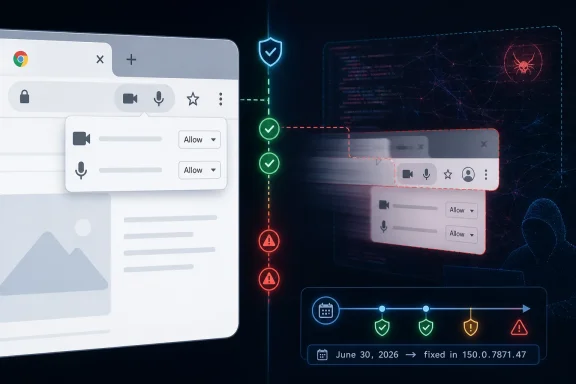
Google disclosed CVE-2026-13985 on June 30, 2026, as a medium-severity Chrome MediaCapture flaw fixed before version 150.0.7871.47 that could let a remote attacker spoof browser UI after already compromising the renderer process. The National Vulnerability Database enriched the entry on July 2 with a 6.5 CVSS 3.1 score, while CISA’s automated enrichment classified the technical impact as partial and noted no known exploitation. That combination makes this a classic browser-security story: not the loudest bug in the release, but one that sits uncomfortably close to the trust boundary users rely on when granting camera and microphone access.
The important word in Google’s description is not merely “spoofing.” It is MediaCapture. Modern browsers ask users to make security decisions through small, carefully designed pieces of interface: permission prompts, capture indicators, origin labels, and tab-level signals that say which site is using sensitive hardware. CVE-2026-13985 is a reminder that those signals are not decorative. They are part of the browser’s security model.
Chrome’s stable desktop update to the 150.0.7871.46 and 150.0.7871.47 line arrived at the end of June with a very large bundle of security fixes. Malwarebytes described the release as another unusually heavy Chrome update, reporting 382 security fixes across the desktop and Android updates. In that crowd, CVE-2026-13985 looks easy to miss: medium severity, no reported exploitation, and a prerequisite that the attacker has already compromised the renderer.
That prerequisite matters. A renderer compromise means the attacker has already broken through one of Chrome’s major isolation layers, typically by exploiting some other bug in the web-exposed engine. CVE-2026-13985 is not advertised as a one-click full-chain compromise on its own, and neither Google’s release note nor the NVD entry says it is being exploited in the wild.
But browser vulnerabilities do not live in isolation. Attackers chain bugs because modern browsers are built as layered defenses, and a weakness that looks “post-compromise” on paper can become strategically valuable when paired with a renderer exploit, malicious page, social engineering, or a confused permission state. A UI spoofing bug in a media-capture component is not the same class of problem as a memory-corruption bug in V8, but it attacks a different kind of asset: user judgment.
That is why the CVSS vector lands where it does. NVD and CISA’s ADP both list the score as 6.5 under CVSS 3.1, with network attack vector, low attack complexity, no privileges required, user interaction required, unchanged scope, no confidentiality impact, high integrity impact, and no availability impact. The score is mathematically “medium,” but the affected trust surface is one of the browser’s most human-facing ones.
That model has been one of Chrome’s great security wins. It means a single web-content bug should not automatically become arbitrary system compromise. It also means that many modern Chrome vulnerabilities are meaningful only when viewed as links in a chain: one flaw gets code running somewhere constrained, another weakens a browser boundary, and a third helps persuade the user or the platform to bless an action that should not have happened.
CVE-2026-13985 appears to live in that middle territory. It is not described as a sandbox escape, and the public text does not claim it gives direct access to camera or microphone streams. Instead, the issue is that an attacker with a compromised renderer could perform UI spoofing through a crafted HTML page.
That distinction is important for Windows admins reading vulnerability feeds. A spoofing flaw is not necessarily stealing data by itself; it can instead make the browser lie, or appear to lie, about what is happening. In a capture context, that could mean confusing the user about which origin is asking for access, whether capture is active, what a permission prompt represents, or which page is in control. Google has not published the restricted Chromium issue details publicly, so those exact mechanics should not be assumed. But the affected component tells us why the bug received attention.
Media permissions are especially brittle because users already struggle to understand them. A remote-work user shares a tab instead of a window. A teacher grants camera access to a learning platform. A help-desk technician allows microphone input in a support portal. A spoofed interface in any of those flows does not need to be Hollywood-grade malware to be useful; it just needs to nudge a user into trusting the wrong visual cue.
CVE-2026-13985 sits squarely inside that concern. NVD mapped the bug to CWE-290, authentication bypass by spoofing. CISA’s enrichment added CWE-451, user-interface misrepresentation of critical information. Those categories are not just taxonomy trivia. They describe the problem as a failure of representation: the software can present, or allow presentation of, a misleading security-relevant state.
That is a subtler class of bug than a crash or code execution flaw, but it is not soft. The browser security model assumes users can tell where the browser ends and the webpage begins. Permission prompts are meaningful only if users know they came from Chrome and understand which site they apply to. Capture indicators matter only if they cannot be hidden, forged, or semantically confused.
This is especially true in Chromium-based browsers because the rendering engine is shared across an ecosystem. Google Chrome gets the first line in the CVE because Chrome is the named product in the disclosure, but Chromium’s codebase underpins Microsoft Edge, Brave, Vivaldi, Opera, and countless embedded or enterprise-customized browsers. Downstream vendors may patch on their own schedules and may not use identical version numbers, so administrators should not stop at “Chrome is updated” if their fleet depends on Chromium elsewhere.
Microsoft Edge deserves special attention for WindowsForum readers. Edge usually tracks Chromium security work quickly, but enterprise environments often use Stable, Extended Stable, policy-controlled update rings, or packaging systems that create lag. A Chrome CVE is not automatically an Edge emergency on the same version string, yet it is almost always a prompt to verify the downstream browser’s security baseline.
Large Chrome security drops create a familiar problem for IT teams. The bugs with the most dramatic labels attract attention, while medium-severity issues are triaged into the background. That is rational when resources are constrained, but it can be dangerous when the medium bug touches a high-trust user interface.
The public record around this CVE is also still incomplete. NVD’s page says CVSS 4.0 assessment has not yet been provided, and the CPE configuration was added during NIST’s initial analysis on July 2. The referenced Chromium issue requires permissions, which is common for fresh Chrome security bugs while Google waits for a majority of users to receive the fix. That restriction limits outside analysis, but it also prevents exploit details from becoming a ready-made guide too early.
CISA’s SSVC enrichment is useful here because it adds operational color. It lists exploitation as “none,” automatable as “no,” and technical impact as “partial.” In plain English, that says defenders should patch, but they do not need to treat this specific CVE as a confirmed mass-exploitation event based on the currently public record.
The risk calculus changes if a renderer exploit is already in play. In that scenario, the UI spoofing bug becomes an aid to deception or privilege-by-consent. Attackers often do not need to defeat every technical barrier if they can make the user approve the next step.
That convenience created a new trust burden. Users are expected to understand which site is recording, whether a tab is sharing audio, whether a window or entire screen is exposed, and whether a browser indicator means capture is active or merely permitted. Even careful users can be fooled by subtle UI differences under time pressure.
This is why spoofing in media-capture flows deserves more respect than the word “medium” suggests. A deceptive prompt around a calculator app would be annoying. A deceptive prompt around a microphone or screen-sharing session can affect privacy, credentials, confidential documents, internal chat windows, customer records, and incident-response activity.
The NVD vector says no confidentiality impact, which reflects the vulnerability as scored rather than every possible chain in which it might be used. That is the right formal distinction. But defenders should think operationally: if spoofing helps an attacker trick a user into exposing sensitive content through a legitimate browser feature, the practical outcome can still be data exposure, even if the CVE’s direct primitive is categorized as integrity impact.
There is also a cultural dimension. Users have been trained to distrust pop-ups but trust browser chrome. They know a random webpage asking for a password is suspicious, but a browser permission prompt asking for camera access is part of normal work. UI spoofing bugs exploit that training.
CVE-2026-13985 is listed against Google Chrome before 150.0.7871.47, and that is the patch target for Chrome itself. The broader lesson is to audit the browser stack, not just the icon users click most often. If an organization allows multiple browsers, runs unmanaged developer tools, or depends on vendor-packaged web apps, the patch story becomes more fragmented.
Chrome’s own update mechanism is generally strong, but it still depends on restart behavior. A browser can download the patch and remain exposed until the running process is relaunched. On Windows desktops that stay open for weeks, especially in call centers, kiosks, labs, shared workstations, or virtual desktop pools, “Chrome updated” and “Chrome restarted into the fixed build” are not the same statement.
Admins should also watch policy interactions. Enterprises sometimes delay browser updates to avoid breaking extensions, workflows, or compliance tooling. That is understandable, especially when a large update has a possibility of regressions. But a high-volume Chrome security release compresses the acceptable delay window, because attackers can mine public patches and bug metadata even when detailed issue reports remain restricted.
The responsible posture is not blind auto-update absolutism. It is fast staged rollout with verification. Pilot the update, check business-critical browser workflows, then force completion quickly enough that security patches do not linger behind convenience.
That version threshold is the operational anchor. Users can check it from Chrome’s menu under Help and About Google Chrome, or by visiting the internal settings page for Chrome updates. Enterprises can confirm it through endpoint management, browser reporting, software inventory, or registry and file-version telemetry depending on their tooling.
The one trap is assuming the presence of the update package equals the absence of risk. Chrome’s multi-process architecture means running browser sessions matter. A user who has not restarted after update download may still be on an old executable. In managed environments, that makes restart enforcement part of vulnerability remediation, not a cosmetic afterthought.
The same discipline applies to virtual desktop infrastructure and non-persistent images. Golden images should be updated, but pooled sessions must also recycle into the fixed build. Otherwise, a patched base image can coexist with long-lived vulnerable user sessions.
For unmanaged users, the visible sign is simpler: Chrome should say it is up to date after relaunch. If it is still below 150.0.7871.47, assume the browser remains in scope for this CVE.
That should lower panic, not priority. Most patching failures are not caused by defenders ignoring famous zero-days; they are caused by routine updates falling into gaps between ownership, testing, restart behavior, and inventory. Medium bugs with boring names are where patch hygiene is either real or performative.
The renderer-compromise prerequisite also gives some teams a false sense of containment. If another bug supplies the renderer compromise, this issue can become a useful second step. Browser exploit chains are built out of pieces, and a UI spoofing primitive can be valuable when the attacker’s next objective is consent, credential capture, screen exposure, or trust manipulation.
The more interesting strategic point is that Chrome’s security boundary increasingly includes human perception. The browser is not just preventing memory corruption and enforcing same-origin policy; it is also mediating who gets to ask for a camera, who can claim to be recording, and which visual signals users should believe. A bug in that layer is a security bug because the user is part of the system.
This is why UI spoofing issues keep recurring across browser components. Address bars, file inputs, picture-in-picture windows, speech interfaces, split views, media controls, and capture prompts all create seams where web content and trusted browser UI come visually close. The closer those seams get, the more precise the implementation must be.
The less straightforward part is deciding how much attention to give a medium-severity spoofing bug in a release full of scarier-sounding issues. The answer is that attention should follow the trust boundary, not just the severity label. MediaCapture touches camera, microphone, and screen-sharing flows that users routinely authorize during real work.
There is no public evidence at this point that CVE-2026-13985 is being exploited at scale. There is also no public technical write-up showing exactly what the spoofed UI looked like or which capture state was misrepresented. Until Google opens the Chromium issue or researchers publish more detail, defenders should avoid inventing specifics.
But uncertainty is not a reason to defer the patch. It is a reason to communicate the risk accurately: this is a fixed Chrome bug that could help a renderer-compromising attacker mislead users through crafted HTML. That is narrower than “hackers can turn on your webcam,” but more serious than “just a cosmetic UI problem.”
The important word in Google’s description is not merely “spoofing.” It is MediaCapture. Modern browsers ask users to make security decisions through small, carefully designed pieces of interface: permission prompts, capture indicators, origin labels, and tab-level signals that say which site is using sensitive hardware. CVE-2026-13985 is a reminder that those signals are not decorative. They are part of the browser’s security model.
 A Medium Bug Lands in the Most Sensitive Corner of the Browser
Chrome’s stable desktop update to the 150.0.7871.46 and 150.0.7871.47 line arrived at the end of June with a very large bundle of security fixes. Malwarebytes described the release as another unusually heavy Chrome update, reporting 382 security fixes across the desktop and Android updates. In that crowd, CVE-2026-13985 looks easy to miss: medium severity, no reported exploitation, and a prerequisite that the attacker has already compromised the renderer.That prerequisite matters. A renderer compromise means the attacker has already broken through one of Chrome’s major isolation layers, typically by exploiting some other bug in the web-exposed engine. CVE-2026-13985 is not advertised as a one-click full-chain compromise on its own, and neither Google’s release note nor the NVD entry says it is being exploited in the wild.
But browser vulnerabilities do not live in isolation. Attackers chain bugs because modern browsers are built as layered defenses, and a weakness that looks “post-compromise” on paper can become strategically valuable when paired with a renderer exploit, malicious page, social engineering, or a confused permission state. A UI spoofing bug in a media-capture component is not the same class of problem as a memory-corruption bug in V8, but it attacks a different kind of asset: user judgment.
That is why the CVSS vector lands where it does. NVD and CISA’s ADP both list the score as 6.5 under CVSS 3.1, with network attack vector, low attack complexity, no privileges required, user interaction required, unchanged scope, no confidentiality impact, high integrity impact, and no availability impact. The score is mathematically “medium,” but the affected trust surface is one of the browser’s most human-facing ones.
Chrome’s Renderer Sandbox Changes the Shape of the Risk
The phrase “who had compromised the renderer process” can sound reassuring, almost like a footnote that drains the urgency from the issue. It should not. In Chromium’s architecture, renderers are where web content executes; the browser process and other privileged components are meant to limit what a compromised renderer can do.That model has been one of Chrome’s great security wins. It means a single web-content bug should not automatically become arbitrary system compromise. It also means that many modern Chrome vulnerabilities are meaningful only when viewed as links in a chain: one flaw gets code running somewhere constrained, another weakens a browser boundary, and a third helps persuade the user or the platform to bless an action that should not have happened.
CVE-2026-13985 appears to live in that middle territory. It is not described as a sandbox escape, and the public text does not claim it gives direct access to camera or microphone streams. Instead, the issue is that an attacker with a compromised renderer could perform UI spoofing through a crafted HTML page.
That distinction is important for Windows admins reading vulnerability feeds. A spoofing flaw is not necessarily stealing data by itself; it can instead make the browser lie, or appear to lie, about what is happening. In a capture context, that could mean confusing the user about which origin is asking for access, whether capture is active, what a permission prompt represents, or which page is in control. Google has not published the restricted Chromium issue details publicly, so those exact mechanics should not be assumed. But the affected component tells us why the bug received attention.
Media permissions are especially brittle because users already struggle to understand them. A remote-work user shares a tab instead of a window. A teacher grants camera access to a learning platform. A help-desk technician allows microphone input in a support portal. A spoofed interface in any of those flows does not need to be Hollywood-grade malware to be useful; it just needs to nudge a user into trusting the wrong visual cue.
The Browser UI Is a Security Boundary, Even When It Looks Like Chrome
For years, browser vendors have treated certain parts of the interface as privileged territory. The address bar, permission prompts, certificate indicators, download warnings, screen-sharing banners, and camera/microphone indicators are not supposed to be forgeable by web content. The reason is simple: if a webpage can convincingly draw the browser’s own security UI, the user loses the only interface they have for distinguishing page content from browser truth.CVE-2026-13985 sits squarely inside that concern. NVD mapped the bug to CWE-290, authentication bypass by spoofing. CISA’s enrichment added CWE-451, user-interface misrepresentation of critical information. Those categories are not just taxonomy trivia. They describe the problem as a failure of representation: the software can present, or allow presentation of, a misleading security-relevant state.
That is a subtler class of bug than a crash or code execution flaw, but it is not soft. The browser security model assumes users can tell where the browser ends and the webpage begins. Permission prompts are meaningful only if users know they came from Chrome and understand which site they apply to. Capture indicators matter only if they cannot be hidden, forged, or semantically confused.
This is especially true in Chromium-based browsers because the rendering engine is shared across an ecosystem. Google Chrome gets the first line in the CVE because Chrome is the named product in the disclosure, but Chromium’s codebase underpins Microsoft Edge, Brave, Vivaldi, Opera, and countless embedded or enterprise-customized browsers. Downstream vendors may patch on their own schedules and may not use identical version numbers, so administrators should not stop at “Chrome is updated” if their fleet depends on Chromium elsewhere.
Microsoft Edge deserves special attention for WindowsForum readers. Edge usually tracks Chromium security work quickly, but enterprise environments often use Stable, Extended Stable, policy-controlled update rings, or packaging systems that create lag. A Chrome CVE is not automatically an Edge emergency on the same version string, yet it is almost always a prompt to verify the downstream browser’s security baseline.
The June 30 Update Was Bigger Than One CVE
The Chrome 150.0.7871.47 update was not a tidy one-bug fix. Google’s release note listed a large number of security issues, and third-party coverage quickly focused on the sheer volume of fixes. That matters because CVE-2026-13985 should be understood as part of a broader patch wave, not as a standalone panic item.Large Chrome security drops create a familiar problem for IT teams. The bugs with the most dramatic labels attract attention, while medium-severity issues are triaged into the background. That is rational when resources are constrained, but it can be dangerous when the medium bug touches a high-trust user interface.
The public record around this CVE is also still incomplete. NVD’s page says CVSS 4.0 assessment has not yet been provided, and the CPE configuration was added during NIST’s initial analysis on July 2. The referenced Chromium issue requires permissions, which is common for fresh Chrome security bugs while Google waits for a majority of users to receive the fix. That restriction limits outside analysis, but it also prevents exploit details from becoming a ready-made guide too early.
CISA’s SSVC enrichment is useful here because it adds operational color. It lists exploitation as “none,” automatable as “no,” and technical impact as “partial.” In plain English, that says defenders should patch, but they do not need to treat this specific CVE as a confirmed mass-exploitation event based on the currently public record.
The risk calculus changes if a renderer exploit is already in play. In that scenario, the UI spoofing bug becomes an aid to deception or privilege-by-consent. Attackers often do not need to defeat every technical barrier if they can make the user approve the next step.
MediaCapture Is Where Convenience and Surveillance Anxiety Meet
MediaCapture is not a niche corner of the browser anymore. It is the machinery behind video calls, screen sharing, web conferencing, online exams, customer support sessions, telehealth portals, browser-based recording tools, and collaboration apps. The pandemic normalized the idea that the browser can be a camera, microphone, and screen-sharing client, and enterprises built workflows around that convenience.That convenience created a new trust burden. Users are expected to understand which site is recording, whether a tab is sharing audio, whether a window or entire screen is exposed, and whether a browser indicator means capture is active or merely permitted. Even careful users can be fooled by subtle UI differences under time pressure.
This is why spoofing in media-capture flows deserves more respect than the word “medium” suggests. A deceptive prompt around a calculator app would be annoying. A deceptive prompt around a microphone or screen-sharing session can affect privacy, credentials, confidential documents, internal chat windows, customer records, and incident-response activity.
The NVD vector says no confidentiality impact, which reflects the vulnerability as scored rather than every possible chain in which it might be used. That is the right formal distinction. But defenders should think operationally: if spoofing helps an attacker trick a user into exposing sensitive content through a legitimate browser feature, the practical outcome can still be data exposure, even if the CVE’s direct primitive is categorized as integrity impact.
There is also a cultural dimension. Users have been trained to distrust pop-ups but trust browser chrome. They know a random webpage asking for a password is suspicious, but a browser permission prompt asking for camera access is part of normal work. UI spoofing bugs exploit that training.
Windows Fleets Have More Browser Surface Than Inventory Tools Admit
For home users, the advice is short: update Chrome and restart it. For enterprise Windows environments, the story is longer because Chrome is rarely the only Chromium-based application in the estate. Edge is built in. Electron applications bundle Chromium-derived components. Line-of-business tools may embed webviews. Security teams often know their installed browsers better than they know their embedded browser runtimes.CVE-2026-13985 is listed against Google Chrome before 150.0.7871.47, and that is the patch target for Chrome itself. The broader lesson is to audit the browser stack, not just the icon users click most often. If an organization allows multiple browsers, runs unmanaged developer tools, or depends on vendor-packaged web apps, the patch story becomes more fragmented.
Chrome’s own update mechanism is generally strong, but it still depends on restart behavior. A browser can download the patch and remain exposed until the running process is relaunched. On Windows desktops that stay open for weeks, especially in call centers, kiosks, labs, shared workstations, or virtual desktop pools, “Chrome updated” and “Chrome restarted into the fixed build” are not the same statement.
Admins should also watch policy interactions. Enterprises sometimes delay browser updates to avoid breaking extensions, workflows, or compliance tooling. That is understandable, especially when a large update has a possibility of regressions. But a high-volume Chrome security release compresses the acceptable delay window, because attackers can mine public patches and bug metadata even when detailed issue reports remain restricted.
The responsible posture is not blind auto-update absolutism. It is fast staged rollout with verification. Pilot the update, check business-critical browser workflows, then force completion quickly enough that security patches do not linger behind convenience.
The Version Number Is the Cleanest Signal
For Chrome desktop, the relevant fixed line in the public material is 150.0.7871.47 for Windows and Mac, with 150.0.7871.46 also appearing in the stable-channel rollout information for some desktop builds and 150.0.7871.46 for Linux. Android received a related 150.0.7871.63 line in the same broader release cycle, according to Malwarebytes’ coverage of Google’s update. For the CVE text provided by NVD, the affected condition is Chrome prior to 150.0.7871.47.That version threshold is the operational anchor. Users can check it from Chrome’s menu under Help and About Google Chrome, or by visiting the internal settings page for Chrome updates. Enterprises can confirm it through endpoint management, browser reporting, software inventory, or registry and file-version telemetry depending on their tooling.
The one trap is assuming the presence of the update package equals the absence of risk. Chrome’s multi-process architecture means running browser sessions matter. A user who has not restarted after update download may still be on an old executable. In managed environments, that makes restart enforcement part of vulnerability remediation, not a cosmetic afterthought.
The same discipline applies to virtual desktop infrastructure and non-persistent images. Golden images should be updated, but pooled sessions must also recycle into the fixed build. Otherwise, a patched base image can coexist with long-lived vulnerable user sessions.
For unmanaged users, the visible sign is simpler: Chrome should say it is up to date after relaunch. If it is still below 150.0.7871.47, assume the browser remains in scope for this CVE.
This Is Not a Zero-Day Story, and That Is Exactly Why It Matters
Security coverage often over-indexes on zero-days because exploitation in the wild is the easiest urgency signal to communicate. CVE-2026-13985 does not currently have that signal in the public record. CISA’s enrichment says no exploitation, and Google’s public Chrome release note did not frame it as an actively exploited bug.That should lower panic, not priority. Most patching failures are not caused by defenders ignoring famous zero-days; they are caused by routine updates falling into gaps between ownership, testing, restart behavior, and inventory. Medium bugs with boring names are where patch hygiene is either real or performative.
The renderer-compromise prerequisite also gives some teams a false sense of containment. If another bug supplies the renderer compromise, this issue can become a useful second step. Browser exploit chains are built out of pieces, and a UI spoofing primitive can be valuable when the attacker’s next objective is consent, credential capture, screen exposure, or trust manipulation.
The more interesting strategic point is that Chrome’s security boundary increasingly includes human perception. The browser is not just preventing memory corruption and enforcing same-origin policy; it is also mediating who gets to ask for a camera, who can claim to be recording, and which visual signals users should believe. A bug in that layer is a security bug because the user is part of the system.
This is why UI spoofing issues keep recurring across browser components. Address bars, file inputs, picture-in-picture windows, speech interfaces, split views, media controls, and capture prompts all create seams where web content and trusted browser UI come visually close. The closer those seams get, the more precise the implementation must be.
The Patch Is Straightforward; the Lesson Is Not
The immediate remediation path is not complicated. Chrome users should move to a fixed 150.0.7871.47-or-newer build, restart the browser, and verify the version. Organizations should confirm the state of Chrome on Windows, macOS, and Linux fleets, then check Edge and other Chromium-based browsers against their vendors’ corresponding advisories.The less straightforward part is deciding how much attention to give a medium-severity spoofing bug in a release full of scarier-sounding issues. The answer is that attention should follow the trust boundary, not just the severity label. MediaCapture touches camera, microphone, and screen-sharing flows that users routinely authorize during real work.
There is no public evidence at this point that CVE-2026-13985 is being exploited at scale. There is also no public technical write-up showing exactly what the spoofed UI looked like or which capture state was misrepresented. Until Google opens the Chromium issue or researchers publish more detail, defenders should avoid inventing specifics.
But uncertainty is not a reason to defer the patch. It is a reason to communicate the risk accurately: this is a fixed Chrome bug that could help a renderer-compromising attacker mislead users through crafted HTML. That is narrower than “hackers can turn on your webcam,” but more serious than “just a cosmetic UI problem.”
The Small Chrome Bug That Should Change the Triage Conversation
CVE-2026-13985 does not demand a war-room response by itself, but it does deserve a clean remediation record. Its value is partly in what it says about how browser risk should be assessed in 2026: user interface integrity is now infrastructure.- Chrome installations should be updated to 150.0.7871.47 or later, and the browser should be restarted so the fixed build is actually running.
- Administrators should verify Chromium-based browsers beyond Google Chrome, especially Microsoft Edge deployments that use enterprise update rings or Extended Stable-style controls.
- Security teams should treat media-capture UI bugs as trust-boundary issues, not merely as visual glitches.
- The public record currently shows no known exploitation for CVE-2026-13985, but that status should be monitored because Chromium issue details are still restricted.
- Patch reporting should distinguish between downloaded updates, installed updates, and relaunched browser sessions, because only the last state closes the practical exposure.