

In 2026, GitHub Copilot ranks first in Nubia Page’s supplied list of leading AI coding assistants, supported in that ranking data by a reported 42 percent share of paid tools, 4.7 million subscribers, and integrations with VS Code, JetBrains IDEs, Vim, and Neovim. The more useful buying question, however, is not which assistant occupies the first row. Developers must decide where they want AI to operate, what information it may access, whether it may run commands, and how every resulting change will be reviewed.
WindowsForum verdict: GitHub Copilot is the best default for most Windows developers; Claude Code is the best terminal agent for repository investigation and debugging; Cursor is the best AI-native editor; JetBrains AI Assistant is the best choice for developers committed to IntelliJ IDEA, Rider, PyCharm, or another JetBrains IDE; Amazon Q Developer is the best fit for AWS-centered teams, while Gemini Code Assist is the corresponding choice for Google Cloud teams; and Tabnine is the best private or on-premises option when source code cannot be sent to a general cloud-hosted assistant.
Those supplied figures make Copilot a practical standardization candidate for organizations that do not want to replace their editors. Its listed support for VS Code, JetBrains IDEs, Vim, and Neovim allows a team to introduce one assistant while preserving several established development environments.
The individual plan is listed in the supplied ranking at $10 per month, below the standard paid prices shown for many direct competitors. The supplied data also lists a free tier with 2,000 completions and 50 chat or agent requests per month, plus a $39-per-month Pro+ plan with 1,500 premium requests. Buyers should confirm current plan limits and included features before purchasing because the supplied 2026 pricing has not been independently verified by WindowsForum.
For a Windows shop using GitHub, VS Code, Visual Studio-adjacent workflows, PowerShell, Windows Terminal, and a mixture of web and .NET repositories, that combination of price and familiar integration may be more important than winning a specialized command-line benchmark. Deployment can begin with a limited pilot rather than an editor migration.
Copilot’s leadership does not establish that it is the strongest assistant on every task. It establishes that broad integration, comparatively low supplied individual pricing, and organizational familiarity can outweigh a specialist product’s advantage in a narrower workflow.
That is why Copilot is WindowsForum’s default recommendation rather than its recommendation for every buyer. A developer who wants a terminal-first agent, a rebuilt AI-centric editor, an air-gapped installation, or deep alignment with one cloud platform has stronger alternatives.
Copilot follows developers into existing editors. Cursor and Windsurf ask developers to consider AI-native editing environments. Claude Code, Codex CLI, and Aider target developers comfortable working from a terminal. Amazon Q Developer and Gemini Code Assist have the clearest appeal to teams already aligned with AWS or Google Cloud. JetBrains AI Assistant targets developers who spend most of their day in JetBrains IDEs. Tabnine differentiates itself through private deployment options.
That choice has direct operational consequences. An assistant used only to propose edits creates one kind of review burden. A product given permission to change several files or run commands creates another. The second may finish a task faster, but it requires tighter controls around credentials, command authorization, network access, test execution, and diff review.
All prices, adoption indicators, benchmark scores, ratings, survey figures, and star counts in the table are supplied-ranking data rather than independently verified WindowsForum measurements. Product pages and plan terms should be checked immediately before a purchasing decision.
Cursor’s listed Composer workflow is designed for work involving multiple files and supports models from Anthropic, OpenAI, and Google alongside Cursor’s own model. The attraction is straightforward: developers can perform AI-assisted work inside an editor designed around that interaction rather than adding AI to a conventional editor as an extension.
At a supplied price of $20 per month for Cursor Pro, the product costs twice as much as Copilot’s listed individual plan. Buyers are paying for Cursor’s editing experience and workflow design, not merely access to a model. That premium is easier to justify when a developer uses AI throughout the working day and is willing to standardize on Cursor.
Cursor is WindowsForum’s AI-native editor recommendation because its second-place position, supplied model options, multi-file workflow, and estimated market-revenue presence create the strongest overall case within the supplied ranking. Describing it as the leading AI-native challenger is therefore an editorial inference from that ranking, not an independently measured conclusion about product maturity.
The recommendation remains conditional. Teams should test extension compatibility, debugging, source control, language tooling, remote-development requirements, accessibility, corporate policy enforcement, and Windows performance before replacing an established editor.
Windsurf is the lower-priced AI-native alternative at a supplied $15 per month, with a Team plan listed at $30 per user per month. The facts supplied for this comparison establish pricing plus bring-your-own-key and model-agnostic IDE options. They do not establish specific functionality involving connected, multi-stage tasks, browser operation, automatic command execution, persistent context, technical quirks, learning curve, or community size.
Choose Cursor when the team wants the higher-ranked AI-native editor in Nubia Page’s list and accepts the supplied $20 monthly individual price. Evaluate Windsurf when its $15 supplied price, BYOK option, or model flexibility is material. Do not select either solely from a feature summary: open the same repository in both, assign the same bounded task, and compare the resulting diff, test outcome, latency, command controls, and extension support.
The supplied ranking reports a 78.9 percent Terminal-Bench result and a 69.2 percent SWE-Pro result for Claude Code. Those numbers come from separately named evaluations and should not be averaged or directly compared. The ranking also lists a context capacity exceeding 100,000 tokens, a $20-per-month Pro price, and 134,868 GitHub stars.
Claude Code is WindowsForum’s preferred terminal agent because its placement, reported repository-scale context, and terminal-oriented positioning make it the clearest candidate for debugging, unfamiliar codebases, and tasks in which the developer wants to stay close to Git and the project’s own tools. That is an editorial workflow judgment based on the supplied ranking, not a claim that Claude Code wins every command-line benchmark.
Codex CLI records an 83.4 percent result on Terminal-Bench 2.1 in the supplied data, while its Plus plan is listed at $20 per month. It is also described as Apache-2.0 licensed and having 94,277 GitHub stars. The benchmark result is notable within its named harness, but it does not establish that Codex CLI is deterministic, universally more reliable, or superior in repositories that do not resemble the evaluation.
For Windows developers, the practical distinction should be established through testing. Give Claude Code and Codex CLI the same bug on separate disposable branches. Require both to explain the planned changes before editing. Through the controls available in the tested product and version, require human approval before commands are executed. If a product cannot satisfy that requirement, record the limitation and do not grant it command access during the trial.
Compare:
Claude Code’s 78.9 percent Terminal-Bench result is not identified in the supplied material as a Terminal-Bench 2.1 result. It should therefore not be inserted between the Codex CLI and Gemini Code Assist scores as though all three came from one controlled comparison.
Likewise, Claude Code’s supplied 69.2 percent SWE-Pro result and the reported Gemini performance exceeding 75 percent on SWE-bench Verified belong to distinct evaluations. Aider’s listed polyglot leaderboard uses 225 Exercism exercises across C++, Go, Java, JavaScript, Python, and Rust, with GPT-5 reported at 88.0 percent. That is evidence about a model-and-harness combination, not proof that Aider will outperform the other products on a production Windows repository.
The useful conclusion is limited but actionable: benchmark evidence can identify products worth testing. Selection should then depend on repository results, deployment constraints, IDE compatibility, review quality, administrative controls, and total cost.
The June 18, 2026 date and migration description are supplied-ranking claims, not independently verified WindowsForum findings. Because packaging, names, dates, and migration plans can change, prospective buyers should verify the current terms before beginning a long pilot or budgeting around a free tier.
Subject to that verification, Gemini Code Assist remains the clearest candidate in this list for a team whose deployment, data, and operational work centers on Google Cloud.
Amazon Q Developer is ranked sixth and carries a supplied Pro price of $19 per user per month. The ranking associates it with AWS technologies, including Lambda, CDK, CloudFormation, and AWS SDK patterns, and reports a Gartner rating of 4.4 out of 5 from 456 reviews.
The supplied material does not substantiate more detailed claims about Amazon Q Developer’s chat implementation, infrastructure generation, security-scanning limits, or organization-level controls. Buyers should evaluate those requirements in the current product and selected plan rather than assuming they are included.
Amazon Q Developer is WindowsForum’s AWS recommendation because cloud familiarity may reduce friction for teams already building and operating primarily on AWS. Gemini Code Assist receives the corresponding recommendation for Google Cloud teams. Neither should be selected merely because a company owns an account on that cloud. The advantage becomes relevant when cloud-specific services, libraries, deployment conventions, and operational tasks form a substantial part of daily engineering work.
JetBrains AI Assistant is ranked ninth but is the most direct choice for developers who do not want to leave IntelliJ IDEA, Rider, PyCharm, WebStorm, CLion, or another JetBrains environment. Pricing in the supplied ranking runs from an AI Free tier to $20 per month for AI Pro and $30 per month for AI Ultimate, with a 30-day AI Pro trial.
The ranking also reports a January 2026 JetBrains AI Pulse survey of more than 10,000 developers, with 91 percent customer satisfaction and a Net Promoter Score of 54. Those supplied survey figures do not establish generated-code correctness, but they are relevant when examining workflow acceptance among JetBrains users.
For a Windows-based .NET team in Rider or a Java and Kotlin team in IntelliJ IDEA, preserving IDE inspections, debugging, navigation, and refactoring habits may matter more than a terminal benchmark. Run JetBrains AI Assistant against Copilot in the same IDE and repository before asking developers to adopt a separate editor.
The supplied ranking says Tabnine supports more than 20 programming languages and offers local, on-premises, self-hosted, and air-gapped deployment. It lists the Code Assistant Platform at $39 per user per month and the Agentic Platform at $59 per user per month.
Those supplied prices may be difficult to justify for many individuals when Copilot begins at a listed $10 and several alternatives list $19 or $20 plans. The comparison changes for a business that must account for contractual restrictions, data residency, security review, network isolation, or customer requirements.
Tabnine’s relevant distinction in this ranking is its supplied deployment flexibility. Before selecting it, a security-sensitive organization should verify exactly which components run locally, what telemetry leaves the environment, how models and extensions are updated, where logs are stored, what administrators can audit, and whether the proposed deployment remains functional when disconnected from external services.
“Air-gapped” should be proven in a representative test network, not accepted as a label. Attempt installation, activation, inference, updates, logging, and administrator reporting under the same outbound-network restrictions that will exist in production.
The supplied ranking lists Aider under the Apache-2.0 license, reports 46,808 GitHub stars, and describes support for several hosted and local model choices. A subscription price was not supplied; model or API costs may apply depending on the selected configuration.
Developers considering Aider should confirm current behavior, supported providers, setup requirements, and command controls in the version they intend to deploy. Its practical appeal is flexibility. It may suit developers who want to experiment with different models, manage provider selection themselves, or preserve an open-source terminal workflow.
That flexibility can create additional administrative work. The user or organization may need to manage API keys, usage limits, local dependencies, model availability, provider-specific data policies, and cost monitoring.
Aider’s supplied polyglot result is a reason to include it in a controlled trial, not proof that it should outrank the other nine products. Apply the same repository task used for Claude Code and Codex CLI, and include setup time, model portability, credential handling, command authorization, and total model or API expense in the result.
The matrix does not claim that Copilot or JetBrains AI Assistant has a particular suggestion-only setting, or that Claude Code, Codex CLI, or Aider supports a specific command-execution mode. Those controls can differ by product, plan, configuration, and release. Treat the organization’s approval policy as a test requirement and verify whether the exact version under evaluation can satisfy it.
If several rows point to different tools, give priority to hard constraints in this order: source-code restrictions, command-execution policy, existing IDE requirements, cloud alignment, and budget. Interface preferences should decide only after the non-negotiable requirements have been satisfied.
The following procedure uses PowerShell and a disposable Git branch. Before starting, replace the sample build, test, and lint commands with the exact approved commands for the selected repository. Write those commands into the evaluation record before testing the first product; do not change them between candidates.
Record the starting commit:
For the next candidate, return to the same starting commit and create another branch, such as
Confirm the branch and clean state:
Verify the current repository does not contain an accidentally tracked environment file:
A match is not automatically a secret, but it requires review before the trial proceeds.
If the candidate can run commands, use the product and version’s available controls to require human authorization for each command. If the available controls cannot enforce the organization’s policy, do not enable command execution. Instead, copy proposed commands into a separate terminal and run them manually after inspection.
For a typical .NET solution, the recorded command set might be:
For a Node.js repository using npm, it might be:
For a Python project whose approved environment is already installed, it might be:
These are examples, not commands to run blindly. Select the repository’s real commands before the evaluation begins. If dependency restoration requires network access, complete it before the assistant trial or use an approved internal package source. Do not silently grant a candidate internet access because a restore command failed.
Capture the output and exit code from each approved command. One reproducible PowerShell pattern is:
Keep evaluation logs outside the repository or add the results directory to a local exclusion. Do not let generated logs contaminate the patch being reviewed.
For a large patch, inspect each changed file individually:
Review for:
A passing build does not compensate for an unreadable, overbroad, or insecure diff.
A “pass” should require a correct and understandable patch, successful required checks, compliance with file and command boundaries, and no unauthorized access. A fast patch that bypasses tests or changes unrelated files should not outrank a slower, reviewable solution.
Inspect the dry-run output from
Confirm the repository is clean:
The commit should match
Return to the original branch and delete the evaluation branch:
If the assistant created commits, inspect them before deletion:
Then switch away from the branch and delete it. Do not use destructive reset or clean commands until a human has confirmed the current path, branch, starting commit, and dry-run output.
The alternatives become stronger when the requirement becomes more specific. Choose Cursor when an AI-native editor is the objective; evaluate Windsurf when its supplied lower price, BYOK option, or model flexibility matters; select Claude Code or evaluate Codex CLI when the terminal is the primary workspace; favor JetBrains AI Assistant when preserving JetBrains workflows is critical; align Amazon Q Developer or Gemini Code Assist with a substantial AWS or Google Cloud commitment; consider Tabnine when deployment control is mandatory; and test Aider when open-source flexibility and model choice outweigh turnkey administration.
None of those recommendations eliminates the need for a trial. Supplied rankings, benchmarks, adoption estimates, survey figures, prices, review totals, and migration dates can narrow a shortlist, but they cannot show how an assistant will behave in a particular Windows repository under a particular security policy.
The durable advantage will not belong simply to the team that lets an assistant generate the most code. It will belong to the team that defines precise tasks, grants the minimum necessary access, requires human authorization where commands are involved, runs reproducible checks, reviews every diff, measures the real cost of correction, and can return the repository to a known-clean state when the result is wrong.
WindowsForum verdict: GitHub Copilot is the best default for most Windows developers; Claude Code is the best terminal agent for repository investigation and debugging; Cursor is the best AI-native editor; JetBrains AI Assistant is the best choice for developers committed to IntelliJ IDEA, Rider, PyCharm, or another JetBrains IDE; Amazon Q Developer is the best fit for AWS-centered teams, while Gemini Code Assist is the corresponding choice for Google Cloud teams; and Tabnine is the best private or on-premises option when source code cannot be sent to a general cloud-hosted assistant.
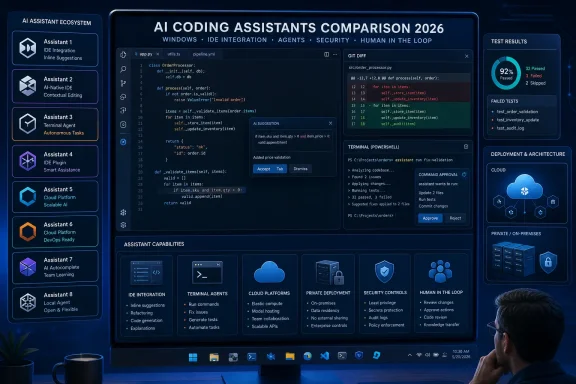 The Top 10 at a Glance
- GitHub Copilot: Best default for Windows developers who want AI inside an existing IDE.
- Cursor: Best for developers willing to adopt an AI-native editor for integrated, multi-file work.
- Claude Code: Best for terminal-based repository investigation, debugging, and tightly supervised changes.
- Gemini Code Assist: Best fit for development teams whose daily engineering work centers on Google Cloud.
- Codex CLI: Best for developers evaluating an agent-first command-line workflow.
- Amazon Q Developer: Best fit for teams building and operating primarily on AWS.
- Tabnine: Best for organizations requiring private, self-hosted, on-premises, or air-gapped deployment.
- Windsurf: Best lower-priced AI-native IDE candidate for teams comparing editor-centered alternatives.
- JetBrains AI Assistant: Best for developers who want to preserve a native JetBrains IDE workflow.
- Aider: Best for open-source, model-flexible, Git-centered terminal experimentation.
Methodology
WindowsForum’s recommendations consider six factors: reported adoption, fit with existing developer workflows, deployment and administrative control, supplied entry pricing, supported integrations, and the benchmark evidence included with the ranking. Benchmark figures are retained only with their named harnesses where that information was supplied. Results from different versions, models, prompts, permissions, tasks, dates, or success criteria must not be combined into a universal coding-quality scoreboard.
Copilot Wins the Ranking by Owning the Default
GitHub Copilot’s first-place position rests on an advantage that is difficult for a specialist rival to reproduce: it already fits into tools used by a broad range of Windows developers. Nubia Page’s supplied ranking estimates that Copilot holds 42 percent of the paid AI coding-tools market and has 4.7 million paid subscribers, up 75 percent year over year.Those supplied figures make Copilot a practical standardization candidate for organizations that do not want to replace their editors. Its listed support for VS Code, JetBrains IDEs, Vim, and Neovim allows a team to introduce one assistant while preserving several established development environments.
The individual plan is listed in the supplied ranking at $10 per month, below the standard paid prices shown for many direct competitors. The supplied data also lists a free tier with 2,000 completions and 50 chat or agent requests per month, plus a $39-per-month Pro+ plan with 1,500 premium requests. Buyers should confirm current plan limits and included features before purchasing because the supplied 2026 pricing has not been independently verified by WindowsForum.
For a Windows shop using GitHub, VS Code, Visual Studio-adjacent workflows, PowerShell, Windows Terminal, and a mixture of web and .NET repositories, that combination of price and familiar integration may be more important than winning a specialized command-line benchmark. Deployment can begin with a limited pilot rather than an editor migration.
Copilot’s leadership does not establish that it is the strongest assistant on every task. It establishes that broad integration, comparatively low supplied individual pricing, and organizational familiarity can outweigh a specialist product’s advantage in a narrower workflow.
That is why Copilot is WindowsForum’s default recommendation rather than its recommendation for every buyer. A developer who wants a terminal-first agent, a rebuilt AI-centric editor, an air-gapped installation, or deep alignment with one cloud platform has stronger alternatives.
Where the Assistant Works Matters More Than Its Rank
The ten products in Nubia Page’s ranking are not interchangeable autocomplete tools. They operate through different interfaces and fit different engineering environments.Copilot follows developers into existing editors. Cursor and Windsurf ask developers to consider AI-native editing environments. Claude Code, Codex CLI, and Aider target developers comfortable working from a terminal. Amazon Q Developer and Gemini Code Assist have the clearest appeal to teams already aligned with AWS or Google Cloud. JetBrains AI Assistant targets developers who spend most of their day in JetBrains IDEs. Tabnine differentiates itself through private deployment options.
That choice has direct operational consequences. An assistant used only to propose edits creates one kind of review burden. A product given permission to change several files or run commands creates another. The second may finish a task faster, but it requires tighter controls around credentials, command authorization, network access, test execution, and diff review.
| Nubia Page rank | Assistant | WindowsForum best-fit assessment | Primary workflow | Supplied entry paid price | Evidence supplied with ranking |
|---|---|---|---|---|---|
| 1 | GitHub Copilot | Most Windows developers and mixed-tool organizations | Existing IDE workflows | $10/month | Reported 42% paid-market share and 4.7 million subscribers |
| 2 | Cursor | Developers willing to move to an AI-native editor | Integrated editor and multi-file work | $20/month | Estimated 18–25% market-revenue share |
| 3 | Claude Code | Terminal users handling debugging and repository investigation | Command-line workflow | $20/month | 78.9% Terminal-Bench and 69.2% SWE-Pro; separate harnesses |
| 4 | Gemini Code Assist | Google Cloud-centered teams | VS Code and Google Cloud workflow | $19/user/month | 70.7% Terminal-Bench 2.1 |
| 5 | Codex CLI | Developers evaluating an agent-first command-line tool | Terminal workflow | $20/month Plus | 83.4% Terminal-Bench 2.1 |
| 6 | Amazon Q Developer | AWS application teams | IDE and AWS-oriented workflow | $19/user/month | Reported 4.4/5 from 456 Gartner reviews; not a correctness benchmark |
| 7 | Tabnine | Regulated, private, self-hosted, or air-gapped environments | Local, on-premises, self-hosted, or air-gapped | $39/user/month | More than 20 languages and private deployment options |
| 8 | Windsurf | Developers evaluating an AI-native alternative | AI-native IDE | $15/month | Pricing, BYOK, and model-agnostic IDE options |
| 9 | JetBrains AI Assistant | Java, Kotlin, .NET, Python, and enterprise JetBrains users | Native JetBrains IDE experience | $20/month Pro | Reported 91% satisfaction and Net Promoter Score of 54 |
| 10 | Aider | Open-source and model-flexible terminal users | Git-centered terminal editing | Pricing not supplied; model/API costs may apply | Apache-2.0 and 46,808 reported GitHub stars |
Cursor and Windsurf Offer an AI-Native Editor Choice
Cursor’s second-place position represents the clearest challenge to Copilot for developers willing to change editors. Nubia Page’s supplied ranking estimates that Cursor accounts for between 18 and 25 percent of market revenue, although the supplied material does not establish a common measurement method that would make that estimate directly comparable with Copilot’s reported paid-tool share.Cursor’s listed Composer workflow is designed for work involving multiple files and supports models from Anthropic, OpenAI, and Google alongside Cursor’s own model. The attraction is straightforward: developers can perform AI-assisted work inside an editor designed around that interaction rather than adding AI to a conventional editor as an extension.
At a supplied price of $20 per month for Cursor Pro, the product costs twice as much as Copilot’s listed individual plan. Buyers are paying for Cursor’s editing experience and workflow design, not merely access to a model. That premium is easier to justify when a developer uses AI throughout the working day and is willing to standardize on Cursor.
Cursor is WindowsForum’s AI-native editor recommendation because its second-place position, supplied model options, multi-file workflow, and estimated market-revenue presence create the strongest overall case within the supplied ranking. Describing it as the leading AI-native challenger is therefore an editorial inference from that ranking, not an independently measured conclusion about product maturity.
The recommendation remains conditional. Teams should test extension compatibility, debugging, source control, language tooling, remote-development requirements, accessibility, corporate policy enforcement, and Windows performance before replacing an established editor.
Windsurf is the lower-priced AI-native alternative at a supplied $15 per month, with a Team plan listed at $30 per user per month. The facts supplied for this comparison establish pricing plus bring-your-own-key and model-agnostic IDE options. They do not establish specific functionality involving connected, multi-stage tasks, browser operation, automatic command execution, persistent context, technical quirks, learning curve, or community size.
Choose Cursor when the team wants the higher-ranked AI-native editor in Nubia Page’s list and accepts the supplied $20 monthly individual price. Evaluate Windsurf when its $15 supplied price, BYOK option, or model flexibility is material. Do not select either solely from a feature summary: open the same repository in both, assign the same bounded task, and compare the resulting diff, test outcome, latency, command controls, and extension support.
Claude Code and Codex CLI Are for Terminal-Comfortable Developers
Claude Code’s third-place position and Codex CLI’s fifth-place position show why command-line assistants require a separate buying decision from editor extensions. They are relevant to developers already comfortable navigating repositories, inspecting Git state, running tests, and controlling processes through Windows Terminal, PowerShell, Command Prompt, or WSL.The supplied ranking reports a 78.9 percent Terminal-Bench result and a 69.2 percent SWE-Pro result for Claude Code. Those numbers come from separately named evaluations and should not be averaged or directly compared. The ranking also lists a context capacity exceeding 100,000 tokens, a $20-per-month Pro price, and 134,868 GitHub stars.
Claude Code is WindowsForum’s preferred terminal agent because its placement, reported repository-scale context, and terminal-oriented positioning make it the clearest candidate for debugging, unfamiliar codebases, and tasks in which the developer wants to stay close to Git and the project’s own tools. That is an editorial workflow judgment based on the supplied ranking, not a claim that Claude Code wins every command-line benchmark.
Codex CLI records an 83.4 percent result on Terminal-Bench 2.1 in the supplied data, while its Plus plan is listed at $20 per month. It is also described as Apache-2.0 licensed and having 94,277 GitHub stars. The benchmark result is notable within its named harness, but it does not establish that Codex CLI is deterministic, universally more reliable, or superior in repositories that do not resemble the evaluation.
For Windows developers, the practical distinction should be established through testing. Give Claude Code and Codex CLI the same bug on separate disposable branches. Require both to explain the planned changes before editing. Through the controls available in the tested product and version, require human approval before commands are executed. If a product cannot satisfy that requirement, record the limitation and do not grant it command access during the trial.
Compare:
- Whether each tool identified the correct files.
- Whether it modified files outside the requested scope.
- Whether the project built successfully on Windows.
- Whether unit, integration, lint, and static-analysis checks passed.
- Whether the patch was understandable without reconstructing the entire session.
- Whether the tool requested unnecessary network, package-manager, or credential access.
- Whether the available controls allowed reviewers to authorize commands safely.
- Whether reverting the work left the repository clean.
Benchmark Results Need Their Harnesses Attached
Codex CLI’s 83.4 percent and Gemini Code Assist’s 70.7 percent are both identified as Terminal-Bench 2.1 results in the supplied ranking. Those figures are more suitable for side-by-side consideration than results taken from differently named evaluations, but matching benchmark names alone do not prove identical models, dates, tool configurations, retry policies, prompts, or resource limits.Claude Code’s 78.9 percent Terminal-Bench result is not identified in the supplied material as a Terminal-Bench 2.1 result. It should therefore not be inserted between the Codex CLI and Gemini Code Assist scores as though all three came from one controlled comparison.
Likewise, Claude Code’s supplied 69.2 percent SWE-Pro result and the reported Gemini performance exceeding 75 percent on SWE-bench Verified belong to distinct evaluations. Aider’s listed polyglot leaderboard uses 225 Exercism exercises across C++, Go, Java, JavaScript, Python, and Rust, with GPT-5 reported at 88.0 percent. That is evidence about a model-and-harness combination, not proof that Aider will outperform the other products on a production Windows repository.
The useful conclusion is limited but actionable: benchmark evidence can identify products worth testing. Selection should then depend on repository results, deployment constraints, IDE compatibility, review quality, administrative controls, and total cost.
Cloud and IDE Commitments Narrow the Decision
Gemini Code Assist is ranked fourth and is listed in the supplied data at $19 per user per month for Standard and $45 per user per month for Enterprise. The ranking positions it around VS Code and Google Cloud workflows. It also states that the individual version is free and that this free tier is scheduled to sunset on June 18, 2026, with users migrating to Google’s Antigravity platform.The June 18, 2026 date and migration description are supplied-ranking claims, not independently verified WindowsForum findings. Because packaging, names, dates, and migration plans can change, prospective buyers should verify the current terms before beginning a long pilot or budgeting around a free tier.
Subject to that verification, Gemini Code Assist remains the clearest candidate in this list for a team whose deployment, data, and operational work centers on Google Cloud.
Amazon Q Developer is ranked sixth and carries a supplied Pro price of $19 per user per month. The ranking associates it with AWS technologies, including Lambda, CDK, CloudFormation, and AWS SDK patterns, and reports a Gartner rating of 4.4 out of 5 from 456 reviews.
The supplied material does not substantiate more detailed claims about Amazon Q Developer’s chat implementation, infrastructure generation, security-scanning limits, or organization-level controls. Buyers should evaluate those requirements in the current product and selected plan rather than assuming they are included.
Amazon Q Developer is WindowsForum’s AWS recommendation because cloud familiarity may reduce friction for teams already building and operating primarily on AWS. Gemini Code Assist receives the corresponding recommendation for Google Cloud teams. Neither should be selected merely because a company owns an account on that cloud. The advantage becomes relevant when cloud-specific services, libraries, deployment conventions, and operational tasks form a substantial part of daily engineering work.
JetBrains AI Assistant is ranked ninth but is the most direct choice for developers who do not want to leave IntelliJ IDEA, Rider, PyCharm, WebStorm, CLion, or another JetBrains environment. Pricing in the supplied ranking runs from an AI Free tier to $20 per month for AI Pro and $30 per month for AI Ultimate, with a 30-day AI Pro trial.
The ranking also reports a January 2026 JetBrains AI Pulse survey of more than 10,000 developers, with 91 percent customer satisfaction and a Net Promoter Score of 54. Those supplied survey figures do not establish generated-code correctness, but they are relevant when examining workflow acceptance among JetBrains users.
For a Windows-based .NET team in Rider or a Java and Kotlin team in IntelliJ IDEA, preserving IDE inspections, debugging, navigation, and refactoring habits may matter more than a terminal benchmark. Run JetBrains AI Assistant against Copilot in the same IDE and repository before asking developers to adopt a separate editor.
Tabnine Is the Private-Deployment Candidate
Tabnine’s seventh-place position does not reflect the buying priorities of every regulated organization. If source code, customer data, configuration, or architectural context cannot be transmitted to a general cloud-hosted assistant, deployment architecture becomes a qualifying requirement rather than an optional feature.The supplied ranking says Tabnine supports more than 20 programming languages and offers local, on-premises, self-hosted, and air-gapped deployment. It lists the Code Assistant Platform at $39 per user per month and the Agentic Platform at $59 per user per month.
Those supplied prices may be difficult to justify for many individuals when Copilot begins at a listed $10 and several alternatives list $19 or $20 plans. The comparison changes for a business that must account for contractual restrictions, data residency, security review, network isolation, or customer requirements.
Tabnine’s relevant distinction in this ranking is its supplied deployment flexibility. Before selecting it, a security-sensitive organization should verify exactly which components run locally, what telemetry leaves the environment, how models and extensions are updated, where logs are stored, what administrators can audit, and whether the proposed deployment remains functional when disconnected from external services.
“Air-gapped” should be proven in a representative test network, not accepted as a label. Attempt installation, activation, inference, updates, logging, and administrator reporting under the same outbound-network restrictions that will exist in production.
Aider Keeps Model Choice in the Developer’s Hands
Aider ranks tenth but remains relevant to developers who want an open-source, terminal-oriented workflow without committing the editing experience to one vertically integrated provider.The supplied ranking lists Aider under the Apache-2.0 license, reports 46,808 GitHub stars, and describes support for several hosted and local model choices. A subscription price was not supplied; model or API costs may apply depending on the selected configuration.
Developers considering Aider should confirm current behavior, supported providers, setup requirements, and command controls in the version they intend to deploy. Its practical appeal is flexibility. It may suit developers who want to experiment with different models, manage provider selection themselves, or preserve an open-source terminal workflow.
That flexibility can create additional administrative work. The user or organization may need to manage API keys, usage limits, local dependencies, model availability, provider-specific data policies, and cost monitoring.
Aider’s supplied polyglot result is a reason to include it in a controlled trial, not proof that it should outrank the other nine products. Apply the same repository task used for Claude Code and Codex CLI, and include setup time, model portability, credential handling, command authorization, and total model or API expense in the result.
Choose in 60 Seconds
Use this matrix to reduce the list before beginning a trial. Where two products are shown, test both on the same task rather than choosing from supplied marketing or ranking data alone.| Your answer | Start with |
|---|---|
| Existing IDE: VS Code or a mixed IDE fleet, and you do not want an editor migration | GitHub Copilot |
| Existing IDE: IntelliJ IDEA, Rider, PyCharm, WebStorm, or another JetBrains IDE | JetBrains AI Assistant or GitHub Copilot |
| Existing IDE: willing to replace it with an AI-native editor | Cursor or Windsurf |
| Terminal tolerance: high; Git, tests, and builds are already command-line driven | Claude Code, Codex CLI, or Aider |
| Terminal tolerance: low; developers prefer visible editor interactions | GitHub Copilot, Cursor, Windsurf, or JetBrains AI Assistant |
| Cloud dependency: AWS is central to application and operational work | Amazon Q Developer |
| Cloud dependency: Google Cloud is central to application and operational work | Gemini Code Assist |
| Cloud dependency: cloud-neutral or spread across providers | GitHub Copilot or Cursor |
| Source-code restrictions: external processing is acceptable under company policy | Select according to workflow, then verify the selected plan’s data terms |
| Source-code restrictions: private, self-hosted, on-premises, or air-gapped operation is mandatory | Tabnine; also evaluate Aider with an organization-approved local model |
| Budget: approximately $10 per developer per month based on supplied pricing | GitHub Copilot |
| Budget: approximately $15–$20 per developer per month based on supplied pricing | Windsurf, Cursor, Claude Code, Codex CLI, Gemini Code Assist, Amazon Q Developer, or JetBrains AI Assistant |
| Budget: higher price is acceptable for deployment control | Tabnine |
| Human approval is required before any assistant-initiated command | Test terminal candidates against that requirement using controls available in the exact product and version |
| Agents may not execute commands | Disable or withhold command access and reject any candidate that cannot operate within that policy |
| Agents may execute bounded commands in an isolated environment | Evaluate Claude Code, Codex CLI, or Aider in a disposable workspace after confirming available controls |
| Model/provider flexibility matters more than turnkey administration | Aider, Cursor, or Windsurf |
| One standardized default is needed for a mixed Windows development organization | GitHub Copilot |
If several rows point to different tools, give priority to hard constraints in this order: source-code restrictions, command-execution policy, existing IDE requirements, cloud alignment, and budget. Interface preferences should decide only after the non-negotiable requirements have been satisfied.
A Windows-Oriented Evaluation Plan
Do not evaluate an assistant on a production branch, with production credentials, or through a vague instruction such as “improve this repository.” Give each candidate the same bounded task, run the same commands, and record what happens.The following procedure uses PowerShell and a disposable Git branch. Before starting, replace the sample build, test, and lint commands with the exact approved commands for the selected repository. Write those commands into the evaluation record before testing the first product; do not change them between candidates.
1. Confirm the repository is clean
Open Windows Terminal in the repository and run:
Code:
git status --short
git branch --show-current
git rev-parse --show-toplevel
git status --short should return no modified or untracked files. If it reports changes, commit, stash, or remove them before continuing. Do not let an assistant decide how to dispose of pre-existing work.Record the starting commit:
Code:
$StartCommit = git rev-parse HEAD
$StartCommit
2. Create a separate branch for the candidate
Use a unique branch for each product:
Code:
$ToolName = "claude-code"
$BranchName = "ai-evaluation/$ToolName"
git switch -c $BranchNameai-evaluation/codex-cli or ai-evaluation/copilot. Never reuse one product’s modified branch for another product.Confirm the branch and clean state:
Code:
git branch --show-current
git status --short
3. Remove unnecessary credentials and restrict the environment
Close cloud-management consoles and shells carrying production credentials. Remove unneeded secrets from the current process where practical, and do not provide an assistant with.env files, publishing tokens, signing certificates, production connection strings, or package-registry credentials.Verify the current repository does not contain an accidentally tracked environment file:
git ls-files | Select-String -Pattern '(^|/)\.env($|\.)|\.pfx$|\.snk$|credentials|secrets'A match is not automatically a secret, but it requires review before the trial proceeds.
If the candidate can run commands, use the product and version’s available controls to require human authorization for each command. If the available controls cannot enforce the organization’s policy, do not enable command execution. Instead, copy proposed commands into a separate terminal and run them manually after inspection.
4. Supply the same bounded prompt
Use a prompt that defines the problem, scope, permitted files, prohibited actions, and success criteria. For example:Adapt the issue and permitted file names to the repository, but give every candidate the same final prompt. Keep the task small enough that an experienced developer could review the full patch in several minutes.Fix issue EVAL-001: the input-validation function accepts a whitespace-only display name. Update the implementation so null, empty, and whitespace-only names are rejected. Add or update focused tests for valid names and all three invalid cases.
You may inspect the repository and modify only the validation implementation and its directly related test file. Do not change package versions, lock files, build scripts, CI configuration, formatting rules, generated files, or unrelated code. Do not access the network, install packages, read files outside this repository, create commits, or use production credentials.
Before editing, identify the files you plan to change and explain the proposed fix. After editing, summarize the changes and list the exact build, test, and lint commands that should be run. Do not execute a command unless a human reviewer has approved it through the controls available in this product and version.
5. Capture the proposed plan before allowing edits
Record:- Files the assistant proposes to inspect.
- Files it proposes to modify.
- Commands it requests.
- Whether it explains the likely cause.
- Whether it stays within the requested scope.
- Whether it asks for network access or credentials.
- Whether the product exposes controls that satisfy the command-approval requirement.
6. Run the exact build, test, and lint commands
The team must define one command set appropriate to the repository. Use it unchanged for every candidate.For a typical .NET solution, the recorded command set might be:
Code:
dotnet restore .\Example.sln --locked-mode
dotnet build .\Example.sln --configuration Release --no-restore
dotnet test .\Example.sln --configuration Release --no-build
dotnet format .\Example.sln --verify-no-changes --no-restore
Code:
npm ci
npm run build
npm test -- --runInBand
npm run lint
Code:
python -m pytest
python -m ruff check .
python -m mypy .Capture the output and exit code from each approved command. One reproducible PowerShell pattern is:
Code:
New-Item -ItemType Directory -Force -Path .\ai-evaluation-results | Out-Null

dotnet build .\Example.sln --configuration Release --no-restore 2>&1 |
    Tee-Object -FilePath .\ai-evaluation-results\$ToolName-build.txt
$BuildExitCode = $LASTEXITCODE

dotnet test .\Example.sln --configuration Release --no-build 2>&1 |
    Tee-Object -FilePath .\ai-evaluation-results\$ToolName-test.txt
$TestExitCode = $LASTEXITCODE

dotnet format .\Example.sln --verify-no-changes --no-restore 2>&1 |
    Tee-Object -FilePath .\ai-evaluation-results\$ToolName-lint.txt
$LintExitCode = $LASTEXITCODE7. Inspect every changed file and the complete diff
Begin with a concise status and change summary:
Code:
git status --short
git diff --stat
git diff --name-only
git diff --check
git diff --check identifies whitespace errors. Then inspect the complete patch:git diff --no-ext-diff --unified=80For a large patch, inspect each changed file individually:
Code:
git diff -- path\to\changed-file.cs
git diff -- path\to\changed-tests.cs- Changes outside the files authorized in the prompt.
- Suppressed warnings or disabled tests.
- Weakened assertions that merely make a test pass.
- Hard-coded paths, usernames, ports, dates, or credentials.
- New network calls or telemetry.
- Dependency or lock-file changes.
- Broad formatting unrelated to the task.
- Error handling that conceals the underlying failure.
- Comments that claim behavior the code does not implement.
- Generated files or build artifacts added to Git.
- Tests that cover only the assistant’s preferred path rather than the stated edge cases.
git ls-files --others --exclude-standardA passing build does not compensate for an unreadable, overbroad, or insecure diff.
8. Record the result before reverting
Create one evaluation record per product. At minimum, capture:| Field | Result |
|---|---|
| Product and exact version | |
| Plan or license tested | |
| Model selected, if visible | |
| Starting Git commit | |
| Windows version and shell | |
| IDE or terminal host | |
| Prompt used without alteration | |
| Proposed files | |
| Actual changed files | |
| Commands requested | |
| Commands approved | |
| Build command and exit code | |
| Test command and exit code | |
| Lint or static-analysis command and exit code | |
| Time to first usable patch | |
| Human review time | |
| Out-of-scope changes | |
| Network or credential requests | |
| Command-approval controls observed | |
| Ease of understanding the diff | |
| Estimated supplied-plan or API cost | |
| Final disposition: pass, conditional, or reject |
9. Revert the candidate’s work
If the changes have not been committed, reset tracked files and remove only the untracked files created during the evaluation:
Code:
git reset --hard $StartCommit
git clean -ndgit clean -nd. If every listed item belongs to the disposable trial, remove it:git clean -fdConfirm the repository is clean:
Code:
git status --short
git rev-parse HEAD$StartCommit, and git status --short should produce no output.Return to the original branch and delete the evaluation branch:
Code:
git switch -
git branch -D $BranchName
Code:
git log --oneline $StartCommit..$BranchName
git diff $StartCommit..$BranchName10. Repeat from the identical starting point
Repeat the procedure for every shortlisted candidate using:- The same starting commit.
- The same bounded prompt.
- The same Windows machine or equivalent virtual machine.
- The same dependency cache and network policy.
- The same approved build, test, and lint commands.
- The same command-authorization requirement.
- The same reviewer rubric.
- The same time limit.
The Buying Decision Is a Control Decision
Nubia Page’s supplied 2026 ranking places GitHub Copilot first, and Copilot remains WindowsForum’s best default for a mixed Windows development organization. Its listed price, reported adoption, and ability to fit into existing editors make it the lowest-friction starting point.The alternatives become stronger when the requirement becomes more specific. Choose Cursor when an AI-native editor is the objective; evaluate Windsurf when its supplied lower price, BYOK option, or model flexibility matters; select Claude Code or evaluate Codex CLI when the terminal is the primary workspace; favor JetBrains AI Assistant when preserving JetBrains workflows is critical; align Amazon Q Developer or Gemini Code Assist with a substantial AWS or Google Cloud commitment; consider Tabnine when deployment control is mandatory; and test Aider when open-source flexibility and model choice outweigh turnkey administration.
None of those recommendations eliminates the need for a trial. Supplied rankings, benchmarks, adoption estimates, survey figures, prices, review totals, and migration dates can narrow a shortlist, but they cannot show how an assistant will behave in a particular Windows repository under a particular security policy.
The durable advantage will not belong simply to the team that lets an assistant generate the most code. It will belong to the team that defines precise tasks, grants the minimum necessary access, requires human authorization where commands are involved, runs reproducible checks, reviews every diff, measures the real cost of correction, and can return the repository to a known-clean state when the result is wrong.
References
- Primary source: Nubia Magazine!
Published: 2026-07-10T08:50:13.168367
Top 10 Best AI Coding Assistants In The World 2026 | Nubia Magazine
The market for AI coding assistants has matured rapidly. What began as simple autocomplete tools has evolved into a competitive landscape of agent-driven...nubiapage.com - Related coverage: daily.dev
The Best AI Coding Assistants in 2026, Compared | daily.dev
Choose your AI coding assistant by where you work—editor, terminal, Git workflow, or self-hosted control—rather than by hype. daily.dev
- Related coverage: tldl.io
AI Coding Tools Compared (2026): Cursor vs Claude Code vs Copilot — Benchmarks & Pricing | TLDL
Head-to-head comparison of every major AI coding tool in 2026. Real benchmarks, pricing breakdowns, and what developers actually say about Cursor, Windsurf, Claude Code, Copilot & Devin.www.tldl.io - Related coverage: techjournal.org
Best AI Coding Assistants 2026: Copilot vs Cursor vs Claude Code
We compared the 6 best AI coding assistants in 2026 — GitHub Copilot, Cursor, Claude Code, Windsurf, Cline, and Amazon Q. Here's which is best for your workflow.techjournal.org - Related coverage: data-dynamics.io
AI Coding Assistant Comparison - Claude Code, GitHub Copilot, Cursor
A comparison of Claude Code, GitHub Copilot, and Cursor covering features, architecture, usage, performance, pricing, and workflow integration for choosing the optimal AI coding tool.www.data-dynamics.io - Related coverage: techradar.com
I tried 70+ best AI tools in 2026 | TechRadar
The tools, the guides, the insights. If it’s AI, it’s herewww.techradar.com
- Related coverage: axios.com
Anthropic's Claude Code transforms vibe coding
The latest model release has hobbyists and professionals fawning.www.axios.com