

Google Chrome on macOS before version 150.0.7871.47 is affected by CVE-2026-13778, a use-after-free vulnerability in WebUSB that can allow a local attacker using a malicious peripheral to execute arbitrary code. The published record does not establish that Chrome on Windows or Linux, Microsoft Edge, or every Chromium-based browser is affected. For WindowsForum readers managing mixed fleets, the priority is precise: remediate Chrome on Macs immediately without expanding the alert beyond the evidence.
CVE-2026-13778 is a use-after-free vulnerability in Chrome’s WebUSB implementation on macOS. According to the Chrome-submitted description in the National Vulnerability Database, a local attacker can exploit the flaw through a malicious peripheral and execute arbitrary code on a Mac running an affected Chrome version.
That wording describes a different attack shape from the more familiar browser vulnerability delivered through a webpage, download, or extension. The dangerous input identified by the record comes from a peripheral connected locally to the Mac.
The record does not say that visiting a malicious website by itself is sufficient. It also does not establish that connecting a peripheral alone completes exploitation. The contributed CVSS assessment says user interaction is required, but the publicly available description does not explain the exact interaction or trigger sequence.
That distinction is important. Defenders should neither minimize the vulnerability because its vector is local nor fill gaps in the record with an imagined attack scenario. The facts support a concise description: affected Chrome code on macOS can be reached through a malicious peripheral, user interaction is required, and successful exploitation can result in arbitrary code execution.
The vulnerability carries a Chromium security severity of Critical. Separately, the CISA-ADP assessment supplies a CVSS 3.1 base score of 7.8 HIGH, using the vector
Those values are not necessarily contradictory. The Chromium severity is a product-security classification, while CVSS represents standardized characteristics in a numerical score. In this case, the local attack vector and required user interaction constrain the CVSS score even though the stated outcome and potential impacts remain severe.
The central operational point is therefore straightforward: local does not mean harmless. The attack path is limited by physical or local-device conditions, but the CVE’s stated result is arbitrary code execution.
The public record does not provide the complete exploit technique. It identifies the affected component, platform, weakness class, version boundary, malicious-peripheral condition, and possible result, but it does not describe the precise device behavior or browser operations needed to trigger the flaw.
That limitation should produce a focused response rather than speculation.
Administrators do not need a public proof of concept to identify affected installations because the version boundary is explicit. At the same time, the record does not support claims that every USB device can trigger the vulnerability, that exploitation is automatic on connection, or that a specific browser prompt or user action completes the attack.
It also does not establish what form a malicious peripheral would take. It may be reasonable to consider different physical-device scenarios during internal threat modeling, but the CVE record itself does not identify adapters, development boards, storage devices, cables, hubs, or any other particular form factor.
The safest user-facing language is consequently broad but restrained: do not connect unknown or untrusted peripherals while Chrome remains below the corrected version.
That precaution is not a substitute for patching. It is a temporary way to reduce exposure to the attack condition described in the CVE while the browser update is being verified.
The description explicitly identifies Chrome on Mac, and NIST’s affected-product configuration combines the Google Chrome application with Apple macOS. The applicable version range ends immediately before 150.0.7871.47.
Nothing in the supplied CVE record establishes that Google Chrome on Windows or Linux is affected. The same record also does not establish that Microsoft Edge or every other Chromium-derived browser contains the vulnerable platform-specific implementation.
That distinction is particularly relevant to WindowsForum readers. Many Windows administrators also manage Macs used by executives, developers, designers, contractors, or other employees. Those Macs require immediate attention, but this CVE should not be turned into an unsupported all-platform Chrome warning.
Shared Chromium ancestry can justify checking other vendors’ security communications. It cannot, by itself, prove that another browser, operating system, or product version is affected by this specific CVE.
Administrators should therefore use the following scope statement in tickets and internal communications:
For mixed-platform organizations, the correct action is targeted and urgent: find Chrome installations on macOS, update them, and verify the resulting version.
A shorter comparison helps explain the difference without treating any one framework as a complete risk decision.
The CVSS vector provides several concrete facts.
Attack vector: local means the attack is not characterized as directly exploitable across a network under this assessment. The malicious peripheral supplies the local element described in the CVE.
Attack complexity: low indicates that the assessment does not require specialized circumstances beyond the listed preconditions.
Privileges required: none means the CVSS assessment does not require the attacker to begin with authenticated privileges on the vulnerable system. It should not be misread as meaning that no other exploit conditions exist.
User interaction: required establishes that some action by a user is part of the attack conditions. The public record does not identify that action, so guidance should not assert a particular click, prompt, browser page, or connection sequence.
High confidentiality, integrity, and availability impact indicates severe potential consequences. That is consistent with the CVE’s arbitrary-code-execution outcome.
The SSVC designation of technical impact: total reinforces the seriousness of the potential technical effect. It should not be expanded into a guarantee that every successful exploit necessarily produces unrestricted or comprehensive compromise of the entire Mac. The supported outcome is arbitrary code execution, with high potential impact across confidentiality, integrity, and availability.
The SSVC field exploitation: none means no known exploitation is identified in the listed assessment. It is a point-in-time status, not a promise that exploitation will never occur and not a reason to delay remediation.
Likewise, automatable: no does not make the vulnerability unimportant. It indicates that the assessment does not consider the attack readily automatable at scale. That conclusion fits the local malicious-peripheral condition but does not change the need to remove vulnerable browser code.
The scoring frameworks therefore tell a coherent story: the attack path has meaningful constraints, but the potential outcome is serious enough to warrant immediate patching.
The remediation threshold is therefore:
Verification matters. A deployment job, software catalog entry, or completed administrative task is not the same as confirming the version that Chrome reports after updating.
Google Chrome Help documents the individual update procedure. On a Mac:
If a managed Mac cannot update, the user should contact the organization’s administrator rather than trying to bypass management controls. The security objective remains the same: the running browser must report 150.0.7871.47 or later.
A team may have excellent visibility into Windows browser versions while handling Macs through a separate management product, administrative group, or inventory workflow. CVE-2026-13778 is a reason to check that Mac-specific view immediately.
The response should remain tied to the published evidence:
If another browser vendor publishes its own advisory linking a product and platform to this vulnerability, administrators can expand the scope based on that evidence. Until then, the confirmed scope remains Chrome on macOS.
This precision also improves user communication. A focused notice to affected Mac users is more actionable than a general warning claiming that every Chromium browser or USB-equipped computer is vulnerable.
A concise internal message could read:
The record also includes the key details needed for action:
Administrators should also distinguish between the absence of known exploitation in the listed SSVC assessment and the absence of risk. The record supports an orderly response rather than panic, but the combination of arbitrary code execution and Critical Chromium severity does not support postponement.
The peripheral precaution is narrower. Users whose Macs have not yet been confirmed at 150.0.7871.47 or later should avoid connecting unknown or untrusted USB peripherals.
That guidance should remain simple. The available facts do not support an elaborate list of supposedly dangerous device types, affected workplaces, investigation steps, or device-history indicators. Nor do they establish a reliable way to identify a malicious peripheral by appearance.
The browser version is the measurable control. An administrator can determine whether Chrome is earlier than the corrected threshold and can verify when that condition has been removed.
The vulnerability is still relevant to WindowsForum because Windows administrators often own mixed environments. A security program that patches Windows effectively but overlooks Chrome on managed Macs has not completed the remediation.
The broader lesson is about maintaining accurate boundaries. Product name, operating system, version, attack vector, required interaction, and stated outcome all matter. Removing one of those qualifiers can transform a precise vulnerability notice into an inaccurate general warning.
Here, the complete statement is specific: a use-after-free vulnerability in WebUSB affects Google Chrome on macOS before 150.0.7871.47; a local attacker can use a malicious peripheral, with user interaction required, to execute arbitrary code. No known exploitation is identified in the listed SSVC record, but the potential technical impact is severe.
That is enough information to act decisively without inventing the missing pieces.
Patch Mac Chrome fleets immediately. Verify the browser version after the update. Keep the alert limited to products and platforms supported by vendor or CVE evidence. Until affected Macs are remediated, treat an untrusted USB accessory as active input to the computer—not as an inert object simply because it connects through a cable.
What to do
- Affected: Google Chrome on macOS earlier than 150.0.7871.47
- Fix: Update Chrome to 150.0.7871.47 or later
- Not established as affected: Chrome on Windows or Linux
- Temporary precaution: Do not connect untrusted USB peripherals until remediation is confirmed
- Mac users: Open Chrome, enter
chrome://settings/help—or select Chrome menu > Help > About Google Chrome—confirm version 150.0.7871.47 or later, and relaunch Chrome
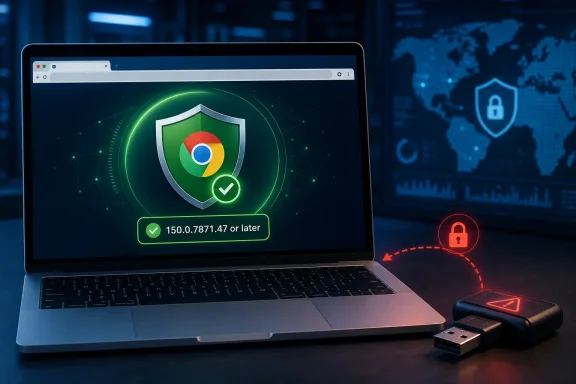 Chrome’s Browser Boundary Extends Down the USB Cable
CVE-2026-13778 is a use-after-free vulnerability in Chrome’s WebUSB implementation on macOS. According to the Chrome-submitted description in the National Vulnerability Database, a local attacker can exploit the flaw through a malicious peripheral and execute arbitrary code on a Mac running an affected Chrome version.That wording describes a different attack shape from the more familiar browser vulnerability delivered through a webpage, download, or extension. The dangerous input identified by the record comes from a peripheral connected locally to the Mac.
The record does not say that visiting a malicious website by itself is sufficient. It also does not establish that connecting a peripheral alone completes exploitation. The contributed CVSS assessment says user interaction is required, but the publicly available description does not explain the exact interaction or trigger sequence.
That distinction is important. Defenders should neither minimize the vulnerability because its vector is local nor fill gaps in the record with an imagined attack scenario. The facts support a concise description: affected Chrome code on macOS can be reached through a malicious peripheral, user interaction is required, and successful exploitation can result in arbitrary code execution.
The vulnerability carries a Chromium security severity of Critical. Separately, the CISA-ADP assessment supplies a CVSS 3.1 base score of 7.8 HIGH, using the vector
AV:L/AC:L/PR:N/UI:R/S:U/C:H/I:H/A:H.Those values are not necessarily contradictory. The Chromium severity is a product-security classification, while CVSS represents standardized characteristics in a numerical score. In this case, the local attack vector and required user interaction constrain the CVSS score even though the stated outcome and potential impacts remain severe.
The central operational point is therefore straightforward: local does not mean harmless. The attack path is limited by physical or local-device conditions, but the CVE’s stated result is arbitrary code execution.
What the Record Says—and What It Does Not
The vulnerability is classified as CWE-416, Use After Free. This weakness occurs when software continues to access an object or memory region after it has been released. In this CVE, the published outcome is arbitrary code execution.The public record does not provide the complete exploit technique. It identifies the affected component, platform, weakness class, version boundary, malicious-peripheral condition, and possible result, but it does not describe the precise device behavior or browser operations needed to trigger the flaw.
That limitation should produce a focused response rather than speculation.
Administrators do not need a public proof of concept to identify affected installations because the version boundary is explicit. At the same time, the record does not support claims that every USB device can trigger the vulnerability, that exploitation is automatic on connection, or that a specific browser prompt or user action completes the attack.
It also does not establish what form a malicious peripheral would take. It may be reasonable to consider different physical-device scenarios during internal threat modeling, but the CVE record itself does not identify adapters, development boards, storage devices, cables, hubs, or any other particular form factor.
The safest user-facing language is consequently broad but restrained: do not connect unknown or untrusted peripherals while Chrome remains below the corrected version.
That precaution is not a substitute for patching. It is a temporary way to reduce exposure to the attack condition described in the CVE while the browser update is being verified.
The Scope Is Unusually Precise
The affected scope is Google Chrome on macOS before 150.0.7871.47.The description explicitly identifies Chrome on Mac, and NIST’s affected-product configuration combines the Google Chrome application with Apple macOS. The applicable version range ends immediately before 150.0.7871.47.
Nothing in the supplied CVE record establishes that Google Chrome on Windows or Linux is affected. The same record also does not establish that Microsoft Edge or every other Chromium-derived browser contains the vulnerable platform-specific implementation.
That distinction is particularly relevant to WindowsForum readers. Many Windows administrators also manage Macs used by executives, developers, designers, contractors, or other employees. Those Macs require immediate attention, but this CVE should not be turned into an unsupported all-platform Chrome warning.
Shared Chromium ancestry can justify checking other vendors’ security communications. It cannot, by itself, prove that another browser, operating system, or product version is affected by this specific CVE.
Administrators should therefore use the following scope statement in tickets and internal communications:
Precision prevents two common errors. The first is failing to patch Macs because the organization primarily identifies as a Windows environment. The second is issuing an overly broad alert that assigns the CVE to products not identified in the record.CVE-2026-13778 affects Google Chrome on macOS before version 150.0.7871.47. The supplied record does not establish impact to Chrome on Windows or Linux, Microsoft Edge, or all Chromium-based browsers.
For mixed-platform organizations, the correct action is targeted and urgent: find Chrome installations on macOS, update them, and verify the resulting version.
“Critical” and “7.8 HIGH” Describe Different Aspects of Risk
The available assessments can look inconsistent at first glance. The vulnerability has a Chromium security severity of Critical, while the CISA-ADP CVSS 3.1 assessment is 7.8 HIGH. The listed SSVC record reports exploitation as none, automation as no, and technical impact as total.A shorter comparison helps explain the difference without treating any one framework as a complete risk decision.
| Assessment layer | Published value | What it establishes |
|---|---|---|
| Chromium security severity | Critical | The flaw receives Chromium’s highest security-severity classification |
| CISA-ADP CVSS 3.1 | 7.8 HIGH | Local vector, low complexity, no privileges required, user interaction required, unchanged scope, and high potential confidentiality, integrity, and availability impact |
| Listed SSVC record | Exploitation: none; Automatable: no; Technical impact: total | No known exploitation is recorded in that assessment, scalable automation is not indicated, and the potential technical impact is severe |
| NVD scoring | No NIST-authored CVSS score in the supplied record | The absence of an NVD-authored score does not change the stated affected range or remediation threshold |
Attack vector: local means the attack is not characterized as directly exploitable across a network under this assessment. The malicious peripheral supplies the local element described in the CVE.
Attack complexity: low indicates that the assessment does not require specialized circumstances beyond the listed preconditions.
Privileges required: none means the CVSS assessment does not require the attacker to begin with authenticated privileges on the vulnerable system. It should not be misread as meaning that no other exploit conditions exist.
User interaction: required establishes that some action by a user is part of the attack conditions. The public record does not identify that action, so guidance should not assert a particular click, prompt, browser page, or connection sequence.
High confidentiality, integrity, and availability impact indicates severe potential consequences. That is consistent with the CVE’s arbitrary-code-execution outcome.
The SSVC designation of technical impact: total reinforces the seriousness of the potential technical effect. It should not be expanded into a guarantee that every successful exploit necessarily produces unrestricted or comprehensive compromise of the entire Mac. The supported outcome is arbitrary code execution, with high potential impact across confidentiality, integrity, and availability.
The SSVC field exploitation: none means no known exploitation is identified in the listed assessment. It is a point-in-time status, not a promise that exploitation will never occur and not a reason to delay remediation.
Likewise, automatable: no does not make the vulnerability unimportant. It indicates that the assessment does not consider the attack readily automatable at scale. That conclusion fits the local malicious-peripheral condition but does not change the need to remove vulnerable browser code.
The scoring frameworks therefore tell a coherent story: the attack path has meaningful constraints, but the potential outcome is serious enough to warrant immediate patching.
The Version Boundary Is the Most Useful Fact
The Chrome-submitted affected-version data may appear awkward because it references 150.0.7871.47 while also using a less-than boundary at that version. The natural-language description and NIST configuration analysis resolve the practical question: versions earlier than 150.0.7871.47 are affected.The remediation threshold is therefore:
- Earlier than 150.0.7871.47: affected
- 150.0.7871.47 or later: outside the published vulnerable range
Verification matters. A deployment job, software catalog entry, or completed administrative task is not the same as confirming the version that Chrome reports after updating.
Google Chrome Help documents the individual update procedure. On a Mac:
- Open Google Chrome.
- Enter
chrome://settings/helpin the address bar, or open the Chrome menu and select Help > About Google Chrome. - Read the version number displayed under the Google Chrome heading.
- Confirm that the installed version is 150.0.7871.47 or later.
- If Chrome presents a pending update, allow it to complete.
- Select Relaunch to apply the available update.
- Return to the About page and verify the version again.
If a managed Mac cannot update, the user should contact the organization’s administrator rather than trying to bypass management controls. The security objective remains the same: the running browser must report 150.0.7871.47 or later.
The WindowsForum Angle: Patch the Macs Without Expanding the CVE
The practical challenge for Windows-focused administrators is not a Windows vulnerability. It is accurately finding and remediating the Macs that exist inside a predominantly Windows-managed organization.A team may have excellent visibility into Windows browser versions while handling Macs through a separate management product, administrative group, or inventory workflow. CVE-2026-13778 is a reason to check that Mac-specific view immediately.
The response should remain tied to the published evidence:
- Identify managed Macs.
- Determine which of those Macs have Google Chrome installed.
- Compare the reported Chrome version with 150.0.7871.47.
- Update installations below that threshold.
- Confirm the browser reports the corrected or a later version.
- Follow up on devices that cannot be verified.
If another browser vendor publishes its own advisory linking a product and platform to this vulnerability, administrators can expand the scope based on that evidence. Until then, the confirmed scope remains Chrome on macOS.
This precision also improves user communication. A focused notice to affected Mac users is more actionable than a general warning claiming that every Chromium browser or USB-equipped computer is vulnerable.
A concise internal message could read:
That wording communicates urgency without overstating the available evidence.Google Chrome on macOS must be updated to version 150.0.7871.47 or later to remediate CVE-2026-13778. Until the update is confirmed, do not connect untrusted USB peripherals. This notice does not identify Chrome on Windows or Linux, Microsoft Edge, or every Chromium-based browser as affected.
The Public Record Is Short but Sufficient for Remediation
NVD lists June 30, 2026 as the CVE’s publication date. That date belongs to the NVD record. The supplied facts do not establish that Google published its advisory or released the corrected Chrome build on that same date, so those events should not be assigned a date without separate evidence.The record also includes the key details needed for action:
- The affected product is Google Chrome.
- The affected platform is macOS.
- The vulnerable versions are those before 150.0.7871.47.
- The affected component is WebUSB.
- The weakness is CWE-416, Use After Free.
- The attack vector is local.
- A malicious peripheral is involved.
- User interaction is required.
- Privileges are not required under the contributed CVSS assessment.
- The stated outcome is arbitrary code execution.
- The Chromium security severity is Critical.
- The CISA-ADP CVSS 3.1 score is 7.8 HIGH.
- The listed SSVC record reports exploitation as none, automation as no, and technical impact as total.
Administrators should also distinguish between the absence of known exploitation in the listed SSVC assessment and the absence of risk. The record supports an orderly response rather than panic, but the combination of arbitrary code execution and Critical Chromium severity does not support postponement.
Patch First, Then Apply the Temporary Peripheral Precaution
The direct remediation is a Chrome update. This is not presented in the supplied record as a macOS operating-system fix, a Windows update, a firmware update, or a generic Chromium patch.The peripheral precaution is narrower. Users whose Macs have not yet been confirmed at 150.0.7871.47 or later should avoid connecting unknown or untrusted USB peripherals.
That guidance should remain simple. The available facts do not support an elaborate list of supposedly dangerous device types, affected workplaces, investigation steps, or device-history indicators. Nor do they establish a reliable way to identify a malicious peripheral by appearance.
The browser version is the measurable control. An administrator can determine whether Chrome is earlier than the corrected threshold and can verify when that condition has been removed.
Action checklist for administrators
- Inventory Google Chrome installations specifically on macOS.
- Flag every Chrome version earlier than 150.0.7871.47.
- Deploy an approved Chrome release at 150.0.7871.47 or later.
- Have users relaunch Chrome when the update is ready to be applied.
- Verify the version through
chrome://settings/helpor Chrome menu > Help > About Google Chrome. - Follow up on Macs whose installed version cannot be confirmed.
- Tell affected users not to connect untrusted peripherals until remediation is verified.
- Keep Windows Chrome, Linux Chrome, Edge, and other Chromium browsers outside this CVE’s affected inventory unless product-specific vendor evidence says otherwise.
- Record the Chromium severity as Critical and the contributed CISA-ADP CVSS score as 7.8 HIGH without presenting them as interchangeable measurements.
- Treat the listed SSVC “exploitation: none” value as a point-in-time assessment, not as permission to delay patching.
This Is a Mac CVE With a Broader Defensive Lesson
CVE-2026-13778 should not be described as a Windows Chrome vulnerability on the basis of the supplied evidence. Windows users and administrators should follow the published scope rather than treating a Chrome-on-macOS record as proof of cross-platform exposure.The vulnerability is still relevant to WindowsForum because Windows administrators often own mixed environments. A security program that patches Windows effectively but overlooks Chrome on managed Macs has not completed the remediation.
The broader lesson is about maintaining accurate boundaries. Product name, operating system, version, attack vector, required interaction, and stated outcome all matter. Removing one of those qualifiers can transform a precise vulnerability notice into an inaccurate general warning.
Here, the complete statement is specific: a use-after-free vulnerability in WebUSB affects Google Chrome on macOS before 150.0.7871.47; a local attacker can use a malicious peripheral, with user interaction required, to execute arbitrary code. No known exploitation is identified in the listed SSVC record, but the potential technical impact is severe.
That is enough information to act decisively without inventing the missing pieces.
Patch Mac Chrome fleets immediately. Verify the browser version after the update. Keep the alert limited to products and platforms supported by vendor or CVE evidence. Until affected Macs are remediated, treat an untrusted USB accessory as active input to the computer—not as an inert object simply because it connects through a cable.
References
- Primary source: NVD / Chromium
Published: 2026-07-11T15:39:26-07:00
NVD - CVE-2026-13778
 nvd.nist.gov
- Security advisory: MSRC
Published: 2026-07-11T15:39:26-07:00
Original feed URL
Security Update Guide - Microsoft Security Response Center
 msrc.microsoft.com
- Related coverage: wicg.github.io
- Related coverage: chromium.org