

Google’s CVE-2026-13902 affects Chrome on iOS versions earlier than 150.0.7871.47 and allows a remote attacker to spoof browser-interface information through crafted HTML. The publicly available record describes a Medium-severity UI-spoofing vulnerability requiring user interaction, not code execution or device takeover. The immediate response is straightforward: update Chrome on every affected iPhone and iPad, then verify that managed installations are running version 150.0.7871.47 or later.
The National Vulnerability Database record scopes CVE-2026-13902 to Google Chrome on iOS before version 150.0.7871.47. It describes an inappropriate implementation that permits UI spoofing through a crafted HTML page.
The public description does not identify the exact Chrome control, indicator, or visual state that can be imitated, obscured, or otherwise misrepresented. The linked Chromium issue is permission-restricted, so public analysis should not speculate about a specific gesture, screen element, or reproduction procedure.
The supported version boundary is nevertheless clear:
The operating-system scope is important. CVE-2026-13902 is not presented as a universal Chrome vulnerability affecting every platform. Administrators should not convert it into a generic “Chrome 150” check across Windows, macOS, Android, and iOS.
The correct inventory question is narrower: Which iPhones and iPads have Chrome installed, and are those installations running at least 150.0.7871.47?
A desktop browser report cannot answer that question. An inventory export that combines mobile and desktop application versions without preserving the operating-system field can also produce a misleading compliance result.
NVD lists a vendor reference associated with Chrome release information, but the title or platform focus of that reference should not be treated as independent proof of an iOS correction. The supported basis for the mobile scope is the CVE record itself, which identifies Chrome on iOS before 150.0.7871.47 as affected and includes that vendor reference.
A browser normally separates webpage-controlled content from information and controls owned by the application. Users rely on that distinction when deciding whether a page, prompt, navigation state, or other displayed information is trustworthy. A UI-spoofing flaw can weaken that distinction by allowing attacker-controlled content to be presented misleadingly.
The CISA-ADP CVSS 3.1 vector associated with the record is:
The corresponding base score is 4.3, rated Medium. In practical terms, the vector describes a network-reachable issue with low attack complexity, no required privileges, required user interaction, and low modeled integrity impact. It does not assign direct confidentiality or availability impact.
That is the useful interpretation; it does not need to be stretched into claims the record does not make. The CVE does not document remote code execution, theft of stored passwords, automatic extraction of private data, a sandbox escape, or takeover of the iPhone or iPad.
UI spoofing may be used as part of social engineering, but specific downstream outcomes are not established by this CVE record. Credential entry, recovery-code disclosure, approval of a sign-in, account changes, cloud-storage access, or later activity on a Windows computer would be possible incident hypotheses only if supported by evidence from a particular case. They are not direct capabilities documented for CVE-2026-13902.
The operational conclusion is therefore measured: this is a browser presentation-integrity flaw that should be patched promptly, without portraying it as an automatic device compromise.
The target is Chrome 150.0.7871.47 or later.
A universal, verified in-app navigation path for displaying this exact iOS Chrome version has not been established from the available material. Users should therefore not be instructed to follow an unverified Chrome menu path. Organizations should obtain the version from their management platform, managed-app inventory, device diagnostics, or another authoritative application-inventory source.
If an organization cannot determine the installed version, it should record the device as having unknown compliance, not assume that automatic updates or the absence of an App Store update button proves remediation.
The report or export should contain, at minimum:
The exact enforcement behavior depends on the management platform, Apple enrollment method, device supervision state, application assignment, and ownership model. Administrators should confirm what their system can actually enforce rather than assuming that every MDM can silently update every iPhone or iPad.
Where direct update enforcement is unavailable:
Any restriction should follow the organization’s established access, employment, privacy, and device-ownership policies.
Preserve an export showing:
The concrete task is to verify mobile application compliance across the management boundary. A Windows endpoint team may already have strong desktop browser reporting, while mobile application inventory is owned by another group or appears in a different console. Identity responders may then receive an incident involving the same employee without knowing whether the user’s iPhone was running an affected Chrome version.
Organizations should close that gap once, operationally:
This is the strongest WindowsForum lesson from the disclosure: the vulnerable software may be on iOS even when application access, identity protection, and subsequent incident response are managed primarily through Microsoft systems.
If a user reports a suspicious page that appeared to display browser-owned information, support staff should record:
If the user entered information or approved an action, incident responders should follow the organization’s established identity and account-response procedures. Those steps arise from the reported user action and surrounding evidence, not from an assumption that CVE-2026-13902 automatically captured credentials or changed an account.
Screenshots, page addresses, browser history, security alerts, MDM inventory, and authentication logs may help establish a timeline. None should be treated as a standalone indicator that this particular vulnerability was exploited.
That makes narrowly targeted detection difficult. A crafted page associated with UI spoofing may initially resemble other malicious or deceptive web content, and the browser may not produce a crash or conventional malware alert.
Defenders should avoid inventing indicators based on assumptions about which control was spoofed. They should also avoid treating every mobile phishing report as exploitation of CVE-2026-13902.
Remediation is more definitive because the version boundary is published:
The record also models the technical impact as partial and the direct integrity impact as low. Those classifications support a prompt but proportionate response: enforce the corrected version, monitor completion, and investigate relevant reports without claiming capabilities that have not been documented.
Dates previously associated with publication, modification, and record-enrichment stages should not be presented as established facts unless they are checked against the live source record at publication time. The defensible sequence is that Chrome supplied the initial CVE information, CISA-ADP added scoring and decision-support data, and NIST added further analysis and configuration information.
The fix is operationally simpler than the underlying bug. Users should update Chrome through the App Store. Administrators should run a managed application inventory report, filter for Chrome on iOS and iPadOS below 150.0.7871.47, deploy or require the update where supported, set a compliance deadline, and restrict devices whose versions remain vulnerable or unknown.
Windows and identity teams should make sure this mobile check is not lost between organizational silos. The affected browser runs on iOS, but the identity being used and the resulting investigation may still belong to a Microsoft-managed environment.
Reaching Chrome 150.0.7871.47 or later removes this documented implementation weakness from the affected range. It does not eliminate phishing or deceptive websites generally, so organizations should pair verified patch compliance with established identity protections, user reporting channels, and evidence-based incident response.
What to do now
- On an iPhone or iPad: Open the App Store, search for Google Chrome, and tap Update if that option appears.
- Confirm the result: Because a reliable universal in-app version path has not been established from the available disclosure, verify the installed Chrome version through device or application-management inventory. The required version is 150.0.7871.47 or later.
- For managed fleets: Run the MDM managed application inventory report, filter for iOS and iPadOS devices with Chrome below 150.0.7871.47, and push or require the App Store update where the platform supports it.
- Set a deadline: Give affected devices a defined compliance window, then restrict or isolate devices that remain vulnerable or cannot report their Chrome version.
- Do not broaden the scope incorrectly: This CVE record identifies Chrome on iOS. Desktop Chrome compliance does not prove that Chrome on an iPhone or iPad has been updated.
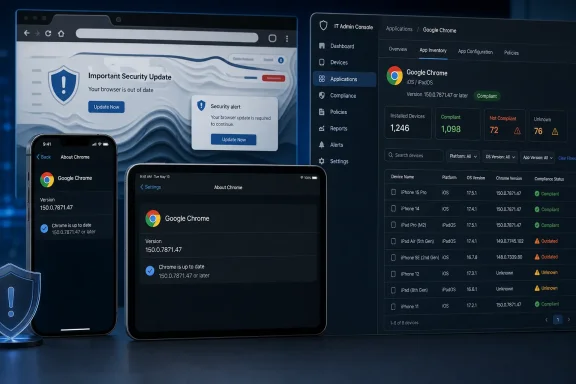 Who is affected
The National Vulnerability Database record scopes CVE-2026-13902 to Google Chrome on iOS before version 150.0.7871.47. It describes an inappropriate implementation that permits UI spoofing through a crafted HTML page.The public description does not identify the exact Chrome control, indicator, or visual state that can be imitated, obscured, or otherwise misrepresented. The linked Chromium issue is permission-restricted, so public analysis should not speculate about a specific gesture, screen element, or reproduction procedure.
The supported version boundary is nevertheless clear:
| Deployment state | Chrome on iOS version | CVE position | Required action |
|---|---|---|---|
| Vulnerable range | Earlier than 150.0.7871.47 | Affected | Update Chrome |
| Corrected threshold | 150.0.7871.47 or later | Outside the stated affected range | Verify and record compliance |
| Unknown version | Not reported by inventory | Compliance cannot be established | Investigate, update, or restrict the device |
The correct inventory question is narrower: Which iPhones and iPads have Chrome installed, and are those installations running at least 150.0.7871.47?
A desktop browser report cannot answer that question. An inventory export that combines mobile and desktop application versions without preserving the operating-system field can also produce a misleading compliance result.
NVD lists a vendor reference associated with Chrome release information, but the title or platform focus of that reference should not be treated as independent proof of an iOS correction. The supported basis for the mobile scope is the CVE record itself, which identifies Chrome on iOS before 150.0.7871.47 as affected and includes that vendor reference.
What the vulnerability allows
CVE-2026-13902 is mapped to CWE-451, “User Interface (UI) Misrepresentation of Critical Information.” That classification describes a failure to preserve the accuracy or provenance of security-relevant information displayed to the user.A browser normally separates webpage-controlled content from information and controls owned by the application. Users rely on that distinction when deciding whether a page, prompt, navigation state, or other displayed information is trustworthy. A UI-spoofing flaw can weaken that distinction by allowing attacker-controlled content to be presented misleadingly.
The CISA-ADP CVSS 3.1 vector associated with the record is:
CVSS:3.1/AV:N/AC:L/PR:N/UI:R/S:U/C:N/I:L/A:NThe corresponding base score is 4.3, rated Medium. In practical terms, the vector describes a network-reachable issue with low attack complexity, no required privileges, required user interaction, and low modeled integrity impact. It does not assign direct confidentiality or availability impact.
That is the useful interpretation; it does not need to be stretched into claims the record does not make. The CVE does not document remote code execution, theft of stored passwords, automatic extraction of private data, a sandbox escape, or takeover of the iPhone or iPad.
UI spoofing may be used as part of social engineering, but specific downstream outcomes are not established by this CVE record. Credential entry, recovery-code disclosure, approval of a sign-in, account changes, cloud-storage access, or later activity on a Windows computer would be possible incident hypotheses only if supported by evidence from a particular case. They are not direct capabilities documented for CVE-2026-13902.
The operational conclusion is therefore measured: this is a browser presentation-integrity flaw that should be patched promptly, without portraying it as an automatic device compromise.
How to update Chrome on iPhone or iPad
Individual users should use Apple’s normal App Store update process:- Unlock the iPhone or iPad.
- Open the App Store.
- Search for Google Chrome.
- Open the Chrome application listing.
- Tap Update if the button is available.
- Allow the update to finish before reopening Chrome.
The target is Chrome 150.0.7871.47 or later.
A universal, verified in-app navigation path for displaying this exact iOS Chrome version has not been established from the available material. Users should therefore not be instructed to follow an unverified Chrome menu path. Organizations should obtain the version from their management platform, managed-app inventory, device diagnostics, or another authoritative application-inventory source.
If an organization cannot determine the installed version, it should record the device as having unknown compliance, not assume that automatic updates or the absence of an App Store update button proves remediation.
What admins should check
The following is a platform-neutral MDM workflow. Product names and control capabilities differ among Microsoft Intune, Jamf, VMware Workspace ONE, Ivanti, and other management systems. Terms such as “push,” “require,” “quarantine,” and “isolate” should be mapped to the controls actually available in the organization’s chosen platform and enrollment model.1. Run the managed application inventory report
Open the MDM report that lists installed or managed applications by device. Depending on the product, this may be named Managed Applications, App Inventory, Application Inventory, Discovered Apps, or Installed Applications.The report or export should contain, at minimum:
- Device identifier
- Device ownership or enrollment type
- Operating-system family
- Operating-system version
- Application name
- Application identifier, where available
- Installed application version
- Last device check-in
- Last inventory update
- Device compliance state
- Assigned user or support contact
2. Filter for the affected population
Apply all of the following filters:- Operating system is iOS or iPadOS
- Application is Google Chrome
- Installed version is earlier than 150.0.7871.47
- Chrome is installed but its version is blank
- Application inventory has not been received
- The device has not checked in within the organization’s accepted interval
- The reported version cannot be parsed or compared
- Enrollment does not provide application-inventory visibility
3. Push or require the App Store update where supported
For enrolled devices and managed Chrome deployments, use the MDM’s application-update capability to request, schedule, or require the current App Store release where that control is supported.The exact enforcement behavior depends on the management platform, Apple enrollment method, device supervision state, application assignment, and ownership model. Administrators should confirm what their system can actually enforce rather than assuming that every MDM can silently update every iPhone or iPad.
Where direct update enforcement is unavailable:
- Notify the assigned user
- Provide the App Store update procedure
- Require the user to update by the compliance deadline
- Refresh application inventory after the user reports completion
- Verify version 150.0.7871.47 or later before closing the exception
4. Set a compliance deadline
Define a clear remediation window based on the organization’s vulnerability-management policy. Record:- The time the affected device was identified
- The user or team notified
- The required minimum Chrome version
- The remediation deadline
- Any temporary access restrictions
- The time compliant inventory was received
5. Restrict devices that remain vulnerable or unknown
After the deadline, use the controls available in the organization’s environment to restrict devices that:- Still report Chrome below 150.0.7871.47
- Have stopped checking in
- Cannot report an installed Chrome version
- Remain unenrolled despite being used for protected business access
- Have an unresolved application-inventory error
Any restriction should follow the organization’s established access, employment, privacy, and device-ownership policies.
6. Re-run the report and preserve evidence
After updates are deployed, refresh the managed application inventory report and confirm that every in-scope installation reports version 150.0.7871.47 or later.Preserve an export showing:
- The original affected or unknown population
- Update assignments or notifications
- Exceptions and failed deployments
- Final installed versions
- Remaining noncompliant devices
- The date and time of the validation
Admin checklist
- [ ] Run the managed application inventory report.
- [ ] Limit the scope to iOS and iPadOS.
- [ ] Identify Google Chrome installations.
- [ ] Filter for versions earlier than 150.0.7871.47.
- [ ] Create a separate group for missing or stale version data.
- [ ] Push or require the App Store update where supported.
- [ ] Send user instructions where direct enforcement is unavailable.
- [ ] Establish and communicate a compliance deadline.
- [ ] Restrict devices that remain vulnerable or cannot report version data.
- [ ] Re-run inventory and preserve the final compliance export.
- [ ] Do not use desktop Chrome status as evidence of mobile remediation.
Why Windows and identity teams should care
CVE-2026-13902 is an iOS browser vulnerability, not a Windows vulnerability. It still belongs on the radar of Windows and identity teams when employees use iPhones or iPads to access identities and services administered through Microsoft-managed environments.The concrete task is to verify mobile application compliance across the management boundary. A Windows endpoint team may already have strong desktop browser reporting, while mobile application inventory is owned by another group or appears in a different console. Identity responders may then receive an incident involving the same employee without knowing whether the user’s iPhone was running an affected Chrome version.
Organizations should close that gap once, operationally:
- The mobile-management team identifies devices with affected or unknown Chrome versions.
- The endpoint or vulnerability-management team tracks remediation to the same standard used for other managed software.
- The identity team receives the affected-device list as context for relevant user reports.
- The service desk records the device platform and Chrome version when handling suspicious-browser incidents.
This is the strongest WindowsForum lesson from the disclosure: the vulnerable software may be on iOS even when application access, identity protection, and subsequent incident response are managed primarily through Microsoft systems.
What support and incident-response teams should record
The restricted technical detail makes version and event preservation more useful than attempts to diagnose the vulnerability from appearance alone.If a user reports a suspicious page that appeared to display browser-owned information, support staff should record:
- Whether the device was an iPhone or iPad
- The device model and operating-system version
- The installed Chrome version
- Whether Chrome was managed
- The page address, if available
- The approximate time of the interaction
- How the page was reached
- What the user saw
- What the user clicked, entered, accepted, or dismissed
- Whether the page caused navigation to another location
- Whether any related account alert followed
- Whether the device was updated before evidence was collected
If the user entered information or approved an action, incident responders should follow the organization’s established identity and account-response procedures. Those steps arise from the reported user action and surrounding evidence, not from an assumption that CVE-2026-13902 automatically captured credentials or changed an account.
Screenshots, page addresses, browser history, security alerts, MDM inventory, and authentication logs may help establish a timeline. None should be treated as a standalone indicator that this particular vulnerability was exploited.
Detection versus remediation
The public record does not provide a reproduction procedure, exploit sample, or specific HTML signature. The permission-restricted Chromium issue also prevents public validation of the precise visual technique.That makes narrowly targeted detection difficult. A crafted page associated with UI spoofing may initially resemble other malicious or deceptive web content, and the browser may not produce a crash or conventional malware alert.
Defenders should avoid inventing indicators based on assumptions about which control was spoofed. They should also avoid treating every mobile phishing report as exploitation of CVE-2026-13902.
Remediation is more definitive because the version boundary is published:
- Earlier than 150.0.7871.47: affected
- Version 150.0.7871.47 or later: outside the stated affected range
- Version unavailable: compliance not established
What is not known
The public material does not establish:- Which exact Chrome interface element can be misrepresented
- The complete technical root cause
- A public reproduction sequence
- Whether the effect is consistent across all affected iPhone and iPad models
- Whether a particular browser gesture or display state is required
- Whether a reliable network signature can identify exploitation
- Whether the flaw has been used in a confirmed real-world incident
- Whether any specific credential, payment, recovery, or account workflow has been targeted through this CVE
- Whether the flaw can directly access stored passwords or private application data
- Whether it can execute code, escape browser isolation, or take control of the device
The record also models the technical impact as partial and the direct integrity impact as low. Those classifications support a prompt but proportionate response: enforce the corrected version, monitor completion, and investigate relevant reports without claiming capabilities that have not been documented.
Dates previously associated with publication, modification, and record-enrichment stages should not be presented as established facts unless they are checked against the live source record at publication time. The defensible sequence is that Chrome supplied the initial CVE information, CISA-ADP added scoring and decision-support data, and NIST added further analysis and configuration information.
Disclosure and remediation timeline
| Stage | What defenders can rely on |
|---|---|
| Initial vendor record | Chrome on iOS before 150.0.7871.47 is identified as affected; crafted HTML can cause UI spoofing |
| CISA-ADP enrichment | Medium CVSS 3.1 score, CWE-451 mapping, required user interaction, and partial technical impact |
| NIST analysis | Standardized affected-product configuration and reference classification |
| Organizational response | Inventory affected iOS and iPadOS installations, deploy the update, enforce a deadline, and verify the corrected version |
| Closure | Preserve evidence that every in-scope installation reports 150.0.7871.47 or later, or document the restriction applied to unresolved devices |
The measured response
CVE-2026-13902 should neither be dismissed as a cosmetic problem nor inflated into a remote iPhone takeover. The public record supports a narrower conclusion: crafted HTML can exploit a Chrome-on-iOS implementation flaw to misrepresent critical interface information, and successful exploitation requires user interaction.The fix is operationally simpler than the underlying bug. Users should update Chrome through the App Store. Administrators should run a managed application inventory report, filter for Chrome on iOS and iPadOS below 150.0.7871.47, deploy or require the update where supported, set a compliance deadline, and restrict devices whose versions remain vulnerable or unknown.
Windows and identity teams should make sure this mobile check is not lost between organizational silos. The affected browser runs on iOS, but the identity being used and the resulting investigation may still belong to a Microsoft-managed environment.
Reaching Chrome 150.0.7871.47 or later removes this documented implementation weakness from the affected range. It does not eliminate phishing or deceptive websites generally, so organizations should pair verified patch compliance with established identity protections, user reporting channels, and evidence-based incident response.
References
- Primary source: NVD / Chromium
Published: 2026-07-11T15:40:16-07:00
NVD - CVE-2026-13902
 nvd.nist.gov
- Security advisory: MSRC
Published: 2026-07-11T15:40:16-07:00
Original feed URL
Security Update Guide - Microsoft Security Response Center
 msrc.microsoft.com
- Related coverage: cvefeed.io
CVE-2026-13902 - Google Chrome for iOS UI Spoofing
Inappropriate implementation in Chrome for iOS in Google Chrome on iOS prior to 150.0.7871.47 allowed a remote attacker to perform UI spoofing via a crafted HTML page. (Chromium security severity: Medium)cvefeed.io - Related coverage: cve.imfht.com
CVE-2026-13902: Inappropriate implementation in Chrome for iOS in Google - Vulnerability Platform
[中危] Overview An inappropriate implementation issue exists in Google Chrome for iOS prior to version 150.0.7871.47. An attacker can execute UI Spoofing by cve.imfht.com
- Related coverage: issues.chromium.org
Chromium
issues.chromium.org
- Related coverage: chrome-commit-tracker.arthursonzogni.com