

Chrome on iOS before version 150.0.7871.47 is affected by CVE-2026-13904, a medium-severity Safe Browsing vulnerability that could allow a remote attacker to use crafted HTML to bypass navigation restrictions after user interaction. The public record does not describe arbitrary code execution, an iOS compromise, password extraction, or a browser takeover. It documents a protection-mechanism bypass with potentially high integrity impact.
Chrome users and administrators should update to version 150.0.7871.47 or later and verify the installed version. No workaround is identified in the public record. The supplied CISA Stakeholder-Specific Vulnerability Categorization data records no active exploitation, although that does not remove the need to patch affected installations.
CVE-2026-13904 is titled “Incorrect security UI in Safe Browsing,” while the NVD description characterizes the underlying defect as an inappropriate implementation in Chrome on iOS. In affected versions, a remote attacker could use a crafted HTML page to bypass navigation restrictions enforced by Safe Browsing.
That description establishes a meaningful but limited scope. It does not say an attacker could execute arbitrary code, escape a sandbox, read stored passwords, compromise the iPhone operating system, or obtain complete control of Chrome. It also does not establish that an attacker could draw fake browser controls, create a particular misleading visual state, or skip a specific warning screen.
The defensible conclusion is narrower: a browser protection governing navigation could be bypassed through crafted web content. Because user interaction is required, the issue is not described as a zero-click vulnerability. A generic attack scenario would involve a user opening or interacting with attacker-controlled web content, after which the crafted HTML attempts to trigger the bypass. The public material does not document the exact interaction, navigation sequence, delivery channel, or final page behavior.
The lack of detailed exploit information should prevent speculation, not delay remediation. Administrators do not need a proof of concept to act on the documented product, platform, and fixed-version boundary.
CISA-ADP classifies the weakness as CWE-693, Protection Mechanism Failure. That category is consistent with the documented consequence: a defensive mechanism did not fully provide its intended navigation restriction. It should not be expanded into claims about unrelated browser controls or broader iOS security boundaries.
Read component by component, the CISA-ADP vector describes a vulnerability that is network-reachable, has low attack complexity, requires no existing privileges, and depends on user interaction. Scope is unchanged. Confidentiality and availability are scored as having no direct impact, while integrity impact is rated high.
The integrity rating is the most relevant part of the assessment. The documented problem concerns the correctness of a protected browser operation—Safe Browsing navigation enforcement—rather than direct information disclosure or service interruption.
Those metrics should not be translated into outcomes the public record does not claim. High integrity impact does not mean complete control of the iPhone. A confidentiality impact of none does not prove that every page reached after a bypass would be harmless; it means this CVE is not itself assessed as directly disclosing confidential information. Likewise, the user-interaction requirement reduces the attack’s immediacy but does not make an affected browser safe.
The operational response is therefore straightforward: enforce the fixed version and validate that devices have actually installed it. Repeating competing interpretations of the word medium adds less value than confirming the version boundary.
That distinction matters for both vulnerability reporting and remediation. An administrator who sees “Google Chrome” without preserving the platform context could mistakenly open a desktop remediation campaign or report exposure across every Chrome installation. Conversely, a Windows-focused organization could overlook the issue because its primary browser inventory covers only desktop endpoints.
The documented remediation boundary is an application version: Chrome 150.0.7871.47 or later on iOS. Updating iOS alone should not be represented as the documented fix for this CVE. The public record identifies the vulnerable application and the corrected Chrome version; it does not establish an iOS operating-system version that independently remediates the issue.
The source material also does not provide enough support for broader conclusions about the internal division of responsibility between Google and Apple. It does not establish which rendering-engine behavior, process model, browser interface component, or platform-specific implementation detail produced the flaw. Those questions may be relevant to deeper technical research, but they are not answered by the supplied NVD material and should not be presented as settled facts.
What administrators can establish is sufficient for action:
The restricted issue reference does not justify filling those gaps with assumptions. The public material does not specify whether the bypass depended on redirects, nested browsing contexts, timing behavior, pop-ups, frame transitions, or another HTML technique. It does not state exactly which navigation restriction was bypassed, what appeared on the display, or how consistently an attacker could control the outcome.
It also does not document a malicious campaign, victim group, observed website, credential-theft operation, or downstream compromise. Those possibilities should not be presented as characteristics of CVE-2026-13904.
CISA’s supplied SSVC enrichment records exploitation as “none,” describes the vulnerability as not automatable, and characterizes technical impact as partial. These fields belong to CISA’s decision-oriented enrichment; they are not an NVD CVSS assessment and should not be blended with NVD ownership.
“None” means no active exploitation is recorded in the supplied SSVC data. It is not a guarantee that exploitation cannot occur later or that every other source will always reach the same conclusion. Similarly, “not automatable” should not be rewritten as “impossible to scale.” It reflects the SSVC classification supplied for the vulnerability, while the documented user-interaction requirement remains the clearest practical constraint.
“Partial” technical impact is also consistent with the limited public description. The vulnerability affects a security mechanism, but the record does not describe complete control of the browser, the operating system, or all data accessible from the device.
These limitations support a proportionate response: update affected browsers promptly, verify the result, and avoid both complacency and unsupported claims of catastrophic compromise.
A version later than 150.0.7871.47 also satisfies the documented boundary. Version comparisons must evaluate the complete dotted version number; they should not rely only on the major version “150.”
No public workaround is identified. Users should not disable Safe Browsing in response to a Safe Browsing vulnerability. Removing a protection does not correct the defective implementation and can reduce protection against other web threats.
Switching browsers is likewise not the documented vendor fix. It may be an organization’s temporary risk-management decision in unusual circumstances, but the direct remediation is to update the affected Chrome installation and verify that it meets or exceeds the fixed version.
A Windows-centric security team can therefore use this advisory as a test of mobile-application visibility without claiming that the underlying flaw crosses platforms. The question is whether the organization can distinguish Chrome on an iPhone from Chrome on a Windows workstation and compare each installation against the correct platform-specific version rule.
A useful mobile browser inventory should record:
Version-comparison logic deserves particular attention. The vulnerable range is earlier than 150.0.7871.47, so the rule should evaluate all four numeric components.
Administrators should test the rule against known records before relying on a vulnerability-management dashboard. String comparison can produce incorrect results if the platform treats version values as plain text instead of ordered numeric components. The control should also preserve platform scope so that an iOS rule is not automatically applied to Windows installations.
This is operational advice, not evidence that every organization uses a particular management product or that a specific mobile-device-management or conditional-access system will enforce the update. Available capabilities and outcomes depend on the organization’s chosen tools and configuration.
Issue identification and correction — Google identified and corrected the Chrome on iOS Safe Browsing implementation issue, establishing version 150.0.7871.47 as the fixed boundary.
CVE publication — CVE-2026-13904 was published with a description covering crafted HTML, user interaction, and the bypass of Safe Browsing navigation restrictions in affected Chrome on iOS versions.
NVD configuration — NVD associated the vulnerable Chrome range with Apple’s iPhone operating system and documented versions earlier than 150.0.7871.47 as affected.
CISA-ADP enrichment — CISA-ADP supplied the 6.5 CVSS v3.1 score, the vector describing network reachability and required user interaction, and the CWE-693 classification.
SSVC enrichment — The supplied CISA SSVC data recorded exploitation as none, assessed the vulnerability as not automatable, and characterized technical impact as partial.
Remediation and validation — Users and administrators should update Chrome on iOS to 150.0.7871.47 or later and confirm the installed version.
For individual devices, the App Store update process followed by an in-app version check is sufficient. For managed fleets, remediation should include inventory, update deployment through the organization’s normal application-management process, and a subsequent query showing the installed fixed version.
General mobile deployment conditions can affect how quickly an organization obtains reliable inventory or completes an update campaign, but those conditions should not be described as CVE-specific facts. The central validation requirement remains the same regardless of management product: the device record must show Chrome 150.0.7871.47 or later.
Version validation also prevents false confidence caused by broad product labels. A desktop Chrome update does not prove that Chrome on iOS was updated, and an iOS operating-system update does not prove that the Chrome application reached the fixed release.
For CVE-2026-13904, Chrome provides the vulnerability context and fixed version. NVD supplies the normalized affected configuration and currently does not provide its own CVSS 4.0, 3.x, or 2.0 assessment. CISA-ADP supplies the CVSS v3.1 score of 6.5 and its associated vector. The supplied CISA SSVC data records exploitation as none and adds decision-oriented classifications.
A report that calls 6.5 “the NVD score” loses that distinction. A ticket that treats the absence of an NVD-authored score as an absence of severity information loses the opposite distinction. Accurate ownership permits teams to use enrichment without presenting it as something another organization concluded.
The same discipline applies to technical interpretation. The public description supports saying that crafted HTML could bypass Safe Browsing navigation restrictions on affected Chrome for iOS versions. It does not support claims about fake browser chrome, skipped interstitials, visual deception, WebKit responsibility, Apple responsibility, credential theft, or a specific exploit sequence.
Restrained reporting is not weaker reporting. It produces a clearer remediation decision because administrators can separate verified facts from plausible but undocumented possibilities.
That is enough information to act without exaggeration. Chrome on iOS earlier than 150.0.7871.47 should be updated. Individual users should complete the App Store update and verify the version from Chrome’s application information screen. Administrators should query mobile inventory, enforce the correct platform-specific comparison, and confirm the resulting installation state.
The wider WindowsForum lesson is not that this CVE affects Windows. It is that browser inventory can no longer stop at Windows endpoints when users also browse organizational resources from mobile devices. Security teams need platform-aware records, complete version values, reliable comparison logic, and post-deployment validation.
Future browser advisories will differ in severity, exploitability, and platform scope, but the durable operational rule remains the same: identify the exact affected product and platform, establish the fixed boundary, deploy the update, and demand version evidence before closing the finding.
Chrome users and administrators should update to version 150.0.7871.47 or later and verify the installed version. No workaround is identified in the public record. The supplied CISA Stakeholder-Specific Vulnerability Categorization data records no active exploitation, although that does not remove the need to patch affected installations.
What changed / Who is affected / What to do now
What changed: Chrome corrected an inappropriate implementation in Safe Browsing that could allow crafted HTML to bypass navigation restrictions.
Who is affected: Chrome on iOS versions earlier than 150.0.7871.47.
What to do now: Update Chrome to 150.0.7871.47 or later, and then confirm the installed version rather than relying only on an update assignment or automatic-update setting.
Workaround: No workaround is identified in the public record.
Exploitation status: No active exploitation is recorded in the supplied CISA SSVC data.
Score ownership: The 6.5 CVSS v3.1 score comes from CISA-ADP enrichment. NVD has not supplied its own CVSS 4.0, 3.x, or 2.0 assessment.
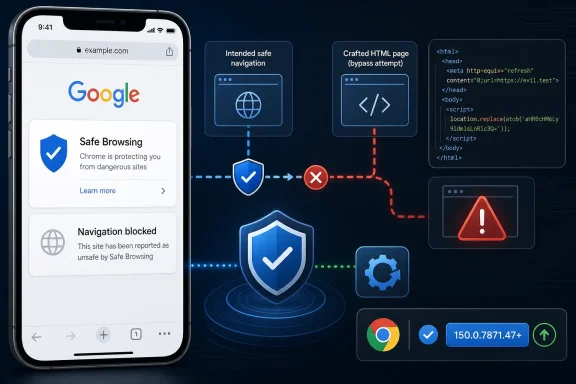 A Safe Browsing Restriction Could Be Bypassed
CVE-2026-13904 is titled “Incorrect security UI in Safe Browsing,” while the NVD description characterizes the underlying defect as an inappropriate implementation in Chrome on iOS. In affected versions, a remote attacker could use a crafted HTML page to bypass navigation restrictions enforced by Safe Browsing.That description establishes a meaningful but limited scope. It does not say an attacker could execute arbitrary code, escape a sandbox, read stored passwords, compromise the iPhone operating system, or obtain complete control of Chrome. It also does not establish that an attacker could draw fake browser controls, create a particular misleading visual state, or skip a specific warning screen.
The defensible conclusion is narrower: a browser protection governing navigation could be bypassed through crafted web content. Because user interaction is required, the issue is not described as a zero-click vulnerability. A generic attack scenario would involve a user opening or interacting with attacker-controlled web content, after which the crafted HTML attempts to trigger the bypass. The public material does not document the exact interaction, navigation sequence, delivery channel, or final page behavior.
The lack of detailed exploit information should prevent speculation, not delay remediation. Administrators do not need a proof of concept to act on the documented product, platform, and fixed-version boundary.
CISA-ADP classifies the weakness as CWE-693, Protection Mechanism Failure. That category is consistent with the documented consequence: a defensive mechanism did not fully provide its intended navigation restriction. It should not be expanded into claims about unrelated browser controls or broader iOS security boundaries.
The CVSS Vector Explains the Prioritization
CISA-ADP assigns CVE-2026-13904 a CVSS v3.1 base score of 6.5 with the vectorCVSS:3.1/AV:N/AC:L/PR:N/UI:R/S:U/C:N/I:H/A:N. This score is CISA-ADP enrichment, not an NVD-authored severity assessment. NVD has not supplied its own CVSS 4.0, CVSS 3.x, or CVSS 2.0 score for the entry.Read component by component, the CISA-ADP vector describes a vulnerability that is network-reachable, has low attack complexity, requires no existing privileges, and depends on user interaction. Scope is unchanged. Confidentiality and availability are scored as having no direct impact, while integrity impact is rated high.
The integrity rating is the most relevant part of the assessment. The documented problem concerns the correctness of a protected browser operation—Safe Browsing navigation enforcement—rather than direct information disclosure or service interruption.
Those metrics should not be translated into outcomes the public record does not claim. High integrity impact does not mean complete control of the iPhone. A confidentiality impact of none does not prove that every page reached after a bypass would be harmless; it means this CVE is not itself assessed as directly disclosing confidential information. Likewise, the user-interaction requirement reduces the attack’s immediacy but does not make an affected browser safe.
The operational response is therefore straightforward: enforce the fixed version and validate that devices have actually installed it. Repeating competing interpretations of the word medium adds less value than confirming the version boundary.
| Assessment area | Documented condition | Operational reading |
|---|---|---|
| Product and platform | Chrome on iOS | Do not apply the finding indiscriminately to desktop Chrome |
| Affected versions | Earlier than 150.0.7871.47 | Treat 150.0.7871.47 as the minimum fixed boundary |
| Attack path | Remote crafted HTML | Exposure begins with interaction with attacker-controlled web content |
| Privileges | None required | The attacker does not need prior local or authenticated access |
| User involvement | Required | The vulnerability is not described as zero-click |
| CISA-ADP impact | High integrity; no confidentiality or availability impact | The documented consequence is incorrect enforcement of a protected operation |
| CISA-ADP score | 6.5 under CVSS v3.1 | This is not an NVD-authored score |
| Public workaround | None identified | Update the application rather than relying on configuration changes |
| Supplied exploitation status | None recorded in CISA SSVC data | Patch promptly without presenting exploitation as observed |
The Affected Platform Is Chrome on iOS
The NVD configuration associates the vulnerable application with Chrome running on Apple’s iPhone operating system. This is therefore an iOS Chrome finding, not evidence that Chrome on Windows, macOS, Android, or other platforms is affected by this CVE.That distinction matters for both vulnerability reporting and remediation. An administrator who sees “Google Chrome” without preserving the platform context could mistakenly open a desktop remediation campaign or report exposure across every Chrome installation. Conversely, a Windows-focused organization could overlook the issue because its primary browser inventory covers only desktop endpoints.
The documented remediation boundary is an application version: Chrome 150.0.7871.47 or later on iOS. Updating iOS alone should not be represented as the documented fix for this CVE. The public record identifies the vulnerable application and the corrected Chrome version; it does not establish an iOS operating-system version that independently remediates the issue.
The source material also does not provide enough support for broader conclusions about the internal division of responsibility between Google and Apple. It does not establish which rendering-engine behavior, process model, browser interface component, or platform-specific implementation detail produced the flaw. Those questions may be relevant to deeper technical research, but they are not answered by the supplied NVD material and should not be presented as settled facts.
What administrators can establish is sufficient for action:
- The affected product is Chrome.
- The affected platform is iOS.
- Versions before 150.0.7871.47 are vulnerable.
- Crafted HTML and user interaction are part of the attack conditions.
- Updating Chrome to 150.0.7871.47 or later is the documented remediation boundary.
What the Public Record Does—and Does Not—Establish
The available records identify the vulnerability title, affected platform, affected version range, broad trigger, consequence, weakness classification, and externally supplied severity information. They do not disclose a proof of concept or a detailed exploitation procedure.The restricted issue reference does not justify filling those gaps with assumptions. The public material does not specify whether the bypass depended on redirects, nested browsing contexts, timing behavior, pop-ups, frame transitions, or another HTML technique. It does not state exactly which navigation restriction was bypassed, what appeared on the display, or how consistently an attacker could control the outcome.
It also does not document a malicious campaign, victim group, observed website, credential-theft operation, or downstream compromise. Those possibilities should not be presented as characteristics of CVE-2026-13904.
CISA’s supplied SSVC enrichment records exploitation as “none,” describes the vulnerability as not automatable, and characterizes technical impact as partial. These fields belong to CISA’s decision-oriented enrichment; they are not an NVD CVSS assessment and should not be blended with NVD ownership.
“None” means no active exploitation is recorded in the supplied SSVC data. It is not a guarantee that exploitation cannot occur later or that every other source will always reach the same conclusion. Similarly, “not automatable” should not be rewritten as “impossible to scale.” It reflects the SSVC classification supplied for the vulnerability, while the documented user-interaction requirement remains the clearest practical constraint.
“Partial” technical impact is also consistent with the limited public description. The vulnerability affects a security mechanism, but the record does not describe complete control of the browser, the operating system, or all data accessible from the device.
These limitations support a proportionate response: update affected browsers promptly, verify the result, and avoid both complacency and unsupported claims of catastrophic compromise.
Exact Remediation Steps for Individual iPhone Users
On an iPhone or iPad, update Chrome through the App Store:- Open the App Store.
- Tap your profile picture in the upper-right corner.
- Scroll to Available Updates.
- Find Google Chrome.
- Tap Update next to Chrome.
- If Chrome does not appear under Available Updates, refresh the page and check whether the App Store shows it as already updated.
- Open Chrome.
- Tap the … menu.
- Open Settings.
- Select Google Chrome to view the application information and version.
- Confirm that the version is 150.0.7871.47 or later.
A version later than 150.0.7871.47 also satisfies the documented boundary. Version comparisons must evaluate the complete dotted version number; they should not rely only on the major version “150.”
No public workaround is identified. Users should not disable Safe Browsing in response to a Safe Browsing vulnerability. Removing a protection does not correct the defective implementation and can reduce protection against other web threats.
Switching browsers is likewise not the documented vendor fix. It may be an organization’s temporary risk-management decision in unusual circumstances, but the direct remediation is to update the affected Chrome installation and verify that it meets or exceeds the fixed version.
Mobile Browser Inventory Is the WindowsForum Angle
CVE-2026-13904 does not establish a vulnerability in Windows or in corporate identity infrastructure. Its relevance to Windows-focused administrators is operational: users often access the same organizational services from Windows computers and mobile browsers, while endpoint inventories may track those environments separately.A Windows-centric security team can therefore use this advisory as a test of mobile-application visibility without claiming that the underlying flaw crosses platforms. The question is whether the organization can distinguish Chrome on an iPhone from Chrome on a Windows workstation and compare each installation against the correct platform-specific version rule.
A useful mobile browser inventory should record:
- Product name
- Operating platform
- Full application version
- Device ownership or management state
- Last inventory or check-in time
- Update status
- Remediation status
- Any approved exception and its expiration date
Version-comparison logic deserves particular attention. The vulnerable range is earlier than 150.0.7871.47, so the rule should evaluate all four numeric components.
| Installed version | Result |
|---|---|
| 149.0.9999.99 | Affected because the major version is lower |
| 150.0.7871.46 | Affected because it is below the fixed build |
| 150.0.7871.47 | Meets the documented fixed boundary |
| 150.0.7871.48 | Later than the fixed boundary |
| 151.0.0.0 | Later than the fixed boundary |
This is operational advice, not evidence that every organization uses a particular management product or that a specific mobile-device-management or conditional-access system will enforce the update. Available capabilities and outcomes depend on the organization’s chosen tools and configuration.
Timeline
Because the supplied verified facts do not establish the previously stated April, June, or July dates, those dates should not be used as milestones. The defensible timeline is based on the sequence of the public record rather than unsupported calendar claims.Issue identification and correction — Google identified and corrected the Chrome on iOS Safe Browsing implementation issue, establishing version 150.0.7871.47 as the fixed boundary.
CVE publication — CVE-2026-13904 was published with a description covering crafted HTML, user interaction, and the bypass of Safe Browsing navigation restrictions in affected Chrome on iOS versions.
NVD configuration — NVD associated the vulnerable Chrome range with Apple’s iPhone operating system and documented versions earlier than 150.0.7871.47 as affected.
CISA-ADP enrichment — CISA-ADP supplied the 6.5 CVSS v3.1 score, the vector describing network reachability and required user interaction, and the CWE-693 classification.
SSVC enrichment — The supplied CISA SSVC data recorded exploitation as none, assessed the vulnerability as not automatable, and characterized technical impact as partial.
Remediation and validation — Users and administrators should update Chrome on iOS to 150.0.7871.47 or later and confirm the installed version.
Patch the Browser, Then Validate the Result
The immediate remediation is unambiguous: update Chrome on iOS to version 150.0.7871.47 or later. No configuration workaround is identified in the public record.For individual devices, the App Store update process followed by an in-app version check is sufficient. For managed fleets, remediation should include inventory, update deployment through the organization’s normal application-management process, and a subsequent query showing the installed fixed version.
General mobile deployment conditions can affect how quickly an organization obtains reliable inventory or completes an update campaign, but those conditions should not be described as CVE-specific facts. The central validation requirement remains the same regardless of management product: the device record must show Chrome 150.0.7871.47 or later.
Action checklist for admins
- Inventory Chrome specifically on iOS rather than grouping every Chrome platform together.
- Identify all installed versions earlier than 150.0.7871.47.
- Use the organization’s normal application-update process to deploy the current Chrome release.
- Re-query inventory after deployment.
- Treat an update command, assignment, or user notification as an action taken—not proof of installation.
- Verify the complete installed version on each reporting device.
- Test version-comparison rules against versions immediately below, equal to, and above 150.0.7871.47.
- Preserve the iOS platform condition in scanner and asset-management rules.
- Keep Safe Browsing enabled; no public record identifies disabling it as a workaround.
- Investigate devices that continue reporting a vulnerable version.
- Record approved exceptions with an owner, reason, compensating controls, and expiration date.
- Recheck devices that were absent from the initial remediation window when they next report to inventory.
- Keep the CISA-ADP 6.5 score distinct from NVD scoring fields in reports and ticketing workflows.
- Avoid representing “no active exploitation recorded” as proof that future exploitation is impossible.
Version validation also prevents false confidence caused by broad product labels. A desktop Chrome update does not prove that Chrome on iOS was updated, and an iOS operating-system update does not prove that the Chrome application reached the fixed release.
The Advisory Shows Why Source Ownership Matters
CVE records often combine vendor information, NVD configuration work, CISA enrichment, and external scoring. Those layers are useful, but only if reports preserve who supplied each conclusion.For CVE-2026-13904, Chrome provides the vulnerability context and fixed version. NVD supplies the normalized affected configuration and currently does not provide its own CVSS 4.0, 3.x, or 2.0 assessment. CISA-ADP supplies the CVSS v3.1 score of 6.5 and its associated vector. The supplied CISA SSVC data records exploitation as none and adds decision-oriented classifications.
A report that calls 6.5 “the NVD score” loses that distinction. A ticket that treats the absence of an NVD-authored score as an absence of severity information loses the opposite distinction. Accurate ownership permits teams to use enrichment without presenting it as something another organization concluded.
The same discipline applies to technical interpretation. The public description supports saying that crafted HTML could bypass Safe Browsing navigation restrictions on affected Chrome for iOS versions. It does not support claims about fake browser chrome, skipped interstitials, visual deception, WebKit responsibility, Apple responsibility, credential theft, or a specific exploit sequence.
Restrained reporting is not weaker reporting. It produces a clearer remediation decision because administrators can separate verified facts from plausible but undocumented possibilities.
The Practical Lesson Is Version Evidence
CVE-2026-13904 is a bounded mobile-browser vulnerability with a clear fixed-version threshold. It is remotely reachable, requires user interaction, and affects the integrity of a Safe Browsing navigation protection. CISA-ADP rates it 6.5 under CVSS v3.1, while NVD has not supplied its own CVSS assessment. The supplied SSVC data records no active exploitation.That is enough information to act without exaggeration. Chrome on iOS earlier than 150.0.7871.47 should be updated. Individual users should complete the App Store update and verify the version from Chrome’s application information screen. Administrators should query mobile inventory, enforce the correct platform-specific comparison, and confirm the resulting installation state.
The wider WindowsForum lesson is not that this CVE affects Windows. It is that browser inventory can no longer stop at Windows endpoints when users also browse organizational resources from mobile devices. Security teams need platform-aware records, complete version values, reliable comparison logic, and post-deployment validation.
Future browser advisories will differ in severity, exploitability, and platform scope, but the durable operational rule remains the same: identify the exact affected product and platform, establish the fixed boundary, deploy the update, and demand version evidence before closing the finding.
References
- Primary source: NVD / Chromium
Published: 2026-07-11T15:40:18-07:00
Loading…
nvd.nist.gov - Security advisory: MSRC
Published: 2026-07-11T15:40:18-07:00
Original feed URL
Loading…
msrc.microsoft.com - Related coverage: chromeenterprise.google
SafeBrowsingEnabled: Enable Safe Browsing | Chrome Enterprise
This policy is deprecated in Google Chrome 83, please use SafeBrowsingProtectionLevel instead. Setting the policy to Enabled keeps Chrome's Safe Browsing feature on. Setting the policy to Disabled keeps Safe Browsing off. If you set this policy, users can't change it or override the "Enable...chromeenterprise.google - Related coverage: mindray.com
Loading…
www.mindray.com - Related coverage: mindbreeze.com
Loading…
www.mindbreeze.com - Related coverage: linuxcompatible.org
Loading…
www.linuxcompatible.org
- Related coverage: edelivery.windriver.com
Loading…
edelivery.windriver.com - Related coverage: chromium.googlesource.com
Chromium Docs - Chrome Security FAQ
chromium.googlesource.com