

CVE-2026-13914 is a medium-severity Chrome vulnerability that could allow a local attacker to obtain potentially sensitive information from browser process memory through a malicious file. The issue is associated with Chrome’s Passwords component, but the public record does not identify the exact information that could be disclosed or provide a complete exploitation sequence.What changed / who is affected / what to do
- Affected: Macs running Google Chrome earlier than 150.0.7871.47.
- Update and verify: In Chrome, select More > Help > About Google Chrome. Google’s official Chrome Help documentation says Chrome checks for updates on that page and displays Relaunch when an update is ready. After relaunching, return to the page and confirm that the complete installed version is 150.0.7871.47 or later.
- Scope: Treat this as a Mac-only CVE record unless additional vendor evidence establishes exposure on another operating system. Do not count Windows or Linux devices solely because they run Chrome.
- Inventory: Preserve the full four-part Chrome version and the operating system in scanner and asset records. Product-only matching can overcount exposure.
- Incident response: If a suspicious file was handled on an affected Mac before updating, preserve relevant endpoint and identity evidence. The Passwords component name alone does not prove theft of the user’s complete password vault.
For users, the immediate response is to update Chrome, relaunch it, and verify the complete installed version. For administrators, the differentiated WindowsForum takeaway is equally direct: match the CVE against Chrome version plus operating system, retain the full version number, and validate the result after relaunch. Those controls prevent Windows and Linux systems from being included in exposure totals based on product-only scanner logic.
What is known / What is not public
Known
Not public in the available record
- The record identifies Chrome on macOS.
- Versions earlier than 150.0.7871.47 are in the stated affected range.
- The vulnerability involves Chrome’s Passwords component and potentially sensitive information in process memory.
- The described attack involves a malicious file, a local attack path, and required user interaction.
- The CVE record lists Chromium severity as Medium.
- CISA-ADP supplied a CVSS 3.1 base score of 5.5 and the vector CVSS:3.1/AV:L/AC:L/PR:N/UI:R/S:U/C:H/I:N/A:N.
- The exact information exposed from process memory.
- The malicious file’s type, format, or delivery route.
- The precise user action that triggers exploitation.
- A complete reproduction procedure or vulnerability-specific detection signature.
- Confirmation that the entire saved-password vault can be extracted.
- Confirmation that Windows or Linux versions of Chrome are affected.
- Evidence that exploitation gives an attacker control of Chrome or macOS.
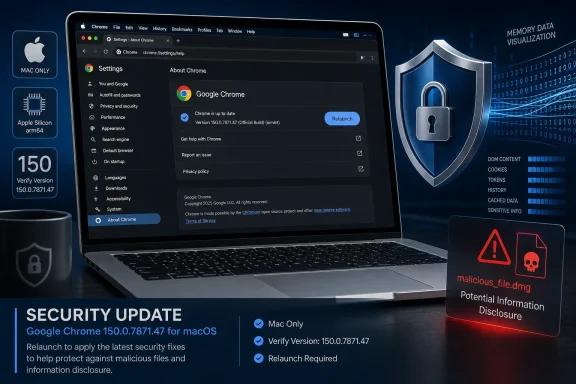 A Medium-Rated Flaw Can Still Reach Sensitive Information
The CVE description characterizes CVE-2026-13914 as an inappropriate implementation in Passwords that allowed a local attacker to obtain potentially sensitive information from process memory through a malicious file. The CVE record lists Chromium severity as Medium, while the CISA-ADP assessment supplies a CVSS 3.1 base score of 5.5.The supplied vector records High potential confidentiality impact and no integrity or availability impact. Those fields support treating the issue as an information-disclosure vulnerability rather than presenting it as documented code execution, browser takeover, or operating-system compromise.
The public description does not enumerate the information an attacker could retrieve. It says potentially sensitive information, not all saved passwords, a complete password database, Google Account credentials, authentication cookies, or another specific data category. The Passwords component identifies the area associated with the implementation problem, but it does not establish the full contents of a successful disclosure.
The evidence-based conclusion is therefore narrow but meaningful: under the stated conditions, an access-control problem in Chrome’s Passwords implementation could expose potentially sensitive information held in process memory. That warrants timely remediation without converting the component name into a claim that the record does not make.
The Attack Path Is Local and File-Based
The CVSS assessment provides the vector CVSS:3.1/AV:L/AC:L/PR:N/UI:R/S:U/C:H/I:N/A:N. The public description also states that a local attacker could exploit the issue through a malicious file.The record does not identify the file type, delivery mechanism, or exact user action involved. A suspicious file could reach an endpoint through many channels, but naming email, messaging, shared storage, removable media, or browser downloads as the confirmed route for this vulnerability would go beyond the available evidence.
Similarly, the record’s user-interaction requirement should not be expanded into a claim that downloading, previewing, opening, importing, selecting, or otherwise handling a particular file is sufficient. The public material establishes that interaction is required, but the precise trigger is not disclosed.
For defensive planning, the useful model is an unpatched Mac, a malicious file, local attack conditions, and some required user participation. It is not a documented drive-by attack from ordinary browsing, nor is it a confirmed remote takeover technique. Administrators can use those conditions to prioritize patching and investigations without inventing an exploit narrative.
The Passwords Label Needs Careful Handling
A vulnerability associated with a component called Passwords naturally raises concern about saved credentials. The public record, however, does not state that Chrome’s entire password database can be copied, decrypted, or exported. It also does not say that every stored password becomes available following exploitation.CVE-2026-13914 is categorized as CWE-284, Improper Access Control. That broad classification indicates a failure to enforce an intended access restriction, but it does not reveal the underlying implementation error or provide enough detail to reconstruct the vulnerability.
The phrase “inappropriate implementation” is also general. Without additional vendor or researcher documentation, it would be speculative to attribute the issue to a particular data structure, file parser, authorization check, process boundary, or password-storage operation.
The CVE record includes a Chromium reference whose type is listed as Permissions Required. That label can be reported as part of the reference metadata, but it should not be used to infer why permissions are required, what material the issue contains, or whether more details will later become public.
The operational message is consequently straightforward: treat the possibility of sensitive browser-memory disclosure seriously, but keep incident statements tied to observable evidence. “Passwords component” is relevant context, not proof that a user’s entire credential collection was stolen.
The Version and Operating System Must Be Evaluated Together
The affected-version information identifies Google Chrome versions earlier than 150.0.7871.47, while the CVE description supplies the Mac-specific scope.NIST’s displayed configuration must not be described as establishing a Chrome-and-macOS conjunction. The provided configuration expresses an OR between the Chrome CPE and macOS CPE. That structure does not independently prove that both conditions must be present at the same time. The basis for treating this record as Mac-specific is the CVE description, not an asserted conjunction in the CPE logic.
| Chrome state | Platform | Current CVE-record status | Practical response |
|---|---|---|---|
| Earlier than 150.0.7871.47 | macOS | In the stated affected range | Update Chrome, relaunch it, and verify the complete version |
| 150.0.7871.47 or later | macOS | Outside the stated affected range | Record the verified version and continue normal update monitoring |
| Any version | Windows or Linux | Not identified as affected by the current description | Do not count as confirmed exposure based solely on this CVE record |
Windows and Linux installations should still receive normal Chrome security updates. Excluding them from this CVE’s confirmed affected population is not advice to leave those browsers outdated. It is a requirement to report the documented scope accurately.
Inventory systems must also retain Chrome’s complete four-part version. Reporting only “Chrome 150” cannot distinguish an earlier build from 150.0.7871.47 or later. For this CVE, both installations could share the same major version while falling on opposite sides of the affected-version boundary.
Combined user and administrator checklist
- Identify Macs running Google Chrome and collect the complete installed version.
- Flag versions earlier than 150.0.7871.47 for remediation.
- In Chrome, select More > Help > About Google Chrome.
- Allow Chrome to perform its update check on that page.
- Select Relaunch if Chrome presents that option.
- After relaunching, return to More > Help > About Google Chrome.
- Confirm that the displayed version is 150.0.7871.47 or later.
- Retain the verified four-part version in compliance or remediation records.
- Confirm that scanner totals do not include Windows or Linux devices merely because their Chrome version satisfies a product-only numerical comparison.
- If a suspicious file was handled before remediation, preserve the file and relevant endpoint and identity evidence before drawing conclusions about impact.
CVSS 5.5 Frames the Issue but Does Not Replace Triage
CISA-ADP supplied the CVSS 3.1 base score of 5.5 and its associated vector. The score reflects the documented attack conditions and impact fields, but it should not be treated as proof of exploitation or as a complete description of business risk.The important vulnerability-specific factors are already visible in the record: the route is local, user interaction is required, a malicious file is involved, and the stated consequence is potentially sensitive process-memory disclosure. The vector does not record integrity or availability impact.
That combination supports prompt, measured remediation. It does not support describing CVE-2026-13914 as equivalent to a remote browser code-execution flaw, but neither does it justify ignoring affected Macs simply because the base score is Medium.
Priority can reasonably increase where an affected Mac is used to access especially sensitive systems or accounts. That decision does not require broad theories about every possible endpoint role. It follows from a simpler fact: the potential consequence is sensitive-information disclosure, so the value of information accessible through the affected browser matters when scheduling remediation.
The update burden is comparatively limited. Once an affected Mac has been identified, administrators can direct the user to Chrome’s documented update page, require a relaunch, and collect the resulting full version. That makes verification more useful than debating the severity label in isolation.
The Public Record Has Multiple Contributors
The source of each field matters when summarizing the vulnerability. The CVE record provides the core description, affected product information, version boundary, severity label, and references. CISA-ADP supplied the CVSS 3.1 assessment, CWE classification, and Stakeholder-Specific Vulnerability Categorization data.NIST enriched the NVD entry with affected-software configuration information and reference classifications. The displayed CVSS 3.1 score of 5.5 should therefore be attributed to CISA-ADP rather than described as a separate NIST score.
The CISA-ADP SSVC fields list exploitation as none, automatable as no, and technical impact as partial. Those are assessment fields, not guarantees. In particular, the exploitation field reports the assessment status recorded in the entry; it should not be transformed into a universal assertion that exploitation has never happened or cannot happen.
The SSVC data supports a measured response consistent with the rest of the record: patch affected Macs, verify the resulting version, and investigate relevant suspicious-file events. It does not create a basis for claiming either an active mass-exploitation campaign or complete safety.
Timeline
- Initial CVE publication: The record received the vulnerability description, affected-version information, severity label, and references.
- CISA-ADP enrichment: The entry gained the CVSS 3.1 vector, CWE-284 classification, and SSVC assessment.
- NIST analysis: NVD added configuration and reference-classification information.
Mixed Fleets Need OS-Aware Triage
For WindowsForum readers, the central administrative lesson is that a Chrome CVE is not automatically a Windows Chrome vulnerability. Product name, full version, and operating-system context must be evaluated together.Asset platforms often normalize browser inventory separately from operating-system data. If the vulnerability-matching process joins only on “Google Chrome” and a version threshold, it may overstate exposure by including Windows and Linux installations. Teams should review affected-device samples before accepting a product-wide total.
The reverse problem is incomplete Mac version visibility. A report that stores only the major browser version cannot distinguish an earlier Chrome 150 build from 150.0.7871.47 or later. A Mac may appear compliant at the major-version level while remaining within the stated vulnerable range.
Administrators should therefore require four-part version reporting for Chrome on macOS and retain evidence collected after relaunch. If a scanner disagrees with direct version inspection, compare the scanner’s detection logic, operating-system association, collection time, and device identity.
Do not close the finding merely because an update was expected to download. Google’s enterprise guidance says Chrome must restart for an applied browser update to take effect. Compliance for this finding should be based on the installed version observed after relaunch, not on the presence of an update notification or an assumed background update.
Likewise, do not count a Windows or Linux endpoint as affected merely because it runs an older Chrome version that satisfies a numerical comparison. The current description identifies the Mac context, and the provided NIST configuration’s OR structure does not justify replacing that description with a cross-platform conclusion.
This OS-aware approach produces more defensible exposure totals, remediation records, and exception decisions. It also allows Windows teams to continue routine browser maintenance without incorrectly presenting this particular CVE as a confirmed Windows exposure.
Incident Response Should Follow the Evidence
The public record does not provide a filename, file type, hash, command line, process tree, extension identifier, log pattern, or other vulnerability-specific indicator. Detection rules claiming a precise signature should therefore be checked for additional technical sourcing rather than accepted solely because they mention a malicious file.If a user handled a suspicious file while running an affected Chrome version on a Mac, some documented prerequisites may have been present. That fact alone does not prove that the vulnerability was triggered, browser process memory was exposed, or credentials were stolen.
A focused investigation should preserve:
- The suspicious file and available metadata.
- The full Chrome version installed at the time of the event.
- Endpoint process and file telemetry relevant to the event.
- Download, quarantine, or file-transfer records.
- Relevant browser history where collection is authorized.
- Authentication, session, and identity-provider events that could corroborate misuse.
This preserves the one boundary that matters most for incident communications: the record describes a potential disclosure route, while a declared breach requires evidence from the affected endpoint, file, browser state, or associated accounts.
Database Labels Can Obscure the Actual Exposure
Third-party vulnerability databases and package trackers may associate an upstream browser CVE with additional products, packages, or platforms. Those associations can help analysts find relevant vendor material, but they do not independently establish that the documented attack conditions apply to every listed environment.A Windows or Linux package page that references CVE-2026-13914 does not, by itself, override the current CVE description’s Mac context. Additional vendor analysis would be needed before another platform should be added to the confirmed affected population.
Headlines can create similar distortion. “Chrome password vulnerability” is understandable shorthand, but “remote password theft” would misstate both the documented attack path and the disclosed outcome. “Process-memory information disclosure in Chrome’s Passwords component on Mac” is more precise.
This is the appropriate place to preserve the evidence boundary without repeating it throughout every section:
- Passwords identifies the associated component; it does not prove theft of a complete password vault.
- Local attack plus user interaction does not describe an arbitrary remote takeover.
- Chrome as a cross-platform product does not establish that Windows and Linux are affected by this CVE.
- No identified exploitation in an assessment field is not proof that exploitation is impossible.
- A version cutoff does not independently establish a release date or rollout schedule.
The Lasting Lesson Is OS-Aware Browser Risk
CVE-2026-13914 is operationally straightforward but easy to misclassify. The current description identifies a Mac-specific Chrome issue affecting versions earlier than 150.0.7871.47. The vulnerability involves potentially sensitive information in process memory, a malicious file, local attack conditions, and required user interaction.Administrators should update and relaunch Chrome on affected Macs, verify the complete installed version, and make sure inventory tools evaluate the operating-system context rather than matching only the Chrome product name. Windows and Linux systems should remain on current, supported browser versions, but they should not be reported as confirmed CVE-2026-13914 exposures without additional evidence.
The NIST configuration does not supply the previously asserted Chrome-and-macOS conjunction because its provided CPE entries are connected by OR. The Mac-specific conclusion instead comes from the CVE description. That distinction is more than a technical correction: it demonstrates why scanner output must be compared with the descriptive record rather than accepted without reviewing the matching logic.
If a suspicious file was handled on an affected Mac, responders should preserve the file, endpoint evidence, browser version, and relevant identity activity. Conclusions about credential or session compromise should follow corroborating evidence, not the component name alone.
The forward-looking lesson is clear. Browser vulnerability management depends on precise inventory and completed update state, not just a familiar product name or major-version label. For CVE-2026-13914, disciplined triage means respecting the Mac-specific description, preventing product-only scanner overcounting, retaining Chrome’s complete version, relaunching to apply the update, and verifying the result afterward.
References
- Primary source: NVD / Chromium
Published: 2026-07-11T15:39:40-07:00
NVD - CVE-2026-13914
 nvd.nist.gov
- Security advisory: MSRC
Published: 2026-07-11T15:39:40-07:00
Original feed URL
Security Update Guide - Microsoft Security Response Center
 msrc.microsoft.com
- Related coverage: security.snyk.io
CVE-2026-13914 in chromium | CVE-2026-13914 | Snyk
CVE-2026-13914 in chromium | CVE-2026-13914security.snyk.io - Related coverage: vulnerability.circl.lu
Vulnerability-Lookup
Vulnerability-Lookup - Fast vulnerability lookup correlation from different sources.vulnerability.circl.lu - Related coverage: vuln.cs.berkeley.edu

Berkeley Vulnerability Initiative · Agentic Vulnerability Coverage Map
A coverage map of vulnerabilities discovered by agentic systems, rebuilt daily from public CVE feeds.
vuln.cs.berkeley.edu
- Related coverage: cvefeed.io
CVE-2026-13914 - Google Chrome Heap-Based Buffer Overflow
Inappropriate implementation in Passwords in Google Chrome on Mac prior to 150.0.7871.47 allowed a local attacker to obtain potentially sensitive information from process memory via a malicious file. (Chromium security severity: Medium)cvefeed.io