

Chrome for iOS versions earlier than 150.0.7871.47 should be updated. The supplied NVD affected-software configuration identifies Chrome on Apple iPhone OS; it does not list Windows Chrome.
CVE-2026-14137 is an input-validation flaw that could allow a remote attacker to use crafted HTML and specific user-interface gestures to produce UI spoofing in affected Chrome installations on iPhones. Chromium classifies the vulnerability as Low severity, while a CISA-ADP contribution assigns it a CVSS 3.1 base score of 4.2 Medium. NVD does not supply an independent severity assessment in the supplied record.
This is not described as a drive-by code-execution bug, an automated fleet compromise, or a device takeover. The documented attack requires prepared web content and user interaction. Its recorded effect is UI spoofing. That makes the appropriate response straightforward and proportionate: update affected iPhone installations, verify the installed version, and avoid extending the limited public record into unsupported claims about how the spoofing works.
One-sentence answer: Chrome for iOS versions earlier than 150.0.7871.47 should be updated; Windows Chrome is not identified as affected in the supplied configuration data.
An iPhone user can check the installed Chrome version by opening Chrome, selecting More (…), and then opening Settings > About Chrome. If the version is earlier than 150.0.7871.47, open the App Store, search for Chrome, and select Update.
The exact wording and placement of those controls can vary slightly by Chrome or iOS release because the current interface path has not been independently verified across every supported combination. If Update is not displayed in the App Store, reopen Chrome after checking for available updates and confirm that About Chrome reports version 150.0.7871.47 or later.
Administrators should use whatever managed application inventory or deployment controls are already available in their environment. The essential test is the installed version number, not whether an update was requested or assumed to have completed.
The technical weakness is classified as CWE-20, Improper Input Validation. That is a broad weakness category rather than a detailed root-cause explanation. It indicates that Chrome did not validate some untrusted input correctly, but the supplied public material does not identify the affected component, the precise gesture sequence, the spoofed interface element, or the internal browser state involved.
That absence of detail calls for careful terminology. It would be inaccurate to call CVE-2026-14137 an address-bar vulnerability, fake-permission-prompt flaw, cross-site-scripting issue, credential-theft mechanism, or remote-code-execution vulnerability without additional evidence. None of those descriptions is established by the supplied record.
The verified description is narrower: crafted HTML, combined with specific user-interface gestures, could cause UI spoofing in affected Chrome for iOS versions.
UI spoofing is nevertheless relevant to browser security because people rely on browser-controlled interface elements to distinguish application state from webpage content. A vulnerability that permits untrusted input to interfere with that distinction can make information presented on the screen misleading. The supplied record does not establish what decision an attacker might try to influence, so broader fraud or phishing scenarios should be treated only as general risk context, not as demonstrated behavior for this CVE.
First, the vulnerability is remotely reachable through crafted HTML. The attacker does not need an existing privileged position on the device according to the CISA-ADP vector.
Second, successful exploitation requires user interaction. The Chrome description specifically refers to convincing a user to engage in particular UI gestures. The supplied public information does not describe those gestures, and examples of possible taps, swipes, navigation actions, or view changes would therefore be hypothetical.
Third, CISA-ADP characterizes attack complexity as high and automation as no. Those entries indicate that exploitation is not represented as a simple, broadly automatable action in the contributed assessment.
Fourth, the documented result is UI spoofing. The record does not identify arbitrary code execution, device compromise, account takeover, or direct confidential-data disclosure as the vulnerability’s effect.
Finally, the supplied CISA-ADP SSVC data records exploitation as none and technical impact as partial. That is a point-in-time contribution within the supplied record, not a permanent guarantee about future activity.
Taken together, those facts support a measured conclusion. This is not an emergency on the level of a known-exploited, low-interaction code-execution vulnerability. It is also not a reason to leave an outdated browser installed when a fixed threshold is known. Normal security-update procedures, completed promptly and followed by version verification, are appropriate.
The version boundary is uncomplicated:
The table should not be read as a statement about every Chrome platform. It summarizes the Chrome for iOS version boundary in the supplied data. The supplied NVD affected-software configuration identifies Chrome on Apple iPhone OS and does not list Windows Chrome.
Chromium supplies the Low severity classification. CISA-ADP supplies the 4.2 Medium CVSS 3.1 score. NVD does not supply an independent severity assessment in the provided record.
Those labels originate from different sources and should not be flattened into a single, unattributed rating.
The CISA-ADP vector is:
It represents a network-reachable vulnerability with high attack complexity, no privileges required, required user interaction, unchanged scope, no recorded confidentiality impact, and low integrity and availability effects.
Chromium’s Low classification and CISA-ADP’s Medium score do not necessarily represent a factual conflict. A vendor severity label and a contributed CVSS assessment are different forms of evaluation. The available materials do not establish that one source revised or rejected the other.
NVD’s missing assessment should likewise not be presented as disagreement. An absent NVD score means that the supplied record does not contain an independent NVD assessment. It does not establish that NVD considers the vulnerability more or less severe.
The provenance should remain visible in vulnerability-management systems and internal reports:
This source separation prevents two common reporting errors: calling 4.2 an NVD score when it is a CISA-ADP contribution, or treating Chromium’s Low label as though it invalidates the contributed CVSS result.
Neither rating should be expanded into claims that the available evidence does not support. CVSS records technical characteristics; it does not prove how persuasive a spoofed interface would be, what an attacker would ask a user to do, or whether a real campaign could turn the effect into a larger fraud workflow. Those possibilities belong to general UI-spoofing risk analysis, not the verified description of this particular flaw.
The associated Chromium issue is not publicly readable in the supplied material. As a result, defenders do not have verified reproduction steps, screenshots, component names, code-level explanations, or a documented sequence of gestures to review.
That limitation does not prevent remediation. Administrators do not need a proof of concept to compare an installed application version against 150.0.7871.47. It does, however, place firm boundaries around responsible technical reporting.
The following statements are supported by the supplied record:
That wording is intentionally narrower than saying the flaw categorically “does not affect Windows.” A configuration record can show what has been identified as affected without proving every possible negative across every product branch. Based on the supplied configuration, the remediation target is Chrome on iPhones below the fixed threshold, not Chrome installations on Windows PCs.
For Windows-centered administrators, the practical distinction is significant. Updating Chrome on managed Windows computers does not update a separate Chrome application installed on an iPhone. A desktop browser-compliance result therefore cannot, by itself, verify the mobile application’s version.
The organization should identify who owns mobile application inventory and update verification. Depending on the environment, that owner may be endpoint management, mobile-device management, security operations, workplace technology, or another team. The specific tooling and enrollment model are local operational questions and are not established by the vulnerability record.
The necessary control is simple regardless of ownership:
UI spoofing can weaken that distinction by causing something on the screen to represent browser state incorrectly or misleadingly. That is the general security concern behind this vulnerability class. For CVE-2026-14137 specifically, however, the public description does not identify which visual element or state could be spoofed.
The required gestures suggest that exploitation depends on a sequence of user-interface interactions rather than only the initial rendering of crafted HTML. It is reasonable to describe that as an interaction-dependent flaw. It is not reasonable, without further evidence, to invent the interaction sequence or claim that ordinary gestures are broadly unsafe.
Likewise, possible attacker instructions should not be presented as known exploit steps. A malicious page might generally try to persuade a user to interact with it, but the supplied record does not reveal the pretext, wording, or exact behavior required for this vulnerability.
General user guidance can therefore remain restrained:
At the same time, the fix threshold is explicit and the remediation is an application update. There is little operational value in leaving known affected versions in service while waiting for more technical detail.
A proportionate priority is therefore appropriate: handle the update promptly through normal accelerated browser or mobile-application maintenance, verify the installed version, and monitor for material changes in the record. Emergency incident procedures would become more appropriate only if new evidence established active exploitation, broader platform scope, substantially greater impact, or a practical exploit path that changes the risk calculation.
Organizations should avoid inflating the issue in user communications. The supplied record does not say that a webpage can silently take over an iPhone. It says that crafted HTML, combined with specific user-interface gestures, can produce UI spoofing in affected Chrome for iOS versions.
A concise user notice could say:
Organizations therefore have two distinct responsibilities.
The first is operational: update affected Chrome for iOS installations and verify that they are running 150.0.7871.47 or later.
The second is editorial and analytical: avoid filling the gaps in the public record with assumptions. No public reproduction steps means no verified claim about the spoofed element. No supplied campaign evidence means no claim of targeted exploitation. No listed Windows configuration means Windows Chrome is not identified as affected in the supplied data, but that should not be expanded into an absolute statement covering every possible product context.
The same precision applies to severity. Chromium’s Low rating is the vendor classification. The 4.2 Medium score is a CISA-ADP CVSS contribution. NVD’s missing independent assessment is an absence of an NVD score, not evidence of a hidden disagreement. These facts can coexist, and each should retain its provenance.
Security teams should also preserve the point-in-time nature of the SSVC contribution. “Exploitation: none” records the status supplied in that assessment. It does not promise that exploitation can never emerge. Monitoring remains appropriate even when the initial operational priority is modest.
The best response is consequently neither alarm nor dismissal. Apply the available update, confirm the installed version, document the platform scope carefully, and revisit prioritization only if the underlying evidence changes.
That does not make it irrelevant to WindowsForum administrators. A Windows-centered environment can still use iPhones for corporate communication, identity workflows, document access, support activity, and web-based services. The platform that hosts a vulnerable application may be outside the traditional Windows endpoint fleet while remaining inside the organization’s security responsibilities.
The immediate WindowsForum takeaway is operational and specific:
CVE-2026-14137 is an input-validation flaw that could allow a remote attacker to use crafted HTML and specific user-interface gestures to produce UI spoofing in affected Chrome installations on iPhones. Chromium classifies the vulnerability as Low severity, while a CISA-ADP contribution assigns it a CVSS 3.1 base score of 4.2 Medium. NVD does not supply an independent severity assessment in the supplied record.
This is not described as a drive-by code-execution bug, an automated fleet compromise, or a device takeover. The documented attack requires prepared web content and user interaction. Its recorded effect is UI spoofing. That makes the appropriate response straightforward and proportionate: update affected iPhone installations, verify the installed version, and avoid extending the limited public record into unsupported claims about how the spoofing works.
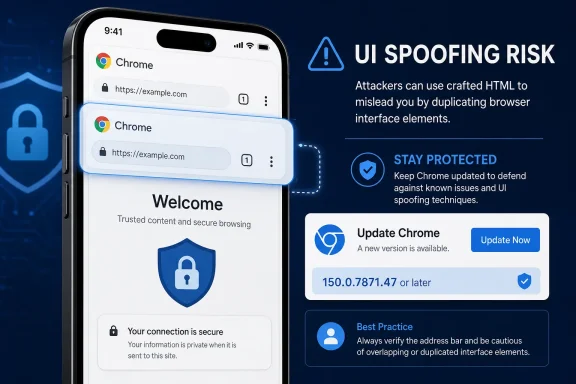 Action First: Check and Update Chrome on iPhone
One-sentence answer: Chrome for iOS versions earlier than 150.0.7871.47 should be updated; Windows Chrome is not identified as affected in the supplied configuration data.An iPhone user can check the installed Chrome version by opening Chrome, selecting More (…), and then opening Settings > About Chrome. If the version is earlier than 150.0.7871.47, open the App Store, search for Chrome, and select Update.
The exact wording and placement of those controls can vary slightly by Chrome or iOS release because the current interface path has not been independently verified across every supported combination. If Update is not displayed in the App Store, reopen Chrome after checking for available updates and confirm that About Chrome reports version 150.0.7871.47 or later.
Administrators should use whatever managed application inventory or deployment controls are already available in their environment. The essential test is the installed version number, not whether an update was requested or assumed to have completed.
A Low-Severity Bug Reaches the Browser’s Trust Boundary
According to the Chrome-authored description carried in the National Vulnerability Database record, CVE-2026-14137 stems from insufficient validation of untrusted input in Chrome for iOS. Versions earlier than 150.0.7871.47 could allow a remote attacker to perform UI spoofing through a crafted HTML page after convincing the victim to engage in specific user-interface gestures.The technical weakness is classified as CWE-20, Improper Input Validation. That is a broad weakness category rather than a detailed root-cause explanation. It indicates that Chrome did not validate some untrusted input correctly, but the supplied public material does not identify the affected component, the precise gesture sequence, the spoofed interface element, or the internal browser state involved.
That absence of detail calls for careful terminology. It would be inaccurate to call CVE-2026-14137 an address-bar vulnerability, fake-permission-prompt flaw, cross-site-scripting issue, credential-theft mechanism, or remote-code-execution vulnerability without additional evidence. None of those descriptions is established by the supplied record.
The verified description is narrower: crafted HTML, combined with specific user-interface gestures, could cause UI spoofing in affected Chrome for iOS versions.
UI spoofing is nevertheless relevant to browser security because people rely on browser-controlled interface elements to distinguish application state from webpage content. A vulnerability that permits untrusted input to interfere with that distinction can make information presented on the screen misleading. The supplied record does not establish what decision an attacker might try to influence, so broader fraud or phishing scenarios should be treated only as general risk context, not as demonstrated behavior for this CVE.
What This Means
CVE-2026-14137 has several important constraints, and they should be considered together rather than repeated as competing arguments for or against patching.First, the vulnerability is remotely reachable through crafted HTML. The attacker does not need an existing privileged position on the device according to the CISA-ADP vector.
Second, successful exploitation requires user interaction. The Chrome description specifically refers to convincing a user to engage in particular UI gestures. The supplied public information does not describe those gestures, and examples of possible taps, swipes, navigation actions, or view changes would therefore be hypothetical.
Third, CISA-ADP characterizes attack complexity as high and automation as no. Those entries indicate that exploitation is not represented as a simple, broadly automatable action in the contributed assessment.
Fourth, the documented result is UI spoofing. The record does not identify arbitrary code execution, device compromise, account takeover, or direct confidential-data disclosure as the vulnerability’s effect.
Finally, the supplied CISA-ADP SSVC data records exploitation as none and technical impact as partial. That is a point-in-time contribution within the supplied record, not a permanent guarantee about future activity.
Taken together, those facts support a measured conclusion. This is not an emergency on the level of a known-exploited, low-interaction code-execution vulnerability. It is also not a reason to leave an outdated browser installed when a fixed threshold is known. Normal security-update procedures, completed promptly and followed by version verification, are appropriate.
The version boundary is uncomplicated:
| Chrome for iOS version | Recorded CVE status | Required condition | Documented effect | Operational response |
|---|---|---|---|---|
| Earlier than 150.0.7871.47 | Affected | Crafted HTML plus specific UI gestures | UI spoofing | Update and verify the installed version |
| 150.0.7871.47 or later | At or beyond the fixed threshold | The recorded affected range no longer applies | Not affected according to this version threshold | Maintain the current update posture |
The Score Describes Technical Mechanics, Not Every Possible Consequence
The strongest distinction in the public record is the provenance of the severity information.Chromium supplies the Low severity classification. CISA-ADP supplies the 4.2 Medium CVSS 3.1 score. NVD does not supply an independent severity assessment in the provided record.
Those labels originate from different sources and should not be flattened into a single, unattributed rating.
The CISA-ADP vector is:
CVSS:3.1/AV:N/AC:H/PR:N/UI:R/S:U/C:N/I:L/A:LIt represents a network-reachable vulnerability with high attack complexity, no privileges required, required user interaction, unchanged scope, no recorded confidentiality impact, and low integrity and availability effects.
Chromium’s Low classification and CISA-ADP’s Medium score do not necessarily represent a factual conflict. A vendor severity label and a contributed CVSS assessment are different forms of evaluation. The available materials do not establish that one source revised or rejected the other.
NVD’s missing assessment should likewise not be presented as disagreement. An absent NVD score means that the supplied record does not contain an independent NVD assessment. It does not establish that NVD considers the vulnerability more or less severe.
The provenance should remain visible in vulnerability-management systems and internal reports:
| Assessment element | Source | Recorded result |
|---|---|---|
| Vendor severity | Chromium | Low |
| CVSS 3.1 contribution | CISA-ADP | 4.2 Medium |
| NVD independent severity | NVD | Not present in the supplied record |
| Exploitation status contribution | CISA-ADP SSVC | None |
| Automation contribution | CISA-ADP SSVC | No |
| Technical-impact contribution | CISA-ADP SSVC | Partial |
| Weakness classification | Chrome-originated CVE data | CWE-20, Improper Input Validation |
Neither rating should be expanded into claims that the available evidence does not support. CVSS records technical characteristics; it does not prove how persuasive a spoofed interface would be, what an attacker would ask a user to do, or whether a real campaign could turn the effect into a larger fraud workflow. Those possibilities belong to general UI-spoofing risk analysis, not the verified description of this particular flaw.
Public Details Remain Limited
The supplied material provides enough information to identify the affected product, weakness category, attack conditions, documented effect, and fixed-version threshold. It does not provide enough information to reconstruct the vulnerability.The associated Chromium issue is not publicly readable in the supplied material. As a result, defenders do not have verified reproduction steps, screenshots, component names, code-level explanations, or a documented sequence of gestures to review.
That limitation does not prevent remediation. Administrators do not need a proof of concept to compare an installed application version against 150.0.7871.47. It does, however, place firm boundaries around responsible technical reporting.
The following statements are supported by the supplied record:
- The affected product is Chrome for iOS.
- Versions earlier than 150.0.7871.47 are in the affected range.
- The weakness is classified as CWE-20, Improper Input Validation.
- An attacker can use crafted HTML.
- Successful exploitation requires the victim to engage in specific UI gestures.
- The recorded effect is UI spoofing.
- Chromium rates the issue Low.
- CISA-ADP contributes a CVSS 3.1 score of 4.2 Medium.
- The supplied NVD configuration identifies Chrome on Apple iPhone OS.
- The supplied NVD configuration does not list Windows Chrome.
- The exact UI element that can be spoofed.
- The required gesture sequence.
- Whether the address bar is involved.
- Whether a browser prompt or operating-system prompt is involved.
- Whether the issue can expose credentials or other confidential information.
- Whether it has been used in a real phishing or fraud campaign.
- Whether a public exploit or proof of concept exists.
- Whether the issue affects Chrome on Windows or other unlisted platforms.
Disclosure sequence
Because the supplied materials do not establish reliable publication, modification, internal-report, or analysis dates for every referenced event, the timeline is best represented as a sequence rather than as a dated chronology:- Chrome assigned CVE-2026-14137 and described an improper-input-validation vulnerability in Chrome for iOS.
- The record identified versions earlier than 150.0.7871.47 as affected.
- Chromium classified the vulnerability as Low severity.
- CISA-ADP contributed a CVSS 3.1 score of 4.2 Medium.
- CISA-ADP’s SSVC contribution recorded exploitation as none, automation as no, and technical impact as partial.
- NVD’s affected-software configuration identified Google Chrome on Apple iPhone OS.
- The detailed Chromium issue remained unavailable for unrestricted public review in the supplied material.
Platform Scope Must Be Read Carefully
The supplied NVD affected-software configuration identifies Google Chrome running on Apple iPhone OS. It does not list Windows Chrome.That wording is intentionally narrower than saying the flaw categorically “does not affect Windows.” A configuration record can show what has been identified as affected without proving every possible negative across every product branch. Based on the supplied configuration, the remediation target is Chrome on iPhones below the fixed threshold, not Chrome installations on Windows PCs.
For Windows-centered administrators, the practical distinction is significant. Updating Chrome on managed Windows computers does not update a separate Chrome application installed on an iPhone. A desktop browser-compliance result therefore cannot, by itself, verify the mobile application’s version.
The organization should identify who owns mobile application inventory and update verification. Depending on the environment, that owner may be endpoint management, mobile-device management, security operations, workplace technology, or another team. The specific tooling and enrollment model are local operational questions and are not established by the vulnerability record.
The necessary control is simple regardless of ownership:
- Identify relevant Chrome installations on managed iPhones where inventory is available.
- Compare the installed versions with 150.0.7871.47.
- Update installations below that threshold.
- Verify the resulting installed version.
- Give users without centrally verified installations a concise manual check-and-update procedure.
UI Spoofing Is a Browser-Security Concern
Browsers display untrusted webpage content alongside controls and signals that users understand to belong to the application. The distinction between those areas helps users interpret navigation, prompts, permissions, and other browser states.UI spoofing can weaken that distinction by causing something on the screen to represent browser state incorrectly or misleadingly. That is the general security concern behind this vulnerability class. For CVE-2026-14137 specifically, however, the public description does not identify which visual element or state could be spoofed.
The required gestures suggest that exploitation depends on a sequence of user-interface interactions rather than only the initial rendering of crafted HTML. It is reasonable to describe that as an interaction-dependent flaw. It is not reasonable, without further evidence, to invent the interaction sequence or claim that ordinary gestures are broadly unsafe.
Likewise, possible attacker instructions should not be presented as known exploit steps. A malicious page might generally try to persuade a user to interact with it, but the supplied record does not reveal the pretext, wording, or exact behavior required for this vulnerability.
General user guidance can therefore remain restrained:
- Keep Chrome on iPhone at version 150.0.7871.47 or later.
- Be cautious when an unfamiliar page demands an unusual sequence of interactions.
- If a page’s behavior appears misleading or inconsistent with the expected browser interface, close it rather than continuing a sensitive action.
- Start sensitive account or payment activity from a known application or destination when there is doubt about what the browser is displaying.
Enterprise Priority Should Remain Proportionate
The known conditions do not support emergency language. The vulnerability requires user interaction, has high attack complexity in the CISA-ADP vector, is marked not automatable in the SSVC contribution, and has no exploitation recorded in that contribution. Its documented effect is UI spoofing rather than code execution.At the same time, the fix threshold is explicit and the remediation is an application update. There is little operational value in leaving known affected versions in service while waiting for more technical detail.
A proportionate priority is therefore appropriate: handle the update promptly through normal accelerated browser or mobile-application maintenance, verify the installed version, and monitor for material changes in the record. Emergency incident procedures would become more appropriate only if new evidence established active exploitation, broader platform scope, substantially greater impact, or a practical exploit path that changes the risk calculation.
Organizations should avoid inflating the issue in user communications. The supplied record does not say that a webpage can silently take over an iPhone. It says that crafted HTML, combined with specific user-interface gestures, can produce UI spoofing in affected Chrome for iOS versions.
A concise user notice could say:
That language explains the necessary action without claiming device compromise or inventing an exploit scenario.Chrome for iPhone versions earlier than 150.0.7871.47 contain a browser-interface spoofing vulnerability. Open Chrome, select More (…), and check Settings > About Chrome. If the version is below the threshold, open the App Store, search for Chrome, and select Update. Menu wording may vary slightly by Chrome or iOS release.
Action checklist for admins
- Assign a clear owner for Chrome mobile-application inventory and update verification.
- Identify managed iPhones with Chrome installed where the available management tooling supports application inventory.
- Find Chrome for iOS versions earlier than 150.0.7871.47.
- Require or prompt an update to version 150.0.7871.47 or later.
- Verify the installed version after the update action completes.
- Do not treat Windows Chrome update status as evidence that Chrome on iPhones has been remediated.
- Provide the manual verification path: Chrome > More (…) > Settings > About Chrome.
- Provide the manual update path: App Store > search Chrome > Update.
- Note that exact interface wording may vary slightly by Chrome or iOS release because the path has not been independently verified across all versions.
- Describe the vulnerability accurately as interaction-dependent UI spoofing through crafted HTML.
- Do not characterize it as remote code execution, XSS, address-bar spoofing, credential theft, or device takeover without new supporting information.
- Preserve the source of each severity field: Chromium Low, CISA-ADP 4.2 Medium, and no independent NVD severity assessment in the supplied record.
- Monitor the record for changes in exploitation status, affected platforms, technical detail, or fixed-version guidance.
- Use a proportionate accelerated-maintenance priority rather than an emergency response based on the currently supplied facts.
Restricted Detail Requires Precision, Not Delayed Patching
The lack of a publicly readable technical issue limits analysis, but it does not weaken the version guidance. Chrome identified a fixed threshold, and the supplied affected-software configuration identifies the relevant mobile platform.Organizations therefore have two distinct responsibilities.
The first is operational: update affected Chrome for iOS installations and verify that they are running 150.0.7871.47 or later.
The second is editorial and analytical: avoid filling the gaps in the public record with assumptions. No public reproduction steps means no verified claim about the spoofed element. No supplied campaign evidence means no claim of targeted exploitation. No listed Windows configuration means Windows Chrome is not identified as affected in the supplied data, but that should not be expanded into an absolute statement covering every possible product context.
The same precision applies to severity. Chromium’s Low rating is the vendor classification. The 4.2 Medium score is a CISA-ADP CVSS contribution. NVD’s missing independent assessment is an absence of an NVD score, not evidence of a hidden disagreement. These facts can coexist, and each should retain its provenance.
Security teams should also preserve the point-in-time nature of the SSVC contribution. “Exploitation: none” records the status supplied in that assessment. It does not promise that exploitation can never emerge. Monitoring remains appropriate even when the initial operational priority is modest.
The best response is consequently neither alarm nor dismissal. Apply the available update, confirm the installed version, document the platform scope carefully, and revisit prioritization only if the underlying evidence changes.
Windows-Centered IT Still Owns the Mobile Browser Check
CVE-2026-14137 is not identified as a Windows Chrome vulnerability in the supplied NVD configuration. It is a Chrome for iOS issue whose affected configuration names Apple iPhone OS.That does not make it irrelevant to WindowsForum administrators. A Windows-centered environment can still use iPhones for corporate communication, identity workflows, document access, support activity, and web-based services. The platform that hosts a vulnerable application may be outside the traditional Windows endpoint fleet while remaining inside the organization’s security responsibilities.
The immediate WindowsForum takeaway is operational and specific:
- Owner: assign the team responsible for mobile-application inventory and update verification.
- Threshold: update every identified Chrome for iOS installation earlier than 150.0.7871.47.
- Verification: on the iPhone, open Chrome > More (…) > Settings > About Chrome; to update, open App Store > search Chrome > Update. Exact labels may vary slightly by Chrome or iOS release.
- Priority: treat this as a prompt, proportionate browser update—not an emergency—unless new evidence establishes active exploitation or broader impact.
References
- Primary source: NVD / Chromium
Published: 2026-07-11T15:40:48-07:00
NVD - CVE-2026-14137
 nvd.nist.gov
- Security advisory: MSRC
Published: 2026-07-11T15:40:48-07:00
Original feed URL
Security Update Guide - Microsoft Security Response Center
 msrc.microsoft.com
- Related coverage: cvefeed.io
CVE-2026-14137 - Google Chrome for iOS UI Spoofing Vulnerability
Insufficient validation of untrusted input in Chrome for iOS in Google Chrome on iOS prior to 150.0.7871.47 allowed a remote attacker who convinced a user to engage in specific UI gestures to perform UI spoofing via a crafted HTML page. (Chromium security severity: Low)cvefeed.io - Related coverage: security.snyk.io
Improper Input Validation in chromium | CVE-2026-14137 | Snyk
Improper Input Validation in chromium | CVE-2026-14137security.snyk.io - Related coverage: issues.chromium.org
Chromium
issues.chromium.org
- Official source: support.google.com
- Related coverage: chromium.googlesource.com
- Related coverage: piunikaweb.com
Google kicks off the Chrome 150 rollout across iOS, Android, and Desktop
Google is rolling out the Chrome 150 update across iOS, Android, and desktop. Here is when you will get it, what changed, and why older ad blockers are breaking. piunikaweb.com
- Related coverage: chrome.updatestar.com

Google Chrome - Download
Download Google Chrome 150.0.7871.115, free, virus-checked. Google Chrome is a speedy and adaptable web browser with extensive features.
chrome.updatestar.com