

Google is rolling out patched Android Auto builds after version 17.2 caused connection failures for some users, particularly those with wireless setups. The fix is included in stable build 17.2.662638 and beta build 17.3.662813, according to a Google community representative posting on Reddit.
The problem emerged during the Android Auto 17.2 rollout. Users reported that Android Auto would fail to launch, repeatedly disconnect, or drop its connection seconds after startup. Reports covered wireless connections most often, although some wired users also described similar behavior. The issue reportedly remained present in earlier Android Auto 17.3 beta builds.
Google said it identified a problem involving “uncertified aftermarket head units” that affected a small number of users during the 17.2 rollout. That explanation does not cover every report: Autoevolution and Reddit users have described connection failures with factory-installed systems as well, though Google has not confirmed those cases share the same root cause.
Google’s stated fixed builds are:
The update does not appear to be a new feature release. It is a targeted maintenance fix for the disconnecting issue, and Google has asked affected users to update and report whether the problem is resolved.
Those on the stable channel should look for 17.2.662638; those enrolled in the beta should look for 17.3.662813. If the update is not yet offered, that is likely due to Google’s staged rollout rather than a separate device-specific download requirement.
It is worth avoiding unnecessary phone resets or head-unit reconfiguration until the patched version has been tested, since the reported fault was introduced by the app update rather than necessarily by vehicle hardware. Users still seeing failures after installing the fixed build should capture the exact Android Auto version, phone model, connection type, and head-unit model before filing feedback.
The immediate practical step is to update Android Auto to the corrected build and test a short wired or wireless drive before relying on it for navigation.
The problem emerged during the Android Auto 17.2 rollout. Users reported that Android Auto would fail to launch, repeatedly disconnect, or drop its connection seconds after startup. Reports covered wireless connections most often, although some wired users also described similar behavior. The issue reportedly remained present in earlier Android Auto 17.3 beta builds.
Google said it identified a problem involving “uncertified aftermarket head units” that affected a small number of users during the 17.2 rollout. That explanation does not cover every report: Autoevolution and Reddit users have described connection failures with factory-installed systems as well, though Google has not confirmed those cases share the same root cause.
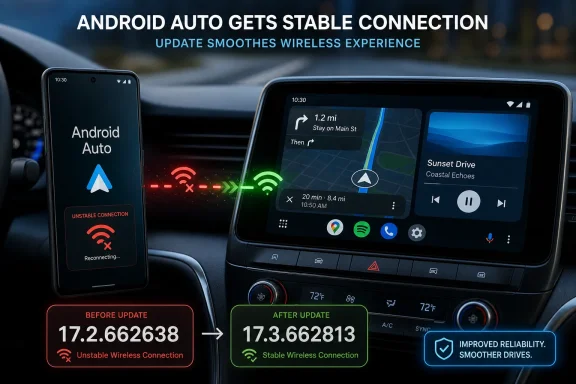 The patched versions
Google’s stated fixed builds are:- Stable channel: Android Auto 17.2.662638
- Beta channel: Android Auto 17.3.662813
The update does not appear to be a new feature release. It is a targeted maintenance fix for the disconnecting issue, and Google has asked affected users to update and report whether the problem is resolved.
What affected users should do
Users who delayed Android Auto 17.2, disabled its automatic Play Store updates, or downgraded to an earlier 17.1 release can now check for the patched build. In the Play Store, open Android Auto’s listing and confirm the installed version in the app details or Android’s Apps settings.Those on the stable channel should look for 17.2.662638; those enrolled in the beta should look for 17.3.662813. If the update is not yet offered, that is likely due to Google’s staged rollout rather than a separate device-specific download requirement.
It is worth avoiding unnecessary phone resets or head-unit reconfiguration until the patched version has been tested, since the reported fault was introduced by the app update rather than necessarily by vehicle hardware. Users still seeing failures after installing the fixed build should capture the exact Android Auto version, phone model, connection type, and head-unit model before filing feedback.
The immediate practical step is to update Android Auto to the corrected build and test a short wired or wireless drive before relying on it for navigation.
References
- Primary source: autoevolution
Published: 2026-07-17T07:11:52+00:00
Loading…
www.autoevolution.com