

Microsoft’s July 2026 Patch Tuesday is the immediate priority for Windows administrators: KB5101650 for Windows 11 24H2 and 25H2, KB5099414 for Windows 11 23H2, and KB5099539 for supported Windows 10 releases address an unusually large security haul that BleepingComputer puts at 570 vulnerabilities, including 61 critical bugs and three zero-days. Microsoft shipped the updates on July 14, and they should move quickly through normal pilot and production rings rather than waiting for the next maintenance window.
The raw vulnerability total is large enough to demand attention, but the practical work remains familiar: inventory systems by Windows release, validate line-of-business applications, deploy the cumulative update, and watch known-issue channels. Microsoft’s Windows 10 advisory identifies KB5099539 as bringing affected systems to OS Builds 19044.7548 and 19045.7548; the Windows Update Catalog lists KB5099414 for Windows 11 23H2 and KB5101650 for Windows 11 24H2.
There is a small reporting discrepancy worth noting. BleepingComputer’s Windows 11 update coverage describes 571 security issues, while its broader Patch Tuesday report counts 570. That does not change the operational conclusion: this is a heavy security month, and organizations should treat it as one.
The Windows releases also include the kind of maintenance changes that can matter disproportionately in managed environments. Microsoft has addressed a Recycle Bin issue that could expose internal filenames during deletion, continued work around Secure Boot certificate targeting, and expanded SHA-2 support for trusted Remote Desktop Publishing publishers.
The latter two items may not produce visible changes for ordinary users, but they matter to IT teams maintaining older deployment paths, RDP environments, and secure boot chains across mixed fleets. Patch validation should therefore include remote access workflows and boot integrity checks—not simply a reboot-and-login test.
Windows 11 24H2 and 25H2 systems receive KB5101650, with build numbers advancing to 26100.8875 and 26200.8875 respectively, according to BleepingComputer. Windows 11 23H2 advances through KB5099414 to Build 22631.7376. Those concrete build numbers are useful for compliance queries in Intune, Configuration Manager, RMM platforms, and help-desk triage.
The broader lifecycle calendar is also now close enough to be an active planning issue. Microsoft has reminded customers that Windows 11 24H2, Windows Server 2022, and Windows 10 Enterprise LTSB 2016 are scheduled to reach end of support on October 13, 2026. Separately, OneDrive sync support for Windows 10 22H1 and earlier is due to end on August 15, 2026.
For Windows 10 shops, that does not mean every deployment must be replaced this quarter. It does mean exceptions, ESU eligibility, application compatibility, hardware readiness, and OneDrive exposure should no longer be treated as next-year problems. Media Creation Tool images have also been refreshed with July’s cumulative updates, making clean Windows 11 deployments less likely to begin life several patch cycles behind.
Streamer Joshua Khane said his Microsoft account was compromised, after which he was permanently locked out when its security information changed. As initially reported by Neowin and later followed by TechSpot and Video Games Chronicle, Khane said the account held roughly 25 years of data, an Xbox library worth thousands of euros, and OneDrive files including baby photos of his son.
The account was ultimately restored on July 16 after the case drew wide public attention. That is plainly a better outcome than the initial account-closure scenario, but it does not erase the deeper problem: a recovery process that produces a permanent-loss answer for a long-standing identity is difficult to square with how much users are now asked to consolidate under one Microsoft account.
A separate case in Brazil sharpened the consumer-rights angle. Windows Central and Tom’s Hardware reported that a Brazilian Xbox player won a court order requiring Microsoft to restore a hacked and suspended account, including the player’s digital game library, and to pay approximately $400 in damages. The reported account suspension had extended beyond Xbox entitlements to the associated Microsoft account.
Neither case establishes a universal legal precedent, particularly outside Brazil. But together they are an awkward demonstration of the gap between security enforcement and meaningful recovery. Detecting unauthorized access and changing credentials quickly are necessary defenses; treating the victim as collateral damage is not a defensible endpoint.
For users, the practical lesson is to stop thinking of a Microsoft account as merely a Windows sign-in or gamertag. It should be protected like a primary identity provider:
The most important change is not visual. Microsoft is adding privacy controls under Settings > Privacy & security > Search that let users disable web and Microsoft Store suggestions. Promotional content is also being removed from web results when those results are enabled.
That is a notable shift in product philosophy, even if it is only an Experimental-channel rollout for now. Windows Search has long suffered from a credibility problem: users search for a local app, file, or setting, then get web links, Store recommendations, and promotional material competing for attention. A search surface that puts local results first—and makes online sources an explicit option—better fits both professional and enthusiast expectations.
Microsoft says the refreshed experience is faster and more forgiving of typos. The rollout will need real-world testing, especially on systems with large local indexes, redirected folders, enterprise search policies, and cloud content enabled. Still, the option to remove web and Store material is the essential part. It restores a degree of user agency that should have been present from the start.
Bethesda also says both projects are being developed on Creation Engine 3, a shared technology platform the studio has been building since Starfield launched. The company confirmed that remasters of Fallout 3 and Fallout: New Vegas are planned, although it provided no release dates.
The sober interpretation is more useful than the headline. “Pre-production” confirms a project and a technology direction; it does not imply a near-term launch, a playable build, or a timetable. With The Elder Scrolls VI still taking priority, fans should expect the remasters and other Fallout projects to be the more meaningful near-term signals.
For Windows and Xbox players, Creation Engine 3 is the technical angle to watch. Bethesda’s engine choices have enormous implications for modding workflows, long-lived PC communities, performance expectations, and post-launch tooling. The studio has now made a commitment to a shared platform, but it has not yet shown what that platform will deliver.
This week’s Microsoft story is therefore less about one blockbuster announcement than a collision of fundamentals: patch a historically large security release, prepare for aging Windows lifecycle deadlines, reduce dependence on any single cloud identity, and keep expectations calibrated for games that are only just entering their next development phase.
The raw vulnerability total is large enough to demand attention, but the practical work remains familiar: inventory systems by Windows release, validate line-of-business applications, deploy the cumulative update, and watch known-issue channels. Microsoft’s Windows 10 advisory identifies KB5099539 as bringing affected systems to OS Builds 19044.7548 and 19045.7548; the Windows Update Catalog lists KB5099414 for Windows 11 23H2 and KB5101650 for Windows 11 24H2.
There is a small reporting discrepancy worth noting. BleepingComputer’s Windows 11 update coverage describes 571 security issues, while its broader Patch Tuesday report counts 570. That does not change the operational conclusion: this is a heavy security month, and organizations should treat it as one.
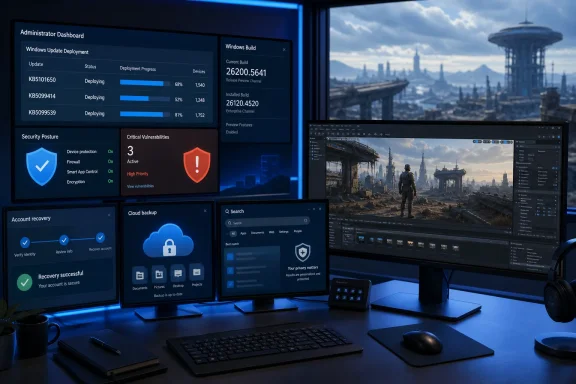 July’s Cumulative Updates Carry More Than CVEs
The Windows releases also include the kind of maintenance changes that can matter disproportionately in managed environments. Microsoft has addressed a Recycle Bin issue that could expose internal filenames during deletion, continued work around Secure Boot certificate targeting, and expanded SHA-2 support for trusted Remote Desktop Publishing publishers.The latter two items may not produce visible changes for ordinary users, but they matter to IT teams maintaining older deployment paths, RDP environments, and secure boot chains across mixed fleets. Patch validation should therefore include remote access workflows and boot integrity checks—not simply a reboot-and-login test.
Windows 11 24H2 and 25H2 systems receive KB5101650, with build numbers advancing to 26100.8875 and 26200.8875 respectively, according to BleepingComputer. Windows 11 23H2 advances through KB5099414 to Build 22631.7376. Those concrete build numbers are useful for compliance queries in Intune, Configuration Manager, RMM platforms, and help-desk triage.
The broader lifecycle calendar is also now close enough to be an active planning issue. Microsoft has reminded customers that Windows 11 24H2, Windows Server 2022, and Windows 10 Enterprise LTSB 2016 are scheduled to reach end of support on October 13, 2026. Separately, OneDrive sync support for Windows 10 22H1 and earlier is due to end on August 15, 2026.
For Windows 10 shops, that does not mean every deployment must be replaced this quarter. It does mean exceptions, ESU eligibility, application compatibility, hardware readiness, and OneDrive exposure should no longer be treated as next-year problems. Media Creation Tool images have also been refreshed with July’s cumulative updates, making clean Windows 11 deployments less likely to begin life several patch cycles behind.
Account Recovery Became the Week’s Most Uncomfortable Microsoft Story
Security patching dominated the technical calendar, but Microsoft account recovery became the week’s clearest reminder that a single consumer identity can now hold games, cloud storage, purchase history, email, and irreplaceable personal data.Streamer Joshua Khane said his Microsoft account was compromised, after which he was permanently locked out when its security information changed. As initially reported by Neowin and later followed by TechSpot and Video Games Chronicle, Khane said the account held roughly 25 years of data, an Xbox library worth thousands of euros, and OneDrive files including baby photos of his son.
The account was ultimately restored on July 16 after the case drew wide public attention. That is plainly a better outcome than the initial account-closure scenario, but it does not erase the deeper problem: a recovery process that produces a permanent-loss answer for a long-standing identity is difficult to square with how much users are now asked to consolidate under one Microsoft account.
A separate case in Brazil sharpened the consumer-rights angle. Windows Central and Tom’s Hardware reported that a Brazilian Xbox player won a court order requiring Microsoft to restore a hacked and suspended account, including the player’s digital game library, and to pay approximately $400 in damages. The reported account suspension had extended beyond Xbox entitlements to the associated Microsoft account.
Neither case establishes a universal legal precedent, particularly outside Brazil. But together they are an awkward demonstration of the gap between security enforcement and meaningful recovery. Detecting unauthorized access and changing credentials quickly are necessary defenses; treating the victim as collateral damage is not a defensible endpoint.
For users, the practical lesson is to stop thinking of a Microsoft account as merely a Windows sign-in or gamertag. It should be protected like a primary identity provider:
- Use passwordless sign-in, a passkey, or a strong unique password alongside multifactor authentication.
- Keep recovery email addresses and phone numbers current, and review security information before an emergency exposes stale details.
- Maintain an independent backup of OneDrive content that cannot be erased by an account-access failure.
- Keep receipts, subscription records, device serials, and account details available offline to support an ownership or recovery claim.
Windows Search Is Finally Being Treated Like a Search Tool
Microsoft did not release a new Windows Insider build this week, but it did begin rolling out a batch of Windows Search changes to testers in the Experimental channel. As reported by Windows Central and BleepingComputer, the effort is aimed at cleaner search results, better local matching, clearer labels for the source of results, and less promotional clutter.The most important change is not visual. Microsoft is adding privacy controls under Settings > Privacy & security > Search that let users disable web and Microsoft Store suggestions. Promotional content is also being removed from web results when those results are enabled.
That is a notable shift in product philosophy, even if it is only an Experimental-channel rollout for now. Windows Search has long suffered from a credibility problem: users search for a local app, file, or setting, then get web links, Store recommendations, and promotional material competing for attention. A search surface that puts local results first—and makes online sources an explicit option—better fits both professional and enthusiast expectations.
Microsoft says the refreshed experience is faster and more forgiving of typos. The rollout will need real-world testing, especially on systems with large local indexes, redirected folders, enterprise search policies, and cloud content enabled. Still, the option to remove web and Store material is the essential part. It restores a degree of user agency that should have been present from the start.
Fallout 5 Is Real, but It Is Not Close
Gaming news produced the week’s biggest Microsoft-adjacent headline: Bethesda Game Studios has confirmed that Fallout 5 is in pre-production. Bethesda’s update, subsequently detailed by outlets including PC Gamer, GamesRadar, and Windows Central, says The Elder Scrolls VI remains the studio’s primary development focus.Bethesda also says both projects are being developed on Creation Engine 3, a shared technology platform the studio has been building since Starfield launched. The company confirmed that remasters of Fallout 3 and Fallout: New Vegas are planned, although it provided no release dates.
The sober interpretation is more useful than the headline. “Pre-production” confirms a project and a technology direction; it does not imply a near-term launch, a playable build, or a timetable. With The Elder Scrolls VI still taking priority, fans should expect the remasters and other Fallout projects to be the more meaningful near-term signals.
For Windows and Xbox players, Creation Engine 3 is the technical angle to watch. Bethesda’s engine choices have enormous implications for modding workflows, long-lived PC communities, performance expectations, and post-launch tooling. The studio has now made a commitment to a shared platform, but it has not yet shown what that platform will deliver.
This week’s Microsoft story is therefore less about one blockbuster announcement than a collision of fundamentals: patch a historically large security release, prepare for aging Windows lifecycle deadlines, reduce dependence on any single cloud identity, and keep expectations calibrated for games that are only just entering their next development phase.
References
- Primary source: Neowin
Published: 2026-07-18T14:00:01+00:00
Microsoft Weekly: Patch Tuesday updates, Microsoft accounts drama, Fallout 5 news, and more | Neowin
Catch up with this week's Microsoft stories in our latest recap. This week, we're all about the Patch Tuesday, clashes between Microsoft and users, gaming news, and more. www.neowin.net
- Related coverage: windowscentral.com
Todd Howard interview: Fallout 5, Obsidian's Fallout, remakes, Elder Scrolls 6, Starfield, and more — Bethesda charts its future | Windows Central
As Xbox's cuts bite, Bethesda set out to reassure fans about the future of its biggest franchises. We spoke to the legendary Todd Howard to learn more.www.windowscentral.com - Related coverage: bleepingcomputer.com
