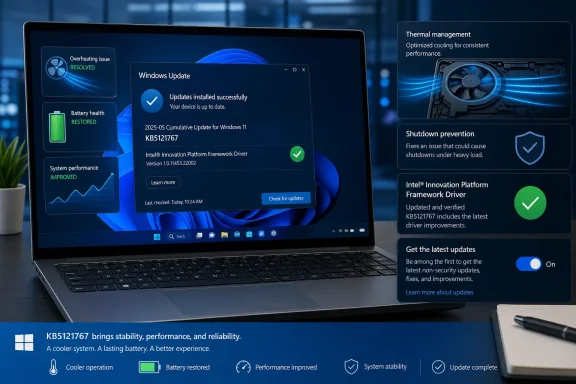
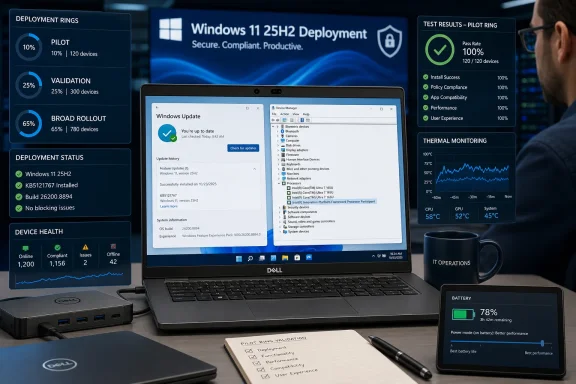
Microsoft has issued the out-of-band Windows 11 update KB5121767 to resolve a Dell-specific Intel driver problem that led the company to block the July 14 security update, KB5101650, on a limited set of systems. The emergency cumulative update restores the normal update path for affected Windows 11 24H2 and 25H2 PCs, while also carrying the July security and quality fixes those devices had been prevented from receiving.
As first reported by Neowin, the affected machines use Intel processors and the Intel Innovation Platform Framework Processor Participant driver, sometimes described as Intel IPF or FPP. Microsoft’s Windows Release Health documentation says the issue can cause unexpected shutdowns, reduced performance, more heat, and accelerated battery drain. On some systems, Device Manager may show a yellow warning symbol beside the Intel Innovation Platform Framework Processor Participant driver.
The remediation matters because the underlying issue was not merely an isolated July Patch Tuesday regression. Microsoft traces it to KB5095093, the optional June 23 Windows 11 preview update, and identifies an incompatibility between the Intel driver and a newly introduced Windows USB-C Connection Manager interface. Dell reported the behavior during testing, according to Microsoft.
For affected Dell systems, KB5121767 is now the update to watch. Its availability means administrators who held back July updates because of the safeguard can begin a controlled deployment process again rather than choosing between stability and the month’s security fixes.
Microsoft initially placed a compatibility hold on KB5101650 for the affected Dell hardware population. That was the right immediate containment step: prevent a known-bad combination from reaching more devices while the vendor and OEM worked through the failure. But it also left machines without the July cumulative update, including its security changes.
KB5121767 changes that calculation. Microsoft describes it as an out-of-band, or OOB, cumulative update intended specifically for the Dell systems caught by the Intel IPF incompatibility. Unlike a small driver-only patch, it includes the content from prior security and non-security cumulative updates plus the additional compatibility fix.
That distinction is important for IT teams. Deploying KB5121767 does not mean installing a narrow workaround and then separately catching up on Patch Tuesday; it is a new cumulative baseline for the affected Windows 11 releases. Microsoft says devices that had been temporarily prevented from receiving KB5101650 can now install the OOB package.
The resulting OS builds should be:
The same fix is also available for managed Windows 11 devices using hotpatching as KB5121768. That separate servicing path is particularly relevant to organizations that have designed maintenance windows around hotpatch cadence and do not want an exception to their established update workflow.
That breadth explains why the July safeguard applied to a limited number of Dell systems rather than every PC with an Intel processor. The triggering condition is tied to an OEM driver and the Windows-side USB-C management changes introduced in the June preview release, not simply a processor family.
Administrators investigating a suspect Dell endpoint should distinguish this issue from routine post-update performance complaints. The strongest indicators are a Windows 11 24H2 or 25H2 Dell machine, an Intel IPF/FPP entry with a warning in Device Manager, and a timeline beginning after KB5095093 on June 23 or the July 14 servicing cycle. Microsoft’s stated symptom set—unexpected shutdowns, poor performance, excess heat, and battery drain—provides a clearer starting point than broadly rolling back patches across a fleet.
The practical response is now to test KB5121767 on a representative sample of affected systems, including docked laptops, USB-C charging scenarios, and the power plans employees actually use. Teams that removed KB5095093 or paused updates as a workaround should document that state before moving machines onto the OOB build, particularly if their deployment tooling has update deferrals that will otherwise keep the corrected cumulative package from arriving.
KB5106056 is the July Setup Dynamic Update for Windows 11 versions 24H2 and 25H2. It updates binaries used during feature upgrades and image deployment. That makes it most relevant to in-place upgrade projects, installation media workflows, task sequences, and administrators maintaining custom Windows images—not to an already-installed PC simply receiving its usual monthly cumulative update.
KB5101719 is the Safe OS Dynamic Update for Windows 11 24H2 and 25H2. It refreshes WinRE, Windows’ recovery environment, bringing the installed WinRE version to 10.0.26100.8875. KB5099551 performs the comparable recovery update for Windows 11 23H2, moving WinRE there to version 10.0.22621.7376.
These packages also contain two fixes worth noting in environments with older software or tightly controlled endpoint configurations. Microsoft says they resolve an OLE Automation compatibility problem introduced by the June 2026 security update, where some applications using
Microsoft also documents a change to hotkey unregister and cleanup behavior. In rare circumstances, built-in Windows experiences that rely on the previous lifecycle behavior might stop responding to particular keyboard shortcuts until the affected app is restarted. The company directs users to report persistent cases through Feedback Hub.
For organizations still supporting Windows 11 23H2, KB5099551 is especially timely. The monthly OS cumulative update and the Safe OS update are separate packages with separate purposes; confirming the main Windows build alone does not confirm that WinRE has received its corresponding remediation.
Microsoft says the July Setup and Recovery Dynamic Updates are available automatically through Windows Update. Managed environments should nevertheless validate their update policies and deployment products, since WinRE servicing may follow different approval, synchronization, or packaging practices than standard quality updates.
The immediate priority remains straightforward: Dell systems blocked from KB5101650 should move through a measured KB5121767 rollout, while deployment teams should absorb the July Dynamic Updates into their 24H2, 25H2, and 23H2 servicing baselines. The next meaningful signal will be whether Microsoft closes the Dell issue in Windows Release Health without expanding the affected hardware list—a result that would show the OOB update has fixed the driver collision rather than merely redirected it.
That creates an operational wrinkle for administrators: the update may display simply as “2026-07 Update (KB5121767),” without making its Dell-specific Intel IPF purpose obvious. Deployment teams should identify it by KB number rather than relying on its Windows Update title, and should validate whether devices are actually within the affected Dell population before treating it as a fleet-wide remediation.
Windows Latest also published an unofficial list of potentially affected Dell systems, including selected Pro Max, Pro Precision, Precision, and XPS 17 models. Microsoft has not published a definitive model inventory, so the list should be used only as a triage aid—not as confirmation that unlisted Dell hardware is unaffected.
For users and IT teams that prefer regular monthly servicing only, leaving the early-updates setting disabled may avoid receiving this targeted OOB package on otherwise unaffected PCs.

 www.windowslatest.com
www.windowslatest.com
As first reported by Neowin, the affected machines use Intel processors and the Intel Innovation Platform Framework Processor Participant driver, sometimes described as Intel IPF or FPP. Microsoft’s Windows Release Health documentation says the issue can cause unexpected shutdowns, reduced performance, more heat, and accelerated battery drain. On some systems, Device Manager may show a yellow warning symbol beside the Intel Innovation Platform Framework Processor Participant driver.
The remediation matters because the underlying issue was not merely an isolated July Patch Tuesday regression. Microsoft traces it to KB5095093, the optional June 23 Windows 11 preview update, and identifies an incompatibility between the Intel driver and a newly introduced Windows USB-C Connection Manager interface. Dell reported the behavior during testing, according to Microsoft.
For affected Dell systems, KB5121767 is now the update to watch. Its availability means administrators who held back July updates because of the safeguard can begin a controlled deployment process again rather than choosing between stability and the month’s security fixes.
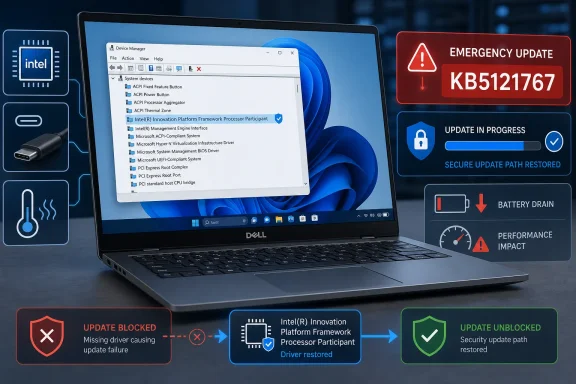 The Dell safeguard has become an emergency servicing release
Microsoft initially placed a compatibility hold on KB5101650 for the affected Dell hardware population. That was the right immediate containment step: prevent a known-bad combination from reaching more devices while the vendor and OEM worked through the failure. But it also left machines without the July cumulative update, including its security changes.KB5121767 changes that calculation. Microsoft describes it as an out-of-band, or OOB, cumulative update intended specifically for the Dell systems caught by the Intel IPF incompatibility. Unlike a small driver-only patch, it includes the content from prior security and non-security cumulative updates plus the additional compatibility fix.
That distinction is important for IT teams. Deploying KB5121767 does not mean installing a narrow workaround and then separately catching up on Patch Tuesday; it is a new cumulative baseline for the affected Windows 11 releases. Microsoft says devices that had been temporarily prevented from receiving KB5101650 can now install the OOB package.
The resulting OS builds should be:
- Windows 11 version 24H2 moves to build 26100.8894.
- Windows 11 version 25H2 moves to build 26200.8894.
The same fix is also available for managed Windows 11 devices using hotpatching as KB5121768. That separate servicing path is particularly relevant to organizations that have designed maintenance windows around hotpatch cadence and do not want an exception to their established update workflow.
The symptoms point to power and platform-management plumbing
Intel Innovation Platform Framework is not a single end-user feature. It is a platform-management driver stack used by OEMs to coordinate performance, thermals, power behavior, and hardware-aware policies. That makes a failure in this area capable of looking like several unrelated problems at once: a laptop can run hot, lose battery faster, throttle unexpectedly, behave poorly around docks or USB-C peripherals, or shut down without an obvious application-level cause.That breadth explains why the July safeguard applied to a limited number of Dell systems rather than every PC with an Intel processor. The triggering condition is tied to an OEM driver and the Windows-side USB-C management changes introduced in the June preview release, not simply a processor family.
Administrators investigating a suspect Dell endpoint should distinguish this issue from routine post-update performance complaints. The strongest indicators are a Windows 11 24H2 or 25H2 Dell machine, an Intel IPF/FPP entry with a warning in Device Manager, and a timeline beginning after KB5095093 on June 23 or the July 14 servicing cycle. Microsoft’s stated symptom set—unexpected shutdowns, poor performance, excess heat, and battery drain—provides a clearer starting point than broadly rolling back patches across a fleet.
The practical response is now to test KB5121767 on a representative sample of affected systems, including docked laptops, USB-C charging scenarios, and the power plans employees actually use. Teams that removed KB5095093 or paused updates as a workaround should document that state before moving machines onto the OOB build, particularly if their deployment tooling has update deferrals that will otherwise keep the corrected cumulative package from arriving.
July’s recovery and setup updates deserve separate attention
The Dell repair arrived alongside less visible but significant Windows servicing packages: KB5106056, KB5101719, and KB5099551. Neowin flagged the releases, while Microsoft’s support documentation clarifies that they address Windows Setup and the Windows Recovery Environment rather than everyday desktop features.KB5106056 is the July Setup Dynamic Update for Windows 11 versions 24H2 and 25H2. It updates binaries used during feature upgrades and image deployment. That makes it most relevant to in-place upgrade projects, installation media workflows, task sequences, and administrators maintaining custom Windows images—not to an already-installed PC simply receiving its usual monthly cumulative update.
KB5101719 is the Safe OS Dynamic Update for Windows 11 24H2 and 25H2. It refreshes WinRE, Windows’ recovery environment, bringing the installed WinRE version to 10.0.26100.8875. KB5099551 performs the comparable recovery update for Windows 11 23H2, moving WinRE there to version 10.0.22621.7376.
These packages also contain two fixes worth noting in environments with older software or tightly controlled endpoint configurations. Microsoft says they resolve an OLE Automation compatibility problem introduced by the June 2026 security update, where some applications using
IDispatch::Invoke with shared-storage BYREF parameters could fail with marshaling or automation errors. That is the sort of issue likely to surface in line-of-business software, Office integrations, scripts, and older COM-dependent tooling rather than in mainstream Windows applications.Microsoft also documents a change to hotkey unregister and cleanup behavior. In rare circumstances, built-in Windows experiences that rely on the previous lifecycle behavior might stop responding to particular keyboard shortcuts until the affected app is restarted. The company directs users to report persistent cases through Feedback Hub.
Recovery updates are deployment infrastructure, not optional housekeeping
Dynamic Updates can be easy to overlook because they do not carry the visibility of a Patch Tuesday cumulative update. Yet their role is increasingly central in enterprise servicing: they can update Setup before a feature upgrade runs, preserve language packs and Features on Demand during the upgrade process, and ensure that the recovery environment is not left behind on an older servicing level.For organizations still supporting Windows 11 23H2, KB5099551 is especially timely. The monthly OS cumulative update and the Safe OS update are separate packages with separate purposes; confirming the main Windows build alone does not confirm that WinRE has received its corresponding remediation.
Microsoft says the July Setup and Recovery Dynamic Updates are available automatically through Windows Update. Managed environments should nevertheless validate their update policies and deployment products, since WinRE servicing may follow different approval, synchronization, or packaging practices than standard quality updates.
The immediate priority remains straightforward: Dell systems blocked from KB5101650 should move through a measured KB5121767 rollout, while deployment teams should absorb the July Dynamic Updates into their 24H2, 25H2, and 23H2 servicing baselines. The next meaningful signal will be whether Microsoft closes the Dell issue in Windows Release Health without expanding the affected hardware list—a result that would show the OOB update has fixed the driver collision rather than merely redirected it.
Update: Early-update setting can broaden KB5121767 delivery (July 19, 2026)
Windows Latest reports that KB5121767 may also be offered to Windows 11 devices outside the Dell hardware group when the “Get the latest updates as soon as they’re available” setting is enabled in Windows Update. Microsoft’s documented repair path remains targeted at Dell systems held back from the July 14 cumulative update, but the optional early-delivery setting can make the OOB package appear more broadly.That creates an operational wrinkle for administrators: the update may display simply as “2026-07 Update (KB5121767),” without making its Dell-specific Intel IPF purpose obvious. Deployment teams should identify it by KB number rather than relying on its Windows Update title, and should validate whether devices are actually within the affected Dell population before treating it as a fleet-wide remediation.
Windows Latest also published an unofficial list of potentially affected Dell systems, including selected Pro Max, Pro Precision, Precision, and XPS 17 models. Microsoft has not published a definitive model inventory, so the list should be used only as a triage aid—not as confirmation that unlisted Dell hardware is unaffected.
For users and IT teams that prefer regular monthly servicing only, leaving the early-updates setting disabled may avoid receiving this targeted OOB package on otherwise unaffected PCs.
Windows 11 KB5121767 released to fix shutdowns, overheating, but you don't need it unless you own these PCs
Microsoft just dropped Windows 11 KB5121767, an emergency update that replaces the July 2026 cumulative update on PCs.
www.windowslatest.com
Update: Additional details (July 19, 2026)
Windows Latest’s unofficial affected-device list names Dell Pro Max 14 Premium MA14250, Pro Max 16 Premium MA16250, Pro Precision 7 14 PW714260, Pro Precision 7 16 PW716260, Precision 5470, 5480, 5490 and 5770, plus XPS 17 9720 and 9730. Microsoft has still not published an official complete model inventory.Windows 11 KB5121767 released to fix shutdowns, overheating, but you don't need it unless you own these PCs
Microsoft just dropped Windows 11 KB5121767, an emergency update that replaces the July 2026 cumulative update on PCs.
www.windowslatest.com
References
- Primary source: Neowin
Published: 2026-07-18T20:26:01+00:00
Windows 11 KB5121767 out to fix system performance issues caused by KB5101650, KB5095093 - Neowin
Microsoft has released a new emergency update for Intel-based Dell systems. It is said to fix system performance issues. www.neowin.net
- Official source: learn.microsoft.com
- Official source: catalog.update.microsoft.com
- Official source: support.microsoft.com
KB5101719: Safe OS Dynamic Update for Windows 11, versions 24H2 and 25H2: July 14, 2026 | Microsoft Support
KB5101719: Safe OS Dynamic Update for Windows 11, versions 24H2 and 25H2: July 14, 2026support.microsoft.com
Last edited: