

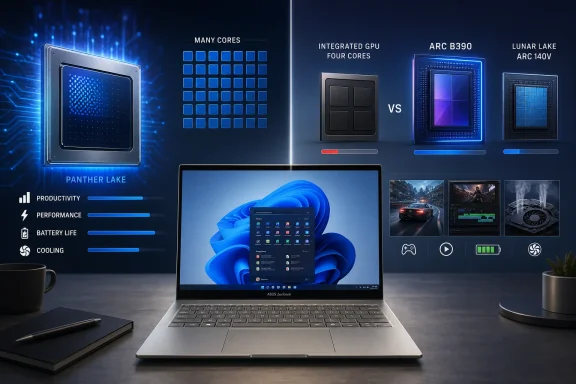
Intel’s Panther Lake generation is supposed to make premium Windows ultraportables faster, more efficient, and more capable, but the 2026 Asus Zenbook S14 demonstrates why processor names alone no longer tell buyers what they are getting. Its Core Ultra 9 386H delivers a substantial increase in multi-core CPU performance and helps the laptop run longer on battery, yet its four-core integrated GPU can be slower than the Arc Graphics 140V inside the 2024 Lunar Lake model. A newer, higher-numbered Core Ultra 9 laptop can therefore represent a graphics downgrade, exposing a segmentation problem that could confuse consumers, complicate enterprise purchasing, and undermine one of Panther Lake’s most attractive selling points.
The Zenbook S14 has become Asus’s showcase for the modern premium Windows ultraportable. It combines a thin metal chassis, a high-resolution OLED touchscreen, current connectivity, and enough battery capacity to compete with increasingly efficient Arm-based Windows machines and Apple’s MacBook Air.
The 2024 version was particularly important because it paired that design with Intel’s Lunar Lake platform. Lunar Lake did not lead every CPU benchmark, especially in sustained multi-core workloads, but it delivered a carefully balanced package: strong everyday responsiveness, low power consumption, a capable neural processing unit, and surprisingly quick integrated graphics.
That compromise made sense in machines such as the Zenbook S14. Most ultraportable buyers spend more time in browsers, Microsoft 365, video calls, media applications, and short bursts of creative work than they do rendering scenes continuously for an hour.
The Arc Graphics 140V also gave Lunar Lake unusually credible integrated graphics. It supported casual gaming, accelerated creation applications, high-resolution displays, and GPU-assisted workloads without requiring the cost, heat, and battery penalty of a discrete graphics processor.
That breadth gives laptop manufacturers more flexibility. It also creates a problem: two Panther Lake processors with similar CPU positioning can have radically different graphics hardware.
The Zenbook S14’s Core Ultra 9 386H includes 16 CPU cores—four performance cores, eight efficiency cores, and four low-power efficiency cores—but only four Xe3 graphics cores. Panther Lake’s Arc B390, by comparison, offers 12 Xe3 cores, while the Arc B370 provides 10. Those are not small speed-bin differences; they are fundamentally different graphics tiers.
The Core Ultra 9 386H complicates that assumption. It is a high-end CPU configuration paired with a much smaller GPU than the one available in Core Ultra X models, meaning the “9” designation describes only part of the user experience.
Panther Lake breaks that mental model. A Core Ultra 5 338H can include the 10-core Arc B370, while the Core Ultra 9 386H in the Zenbook S14 has four Xe3 cores. The Core Ultra 5 may therefore be substantially faster in graphics workloads despite sitting lower in Intel’s familiar CPU hierarchy.
Intel does distinguish the most powerful parts with the Core Ultra X label, but that requires buyers to understand several layers of branding:
The Asus product page lists multiple processor options and broadly references Arc-class graphics, but the exact GPU varies with the selected processor. A buyer who focuses on the Core Ultra 9 label, 32GB of memory, and a premium price may never realize that the machine lacks an Arc B390 or B370.
The result is a new form of specification mismatch. The processor is not defective, and the laptop is not falsely advertised when its detailed configuration is disclosed, but the branding encourages expectations that the hardware does not meet.
That difference appears clearly in sustained multi-threaded workloads. In Notebookcheck’s testing, the 2026 machine scored roughly twice as high as the Lunar Lake predecessor in Cinebench 2024’s multi-core test, although results vary with firmware, cooling, and power settings.
For professionals, this is a genuine upgrade. A developer running local builds while maintaining multiple containers, browser sessions, and communication applications may save meaningful time compared with Lunar Lake.
The stronger CPU also gives Asus more headroom for brief foreground tasks. Windows can distribute background activity across the efficiency cores while reserving the performance cores for the application that the user is actively manipulating.
That matters in a 12.9mm chassis. A faster CPU can finish brief jobs more quickly, but sustained high-power operation creates heat that must be removed by a compact cooling system. The machine’s fans consequently become more audible than those of the earlier model.
This is an important qualification to the performance story. Panther Lake improves performance per watt in several operating conditions, but the Zenbook S14 also achieves higher benchmark results by operating beyond the restrained power behavior that defined Lunar Lake.
Panther Lake’s Xe3 architecture is newer than Lunar Lake’s Xe2 design, but architectural improvement cannot fully compensate for the enormous reduction in graphics resources compared with the 10-core and 12-core Panther Lake options.
The Zenbook S14’s four-core GPU can perform adequately in desktop acceleration, video playback, display output, and light creative work. It is not comparable, however, to the Arc B390’s 12-core configuration simply because both belong to Panther Lake.
Synthetic testing illustrates the gap. In 3DMark Fire Strike Graphics, a Panther Lake laptop with Arc B390 can score more than twice as high as the Zenbook’s four-core GPU. Arc B370 systems can also exceed it by a similarly dramatic margin.
Those results should not be interpreted as a promise that every game will run twice as fast. They do show that Intel has created distinct graphics classes within one processor generation.
Gaming results can vary by title. The 2026 machine may match the older version in a lightweight or CPU-sensitive game while losing in a graphically demanding title. Driver updates and upscaling support can also shift the balance.
The broader conclusion nevertheless remains: buying the 2026 model does not guarantee an integrated graphics upgrade over the 2024 version. For a premium laptop approaching the upper end of ultraportable pricing, standing still would already be disappointing; moving backward in some GPU workloads is harder to justify.
A slower iGPU does not make the Zenbook S14 feel sluggish during ordinary desktop use. It does reduce the system’s headroom as software becomes more visually and computationally demanding.
Even so, four Xe3 cores impose a low performance ceiling. The laptop’s native 2880-by-1800 display contains far too many pixels for this GPU to drive in demanding games, forcing users to lower resolution, image quality, or both.
The practical consequences include:
The Zenbook remains capable of light content creation, particularly because its CPU is strong and its display is excellent. Complex timelines, GPU effects, high-resolution assets, 3D viewports, and accelerated exports will expose the smaller GPU more readily.
This creates an unusual machine profile: a thin laptop with strong multi-core CPU performance and a high-quality creator-oriented display, but limited graphics throughput. Buyers must determine whether their applications primarily reward CPU cores or GPU resources.
Notebookcheck recorded more than 16 hours in its Wi-Fi browsing test at a normalized brightness, roughly two hours beyond the older model. At maximum display brightness, it managed approximately ten hours.
The five-watt-hour increase contributes to the longer runtime, but Panther Lake’s low-load behavior is equally important. The processor can keep routine activity on efficient cores and power down unnecessary resources when the laptop is browsing, streaming, or waiting for input.
This ability to combine strong plugged-in performance with low idle consumption is a central Panther Lake advantage. It narrows the gap between traditional x86 Windows PCs and highly efficient Arm-based designs without forcing users to accept Arm application compatibility considerations.
OLED displays are particularly content-dependent. Dark interfaces can consume less power than bright webpages, while maximum brightness and HDR content impose a larger cost.
Even with those caveats, the Zenbook’s runtime is a strong result. The laptop demonstrates that Panther Lake can improve efficiency while scaling CPU performance upward—provided the workload does not keep the processor at its highest power levels.
The 2026 model’s faster processor asks more of its cooling system than Lunar Lake did. Notebookcheck identified increased fan noise under load as one of the machine’s principal disadvantages.
Users effectively choose among three priorities:
Manufacturers should therefore disclose sustained power and noise behavior more prominently. CPU model numbers cannot indicate how a specific chassis configures the chip.
A larger Arc B390 could theoretically create an even harder cooling challenge in a machine this thin. That may help explain why Asus selected the Core Ultra 9 386H, although pricing, availability, motherboard design, and product segmentation may also have influenced the decision.
The selection is understandable from an engineering perspective. It remains questionable from a product-positioning perspective because the Zenbook S14 is precisely the kind of premium device in which buyers expect Intel’s best integrated graphics.
The machine is still a compelling daily Windows PC for users who value mobility and battery life above gaming.
The high resolution makes text and interface elements appear sharp, while 120Hz refresh improves scrolling and animation. Accurate color reproduction also benefits photographers, designers, and media consumers.
OLED has familiar limitations. Pulse-width modulation can concern users sensitive to flicker, glossy surfaces reflect surrounding light, and touch layers may create a slightly grainier appearance than a non-touch panel. Long-term image retention remains a consideration, although modern mitigation systems reduce the risk during normal varied use.
Wi-Fi 7 performance is another strong point when paired with compatible networking equipment. The system also includes a 1080p infrared camera for Windows Hello, making passwordless sign-in convenient.
Serviceability is mixed. The M.2 SSD is replaceable, but memory and the wireless module are soldered. Buyers should purchase enough RAM for the expected life of the computer because it cannot be upgraded later.
A careful buyer should inspect the complete specification before comparing prices.
A discounted Core Ultra 7 258V or Core Ultra 9 288V model may be more attractive for users who value quiet operation and integrated graphics. The 2026 model becomes more compelling when multi-core CPU speed and maximum battery life take priority.
This is not the normal upgrade narrative, where the new model supersedes the old one in nearly every category. Instead, the two generations serve different workload profiles.
Panther Lake makes that assumption unsafe.
IT departments should also validate sustained performance, acoustic behavior, firmware support, and docking compatibility. A processor capable of high benchmark scores may deliver different results when an organization mandates quiet thermal settings or battery-preserving policies.
The Zenbook S14’s soldered memory is another planning concern. A 32GB configuration may be sufficient today, but local development, virtual machines, security tools, and AI-assisted applications can increase memory pressure throughout a three-to-five-year deployment.
NPU capability, however, does not replace GPU performance. Different applications target different accelerators, and many established creative, engineering, and media tools still depend heavily on the GPU or CPU.
Enterprises should avoid treating a single TOPS figure as a complete measure of AI readiness. Memory capacity, software support, model size, GPU compute, driver quality, and security policy can matter just as much.
The problem is getting those capabilities into the same laptops at acceptable prices.
If Core Ultra X chips remain scarce, expensive, or restricted to a narrow selection of premium devices, Intel’s strongest graphics story will not represent the average Panther Lake experience. Most buyers will encounter the four-core GPU and wonder why reviews of the architecture promised substantially more.
This weakens Intel’s marketing consistency. AMD can emphasize integrated Radeon performance across recognizable processor families, while Qualcomm can sell a simpler efficiency and battery-life narrative. Apple controls both processor selection and finished-system configuration, eliminating many of these ambiguities.
Asus may have prioritized the Core Ultra 9 386H because it provides strong CPU performance while fitting the Zenbook’s thin design and planned price. A Core Ultra X alternative could have raised cost, increased demand on the cooling system, or arrived in insufficient volume.
Those constraints do not change the buying outcome. A premium consumer sees a flagship Zenbook with a Core Ultra 9 label and reasonably expects balanced flagship performance.
Intel and its partners need clearer differentiation. Machines with four-core graphics should not be marketed in ways that imply they deliver the full Panther Lake graphics experience.
Pricing will determine whether Arc B390 and B370 become practical mainstream options or remain showcase components.
Arc B370 may become the more interesting compromise. Its 10 Xe3 cores offer far more graphics resources than the generic four-core configuration while potentially fitting less costly systems than top-end Core Ultra X models.
Drivers cannot manufacture the missing cores of the Zenbook’s smaller GPU. They can improve utilization, reduce bugs, and narrow losses in selected applications, but the structural gap between four, 10, and 12 Xe3 cores will remain.
A useful listing would state the complete CPU, exact GPU, memory capacity and speed, sustained power range, battery size, and display characteristics. That information would make performance trade-offs visible before checkout rather than after independent reviewers discover them.
Alternatively, Asus could position the 386H model more explicitly as a CPU-focused productivity machine. Clearer segmentation would help buyers understand that its priorities are multi-core speed and endurance, not maximum integrated graphics performance.
The 2026 Asus Zenbook S14 is neither a failed laptop nor a simple upgrade. It is a fast, exceptionally portable Windows 11 machine with long battery life, an excellent OLED display, modern connectivity, and enough CPU power for workloads that would have challenged its Lunar Lake predecessor. Yet it also proves that Panther Lake is not a single performance proposition: the generation ranges from modest four-core integrated graphics to the formidable 12-core Arc B390, and Intel’s familiar Core Ultra 5, 7, and 9 hierarchy does not communicate that divide clearly. Until manufacturers make Core Ultra X configurations more accessible and retailers identify GPU tiers prominently, buyers must treat every Panther Lake laptop as an individual design rather than assuming that a newer generation—or even a Core Ultra 9 badge—guarantees an upgrade everywhere.
 Overview
The Zenbook S14 has become Asus’s showcase for the modern premium Windows ultraportable. It combines a thin metal chassis, a high-resolution OLED touchscreen, current connectivity, and enough battery capacity to compete with increasingly efficient Arm-based Windows machines and Apple’s MacBook Air.The 2024 version was particularly important because it paired that design with Intel’s Lunar Lake platform. Lunar Lake did not lead every CPU benchmark, especially in sustained multi-core workloads, but it delivered a carefully balanced package: strong everyday responsiveness, low power consumption, a capable neural processing unit, and surprisingly quick integrated graphics.
Lunar Lake prioritized the complete laptop
Intel designed Lunar Lake around efficiency rather than maximum scalable CPU throughput. The platform topped out at eight CPU cores, split between four performance cores and four low-power efficiency cores, and its conservative power envelope limited sustained multi-threaded performance compared with larger chips from AMD and Intel’s own Arrow Lake family.That compromise made sense in machines such as the Zenbook S14. Most ultraportable buyers spend more time in browsers, Microsoft 365, video calls, media applications, and short bursts of creative work than they do rendering scenes continuously for an hour.
The Arc Graphics 140V also gave Lunar Lake unusually credible integrated graphics. It supported casual gaming, accelerated creation applications, high-resolution displays, and GPU-assisted workloads without requiring the cost, heat, and battery penalty of a discrete graphics processor.
Panther Lake attempts to cover a wider market
Panther Lake, sold as Intel Core Ultra Series 3, succeeds both Lunar Lake and portions of the Arrow Lake mobile portfolio. Instead of preserving one tightly defined configuration, Intel created a broad family spanning efficient mainstream processors, high-performance H-series models, and premium Core Ultra X chips with significantly larger integrated GPUs.That breadth gives laptop manufacturers more flexibility. It also creates a problem: two Panther Lake processors with similar CPU positioning can have radically different graphics hardware.
The Zenbook S14’s Core Ultra 9 386H includes 16 CPU cores—four performance cores, eight efficiency cores, and four low-power efficiency cores—but only four Xe3 graphics cores. Panther Lake’s Arc B390, by comparison, offers 12 Xe3 cores, while the Arc B370 provides 10. Those are not small speed-bin differences; they are fundamentally different graphics tiers.
The Core Ultra 9 Naming Problem
Intel’s processor branding suggests a straightforward hierarchy. A customer sees “Core Ultra 9” and reasonably assumes that it represents the premium configuration, particularly when the laptop itself occupies an expensive, flagship-class category.The Core Ultra 9 386H complicates that assumption. It is a high-end CPU configuration paired with a much smaller GPU than the one available in Core Ultra X models, meaning the “9” designation describes only part of the user experience.
CPU tier and graphics tier have separated
Historically, shoppers could often infer basic integrated graphics capability from a processor’s overall market position. There were exceptions, but a top-tier mobile processor generally did not ship with a dramatically reduced GPU while lower-numbered processors offered much faster graphics.Panther Lake breaks that mental model. A Core Ultra 5 338H can include the 10-core Arc B370, while the Core Ultra 9 386H in the Zenbook S14 has four Xe3 cores. The Core Ultra 5 may therefore be substantially faster in graphics workloads despite sitting lower in Intel’s familiar CPU hierarchy.
Intel does distinguish the most powerful parts with the Core Ultra X label, but that requires buyers to understand several layers of branding:
- Core Ultra identifies the broader processor family.
- The 5, 7, or 9 tier primarily signals CPU positioning rather than complete platform performance.
- The X designation identifies selected processors with the larger Arc GPU configuration.
- The three-digit model number differentiates individual parts but does not communicate graphics capability intuitively.
- Arc B390, Arc B370, or generic Intel Graphics branding must be checked separately to determine likely GPU performance.
“Up to” specifications hide important distinctions
Laptop marketing frequently advertises a model as available with “up to Intel Core Ultra 9.” That phrasing sounds reassuring, but it can conceal the fact that another configuration with a nominally lower CPU tier offers a much faster GPU.The Asus product page lists multiple processor options and broadly references Arc-class graphics, but the exact GPU varies with the selected processor. A buyer who focuses on the Core Ultra 9 label, 32GB of memory, and a premium price may never realize that the machine lacks an Arc B390 or B370.
The result is a new form of specification mismatch. The processor is not defective, and the laptop is not falsely advertised when its detailed configuration is disclosed, but the branding encourages expectations that the hardware does not meet.
Why the Zenbook S14 Is Faster on the CPU
The Core Ultra 9 386H is not a weak processor. Its 16-core design represents a major increase in parallel CPU resources over the eight-core Core Ultra 7 258V used in many 2024 Zenbook S14 configurations.That difference appears clearly in sustained multi-threaded workloads. In Notebookcheck’s testing, the 2026 machine scored roughly twice as high as the Lunar Lake predecessor in Cinebench 2024’s multi-core test, although results vary with firmware, cooling, and power settings.
More cores improve demanding productivity
The additional efficiency cores matter in applications capable of spreading work across many threads. Code compilation, CPU rendering, software development environments, compression, batch image processing, engineering tools, and heavy multitasking can all benefit.For professionals, this is a genuine upgrade. A developer running local builds while maintaining multiple containers, browser sessions, and communication applications may save meaningful time compared with Lunar Lake.
The stronger CPU also gives Asus more headroom for brief foreground tasks. Windows can distribute background activity across the efficiency cores while reserving the performance cores for the application that the user is actively manipulating.
Performance requires a larger power budget
The improvement does not come entirely from architectural progress. Asus permits the Panther Lake processor to consume considerably more power under load than the previous Lunar Lake configuration, especially during short bursts.That matters in a 12.9mm chassis. A faster CPU can finish brief jobs more quickly, but sustained high-power operation creates heat that must be removed by a compact cooling system. The machine’s fans consequently become more audible than those of the earlier model.
This is an important qualification to the performance story. Panther Lake improves performance per watt in several operating conditions, but the Zenbook S14 also achieves higher benchmark results by operating beyond the restrained power behavior that defined Lunar Lake.
The Four-Core GPU Becomes the Bottleneck
The most consequential specification in the 2026 Zenbook S14 may not be its Core Ultra 9 badge, 16 CPU cores, or 50-TOPS NPU. It is the four-core Xe3 integrated GPU.Panther Lake’s Xe3 architecture is newer than Lunar Lake’s Xe2 design, but architectural improvement cannot fully compensate for the enormous reduction in graphics resources compared with the 10-core and 12-core Panther Lake options.
Newer architecture does not guarantee higher performance
GPU performance depends on more than generation. Core count, frequency, memory bandwidth, power allocation, driver maturity, and workload characteristics all contribute to the result.The Zenbook S14’s four-core GPU can perform adequately in desktop acceleration, video playback, display output, and light creative work. It is not comparable, however, to the Arc B390’s 12-core configuration simply because both belong to Panther Lake.
Synthetic testing illustrates the gap. In 3DMark Fire Strike Graphics, a Panther Lake laptop with Arc B390 can score more than twice as high as the Zenbook’s four-core GPU. Arc B370 systems can also exceed it by a similarly dramatic margin.
Those results should not be interpreted as a promise that every game will run twice as fast. They do show that Intel has created distinct graphics classes within one processor generation.
The Lunar Lake comparison is uncomfortable
The more damaging comparison is with the older Zenbook S14. Its Arc Graphics 140V remains competitive with, and in some tests faster than, the four-core Panther Lake GPU.Gaming results can vary by title. The 2026 machine may match the older version in a lightweight or CPU-sensitive game while losing in a graphically demanding title. Driver updates and upscaling support can also shift the balance.
The broader conclusion nevertheless remains: buying the 2026 model does not guarantee an integrated graphics upgrade over the 2024 version. For a premium laptop approaching the upper end of ultraportable pricing, standing still would already be disappointing; moving backward in some GPU workloads is harder to justify.
What the Graphics Downgrade Means in Windows
Integrated graphics no longer matter only to gamers. Windows 11 increasingly relies on GPU acceleration, and many mainstream applications use the graphics processor for rendering, effects, encoding, decoding, filters, and interface composition.A slower iGPU does not make the Zenbook S14 feel sluggish during ordinary desktop use. It does reduce the system’s headroom as software becomes more visually and computationally demanding.
Gaming is the clearest casualty
The 2026 Zenbook S14 remains suitable for less demanding games, older releases, emulation, and modern titles at reduced settings. Technologies such as XeSS can help by rendering internally at a lower resolution and reconstructing a sharper image.Even so, four Xe3 cores impose a low performance ceiling. The laptop’s native 2880-by-1800 display contains far too many pixels for this GPU to drive in demanding games, forcing users to lower resolution, image quality, or both.
The practical consequences include:
- Frame rates may fall below comfortable levels in demanding games unless settings are reduced aggressively.
- The laptop has less room for future game updates that increase visual complexity.
- High-refresh 120Hz display capability cannot be exploited in many graphically intensive titles.
- GPU-heavy games may perform worse than on the two-year-old Lunar Lake model.
- Arc B390 and B370 reviews are not representative of the Zenbook’s four-core graphics performance.
Creative applications also feel the limitation
Adobe applications, DaVinci Resolve, Blender, photo enhancement tools, video transcoders, and 3D software can all use GPU acceleration. The exact impact depends on whether a workload relies on compute throughput, media engines, memory bandwidth, or specialized instructions.The Zenbook remains capable of light content creation, particularly because its CPU is strong and its display is excellent. Complex timelines, GPU effects, high-resolution assets, 3D viewports, and accelerated exports will expose the smaller GPU more readily.
This creates an unusual machine profile: a thin laptop with strong multi-core CPU performance and a high-quality creator-oriented display, but limited graphics throughput. Buyers must determine whether their applications primarily reward CPU cores or GPU resources.
Efficiency Is Still a Panther Lake Success
Focusing only on the GPU would obscure the 2026 Zenbook S14’s major achievements. The system delivers excellent battery life despite offering much stronger multi-core CPU performance than its Lunar Lake predecessor.Notebookcheck recorded more than 16 hours in its Wi-Fi browsing test at a normalized brightness, roughly two hours beyond the older model. At maximum display brightness, it managed approximately ten hours.
A larger battery helps, but does not explain everything
Asus increased battery capacity from 72Wh to 77Wh while preserving almost the same physical profile. The new machine weighs about 1.2kg and measures 12.9mm thick, maintaining the portability that defines the S-series Zenbook.The five-watt-hour increase contributes to the longer runtime, but Panther Lake’s low-load behavior is equally important. The processor can keep routine activity on efficient cores and power down unnecessary resources when the laptop is browsing, streaming, or waiting for input.
This ability to combine strong plugged-in performance with low idle consumption is a central Panther Lake advantage. It narrows the gap between traditional x86 Windows PCs and highly efficient Arm-based designs without forcing users to accept Arm application compatibility considerations.
Battery benchmarks require context
A 16-hour laboratory browsing result does not mean every owner will receive 16 hours of mixed use. Video conferencing, OLED brightness, background synchronization, Windows updates, browser tab count, performance mode, and local AI activity can change consumption substantially.OLED displays are particularly content-dependent. Dark interfaces can consume less power than bright webpages, while maximum brightness and HDR content impose a larger cost.
Even with those caveats, the Zenbook’s runtime is a strong result. The laptop demonstrates that Panther Lake can improve efficiency while scaling CPU performance upward—provided the workload does not keep the processor at its highest power levels.
Thermals, Noise, and the Limits of a Thin Chassis
The Zenbook S14’s design leaves little room for cooling. Asus has preserved a slim, rigid enclosure, but physics still governs how much sustained heat such a laptop can dissipate comfortably.The 2026 model’s faster processor asks more of its cooling system than Lunar Lake did. Notebookcheck identified increased fan noise under load as one of the machine’s principal disadvantages.
Performance modes change the experience
Modern Windows laptops are not defined by a single thermal profile. Asus provides operating modes that adjust CPU power, fan behavior, and sometimes responsiveness.Users effectively choose among three priorities:
- A quiet mode reduces fan activity and power, making the laptop more pleasant for office work but limiting sustained performance.
- A balanced mode allows moderate bursts while attempting to contain noise during typical mixed use.
- A performance mode permits the processor to maintain higher power levels, producing better benchmark results at the cost of louder fans and more heat.
Manufacturers should therefore disclose sustained power and noise behavior more prominently. CPU model numbers cannot indicate how a specific chassis configures the chip.
The GPU and CPU share thermal resources
An integrated GPU operates within the same platform power and cooling constraints as the CPU. When both are active, they compete for thermal headroom.A larger Arc B390 could theoretically create an even harder cooling challenge in a machine this thin. That may help explain why Asus selected the Core Ultra 9 386H, although pricing, availability, motherboard design, and product segmentation may also have influenced the decision.
The selection is understandable from an engineering perspective. It remains questionable from a product-positioning perspective because the Zenbook S14 is precisely the kind of premium device in which buyers expect Intel’s best integrated graphics.
Asus Preserves the Premium Ultraportable Experience
The processor configuration does not erase the Zenbook S14’s broader strengths. Asus retained an attractive chassis, a useful collection of ports, modern wireless networking, and one of the category’s better displays.The machine is still a compelling daily Windows PC for users who value mobility and battery life above gaming.
The OLED display remains a highlight
The 14-inch OLED panel offers a 2880-by-1800 resolution, a 16:10 aspect ratio, a 120Hz refresh rate, touch input, and wide color coverage. Asus advertises HDR peak brightness of up to 1,100 nits under appropriate conditions.The high resolution makes text and interface elements appear sharp, while 120Hz refresh improves scrolling and animation. Accurate color reproduction also benefits photographers, designers, and media consumers.
OLED has familiar limitations. Pulse-width modulation can concern users sensitive to flicker, glossy surfaces reflect surrounding light, and touch layers may create a slightly grainier appearance than a non-touch panel. Long-term image retention remains a consideration, although modern mitigation systems reduce the risk during normal varied use.
Connectivity avoids excessive minimalism
The Zenbook provides two Thunderbolt 4 ports, USB-A, and HDMI, allowing many users to work without carrying a dongle. That is a practical advantage over ultraportables that treat two USB-C ports as sufficient.Wi-Fi 7 performance is another strong point when paired with compatible networking equipment. The system also includes a 1080p infrared camera for Windows Hello, making passwordless sign-in convenient.
Serviceability is mixed. The M.2 SSD is replaceable, but memory and the wireless module are soldered. Buyers should purchase enough RAM for the expected life of the computer because it cannot be upgraded later.
Consumer Buying Advice
The central lesson is simple: do not purchase a Panther Lake laptop based on the words “Core Ultra 9” alone. The exact GPU matters, and retailers may not make that distinction obvious.A careful buyer should inspect the complete specification before comparing prices.
How to decode a Panther Lake laptop
Use the following sequence when evaluating a Core Ultra Series 3 machine:- Identify the complete processor number. “Core Ultra 9” is insufficient; look for a designation such as 386H, X7 368H, or X9 388H.
- Verify the graphics name separately. Seek explicit confirmation of Arc B390, Arc B370, or the smaller Intel Graphics configuration.
- Check the sustained power profile. Reviews should report performance modes, long-duration CPU behavior, temperatures, and fan noise.
- Compare battery capacity and measured runtime. Processor efficiency is only one part of the equation.
- Match the hardware to the workload. CPU rendering and compilation favor more CPU cores, while gaming and GPU-accelerated creation favor Arc B390 or B370.
- Compare against discounted older models. A Lunar Lake laptop may offer better graphics, quieter operation, and lower pricing despite weaker multi-core CPU performance.
The older Zenbook may remain the better value
The 2024 Zenbook S14 should not automatically be dismissed because it uses an earlier processor generation. Its Lunar Lake platform remains efficient, responsive, and graphically capable.A discounted Core Ultra 7 258V or Core Ultra 9 288V model may be more attractive for users who value quiet operation and integrated graphics. The 2026 model becomes more compelling when multi-core CPU speed and maximum battery life take priority.
This is not the normal upgrade narrative, where the new model supersedes the old one in nearly every category. Instead, the two generations serve different workload profiles.
Enterprise Impact
Corporate buyers face an even larger challenge because fleets are often selected through standardized processor tiers. An organization may define a premium configuration as “Core Ultra 9, 32GB RAM, 1TB SSD” and assume that every qualifying model offers comparable graphics capability.Panther Lake makes that assumption unsafe.
Procurement specifications need more detail
Enterprise request documents should list minimum GPU requirements independently of CPU requirements. If a workload needs Arc B370-class performance, the procurement team must specify that directly rather than relying on the Core Ultra tier.IT departments should also validate sustained performance, acoustic behavior, firmware support, and docking compatibility. A processor capable of high benchmark scores may deliver different results when an organization mandates quiet thermal settings or battery-preserving policies.
The Zenbook S14’s soldered memory is another planning concern. A 32GB configuration may be sufficient today, but local development, virtual machines, security tools, and AI-assisted applications can increase memory pressure throughout a three-to-five-year deployment.
Windows 11 AI features are not the differentiator they once were
The Core Ultra 9 386H includes an NPU rated at up to 50 TOPS, placing it comfortably within the modern Copilot+ PC class. That supports on-device Windows AI features and compatible third-party workloads.NPU capability, however, does not replace GPU performance. Different applications target different accelerators, and many established creative, engineering, and media tools still depend heavily on the GPU or CPU.
Enterprises should avoid treating a single TOPS figure as a complete measure of AI readiness. Memory capacity, software support, model size, GPU compute, driver quality, and security policy can matter just as much.
Competitive Implications for Intel and Windows PCs
Panther Lake is strategically important because Intel is defending the premium Windows notebook market against AMD, Qualcomm, and Apple. The architecture appears capable of delivering the CPU performance, battery life, NPU capability, and high-end integrated graphics necessary for that contest.The problem is getting those capabilities into the same laptops at acceptable prices.
Intel’s best GPU is not yet the default
Arc B390 is one of Panther Lake’s headline features, but it appears only in selected Core Ultra X processors. Arc B370 is also limited to specific models. The remainder of the family uses much smaller graphics configurations.If Core Ultra X chips remain scarce, expensive, or restricted to a narrow selection of premium devices, Intel’s strongest graphics story will not represent the average Panther Lake experience. Most buyers will encounter the four-core GPU and wonder why reviews of the architecture promised substantially more.
This weakens Intel’s marketing consistency. AMD can emphasize integrated Radeon performance across recognizable processor families, while Qualcomm can sell a simpler efficiency and battery-life narrative. Apple controls both processor selection and finished-system configuration, eliminating many of these ambiguities.
PC manufacturers face difficult trade-offs
Laptop makers choose processors according to cost, availability, cooling requirements, motherboard complexity, target margins, and product schedules. The best silicon configuration is not always practical.Asus may have prioritized the Core Ultra 9 386H because it provides strong CPU performance while fitting the Zenbook’s thin design and planned price. A Core Ultra X alternative could have raised cost, increased demand on the cooling system, or arrived in insufficient volume.
Those constraints do not change the buying outcome. A premium consumer sees a flagship Zenbook with a Core Ultra 9 label and reasonably expects balanced flagship performance.
Intel and its partners need clearer differentiation. Machines with four-core graphics should not be marketed in ways that imply they deliver the full Panther Lake graphics experience.
Strengths and Opportunities
The 2026 Zenbook S14 remains a sophisticated Windows ultraportable, and Panther Lake provides several meaningful advances when judged on the correct criteria.- Multi-core CPU performance is dramatically stronger than in the Lunar Lake predecessor, benefiting compilation, rendering, compression, and sustained productivity.
- Battery life improves despite the higher peak performance, showing the effectiveness of Panther Lake’s low-power behavior and Asus’s larger 77Wh battery.
- The laptop remains highly portable, at roughly 1.2kg and less than 13mm thick.
- The 3K 120Hz OLED touchscreen is sharp, bright, responsive, and suitable for color-sensitive work.
- Thunderbolt 4, USB-A, HDMI, and Wi-Fi 7 provide practical connectivity without forcing every user to rely on adapters.
- The 50-TOPS NPU gives the system a credible runway for Copilot+ PC features and local AI applications.
- Intel has demonstrated that Panther Lake can scale to excellent integrated graphics, leaving room for stronger future Zenbook configurations if Arc B390 availability and pricing improve.
- The split product family gives manufacturers flexibility, provided that configurations are disclosed clearly and matched honestly to their intended workloads.
Risks and Concerns
The Zenbook’s shortcomings are not limited to lower frame rates. They expose broader structural issues in how modern laptop performance is packaged and communicated.- Core Ultra 9 branding may lead buyers to assume they are receiving Intel’s best integrated GPU when they are not.
- The four-core Xe3 GPU can trail the older Lunar Lake Arc Graphics 140V, making the new model a generational regression in some workloads.
- Higher CPU power limits create more fan noise, reducing one of the experiential advantages associated with efficient ultraportables.
- Premium pricing magnifies the disappointment, especially when Core Ultra X machines or discounted Lunar Lake models offer better graphics value.
- Retail listings may omit the exact GPU configuration, making informed comparison unnecessarily difficult.
- Soldered memory and Wi-Fi hardware restrict long-term upgradeability and repair options.
- The OLED touchscreen’s PWM behavior, glossy finish, and potential graininess may bother sensitive users.
- Panther Lake reviews based on Arc B390 systems can create unrealistic expectations for four-core configurations.
- Software developers cannot assume uniform GPU capability across Core Ultra Series 3, complicating performance targets for games and accelerated applications.
What to Watch Next
The Zenbook S14 is one data point, but it raises questions that will shape Panther Lake’s reputation throughout 2026. The most important issue is whether Core Ultra X processors become broadly available outside exceptionally expensive or specialized machines.Pricing will determine whether Arc B390 and B370 become practical mainstream options or remain showcase components.
Availability of Core Ultra X laptops
More thin-and-light systems with Arc B390 would give buyers a clearer upgrade path from Lunar Lake. Manufacturers will need to prove that they can cool those chips without turning premium ultraportables into noisy, short-lived benchmark machines.Arc B370 may become the more interesting compromise. Its 10 Xe3 cores offer far more graphics resources than the generic four-core configuration while potentially fitting less costly systems than top-end Core Ultra X models.
Driver development and real-world optimization
Intel’s graphics drivers have improved substantially over recent generations, but new architectures often gain performance and stability over time. Xe3 could benefit from game-specific optimization, better power management, and expanded XeSS support.Drivers cannot manufacture the missing cores of the Zenbook’s smaller GPU. They can improve utilization, reduce bugs, and narrow losses in selected applications, but the structural gap between four, 10, and 12 Xe3 cores will remain.
Clearer retail specifications
Retailers should display the integrated GPU as a first-class specification rather than burying it beneath processor branding. “Intel Arc Graphics” is not sufficiently precise when the available configurations differ so dramatically.A useful listing would state the complete CPU, exact GPU, memory capacity and speed, sustained power range, battery size, and display characteristics. That information would make performance trade-offs visible before checkout rather than after independent reviewers discover them.
Asus’s future configuration strategy
Asus could address the criticism by introducing a Zenbook S14 configuration with a Core Ultra X processor. Whether the chassis can sustain the larger GPU’s performance quietly would then become the central question.Alternatively, Asus could position the 386H model more explicitly as a CPU-focused productivity machine. Clearer segmentation would help buyers understand that its priorities are multi-core speed and endurance, not maximum integrated graphics performance.
The 2026 Asus Zenbook S14 is neither a failed laptop nor a simple upgrade. It is a fast, exceptionally portable Windows 11 machine with long battery life, an excellent OLED display, modern connectivity, and enough CPU power for workloads that would have challenged its Lunar Lake predecessor. Yet it also proves that Panther Lake is not a single performance proposition: the generation ranges from modest four-core integrated graphics to the formidable 12-core Arc B390, and Intel’s familiar Core Ultra 5, 7, and 9 hierarchy does not communicate that divide clearly. Until manufacturers make Core Ultra X configurations more accessible and retailers identify GPU tiers prominently, buyers must treat every Panther Lake laptop as an individual design rather than assuming that a newer generation—or even a Core Ultra 9 badge—guarantees an upgrade everywhere.
References
- Primary source: Notebookcheck
Published: 2026-07-21T22:46:00+00:00
Loading…
www.notebookcheck.net - Related coverage: intel.com
Loading…
www.intel.com - Related coverage: asus.com
Loading…
www.asus.com - Related coverage: press.asus.com
Loading…
press.asus.com - Related coverage: gizbot.com
Loading…
www.gizbot.com - Related coverage: fossbytes.com
Loading…
fossbytes.com