

Valve’s July 21, 2026 stable Steam Client update may look like a routine collection of fixes, but one Linux-specific change addresses an especially disruptive failure: steamwebhelper could crash when hardware acceleration was enabled on systems using NVIDIA GPUs. The release also repairs manual game-recording crashes, expands controller compatibility, improves Remote Play frame pacing, reworks Steam Workshop update management, and resolves an overlay problem capable of interfering with Direct3D 12 game launches. Together, these changes show Valve refining not only the Steam storefront but the increasingly complex platform layer that connects games, operating systems, graphics drivers, controllers, televisions, streaming clients, and user-generated content.
That breadth makes the client convenient, but it also creates a large technical surface where regressions can appear. A graphics-driver change can affect the user interface, an overlay defect can prevent a game from launching, and an inefficient Workshop process can cause unexpected downloads or delayed startup.
The July update touches many of these boundaries. It is therefore better understood as a platform-stability release than as a simple launcher patch.
The company’s later strategy proved more successful. Proton enabled many Windows games to run through a Wine-based compatibility environment, while the Steam Deck gave developers and consumers a standardized Linux gaming target. SteamOS, shader pre-caching, Gamescope, Vulkan translation layers, and Steam Input became pieces of a broader ecosystem rather than isolated experiments.
Linux still represents a minority of Steam installations, with the June 2026 Steam Hardware and Software Survey placing it at 3.69 percent. Windows remained overwhelmingly dominant at 94.10 percent, but Linux’s share is now large enough that client regressions affect a meaningful population of desktop and handheld gamers.
Hardware acceleration allows those interface processes to offload suitable rendering work to the GPU. When it functions properly, scrolling, animation, video playback, and complex pages can appear smoother while reducing some CPU-side work. When the GPU process or driver interaction fails, however, the result may be blank windows, flickering panels, excessive resource consumption, or a complete helper-process crash.
The July update specifically fixes a crash that occurred when hardware acceleration was enabled on Linux systems using NVIDIA graphics. Valve’s release notes do not publicly dissect the precise failure path, so it would be premature to attribute the bug to one driver component, compositor protocol, or Chromium change. The important practical result is that affected users should no longer have to choose between GPU-accelerated interface rendering and a reliably functioning Steam client.
Software rendering may increase CPU usage and can produce less fluid interface behavior. It also masks the original compatibility problem instead of solving it, leaving users uncertain about whether they can safely re-enable acceleration after a client or driver update.
By correcting the crash in the stable Steam release, Valve is reducing the need for launch arguments, configuration edits, and support-forum workarounds. That matters because Linux gaming will not grow purely through higher benchmark results; it also needs ordinary desktop software to behave predictably.
On Linux, the exact route can depend on the distribution, driver version, desktop environment, display server, compositor, and whether the session uses X11 or Wayland. The same Steam build may therefore behave differently across two machines equipped with similar NVIDIA cards.
A typical accelerated rendering path involves several layers:
The benefits are instead found in client responsiveness and stability. Store pages, trailers, Library artwork, chat windows, notifications, and other browser-driven elements should be able to use acceleration without triggering the identified crash.
That distinction is important because headlines about NVIDIA hardware acceleration can easily imply a driver-level gaming optimization. This update is valuable, but it addresses the reliability of Steam’s graphical shell, not a broad uplift to Linux game performance.
The June 2026 Steam survey’s Linux-specific results still list individual NVIDIA cards among the platform’s active hardware. That makes NVIDIA compatibility strategically important even if Valve’s own handheld designs use AMD graphics.
A Linux gaming ecosystem optimized only for Steam Deck-like hardware would leave many desktop users behind. Valve needs Steam to operate reliably across proprietary NVIDIA drivers, open-source components, multiple kernels, different compositors, and rapidly changing graphics APIs.
Those differences matter for desktop applications that create accelerated browser surfaces, overlays, capture sessions, and video decoders. Steam exercises all of those capabilities, sometimes simultaneously.
The corrected
Game recording requires Steam to capture frames, process audio, encode video, manage storage, and coordinate an overlay or shortcut without significantly disrupting gameplay. On Linux, that workflow can interact with Vulkan, OpenGL, Proton, the compositor, and hardware video-encoding facilities.
A crash at the moment recording begins undermines confidence in the feature because the user may lose both the intended clip and the active game session. Repairing that path makes Steam’s integrated recorder more credible as an alternative to vendor-specific capture software.
The feature is especially useful for short clips, bug reports, achievement moments, and gameplay sharing. It also gives Valve greater control over how recording interacts with Proton and the Steam overlay.
The July fix does not eliminate every possible recording issue, particularly across the enormous range of Linux configurations. It does, however, repair a fundamental operation that should never have crashed: explicitly telling Steam to begin recording.
Many televisions, capture devices, and video-oriented display modes report refresh rates derived from the NTSC family of timings. Sending a precisely matched stream can reduce the need for periodic frame duplication or dropping, potentially producing smoother motion over long sessions.
This setting will not transform a poor network connection into a good one. It instead gives advanced users a more accurate output target when the receiving display operates at approximately 59.94 Hz rather than an exact 60 Hz.
A remote stream has several pacing stages: the host renders the game, Steam captures a frame, the encoder compresses it, the network transports it, the client decodes it, and the display presents it. If any stage runs at an unsuitable cadence, the player may feel stutter even when average bandwidth appears sufficient.
Improving automatic behavior is consequently more valuable than adding another visible menu option. Most users will never manually tune every streaming parameter, so the default logic must handle common hardware combinations gracefully.
Each repair targets a different part of the Remote Play chain:
This continued expansion matters because PC controller compatibility now extends far beyond Xbox-style devices. Players expect controllers purchased for consoles, handhelds, fighting games, simulation rigs, and accessibility setups to operate with minimal configuration.
Steam Input acts as an abstraction layer between physical hardware and games. It can identify a device, translate inputs, apply layouts, expose remapping options, and present a more familiar virtual-controller interface to software that would otherwise reject the accessory.
Small controller fixes can have an outsized effect. Incorrect button ordering, missing paddles, unstable wireless detection, or inconsistent mode switching can make a nominally supported controller frustrating to use.
A major strength of Steam Input is that Valve can repair many of these problems at the client layer. Users do not always have to wait for every individual game developer to add explicit support for a newly released accessory.
Firmware updates are sensitive operations. The user should receive clear instructions, the connection should remain stable, and unrelated pairing flows should not compete for attention.
This is a usability fix rather than a new capability, but it helps establish trust. Players are more likely to accept firmware updates when the process looks controlled and does not unexpectedly open additional setup screens.
Continued maintenance benefits owners who still use the device on desktop PCs, home-theater systems, and Steam-focused Linux machines. It also preserves lessons that informed the Steam Deck’s control scheme and Steam Input’s broader architecture.
Supporting older peripherals is not free. Firmware behavior must be tested against new client builds, wireless stacks, operating systems, and interface flows. Valve’s willingness to keep addressing defects suggests that the Steam Controller remains part of the company’s long-term input ecosystem rather than abandoned historical hardware.
Valve’s notes also correct a problem involving the Steam Controller’s B button in the broader set of recent beta changes promoted through this release cycle. Button reliability is foundational; sophisticated remapping is irrelevant if a basic physical input is occasionally missed or interpreted incorrectly.
The continued firmware work also supports Valve’s living-room ambitions. A console-like PC cannot depend on users reaching for a mouse and keyboard whenever a controller enters an unexpected state.
This is a narrow description with broad consequences. A D3D12 application may attempt to recover after a device-removal event, driver reset, graphics-mode transition, or another rendering failure. If an injected overlay still holds an object or reference associated with the old renderer, the game’s recovery sequence can fail.
To the player, the symptom may simply look like a game that crashes once and then refuses to reopen correctly. The underlying issue may involve object lifetime, renderer teardown, and the overlay’s integration with the graphics process.
That integration gives the overlay powerful capabilities but also places it in a sensitive position. It must observe or augment a game’s presentation path without keeping resources alive longer than the game expects.
The repaired D3D12 case demonstrates why overlay compatibility remains an ongoing engineering task. Games, graphics drivers, anti-cheat systems, frame-generation technologies, recording utilities, and multiple third-party overlays can all interact with the same rendering process.
Managing that material is more complicated than downloading a single game patch. A player may subscribe to hundreds or thousands of items across several titles, with dependencies, changing manifests, load-order concerns, and content that is modified or removed by its creator.
An improved update-management system could reduce redundant checks, stale content states, or unexplained download behavior. Valve’s public summary does not detail the internal design, so users should avoid assuming that every longstanding Workshop complaint has been solved.
For creators, predictable distribution means fewer support requests from users running outdated builds. It also allows rapid fixes to reach subscribers without requiring manual downloads from third-party sites.
The change may be largely invisible when it works correctly, which is often the mark of good infrastructure. Workshop content should update in the background and become available without drawing attention to the machinery responsible for it.
Steam serves a global audience, so localization defects can affect important configuration options. If a notification description is truncated, users may not understand whether they are enabling friend activity, game invitations, download events, or promotional messages.
Layout work rarely attracts the same attention as graphics fixes, but it contributes directly to accessibility and usability. A setting is only useful when the person viewing it can read and understand the complete option.
As Steam expands across desktops, handhelds, televisions, and remote clients, notification presentation must adapt to different screen sizes and interaction methods. A layout that works with a mouse on a 27-inch monitor may be unsuitable when viewed from a sofa through Big Picture Mode.
The localization refinements are therefore part of a larger challenge: keeping an increasingly capable platform understandable without overwhelming the user.
Users who disabled acceleration as a workaround can cautiously test the default accelerated configuration again. Because Linux environments vary, they should still keep their distribution, graphics driver, and desktop components current and change only one troubleshooting variable at a time.
Linux players who use Steam’s integrated recording should also see a more dependable start-recording operation. The two fixes together reduce friction around capabilities that depend on complex graphics and media pathways.
Controller additions also strengthen Steam’s living-room role. The easier it is to pair a console-oriented controller and receive correct mappings, the closer a Steam PC comes to the appliance-like experience expected from a dedicated console.
These refinements are especially relevant as Steam moves among desktop Windows PCs, Linux handhelds, home-theater systems, and lightweight streaming clients. Consistency across those devices is becoming one of Valve’s most important competitive advantages.
Similarly, improvements to Remote Play and Steam Input reduce the number of hardware combinations that developers must handle directly. Steam can normalize controllers and streaming behavior before inputs or frames reach the game.
This does not eliminate the need for testing. Studios should still verify overlay behavior, controller glyphs, Proton compatibility, renderer recovery, and capture performance across representative systems.
Administrators should test the new stable build against any locked-down image, custom launch workflow, capture system, or controller fleet. Workshop-heavy installations may warrant particular attention because the update changes subscription-update management.
The release also illustrates why pinning an old Steam client indefinitely is impractical. Platform fixes increasingly span authentication, graphics, input, media, and content delivery, making regular maintenance essential.
If the build is available, Steam should display an update notification with an option to download it. After the files have been retrieved, selecting Apply and Restart closes and relaunches the client on the new version.
Linux users who previously added custom launch flags to avoid the NVIDIA crash should first confirm that the updated client runs correctly before removing all workarounds. Keeping a record of changed flags or configuration files makes it easier to restore a known-good setup.
Future client updates will likely contain more fixes at the boundaries among Chromium, graphics drivers, video acceleration, capture, and compositing. The absence of visible crashes does not end this work; smooth scaling, reliable sleep recovery, multi-monitor behavior, HDR, and efficient video decoding all remain important areas.
Valve’s Linux ambitions make NVIDIA support more than a courtesy. Desktop gamers considering a move from Windows need confidence that their existing GeForce hardware will operate without sacrificing core Steam functionality.
The 59.94 FPS option shows that Valve is paying attention to real-world display behavior rather than treating every screen as a perfect 60 Hz panel. The next challenge is making those technical accommodations automatic wherever possible.
Users should watch for further work on HDR streaming, high-refresh-rate modes, adaptive bitrate behavior, decoder efficiency, surround audio, and handheld power consumption. Those features will determine whether Remote Play feels like a convenient extra or a dependable way to access a gaming PC throughout the home.
Future updates will need to handle not only buttons and sticks but also rear paddles, touch surfaces, trigger stops, motion sensors, haptics, mode switches, onboard profiles, and vendor-specific wireless receivers. Clear controller naming and accurate glyph presentation will be as important as raw input detection.
Valve’s continued attention to Steam Controller firmware also raises expectations for long-term support of its newer hardware. Users increasingly judge a platform not only by launch-day features but by how well it maintains peripherals years after purchase.
Valve’s challenge is to preserve the flexibility of PC gaming while delivering the predictability associated with consoles. Stable-channel releases such as this one are where that promise is either reinforced or weakened.
The July 21 update moves Steam in the right direction by repairing concrete failures instead of merely adding visible features. Its real success will be measured not by how often users notice the new client, but by how rarely the client interrupts what they opened Steam to do.
Valve’s latest stable release is therefore a meaningful maintenance update for both Linux and Windows gamers, even if its changes lack the spectacle of a major interface redesign. Fixing NVIDIA-accelerated
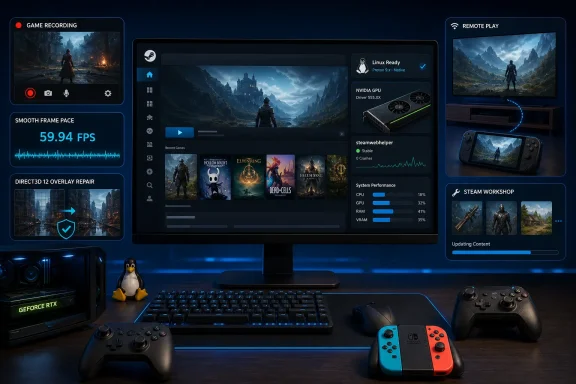 Background
Steam has become more than a game launcher
Steam began as a delivery and updating system for Valve’s own games, but the modern client now performs far more work. Its responsibilities include rendering a browser-based interface, authenticating users, managing installations, synchronizing saves, handling controller remapping, recording gameplay, streaming games, presenting an in-game overlay, and updating community-created content.That breadth makes the client convenient, but it also creates a large technical surface where regressions can appear. A graphics-driver change can affect the user interface, an overlay defect can prevent a game from launching, and an inefficient Workshop process can cause unexpected downloads or delayed startup.
The July update touches many of these boundaries. It is therefore better understood as a platform-stability release than as a simple launcher patch.
Valve’s long investment in Linux gaming
Valve announced its Linux initiative more than a decade ago, bringing Steam and Source-engine games to the operating system before introducing the original Steam Machines. That first living-room campaign failed to achieve mass-market adoption, partly because Linux game compatibility, graphics drivers, and hardware configurations remained inconsistent.The company’s later strategy proved more successful. Proton enabled many Windows games to run through a Wine-based compatibility environment, while the Steam Deck gave developers and consumers a standardized Linux gaming target. SteamOS, shader pre-caching, Gamescope, Vulkan translation layers, and Steam Input became pieces of a broader ecosystem rather than isolated experiments.
Linux still represents a minority of Steam installations, with the June 2026 Steam Hardware and Software Survey placing it at 3.69 percent. Windows remained overwhelmingly dominant at 94.10 percent, but Linux’s share is now large enough that client regressions affect a meaningful population of desktop and handheld gamers.
Why the NVIDIA Linux Fix Matters
A steamwebhelper crash can destabilize the whole experience
Steam uses multiplesteamwebhelper processes to render Chromium-based portions of its interface. The Store, Library, community pages, chat surfaces, settings panels, and other client components depend on this web-oriented architecture.Hardware acceleration allows those interface processes to offload suitable rendering work to the GPU. When it functions properly, scrolling, animation, video playback, and complex pages can appear smoother while reducing some CPU-side work. When the GPU process or driver interaction fails, however, the result may be blank windows, flickering panels, excessive resource consumption, or a complete helper-process crash.
The July update specifically fixes a crash that occurred when hardware acceleration was enabled on Linux systems using NVIDIA graphics. Valve’s release notes do not publicly dissect the precise failure path, so it would be premature to attribute the bug to one driver component, compositor protocol, or Chromium change. The important practical result is that affected users should no longer have to choose between GPU-accelerated interface rendering and a reliably functioning Steam client.
The fix removes an unattractive workaround
Disabling hardware acceleration is a common troubleshooting step for Electron- and Chromium-based applications. It can restore basic usability, but it is not an ideal permanent configuration, especially on systems driving high-resolution monitors or displaying several animated Steam panels.Software rendering may increase CPU usage and can produce less fluid interface behavior. It also masks the original compatibility problem instead of solving it, leaving users uncertain about whether they can safely re-enable acceleration after a client or driver update.
By correcting the crash in the stable Steam release, Valve is reducing the need for launch arguments, configuration edits, and support-forum workarounds. That matters because Linux gaming will not grow purely through higher benchmark results; it also needs ordinary desktop software to behave predictably.
Hardware Acceleration Is a Complicated Stack
Steam sits between Chromium, Linux, and the graphics driver
The phrase “hardware acceleration” sounds like a single switch, but it represents a chain of interacting technologies. Steam’s web-rendered interface relies on Chromium components, which communicate with graphics APIs and platform layers before work reaches the GPU driver.On Linux, the exact route can depend on the distribution, driver version, desktop environment, display server, compositor, and whether the session uses X11 or Wayland. The same Steam build may therefore behave differently across two machines equipped with similar NVIDIA cards.
A typical accelerated rendering path involves several layers:
- Steam requests a web interface or media surface through its Chromium-based components.
- The helper process selects an available graphics and windowing path for the current Linux session.
- The desktop stack coordinates buffers, synchronization, scaling, and presentation.
- The NVIDIA userspace and kernel driver components submit work to the GPU.
- The compositor assembles the final desktop image and presents it to the display.
Accelerating the interface is different from accelerating a game
The repaired issue concerns Steam’s client interface, not the rendering performance of games themselves. Users should not expect higher frame rates in Cyberpunk 2077, Counter-Strike 2, or another GPU-intensive title simply becausesteamwebhelper no longer crashes.The benefits are instead found in client responsiveness and stability. Store pages, trailers, Library artwork, chat windows, notifications, and other browser-driven elements should be able to use acceleration without triggering the identified crash.
That distinction is important because headlines about NVIDIA hardware acceleration can easily imply a driver-level gaming optimization. This update is valuable, but it addresses the reliability of Steam’s graphical shell, not a broad uplift to Linux game performance.
NVIDIA Remains Critical to Desktop Linux Gaming
Steam Deck success can obscure desktop diversity
The Steam Deck uses an AMD-based custom processor, and much of Valve’s recent Linux work naturally reflects that hardware. Desktop Linux users, however, operate a far more diverse collection of machines, including systems built around NVIDIA’s GeForce GPUs.The June 2026 Steam survey’s Linux-specific results still list individual NVIDIA cards among the platform’s active hardware. That makes NVIDIA compatibility strategically important even if Valve’s own handheld designs use AMD graphics.
A Linux gaming ecosystem optimized only for Steam Deck-like hardware would leave many desktop users behind. Valve needs Steam to operate reliably across proprietary NVIDIA drivers, open-source components, multiple kernels, different compositors, and rapidly changing graphics APIs.
NVIDIA support has historically required special attention
NVIDIA’s Linux drivers have improved considerably over the years, including better Wayland integration and the development of open GPU kernel modules for supported hardware. Even so, NVIDIA systems can follow different rendering and synchronization paths from AMD and Intel configurations.Those differences matter for desktop applications that create accelerated browser surfaces, overlays, capture sessions, and video decoders. Steam exercises all of those capabilities, sometimes simultaneously.
The corrected
steamwebhelper failure should therefore be viewed as part of Valve’s ongoing compatibility burden. Every Linux client release must bridge not one standard gaming PC but an assortment of distributions, graphics stacks, packaging formats, and driver generations.Game Recording Becomes More Reliable
Manual recording no longer triggers the reported crash
Valve also fixed a Linux crash that could occur when a user manually started a game recording. This is separate from thesteamwebhelper issue, but it reinforces the update’s focus on GPU-adjacent reliability.Game recording requires Steam to capture frames, process audio, encode video, manage storage, and coordinate an overlay or shortcut without significantly disrupting gameplay. On Linux, that workflow can interact with Vulkan, OpenGL, Proton, the compositor, and hardware video-encoding facilities.
A crash at the moment recording begins undermines confidence in the feature because the user may lose both the intended clip and the active game session. Repairing that path makes Steam’s integrated recorder more credible as an alternative to vendor-specific capture software.
Integrated recording reduces dependence on external tools
Linux users can already choose from powerful capture applications, but Steam’s recorder offers several advantages. It can associate footage with a specific game, expose controls through the Steam interface, and work consistently across machines without requiring every player to understand capture sources and encoder settings.The feature is especially useful for short clips, bug reports, achievement moments, and gameplay sharing. It also gives Valve greater control over how recording interacts with Proton and the Steam overlay.
The July fix does not eliminate every possible recording issue, particularly across the enormous range of Linux configurations. It does, however, repair a fundamental operation that should never have crashed: explicitly telling Steam to begin recording.
Remote Play Receives Meaningful Refinements
The new 59.94 FPS option solves a real timing problem
Remote Play now offers 59.94 FPS as a selectable frame-rate limit. To many users, the difference between 59.94 and 60 frames per second will appear trivial, but media and display pipelines can be sensitive to that fractional rate.Many televisions, capture devices, and video-oriented display modes report refresh rates derived from the NTSC family of timings. Sending a precisely matched stream can reduce the need for periodic frame duplication or dropping, potentially producing smoother motion over long sessions.
This setting will not transform a poor network connection into a good one. It instead gives advanced users a more accurate output target when the receiving display operates at approximately 59.94 Hz rather than an exact 60 Hz.
Automatic limiting should drop fewer frames
Valve says the update reduces frame drops when the Remote Play frame-rate limit is set to automatic. Automatic modes are convenient because they let the client respond to changing display and streaming conditions, but poor decision-making can produce uneven frame delivery.A remote stream has several pacing stages: the host renders the game, Steam captures a frame, the encoder compresses it, the network transports it, the client decodes it, and the display presents it. If any stage runs at an unsuitable cadence, the player may feel stutter even when average bandwidth appears sufficient.
Improving automatic behavior is consequently more valuable than adding another visible menu option. Most users will never manually tune every streaming parameter, so the default logic must handle common hardware combinations gracefully.
Several failure modes have been corrected
The update addresses incorrect mouse coordinates during input-only streaming, a black screen that could occur when hardware encoding was disabled, and client video-decoder overload when unlimited bandwidth was enabled.Each repair targets a different part of the Remote Play chain:
- Correct mouse coordinates preserve accurate interaction when Steam is sending input without a conventional full video stream.
- The black-screen fix protects software-encoding scenarios and systems where hardware encoding is unavailable or intentionally disabled.
- The decoder-overload fix prevents an unlimited-bandwidth setting from overwhelming the receiving device with more video data than it can process effectively.
Steam Input Expands Its Controller Reach
Nintendo Switch 2 accessories gain broader support
Steam Input received the largest collection of device-facing changes in this release. Valve added support for Turtle Beach controllers designed for Nintendo Switch 2 and for both wired and wireless versions of the PDP Afterglow Wave Controller for Nintendo Switch.This continued expansion matters because PC controller compatibility now extends far beyond Xbox-style devices. Players expect controllers purchased for consoles, handhelds, fighting games, simulation rigs, and accessibility setups to operate with minimal configuration.
Steam Input acts as an abstraction layer between physical hardware and games. It can identify a device, translate inputs, apply layouts, expose remapping options, and present a more familiar virtual-controller interface to software that would otherwise reject the accessory.
Apex 5 compatibility is improved
Valve also lists improvements for the Apex 5 controller. The release notes provide limited public detail about the exact behavioral changes, but inclusion in the stable update suggests that Valve has refined detection, mapping, or another integration point identified during beta testing.Small controller fixes can have an outsized effect. Incorrect button ordering, missing paddles, unstable wireless detection, or inconsistent mode switching can make a nominally supported controller frustrating to use.
A major strength of Steam Input is that Valve can repair many of these problems at the client layer. Users do not always have to wait for every individual game developer to add explicit support for a newly released accessory.
Pairing should no longer interrupt firmware maintenance
The controller pairing screen could previously appear during controller firmware updates. The July release fixes that behavior, reducing the risk of a confusing or contradictory interface while firmware is being applied.Firmware updates are sensitive operations. The user should receive clear instructions, the connection should remain stable, and unrelated pairing flows should not compete for attention.
This is a usability fix rather than a new capability, but it helps establish trust. Players are more likely to accept firmware updates when the process looks controlled and does not unexpectedly open additional setup screens.
The Steam Controller Still Receives Support
Valve continues to maintain legacy hardware
The update contains several Steam Controller firmware fixes and additional controller tweaks. That is notable because the original Steam Controller is no longer a current mass-market product, yet it remains distinctive because of its trackpads, grip buttons, gyroscope, and deeply configurable input model.Continued maintenance benefits owners who still use the device on desktop PCs, home-theater systems, and Steam-focused Linux machines. It also preserves lessons that informed the Steam Deck’s control scheme and Steam Input’s broader architecture.
Supporting older peripherals is not free. Firmware behavior must be tested against new client builds, wireless stacks, operating systems, and interface flows. Valve’s willingness to keep addressing defects suggests that the Steam Controller remains part of the company’s long-term input ecosystem rather than abandoned historical hardware.
Firmware reliability protects more than convenience
A controller firmware bug can produce connection failures, incorrect inputs, excessive battery drain, or a device that appears unusable until recovered. Even minor defects therefore deserve more caution than an ordinary interface problem.Valve’s notes also correct a problem involving the Steam Controller’s B button in the broader set of recent beta changes promoted through this release cycle. Button reliability is foundational; sophisticated remapping is irrelevant if a basic physical input is occasionally missed or interpreted incorrectly.
The continued firmware work also supports Valve’s living-room ambitions. A console-like PC cannot depend on users reaching for a mouse and keyboard whenever a controller enters an unexpected state.
The In-Game Overlay Fix Has Windows Implications
A stale reference could block a D3D12 relaunch
Although Linux improvements headline the release, one overlay repair is particularly relevant to Windows gamers. Valve fixed an issue where the in-game overlay could retain a reference and prevent a game from launching successfully after the title fully destroyed and recreated its renderer following a Direct3D 12 device or driver failure.This is a narrow description with broad consequences. A D3D12 application may attempt to recover after a device-removal event, driver reset, graphics-mode transition, or another rendering failure. If an injected overlay still holds an object or reference associated with the old renderer, the game’s recovery sequence can fail.
To the player, the symptom may simply look like a game that crashes once and then refuses to reopen correctly. The underlying issue may involve object lifetime, renderer teardown, and the overlay’s integration with the graphics process.
Overlay injection requires defensive engineering
Steam’s overlay provides friends lists, chat, screenshots, browser access, notifications, controller configuration, and other features without forcing the user to leave a game. To accomplish that, it must connect to rendering APIs such as Direct3D and Vulkan.That integration gives the overlay powerful capabilities but also places it in a sensitive position. It must observe or augment a game’s presentation path without keeping resources alive longer than the game expects.
The repaired D3D12 case demonstrates why overlay compatibility remains an ongoing engineering task. Games, graphics drivers, anti-cheat systems, frame-generation technologies, recording utilities, and multiple third-party overlays can all interact with the same rendering process.
Steam Workshop Update Management Is Being Reworked
Subscription handling is a hidden infrastructure challenge
Valve has revamped the Steam Workshop system responsible for deciding which subscribed items need updates. Workshop content can include maps, campaigns, vehicles, interface modifications, scripts, balance overhauls, textures, and complete conversions.Managing that material is more complicated than downloading a single game patch. A player may subscribe to hundreds or thousands of items across several titles, with dependencies, changing manifests, load-order concerns, and content that is modified or removed by its creator.
An improved update-management system could reduce redundant checks, stale content states, or unexplained download behavior. Valve’s public summary does not detail the internal design, so users should avoid assuming that every longstanding Workshop complaint has been solved.
Better management helps both players and creators
For players, Workshop reliability determines whether a game starts with the expected content. Missing or partially updated items can produce crashes, mismatched multiplayer sessions, corrupted saves, or confusing errors inside the game.For creators, predictable distribution means fewer support requests from users running outdated builds. It also allows rapid fixes to reach subscribers without requiring manual downloads from third-party sites.
The change may be largely invisible when it works correctly, which is often the mark of good infrastructure. Workshop content should update in the background and become available without drawing attention to the machinery responsible for it.
Interface and Notification Improvements
Localization requires more than translating words
The update improves the notification-settings layout for various languages. Translated text often expands or contracts relative to English, and interface designs that fit one language can clip labels, misalign controls, or create awkward wrapping in another.Steam serves a global audience, so localization defects can affect important configuration options. If a notification description is truncated, users may not understand whether they are enabling friend activity, game invitations, download events, or promotional messages.
Layout work rarely attracts the same attention as graphics fixes, but it contributes directly to accessibility and usability. A setting is only useful when the person viewing it can read and understand the complete option.
Notification control is increasingly important
Steam now surfaces more kinds of events than it did in its early years. Wish-list discounts, friend activity, invitations, inventory changes, downloads, controller status, recording events, and Workshop updates can all compete for the player’s attention.As Steam expands across desktops, handhelds, televisions, and remote clients, notification presentation must adapt to different screen sizes and interaction methods. A layout that works with a mouse on a 27-inch monitor may be unsuitable when viewed from a sofa through Big Picture Mode.
The localization refinements are therefore part of a larger challenge: keeping an increasingly capable platform understandable without overwhelming the user.
Consumer and Power-User Impact
Linux desktop users receive the clearest immediate benefit
The most affected group is Linux gamers using NVIDIA GPUs with Steam’s interface hardware acceleration enabled. Those who previously encountered helper-process crashes should install the update before applying more disruptive troubleshooting measures.Users who disabled acceleration as a workaround can cautiously test the default accelerated configuration again. Because Linux environments vary, they should still keep their distribution, graphics driver, and desktop components current and change only one troubleshooting variable at a time.
Linux players who use Steam’s integrated recording should also see a more dependable start-recording operation. The two fixes together reduce friction around capabilities that depend on complex graphics and media pathways.
Living-room and handheld setups gain polish
Remote Play’s 59.94 FPS limit will be useful primarily for displays and video chains that expose fractional refresh rates. The automatic frame-drop reduction, decoder protections, and black-screen fix should benefit a wider range of users.Controller additions also strengthen Steam’s living-room role. The easier it is to pair a console-oriented controller and receive correct mappings, the closer a Steam PC comes to the appliance-like experience expected from a dedicated console.
These refinements are especially relevant as Steam moves among desktop Windows PCs, Linux handhelds, home-theater systems, and lightweight streaming clients. Consistency across those devices is becoming one of Valve’s most important competitive advantages.
Developer and Enterprise Implications
Game developers benefit from fewer platform-side failures
Developers are often blamed when a game fails to launch, record, stream, or interact with an overlay, even when the fault lies in the client or driver stack. Valve’s D3D12 overlay fix could therefore reduce reports that appear to be game-specific renderer failures.Similarly, improvements to Remote Play and Steam Input reduce the number of hardware combinations that developers must handle directly. Steam can normalize controllers and streaming behavior before inputs or frames reach the game.
This does not eliminate the need for testing. Studios should still verify overlay behavior, controller glyphs, Proton compatibility, renderer recovery, and capture performance across representative systems.
Managed gaming environments should value predictable updates
Steam is not usually described as enterprise software, but it appears in game-development laboratories, esports venues, educational programs, visualization environments, and managed entertainment installations. In those settings, client stability and controlled update behavior matter more than consumer-facing novelty.Administrators should test the new stable build against any locked-down image, custom launch workflow, capture system, or controller fleet. Workshop-heavy installations may warrant particular attention because the update changes subscription-update management.
The release also illustrates why pinning an old Steam client indefinitely is impractical. Platform fixes increasingly span authentication, graphics, input, media, and content delivery, making regular maintenance essential.
Strengths and Opportunities
This update strengthens Steam in several areas without forcing users to learn an entirely new interface or workflow.- The NVIDIA Linux fix targets a crash in a central client process rather than merely hiding the symptom behind disabled acceleration.
- The game-recording repair improves a built-in capability that can reduce reliance on separate capture utilities.
- Remote Play now accommodates fractional display timing while improving automatic frame pacing and decoder protection.
- New controller support broadens Steam’s hardware ecosystem and helps console-oriented accessories work across more PC games.
- The D3D12 overlay fix demonstrates attention to renderer recovery, an area where subtle resource-lifetime bugs can prevent launches.
- Workshop changes could make large mod subscriptions more predictable and reduce redundant update activity.
- Continued Steam Controller firmware maintenance protects users who invested in Valve’s earlier hardware platform.
- Localization layout improvements make notification controls more usable across Steam’s worldwide audience.
Risks and Concerns
The update repairs several documented problems, but it also highlights the growing complexity of the Steam client.- Steam’s Chromium-based interface remains dependent on a large browser and GPU stack, so future upstream changes could introduce new acceleration regressions.
- Linux fragmentation makes universal validation difficult across distributions, kernels, Wayland compositors, X11 sessions, packaging systems, and NVIDIA driver branches.
- Integrated recording and overlays add more hooks to game rendering processes, increasing the possibility of conflicts with drivers, anti-cheat tools, and third-party overlays.
- An unlimited Remote Play bandwidth option can still produce undesirable results if users assume that higher throughput always improves quality.
- Workshop-management changes may expose edge cases involving dependencies, removed items, large subscriptions, or games with custom mod-loading behavior.
- Controller support can vary by firmware revision, wired mode, wireless protocol, and operating system despite sharing the same product name.
- Stable-channel promotion reduces risk but cannot replicate every hardware combination found among Steam’s enormous user base.
How to Install and Validate the Update
Steam normally updates itself
Most users will receive the stable client automatically. Anyone who wants to check manually can open the Steam menu and select Check for Steam Client Updates.If the build is available, Steam should display an update notification with an option to download it. After the files have been retrieved, selecting Apply and Restart closes and relaunches the client on the new version.
Linux users who previously added custom launch flags to avoid the NVIDIA crash should first confirm that the updated client runs correctly before removing all workarounds. Keeping a record of changed flags or configuration files makes it easier to restore a known-good setup.
A focused validation process is best
Users affected by the repaired bugs can test the update methodically:- Confirm that Steam has restarted on the July 21, 2026 stable client build.
- Launch the client with hardware acceleration enabled and navigate through the Store, Library, chat, settings, and video-heavy pages.
- Start a game and manually begin a recording, then stop it and verify that the resulting footage plays correctly.
- Test Remote Play at automatic settings before experimenting with 59.94 FPS or unlimited bandwidth.
- Connect supported controllers in both wired and wireless modes where applicable, then verify buttons, sticks, motion controls, and remapping.
- Launch Workshop-dependent games and confirm that subscribed content is current and loads in the expected order.
- On Windows, retest any D3D12 game that previously failed after a renderer or driver crash.
What to Watch Next
NVIDIA and Wayland compatibility will remain central
Linux desktops continue moving toward Wayland, while NVIDIA’s driver architecture and open kernel-module strategy continue to evolve. Steam must remain compatible with these changes while supporting older distributions and users who still rely on X11.Future client updates will likely contain more fixes at the boundaries among Chromium, graphics drivers, video acceleration, capture, and compositing. The absence of visible crashes does not end this work; smooth scaling, reliable sleep recovery, multi-monitor behavior, HDR, and efficient video decoding all remain important areas.
Valve’s Linux ambitions make NVIDIA support more than a courtesy. Desktop gamers considering a move from Windows need confidence that their existing GeForce hardware will operate without sacrificing core Steam functionality.
Remote Play must compete on consistency
Local game streaming now competes with platform-level solutions, GPU-vendor tools, cloud services, and open-source alternatives. Steam’s advantage is integration with an existing library and account system, but that advantage disappears if users encounter black screens, incorrect input coordinates, or poor frame pacing.The 59.94 FPS option shows that Valve is paying attention to real-world display behavior rather than treating every screen as a perfect 60 Hz panel. The next challenge is making those technical accommodations automatic wherever possible.
Users should watch for further work on HDR streaming, high-refresh-rate modes, adaptive bitrate behavior, decoder efficiency, surround audio, and handheld power consumption. Those features will determine whether Remote Play feels like a convenient extra or a dependable way to access a gaming PC throughout the home.
Steam Input will keep absorbing new hardware
The controller market continues to fragment as manufacturers release devices for multiple consoles, PCs, handhelds, and mobile platforms. Steam Input’s value rises with every accessory it can identify and normalize.Future updates will need to handle not only buttons and sticks but also rear paddles, touch surfaces, trigger stops, motion sensors, haptics, mode switches, onboard profiles, and vendor-specific wireless receivers. Clear controller naming and accurate glyph presentation will be as important as raw input detection.
Valve’s continued attention to Steam Controller firmware also raises expectations for long-term support of its newer hardware. Users increasingly judge a platform not only by launch-day features but by how well it maintains peripherals years after purchase.
Client complexity is becoming Valve’s next major test
Steam’s evolution into a platform layer creates enormous value, but every integrated subsystem increases the possibility of cross-feature failures. Recording can interact with overlays, overlays can interact with renderers, renderers can interact with drivers, and drivers can affect the web-based interface.Valve’s challenge is to preserve the flexibility of PC gaming while delivering the predictability associated with consoles. Stable-channel releases such as this one are where that promise is either reinforced or weakened.
The July 21 update moves Steam in the right direction by repairing concrete failures instead of merely adding visible features. Its real success will be measured not by how often users notice the new client, but by how rarely the client interrupts what they opened Steam to do.
Valve’s latest stable release is therefore a meaningful maintenance update for both Linux and Windows gamers, even if its changes lack the spectacle of a major interface redesign. Fixing NVIDIA-accelerated
steamwebhelper crashes removes an unnecessary obstacle for Linux desktop users, while recording, streaming, controller, Workshop, SteamVR, and D3D12 overlay repairs improve the wider ecosystem. As Steam becomes the connective tissue linking games to an increasingly varied collection of PCs and displays, this kind of careful compatibility work will matter just as much as Proton milestones or new hardware launches—and perhaps more to the players who simply expect their library to open, their controller to connect, and their game to start.References
- Primary source: 9to5Linux
Published: 2026-07-22T00:07:02+00:00
Loading…
9to5linux.com - Related coverage: store.steampowered.com
Loading…
store.steampowered.com - Related coverage: steamdeckhq.com
Loading…
steamdeckhq.com - Related coverage: hwbusters.com
Loading…
hwbusters.com - Related coverage: pcworld.com
Linux users surge on Steam, doubling in a year | PCWorld
The Steam Deck is a huge part of that, obviously... but it's a smaller factor in the total Linux number than you might think.www.pcworld.com - Related coverage: tomshardware.com
AMD CPUs surpass the 40% threshold in latest Steam hardware survey — RTX 5070 emerges as the most preferred GPU within the Blackwell series | Tom's Hardware
Intel’s lead shrinks as gamers increasingly embrace AMD’s 3D V-Cache CPUswww.tomshardware.com