

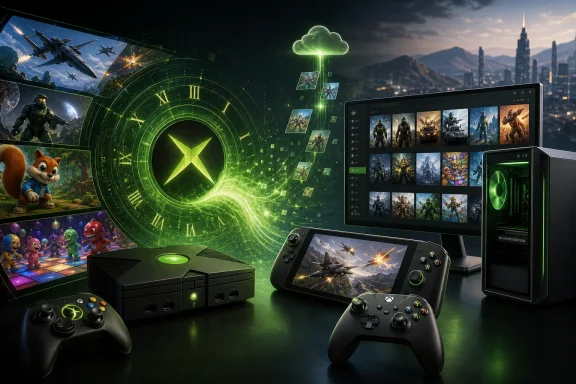
Microsoft has taken one of the most consequential steps yet in its effort to make Xbox a platform that follows players rather than a box beneath the television. Xbox Backward Compatibility on PC is now launching in early release for Windows 11, bringing four original Xbox games to compatible PCs and handhelds through the Xbox app: BLiNX: The Time Sweeper, Conker: Live and Reloaded, Crimson Skies: High Road to Revenge, and Fuzion Frenzy.
For Windows gamers, the immediate catalog is modest. The larger significance, however, is not. Microsoft is extending a console-era preservation initiative onto the PC, allowing eligible digital ownership to carry forward while pairing classic games with PC-specific controls, configurable visual settings, cloud access, and handheld support. It is a major symbolic victory for the Xbox ecosystem—and a potentially important technical foundation—though the rollout also arrives with clear limitations around catalog breadth, platform support, achievements, and the unresolved question of Xbox 360 emulation.
For years, Xbox backward compatibility has been a defining strength of the company’s console strategy. Xbox One and Xbox Series X|S owners have been able to access a substantial selection of games originally released for the original Xbox and Xbox 360, with many receiving cleaner image quality, steadier performance, HDR enhancements, or resolution upgrades on newer console hardware.
That experience has never transferred in a meaningful native form to Windows PCs.
Classic Xbox games have sometimes appeared on PC through remasters, re-releases, cloud streaming, digital storefront ports, or unofficial emulation tools. But those routes are fundamentally different from Microsoft formally bringing its Xbox backward compatibility technology, license recognition, and curated game releases to Windows 11.
The new initiative therefore matters for more than nostalgia. It establishes a pathway for Microsoft to connect three historically separate gaming worlds:
BLiNX also represents the kind of game that makes a preservation program valuable. It is not a current blockbuster, nor is it a title likely to receive a full-scale remake. Yet it remains part of Xbox’s first-party identity and is precisely the sort of unusual, creatively risky game that can disappear from practical access as hardware generations move on.
Its arrival is especially notable because it highlights the role of Microsoft-owned studios and legacy publishing rights. Bringing internally controlled franchises to PC is generally simpler than navigating rights negotiations with outside publishers, music licensors, actors, brands, and other stakeholders. That practical reality may help explain why Microsoft’s opening lineup leans toward games closely associated with its own Xbox history.
For PC gaming audiences, its presence is almost poetic. Flight and vehicle combat games have long had a natural home on Windows, and Crimson Skies feels particularly well suited to a modern PC release with high-resolution output, configurable graphics options, controller support, and the flexibility of a desktop or handheld environment.
The challenge for Fuzion Frenzy on PC will be relevance. Party games thrive on easy couch play, controller pairing, and predictable multiplayer behavior. If Microsoft can make local and online experiences frictionless across Windows desktops and handheld devices, games like this could find a second life. If not, they may remain curiosities for collectors and Xbox history enthusiasts.
It is worth being precise about the resolution claim. The supported enhancement is described as up to four-times resolution upscaling. That should not automatically be interpreted as a blanket promise of native 4K rendering for every game, every display configuration, or every Windows PC. The result will depend on the game’s original rendering profile, the implementation Microsoft has chosen, and the hardware running it.
Still, even a measured resolution upgrade can make a profound difference. Early-2000s console software was often constrained by low internal resolution, limited texture filtering, jagged edges, and display assumptions made for CRT televisions. Cleaner image output and modern filtering can preserve a game’s original visual character while making it substantially more comfortable to play on a 1080p, 1440p, or 4K display.
That is the promise of Xbox Play Anywhere applied to an older generation of Xbox software. It is also an area where Microsoft has a meaningful advantage over more fragmented PC gaming ecosystems. Rather than forcing customers to repurchase a title simply because it moves from a console screen to a Windows screen, the company can treat a qualifying Xbox license as a cross-device entitlement.
This approach has several benefits:
Game Pass gives Microsoft a ready-made audience for these releases. A subscriber can install Crimson Skies or Conker from the Xbox app, test the compatibility experience, and decide whether the technology meets expectations without making a separate purchase.
That said, availability through a subscription should not overshadow the more durable ownership story. The preservation value of backward compatibility is strongest when it respects purchased libraries, not only when it funnels legacy titles into an ongoing subscription service.
The stated minimum requirements include:
A modern compatibility system may need to reproduce console-specific graphics behavior, timing expectations, controller handling, audio characteristics, memory behavior, operating-system services, display output, and platform integrations. The CPU and GPU are not merely brute-forcing old games; they are supporting a translation and compatibility layer while delivering a modern Windows presentation.
The stated requirements are therefore a useful reminder that “old game” does not always mean “zero technical overhead.”
From Microsoft’s perspective, Windows 11 provides a clearer support target for graphics drivers, security baselines, Xbox app features, gaming services, and handheld integration. From the customer perspective, however, it creates another line between a library the user may already own and the hardware they are permitted to use.
It also reinforces an uncomfortable but familiar reality of modern digital ownership: access often depends not just on possessing a license, but on keeping up with the platform holder’s supported operating systems, apps, account requirements, and service infrastructure.
This omission deserves attention because Windows on Arm is increasingly relevant to the future of portable Windows computing. Qualcomm-based laptops continue to improve, and Arm hardware has obvious appeal for thin-and-light PCs thanks to its efficiency, battery life, and integrated AI capabilities.
Backward compatibility software can depend on a stack of interlocking technologies:
This is especially important for Xbox 360 software, which adds a more demanding architectural gap. The Xbox 360 used a PowerPC-based processor, unlike the x86 lineage used by the original Xbox and later Xbox consoles. Any future Windows PC release of Xbox 360 backward compatible titles would likely require a far more complex emulation or translation approach.
The company is increasingly positioning Xbox as a flexible ecosystem encompassing consoles, cloud streaming, Windows PCs, and handheld hardware. A future in which some of the most efficient and portable Windows devices cannot participate fully would weaken that message.
For now, the sensible conclusion is that Windows on Arm support is unannounced rather than impossible. Microsoft has not committed to it, and buyers should not assume it will arrive on a particular timetable.
Potentially desirable Xbox 360-era candidates span multiple categories:
That is why a broad Xbox backward compatibility catalog on console never meant every old game would be revived. It also explains why fans should be cautious about assuming that a PC rollout will quickly unlock every favorite Xbox 360 title.
The practical path forward will probably involve a mix of:
That is a reasonable roadmap item, but it is still a deficiency at launch.
Achievements are not merely cosmetic for many Xbox players. They serve as a record of play history, completion goals, social comparison, and account continuity. A classic Xbox game appearing on Windows without achievements can feel less integrated than a modern Xbox Play Anywhere release, even if it otherwise works well.
Questions that require careful handling include:
Classic console games are often an excellent fit for handheld systems. They were designed around controller input, focused play sessions, readable interfaces for television use, and a period when games frequently prioritized directness over the sprawling menus and demanding system requirements common in some modern PC releases.
There are caveats, of course. The real experience will depend on how well the games handle small screens, controller mappings, suspend-and-resume behavior, display scaling, and battery usage. Early support is promising, but practical polish will determine whether handheld compatibility is a headline feature or merely a checkbox.
Video games face a particularly difficult preservation problem. They depend on specific hardware, operating systems, proprietary services, physical media, online features, controller standards, and legal rights. Unlike films or music, a game cannot always be preserved simply by copying a file and opening it on any future device.
Microsoft’s backward compatibility program has already shown that a major platform holder can do meaningful work to keep older games usable. Bringing that effort to Windows 11 expands the audience and adds a second major endpoint beyond Xbox consoles.
There is also the issue of catalog scope. Four games are a beginning, not a comprehensive preservation solution. Thousands of games from the original Xbox and Xbox 360 eras remain inaccessible, difficult to obtain, legally tangled, or unable to run on modern systems without unofficial tools.
Nevertheless, this is a positive step. Official support confers legitimacy, simplicity, customer confidence, controller integration, account continuity, and a higher expectation of quality assurance than most users can achieve through manual workarounds.
The difference between an exciting experiment and a durable platform will depend on cadence. If more games arrive steadily over the coming months—especially recognizable titles across genres—the initiative can build trust. If releases remain sporadic or limited to a small set of Microsoft-owned originals, enthusiasm could fade quickly.
Adding Xbox backward compatibility on PC is strategically logical, but it introduces another category that customers must understand. Microsoft will need to make the distinctions clear:
Microsoft’s modest initial selection may be a deliberate way to manage that risk. A small catalog lets the company test the delivery mechanism, gather telemetry, address problems, and refine its compatibility engineering before opening the floodgates.
That cautious approach is sensible. But the company should communicate transparently when individual titles have limitations, rather than treating backward compatibility as a binary label that implies perfection.
That ambition aligns with broader trends in the gaming industry. Hardware generations are becoming less rigid. Accounts, subscriptions, streaming, cross-progression, and shared libraries increasingly matter more than a game’s original physical platform. Microsoft has been pursuing that model longer and more aggressively than many competitors.
The company’s challenge is execution. A platform vision is appealing only when it works reliably and feels generous to customers. License carryover, PC enhancements, handheld compatibility, cloud access, and future achievements are all promising ingredients. But they must be accompanied by a steadily expanding library, clear compatibility information, strong support, and a credible plan for Arm-based Windows hardware.
The opening lineup of BLiNX: The Time Sweeper, Conker: Live and Reloaded, Crimson Skies: High Road to Revenge, and Fuzion Frenzy will not satisfy everyone. It lacks the scale, breadth, and Xbox 360 representation needed to transform the PC catalog overnight. The absence of achievements at launch and the lack of announced Windows on Arm support are also meaningful gaps.
Still, the direction is unmistakably right. Microsoft is finally acknowledging that Xbox history should not be trapped behind aging console hardware, a television input, or a separate device category. If the company follows this early release with steady catalog growth, polished PC integration, achievement support, and a credible strategy for more challenging platforms and architectures, Xbox backward compatibility could become one of the most valuable features in Windows 11 gaming.
For Windows gamers, the immediate catalog is modest. The larger significance, however, is not. Microsoft is extending a console-era preservation initiative onto the PC, allowing eligible digital ownership to carry forward while pairing classic games with PC-specific controls, configurable visual settings, cloud access, and handheld support. It is a major symbolic victory for the Xbox ecosystem—and a potentially important technical foundation—though the rollout also arrives with clear limitations around catalog breadth, platform support, achievements, and the unresolved question of Xbox 360 emulation.
 A Long-Awaited Shift for Xbox on Windows
For years, Xbox backward compatibility has been a defining strength of the company’s console strategy. Xbox One and Xbox Series X|S owners have been able to access a substantial selection of games originally released for the original Xbox and Xbox 360, with many receiving cleaner image quality, steadier performance, HDR enhancements, or resolution upgrades on newer console hardware.That experience has never transferred in a meaningful native form to Windows PCs.
Classic Xbox games have sometimes appeared on PC through remasters, re-releases, cloud streaming, digital storefront ports, or unofficial emulation tools. But those routes are fundamentally different from Microsoft formally bringing its Xbox backward compatibility technology, license recognition, and curated game releases to Windows 11.
The new initiative therefore matters for more than nostalgia. It establishes a pathway for Microsoft to connect three historically separate gaming worlds:
- Original Xbox and Xbox 360 libraries
- Modern Xbox console ownership
- Windows PCs and Windows gaming handhelds
The First Four Xbox Games on PC
The initial Windows 11 lineup focuses entirely on original Xbox titles. Each game is already familiar to backward compatibility users on console, but this is the first time these specific versions are being made available through Microsoft’s official Xbox PC ecosystem.BLiNX: The Time Sweeper
Released during the original Xbox era, BLiNX: The Time Sweeper is a stylized action-platformer built around time manipulation. Its feline protagonist can rewind, pause, fast-forward, record, and slow time, creating a concept that was ambitious for its period and still distinctive today.BLiNX also represents the kind of game that makes a preservation program valuable. It is not a current blockbuster, nor is it a title likely to receive a full-scale remake. Yet it remains part of Xbox’s first-party identity and is precisely the sort of unusual, creatively risky game that can disappear from practical access as hardware generations move on.
Conker: Live and Reloaded
Conker: Live and Reloaded is the mature-rated Xbox remake of Rare’s Nintendo 64 cult classic. Known for its crude humor, cinematic parody, and deliberately irreverent presentation, it remains one of the more memorable titles from the early Xbox catalog.Its arrival is especially notable because it highlights the role of Microsoft-owned studios and legacy publishing rights. Bringing internally controlled franchises to PC is generally simpler than navigating rights negotiations with outside publishers, music licensors, actors, brands, and other stakeholders. That practical reality may help explain why Microsoft’s opening lineup leans toward games closely associated with its own Xbox history.
Crimson Skies: High Road to Revenge
Crimson Skies: High Road to Revenge is arguably the strongest showcase title in the first wave. The alternate-history aerial combat game combined arcade dogfighting, exploration, pulp-fiction style, and a distinctive aviation fantasy that has retained an enthusiastic following.For PC gaming audiences, its presence is almost poetic. Flight and vehicle combat games have long had a natural home on Windows, and Crimson Skies feels particularly well suited to a modern PC release with high-resolution output, configurable graphics options, controller support, and the flexibility of a desktop or handheld environment.
Fuzion Frenzy
The fourth release, Fuzion Frenzy, is a party game built around short competitive minigames. It is perhaps the least technically demanding title in the set, but it serves an important purpose. Backward compatibility is not only about preserving acclaimed single-player adventures; it is also about retaining the social games that defined local multiplayer during a particular era of console gaming.The challenge for Fuzion Frenzy on PC will be relevance. Party games thrive on easy couch play, controller pairing, and predictable multiplayer behavior. If Microsoft can make local and online experiences frictionless across Windows desktops and handheld devices, games like this could find a second life. If not, they may remain curiosities for collectors and Xbox history enthusiasts.
What Xbox Backward Compatibility on PC Actually Delivers
This is not simply a case of four old games appearing in the Microsoft Store. Microsoft is presenting these releases as part of a broader Xbox Backward Compatibility on PC framework, with specific enhancements and ecosystem features intended to make older titles more usable on current hardware.PC-Oriented Display and Graphics Controls
The first four games support a collection of graphics and display features that are essential for modern PC use:- Configurable graphics settings
- Resolution upscaling up to four times the original output
- VSync support
- Fullscreen and windowed display modes
- Anisotropic filtering
- Enhanced anti-aliasing
- Customizable language settings
- Customizable audio settings
It is worth being precise about the resolution claim. The supported enhancement is described as up to four-times resolution upscaling. That should not automatically be interpreted as a blanket promise of native 4K rendering for every game, every display configuration, or every Windows PC. The result will depend on the game’s original rendering profile, the implementation Microsoft has chosen, and the hardware running it.
Still, even a measured resolution upgrade can make a profound difference. Early-2000s console software was often constrained by low internal resolution, limited texture filtering, jagged edges, and display assumptions made for CRT televisions. Cleaner image output and modern filtering can preserve a game’s original visual character while making it substantially more comfortable to play on a 1080p, 1440p, or 4K display.
Xbox Play Anywhere License Carryover
One of the most consumer-friendly elements of the launch is digital license carryover. Players who already own an eligible game digitally on Xbox can access it on a compatible Windows 11 PC or supported handheld without purchasing it again.That is the promise of Xbox Play Anywhere applied to an older generation of Xbox software. It is also an area where Microsoft has a meaningful advantage over more fragmented PC gaming ecosystems. Rather than forcing customers to repurchase a title simply because it moves from a console screen to a Windows screen, the company can treat a qualifying Xbox license as a cross-device entitlement.
This approach has several benefits:
- It rewards customers who bought games digitally in previous Xbox generations.
- It makes a player’s Xbox library more valuable over time.
- It reduces the irritation of platform-specific repurchases.
- It gives Windows users another reason to stay inside the Xbox app and Microsoft account ecosystem.
- It strengthens the idea that Xbox is a service layer spanning devices rather than a console-only brand.
Xbox Game Pass Availability
All four initial games are also included with Xbox Game Pass plans, making the launch easy to sample for existing subscribers. This is strategically significant because it lowers the barrier for users who may be curious about Xbox backward compatibility on PC but unwilling to buy a two-decade-old game sight unseen.Game Pass gives Microsoft a ready-made audience for these releases. A subscriber can install Crimson Skies or Conker from the Xbox app, test the compatibility experience, and decide whether the technology meets expectations without making a separate purchase.
That said, availability through a subscription should not overshadow the more durable ownership story. The preservation value of backward compatibility is strongest when it respects purchased libraries, not only when it funnels legacy titles into an ongoing subscription service.
Windows 11 System Requirements: What PCs Are Supported
Microsoft’s minimum requirements show that this early version of Xbox backward compatibility on PC is not aimed at ancient hardware, but it is also far from demanding by modern gaming standards.The stated minimum requirements include:
- Operating system: Windows 11
- Processor: Quad-core Intel Core i3-8100, AMD Ryzen 3 1200, AMD Ryzen Z2 A processor, or newer
- Graphics: Nvidia GeForce GTX 950, AMD Radeon RX 550, Intel UHD 770, Intel Arc A310, or comparable hardware
- Memory: 8 GB RAM
- Drivers: Current supported driver versions, with Microsoft’s baseline tied to versions available from January 2026 onward
Why the Hardware Baseline Matters
On paper, these games are from the original Xbox generation. That console launched in 2001, and its hardware is dramatically less powerful than even a budget gaming PC built many years later. Yet backward compatibility is not as simple as running old code on faster components.A modern compatibility system may need to reproduce console-specific graphics behavior, timing expectations, controller handling, audio characteristics, memory behavior, operating-system services, display output, and platform integrations. The CPU and GPU are not merely brute-forcing old games; they are supporting a translation and compatibility layer while delivering a modern Windows presentation.
The stated requirements are therefore a useful reminder that “old game” does not always mean “zero technical overhead.”
Windows 11 Is a Firm Requirement
The decision to limit the feature to Windows 11 will disappoint users who remain on Windows 10, especially since plenty of PCs capable of running the four games are still using the older operating system.From Microsoft’s perspective, Windows 11 provides a clearer support target for graphics drivers, security baselines, Xbox app features, gaming services, and handheld integration. From the customer perspective, however, it creates another line between a library the user may already own and the hardware they are permitted to use.
It also reinforces an uncomfortable but familiar reality of modern digital ownership: access often depends not just on possessing a license, but on keeping up with the platform holder’s supported operating systems, apps, account requirements, and service infrastructure.
The Windows on Arm Question Remains Open
One of the most notable limitations is the initial absence of support for Windows 11 on Arm. Microsoft’s published requirements identify x86-compatible processors, including Intel Core, AMD Ryzen, and AMD Ryzen Z2 hardware. No Arm-based Snapdragon platform is included in the supported list.This omission deserves attention because Windows on Arm is increasingly relevant to the future of portable Windows computing. Qualcomm-based laptops continue to improve, and Arm hardware has obvious appeal for thin-and-light PCs thanks to its efficiency, battery life, and integrated AI capabilities.
Why Arm Compatibility May Be Difficult
The original Xbox itself was built around an x86 processor, which might suggest a relatively direct pathway to Arm devices through Windows’ own x86 translation capabilities. But the situation is more complicated than the instruction set of the original console CPU.Backward compatibility software can depend on a stack of interlocking technologies:
- The original game’s CPU behavior
- Original Xbox graphics expectations
- Low-level system calls and APIs
- Audio implementation
- Input behavior
- The compatibility layer’s own architecture
- Modern Windows driver and graphics infrastructure
- Potential x86-to-Arm translation overhead
This is especially important for Xbox 360 software, which adds a more demanding architectural gap. The Xbox 360 used a PowerPC-based processor, unlike the x86 lineage used by the original Xbox and later Xbox consoles. Any future Windows PC release of Xbox 360 backward compatible titles would likely require a far more complex emulation or translation approach.
A Strategic Risk for Microsoft
Leaving Windows on Arm out of the first release is understandable. Launching a new backward compatibility platform on one architecture before expanding to another reduces risk. But the limitation cannot become permanent if Microsoft wants Xbox on Windows to be genuinely device-agnostic.The company is increasingly positioning Xbox as a flexible ecosystem encompassing consoles, cloud streaming, Windows PCs, and handheld hardware. A future in which some of the most efficient and portable Windows devices cannot participate fully would weaken that message.
For now, the sensible conclusion is that Windows on Arm support is unannounced rather than impossible. Microsoft has not committed to it, and buyers should not assume it will arrive on a particular timetable.
The Xbox 360 Challenge Is the Real Test
The first four games all come from the original Xbox. That is meaningful as a proof of concept, but the eventual success of Xbox backward compatibility on PC will be judged by what happens next—particularly with the Xbox 360 catalog.Why Xbox 360 Matters
The Xbox 360 generation contains a huge share of the Xbox brand’s cultural and commercial history. It was the period that delivered landmark franchises, Xbox Live’s social explosion, a wave of digital arcade games, and many of the titles players most associate with the modern Xbox identity.Potentially desirable Xbox 360-era candidates span multiple categories:
- First-party action games
- Racing games
- Role-playing games
- Arcade and independent titles
- Licensed games that never received PC releases
- Delisted digital games
- Multiplayer classics with an enduring fan base
The Rights Problem Cannot Be Ignored
A game may be technically compatible but commercially unavailable because of expiring music agreements, sports licenses, car licenses, publishing agreements, actor likenesses, brand partnerships, regional contracts, or ownership changes after studio closures and acquisitions.That is why a broad Xbox backward compatibility catalog on console never meant every old game would be revived. It also explains why fans should be cautious about assuming that a PC rollout will quickly unlock every favorite Xbox 360 title.
The practical path forward will probably involve a mix of:
- Microsoft-owned games with clearer rights situations.
- Third-party games whose publishers are willing to participate.
- Titles with limited licensing complications.
- Games already supported through Xbox console backward compatibility.
- Select cult favorites with a viable commercial case for re-release.
Achievements Are Missing at Launch
One conspicuous omission is Xbox Achievements. The early-release titles do not initially include them, although Microsoft has indicated that achievements are planned for selected original Xbox games later, including updates for the first four releases.That is a reasonable roadmap item, but it is still a deficiency at launch.
Achievements are not merely cosmetic for many Xbox players. They serve as a record of play history, completion goals, social comparison, and account continuity. A classic Xbox game appearing on Windows without achievements can feel less integrated than a modern Xbox Play Anywhere release, even if it otherwise works well.
Why the Delay Is Understandable
Adding achievements to games that originally shipped before the Xbox 360 era is not trivial. The original Xbox did not use the achievement system that became central to Xbox identity in 2005. Microsoft must therefore decide how new achievement lists should be designed, tested, balanced, localized, and connected to legacy game behavior.Questions that require careful handling include:
- Which actions deserve achievements?
- Should achievements reward ordinary progression, hidden challenges, or completionist tasks?
- How should achievements work with existing save files?
- Can unintended exploits unlock them?
- How should legacy game bugs affect achievement conditions?
- Will score values and achievement counts follow modern Xbox conventions?
A Necessary Feature, Not a Bonus
Microsoft should treat achievements as a core integration feature rather than a distant enhancement. The company is asking players to view these games as part of the modern Xbox platform, not simply as old software running in a compatibility shell. In that context, achievements, cloud saves, controller support, account continuity, and robust social features are part of the expected baseline.Handheld Support Could Be a Major Advantage
The arrival of Xbox backward compatibility on PC is closely tied to Windows gaming handhelds, including the ROG Xbox Ally and ROG Xbox Ally X. This could be one of the most compelling aspects of the initiative.Classic console games are often an excellent fit for handheld systems. They were designed around controller input, focused play sessions, readable interfaces for television use, and a period when games frequently prioritized directness over the sprawling menus and demanding system requirements common in some modern PC releases.
Why Older Xbox Games Fit Portable Windows Gaming
Backward compatible original Xbox games may have several practical advantages on handheld PCs:- Lower performance demands than contemporary AAA games
- Controller-first design
- Smaller download sizes in many cases
- Faster startup and simpler gameplay loops
- Familiarity for players seeking comfort gaming
- Strong suitability for cloud save continuity between desktop and handheld
There are caveats, of course. The real experience will depend on how well the games handle small screens, controller mappings, suspend-and-resume behavior, display scaling, and battery usage. Early support is promising, but practical polish will determine whether handheld compatibility is a headline feature or merely a checkbox.
Preservation Is the Strongest Argument
The most important part of this announcement may be its preservation implications.Video games face a particularly difficult preservation problem. They depend on specific hardware, operating systems, proprietary services, physical media, online features, controller standards, and legal rights. Unlike films or music, a game cannot always be preserved simply by copying a file and opening it on any future device.
Microsoft’s backward compatibility program has already shown that a major platform holder can do meaningful work to keep older games usable. Bringing that effort to Windows 11 expands the audience and adds a second major endpoint beyond Xbox consoles.
Preservation Does Not Mean Perfect Permanence
It is essential not to overstate what this launch guarantees. A digitally licensed title depends on Microsoft’s ecosystem, account systems, application support, and ongoing compatibility work. It is more durable than a fleeting cloud-only offering, but it is not the same as unrestricted ownership of a downloadable executable that can be archived independently and run forever without platform involvement.There is also the issue of catalog scope. Four games are a beginning, not a comprehensive preservation solution. Thousands of games from the original Xbox and Xbox 360 eras remain inaccessible, difficult to obtain, legally tangled, or unable to run on modern systems without unofficial tools.
Nevertheless, this is a positive step. Official support confers legitimacy, simplicity, customer confidence, controller integration, account continuity, and a higher expectation of quality assurance than most users can achieve through manual workarounds.
The Risks of Starting Small
Microsoft deserves credit for shipping a real feature rather than merely promising one. But the initial launch also carries risks that should not be ignored.Four Games Can Feel Like a Demo, Not a Platform
A catalog of four titles does not yet justify a sweeping conclusion that Xbox backward compatibility has fully arrived on PC. The announcement represents an early release, and it should be evaluated as such.The difference between an exciting experiment and a durable platform will depend on cadence. If more games arrive steadily over the coming months—especially recognizable titles across genres—the initiative can build trust. If releases remain sporadic or limited to a small set of Microsoft-owned originals, enthusiasm could fade quickly.
Fragmentation Could Confuse Customers
Microsoft’s gaming ecosystem already spans the Xbox console store, the Xbox PC app, Microsoft Store licensing, Game Pass tiers, Xbox Cloud Gaming, Play Anywhere titles, native PC ports, and console backward compatibility.Adding Xbox backward compatibility on PC is strategically logical, but it introduces another category that customers must understand. Microsoft will need to make the distinctions clear:
- Is a game a native PC version or a backward compatible version?
- Does a digital Xbox license carry over?
- Does the game support cloud play?
- Does it support achievements?
- Does it work on Windows handhelds?
- Does it work on Windows on Arm?
- Does it support keyboard and mouse, or controller only?
- Does it offer cross-save and cross-platform multiplayer?
Early Technical Rough Edges Are Possible
Any compatibility platform may encounter game-specific problems involving input, audio, video output, refresh rates, overlays, capture tools, display switching, sleep states, multiple monitors, accessibility tools, and driver interactions.Microsoft’s modest initial selection may be a deliberate way to manage that risk. A small catalog lets the company test the delivery mechanism, gather telemetry, address problems, and refine its compatibility engineering before opening the floodgates.
That cautious approach is sensible. But the company should communicate transparently when individual titles have limitations, rather than treating backward compatibility as a binary label that implies perfection.
What This Means for Windows Gaming
For Windows 11 users, Xbox backward compatibility on PC represents more than access to four old games. It signals a future in which the Xbox app on PC becomes a more complete destination for Microsoft’s gaming heritage, rather than only a launcher for Game Pass titles and current PC releases.That ambition aligns with broader trends in the gaming industry. Hardware generations are becoming less rigid. Accounts, subscriptions, streaming, cross-progression, and shared libraries increasingly matter more than a game’s original physical platform. Microsoft has been pursuing that model longer and more aggressively than many competitors.
The company’s challenge is execution. A platform vision is appealing only when it works reliably and feels generous to customers. License carryover, PC enhancements, handheld compatibility, cloud access, and future achievements are all promising ingredients. But they must be accompanied by a steadily expanding library, clear compatibility information, strong support, and a credible plan for Arm-based Windows hardware.
A Promising Beginning, Not the Finish Line
Xbox Backward Compatibility on PC is one of the most encouraging Windows gaming developments Microsoft has announced in years. It gives classic original Xbox games an official home on Windows 11, recognizes existing digital ownership for eligible players, and brings console heritage into the same ecosystem as PC gaming handhelds, cloud services, and Game Pass.The opening lineup of BLiNX: The Time Sweeper, Conker: Live and Reloaded, Crimson Skies: High Road to Revenge, and Fuzion Frenzy will not satisfy everyone. It lacks the scale, breadth, and Xbox 360 representation needed to transform the PC catalog overnight. The absence of achievements at launch and the lack of announced Windows on Arm support are also meaningful gaps.
Still, the direction is unmistakably right. Microsoft is finally acknowledging that Xbox history should not be trapped behind aging console hardware, a television input, or a separate device category. If the company follows this early release with steady catalog growth, polished PC integration, achievement support, and a credible strategy for more challenging platforms and architectures, Xbox backward compatibility could become one of the most valuable features in Windows 11 gaming.