

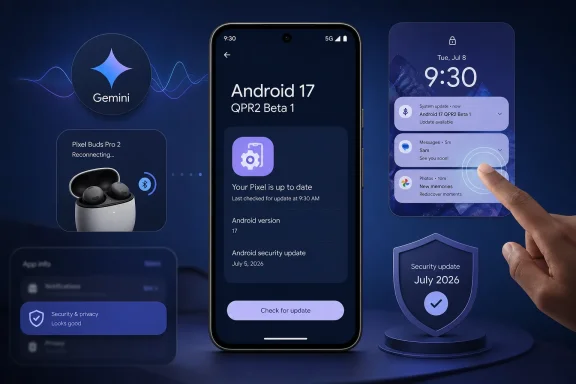
Google’s first Android 17 QPR2 Beta 1 release has arrived for supported Pixel devices, but this is not a feature-heavy preview designed to transform the phone experience overnight. Instead, build CP41.260701.005 is a focused maintenance release that tackles a set of real-world reliability problems, including a Pixel reboot triggered by Gemini, Bluetooth re-pairing failures, missing notifications, broken UI blur effects, and touch input problems after certain drag-and-drop gestures.
Released on July 20, the beta represents the next stage of Google’s quarterly Android update cycle. It carries the July 5, 2026 security patch level, includes Google Play services 26.23.34, and is available through the Android Beta for Pixel program, manual OTA installation, factory images, the Android Emulator, and Generic System Images for developers.
For Pixel owners, the most important takeaway is straightforward: Android 17 QPR2 Beta 1 is a bug-fix release with a meaningful list of targeted repairs, not a showcase for major new Android features. That makes it potentially appealing to enthusiasts affected by one of its named bugs, but it also reinforces why beta software should remain a careful choice rather than an automatic upgrade.
Android’s QPR, or Quarterly Platform Release, model has become an important part of Google’s platform strategy. Major Android versions establish the foundation, while QPR updates extend and refine that foundation over the following months. For Google Pixel devices, these releases are commonly associated with Feature Drops, where platform maintenance may arrive alongside consumer-facing additions.
The distinction matters with Android 17 QPR2 Beta 1. Google classifies it as a minor SDK release and indicates that there are no planned app behavior changes. That should reduce the compatibility burden for developers compared with a full Android version update, where new behavior rules can affect background processing, storage, permissions, notifications, or display handling.
In practical terms, this beta is less about giving users a new visual identity for Android and more about making existing functions dependable. That is not glamorous, but it can be more valuable than another layer of interface customization when the issues involve wireless accessories, notifications, accessibility tools, or unexpected system restarts.
The release also serves a broader validation role. By pushing QPR2 Beta 1 to Pixel hardware, emulators, and compatible Generic System Images, Google can test fixes across a wider variety of configurations before the eventual stable QPR2 rollout. Pixel owners who enroll are effectively helping to identify regressions that may only appear when particular apps, Bluetooth devices, accounts, accessibility services, or device states are involved.
Gemini is increasingly integrated into the Android experience, whether through voice activation, system-level assistance, context-aware actions, or app handoffs. That integration makes stability especially important. An assistant can be launched at unpredictable moments, often while users are multitasking or relying on their phones hands-free.
The explicit presence of this fix in the QPR2 Beta 1 release notes suggests Google identified a specific reproducible path rather than merely applying a vague stability improvement. That is encouraging, because targeted bug fixes are usually easier to validate than broad promises of “better performance.”
Still, the repair should not be interpreted as proof that all Gemini-related issues have been eliminated. Gemini spans multiple components, including the assistant interface, network services, device-specific AI features, account state, voice input, and third-party app integrations. This beta fixes a documented reboot issue, but beta users should continue reporting any crashes, freezes, abnormal battery drain, or assistant failures that remain.
That creates useful capabilities, but it raises the reliability standard. A voice assistant should be one of the least disruptive parts of a phone, particularly when it is activated while driving, exercising, cooking, or using connected audio devices. Android 17 QPR2 Beta 1 is a reminder that close platform integration brings both convenience and greater engineering risk.
Bluetooth remains essential to the modern smartphone experience. Wireless earbuds, smartwatches, fitness equipment, hearing aids, cars, game controllers, keyboards, mice, and smart-home accessories all depend on it. A failure that prevents reliable re-pairing can turn into a frustrating troubleshooting loop involving toggling Bluetooth, restarting devices, deleting saved connections, resetting accessories, or even clearing network settings.
For people who depend on Bluetooth audio for work calls or commute listening, this type of bug can feel disproportionately damaging. It may not be a headline feature, but it affects the basic trust that accessories will reconnect when they should.
Android 17 QPR2 Beta 1 does not promise a sweeping rewrite of the Bluetooth stack. It addresses a defined re-pairing scenario following remote bond loss. That specificity is a strength: it communicates what has been fixed without overstating the scope of the update.
A stable recovery path is as important as the original pairing process. The best wireless experience is not simply one that connects successfully out of the box; it is one that recovers predictably when an accessory or phone changes state.
For Windows users, this is a familiar lesson. Bluetooth reliability has long depended on a complex interaction among firmware, drivers, operating system services, power management, codecs, and vendor applications. Android faces similar challenges, even when Google controls both the Pixel hardware and the core software stack.
One corrects an issue where notifications could randomly become invisible in the notification shade until the phone was restarted. Another prevents media controls from briefly appearing on the lock screen after waking the device when the relevant app’s notifications had been disabled.
Together, those changes reveal how easily small UI inconsistencies can undermine confidence in a smartphone. Users expect notifications to be visible, timely, and governed by their selected settings. If notifications disappear, people can miss messages, authentication prompts, reminders, delivery alerts, calendar events, or warnings from security apps.
When notifications vanish until a restart, troubleshooting becomes difficult. The affected app may appear at fault even if the actual failure is in the system UI or notification pipeline. A reboot may temporarily restore normal behavior, but it is an unacceptable routine workaround for a core feature.
This is the type of defect that beta testing is meant to surface. It may depend on a combination of notification channels, app updates, battery optimization, lock-screen settings, or system-state transitions. Fixing it before a broader QPR2 deployment is exactly the kind of unglamorous work that improves the stability of the final build.
The problem is not merely cosmetic. Lock-screen behavior is tied to privacy expectations. A media card can reveal that a particular app was recently active, and even a brief visual appearance can create confusion about whether notification preferences are being honored consistently.
The fix reinforces an important principle: user-selected notification settings should apply cleanly across system surfaces, including the lock screen. Android’s notification system is powerful, but that power must be matched by predictable enforcement.
That sounds niche, but it could affect users of tablets, foldables, large-screen Pixels, stylus workflows, accessibility features, or productivity apps that use complex gestures. Drag-and-drop is increasingly important as Android expands beyond the traditional phone screen and moves further into multi-window and desktop-style usage.
A source application that stops receiving touch events is effectively left in a partially broken state. The user may be unable to continue interacting normally until the app is restarted, which is particularly disruptive when working with documents, images, file managers, browsers, or communication apps.
This repair may not draw attention from casual phone users, but it matters for Android’s larger productivity ambitions. If Android is to compete more effectively in tablet and desktop-like workflows, input behavior must remain dependable under complicated gesture sequences.
The related developer-toggle bug is arguably more consequential than the missing visual effect itself. Developer settings are often used for testing graphics behavior, performance, compatibility, and rendering differences. A setting that resets after reboot makes controlled testing harder because developers cannot rely on the device to retain its chosen configuration.
For Windows enthusiasts, the parallel is clear. Transparency and blur effects may look ornamental, but they often expose deeper questions about compositing, graphics drivers, power efficiency, and system consistency. A clean visual layer depends on a stable technical foundation underneath.
This is primarily a developer and accessibility-service concern, but it has real consequences. Accessibility tools depend on accurate information about interface elements, focus, position, and interaction regions. Developers debugging screen-reader behavior, switch access, automation tools, or custom accessibility services need reliable diagnostics to understand what the operating system is exposing.
Correcting misleading debugging data does not necessarily change the user-facing accessibility experience immediately. However, it improves the conditions for finding and fixing problems. That is valuable because accessibility regressions can be subtle, device-specific, and difficult to reproduce without trustworthy logs.
ML-DSA is associated with modern digital-signature cryptography, and the fix belongs firmly in the developer-facing side of the release. Most Pixel owners will never encounter it directly, but cryptographic APIs must behave consistently because developers build secure identity, authentication, signing, and trust workflows on top of them.
The significance is not that Android 17 QPR2 Beta 1 suddenly changes Android’s consumer security model. It does not. Rather, the repair helps ensure that an expected key-generation path works without throwing an exception under a specific input condition.
For this particular beta, the verified story is more precise:
A sensible installation checklist is:
Google’s beta program is designed for development, testing, and feedback. It is not equivalent to a fully validated stable update. A build can perform perfectly for one Pixel owner and create unexpected app compatibility, battery, connectivity, or reliability problems for another.
The Gemini reboot repair is the clearest example of why these maintenance releases matter. As mobile operating systems become more deeply integrated with AI assistants and connected accessories, the boundary between an app bug and a system problem becomes thinner. A failure in one tightly connected service can affect the reliability of the entire device.
Google’s decision to ship a narrowly focused beta with no planned app behavior changes is therefore sensible. It gives developers a relatively stable target for QPR testing while giving Pixel users early access to practical fixes. The lack of flashy new features may disappoint those expecting another major Android reveal, but it should be viewed as a sign of disciplined platform maintenance rather than a shortcoming.
For most users, the stable release will remain the best destination. For developers and experienced Pixel testers, Android 17 QPR2 Beta 1 offers an early opportunity to verify that the next quarterly update improves the areas that matter most: a phone that stays connected, displays the right information, responds to touch, respects settings, and does not restart when its built-in assistant is needed most.
Released on July 20, the beta represents the next stage of Google’s quarterly Android update cycle. It carries the July 5, 2026 security patch level, includes Google Play services 26.23.34, and is available through the Android Beta for Pixel program, manual OTA installation, factory images, the Android Emulator, and Generic System Images for developers.
For Pixel owners, the most important takeaway is straightforward: Android 17 QPR2 Beta 1 is a bug-fix release with a meaningful list of targeted repairs, not a showcase for major new Android features. That makes it potentially appealing to enthusiasts affected by one of its named bugs, but it also reinforces why beta software should remain a careful choice rather than an automatic upgrade.
 A Quarterly Platform Release Built Around Polish
Android’s QPR, or Quarterly Platform Release, model has become an important part of Google’s platform strategy. Major Android versions establish the foundation, while QPR updates extend and refine that foundation over the following months. For Google Pixel devices, these releases are commonly associated with Feature Drops, where platform maintenance may arrive alongside consumer-facing additions.The distinction matters with Android 17 QPR2 Beta 1. Google classifies it as a minor SDK release and indicates that there are no planned app behavior changes. That should reduce the compatibility burden for developers compared with a full Android version update, where new behavior rules can affect background processing, storage, permissions, notifications, or display handling.
In practical terms, this beta is less about giving users a new visual identity for Android and more about making existing functions dependable. That is not glamorous, but it can be more valuable than another layer of interface customization when the issues involve wireless accessories, notifications, accessibility tools, or unexpected system restarts.
The release also serves a broader validation role. By pushing QPR2 Beta 1 to Pixel hardware, emulators, and compatible Generic System Images, Google can test fixes across a wider variety of configurations before the eventual stable QPR2 rollout. Pixel owners who enroll are effectively helping to identify regressions that may only appear when particular apps, Bluetooth devices, accounts, accessibility services, or device states are involved.
The Gemini Reboot Fix Is the Headline Repair
The highest-profile correction in Android 17 QPR2 Beta 1 addresses a system crash that could cause Pixel devices to reboot when Gemini was invoked. A reboot is far more serious than an app crash: it interrupts calls, navigation, payments, recordings, work sessions, and other tasks that may be active at the time.Gemini is increasingly integrated into the Android experience, whether through voice activation, system-level assistance, context-aware actions, or app handoffs. That integration makes stability especially important. An assistant can be launched at unpredictable moments, often while users are multitasking or relying on their phones hands-free.
Why a System-Level Crash Matters
An isolated app failure is inconvenient, but a system crash has a wider blast radius. The user can lose unsaved work, be forced to reauthenticate in certain apps, or miss time-sensitive alerts while the device restarts and reconnects to the network.The explicit presence of this fix in the QPR2 Beta 1 release notes suggests Google identified a specific reproducible path rather than merely applying a vague stability improvement. That is encouraging, because targeted bug fixes are usually easier to validate than broad promises of “better performance.”
Still, the repair should not be interpreted as proof that all Gemini-related issues have been eliminated. Gemini spans multiple components, including the assistant interface, network services, device-specific AI features, account state, voice input, and third-party app integrations. This beta fixes a documented reboot issue, but beta users should continue reporting any crashes, freezes, abnormal battery drain, or assistant failures that remain.
A Useful Reminder About AI Integration
The Gemini reboot fix also illustrates a central challenge for modern mobile platforms. AI assistants are no longer standalone apps that can safely fail in isolation. They increasingly reach into launchers, voice controls, notifications, searches, accessibility paths, and system UI.That creates useful capabilities, but it raises the reliability standard. A voice assistant should be one of the least disruptive parts of a phone, particularly when it is activated while driving, exercising, cooking, or using connected audio devices. Android 17 QPR2 Beta 1 is a reminder that close platform integration brings both convenience and greater engineering risk.
Bluetooth Re-Pairing Gets a Much-Needed Repair
Another important fix addresses a Bluetooth issue in which re-pairing could fail silently after a remote bond loss. The terminology is technical, but the user impact is easy to understand: a Bluetooth accessory could lose its established relationship with the Pixel phone, and attempts to reconnect or pair again might not work as expected.Bluetooth remains essential to the modern smartphone experience. Wireless earbuds, smartwatches, fitness equipment, hearing aids, cars, game controllers, keyboards, mice, and smart-home accessories all depend on it. A failure that prevents reliable re-pairing can turn into a frustrating troubleshooting loop involving toggling Bluetooth, restarting devices, deleting saved connections, resetting accessories, or even clearing network settings.
Silent Failure Is Worse Than a Clear Error
The word silently is significant. A clear error message at least tells users that the connection attempt failed. Silent failure leaves the interface looking as though it accepted the request, while the underlying pairing relationship remains broken.For people who depend on Bluetooth audio for work calls or commute listening, this type of bug can feel disproportionately damaging. It may not be a headline feature, but it affects the basic trust that accessories will reconnect when they should.
Android 17 QPR2 Beta 1 does not promise a sweeping rewrite of the Bluetooth stack. It addresses a defined re-pairing scenario following remote bond loss. That specificity is a strength: it communicates what has been fixed without overstating the scope of the update.
Better Bluetooth Reliability Helps More Than Earbuds
The fix may matter especially for users with accessories that frequently move between devices or enter low-power states. A smartwatch may temporarily lose connection. A car infotainment system may clear pairing information. Earbuds may be reset or paired with another device. Corporate peripherals may be managed through policies that alter connection behavior.A stable recovery path is as important as the original pairing process. The best wireless experience is not simply one that connects successfully out of the box; it is one that recovers predictably when an accessory or phone changes state.
For Windows users, this is a familiar lesson. Bluetooth reliability has long depended on a complex interaction among firmware, drivers, operating system services, power management, codecs, and vendor applications. Android faces similar challenges, even when Google controls both the Pixel hardware and the core software stack.
Notifications, Lock Screen Media, and Input Reliability
Android 17 QPR2 Beta 1 includes several fixes that may appear less dramatic than the Gemini reboot repair but can significantly affect day-to-day usability.One corrects an issue where notifications could randomly become invisible in the notification shade until the phone was restarted. Another prevents media controls from briefly appearing on the lock screen after waking the device when the relevant app’s notifications had been disabled.
Together, those changes reveal how easily small UI inconsistencies can undermine confidence in a smartphone. Users expect notifications to be visible, timely, and governed by their selected settings. If notifications disappear, people can miss messages, authentication prompts, reminders, delivery alerts, calendar events, or warnings from security apps.
The Notification Fix Is More Important Than It Sounds
Notification behavior is foundational on Android. The shade is not simply a list of alerts; it is an operating surface for managing conversations, media, connected devices, smart-home controls, navigation, and background tasks.When notifications vanish until a restart, troubleshooting becomes difficult. The affected app may appear at fault even if the actual failure is in the system UI or notification pipeline. A reboot may temporarily restore normal behavior, but it is an unacceptable routine workaround for a core feature.
This is the type of defect that beta testing is meant to surface. It may depend on a combination of notification channels, app updates, battery optimization, lock-screen settings, or system-state transitions. Fixing it before a broader QPR2 deployment is exactly the kind of unglamorous work that improves the stability of the final build.
Lock Screen Media Controls Must Respect Settings
The media-control correction is also a welcome refinement. If an app’s notifications are disabled, users should not have to wonder why music or video controls briefly flash on the lock screen after the device wakes.The problem is not merely cosmetic. Lock-screen behavior is tied to privacy expectations. A media card can reveal that a particular app was recently active, and even a brief visual appearance can create confusion about whether notification preferences are being honored consistently.
The fix reinforces an important principle: user-selected notification settings should apply cleanly across system surfaces, including the lock screen. Android’s notification system is powerful, but that power must be matched by predictable enforcement.
Multi-Finger Drag-and-Drop No Longer Breaks Touch Events
Android 17 QPR2 Beta 1 also repairs a touch-input issue involving drag and drop. In the affected scenario, initiating a drag-and-drop gesture with multiple fingers could cause the source app to stop receiving later touch events.That sounds niche, but it could affect users of tablets, foldables, large-screen Pixels, stylus workflows, accessibility features, or productivity apps that use complex gestures. Drag-and-drop is increasingly important as Android expands beyond the traditional phone screen and moves further into multi-window and desktop-style usage.
A source application that stops receiving touch events is effectively left in a partially broken state. The user may be unable to continue interacting normally until the app is restarted, which is particularly disruptive when working with documents, images, file managers, browsers, or communication apps.
This repair may not draw attention from casual phone users, but it matters for Android’s larger productivity ambitions. If Android is to compete more effectively in tablet and desktop-like workflows, input behavior must remain dependable under complicated gesture sequences.
Accessibility and Visual Rendering Receive Attention
Google has also fixed a defect in which window-level UI blur effects failed to render, while the “Allow window-level blurs” developer option could reset itself after a reboot. At the same time, Android 17 QPR2 Beta 1 resolves misleading bounds data in the output ofAccessibilityNodeInfo.toString().UI Blur Is a Small Detail With Broad Visibility
Blur effects are now common across modern operating systems. They can separate foreground content from background layers, add depth to menus and dialogs, and support visual hierarchy. When window-level blur does not render correctly, Android may look unfinished or inconsistent across applications.The related developer-toggle bug is arguably more consequential than the missing visual effect itself. Developer settings are often used for testing graphics behavior, performance, compatibility, and rendering differences. A setting that resets after reboot makes controlled testing harder because developers cannot rely on the device to retain its chosen configuration.
For Windows enthusiasts, the parallel is clear. Transparency and blur effects may look ornamental, but they often expose deeper questions about compositing, graphics drivers, power efficiency, and system consistency. A clean visual layer depends on a stable technical foundation underneath.
Better Accessibility Debugging Benefits Everyone
The accessibility-related fix targets incorrect logging of window bounds inAccessibilityNodeInfo.toString(). Previously, window bounds could be logged using screen bounds, which produced misleading diagnostic information.This is primarily a developer and accessibility-service concern, but it has real consequences. Accessibility tools depend on accurate information about interface elements, focus, position, and interaction regions. Developers debugging screen-reader behavior, switch access, automation tools, or custom accessibility services need reliable diagnostics to understand what the operating system is exposing.
Correcting misleading debugging data does not necessarily change the user-facing accessibility experience immediately. However, it improves the conditions for finding and fixing problems. That is valuable because accessibility regressions can be subtle, device-specific, and difficult to reproduce without trustworthy logs.
A Cryptography Fix With Developer Significance
One of the more technical corrections in Android 17 QPR2 Beta 1 addresses an exception during ML-DSA key generation when the digest is supplied using the"NONE" string rather than the class constant.ML-DSA is associated with modern digital-signature cryptography, and the fix belongs firmly in the developer-facing side of the release. Most Pixel owners will never encounter it directly, but cryptographic APIs must behave consistently because developers build secure identity, authentication, signing, and trust workflows on top of them.
The significance is not that Android 17 QPR2 Beta 1 suddenly changes Android’s consumer security model. It does not. Rather, the repair helps ensure that an expected key-generation path works without throwing an exception under a specific input condition.
Avoid Exaggerating the Security Story
Some reports surrounding beta releases tend to attach broad claims about enhanced privacy, stronger battery life, faster launches, or improved memory management. Those claims should be treated carefully unless they are directly supported by release notes, measurable testing, or documented platform changes.For this particular beta, the verified story is more precise:
- It includes a July 5, 2026 security patch level.
- It fixes a specific ML-DSA key-generation exception.
- It repairs several stability, input, Bluetooth, notification, rendering, and accessibility-debugging issues.
- It does not arrive with a detailed official list of broad battery-life gains, major privacy redesigns, or headline consumer features.
Supported Pixel Devices and Testing Options
Android 17 QPR2 Beta 1 is available for a wide range of current and recent Google Pixel hardware. Supported models include:- Pixel 6a
- Pixel 7, Pixel 7 Pro, and Pixel 7a
- Pixel Tablet
- Pixel Fold
- Pixel 8, Pixel 8 Pro, and Pixel 8a
- Pixel 9, Pixel 9 Pro, Pixel 9 Pro XL, Pixel 9 Pro Fold, and Pixel 9a
- Pixel 10, Pixel 10 Pro, Pixel 10 Pro XL, Pixel 10 Pro Fold, and Pixel 10a
The Simplest Installation Path
For most eligible Pixel owners, the least complicated route is enrollment in the Android Beta for Pixel program. Once enrolled, the device should receive the update over the air through the standard system-update process.A sensible installation checklist is:
- Back up important data before enrolling or installing.
- Confirm that the Pixel model is supported for Android 17 QPR2 Beta 1.
- Ensure critical apps, banking tools, authentication apps, and workplace software are functioning on the current build.
- Enroll through the Android Beta for Pixel program or use an approved installation image.
- Install the OTA update with adequate battery charge and stable Wi-Fi.
- Test Bluetooth accessories, notifications, payment apps, voice features, and any accessibility tools used daily.
- Submit clear feedback if a regression appears, ideally with reproducible steps.
The Risks of Joining the Beta
The most important warning remains unchanged: Android 17 QPR2 Beta 1 is pre-release software. Even though it fixes known bugs, it can introduce new ones.Google’s beta program is designed for development, testing, and feedback. It is not equivalent to a fully validated stable update. A build can perform perfectly for one Pixel owner and create unexpected app compatibility, battery, connectivity, or reliability problems for another.
Who Should Install It
The beta is a reasonable option for:- Developers validating Android apps against the QPR2 platform.
- Enthusiasts who understand the recovery process.
- Pixel owners directly affected by the fixed Gemini reboot or Bluetooth re-pairing problems.
- Users with a secondary device available in case of a serious regression.
- Testers willing to provide actionable bug reports.
Who Should Wait
Waiting for the stable Android 17 QPR2 release remains the wiser course for:- Users who depend on their Pixel for work, travel, payments, healthcare, or emergency communication.
- People who use enterprise management, VPNs, secure work profiles, or specialized business apps.
- Anyone relying on a phone as their only authentication device.
- Owners who cannot tolerate the possibility of a reset when leaving the beta path.
- Users seeking major new features rather than targeted maintenance fixes.
What Android 17 QPR2 Beta 1 Signals for Pixel Users
Android 17 QPR2 Beta 1 is not a dramatic update, and that is largely the point. It addresses defects that cut across fundamental smartphone functions: Bluetooth connections, notifications, touch input, assistant reliability, visual rendering, accessibility diagnostics, and cryptographic development tools.The Gemini reboot repair is the clearest example of why these maintenance releases matter. As mobile operating systems become more deeply integrated with AI assistants and connected accessories, the boundary between an app bug and a system problem becomes thinner. A failure in one tightly connected service can affect the reliability of the entire device.
Google’s decision to ship a narrowly focused beta with no planned app behavior changes is therefore sensible. It gives developers a relatively stable target for QPR testing while giving Pixel users early access to practical fixes. The lack of flashy new features may disappoint those expecting another major Android reveal, but it should be viewed as a sign of disciplined platform maintenance rather than a shortcoming.
For most users, the stable release will remain the best destination. For developers and experienced Pixel testers, Android 17 QPR2 Beta 1 offers an early opportunity to verify that the next quarterly update improves the areas that matter most: a phone that stays connected, displays the right information, responds to touch, respects settings, and does not restart when its built-in assistant is needed most.
References
- Primary source: TechRepublic
Published: 2026-07-22T11:39:49+00:00
Android 17 QPR2 Beta 1 Fixes Gemini and Bluetooth Bugs
Android 17 QPR2 Beta 1 fixes Gemini-related reboots, Bluetooth failures, and missing notifications while ending beta support for the Pixel 6 series.www.techrepublic.com
- Independent coverage: chshyd.in
Published: 2026-07-22T07:37:50+00:00
Google Pixel Problems Fixed With Android 17 QPR2 Beta
Android 17 QPR2 Beta 1 resolves several Google Pixel bugs, bringing improved stability and smoother daily use for supported deviceschshyd.in - Independent coverage: Technobezz
Published: 2026-07-21T19:24:06.463000+00:00
Android 17 QPR2 Beta 1 Fixes Bluetooth and Gemini Crash Issues | Technobezz
Google's Android 17 QPR2 Beta 1 fixes Bluetooth reconnection failures, Gemini-related reboots, lock screen media glitches, and a touch input bug.www.technobezz.com - Related coverage: developer.android.com
- Official source: google.com
Android Beta Program
Android Beta Program allows you to enroll your Android device for beta releases. www.google.com
- Official source: support.google.com
